Introduction to React Native
Dani Akash S
What is a React Native App?
Advantages
● Android and iOS apps with Single
Codebase
● Native Performance
● Increased Developer Productivity
● Use Native Code when needed
● Can be integrated into existing
Native App
The Reactive World
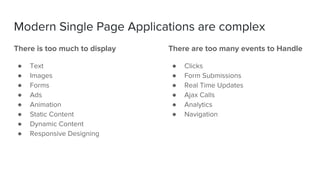
There is too much to display
● Text
● Images
● Forms
● Ads
● Animation
● Static Content
● Dynamic Content
● Responsive Designing
There are too many events to Handle
● Clicks
● Form Submissions
● Real Time Updates
● Ajax Calls
● Analytics
● Navigation
Modern Single Page Applications are complex
Managing the State of all the
components is difficult.
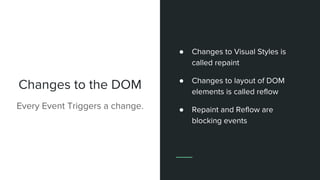
Changes to the DOM
Every Event Triggers a change.
● Changes to Visual Styles is
called repaint
● Changes to layout of DOM
elements is called reflow
● Repaint and Reflow are
blocking events
Repaints and Reflows are
Expensive
React
A library for building User Interfaces.
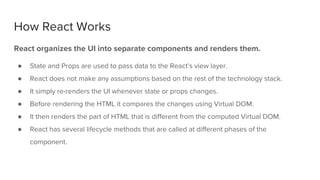
React organizes the UI into separate components and renders them.
● State and Props are used to pass data to the React’s view layer.
● React does not make any assumptions based on the rest of the technology stack.
● It simply re-renders the UI whenever state or props changes.
● Before rendering the HTML it compares the changes using Virtual DOM.
● It then renders the part of HTML that is different from the computed Virtual DOM.
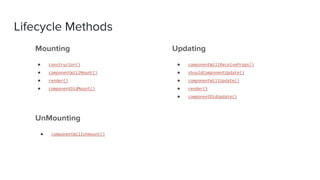
● React has several lifecycle methods that are called at different phases of the
component.
How React Works
UnMounting
● componentWillUnmount()
Updating
● componentWillReceiveProps()
● shouldComponentUpdate()
● componentWillUpdate()
● render()
● componentDidUpdate()
Lifecycle Methods
Mounting
● constructor()
● componentWillMount()
● render()
● componentDidMount()
Advantages
● Rendering is fast due to Virtual DOM.
● Since each part of the application is
organized into components, the code
becomes more maintainable and
scalable.
● Lifecycle methods make it easy to
update View layer based on Events.
● Managing component states for large
applications can be made simple
using a state management library.
Getting Started with React Native
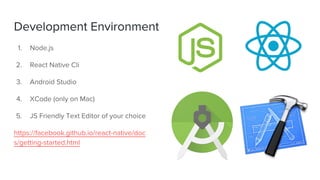
Development Environment
1. Node.js
2. React Native Cli
3. Android Studio
4. XCode (only on Mac)
5. JS Friendly Text Editor of your choice
https://facebook.github.io/react-native/doc
s/getting-started.html
Let’s code!
Developer Friendly Tools
Exclusive on React Native!!
● Hot Reloading
● Layouts using Flexbox
● Wireless Debugging
● UI frameworks
● Blueprints to kick start your
project
● Community powered libraries
Checkout the following libraries!
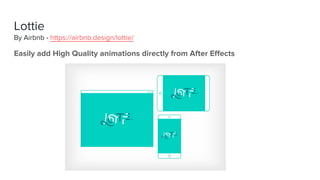
Easily add High Quality animations directly from After Effects
Lottie
By Airbnb - https://airbnb.design/lottie/
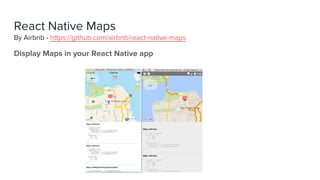
Display Maps in your React Native app
React Native Maps
By Airbnb - https://github.com/airbnb/react-native-maps
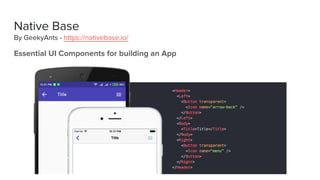
Essential UI Components for building an App
Native Base
By GeekyAnts - https://nativebase.io/
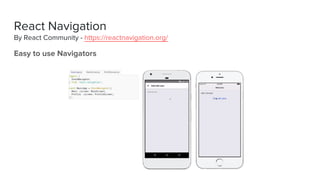
Easy to use Navigators
React Navigation
By React Community - https://reactnavigation.org/
Build React Native app on any OS.
No Android Studio or XCode needed!
Create React Native App
By React Community - https://github.com/react-community/create-react-native-app
And much more to make
development simpler…
Feel Free to Explore!
Thank You!
Connect with me on:
● @DaniAkashS
● linkedin.com/in/daniakash

Introduction to react native

  • 1.
    Introduction to ReactNative Dani Akash S
  • 2.
    What is aReact Native App?
  • 3.
    Advantages ● Android andiOS apps with Single Codebase ● Native Performance ● Increased Developer Productivity ● Use Native Code when needed ● Can be integrated into existing Native App
  • 4.
  • 5.
    There is toomuch to display ● Text ● Images ● Forms ● Ads ● Animation ● Static Content ● Dynamic Content ● Responsive Designing There are too many events to Handle ● Clicks ● Form Submissions ● Real Time Updates ● Ajax Calls ● Analytics ● Navigation Modern Single Page Applications are complex
  • 11.
    Managing the Stateof all the components is difficult.
  • 12.
    Changes to theDOM Every Event Triggers a change. ● Changes to Visual Styles is called repaint ● Changes to layout of DOM elements is called reflow ● Repaint and Reflow are blocking events
  • 13.
    Repaints and Reflowsare Expensive
  • 14.
    React A library forbuilding User Interfaces.
  • 15.
    React organizes theUI into separate components and renders them. ● State and Props are used to pass data to the React’s view layer. ● React does not make any assumptions based on the rest of the technology stack. ● It simply re-renders the UI whenever state or props changes. ● Before rendering the HTML it compares the changes using Virtual DOM. ● It then renders the part of HTML that is different from the computed Virtual DOM. ● React has several lifecycle methods that are called at different phases of the component. How React Works
  • 16.
    UnMounting ● componentWillUnmount() Updating ● componentWillReceiveProps() ●shouldComponentUpdate() ● componentWillUpdate() ● render() ● componentDidUpdate() Lifecycle Methods Mounting ● constructor() ● componentWillMount() ● render() ● componentDidMount()
  • 17.
    Advantages ● Rendering isfast due to Virtual DOM. ● Since each part of the application is organized into components, the code becomes more maintainable and scalable. ● Lifecycle methods make it easy to update View layer based on Events. ● Managing component states for large applications can be made simple using a state management library.
  • 18.
  • 19.
    Development Environment 1. Node.js 2.React Native Cli 3. Android Studio 4. XCode (only on Mac) 5. JS Friendly Text Editor of your choice https://facebook.github.io/react-native/doc s/getting-started.html
  • 20.
  • 21.
    Developer Friendly Tools Exclusiveon React Native!! ● Hot Reloading ● Layouts using Flexbox ● Wireless Debugging ● UI frameworks ● Blueprints to kick start your project ● Community powered libraries
  • 22.
  • 23.
    Easily add HighQuality animations directly from After Effects Lottie By Airbnb - https://airbnb.design/lottie/
  • 24.
    Display Maps inyour React Native app React Native Maps By Airbnb - https://github.com/airbnb/react-native-maps
  • 25.
    Essential UI Componentsfor building an App Native Base By GeekyAnts - https://nativebase.io/
  • 26.
    Easy to useNavigators React Navigation By React Community - https://reactnavigation.org/
  • 27.
    Build React Nativeapp on any OS. No Android Studio or XCode needed! Create React Native App By React Community - https://github.com/react-community/create-react-native-app
  • 28.
    And much moreto make development simpler… Feel Free to Explore!
  • 29.
    Thank You! Connect withme on: ● @DaniAkashS ● linkedin.com/in/daniakash