Introduction to React-
Native
Waqqas Jabbar
23th May 2018
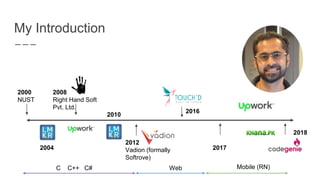
My Introduction
2000
NUST
2008
Right Hand Soft
Pvt. Ltd.
2012
Vadion (formally
Softrove)
2010
2016
20172004
2018
C C++ C# Web Mobile (RN)
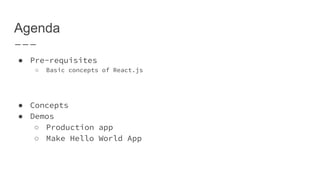
Agenda
● Pre-requisites
○ Basic concepts of React.js
● Concepts
● Demos
○ Production app
○ Make Hello World App
React-Native
● Learn once, write anywhere (previously:
write once, run anywhere)
○ Provide native experience
● Built on React.js
● Available for
○ Android: 4.1+
○ iOS: 8+
Why React-Native
● Faster development speed
● Lower cost of development
○ Code reuse
○ Easy to find developers
● Ship across multiple platform
● Over the Air (OTA) updates
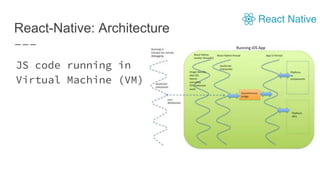
React-Native: Architecture
JS code running in
Virtual Machine (VM)
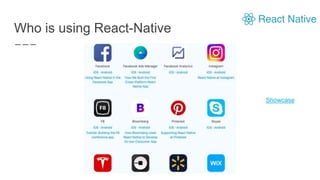
Who is using React-Native
Showcase
Prerequisites to React-Native Development
● JavaScript (Preferably ES6)
● Basic XCode/Android Studio usage
● Basic understanding on npm
Development Environment
● Any JavaScript Editor ( WebStorm, Atom)
● XCode
● Android Studio
● node/npm
● React-Native CLI
● Genymotion
● nvm ( Node version manager)
● yarn
Development Experience
● Close to web
● Code changes instantaneously updated on
mobile
● Use chrome for debugging
Complimentary Libraries
● React Navigation
● React Redux
● Redux Sagas
● Mobx
https://js.coach/?collection=React+Native
JS libraries:
moment.js, lodash.js
UI Libraries
● React-native-elements
● Nativebase
● Shoutem UI
● Use native components
Challenges in React-Native Development
● Frequent updates of React-Native
○ App should be updated regularly
● Third-party libraries can become outdated
react-native-git-upgrade
Debugging
● Google Chrome
● Performance Monitor
● Inspector
● Reactotron
Styling
● Flexbox
● Styled-components for CSS
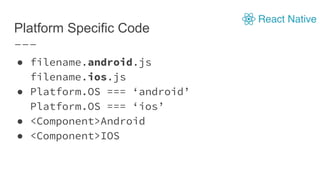
Platform Specific Code
● filename.android.js
filename.ios.js
● Platform.OS === ‘android’
Platform.OS === ‘ios’
● <Component>Android
● <Component>IOS
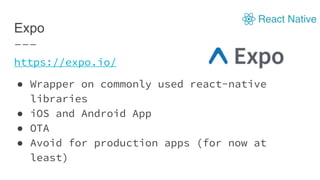
Expo
https://expo.io/
● Wrapper on commonly used react-native
libraries
● iOS and Android App
● OTA
● Avoid for production apps (for now at
least)
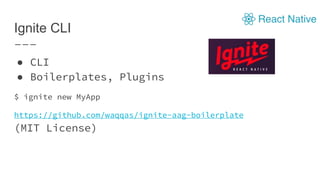
Ignite CLI
● CLI
● Boilerplates, Plugins
$ ignite new MyApp
https://github.com/waqqas/ignite-aag-boilerplate
(MIT License)
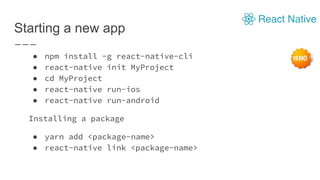
Starting a new app
● npm install -g react-native-cli
● react-native init MyProject
● cd MyProject
● react-native run-ios
● react-native run-android
Installing a package
● yarn add <package-name>
● react-native link <package-name>
Demos
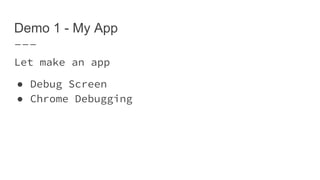
Demo 1 - My App
Let make an app
● Debug Screen
● Chrome Debugging
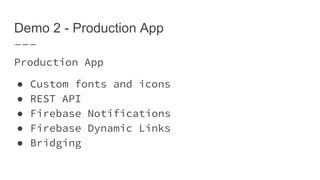
Demo 2 - Production App
Production App
● Custom fonts and icons
● REST API
● Firebase Notifications
● Firebase Dynamic Links
● Bridging
Thank you
QnA
Professional React-Native Workshop
(Coming Soon)
● Hands-on
● Intensive
Show your interest:
https://goo.gl/forms/WrmnQVm9Uz8Ldsfg1
https://www.linkedin.com/in/waqqasjabbar/
https://twitter.com/waqqasjabbar
https://medium.com/@waqqas/
https://www.upwork.com/fl/waqqasj
waqqas.jabbar@gmail.com

Introduction to React Native

Editor's Notes

  • #3 Link to people
  • #6 https://blog.codecentric.de/en/2017/11/developing-modern-offline-apps-reactjs-redux-electron-part-2-reactjs-basics/
  • #7 https://reactjs.org/docs/hello-world.html
  • #11 https://facebook.github.io/react-native/showcase.html
  • #13 https://facebook.github.io/react-native/docs/getting-started.html
  • #19 https://facebook.github.io/jsx/ https://reactjs.org/docs/introducing-jsx.html https://reactjs.org/docs/jsx-in-depth.html
  • #23 https://infinite.red/ignite