React Native: Building Mobile
Apps with React
React Native is a powerful open-source framework that allows developers
to build high-quality mobile applications using the same codebase for both
iOS and Android platforms. Developed and maintained by Facebook,
React Native leverages the power of React, a popular JavaScript library
for building user interfaces, and enables developers to create native
mobile experiences with the flexibility and efficiency of a single codebase.
React Fundamentals
Components
At the heart of React is the
concept of components,
which are reusable building
blocks that encapsulate both
the structure and the behavior
of a user interface.
Developers can create and
compose these components
to build complex and dynamic
applications.
State Management
React's state management
system allows developers to
manage the internal state of
their components, enabling
them to react to user
interactions and update the UI
accordingly. This helps to
create responsive and
interactive applications.
Virtual DOM
React uses a virtual DOM, a
lightweight in-memory
representation of the actual
DOM, to efficiently update the
user interface. This allows
React to optimize the
rendering process and
improve the overall
performance of the
application.
React Native Components
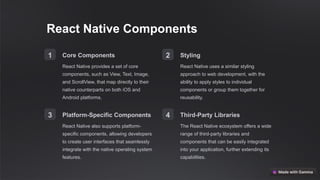
1 Core Components
React Native provides a set of core
components, such as View, Text, Image,
and ScrollView, that map directly to their
native counterparts on both iOS and
Android platforms.
2 Styling
React Native uses a similar styling
approach to web development, with the
ability to apply styles to individual
components or group them together for
reusability.
3 Platform-Specific Components
React Native also supports platform-
specific components, allowing developers
to create user interfaces that seamlessly
integrate with the native operating system
features.
4 Third-Party Libraries
The React Native ecosystem offers a wide
range of third-party libraries and
components that can be easily integrated
into your application, further extending its
capabilities.
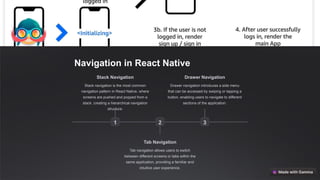
Navigation in React Native
1
Stack Navigation
Stack navigation is the most common
navigation pattern in React Native, where
screens are pushed and popped from a
stack, creating a hierarchical navigation
structure.
2
Tab Navigation
Tab navigation allows users to switch
between different screens or tabs within the
same application, providing a familiar and
intuitive user experience.
3
Drawer Navigation
Drawer navigation introduces a side menu
that can be accessed by swiping or tapping a
button, enabling users to navigate to different
sections of the application.
State Management in React Native
Local State
React Native's built-in state management
system allows developers to manage the
state of individual components, making it
suitable for small-scale applications or
components with limited state requirements.
Redux
Redux is a popular state management library
that provides a predictable state container for
complex applications, making it easier to
manage the global state of the application.
MobX
MobX is an alternative state management
library that uses a reactive approach, making
it easier to manage and update the state of
the application in response to user
interactions.
Context API
React's built-in Context API provides a way to
pass data through the component tree
without having to pass props down manually,
making it a lightweight alternative to state
management libraries.
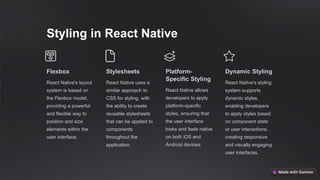
Styling in React Native
Flexbox
React Native's layout
system is based on
the Flexbox model,
providing a powerful
and flexible way to
position and size
elements within the
user interface.
Stylesheets
React Native uses a
similar approach to
CSS for styling, with
the ability to create
reusable stylesheets
that can be applied to
components
throughout the
application.
Platform-
Specific Styling
React Native allows
developers to apply
platform-specific
styles, ensuring that
the user interface
looks and feels native
on both iOS and
Android devices.
Dynamic Styling
React Native's styling
system supports
dynamic styles,
enabling developers
to apply styles based
on component state
or user interactions,
creating responsive
and visually engaging
user interfaces.
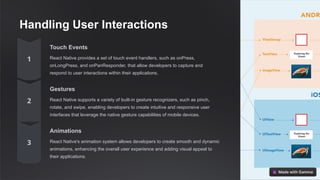
Handling User Interactions
Touch Events
React Native provides a set of touch event handlers, such as onPress,
onLongPress, and onPanResponder, that allow developers to capture and
respond to user interactions within their applications.
Gestures
React Native supports a variety of built-in gesture recognizers, such as pinch,
rotate, and swipe, enabling developers to create intuitive and responsive user
interfaces that leverage the native gesture capabilities of mobile devices.
Animations
React Native's animation system allows developers to create smooth and dynamic
animations, enhancing the overall user experience and adding visual appeal to
their applications.
Deployment and Publishing
iOS React Native applications can be deployed to
the App Store by following Apple's guidelines
for submitting and publishing iOS apps. This
includes creating an Apple Developer account,
building the app, and submitting it for review.
Android For Android, React Native applications can be
published on the Google Play Store. This
process involves creating a Google Play
Console account, signing the app, and
uploading the application package for review
and publication.
Cross-Platform Deployment One of the key benefits of React Native is the
ability to share a significant portion of the
codebase between iOS and Android,
streamlining the deployment and publishing
process for both platforms.

React Native Building Mobile Apps with React.pptx

  • 1.
    React Native: BuildingMobile Apps with React React Native is a powerful open-source framework that allows developers to build high-quality mobile applications using the same codebase for both iOS and Android platforms. Developed and maintained by Facebook, React Native leverages the power of React, a popular JavaScript library for building user interfaces, and enables developers to create native mobile experiences with the flexibility and efficiency of a single codebase.
  • 2.
    React Fundamentals Components At theheart of React is the concept of components, which are reusable building blocks that encapsulate both the structure and the behavior of a user interface. Developers can create and compose these components to build complex and dynamic applications. State Management React's state management system allows developers to manage the internal state of their components, enabling them to react to user interactions and update the UI accordingly. This helps to create responsive and interactive applications. Virtual DOM React uses a virtual DOM, a lightweight in-memory representation of the actual DOM, to efficiently update the user interface. This allows React to optimize the rendering process and improve the overall performance of the application.
  • 3.
    React Native Components 1Core Components React Native provides a set of core components, such as View, Text, Image, and ScrollView, that map directly to their native counterparts on both iOS and Android platforms. 2 Styling React Native uses a similar styling approach to web development, with the ability to apply styles to individual components or group them together for reusability. 3 Platform-Specific Components React Native also supports platform- specific components, allowing developers to create user interfaces that seamlessly integrate with the native operating system features. 4 Third-Party Libraries The React Native ecosystem offers a wide range of third-party libraries and components that can be easily integrated into your application, further extending its capabilities.
  • 4.
    Navigation in ReactNative 1 Stack Navigation Stack navigation is the most common navigation pattern in React Native, where screens are pushed and popped from a stack, creating a hierarchical navigation structure. 2 Tab Navigation Tab navigation allows users to switch between different screens or tabs within the same application, providing a familiar and intuitive user experience. 3 Drawer Navigation Drawer navigation introduces a side menu that can be accessed by swiping or tapping a button, enabling users to navigate to different sections of the application.
  • 5.
    State Management inReact Native Local State React Native's built-in state management system allows developers to manage the state of individual components, making it suitable for small-scale applications or components with limited state requirements. Redux Redux is a popular state management library that provides a predictable state container for complex applications, making it easier to manage the global state of the application. MobX MobX is an alternative state management library that uses a reactive approach, making it easier to manage and update the state of the application in response to user interactions. Context API React's built-in Context API provides a way to pass data through the component tree without having to pass props down manually, making it a lightweight alternative to state management libraries.
  • 6.
    Styling in ReactNative Flexbox React Native's layout system is based on the Flexbox model, providing a powerful and flexible way to position and size elements within the user interface. Stylesheets React Native uses a similar approach to CSS for styling, with the ability to create reusable stylesheets that can be applied to components throughout the application. Platform- Specific Styling React Native allows developers to apply platform-specific styles, ensuring that the user interface looks and feels native on both iOS and Android devices. Dynamic Styling React Native's styling system supports dynamic styles, enabling developers to apply styles based on component state or user interactions, creating responsive and visually engaging user interfaces.
  • 7.
    Handling User Interactions TouchEvents React Native provides a set of touch event handlers, such as onPress, onLongPress, and onPanResponder, that allow developers to capture and respond to user interactions within their applications. Gestures React Native supports a variety of built-in gesture recognizers, such as pinch, rotate, and swipe, enabling developers to create intuitive and responsive user interfaces that leverage the native gesture capabilities of mobile devices. Animations React Native's animation system allows developers to create smooth and dynamic animations, enhancing the overall user experience and adding visual appeal to their applications.
  • 8.
    Deployment and Publishing iOSReact Native applications can be deployed to the App Store by following Apple's guidelines for submitting and publishing iOS apps. This includes creating an Apple Developer account, building the app, and submitting it for review. Android For Android, React Native applications can be published on the Google Play Store. This process involves creating a Google Play Console account, signing the app, and uploading the application package for review and publication. Cross-Platform Deployment One of the key benefits of React Native is the ability to share a significant portion of the codebase between iOS and Android, streamlining the deployment and publishing process for both platforms.