PSEUDOCODE
NATIONAL 5 COMPUTING SCIENCE
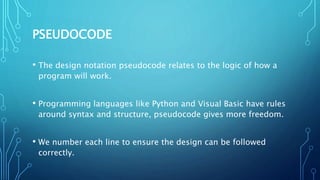
PSEUDOCODE
• The design notation pseudocode relates to the logic of how a
program will work.
• Programming languages like Python and Visual Basic have rules
around syntax and structure, pseudocode gives more freedom.
• We number each line to ensure the design can be followed
correctly.
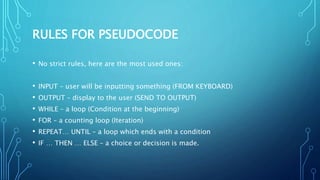
RULES FOR PSEUDOCODE
• No strict rules, here are the most used ones:
• INPUT – user will be inputting something (FROM KEYBOARD)
• OUTPUT – display to the user (SEND TO OUTPUT)
• WHILE – a loop (Condition at the beginning)
• FOR – a counting loop (Iteration)
• REPEAT… UNTIL – a loop which ends with a condition
• IF … THEN … ELSE – a choice or decision is made.
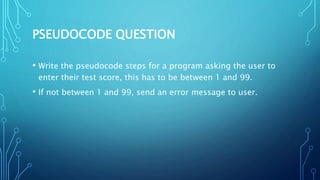
PSEUDOCODE QUESTION
• Write the pseudocode steps for a program asking the user to
enter their test score, this has to be between 1 and 99.
• If not between 1 and 99, send an error message to user.
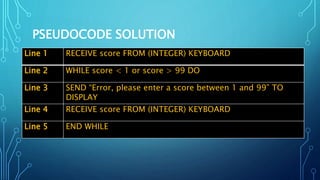
PSEUDOCODE SOLUTION
Line 1 RECEIVE score FROM (INTEGER) KEYBOARD
Line 2 WHILE score < 1 or score > 99 DO
Line 3 SEND “Error, please enter a score between 1 and 99” TO
DISPLAY
Line 4 RECEIVE score FROM (INTEGER) KEYBOARD
Line 5 END WHILE
WHY USE PSEUDOCODE?
• It is good planning!
• Each line of pseudocode can be converted into a line of code in
any programming language.

Introduction to Pseudocode

  • 1.
  • 2.
    PSEUDOCODE • The designnotation pseudocode relates to the logic of how a program will work. • Programming languages like Python and Visual Basic have rules around syntax and structure, pseudocode gives more freedom. • We number each line to ensure the design can be followed correctly.
  • 3.
    RULES FOR PSEUDOCODE •No strict rules, here are the most used ones: • INPUT – user will be inputting something (FROM KEYBOARD) • OUTPUT – display to the user (SEND TO OUTPUT) • WHILE – a loop (Condition at the beginning) • FOR – a counting loop (Iteration) • REPEAT… UNTIL – a loop which ends with a condition • IF … THEN … ELSE – a choice or decision is made.
  • 4.
    PSEUDOCODE QUESTION • Writethe pseudocode steps for a program asking the user to enter their test score, this has to be between 1 and 99. • If not between 1 and 99, send an error message to user.
  • 5.
    PSEUDOCODE SOLUTION Line 1RECEIVE score FROM (INTEGER) KEYBOARD Line 2 WHILE score < 1 or score > 99 DO Line 3 SEND “Error, please enter a score between 1 and 99” TO DISPLAY Line 4 RECEIVE score FROM (INTEGER) KEYBOARD Line 5 END WHILE
  • 6.
    WHY USE PSEUDOCODE? •It is good planning! • Each line of pseudocode can be converted into a line of code in any programming language.