Introduction
     to
Programming
Computer Program
• A computer program is nothing more
than a list of instructions that tell the
computer what to do.
• A computer program is an organized
list of instructions that are designed to
cause the computer to behave in
predetermined manner in order to
accomplish a task.


                           Introduction to Programming
Computer Program
      Windows      OS      with     all    its
icons, toolbars, and menus is really
nothing more than a series of instructions
that the computer follows each time you
press a button, click on a menu, or
respond to a dialog box.
      At the base level, all programs
accept input from the user, process the
data, and display, save or print the results.


                             Introduction to Programming
Goals of a Program

• Be easily read and understood
• Be easy to correct if problems arise
• Be easy to modify as elements in
  the task may change
• Function as it was intended, to
  solve a specific problem or perform
  a specific task


                        Introduction to Programming
Programming
         Language
     A programming language is a
vocabulary and set of grammatical
rules for instructing a computer to
perform specific tasks.
     These grammatical rules are
also called the syntax of the
language.


                      Introduction to Programming
Programming
         Languages
1.   Machine languages
2.   Assembly languages
3.   High-level languages
4.   Fourth-generation languages


                      Introduction to Programming
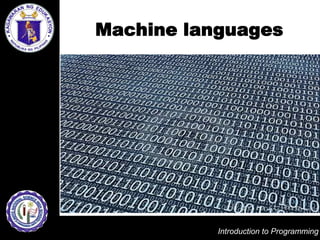
Machine languages
  Machine languages use binary to
provide instructions to the computer.
  Machine languages are not
common today as they are specific to
each CPU and require long lists of
zeros and ones.
  These programs are very difficult to
write and very error-prone.

                        Introduction to Programming
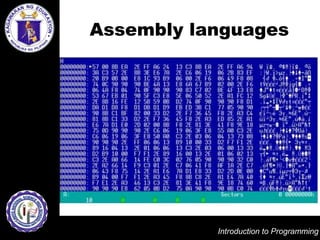
Assembly languages
   Assembly languages use a special
representation of instructions to give
the computer instructions.
   These languages are only used by
programmers developing complicated
processes like operating systems.


                        Introduction to Programming
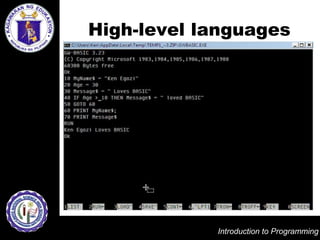
High-level languages
       High-level languages use English-
like commands to give instructions.
       They include
BASIC, Pascal, C, C+, C++, COBOL, Java,
 JavaScript and Fortran.
       Of course, the computer does not
speak English.
       It speaks binary, therefore the
programming instructions written in a high-
level language must be converted into
binary using a compiler or interpreter.


                           Introduction to Programming
Interpreters vs.
           Compilers
      Interpreters translate programs
one line at a time while compilers
convert a whole file or program at
once and then generate a separate
executable file.
      The executable file usually ends
with the extension .exe and can be
run without the programming
language.

                        Introduction to Programming
Fourth-generation
          languages
     Fourth-generation languages are
languages that write code for the user
through a series of menus and
prompts.
     Some examples of fourth
generation languages include
ORACLE, and Visual BASIC.


                        Introduction to Programming
Common Features of
Programming Languages

   There are many programming
languages that can be used to
create a computer program.
   Each of these languages has
different syntax.
   However, a basic set of
instructions is always present in
any programming language.

                      Introduction to Programming
Basic Set of Instructions

1. Input
2. Output
3. Mathematics
4. Conditional execution
5. Repetition


                     Introduction to Programming
BASIC Language

   BASIC stands for Beginner's All-
Purpose Symbolic Instruction Code.
   It is developed in the mid-1960s
at Dartmouth College by Professors
John G. Kemeny and Thomas E.
Kurtz.


                      Introduction to Programming
Why Study BASIC?
   When you learn BASIC, you also
learn many of the fundamentals of
other programming languages.
   You can also create programs
easily.
   Once you get into it, you'll find
that the fun in creating programs is
worth coming back to.

                     Introduction to Programming
QBASIC
   QBASIC is a programming
language written for computers back
in 1975, by Bill Gates and Paul Allen.


                        Introduction to Programming
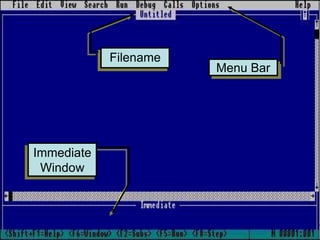
Filename
                       Menu Bar


Immediate
 Window
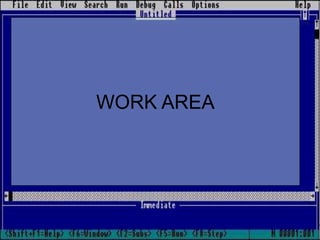
WORK AREA
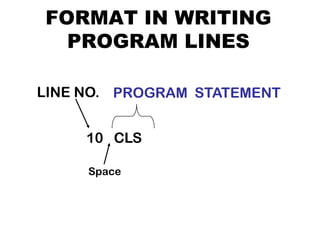
FORMAT IN WRITING
  PROGRAM LINES

LINE NO. PROGRAM STATEMENT


     10 CLS

     Space
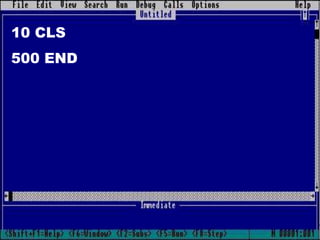
10 CLS
500 END
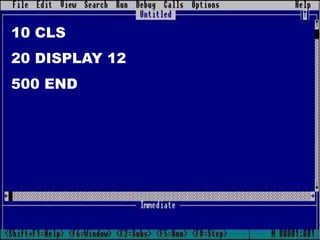
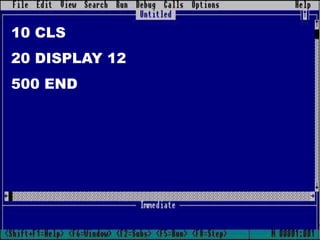
10 CLS
20 DISPLAY 12
500 END
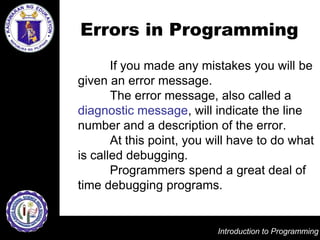
Errors in Programming
       If you made any mistakes you will be
given an error message.
       The error message, also called a
diagnostic message, will indicate the line
number and a description of the error.
       At this point, you will have to do what
is called debugging.
       Programmers spend a great deal of
time debugging programs.


                           Introduction to Programming
Debugging
      Debugging is the process of
finding and fixing errors in a program.
      The word debugging comes
from a common computer problem in
the 50's. Bugs would fly inside the
computer.
      Technicians had to find and
remove them in order for the system
to work.This word is still in use today.

                       Introduction to Programming
Types of Programming
          Errors
1. Syntax errors
2. Logic errors


                   Introduction to Programming
Syntax Error
    A syntax error is a mistake in the
grammar or structure of a command.
      For example, in QBASIC, the syntax
for PRINT says you must type PRINT, a
space, and then the literal, number or
expression.
      If by mistake you omit the command
PRINT, then the command will not work.
This is a syntax error.

                         Introduction to Programming
Syntax Error

     All syntax errors are captured by
the compiler or interpreter.
     When you get a syntax error in
your program, you should read and
decipher the error message, then
move to the line identified and fix the
error.


                       Introduction to Programming
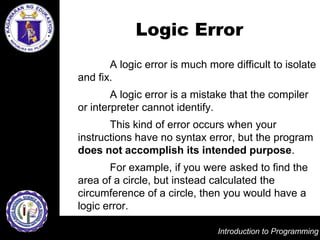
Logic Error
       A logic error is much more difficult to isolate
and fix.
        A logic error is a mistake that the compiler
or interpreter cannot identify.
       This kind of error occurs when your
instructions have no syntax error, but the program
does not accomplish its intended purpose.
       For example, if you were asked to find the
area of a circle, but instead calculated the
circumference of a circle, then you would have a
logic error.

                               Introduction to Programming
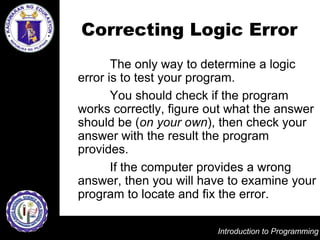
Correcting Logic Error
       The only way to determine a logic
error is to test your program.
       You should check if the program
works correctly, figure out what the answer
should be (on your own), then check your
answer with the result the program
provides.
       If the computer provides a wrong
answer, then you will have to examine your
program to locate and fix the error.

                         Introduction to Programming
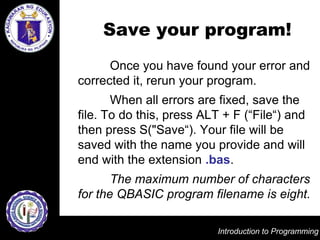
Save your program!
      Once you have found your error and
corrected it, rerun your program.
       When all errors are fixed, save the
file. To do this, press ALT + F (“File“) and
then press S("Save“). Your file will be
saved with the name you provide and will
end with the extension .bas.
       The maximum number of characters
for the QBASIC program filename is eight.

                           Introduction to Programming
10 CLS
20 DISPLAY 12
500 END
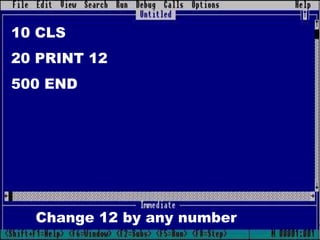
10 CLS
20 PRINT 12
500 END


  Change 12 by any number
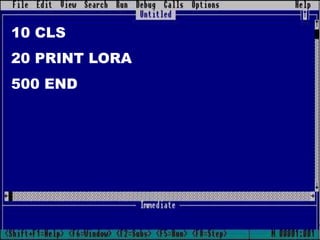
10 CLS
20 PRINT LORA
500 END
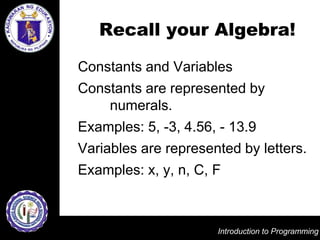
Recall your Algebra!

Constants and Variables
Constants are represented by
    numerals.
Examples: 5, -3, 4.56, - 13.9
Variables are represented by letters.
Examples: x, y, n, C, F


                      Introduction to Programming
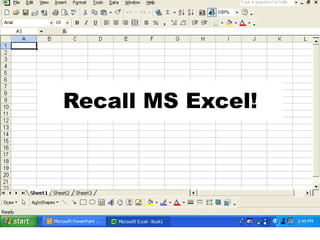
Recall MS Excel!
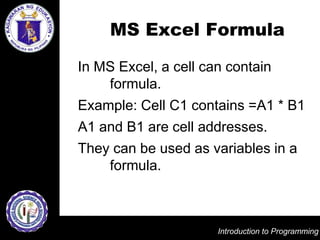
MS Excel Formula

In MS Excel, a cell can contain
    formula.
Example: Cell C1 contains =A1 * B1
A1 and B1 are cell addresses.
They can be used as variables in a
    formula.


                      Introduction to Programming
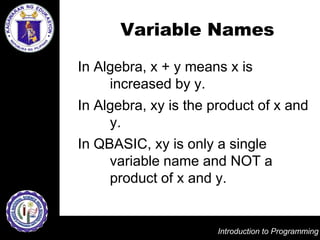
Variable Names

In Algebra, x + y means x is
     increased by y.
In Algebra, xy is the product of x and
     y.
In QBASIC, xy is only a single
     variable name and NOT a
     product of x and y.


                       Introduction to Programming
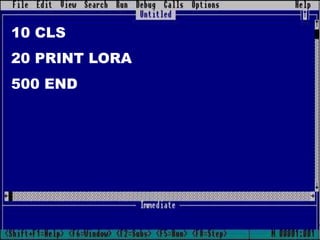
10 CLS
20 PRINT LORA
500 END
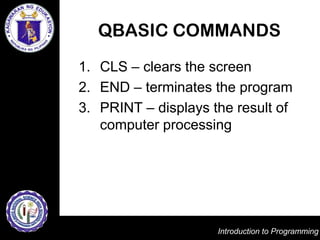
QBASIC COMMANDS
1. CLS – clears the screen
2. END – terminates the program
3. PRINT – displays the result of
   computer processing


                     Introduction to Programming

Introduction to programming

  • 1.
    Introduction to Programming
  • 2.
    Computer Program • Acomputer program is nothing more than a list of instructions that tell the computer what to do. • A computer program is an organized list of instructions that are designed to cause the computer to behave in predetermined manner in order to accomplish a task. Introduction to Programming
  • 3.
    Computer Program Windows OS with all its icons, toolbars, and menus is really nothing more than a series of instructions that the computer follows each time you press a button, click on a menu, or respond to a dialog box. At the base level, all programs accept input from the user, process the data, and display, save or print the results. Introduction to Programming
  • 4.
    Goals of aProgram • Be easily read and understood • Be easy to correct if problems arise • Be easy to modify as elements in the task may change • Function as it was intended, to solve a specific problem or perform a specific task Introduction to Programming
  • 5.
    Programming Language A programming language is a vocabulary and set of grammatical rules for instructing a computer to perform specific tasks. These grammatical rules are also called the syntax of the language. Introduction to Programming
  • 6.
    Programming Languages 1. Machine languages 2. Assembly languages 3. High-level languages 4. Fourth-generation languages Introduction to Programming
  • 7.
    Machine languages Machine languages use binary to provide instructions to the computer. Machine languages are not common today as they are specific to each CPU and require long lists of zeros and ones. These programs are very difficult to write and very error-prone. Introduction to Programming
  • 8.
    Assembly languages Assembly languages use a special representation of instructions to give the computer instructions. These languages are only used by programmers developing complicated processes like operating systems. Introduction to Programming
  • 9.
    High-level languages High-level languages use English- like commands to give instructions. They include BASIC, Pascal, C, C+, C++, COBOL, Java, JavaScript and Fortran. Of course, the computer does not speak English. It speaks binary, therefore the programming instructions written in a high- level language must be converted into binary using a compiler or interpreter. Introduction to Programming
  • 10.
    Interpreters vs. Compilers Interpreters translate programs one line at a time while compilers convert a whole file or program at once and then generate a separate executable file. The executable file usually ends with the extension .exe and can be run without the programming language. Introduction to Programming
  • 11.
    Fourth-generation languages Fourth-generation languages are languages that write code for the user through a series of menus and prompts. Some examples of fourth generation languages include ORACLE, and Visual BASIC. Introduction to Programming
  • 12.
    Common Features of ProgrammingLanguages There are many programming languages that can be used to create a computer program. Each of these languages has different syntax. However, a basic set of instructions is always present in any programming language. Introduction to Programming
  • 13.
    Basic Set ofInstructions 1. Input 2. Output 3. Mathematics 4. Conditional execution 5. Repetition Introduction to Programming
  • 14.
    BASIC Language BASIC stands for Beginner's All- Purpose Symbolic Instruction Code. It is developed in the mid-1960s at Dartmouth College by Professors John G. Kemeny and Thomas E. Kurtz. Introduction to Programming
  • 15.
    Why Study BASIC? When you learn BASIC, you also learn many of the fundamentals of other programming languages. You can also create programs easily. Once you get into it, you'll find that the fun in creating programs is worth coming back to. Introduction to Programming
  • 16.
    QBASIC QBASIC is a programming language written for computers back in 1975, by Bill Gates and Paul Allen. Introduction to Programming
  • 17.
    Filename Menu Bar Immediate Window
  • 18.
  • 19.
    FORMAT IN WRITING PROGRAM LINES LINE NO. PROGRAM STATEMENT 10 CLS Space
  • 20.
  • 21.
  • 22.
    Errors in Programming If you made any mistakes you will be given an error message. The error message, also called a diagnostic message, will indicate the line number and a description of the error. At this point, you will have to do what is called debugging. Programmers spend a great deal of time debugging programs. Introduction to Programming
  • 23.
    Debugging Debugging is the process of finding and fixing errors in a program. The word debugging comes from a common computer problem in the 50's. Bugs would fly inside the computer. Technicians had to find and remove them in order for the system to work.This word is still in use today. Introduction to Programming
  • 24.
    Types of Programming Errors 1. Syntax errors 2. Logic errors Introduction to Programming
  • 25.
    Syntax Error A syntax error is a mistake in the grammar or structure of a command. For example, in QBASIC, the syntax for PRINT says you must type PRINT, a space, and then the literal, number or expression. If by mistake you omit the command PRINT, then the command will not work. This is a syntax error. Introduction to Programming
  • 26.
    Syntax Error All syntax errors are captured by the compiler or interpreter. When you get a syntax error in your program, you should read and decipher the error message, then move to the line identified and fix the error. Introduction to Programming
  • 27.
    Logic Error A logic error is much more difficult to isolate and fix. A logic error is a mistake that the compiler or interpreter cannot identify. This kind of error occurs when your instructions have no syntax error, but the program does not accomplish its intended purpose. For example, if you were asked to find the area of a circle, but instead calculated the circumference of a circle, then you would have a logic error. Introduction to Programming
  • 28.
    Correcting Logic Error The only way to determine a logic error is to test your program. You should check if the program works correctly, figure out what the answer should be (on your own), then check your answer with the result the program provides. If the computer provides a wrong answer, then you will have to examine your program to locate and fix the error. Introduction to Programming
  • 29.
    Save your program! Once you have found your error and corrected it, rerun your program. When all errors are fixed, save the file. To do this, press ALT + F (“File“) and then press S("Save“). Your file will be saved with the name you provide and will end with the extension .bas. The maximum number of characters for the QBASIC program filename is eight. Introduction to Programming
  • 30.
  • 31.
    10 CLS 20 PRINT12 500 END Change 12 by any number
  • 32.
    10 CLS 20 PRINTLORA 500 END
  • 33.
    Recall your Algebra! Constantsand Variables Constants are represented by numerals. Examples: 5, -3, 4.56, - 13.9 Variables are represented by letters. Examples: x, y, n, C, F Introduction to Programming
  • 34.
  • 35.
    MS Excel Formula InMS Excel, a cell can contain formula. Example: Cell C1 contains =A1 * B1 A1 and B1 are cell addresses. They can be used as variables in a formula. Introduction to Programming
  • 36.
    Variable Names In Algebra,x + y means x is increased by y. In Algebra, xy is the product of x and y. In QBASIC, xy is only a single variable name and NOT a product of x and y. Introduction to Programming
  • 37.
    10 CLS 20 PRINTLORA 500 END
  • 38.
    QBASIC COMMANDS 1. CLS– clears the screen 2. END – terminates the program 3. PRINT – displays the result of computer processing Introduction to Programming