Presented By :- Neha Gupta, Mindfire Solutions
Date :- 11th June 2015
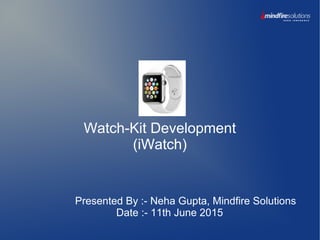
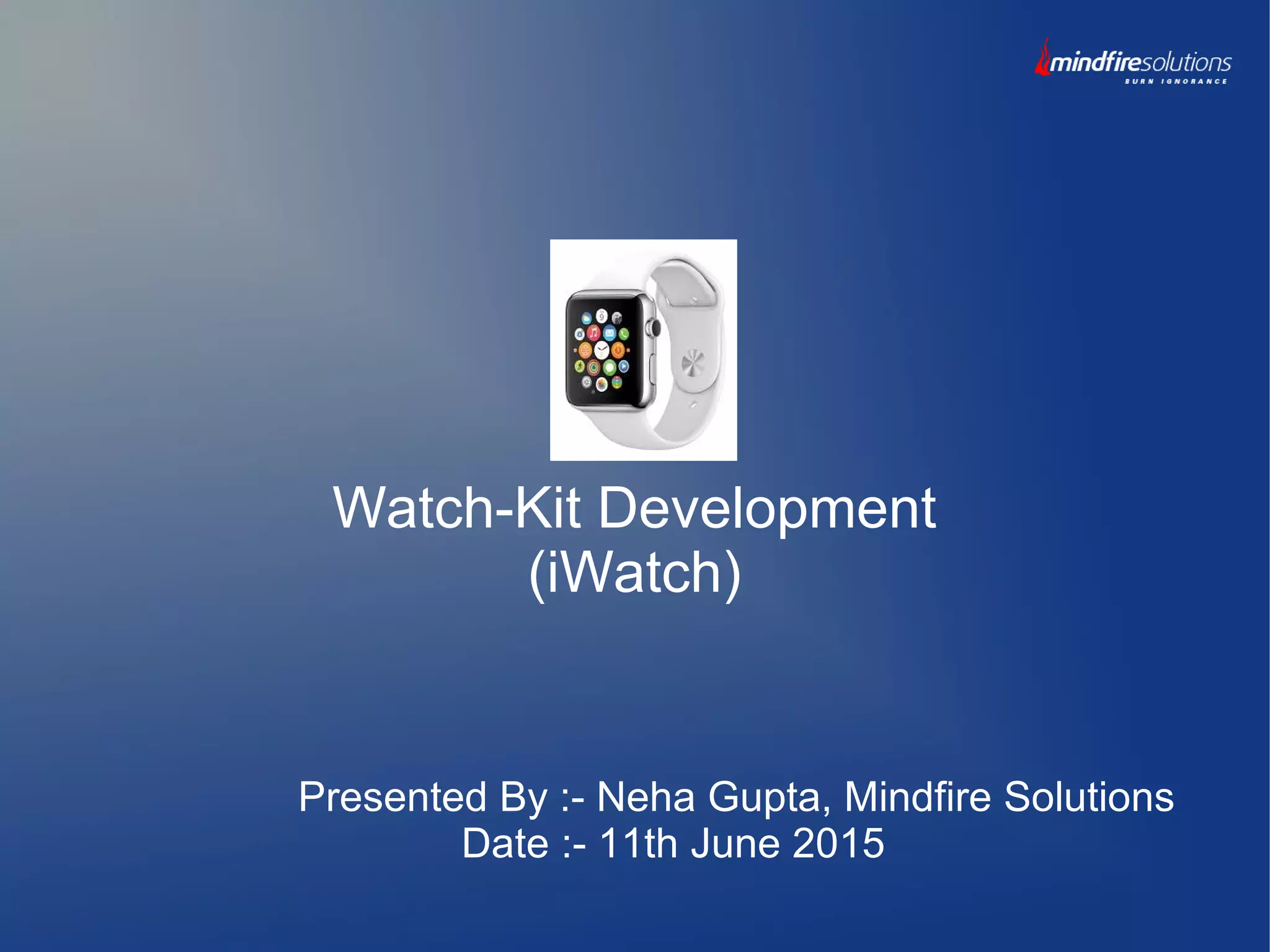
Watch-Kit Development
(iWatch)
Content

Overview of Watch-Kit

Interaction with Apple Watch

Configure Apple Watch into Xcode

App Target Structure

Watch kit App life cycle

Apple Watch UI Controls

Apple Watch Navigation

Passing data b/w interface controllers
Overview of WatchKit App

WatchKit is an Apple's new framework to create applications for apple
watch.

WatchKit apps are not standalone apps, means these apps need
to be paired with iOS App.

Watch App will be an extension of iPhone Apps. The iPhone app is
responsible for installing and running watch app.
s
Apple Watch Models
Apple has introduced apple watch with two different size, both having
retina display.

38mm screen with 272*340 px resolution

42mm screen with 312*390 px resolution
Interaction with Apple Watch

Gesture

Force Touch (holding or tapping the screen for few seconds, menu
screen will be displayed)

Digital Crown

Side button
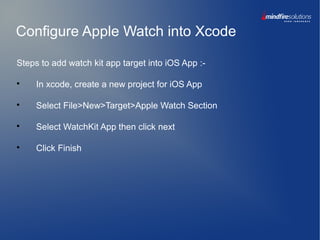
Configure Apple Watch into Xcode
Steps to add watch kit app target into iOS App :-

In xcode, create a new project for iOS App

Select File>New>Target>Apple Watch Section

Select WatchKit App then click next

Click Finish
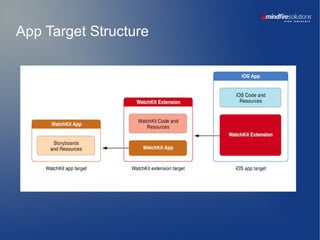
App Target Structure
Build and Run Process
Steps to configure custom build schemes for glance and notification :-

Select existing watch kit app scheme

Now select Edit Scheme

Duplicate existing watch app scheme

Select Run in the left column of scheme editor

In Info Tab, select watch interface

Close the scheme editor to save your changes
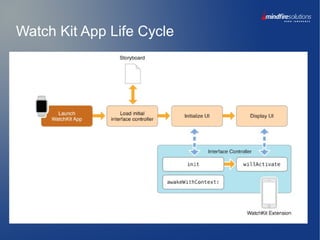
Watch Kit App Life Cycle
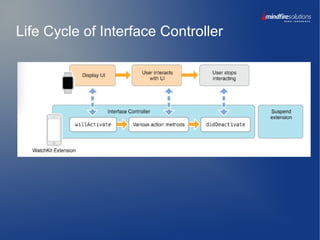
Life Cycle of Interface Controller
Methods of Interface Controller

init

awakeWithContext:

willActivate

didActivate
Apple Watch UI Component
Apple watch provides 3 different ways to create the UI :-

WatchKit Apps

Glances

Notifications
Apple Watch UI Controls

Text and Labels

Button

Images

Tables

Context Menus

Groups

Date

NSTimer
Apple Watch Navigation

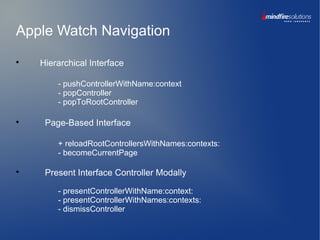
Hierarchical Interface
- pushControllerWithName:context
- popController
- popToRootController

Page-Based Interface
+ reloadRootControllersWithNames:contexts:
- becomeCurrentPage

Present Interface Controller Modally
- presentControllerWithName:context:
- presentControllerWithNames:contexts:
- dismissController
Passing Data between Interface Controllers

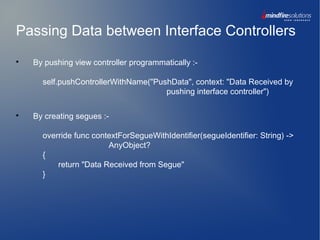
By pushing view controller programmatically :-
self.pushControllerWithName("PushData", context: "Data Received by
pushing interface controller")

By creating segues :-
override func contextForSegueWithIdentifier(segueIdentifier: String) ->
AnyObject?
{
return "Data Received from Segue"
}
Demo of layout implementation
using Groups, button and images, table and
menus
Limitations of Apple Watch

Multi-touch is not supported.

No access to the sensors on the Apple Watch.

Watch App has 20MB image cache, limit cannot be changed.

Watch kit Extensions cannot perform any processing after being
deactivated.
Reference and Demos Link

https://developer.apple.com/library/ios/documentation/General/Conceptual/Wa
tchKitProgrammingGuide/index.html

http://swiftiostutorials.com/watchkit-tutorial/

http://natashatherobot.com/watchkit-menu/

http://www.kristinathai.com/send-data-to-parent-ios-app/
Questions ?
Thank You

Get started with watch kit development

  • 1.
    Presented By :-Neha Gupta, Mindfire Solutions Date :- 11th June 2015 Watch-Kit Development (iWatch)
  • 2.
    Content  Overview of Watch-Kit  Interactionwith Apple Watch  Configure Apple Watch into Xcode  App Target Structure  Watch kit App life cycle  Apple Watch UI Controls  Apple Watch Navigation  Passing data b/w interface controllers
  • 3.
    Overview of WatchKitApp  WatchKit is an Apple's new framework to create applications for apple watch.  WatchKit apps are not standalone apps, means these apps need to be paired with iOS App.  Watch App will be an extension of iPhone Apps. The iPhone app is responsible for installing and running watch app. s
  • 4.
    Apple Watch Models Applehas introduced apple watch with two different size, both having retina display.  38mm screen with 272*340 px resolution  42mm screen with 312*390 px resolution
  • 5.
    Interaction with AppleWatch  Gesture  Force Touch (holding or tapping the screen for few seconds, menu screen will be displayed)  Digital Crown  Side button
  • 6.
    Configure Apple Watchinto Xcode Steps to add watch kit app target into iOS App :-  In xcode, create a new project for iOS App  Select File>New>Target>Apple Watch Section  Select WatchKit App then click next  Click Finish
  • 7.
  • 8.
    Build and RunProcess Steps to configure custom build schemes for glance and notification :-  Select existing watch kit app scheme  Now select Edit Scheme  Duplicate existing watch app scheme  Select Run in the left column of scheme editor  In Info Tab, select watch interface  Close the scheme editor to save your changes
  • 9.
    Watch Kit AppLife Cycle
  • 10.
    Life Cycle ofInterface Controller
  • 11.
    Methods of InterfaceController  init  awakeWithContext:  willActivate  didActivate
  • 12.
    Apple Watch UIComponent Apple watch provides 3 different ways to create the UI :-  WatchKit Apps  Glances  Notifications
  • 13.
    Apple Watch UIControls  Text and Labels  Button  Images  Tables  Context Menus  Groups  Date  NSTimer
  • 14.
    Apple Watch Navigation  HierarchicalInterface - pushControllerWithName:context - popController - popToRootController  Page-Based Interface + reloadRootControllersWithNames:contexts: - becomeCurrentPage  Present Interface Controller Modally - presentControllerWithName:context: - presentControllerWithNames:contexts: - dismissController
  • 15.
    Passing Data betweenInterface Controllers  By pushing view controller programmatically :- self.pushControllerWithName("PushData", context: "Data Received by pushing interface controller")  By creating segues :- override func contextForSegueWithIdentifier(segueIdentifier: String) -> AnyObject? { return "Data Received from Segue" }
  • 16.
    Demo of layoutimplementation using Groups, button and images, table and menus
  • 17.
    Limitations of AppleWatch  Multi-touch is not supported.  No access to the sensors on the Apple Watch.  Watch App has 20MB image cache, limit cannot be changed.  Watch kit Extensions cannot perform any processing after being deactivated.
  • 18.
    Reference and DemosLink  https://developer.apple.com/library/ios/documentation/General/Conceptual/Wa tchKitProgrammingGuide/index.html  http://swiftiostutorials.com/watchkit-tutorial/  http://natashatherobot.com/watchkit-menu/  http://www.kristinathai.com/send-data-to-parent-ios-app/
  • 19.
  • 20.