SARANSH KATARIA
AKSHAY KATYAL
26/Aug/2011
Introduction To HTML5
Brief review of tags
What Is HTML5?
Why The Shift?
Getting Started
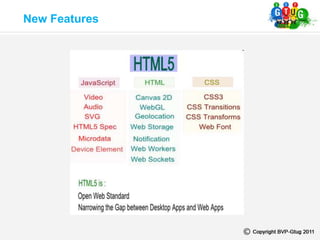
New Features
New Additions
The Forms
Media Elements
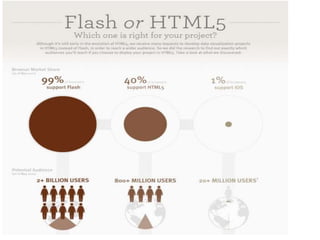
Flash or HTML5
Topics to be discussed
HTML4 Tags Revisited
• <!--...--> A comment
• <!DOCTYPE> The document type (only one in
HTML5)
• <a> Hyperlink to a page or page area
• <abbr> An abbreviation
• <address> Container for an address
• <area> An area inside an image map
• <b> Bold text
• <base> A base URL for all the links in a page
• <bdo> Direction of text display
• <blockquote> A block of text
• <body> Beginning a body element
• <br> A single line break
• <button> A clickable button
• <caption> A table caption
• <cite> Container for a citation
• <code> Format for computer code text
• <col> Defines attributes for table columns
• <colgroup> Container for groups of table columns
• <dd> Container for a value for the <dt> element
• <del> Container for deleted text
• <dfn> Representation of the defining instance of
term
• <dl> Head for an association list
• <div> Demarcation of division in a document
• <dt> Specification for a name in name-value group
(description list)
• <em> Emphasized text
• <fieldset> Container for a set of form controls
• <form> Container for a form typically with input
elements
• <h1> to <h6> Text header 1 to header 6
• <head> Container for the fi rst code to be
interpreted by browser
• <hr> Horizontal rule (line)
• <html> Container for an HTML document
• <i> Italic text
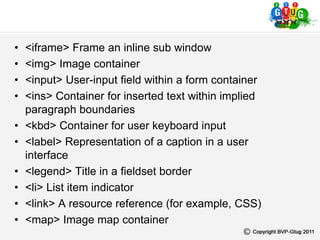
• <iframe> Frame an inline sub window
• <img> Image container
• <input> User-input field within a form container
• <ins> Container for inserted text within implied
paragraph boundaries
• <kbd> Container for user keyboard input
• <label> Representation of a caption in a user
interface
• <legend> Title in a fieldset border
• <li> List item indicator
• <link> A resource reference (for example, CSS)
• <map> Image map container
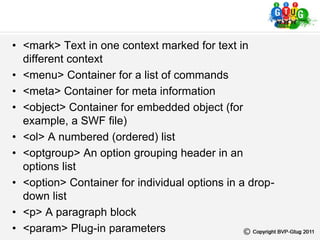
• <mark> Text in one context marked for text in
different context
• <menu> Container for a list of commands
• <meta> Container for meta information
• <object> Container for embedded object (for
example, a SWF file)
• <ol> A numbered (ordered) list
• <optgroup> An option grouping header in an
options list
• <option> Container for individual options in a drop-
down list
• <p> A paragraph block
• <param> Plug-in parameters
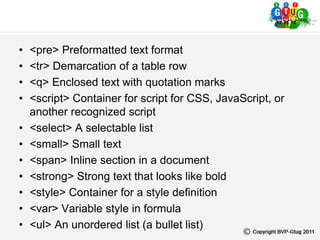
• <pre> Preformatted text format
• <tr> Demarcation of a table row
• <q> Enclosed text with quotation marks
• <script> Container for script for CSS, JavaScript, or
another recognized script
• <select> A selectable list
• <small> Small text
• <span> Inline section in a document
• <strong> Strong text that looks like bold
• <style> Container for a style definition
• <var> Variable style in formula
• <ul> An unordered list (a bullet list)
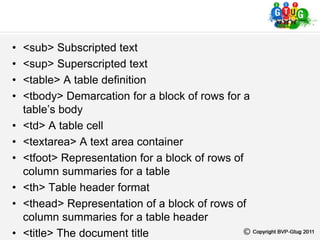
• <sub> Subscripted text
• <sup> Superscripted text
• <table> A table definition
• <tbody> Demarcation for a block of rows for a
table’s body
• <td> A table cell
• <textarea> A text area container
• <tfoot> Representation for a block of rows of
column summaries for a table
• <th> Table header format
• <thead> Representation of a block of rows of
column summaries for a table header
• <title> The document title
What Is HTML5?
Reduces the use of JavaScript
Good replacement for adobe apps
No extra plug-in’s required
Redundant tags removed
Exciting new media elements
Employs a lot of HTML4 elements
Why HTML5?
Getting started
The doctype
XHTML 1.0 Transitional
<!DOCTYPE html PUBLIC “-//w3c//DTD XHTML 1.0
Transitional // EN” “http://www.w3.org/TR/xhtml1/DTD/xhtml1-
transitional.dtd”>
HTML5
<!DOCTYPE html>
The Head Section
<meta http-equiv=”Content-Type” content=”text/html; charset=UTF-8”>
<meta name=”keywords” content=”kennels, dog fences, pet containment”>
<meta http-equiv=”Refresh” content=”30”>
<title>
<meta>
Example
<title>Title goes here</title>
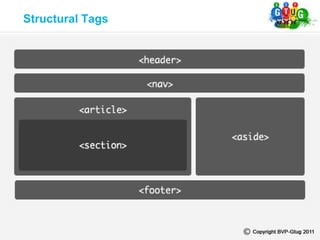
Structural Tags
The Latest Additions
LINK
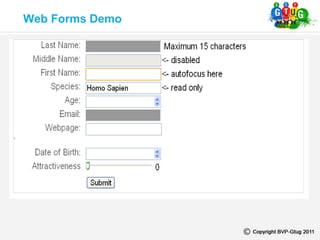
Web Forms Demo
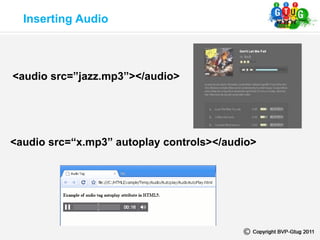
Inserting Audio
<audio src=”jazz.mp3”></audio>
<audio src=“x.mp3” autoplay controls></audio>
Inserting Videos
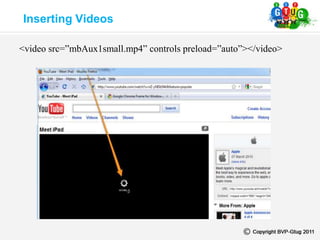
<video src=”mbAux1small.mp4” controls preload=”auto”></video>
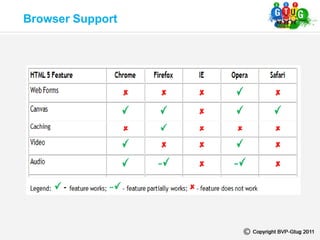
Browser Support
Flash Vs HTML5
New Features
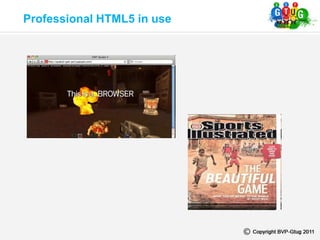
Professional HTML5 in use
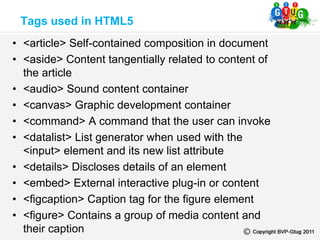
• <article> Self-contained composition in document
• <aside> Content tangentially related to content of
the article
• <audio> Sound content container
• <canvas> Graphic development container
• <command> A command that the user can invoke
• <datalist> List generator when used with the
<input> element and its new list attribute
• <details> Discloses details of an element
• <embed> External interactive plug-in or content
• <figcaption> Caption tag for the figure element
• <figure> Contains a group of media content and
their caption
Tags used in HTML5
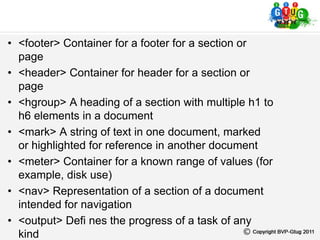
• <footer> Container for a footer for a section or
page
• <header> Container for header for a section or
page
• <hgroup> A heading of a section with multiple h1 to
h6 elements in a document
• <mark> A string of text in one document, marked
or highlighted for reference in another document
• <meter> Container for a known range of values (for
example, disk use)
• <nav> Representation of a section of a document
intended for navigation
• <output> Defi nes the progress of a task of any
kind
• <progress> Representation of the progress made
in a task (such as percentage complete in a
download operation)
• <section> Theme identifier for content grouping
• <source> Container for multiple specification of
media resources
• <summary> Information on a <details> element
• <time> Container for a date/time
• <video> Element for linking to a video file
• <keygen> The key pair generator control
representation.
A Brief Glimpse Of
The Next Session
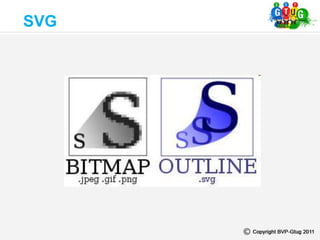
SVG
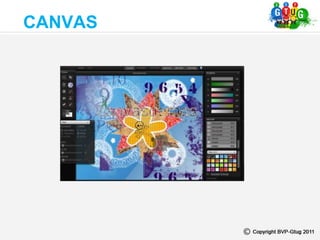
CANVAS
Any questions?
Q & A
Any questions?

Introduction to html5

  • 2.
  • 3.
    Brief review oftags What Is HTML5? Why The Shift? Getting Started New Features New Additions The Forms Media Elements Flash or HTML5 Topics to be discussed
  • 4.
    HTML4 Tags Revisited •<!--...--> A comment • <!DOCTYPE> The document type (only one in HTML5) • <a> Hyperlink to a page or page area • <abbr> An abbreviation • <address> Container for an address • <area> An area inside an image map • <b> Bold text • <base> A base URL for all the links in a page • <bdo> Direction of text display • <blockquote> A block of text • <body> Beginning a body element
  • 5.
    • <br> Asingle line break • <button> A clickable button • <caption> A table caption • <cite> Container for a citation • <code> Format for computer code text • <col> Defines attributes for table columns • <colgroup> Container for groups of table columns • <dd> Container for a value for the <dt> element • <del> Container for deleted text • <dfn> Representation of the defining instance of term • <dl> Head for an association list
  • 6.
    • <div> Demarcationof division in a document • <dt> Specification for a name in name-value group (description list) • <em> Emphasized text • <fieldset> Container for a set of form controls • <form> Container for a form typically with input elements • <h1> to <h6> Text header 1 to header 6 • <head> Container for the fi rst code to be interpreted by browser • <hr> Horizontal rule (line) • <html> Container for an HTML document • <i> Italic text
  • 7.
    • <iframe> Framean inline sub window • <img> Image container • <input> User-input field within a form container • <ins> Container for inserted text within implied paragraph boundaries • <kbd> Container for user keyboard input • <label> Representation of a caption in a user interface • <legend> Title in a fieldset border • <li> List item indicator • <link> A resource reference (for example, CSS) • <map> Image map container
  • 8.
    • <mark> Textin one context marked for text in different context • <menu> Container for a list of commands • <meta> Container for meta information • <object> Container for embedded object (for example, a SWF file) • <ol> A numbered (ordered) list • <optgroup> An option grouping header in an options list • <option> Container for individual options in a drop- down list • <p> A paragraph block • <param> Plug-in parameters
  • 9.
    • <pre> Preformattedtext format • <tr> Demarcation of a table row • <q> Enclosed text with quotation marks • <script> Container for script for CSS, JavaScript, or another recognized script • <select> A selectable list • <small> Small text • <span> Inline section in a document • <strong> Strong text that looks like bold • <style> Container for a style definition • <var> Variable style in formula • <ul> An unordered list (a bullet list)
  • 10.
    • <sub> Subscriptedtext • <sup> Superscripted text • <table> A table definition • <tbody> Demarcation for a block of rows for a table’s body • <td> A table cell • <textarea> A text area container • <tfoot> Representation for a block of rows of column summaries for a table • <th> Table header format • <thead> Representation of a block of rows of column summaries for a table header • <title> The document title
  • 11.
  • 12.
    Reduces the useof JavaScript Good replacement for adobe apps No extra plug-in’s required Redundant tags removed Exciting new media elements Employs a lot of HTML4 elements Why HTML5?
  • 13.
    Getting started The doctype XHTML1.0 Transitional <!DOCTYPE html PUBLIC “-//w3c//DTD XHTML 1.0 Transitional // EN” “http://www.w3.org/TR/xhtml1/DTD/xhtml1- transitional.dtd”> HTML5 <!DOCTYPE html>
  • 14.
    The Head Section <metahttp-equiv=”Content-Type” content=”text/html; charset=UTF-8”> <meta name=”keywords” content=”kennels, dog fences, pet containment”> <meta http-equiv=”Refresh” content=”30”> <title> <meta> Example <title>Title goes here</title>
  • 15.
  • 16.
  • 17.
  • 18.
    Inserting Audio <audio src=”jazz.mp3”></audio> <audiosrc=“x.mp3” autoplay controls></audio>
  • 19.
    Inserting Videos <video src=”mbAux1small.mp4”controls preload=”auto”></video>
  • 20.
  • 21.
  • 23.
  • 24.
  • 25.
    • <article> Self-containedcomposition in document • <aside> Content tangentially related to content of the article • <audio> Sound content container • <canvas> Graphic development container • <command> A command that the user can invoke • <datalist> List generator when used with the <input> element and its new list attribute • <details> Discloses details of an element • <embed> External interactive plug-in or content • <figcaption> Caption tag for the figure element • <figure> Contains a group of media content and their caption Tags used in HTML5
  • 26.
    • <footer> Containerfor a footer for a section or page • <header> Container for header for a section or page • <hgroup> A heading of a section with multiple h1 to h6 elements in a document • <mark> A string of text in one document, marked or highlighted for reference in another document • <meter> Container for a known range of values (for example, disk use) • <nav> Representation of a section of a document intended for navigation • <output> Defi nes the progress of a task of any kind
  • 27.
    • <progress> Representationof the progress made in a task (such as percentage complete in a download operation) • <section> Theme identifier for content grouping • <source> Container for multiple specification of media resources • <summary> Information on a <details> element • <time> Container for a date/time • <video> Element for linking to a video file • <keygen> The key pair generator control representation.
  • 28.
    A Brief GlimpseOf The Next Session
  • 29.
  • 30.
  • 31.
    Any questions? Q &A Any questions?