Perforce Helix
GitSwarm
Enterprise Git Ecosystem
ds data systems
2
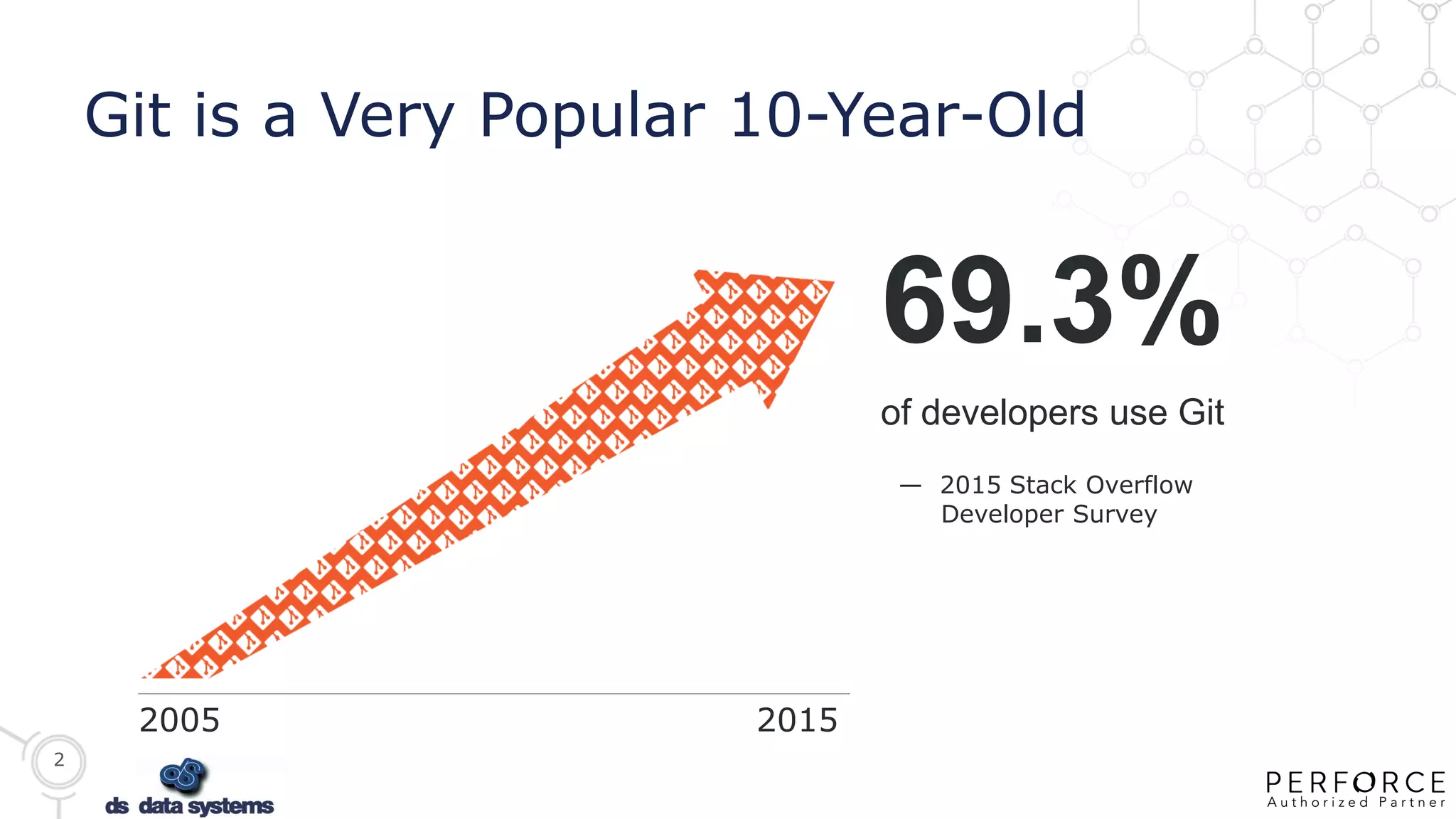
Git is a Very Popular 10-Year-Old
— 2015 Stack Overflow
Developer Survey
69.3%
of developers use Git
2005 2015
3
But It Poses Challenges to the Enterprise
 Maximum practical repository size
 Leading to Git sprawl (lots of repos)
 Too complex for some contributors
 Raises security concerns
 Weak visibility across the entire pipeline
 DevOps challenges for continuous delivery
 Destructible history can be a problem
4
7 DEVOPS PRACTICES FOR OUTSTANDING RESULTS (1)
“DevOps is a software development methodology that
emphasizes communication, collaboration, integration
and automation”
 Version control of all production artifacts
• Both Dev and Ops should use version control for everything and share the same single source of
truth.
 Continuous integration and deployment
• Check in code every day and check into the trunk every day, as opposed to hanging onto private
code branches and integrating only at the end of the release.
 Automated acceptance testing
• Stop the line not only when the build breaks but also when something breaks in an automated
user test, an integration test, or a system test. This step keeps things in an alwaysdeployable
state.
DevOps
5
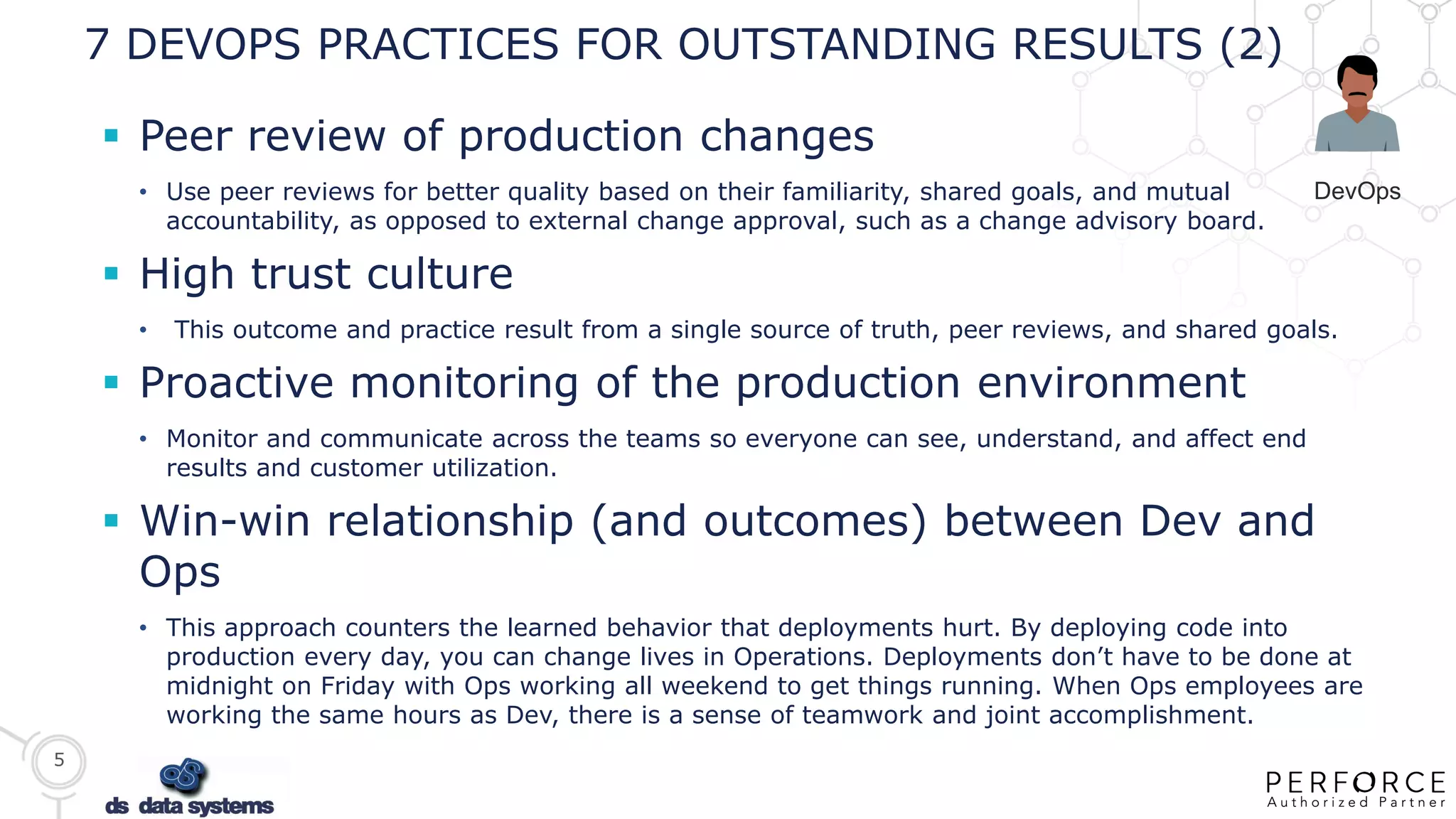
7 DEVOPS PRACTICES FOR OUTSTANDING RESULTS (2)
 Peer review of production changes
• Use peer reviews for better quality based on their familiarity, shared goals, and mutual
accountability, as opposed to external change approval, such as a change advisory board.
 High trust culture
• This outcome and practice result from a single source of truth, peer reviews, and shared goals.
 Proactive monitoring of the production environment
• Monitor and communicate across the teams so everyone can see, understand, and affect end
results and customer utilization.
 Win-win relationship (and outcomes) between Dev and
Ops
• This approach counters the learned behavior that deployments hurt. By deploying code into
production every day, you can change lives in Operations. Deployments don’t have to be done at
midnight on Friday with Ops working all weekend to get things running. When Ops employees are
working the same hours as Dev, there is a sense of teamwork and joint accomplishment.
DevOps
6
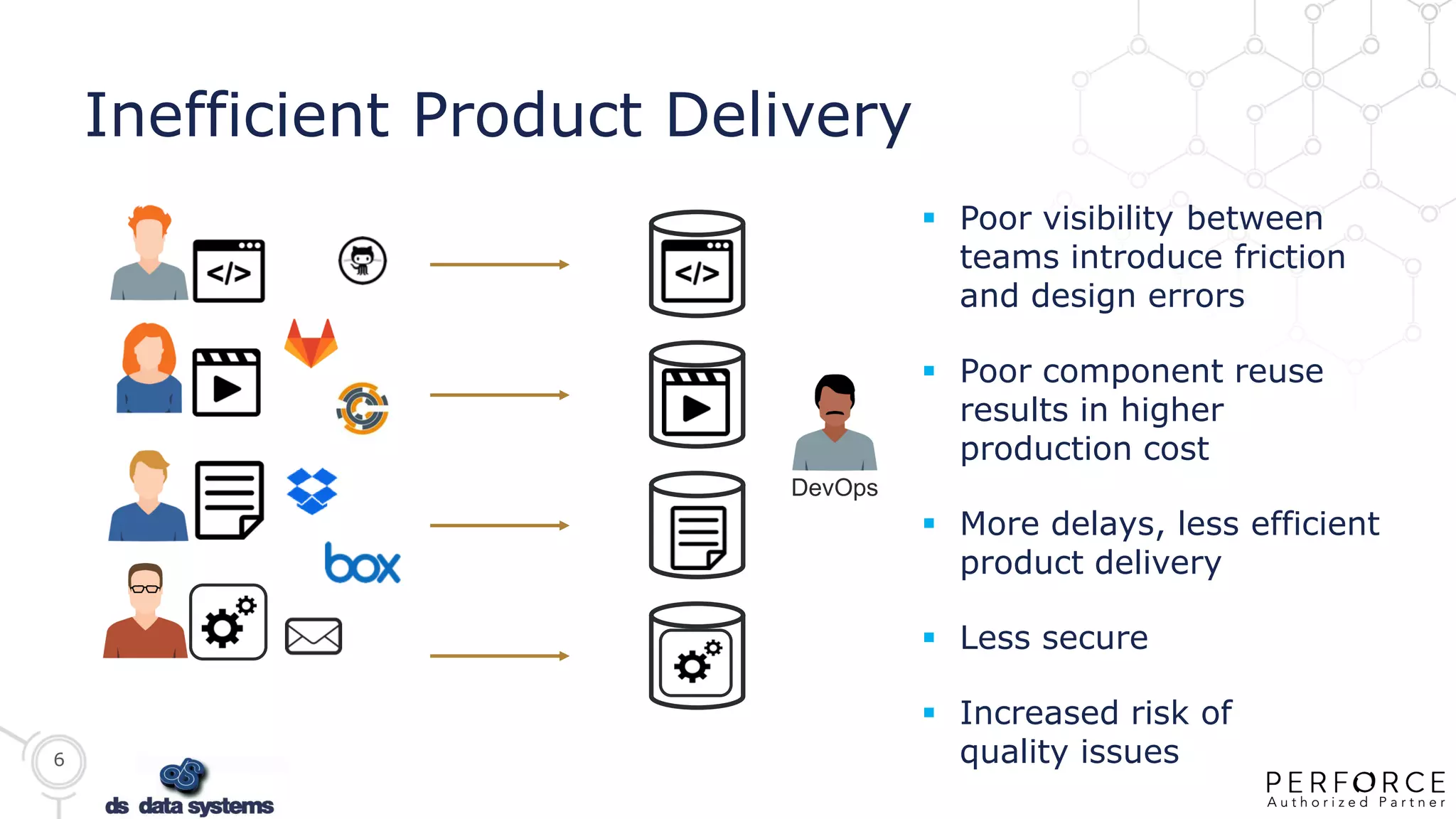
Inefficient Product Delivery
 Poor visibility between
teams introduce friction
and design errors
 Poor component reuse
results in higher
production cost
 More delays, less efficient
product delivery
 Less secure
 Increased risk of
quality issues
DevOps
7
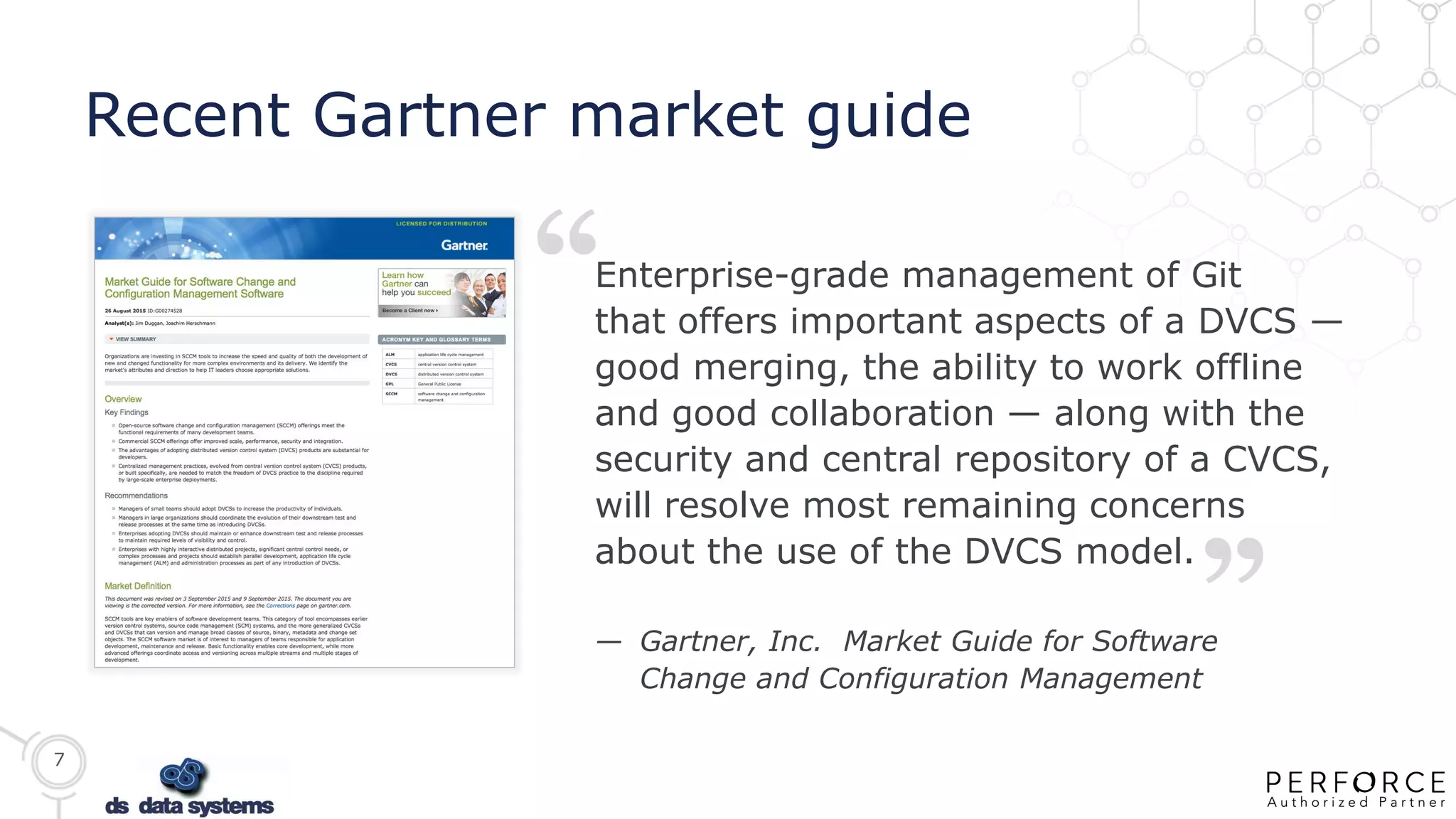
Recent Gartner market guide
“
“
Enterprise-grade management of Git
that offers important aspects of a DVCS —
good merging, the ability to work offline
and good collaboration — along with the
security and central repository of a CVCS,
will resolve most remaining concerns
about the use of the DVCS model.
— Gartner, Inc. Market Guide for Software
Change and Configuration Management
8
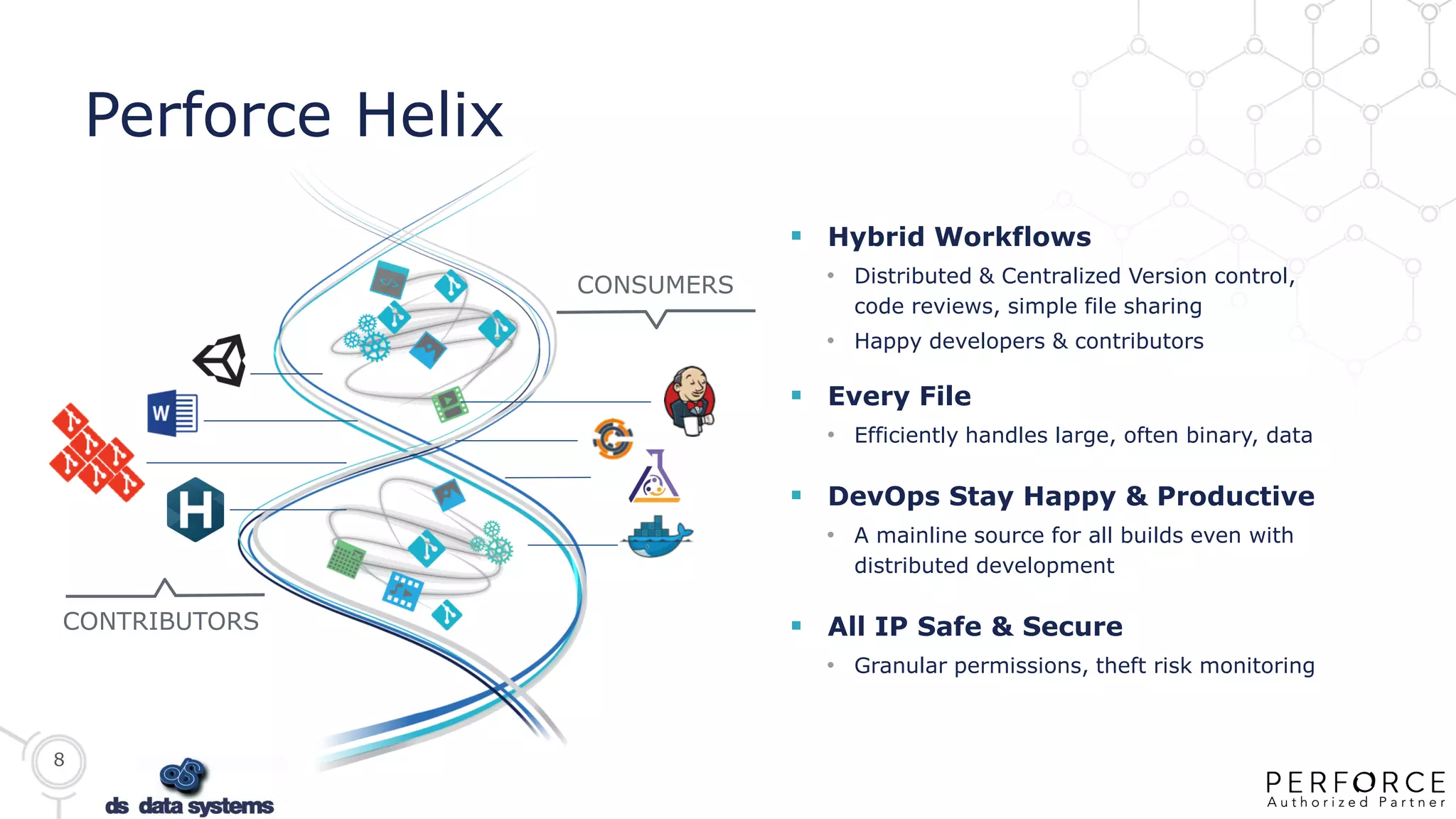
 Hybrid Workflows
• Distributed & Centralized Version control,
code reviews, simple file sharing
• Happy developers & contributors
 Every File
• Efficiently handles large, often binary, data
 DevOps Stay Happy & Productive
• A mainline source for all builds even with
distributed development
 All IP Safe & Secure
• Granular permissions, theft risk monitoring
Perforce Helix
CONTRIBUTORS
CONSUMERS
9
PERFORCE CONFIDENTIAL: NOT FOR DISTRIBUTION
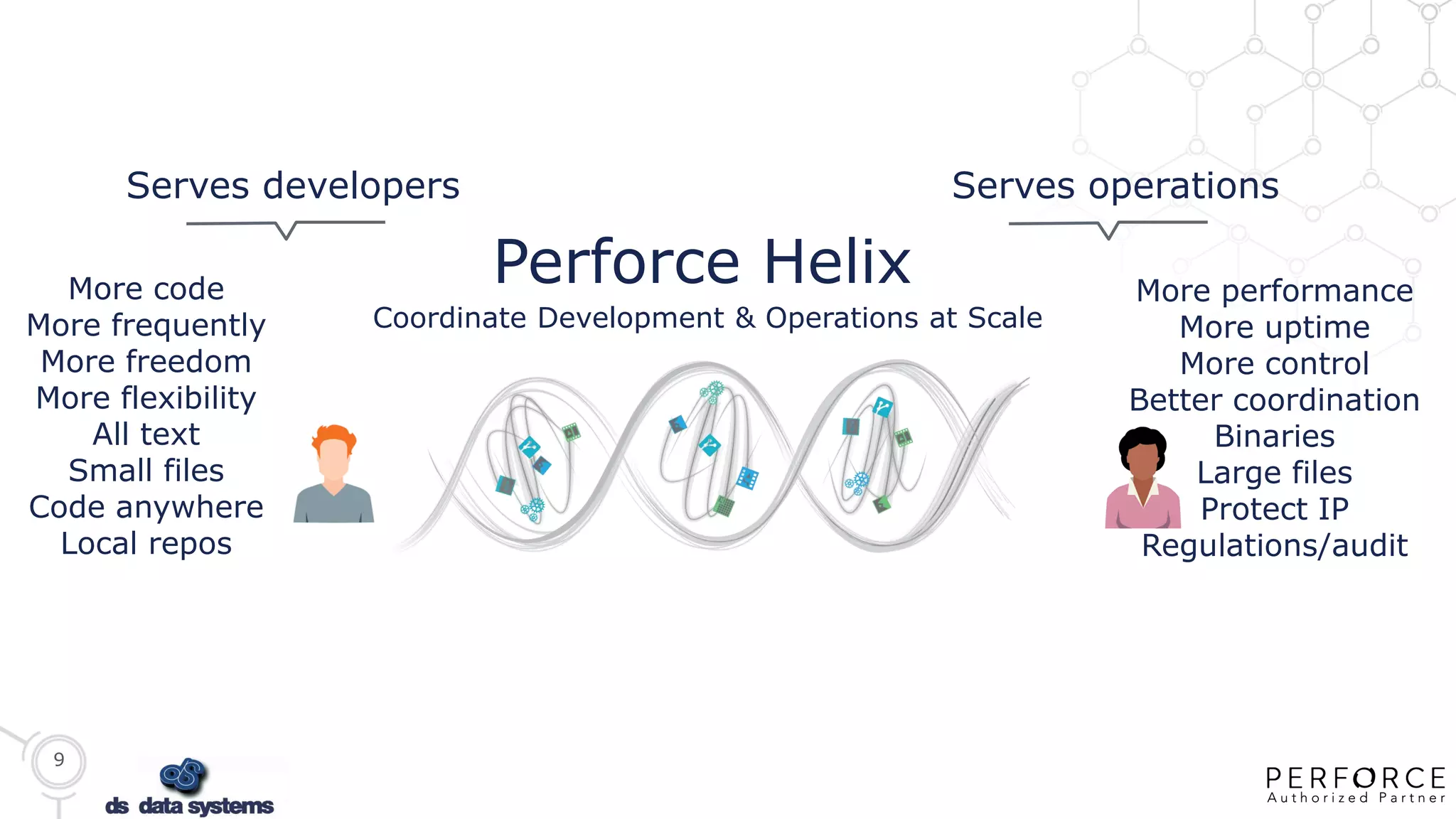
More performance
More uptime
More control
Better coordination
Binaries
Large files
Protect IP
Regulations/audit
More code
More frequently
More freedom
More flexibility
All text
Small files
Code anywhere
Local repos
Perforce Helix
Serves developers Serves operations
Coordinate Development & Operations at Scale
10
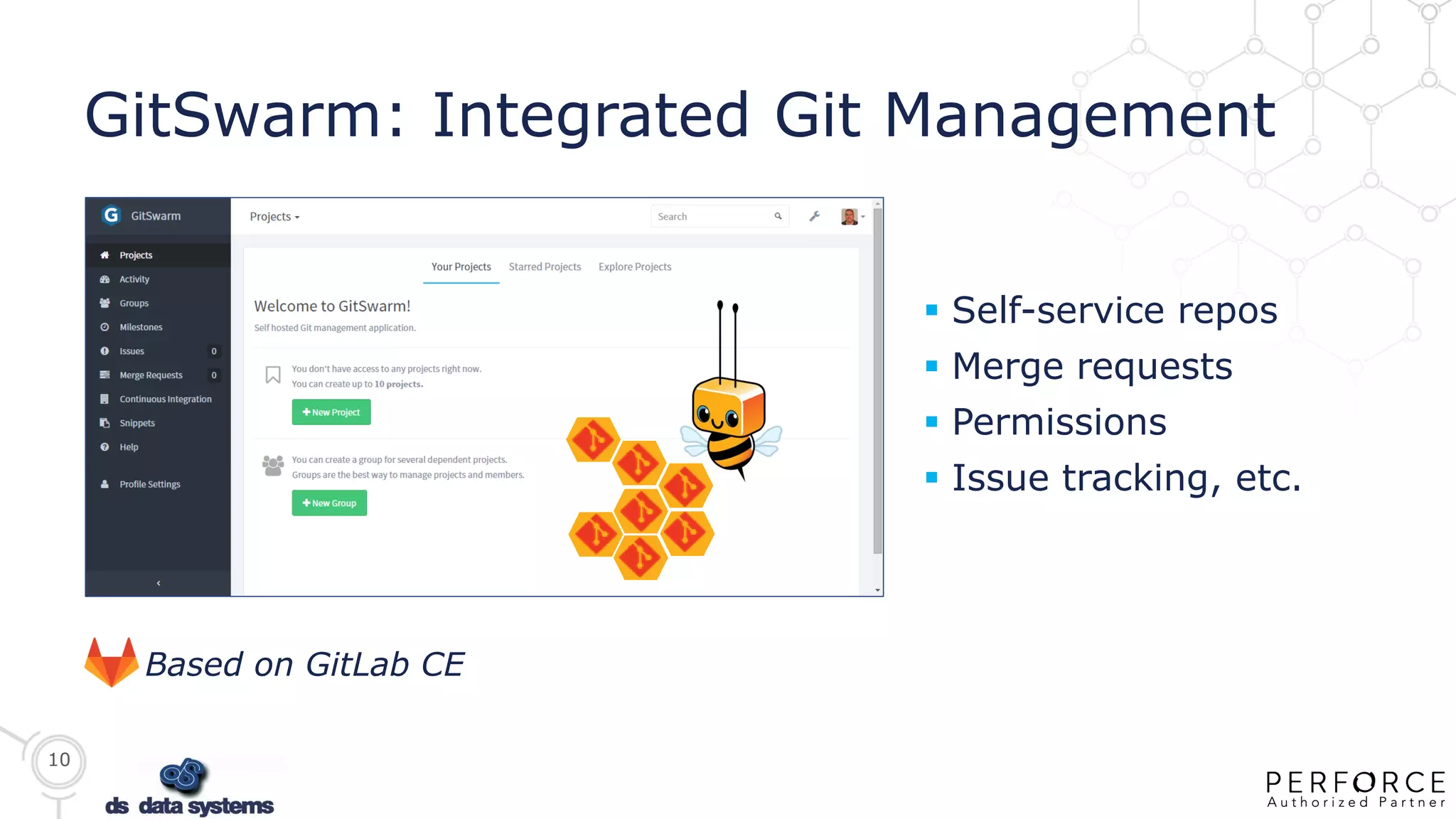
GitSwarm: Integrated Git Management
Based on GitLab CE
 Self-service repos
 Merge requests
 Permissions
 Issue tracking, etc.
11
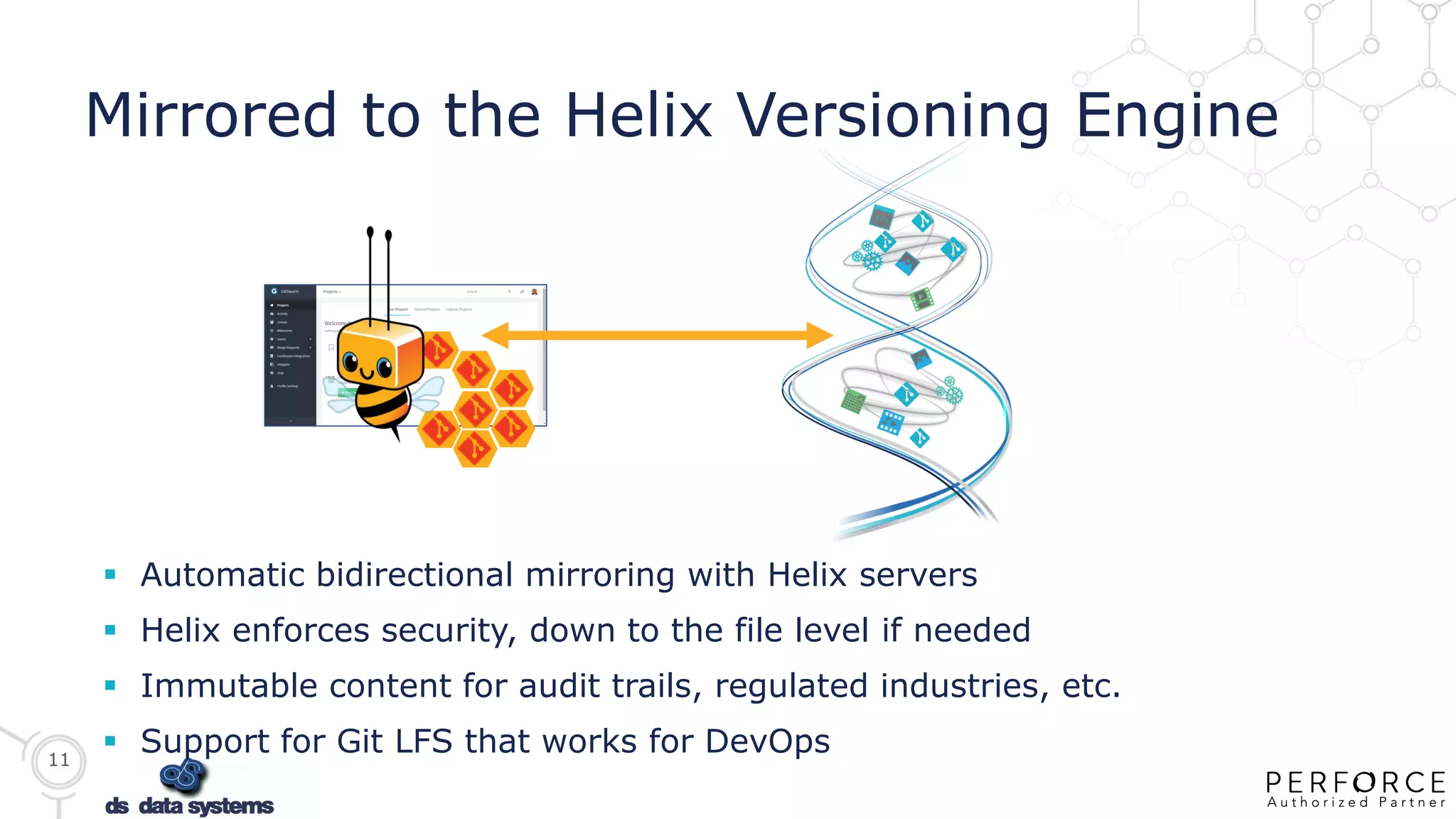
Mirrored to the Helix Versioning Engine
 Automatic bidirectional mirroring with Helix servers
 Helix enforces security, down to the file level if needed
 Immutable content for audit trails, regulated industries, etc.
 Support for Git LFS that works for DevOps
12
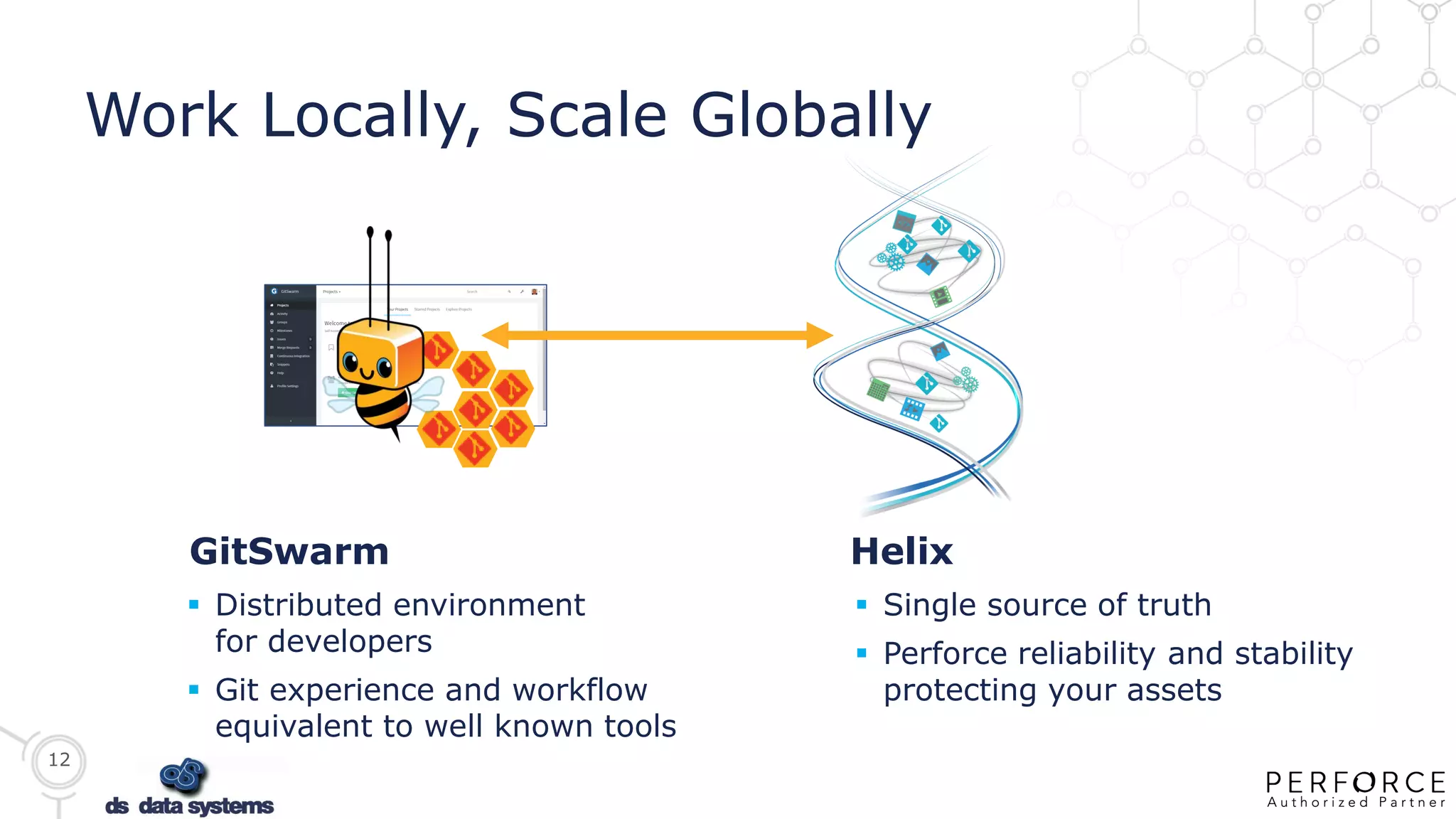
Work Locally, Scale Globally
 Distributed environment
for developers
 Git experience and workflow
equivalent to well known tools
 Single source of truth
 Perforce reliability and stability
protecting your assets
HelixGitSwarm
13
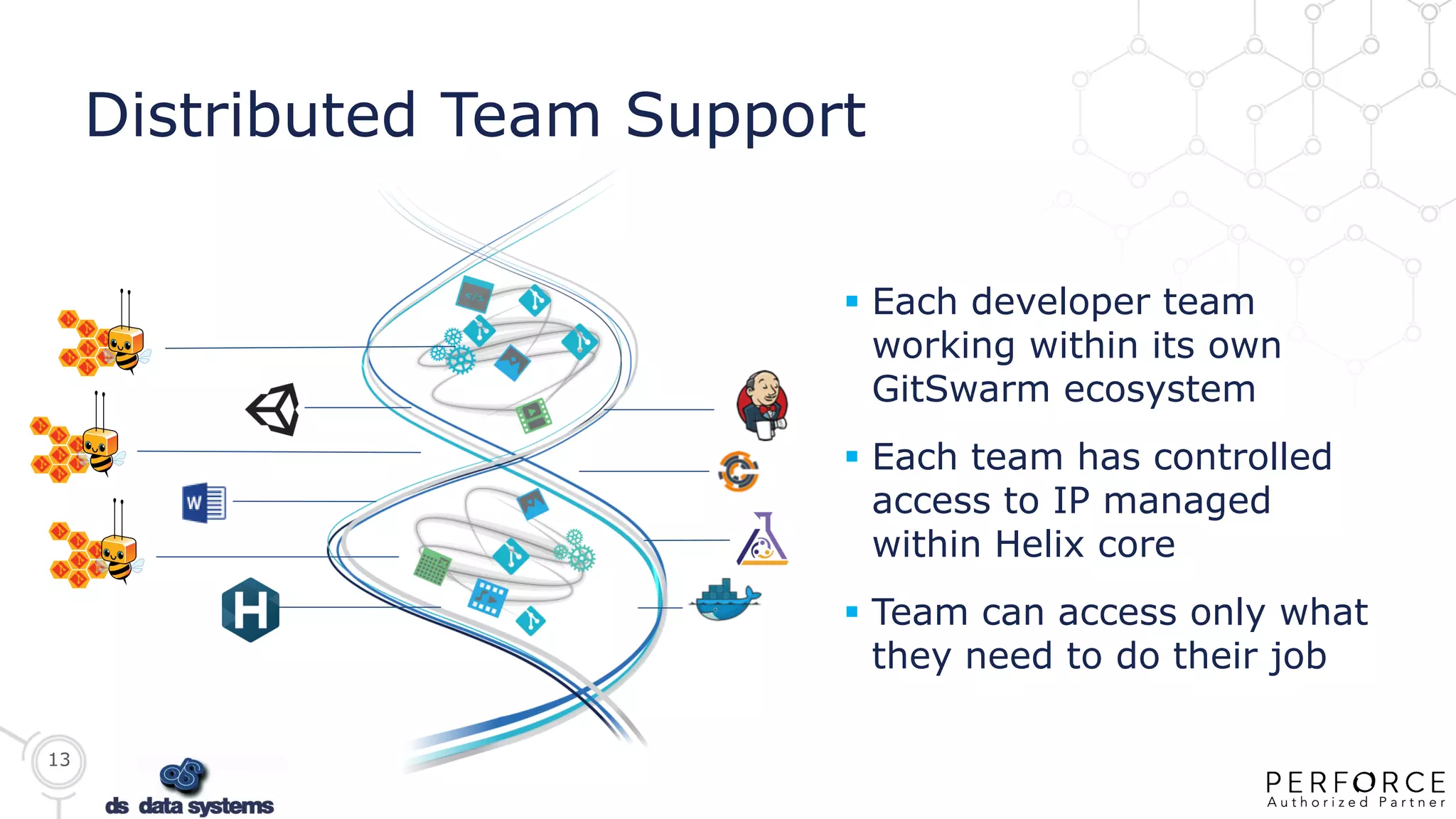
Distributed Team Support
 Each developer team
working within its own
GitSwarm ecosystem
 Each team has controlled
access to IP managed
within Helix core
 Team can access only what
they need to do their job
14
PERFORCE CONFIDENTIAL: NOT FOR DISTRIBUTION
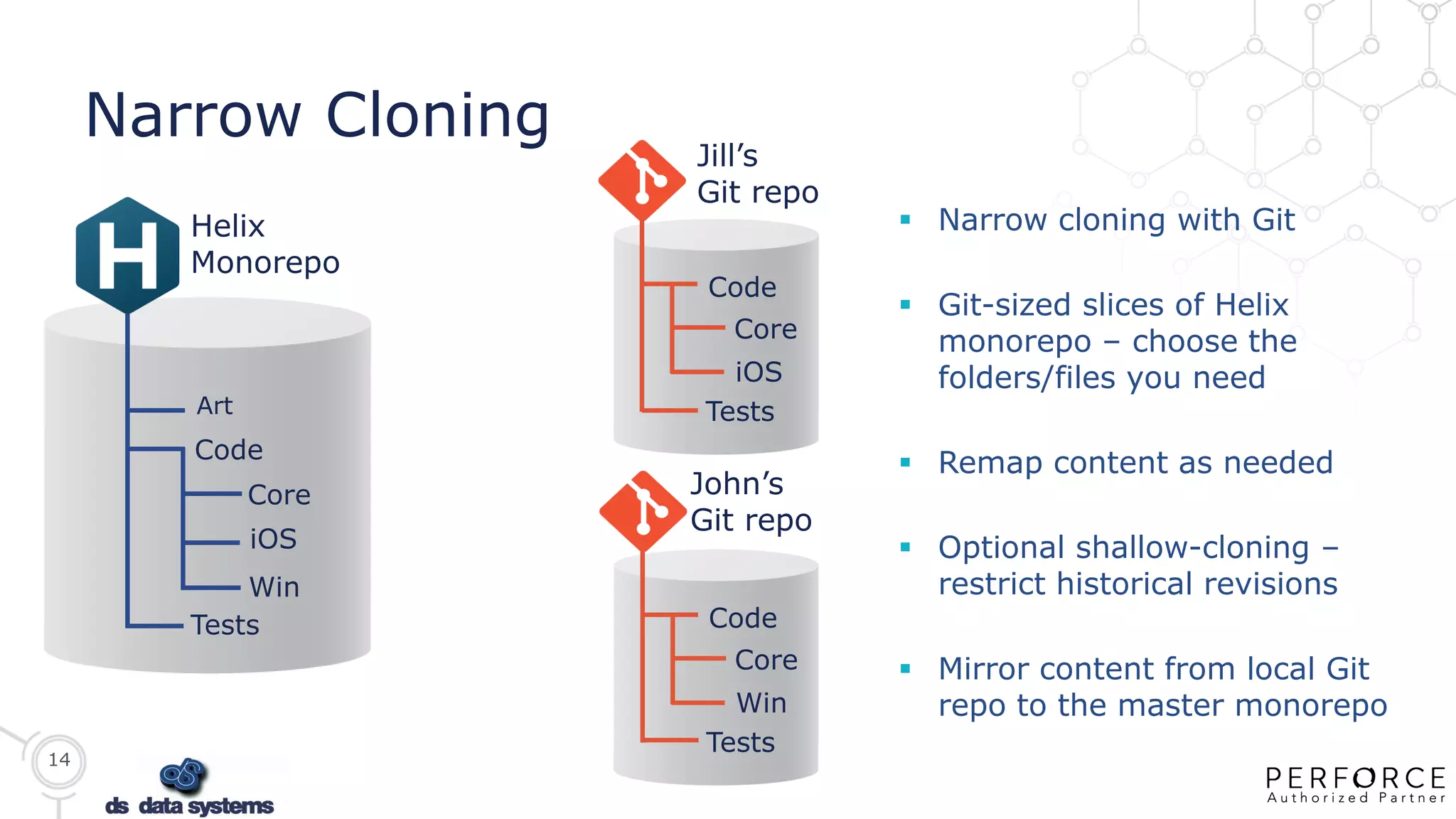
Narrow Cloning
Art
Code
Core
iOS
Win
Tests
Helix
Monorepo
 Narrow cloning with Git
 Git-sized slices of Helix
monorepo – choose the
folders/files you need
 Remap content as needed
 Optional shallow-cloning –
restrict historical revisions
 Mirror content from local Git
repo to the master monorepo
Code
Core
iOS
Tests
Jill’s
Git repo
John’s
Git repo
Code
Core
Win
Tests
15
GitSwarm Enterprise Edition
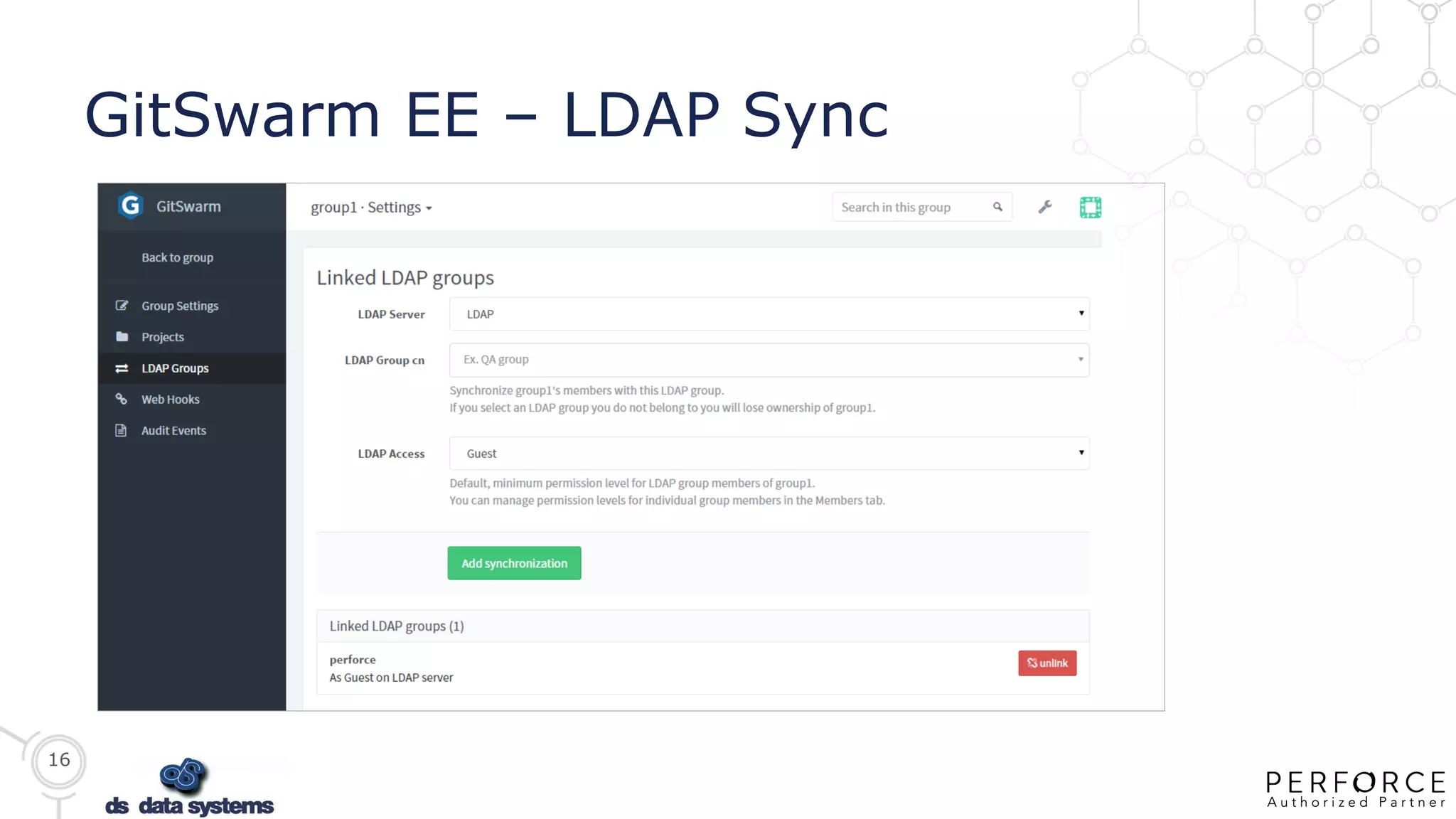
 Extends LDAP support
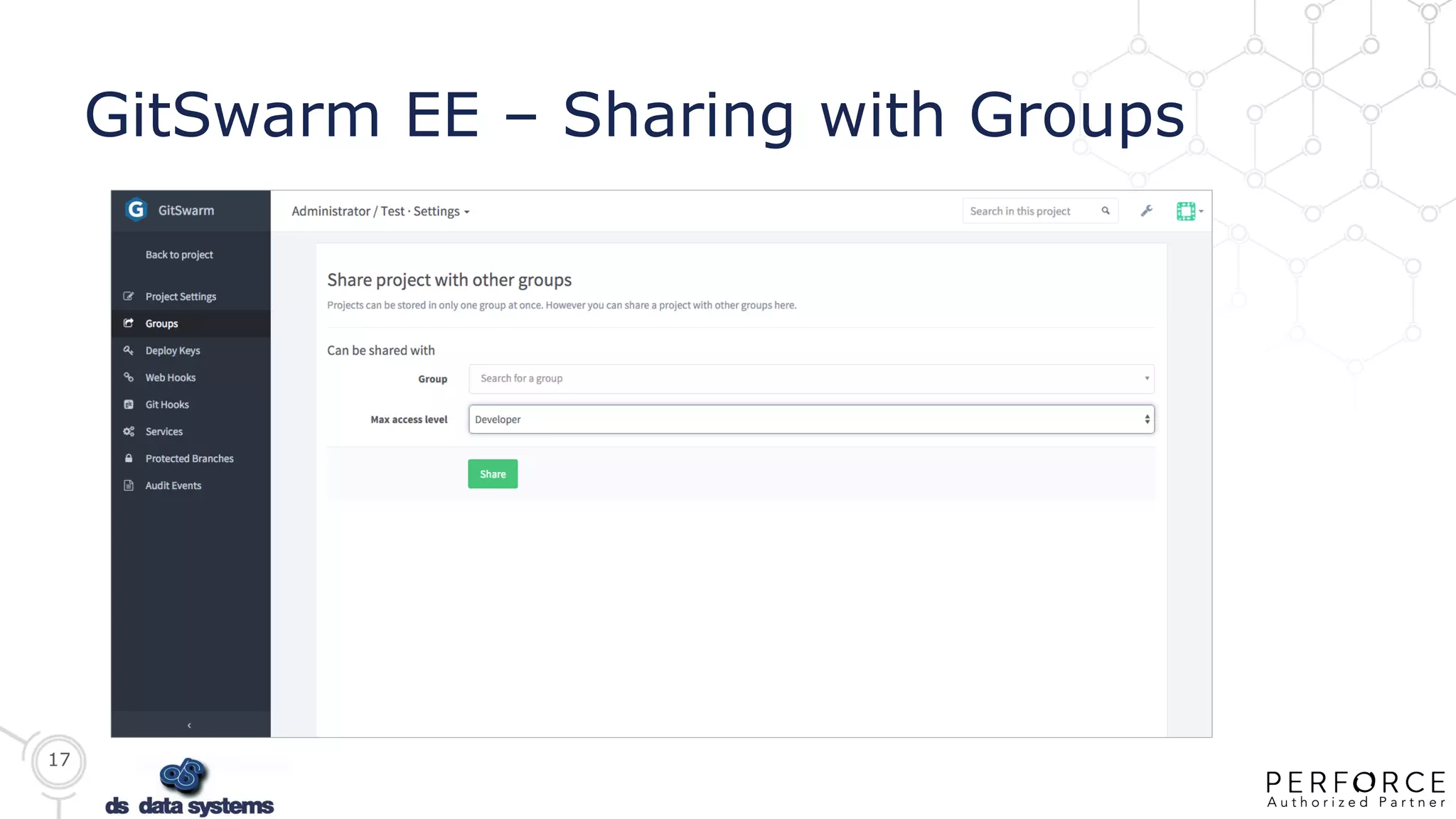
 Share projects between groups
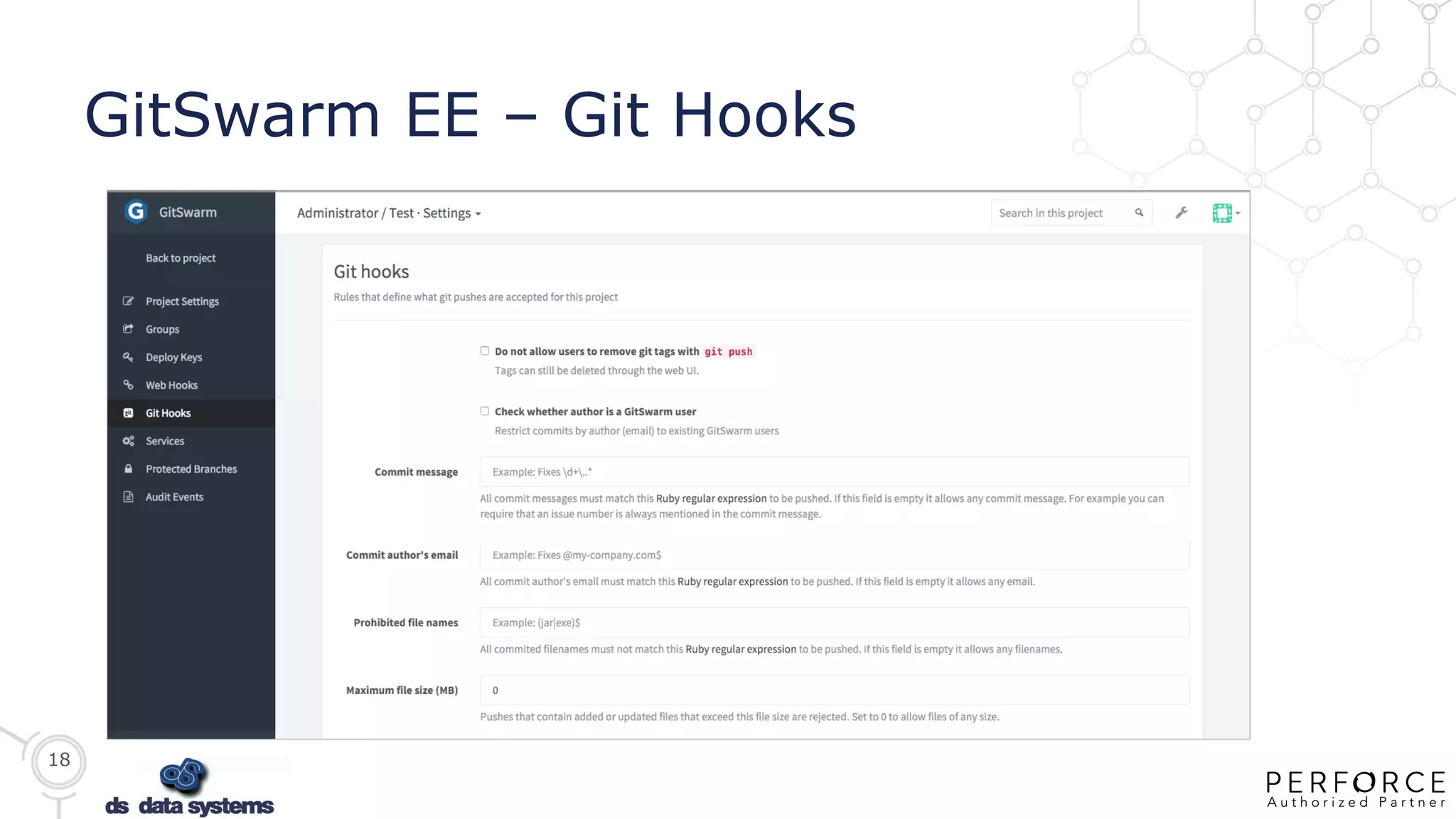
 Git hooks
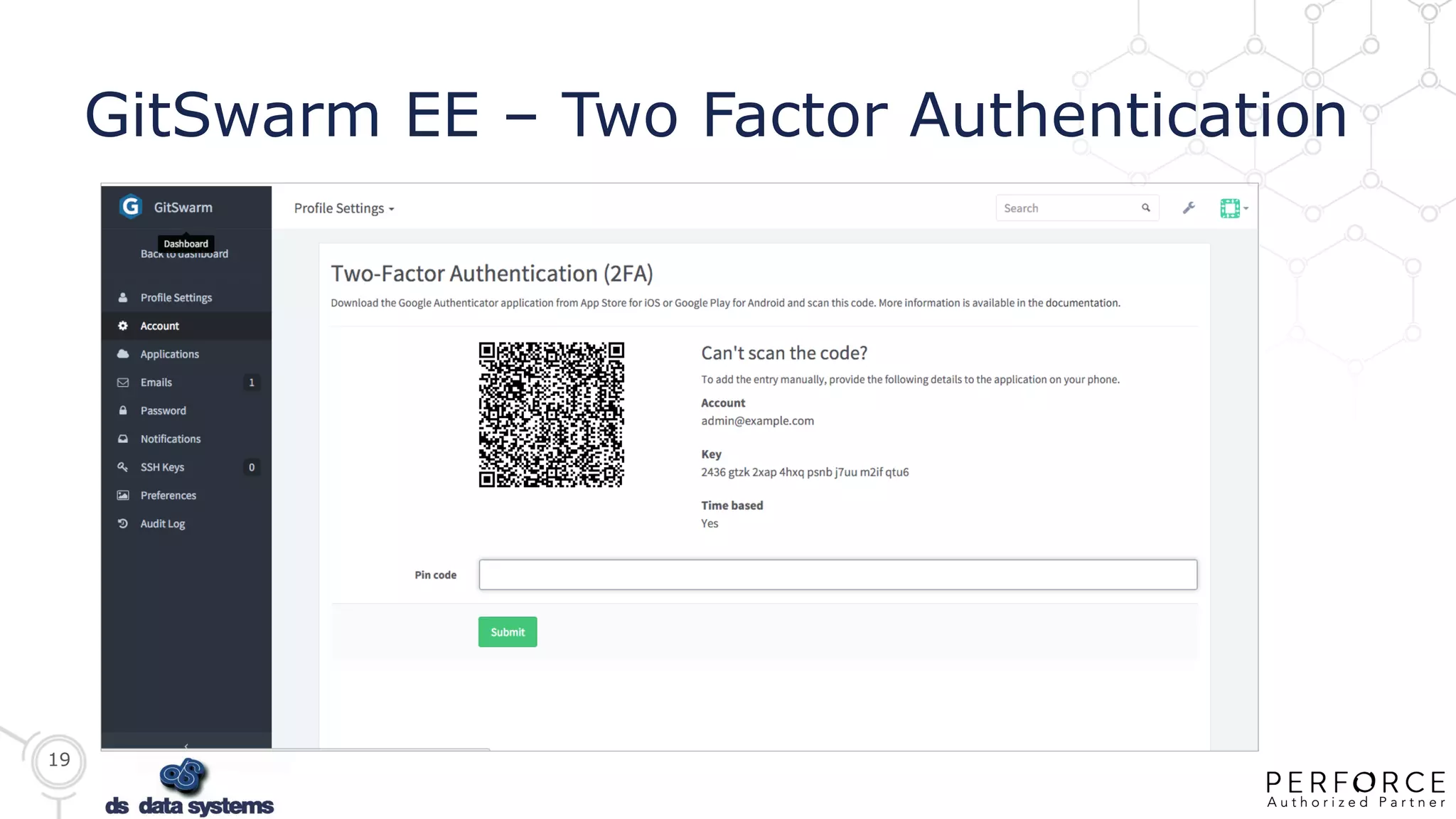
 Two factor authentication (LDAP)
 Jira integration
 Import from GitHub Enterprise
 Available as an add-on option
16
GitSwarm EE – LDAP Sync
17
GitSwarm EE – Sharing with Groups
18
GitSwarm EE – Git Hooks
19
GitSwarm EE – Two Factor Authentication
20
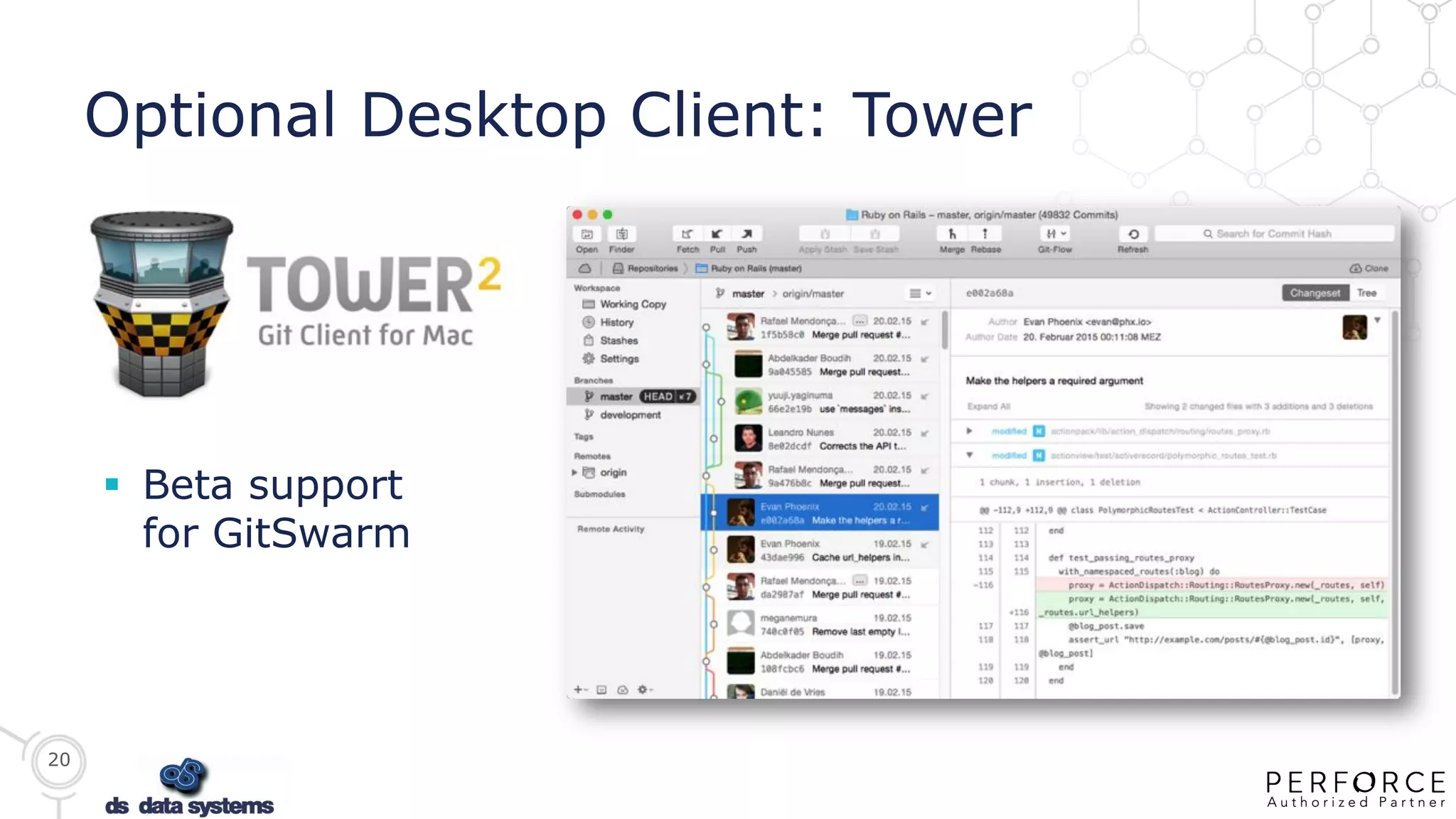
Optional Desktop Client: Tower
 Beta support
for GitSwarm
Helix GitSwarm. The
product. Demo, Video,
Next Steps
22
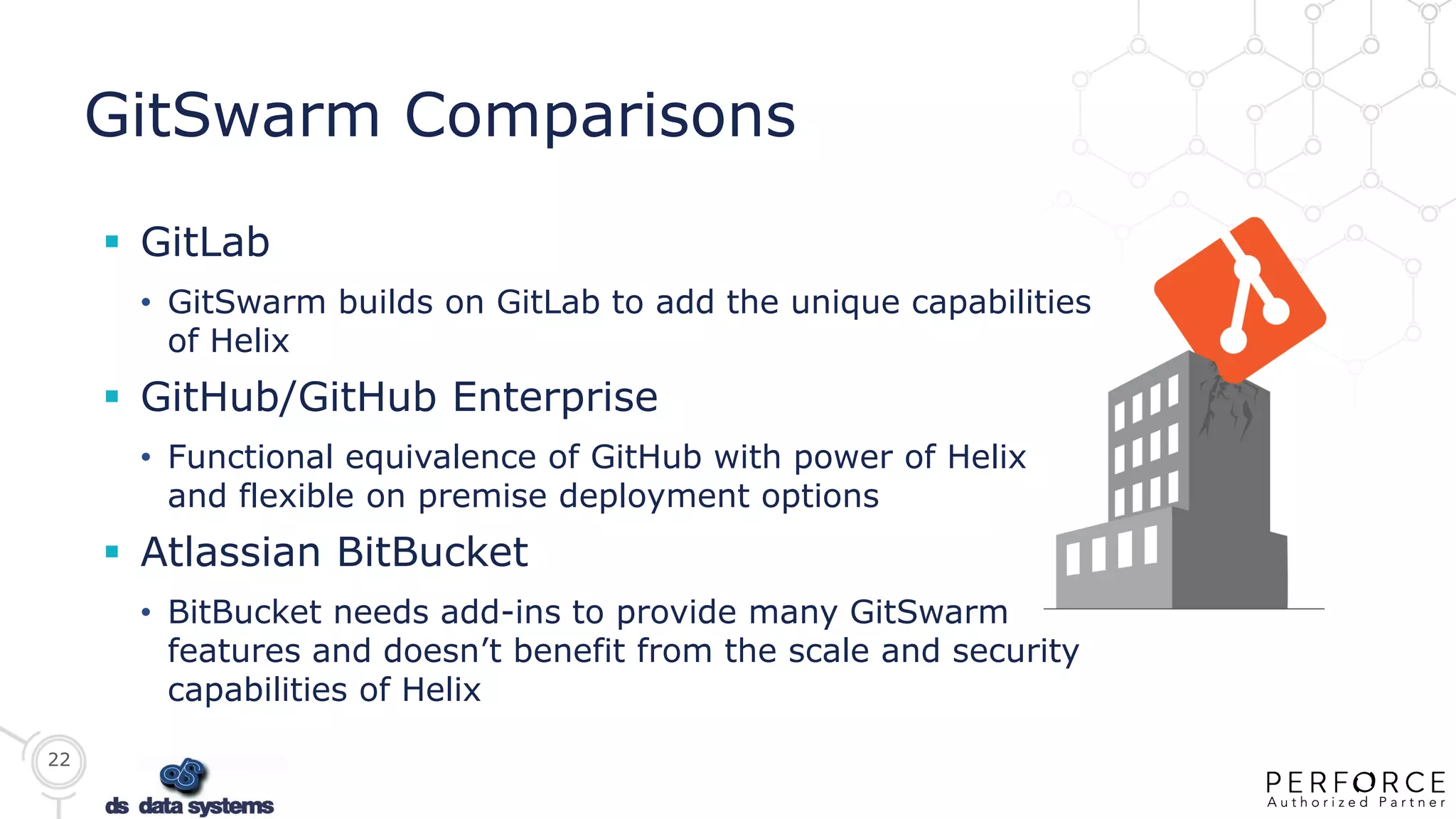
GitSwarm Comparisons
 GitLab
• GitSwarm builds on GitLab to add the unique capabilities
of Helix
 GitHub/GitHub Enterprise
• Functional equivalence of GitHub with power of Helix
and flexible on premise deployment options
 Atlassian BitBucket
• BitBucket needs add-ins to provide many GitSwarm
features and doesn’t benefit from the scale and security
capabilities of Helix
23
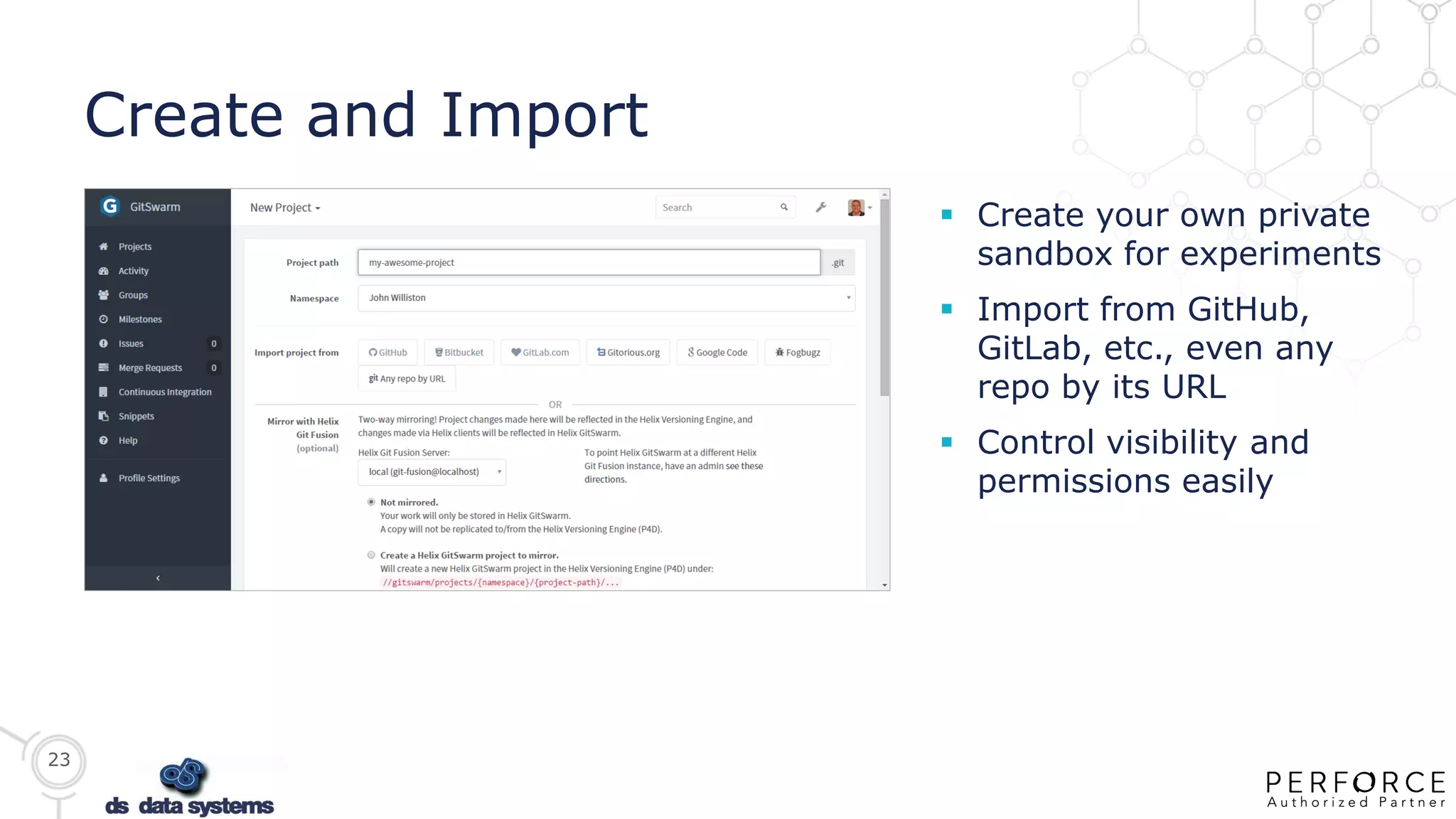
Create and Import
 Create your own private
sandbox for experiments
 Import from GitHub,
GitLab, etc., even any
repo by its URL
 Control visibility and
permissions easily
24
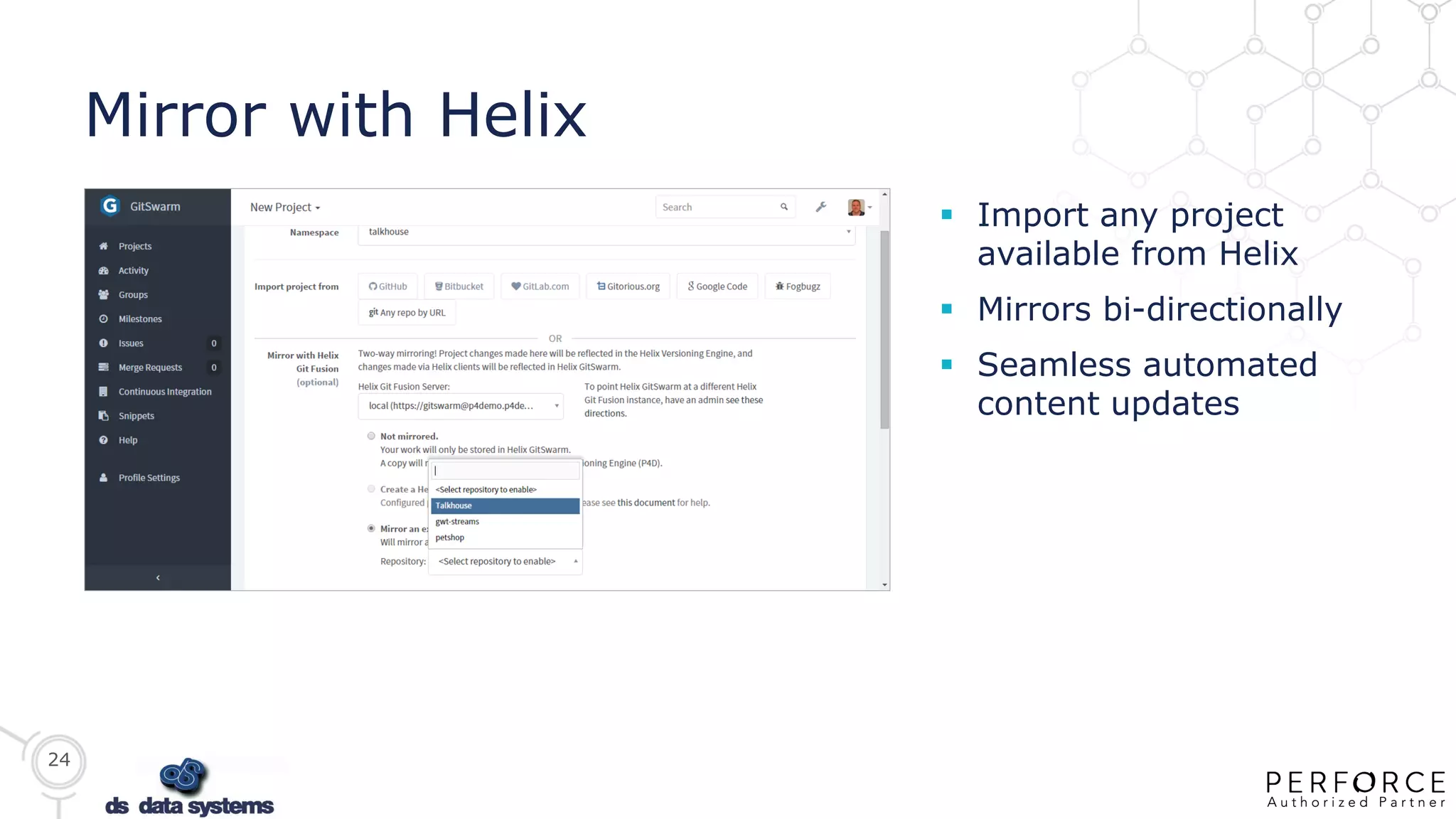
Mirror with Helix
 Import any project
available from Helix
 Mirrors bi-directionally
 Seamless automated
content updates
25
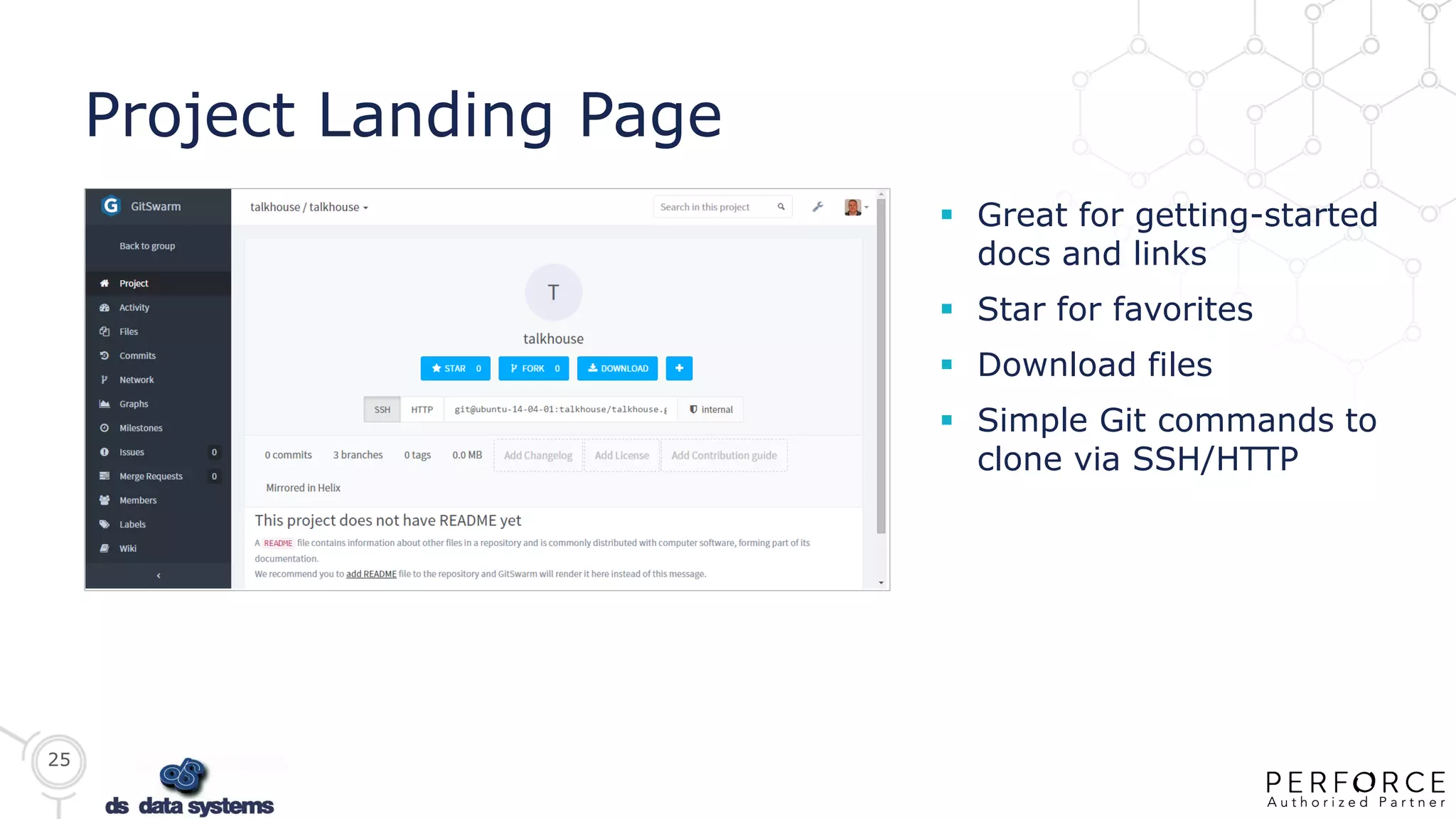
Project Landing Page
 Great for getting-started
docs and links
 Star for favorites
 Download files
 Simple Git commands to
clone via SSH/HTTP
26
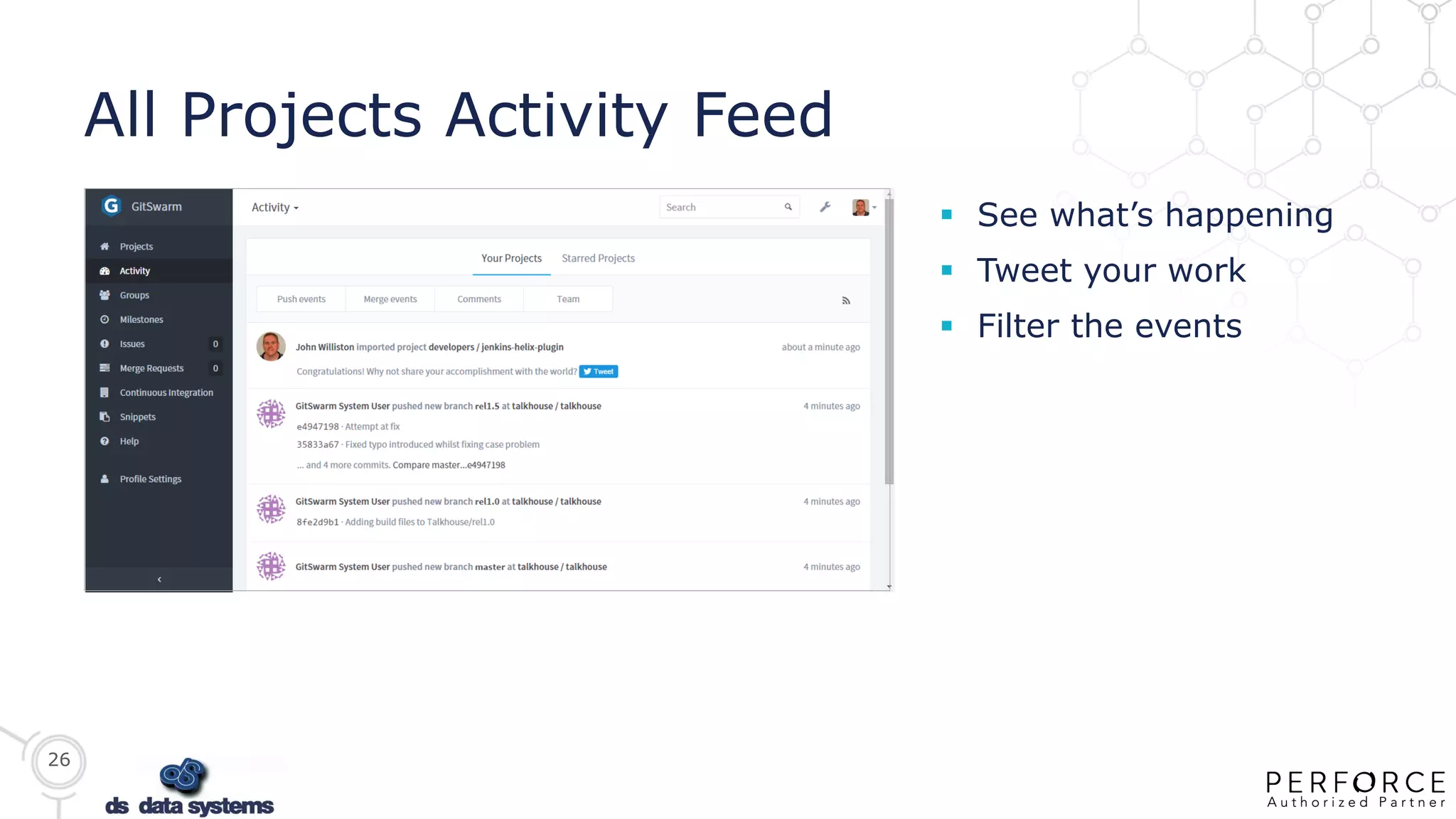
All Projects Activity Feed
 See what’s happening
 Tweet your work
 Filter the events
27
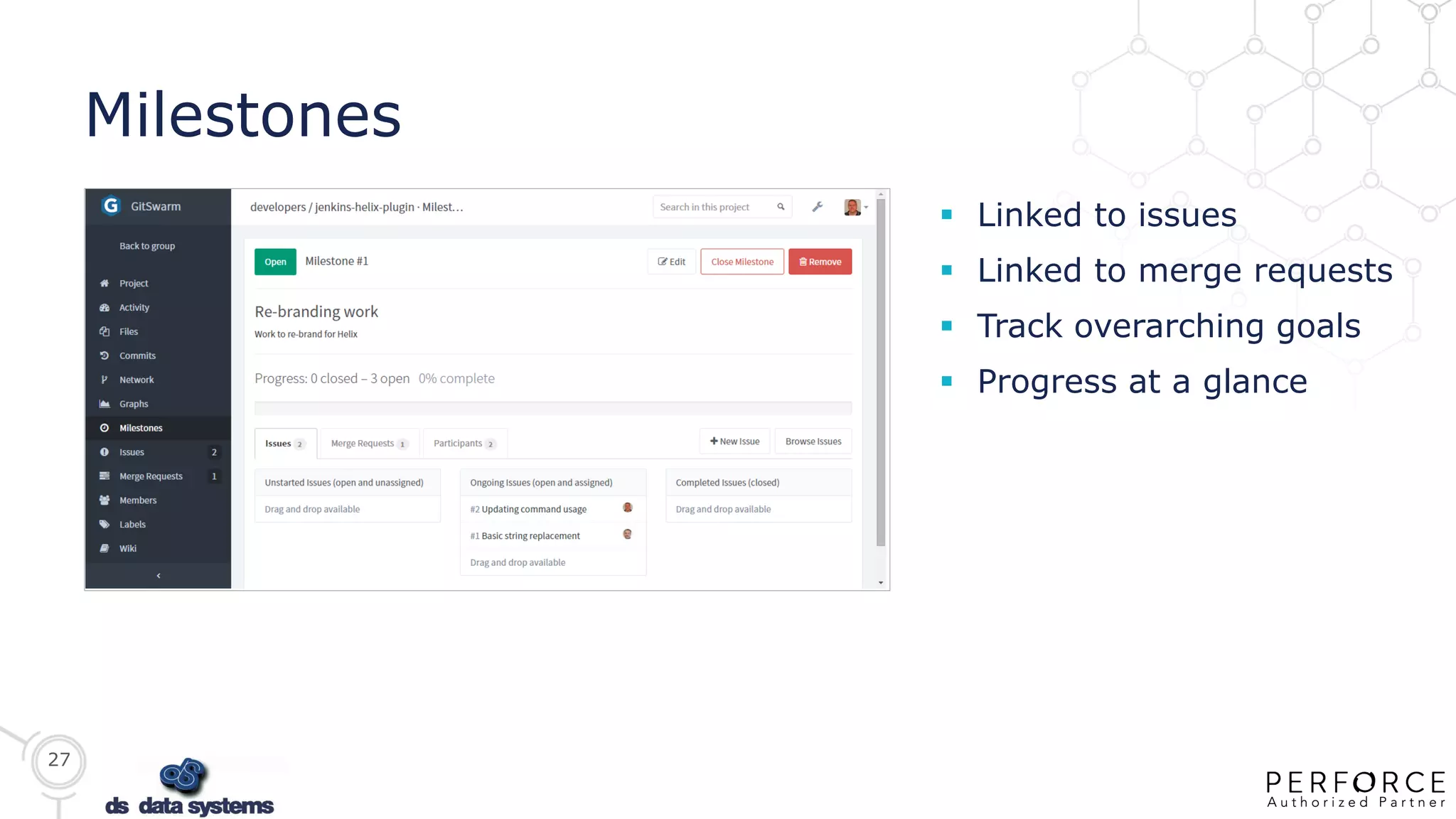
Milestones
 Linked to issues
 Linked to merge requests
 Track overarching goals
 Progress at a glance
28
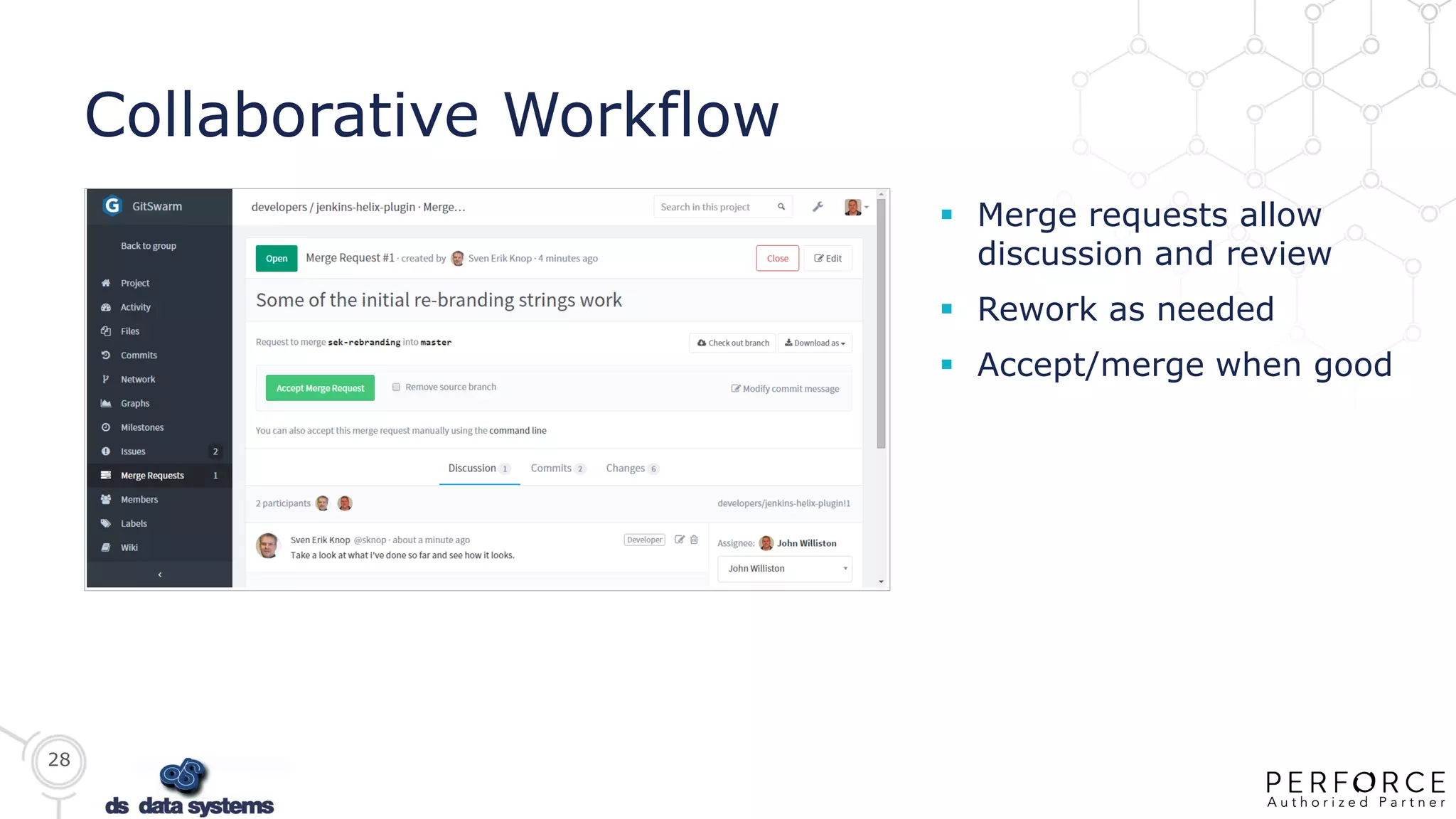
Collaborative Workflow
 Merge requests allow
discussion and review
 Rework as needed
 Accept/merge when good
29
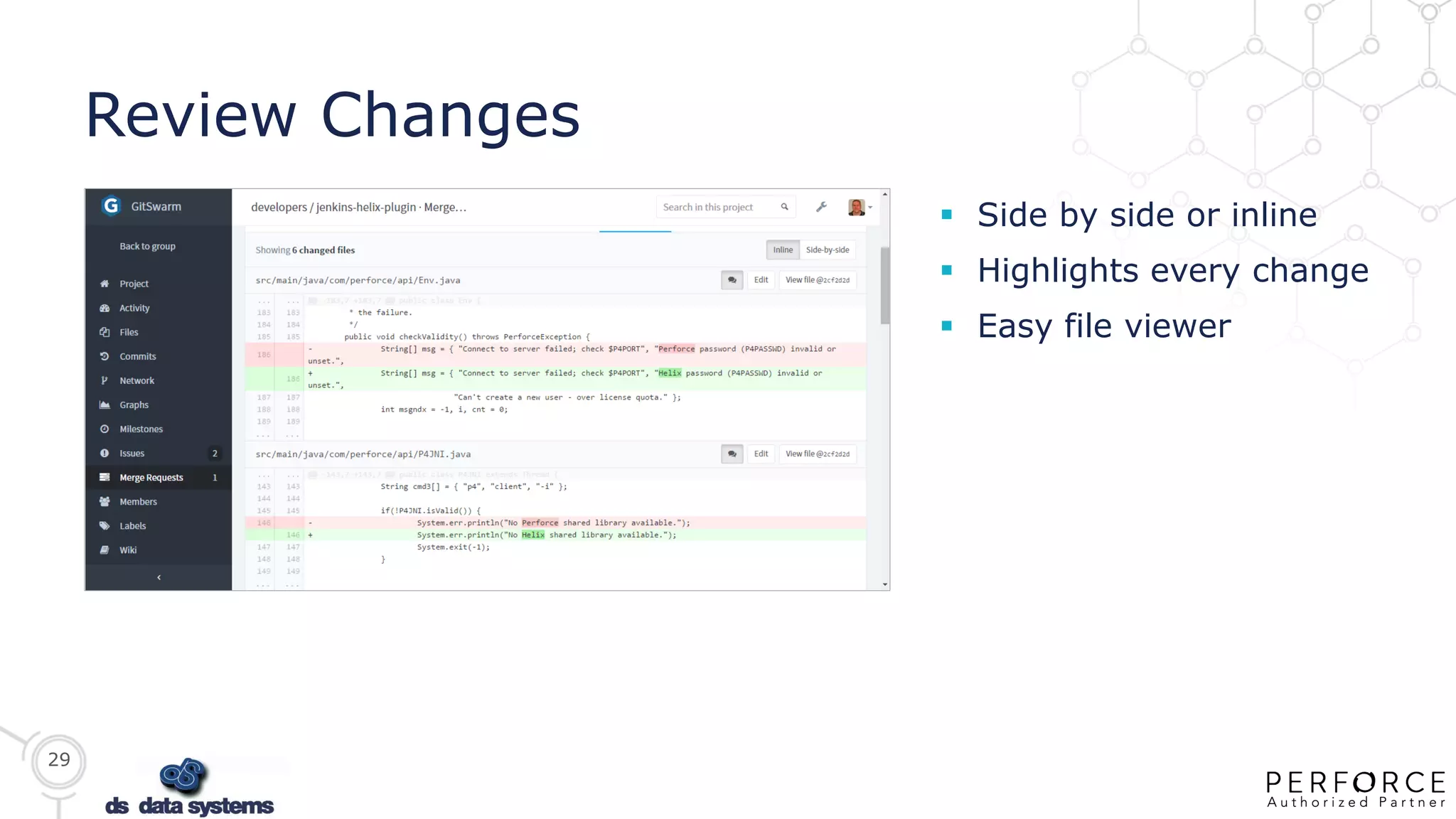
Review Changes
 Side by side or inline
 Highlights every change
 Easy file viewer
30
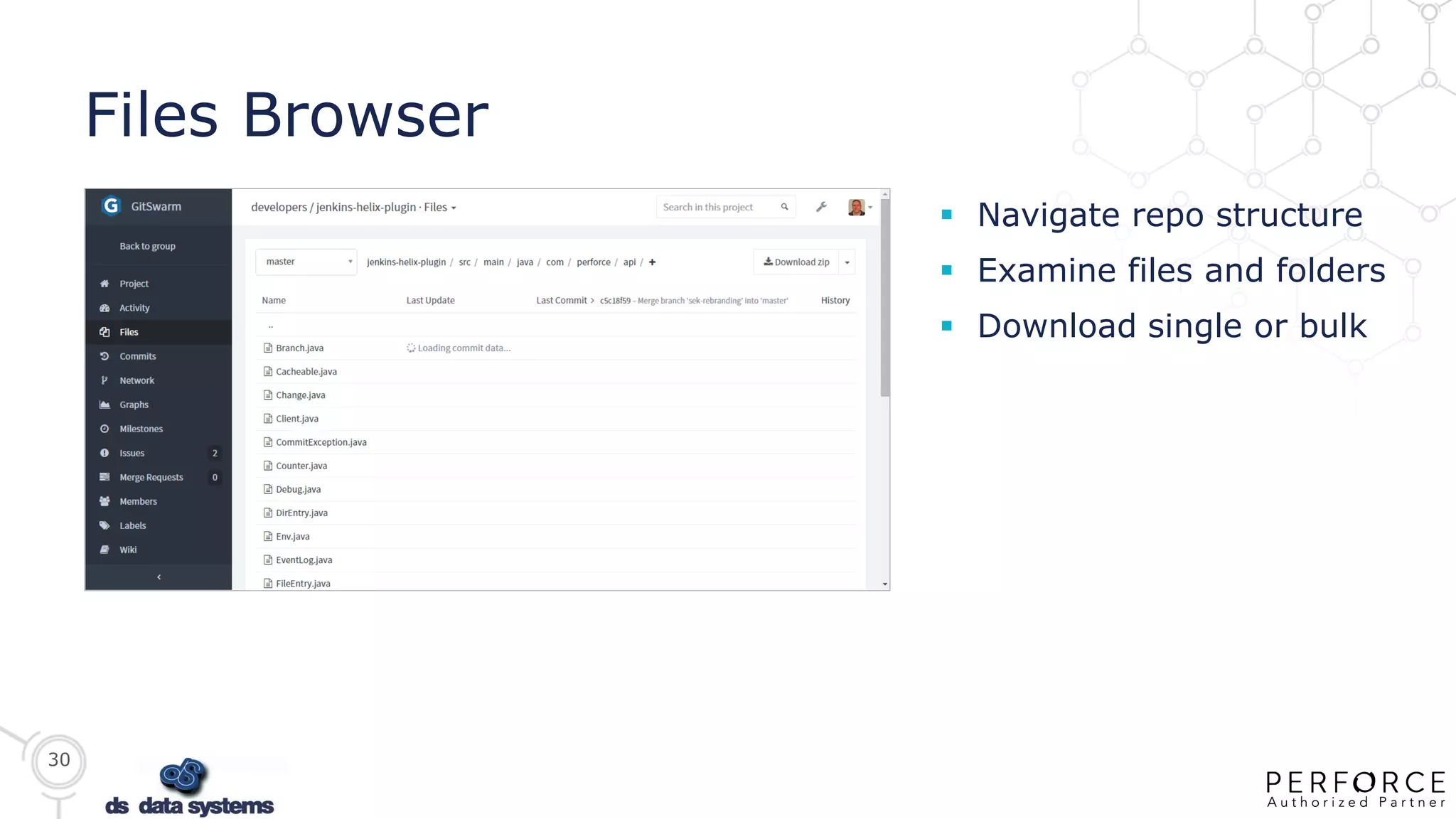
Files Browser
 Navigate repo structure
 Examine files and folders
 Download single or bulk
31
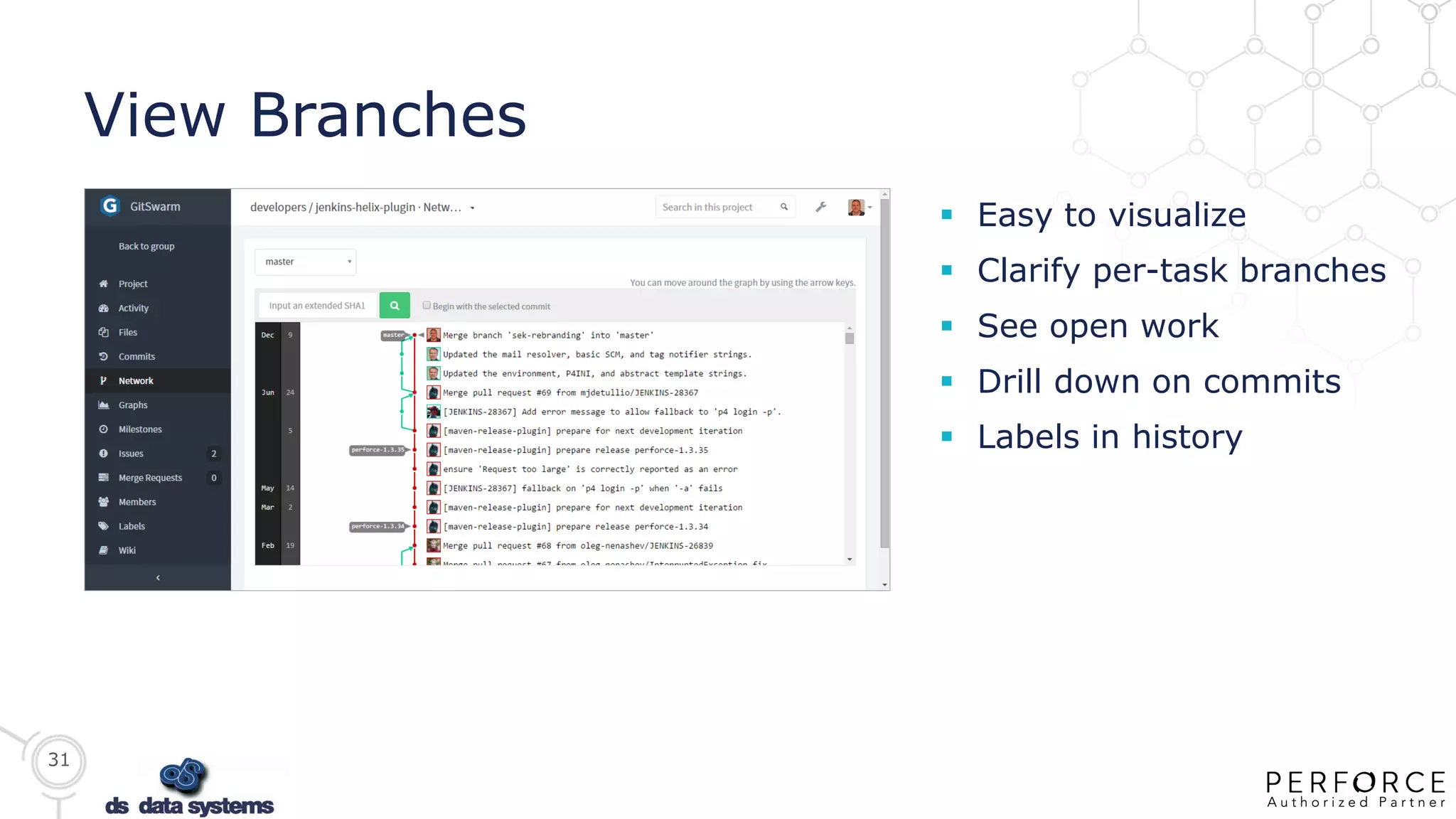
View Branches
 Easy to visualize
 Clarify per-task branches
 See open work
 Drill down on commits
 Labels in history
32
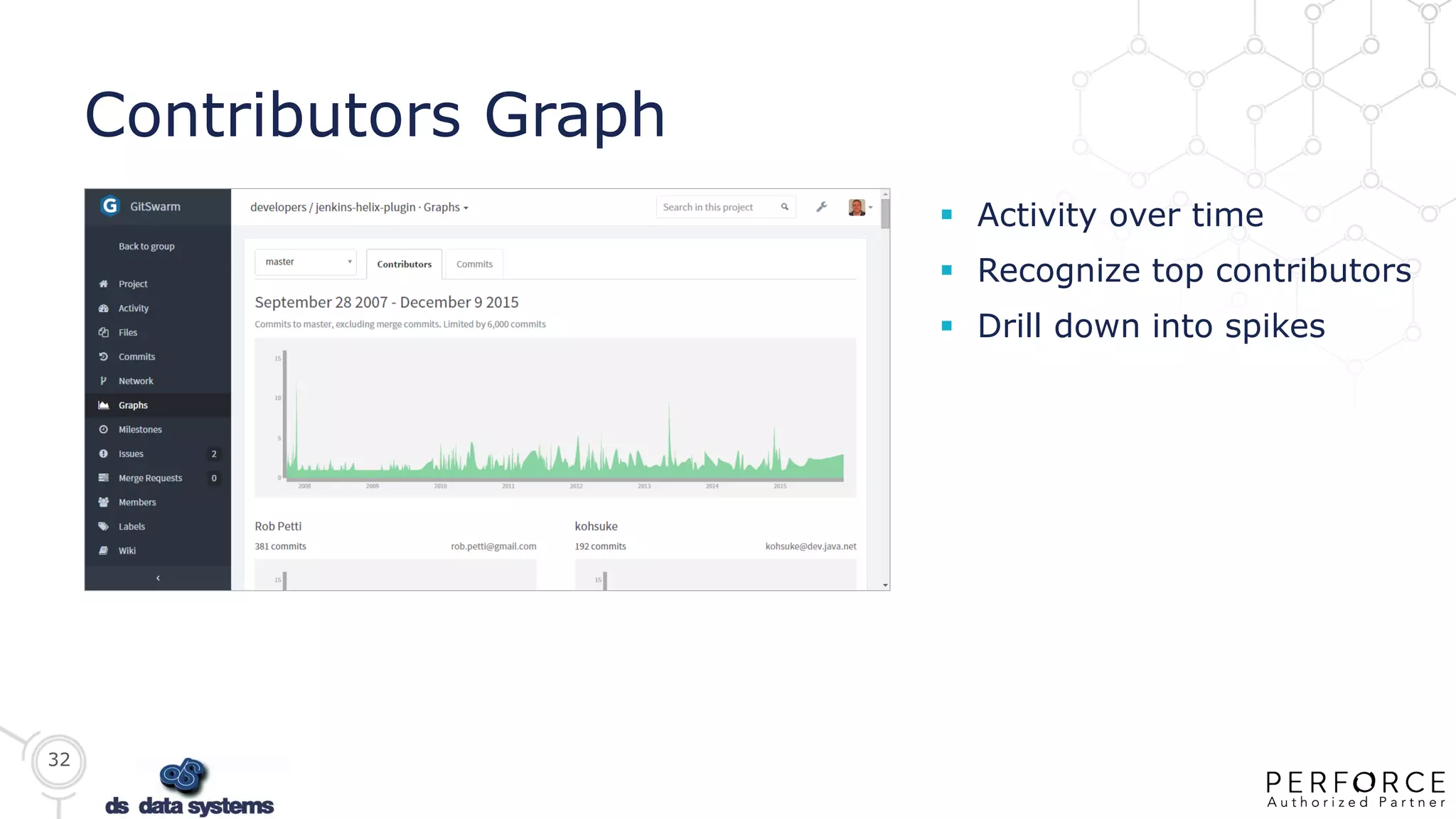
Contributors Graph
 Activity over time
 Recognize top contributors
 Drill down into spikes
33
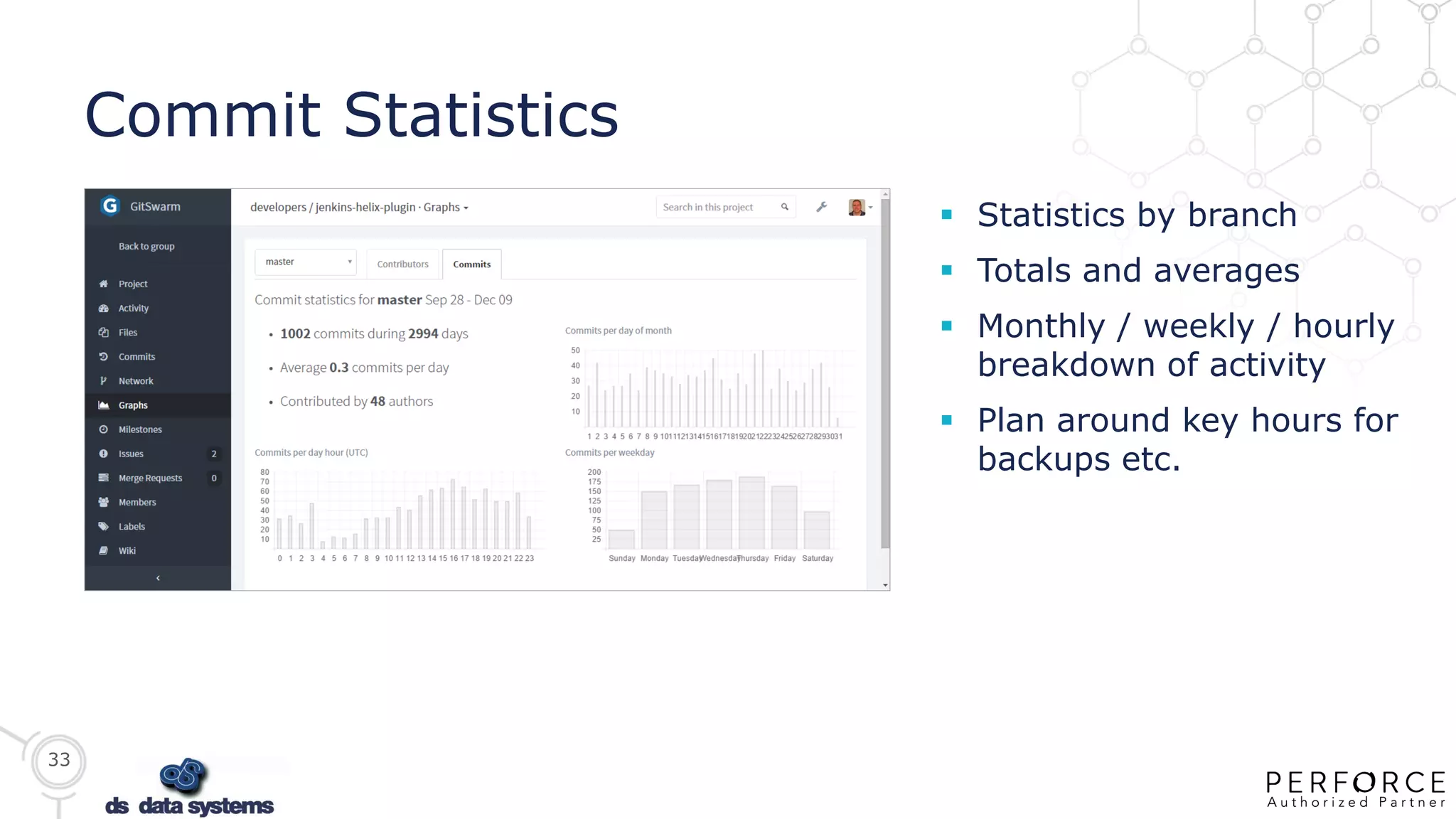
Commit Statistics
 Statistics by branch
 Totals and averages
 Monthly / weekly / hourly
breakdown of activity
 Plan around key hours for
backups etc.
34
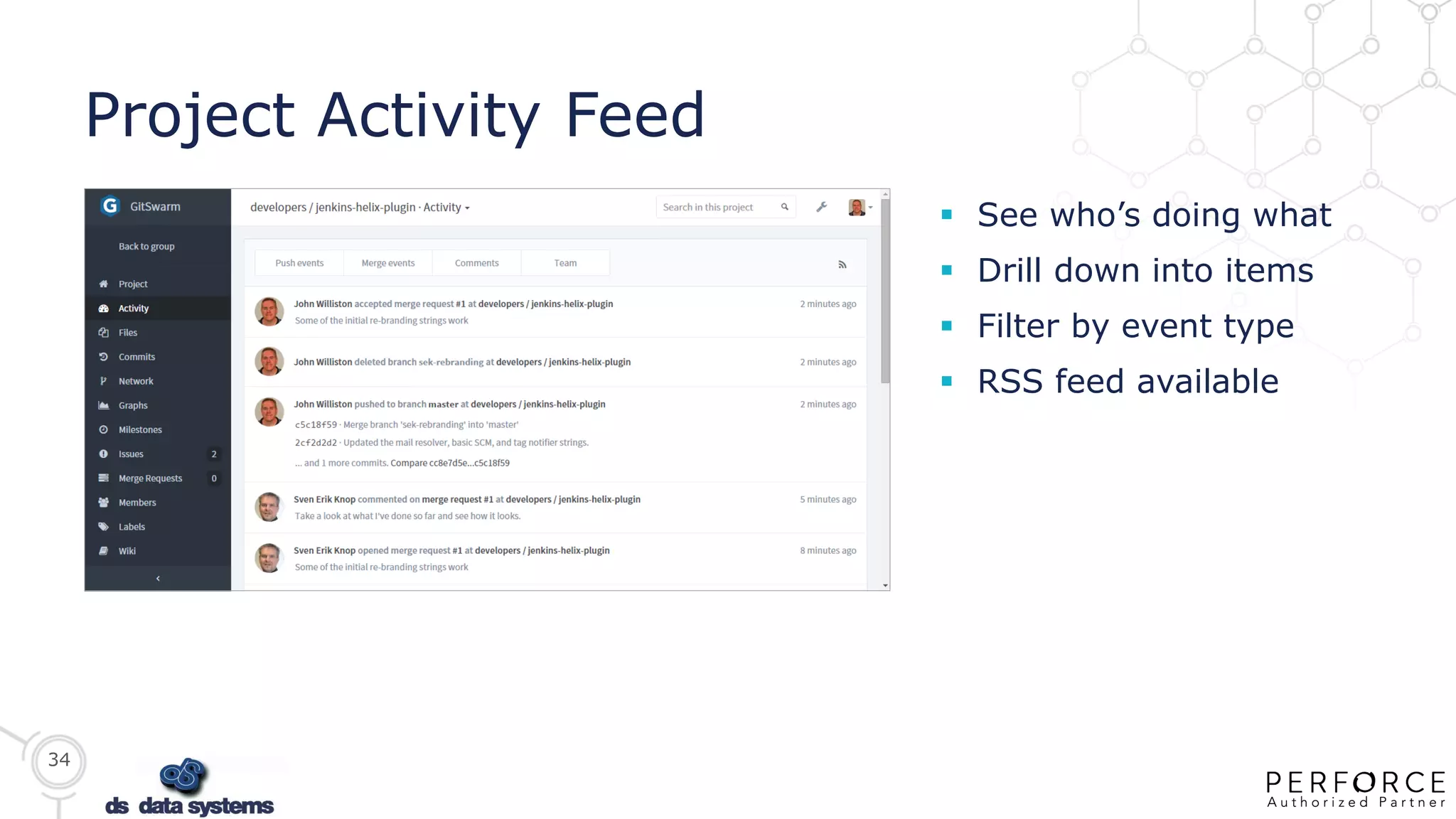
Project Activity Feed
 See who’s doing what
 Drill down into items
 Filter by event type
 RSS feed available
Contact Spain&Portugal
perforce@dsdata.es /
+34 91 579 66 46

Perforce helix git swarm jan 2016(pva1) meetup

  • 1.
    Perforce Helix GitSwarm Enterprise GitEcosystem ds data systems
  • 2.
    2 Git is aVery Popular 10-Year-Old — 2015 Stack Overflow Developer Survey 69.3% of developers use Git 2005 2015
  • 3.
    3 But It PosesChallenges to the Enterprise  Maximum practical repository size  Leading to Git sprawl (lots of repos)  Too complex for some contributors  Raises security concerns  Weak visibility across the entire pipeline  DevOps challenges for continuous delivery  Destructible history can be a problem
  • 4.
    4 7 DEVOPS PRACTICESFOR OUTSTANDING RESULTS (1) “DevOps is a software development methodology that emphasizes communication, collaboration, integration and automation”  Version control of all production artifacts • Both Dev and Ops should use version control for everything and share the same single source of truth.  Continuous integration and deployment • Check in code every day and check into the trunk every day, as opposed to hanging onto private code branches and integrating only at the end of the release.  Automated acceptance testing • Stop the line not only when the build breaks but also when something breaks in an automated user test, an integration test, or a system test. This step keeps things in an alwaysdeployable state. DevOps
  • 5.
    5 7 DEVOPS PRACTICESFOR OUTSTANDING RESULTS (2)  Peer review of production changes • Use peer reviews for better quality based on their familiarity, shared goals, and mutual accountability, as opposed to external change approval, such as a change advisory board.  High trust culture • This outcome and practice result from a single source of truth, peer reviews, and shared goals.  Proactive monitoring of the production environment • Monitor and communicate across the teams so everyone can see, understand, and affect end results and customer utilization.  Win-win relationship (and outcomes) between Dev and Ops • This approach counters the learned behavior that deployments hurt. By deploying code into production every day, you can change lives in Operations. Deployments don’t have to be done at midnight on Friday with Ops working all weekend to get things running. When Ops employees are working the same hours as Dev, there is a sense of teamwork and joint accomplishment. DevOps
  • 6.
    6 Inefficient Product Delivery Poor visibility between teams introduce friction and design errors  Poor component reuse results in higher production cost  More delays, less efficient product delivery  Less secure  Increased risk of quality issues DevOps
  • 7.
    7 Recent Gartner marketguide “ “ Enterprise-grade management of Git that offers important aspects of a DVCS — good merging, the ability to work offline and good collaboration — along with the security and central repository of a CVCS, will resolve most remaining concerns about the use of the DVCS model. — Gartner, Inc. Market Guide for Software Change and Configuration Management
  • 8.
    8  Hybrid Workflows •Distributed & Centralized Version control, code reviews, simple file sharing • Happy developers & contributors  Every File • Efficiently handles large, often binary, data  DevOps Stay Happy & Productive • A mainline source for all builds even with distributed development  All IP Safe & Secure • Granular permissions, theft risk monitoring Perforce Helix CONTRIBUTORS CONSUMERS
  • 9.
    9 PERFORCE CONFIDENTIAL: NOTFOR DISTRIBUTION More performance More uptime More control Better coordination Binaries Large files Protect IP Regulations/audit More code More frequently More freedom More flexibility All text Small files Code anywhere Local repos Perforce Helix Serves developers Serves operations Coordinate Development & Operations at Scale
  • 10.
    10 GitSwarm: Integrated GitManagement Based on GitLab CE  Self-service repos  Merge requests  Permissions  Issue tracking, etc.
  • 11.
    11 Mirrored to theHelix Versioning Engine  Automatic bidirectional mirroring with Helix servers  Helix enforces security, down to the file level if needed  Immutable content for audit trails, regulated industries, etc.  Support for Git LFS that works for DevOps
  • 12.
    12 Work Locally, ScaleGlobally  Distributed environment for developers  Git experience and workflow equivalent to well known tools  Single source of truth  Perforce reliability and stability protecting your assets HelixGitSwarm
  • 13.
    13 Distributed Team Support Each developer team working within its own GitSwarm ecosystem  Each team has controlled access to IP managed within Helix core  Team can access only what they need to do their job
  • 14.
    14 PERFORCE CONFIDENTIAL: NOTFOR DISTRIBUTION Narrow Cloning Art Code Core iOS Win Tests Helix Monorepo  Narrow cloning with Git  Git-sized slices of Helix monorepo – choose the folders/files you need  Remap content as needed  Optional shallow-cloning – restrict historical revisions  Mirror content from local Git repo to the master monorepo Code Core iOS Tests Jill’s Git repo John’s Git repo Code Core Win Tests
  • 15.
    15 GitSwarm Enterprise Edition Extends LDAP support  Share projects between groups  Git hooks  Two factor authentication (LDAP)  Jira integration  Import from GitHub Enterprise  Available as an add-on option
  • 16.
  • 17.
    17 GitSwarm EE –Sharing with Groups
  • 18.
  • 19.
    19 GitSwarm EE –Two Factor Authentication
  • 20.
    20 Optional Desktop Client:Tower  Beta support for GitSwarm
  • 21.
    Helix GitSwarm. The product.Demo, Video, Next Steps
  • 22.
    22 GitSwarm Comparisons  GitLab •GitSwarm builds on GitLab to add the unique capabilities of Helix  GitHub/GitHub Enterprise • Functional equivalence of GitHub with power of Helix and flexible on premise deployment options  Atlassian BitBucket • BitBucket needs add-ins to provide many GitSwarm features and doesn’t benefit from the scale and security capabilities of Helix
  • 23.
    23 Create and Import Create your own private sandbox for experiments  Import from GitHub, GitLab, etc., even any repo by its URL  Control visibility and permissions easily
  • 24.
    24 Mirror with Helix Import any project available from Helix  Mirrors bi-directionally  Seamless automated content updates
  • 25.
    25 Project Landing Page Great for getting-started docs and links  Star for favorites  Download files  Simple Git commands to clone via SSH/HTTP
  • 26.
    26 All Projects ActivityFeed  See what’s happening  Tweet your work  Filter the events
  • 27.
    27 Milestones  Linked toissues  Linked to merge requests  Track overarching goals  Progress at a glance
  • 28.
    28 Collaborative Workflow  Mergerequests allow discussion and review  Rework as needed  Accept/merge when good
  • 29.
    29 Review Changes  Sideby side or inline  Highlights every change  Easy file viewer
  • 30.
    30 Files Browser  Navigaterepo structure  Examine files and folders  Download single or bulk
  • 31.
    31 View Branches  Easyto visualize  Clarify per-task branches  See open work  Drill down on commits  Labels in history
  • 32.
    32 Contributors Graph  Activityover time  Recognize top contributors  Drill down into spikes
  • 33.
    33 Commit Statistics  Statisticsby branch  Totals and averages  Monthly / weekly / hourly breakdown of activity  Plan around key hours for backups etc.
  • 34.
    34 Project Activity Feed See who’s doing what  Drill down into items  Filter by event type  RSS feed available
  • 35.