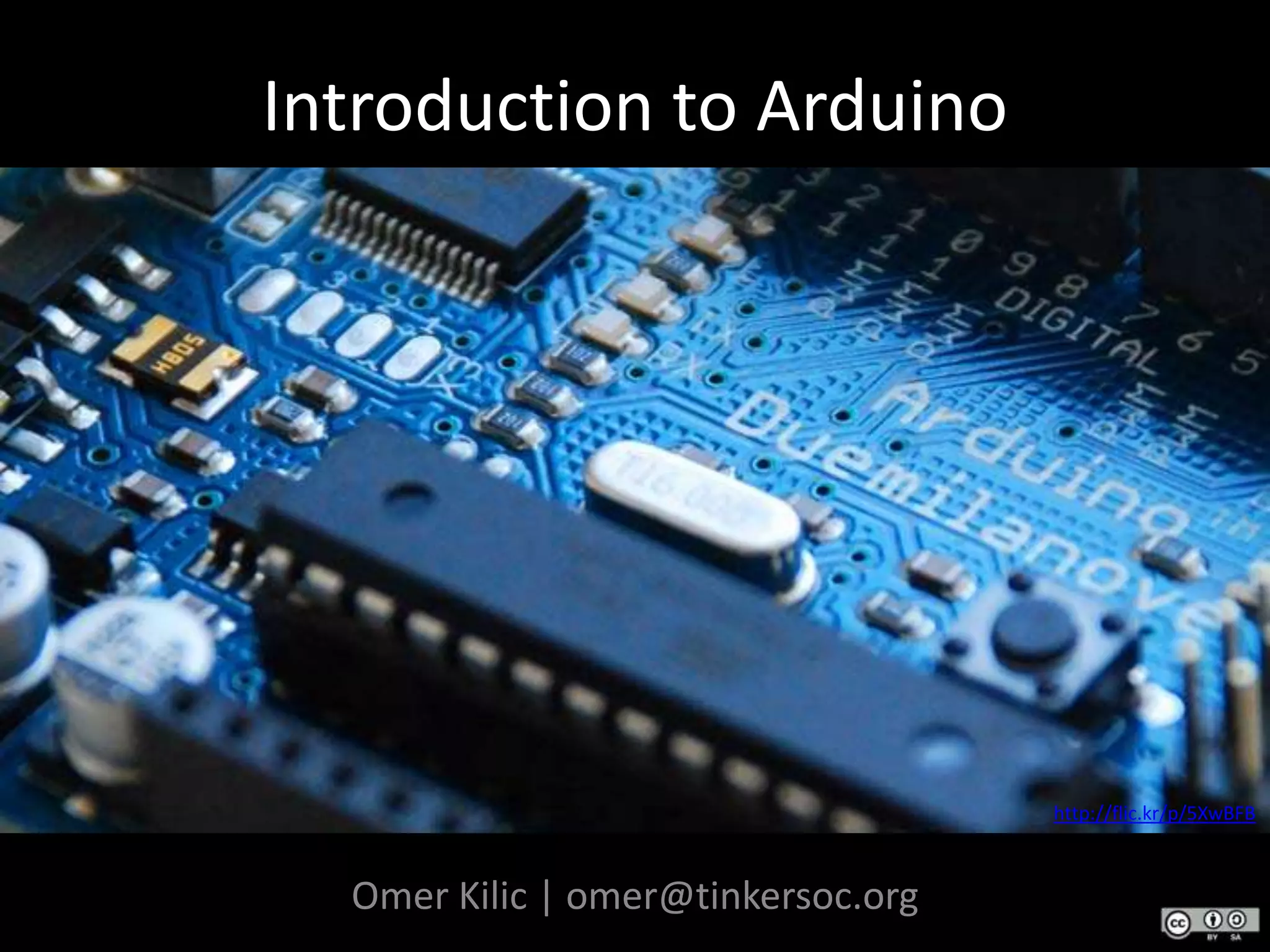



Introduction to Arduinohttp://flic.kr/p/5XwBFBOmer Kilic | omer@tinkersoc.org
Before we start…Arrrr-dween-oh?!( http://arduino.cc/en/uploads/Main/Arduino_Duemilanove.wav )
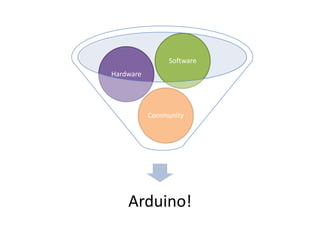
Arduino	…is an open-source electronics prototyping platform based on flexible,  easy-to-use hardware and software. It's intended for artists, designers, hobbyists, and anyone interested in creating interactive objects or environments.http://arduino.cc
Physical Computing	…is an approach to learning how humans communicate through computers that starts by considering how humans express themselves physically.- Tom Igoehttp://www.tigoe.net/pcomp/blog/archives/notes/000169.shtml
Bill Verplankhttp://www.billverplank.com/Lecture/
Embedded Systems	…are computer systems designed to perform one or a few dedicated functions. They are embedded as part of a complete device often including hardware and mechanical parts. In contrast, a general-purpose computer, such as a personal computer, is designed to be flexible and to meet a wide range of an end-user's needs. Embedded systems control many of the common devices in use today..- Smart folks at Wikipediahttp://en.wikipedia.org/wiki/Embedded_systems
Why Arduino?InexpensiveNo need for external programmers, compiler licenses etc.Simple, clear programming environmentAll done in a simple IDE, no command line voodooCross-platformWorks uniformly across Windows, Linux, MacOSOpen Source!Both software and hardwre
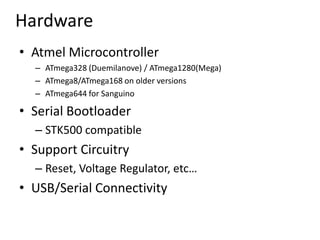
HardwareAtmel MicrocontrollerATmega328 (Duemilanove) / ATmega1280(Mega)ATmega8/ATmega168 on older versionsATmega644 for SanguinoSerial BootloaderSTK500 compatibleSupport CircuitryReset, Voltage Regulator, etc…USB/Serial Connectivity
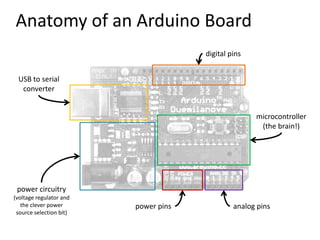
Anatomy of an Arduino Boarddigital pinsUSB to serialconvertermicrocontroller(the brain!)power circuitry(voltage regulator andthe clever powersource selection bit)analog pinspower pins
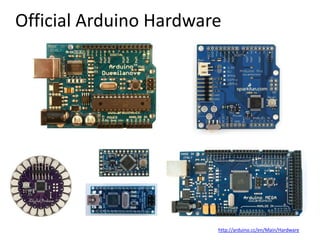
Official Arduino Hardwarehttp://arduino.cc/en/Main/Hardware
“Shield Compatible” Hardware(1)(2)(3)[1] Freeduino - http://www.freeduino.org/freeduino_open_designs.html[2] Illuminato - http://www.liquidware.com/shop/show/ILL/Illuminato[3] Seeeduino - http://www.seeedstudio.com/depot/seeeduino-v328-fully-assembledatmega-328-p-439.html
“Bootloader Compatible” Hardware(3)(2)(1)(4)[1] Oak Micros om328p - http://oakmicros.com/content/om328p.html[2] Modified Pico - http://www.modifiedelectronics.com/mp-01.php[3] Boarduino - http://www.ladyada.net/make/boarduino/index.html[4] Sanguino - http://sanguino.cc/
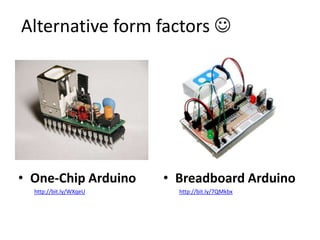
Alternative form factors Breadboard Arduinohttp://bit.ly/7QMkbxOne-Chip Arduinohttp://bit.ly/WXqeU
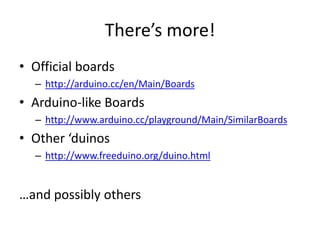
There’s more!Official boardshttp://arduino.cc/en/Main/BoardsArduino-like Boardshttp://www.arduino.cc/playground/Main/SimilarBoardsOther ‘duinoshttp://www.freeduino.org/duino.html…and possibly others
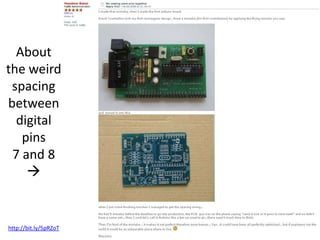
About the weird spacing between digital pins 7 and 8http://bit.ly/5pRZoT
Arduino Bar, Ivrea(from Massimo Banzi’s slides)
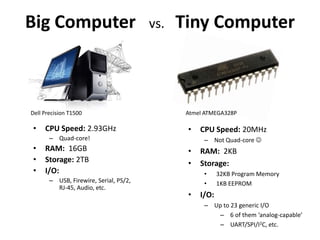
Big Computer   vs.  Tiny ComputerDell Precision T1500Atmel ATMEGA328PCPU Speed: 2.93GHzQuad-core!RAM:  16GBStorage: 2TBI/O:USB, Firewire, Serial, PS/2, RJ-45, Audio, etc.CPU Speed: 20MHz
Not Quad-core
RAM:  2KB
Storage:
32KB Program Memory
1KB EEPROM
I/O:
Up to 23 generic I/O
6 of them ‘analog-capable’
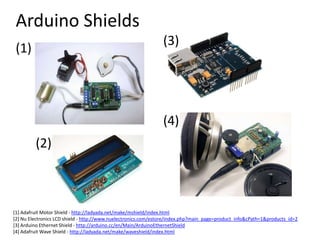
UART/SPI/I2C, etc.Arduino Shields(3)(1)(4)(2)[1] Adafruit Motor Shield - http://ladyada.net/make/mshield/index.html[2] Nu Electronics LCD shield - http://www.nuelectronics.com/estore/index.php?main_page=product_info&cPath=1&products_id=2[3] Arduino Ethernet Shield - http://arduino.cc/en/Main/ArduinoEthernetShield[4] Adafruit Wave Shield - http://ladyada.net/make/waveshield/index.html
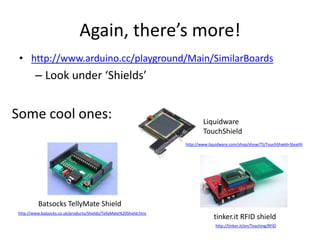
Again, there’s more!http://www.arduino.cc/playground/Main/SimilarBoardsLook under ‘Shields’Some cool ones:LiquidwareTouchShieldhttp://www.liquidware.com/shop/show/TS/TouchShield+StealthBatsocksTellyMate Shieldhttp://www.batsocks.co.uk/products/Shields/TellyMate%20Shield.htmtinker.it RFID shieldhttp://tinker.it/en/Teaching/RFID
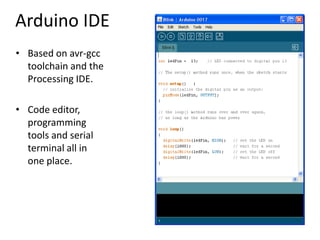
Arduino IDEBased on avr-gcctoolchain and the Processing IDE.Code editor, programming tools and serial terminal all in one place.
Arduino LanguageSimplified C/C++Based on the Wiring Projecthttp://wiring.org.coPeripheral LibrariesLCD, sensors, I2C, etc
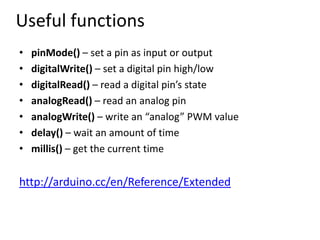
Useful functionspinMode() – set a pin as input or outputdigitalWrite() – set a digital pin high/lowdigitalRead() – read a digital pin’s stateanalogRead() – read an analog pinanalogWrite() – write an “analog” PWM valuedelay() – wait an amount of timemillis() – get the current timehttp://arduino.cc/en/Reference/Extended
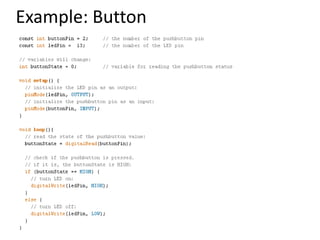
Example: Button

Introduction to Arduino