Introduction to R-Programming

             Paurush Praveen
        Algorithmic Bioinformatics
           BIT Research School

        praveen@bit.uni-bonn.de
Outline

 •   R as a new language
 •   R as a calculator
 •   Variables and Operators
 •   Data Structure
 •   Control Structure
 •   Functions
 •   String handle and regex

                       Paurush Praveen   2
R-Introduction

 A programming/scripting language widely
  used in statistical works
 An interpreted language, not a compiled
  one
 Free | Easy | Support | Compatibility
 Object oriented


                    Paurush Praveen         3
How does it work

 • variables, data, functions, results, etc, are
   stored in the active memory of the computer
   in the form of objects which have a name.

 • The user can do actions on these objects
   with operators (arithmetic, logical,
   comparison, ...) and functions (which are
   themselves objects).

 • The use of operators is relatively intuitive

                       Paurush Praveen             4
How does it look

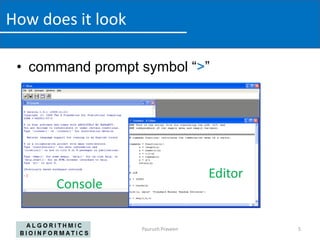
 • command prompt symbol “>”


                                     Editor
      Console

                   Paurush Praveen            5
Input / Output

    •   Interactive session
    •   Input at the console itself
    •   input a script
    •   source(“codefile”)
    •   Usually R gives output on the command line.
    • To save as file use
    sink("file.txt") <Not for graphical output>
    ##return to the normal mode
    sink()

                            Paurush Praveen           6
Running R-programs

 • Save your commands in a file
   (viz. commands.R)
 • Call R on the command line:
   R commands.R
 • Call the script from within R:
   > commands.R


                       Paurush Praveen   7
R as a calculator

 • + - * / work as usual
 • pi etc. exist as Functions with brackets:
   sqrt(pi)
 • a call without paretheses gives the
   sourcecode
 • # denote comments
 • assignment by <-
 • library()
 • data()

                       Paurush Praveen         8
Operators


Binary operators work on vectors,
                                         Source: http://www.statmethods.net/management/operators.html
matrices and scalars

                                    Paurush Praveen                                                9
Data Types

  • A vector contains an indexed set of values
    that are all of the same type:
        • logical
        • numeric
        • complex
        • Character
       – The numeric type can be further broken down into
         integer, single, and double types (but this is only
         important when making calls to foreign functions, eg. C
         or Fortran.)


                             Paurush Praveen                       10
Data Structures

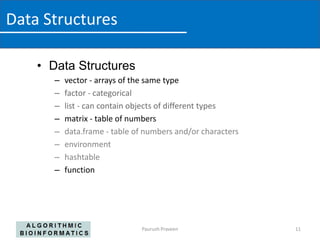
    • Data Structures
       –   vector - arrays of the same type
       –   factor - categorical
       –   list - can contain objects of different types
       –   matrix - table of numbers
       –   data.frame - table of numbers and/or characters
       –   environment
       –   hashtable
       –   function


                               Paurush Praveen               11
Control Structures

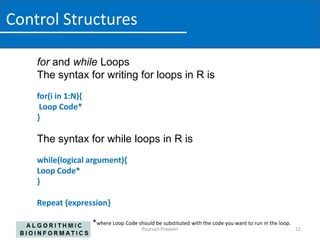
    for and while Loops
    The syntax for writing for loops in R is
    for(i in 1:N){
     Loop Code*
    }

    The syntax for while loops in R is
    while(logical argument){
    Loop Code*
    }

    Repeat {expression}

                     *where Loop Code should be substituted with the code you want to run in the loop.
                                         Paurush Praveen                                                 12
Control structures

    Conditional statements

     if (condition) true_expression else false_expression

     if (condition) expression

     if( condition 1) { statement1
            } else if(condition2) { statement2
                } else if(condition3) { statement3
           }


                                  Paurush Praveen            13
Writing Functions

 • Writing R functions provides a means of
   adding new functionality to the language
 • Functions that a user writes have the same
   status as those which are provided with R.
 • Reading the functions provided with the R
   system is a good way to learn how to write
   functions.


                      Paurush Praveen           14
Writing Functions

 • You can declare your own function in R using
   the function() command. The syntax is

         myfunction() <- function(input1,input2,..)
     {
           Function code
     }

 • Functions can be called with the arguments
         myfunction(argument1, argument2,...)


                                  Paurush Praveen     15
String Handle

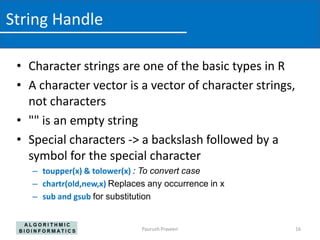
 • Character strings are one of the basic types in R
 • A character vector is a vector of character strings,
   not characters
 • "" is an empty string
 • Special characters -> a backslash followed by a
   symbol for the special character
    – toupper(x) & tolower(x) : To convert case
    – chartr(old,new,x) Replaces any occurrence in x
    – sub and gsub for substitution


                               Paurush Praveen            16
Regular Expression

 • Regular Expression (Regex)
 • Properties
   – Can be combined
   – Can be used with metacharacters to define the
     pattern
 • Using regular expressions
   – grep (pattern,x)
   – grep (pattern, x, value=TRUE)


                               Paurush Praveen      17
Further References

 • Use ?<command> in console to seek help or
   help(<command>)
 • http://cran.r-project.org/doc/manuals/R-intro.html
 • http://www.cyclismo.org/tutorial/R/
 • Books
                         • Web helps can be more useful
                         • Google to search for specific problems
                         • http://www.rseek.org/ is a search
                           engine for R specific topics
                                Another Book "R in a Nutshell", Adler J, Oreilly


                        Paurush Praveen                                            18

Introduction r-programming

  • 1.
    Introduction to R-Programming Paurush Praveen Algorithmic Bioinformatics BIT Research School praveen@bit.uni-bonn.de
  • 2.
    Outline • R as a new language • R as a calculator • Variables and Operators • Data Structure • Control Structure • Functions • String handle and regex Paurush Praveen 2
  • 3.
    R-Introduction A programming/scriptinglanguage widely used in statistical works An interpreted language, not a compiled one Free | Easy | Support | Compatibility Object oriented Paurush Praveen 3
  • 4.
    How does itwork • variables, data, functions, results, etc, are stored in the active memory of the computer in the form of objects which have a name. • The user can do actions on these objects with operators (arithmetic, logical, comparison, ...) and functions (which are themselves objects). • The use of operators is relatively intuitive Paurush Praveen 4
  • 5.
    How does itlook • command prompt symbol “>” Editor Console Paurush Praveen 5
  • 6.
    Input / Output • Interactive session • Input at the console itself • input a script • source(“codefile”) • Usually R gives output on the command line. • To save as file use sink("file.txt") <Not for graphical output> ##return to the normal mode sink() Paurush Praveen 6
  • 7.
    Running R-programs •Save your commands in a file (viz. commands.R) • Call R on the command line: R commands.R • Call the script from within R: > commands.R Paurush Praveen 7
  • 8.
    R as acalculator • + - * / work as usual • pi etc. exist as Functions with brackets: sqrt(pi) • a call without paretheses gives the sourcecode • # denote comments • assignment by <- • library() • data() Paurush Praveen 8
  • 9.
    Operators Binary operators workon vectors, Source: http://www.statmethods.net/management/operators.html matrices and scalars Paurush Praveen 9
  • 10.
    Data Types • A vector contains an indexed set of values that are all of the same type: • logical • numeric • complex • Character – The numeric type can be further broken down into integer, single, and double types (but this is only important when making calls to foreign functions, eg. C or Fortran.) Paurush Praveen 10
  • 11.
    Data Structures • Data Structures – vector - arrays of the same type – factor - categorical – list - can contain objects of different types – matrix - table of numbers – data.frame - table of numbers and/or characters – environment – hashtable – function Paurush Praveen 11
  • 12.
    Control Structures for and while Loops The syntax for writing for loops in R is for(i in 1:N){ Loop Code* } The syntax for while loops in R is while(logical argument){ Loop Code* } Repeat {expression} *where Loop Code should be substituted with the code you want to run in the loop. Paurush Praveen 12
  • 13.
    Control structures Conditional statements  if (condition) true_expression else false_expression  if (condition) expression  if( condition 1) { statement1 } else if(condition2) { statement2 } else if(condition3) { statement3 } Paurush Praveen 13
  • 14.
    Writing Functions •Writing R functions provides a means of adding new functionality to the language • Functions that a user writes have the same status as those which are provided with R. • Reading the functions provided with the R system is a good way to learn how to write functions. Paurush Praveen 14
  • 15.
    Writing Functions •You can declare your own function in R using the function() command. The syntax is myfunction() <- function(input1,input2,..) { Function code } • Functions can be called with the arguments myfunction(argument1, argument2,...) Paurush Praveen 15
  • 16.
    String Handle •Character strings are one of the basic types in R • A character vector is a vector of character strings, not characters • "" is an empty string • Special characters -> a backslash followed by a symbol for the special character – toupper(x) & tolower(x) : To convert case – chartr(old,new,x) Replaces any occurrence in x – sub and gsub for substitution Paurush Praveen 16
  • 17.
    Regular Expression •Regular Expression (Regex) • Properties – Can be combined – Can be used with metacharacters to define the pattern • Using regular expressions – grep (pattern,x) – grep (pattern, x, value=TRUE) Paurush Praveen 17
  • 18.
    Further References •Use ?<command> in console to seek help or help(<command>) • http://cran.r-project.org/doc/manuals/R-intro.html • http://www.cyclismo.org/tutorial/R/ • Books • Web helps can be more useful • Google to search for specific problems • http://www.rseek.org/ is a search engine for R specific topics Another Book "R in a Nutshell", Adler J, Oreilly Paurush Praveen 18