Kartik Tiwari
Software Consultant
Knoldus Inc.
Introduction of
Bootstrap 4 in
Angular
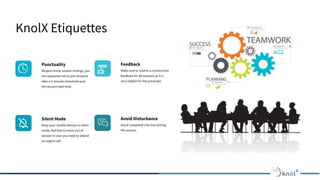
KnolX Etiquettes
Punctuality
Respect Knolx session timings, you
are requested not to join sessions
after a 5 minutes threshold post
the session start time.
Feedback
Make sure to submit a constructive
feedback for all sessions as it is
very helpful for the presenter.
Silent Mode
Keep your mobile devices in silent
mode, feel free to move out of
session in case you need to attend
an urgent call.
Avoid Disturbance
Avoid unwanted chit chat during
the session.
OUR AGENDA
01 What is Bootstrap?
02 Embedding Bootstrap in Angular
03 Using CDN for embedding Bootstrap
04
05
Using npm for embedding Bootstrap
06
Bootstrap 4 Breakpoints
07
Demo
References
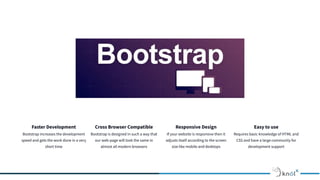
Faster Development
Bootstrap increases the development
speed and gets the work done in a very
short time
Cross Browser Compatible
Bootstrap is designed in such a way that
our web-page will look the same in
almost all modern browsers
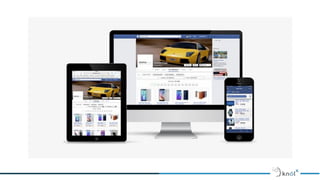
Responsive Design
If your website is responsive then it
adjusts itself according to the screen
size like mobile and desktops
Easy to use
Requires basic knowledge of HTML and
CSS and have a large community for
development support
Embedding Bootstrap
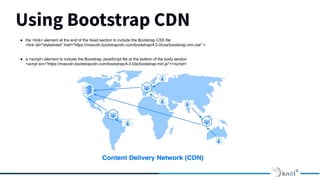
Using Bootstrap CDN
Required files can be directly added from a
CDN (Content Delivery Network). The CDN
links for Bootstrap can be found at official
website of bootstrap.
Using Node Package Manager (npm)
Another way to add Bootstrap to your Angular
project is to install it into your project folder
by using NPM.
Using Bootstrap CDN
● the <link> element at the end of the head section to include the Bootstrap CSS file
<link rel="stylesheet" href="https://maxcdn.bootstrapcdn.com/bootstrap/4.0.0/css/bootstrap.min.css" >
● a <script> element to include the Bootstrap JavaScript file at the bottom of the body section
<script src="https://maxcdn.bootstrapcdn.com/bootstrap/4.0.0/js/bootstrap.min.js"></script>
Using Node Package Manager
● Add Bootstrap to your Angular project by installing it into your project folder by using NPM.
● npm install bootstrap --save
This installs Bootstrap into the node_modules folder within the project
Bootstrap 4 breakpoints
Image Placeholder
DEMO
REFERENCES
• https://getbootstrap.com/docs/4.0/getting-started/introduction/
• https://mdbootstrap.com/docs/angular/utilities/embeds/
• https://getbootstrap.com/docs/4.0/layout/overview/
Q/A
Thank You !

Introduction of bootstrap in angular

  • 1.
    Kartik Tiwari Software Consultant KnoldusInc. Introduction of Bootstrap 4 in Angular
  • 2.
    KnolX Etiquettes Punctuality Respect Knolxsession timings, you are requested not to join sessions after a 5 minutes threshold post the session start time. Feedback Make sure to submit a constructive feedback for all sessions as it is very helpful for the presenter. Silent Mode Keep your mobile devices in silent mode, feel free to move out of session in case you need to attend an urgent call. Avoid Disturbance Avoid unwanted chit chat during the session.
  • 3.
    OUR AGENDA 01 Whatis Bootstrap? 02 Embedding Bootstrap in Angular 03 Using CDN for embedding Bootstrap 04 05 Using npm for embedding Bootstrap 06 Bootstrap 4 Breakpoints 07 Demo References
  • 4.
    Faster Development Bootstrap increasesthe development speed and gets the work done in a very short time Cross Browser Compatible Bootstrap is designed in such a way that our web-page will look the same in almost all modern browsers Responsive Design If your website is responsive then it adjusts itself according to the screen size like mobile and desktops Easy to use Requires basic knowledge of HTML and CSS and have a large community for development support
  • 6.
    Embedding Bootstrap Using BootstrapCDN Required files can be directly added from a CDN (Content Delivery Network). The CDN links for Bootstrap can be found at official website of bootstrap. Using Node Package Manager (npm) Another way to add Bootstrap to your Angular project is to install it into your project folder by using NPM.
  • 7.
    Using Bootstrap CDN ●the <link> element at the end of the head section to include the Bootstrap CSS file <link rel="stylesheet" href="https://maxcdn.bootstrapcdn.com/bootstrap/4.0.0/css/bootstrap.min.css" > ● a <script> element to include the Bootstrap JavaScript file at the bottom of the body section <script src="https://maxcdn.bootstrapcdn.com/bootstrap/4.0.0/js/bootstrap.min.js"></script>
  • 8.
    Using Node PackageManager ● Add Bootstrap to your Angular project by installing it into your project folder by using NPM. ● npm install bootstrap --save This installs Bootstrap into the node_modules folder within the project
  • 9.
  • 10.
  • 11.
  • 12.
  • 13.