Bootstrap 3
Sleek, intuitive, and powerful mobile first
front-end framework for faster and easier
web development.
About me
Cedric Spillebeen
Drupal, CSS3, HTML5 & jQuery.
cedric@deftig.be - @CedricS
www.cedric-spillebeen.be
User-friendly websites with Drupal.
Belgium ( Kortrijk )
info@deftig.be - @Deftig_be
www.deftig.be
Bootstrap
What is Bootstrap?
Bootstrap 3
Sleek, intuitive, and powerful mobile first
front-end framework for faster and easier
web development.
What is Bootstrap?
● Bootstrap is an open source product from
Mark Otto and Jacob Thornton who, when
it was initially released, were both
employees at Twitter.
● There was a need to standardize the
frontend toolsets of engineers across the
company.
What is Bootstrap?
● Since Bootstrap launched in August 2011,
it has taken off in popularity.
● It has evolved from being an entirely CSS-
driven project to include a host of
JavaScript plugins and icons.
Bootstrap
Getting started
Getting started
● Getting started with Bootstrap is as simple
as dropping some CSS and JavaScript into
the root of your site:
http://getbootstrap.com/getting-started/
● Customize variables, components,
JavaScript plugins, and more:
http://getbootstrap.com/customize/
Getting started
● The fastest way to get Bootstrap is to
download the compiled and minified
versions of our CSS and JavaScript, along
with the included fonts. No
documentation or original source files are
included:
http://getbootstrap.com/getting-started/
Bootstrap
Content Delivery Network
CDN
Content Delivery Network
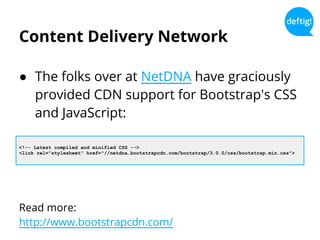
● The folks over at NetDNA have graciously
provided CDN support for Bootstrap's CSS
and JavaScript:
Read more:
http://www.bootstrapcdn.com/
<!-- Latest compiled and minified CSS -->
<link rel="stylesheet" href="//netdna.bootstrapcdn.com/bootstrap/3.0.0/css/bootstrap.min.css">
Bootstrap
LESS compilation
LESS compilation
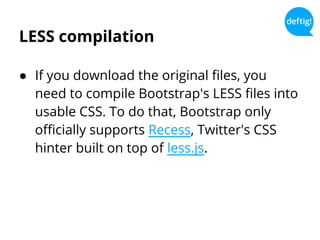
● If you download the original files, you
need to compile Bootstrap's LESS files into
usable CSS. To do that, Bootstrap only
officially supports Recess, Twitter's CSS
hinter built on top of less.js.
Bootstrap
What’s included
What’s included
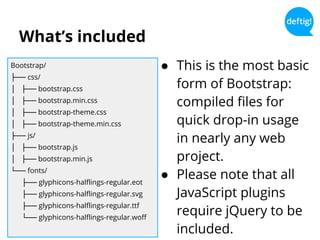
Bootstrap/
├── css/
│ ├── bootstrap.css
│ ├── bootstrap.min.css
│ ├── bootstrap-theme.css
│ ├── bootstrap-theme.min.css
├── js/
│ ├── bootstrap.js
│ ├── bootstrap.min.js
└── fonts/
├── glyphicons-halflings-regular.eot
├── glyphicons-halflings-regular.svg
├── glyphicons-halflings-regular.ttf
└── glyphicons-halflings-regular.woff
● This is the most basic
form of Bootstrap:
compiled files for
quick drop-in usage
in nearly any web
project.
● Please note that all
JavaScript plugins
require jQuery to be
included.
Bootstrap
CSS
CSS
● Global CSS settings, fundamental HTML
elements styled and enhanced with
extensible classes, and an advanced grid
system.
HTML5 doctype
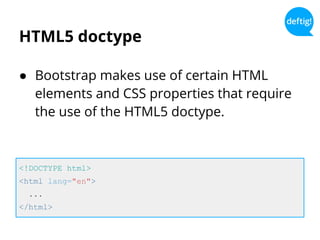
● Bootstrap makes use of certain HTML
elements and CSS properties that require
the use of the HTML5 doctype.
<!DOCTYPE html>
<html lang="en">
...
</html>
Mobile first
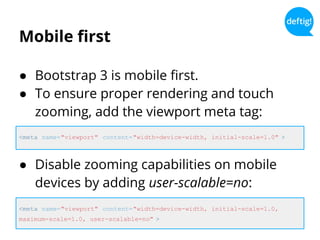
● Bootstrap 3 is mobile first.
● To ensure proper rendering and touch
zooming, add the viewport meta tag:
<meta name="viewport" content="width=device-width, initial-scale=1.0" >
<meta name="viewport" content="width=device-width, initial-scale=1.0,
maximum-scale=1.0, user-scalable=no" >
● Disable zooming capabilities on mobile
devices by adding user-scalable=no:
Responsive images
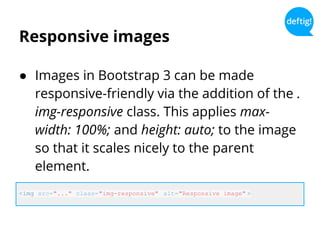
● Images in Bootstrap 3 can be made
responsive-friendly via the addition of the .
img-responsive class. This applies max-
width: 100%; and height: auto; to the image
so that it scales nicely to the parent
element.
<img src="..." class="img-responsive" alt="Responsive image" >
Typography and links
● Bootstrap sets basic global display,
typography, and link styles. These styles
can be found within scaffolding.less.
Normalize
● Normalize.css is a modern, HTML5-ready
alternative to CSS resets.
● Normalize.css is a small CSS file that
provides better cross-browser consistency
in the default styling of HTML elements.
Read more:
http://necolas.github.io/normalize.css/
Grid system
● Bootstrap includes a responsive, mobile
first fluid grid system that appropriately
scales up to 12 columns as the device or
viewport size increases.
Read more:
http://getbootstrap.com/css/#grid
Typography
● Headings
● Body copy
● Emphasis ( Small, strong, em )
● Abbreviations
● Addresses
● Blockquotes
● Lists
Read more:
http://getbootstrap.com/css/#type
Code
● Inline ( <code> )
● Basic block ( <pre> )
Read more:
http://getbootstrap.com/css/#code
Tables
● Basic tables
● Striped rows
● Bordered table
● Hover rows
● Condensed table
● Contextual classes
● Responsive tables
Read more:
http://getbootstrap.com/css/#tables
Forms
● Basic form
● Inline form
● Horizontal form
● Supported controls
● Static control
● Control states
● Control sizing
● Help text
Read more: http://getbootstrap.com/css/#forms
Buttons
● Options
● Sizes
● Disabled state
● Button tags
Read more:
http://getbootstrap.com/css/#buttons
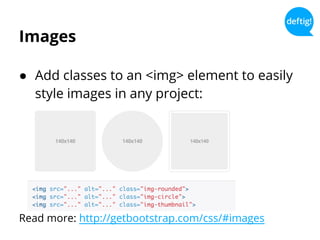
Images
● Add classes to an <img> element to easily
style images in any project:
Read more: http://getbootstrap.com/css/#images
Helper classes
● Close icon ( .close )
● Float left ( .pull-left )
● Float right ( .pull-right )
● Clearfix ( .clearfix )
● Screen readers only ( .sr-only )
Read more:
http://getbootstrap.com/css/#helper-classes
Responsive utilities
● Responsive classes
● Print classes
● Test cases
○ Visible on…
○ Hidden on…
Read more:
http://getbootstrap.com/css/#responsive-utilities
Bootstrap
Components
Components
● Over a dozen reusable components built
to provide iconography, dropdowns,
navigation, alerts, popovers, and much
more.
Components
● Glyphicons
● Dropdowns
● Button groups
● Button dropdowns
● Input groups
● Navs
● Navbar
● Breadcrumbs
● Pagination
● Labels
● Badges
● Jumbotron
● Page header
● Thumbnails
● Alerts
● Progress bars
● Media object
● List group
● Panels
● Wells
Bootstrap
JavaScript
Javascript
● Bring Bootstrap's components to life with
over a dozen custom jQuery plugins.
● Easily include them all, or one by one.
Read more:
http://getbootstrap.com/javascript/
Javascript
● Transitions
● Modal
● Dropdown
● Srollspy
● Tab
● Tooltip
● Popover
● Alert
● Button
● Collapse
● Carousel
● Affix
Bootstrap
Customize and download
● Customize Bootstrap's components, LESS
variables, and jQuery plugins to get your
very own version.
Read more:
http://getbootstrap.com/customize/
Questions?
Cedric Spillebeen
Drupal, CSS3, HTML5 & jQuery.
cedric@deftig.be - @CedricS
www.cedric-spillebeen.be
User-friendly websites with Drupal.
Belgium ( Kortrijk )
info@deftig.be - @Deftig_be
www.deftig.be

Bootstrap 3 - Sleek, intuitive, and powerful mobile first front-end framework for faster and easier web development. Bootstrap 3.

  • 1.
    Bootstrap 3 Sleek, intuitive,and powerful mobile first front-end framework for faster and easier web development.
  • 2.
    About me Cedric Spillebeen Drupal,CSS3, HTML5 & jQuery. cedric@deftig.be - @CedricS www.cedric-spillebeen.be User-friendly websites with Drupal. Belgium ( Kortrijk ) info@deftig.be - @Deftig_be www.deftig.be
  • 3.
  • 4.
    Bootstrap 3 Sleek, intuitive,and powerful mobile first front-end framework for faster and easier web development.
  • 5.
    What is Bootstrap? ●Bootstrap is an open source product from Mark Otto and Jacob Thornton who, when it was initially released, were both employees at Twitter. ● There was a need to standardize the frontend toolsets of engineers across the company.
  • 6.
    What is Bootstrap? ●Since Bootstrap launched in August 2011, it has taken off in popularity. ● It has evolved from being an entirely CSS- driven project to include a host of JavaScript plugins and icons.
  • 7.
  • 8.
    Getting started ● Gettingstarted with Bootstrap is as simple as dropping some CSS and JavaScript into the root of your site: http://getbootstrap.com/getting-started/ ● Customize variables, components, JavaScript plugins, and more: http://getbootstrap.com/customize/
  • 9.
    Getting started ● Thefastest way to get Bootstrap is to download the compiled and minified versions of our CSS and JavaScript, along with the included fonts. No documentation or original source files are included: http://getbootstrap.com/getting-started/
  • 10.
  • 11.
    Content Delivery Network ●The folks over at NetDNA have graciously provided CDN support for Bootstrap's CSS and JavaScript: Read more: http://www.bootstrapcdn.com/ <!-- Latest compiled and minified CSS --> <link rel="stylesheet" href="//netdna.bootstrapcdn.com/bootstrap/3.0.0/css/bootstrap.min.css">
  • 12.
  • 13.
    LESS compilation ● Ifyou download the original files, you need to compile Bootstrap's LESS files into usable CSS. To do that, Bootstrap only officially supports Recess, Twitter's CSS hinter built on top of less.js.
  • 14.
  • 15.
    What’s included Bootstrap/ ├── css/ │├── bootstrap.css │ ├── bootstrap.min.css │ ├── bootstrap-theme.css │ ├── bootstrap-theme.min.css ├── js/ │ ├── bootstrap.js │ ├── bootstrap.min.js └── fonts/ ├── glyphicons-halflings-regular.eot ├── glyphicons-halflings-regular.svg ├── glyphicons-halflings-regular.ttf └── glyphicons-halflings-regular.woff ● This is the most basic form of Bootstrap: compiled files for quick drop-in usage in nearly any web project. ● Please note that all JavaScript plugins require jQuery to be included.
  • 16.
  • 17.
    CSS ● Global CSSsettings, fundamental HTML elements styled and enhanced with extensible classes, and an advanced grid system.
  • 18.
    HTML5 doctype ● Bootstrapmakes use of certain HTML elements and CSS properties that require the use of the HTML5 doctype. <!DOCTYPE html> <html lang="en"> ... </html>
  • 19.
    Mobile first ● Bootstrap3 is mobile first. ● To ensure proper rendering and touch zooming, add the viewport meta tag: <meta name="viewport" content="width=device-width, initial-scale=1.0" > <meta name="viewport" content="width=device-width, initial-scale=1.0, maximum-scale=1.0, user-scalable=no" > ● Disable zooming capabilities on mobile devices by adding user-scalable=no:
  • 20.
    Responsive images ● Imagesin Bootstrap 3 can be made responsive-friendly via the addition of the . img-responsive class. This applies max- width: 100%; and height: auto; to the image so that it scales nicely to the parent element. <img src="..." class="img-responsive" alt="Responsive image" >
  • 21.
    Typography and links ●Bootstrap sets basic global display, typography, and link styles. These styles can be found within scaffolding.less.
  • 22.
    Normalize ● Normalize.css isa modern, HTML5-ready alternative to CSS resets. ● Normalize.css is a small CSS file that provides better cross-browser consistency in the default styling of HTML elements. Read more: http://necolas.github.io/normalize.css/
  • 23.
    Grid system ● Bootstrapincludes a responsive, mobile first fluid grid system that appropriately scales up to 12 columns as the device or viewport size increases. Read more: http://getbootstrap.com/css/#grid
  • 24.
    Typography ● Headings ● Bodycopy ● Emphasis ( Small, strong, em ) ● Abbreviations ● Addresses ● Blockquotes ● Lists Read more: http://getbootstrap.com/css/#type
  • 25.
    Code ● Inline (<code> ) ● Basic block ( <pre> ) Read more: http://getbootstrap.com/css/#code
  • 26.
    Tables ● Basic tables ●Striped rows ● Bordered table ● Hover rows ● Condensed table ● Contextual classes ● Responsive tables Read more: http://getbootstrap.com/css/#tables
  • 27.
    Forms ● Basic form ●Inline form ● Horizontal form ● Supported controls ● Static control ● Control states ● Control sizing ● Help text Read more: http://getbootstrap.com/css/#forms
  • 28.
    Buttons ● Options ● Sizes ●Disabled state ● Button tags Read more: http://getbootstrap.com/css/#buttons
  • 29.
    Images ● Add classesto an <img> element to easily style images in any project: Read more: http://getbootstrap.com/css/#images
  • 30.
    Helper classes ● Closeicon ( .close ) ● Float left ( .pull-left ) ● Float right ( .pull-right ) ● Clearfix ( .clearfix ) ● Screen readers only ( .sr-only ) Read more: http://getbootstrap.com/css/#helper-classes
  • 31.
    Responsive utilities ● Responsiveclasses ● Print classes ● Test cases ○ Visible on… ○ Hidden on… Read more: http://getbootstrap.com/css/#responsive-utilities
  • 32.
  • 33.
    Components ● Over adozen reusable components built to provide iconography, dropdowns, navigation, alerts, popovers, and much more.
  • 34.
    Components ● Glyphicons ● Dropdowns ●Button groups ● Button dropdowns ● Input groups ● Navs ● Navbar ● Breadcrumbs ● Pagination ● Labels ● Badges ● Jumbotron ● Page header ● Thumbnails ● Alerts ● Progress bars ● Media object ● List group ● Panels ● Wells
  • 35.
  • 36.
    Javascript ● Bring Bootstrap'scomponents to life with over a dozen custom jQuery plugins. ● Easily include them all, or one by one. Read more: http://getbootstrap.com/javascript/
  • 37.
    Javascript ● Transitions ● Modal ●Dropdown ● Srollspy ● Tab ● Tooltip ● Popover ● Alert ● Button ● Collapse ● Carousel ● Affix
  • 38.
  • 39.
    Customize and download ●Customize Bootstrap's components, LESS variables, and jQuery plugins to get your very own version. Read more: http://getbootstrap.com/customize/
  • 40.
    Questions? Cedric Spillebeen Drupal, CSS3,HTML5 & jQuery. cedric@deftig.be - @CedricS www.cedric-spillebeen.be User-friendly websites with Drupal. Belgium ( Kortrijk ) info@deftig.be - @Deftig_be www.deftig.be