archives hub workshop 2011 An Introduction to XML
XML e X tensible  M arkup  L anguage  Define XML XML syntax and rules  XML DTDs and Schemas Displaying XML Why use XML?
What is XML? XML is a grammatical system for creating languages… a  meta - language   Use XML to  design your own markup language , consisting of meaningful tags that describe the data they contain   Create a language for describing a nything: archives, books, government services, properties…
What is interoperability? the ability to exchange/share data provides advantages of cross-searching, so user can easily search across and retrieve resources from a variety of different systems allows users to move beyond individual websites for individual resources integrates information resources presented in different formats XML facilitates interoperability
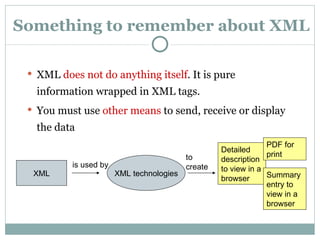
Something to remember about XML XML  does not do anything itself . It is pure information wrapped in XML tags.  You must use  other means  to send, receive or display the data XML XML technologies is used by to create Detailed description to view in a browser Summary entry to view in a browser PDF for print
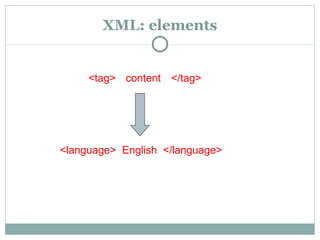
XML: elements <language>  English  </language> <tag> </tag> content
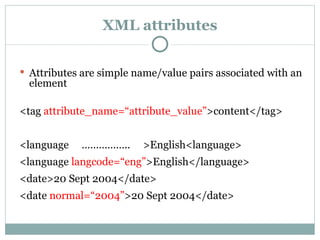
XML attributes Attributes are simple name/value pairs associated with an element <tag  attribute_name= “ attribute_value ” >content</tag> <language  ……………..  >English<language> <language  langcode= “ eng ” >English</language> <date>20 Sept 2004</date> <date  normal= “ 2004 ” >20 Sept 2004</date>
XML and Content XML is essentially about  structure . It focuses on what the data is The structure enables content to be identified by  machines  so they can process the data XML is not primarily about content, though there might be some restrictions on content
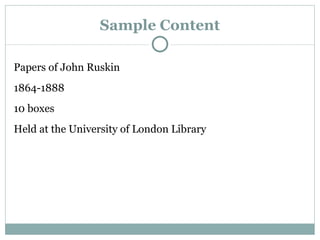
Sample Content Papers of John Ruskin 1864-1888 10 boxes Held at the University of London Library
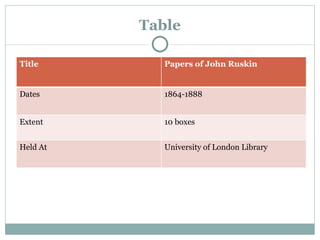
Table Title Papers of John Ruskin Dates 1864-1888 Extent 10 boxes Held At University of London Library
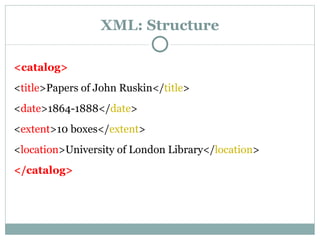
XML: Structure <catalog> < title >Papers of John Ruskin</ title > < date >1864-1888</ date > < extent >10 boxes</ extent > < location >University of London Library</ location > </catalog>
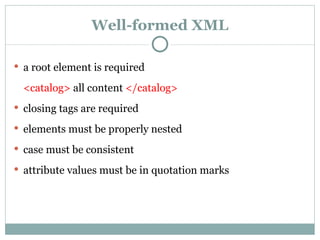
Well-formed XML a root element is required <catalog>  all content  </catalog> closing tags are required elements must be properly nested case must be consistent attribute values must be in quotation marks
Create tags for your data Hands-On
Valid XML (1) Valid XML:  rules  specify elements and attributes & how they are used Valid XML provides consistency and facilitates the exchange of data Valid XML is important for displaying, processing and exchanging XML in a wider environment
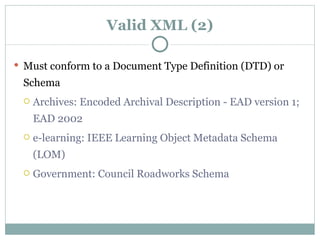
Valid XML (2) Must conform to a Document Type Definition (DTD) or Schema Archives: Encoded Archival Description - EAD version 1; EAD 2002 e-learning: IEEE Learning Object Metadata Schema (LOM) Government: Council Roadworks Schema
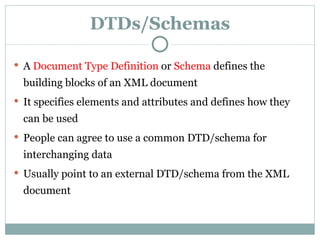
DTDs/Schemas A   Document Type Definition  or  Schema  define s  the building blocks of an XML document It specifies elements and attributes and defines how they can be used P eople can agree to use a common DTD/schema for interchanging data Usually point to an external DTD/schema from the XML document
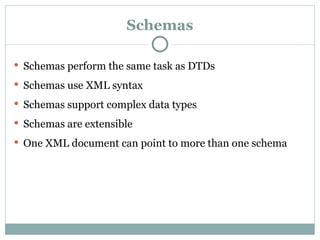
Schemas Schemas perform the same task as DTDs Schemas use XML syntax Schemas support complex data types Schemas are extensible One XML document can point to more than one schema
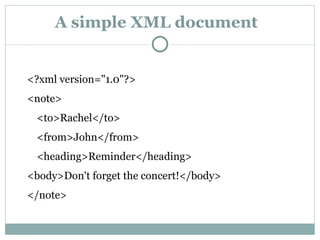
A simple XML document <?xml version=&quot;1.0&quot;?>  <note>  <to>Rachel</to>  <from>John</from>  <heading>Reminder</heading>  <body>Don't forget the concert!</body>  </note>
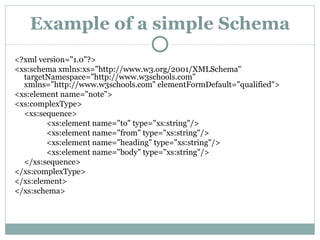
Example of a simple Schema <?xml version=&quot;1.0&quot;?>  <xs:schema xmlns:xs=&quot;http://www.w3.org/2001/XMLSchema&quot; targetNamespace=&quot;http://www.w3schools.com&quot; xmlns=&quot;http://www.w3schools.com&quot; elementFormDefault=&quot;qualified&quot;>  <xs:element name=&quot;note&quot;>  <xs:complexType>  <xs:sequence>  <xs:element name=&quot;to&quot; type=&quot;xs:string&quot;/>  <xs:element name=&quot;from&quot; type=&quot;xs:string&quot;/>  <xs:element name=&quot;heading&quot; type=&quot;xs:string&quot;/>  <xs:element name=&quot;body&quot; type=&quot;xs:string&quot;/>  </xs:sequence>  </xs:complexType>  </xs:element>  </xs:schema>
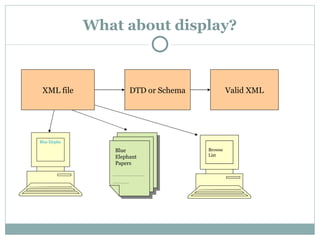
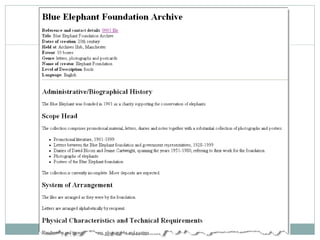
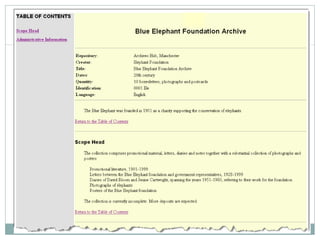
What about display? XML file DTD or Schema Valid XML Blue Elephant Papers …………………… ………… Blue Elephant Papers Browse List
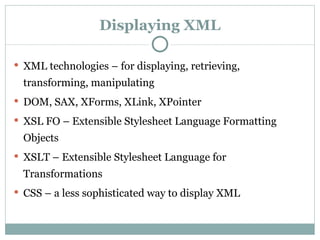
Displaying XML XML technologies – for displaying, retrieving, transforming, manipulating DOM, SAX, XForms, XLink, XPointer XSL FO – Extensible Stylesheet Language Formatting Objects XSLT – Extensible Stylesheet Language for Transformations CSS – a less sophisticated way to display XML
 
 
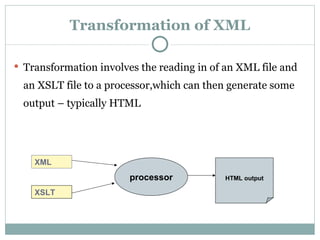
Transformation of XML Transformation involves the reading in of an XML file and an XSLT file to a processor,which can then generate some output – typically HTML XSLT XML processor HTML   output
HTML vs. XML HTML is ONLY for display, typically in a Web browser Browsers display XML but not necessarily as HTML  (http://www.w3schools.com/xml/simple.xml) HTML tags do not describe the content  HTML cannot easily be extracted Store the data separately as XML files and change the presentation with HTML
Why use XML? International standard, supported by the W3C The most common means to transmit data XML is open, licence free and platform neutral XML is human and machine readable XML documents are text documents: independent of hardware and software
More reasons to use XML Separation of content and presentation With proprietary systems content is inextricably bound up with format Use XSLT  (Extensible Style Sheet Language for Transformations) to present XML data Flexibility to manipulate and customise
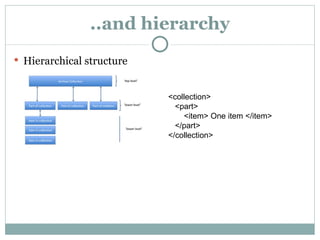
..and hierarchy Hierarchical structure <collection> <part> <item> One item </item> </part> </collection>
… as well as sharing data XML is the main basis for defining data exchange languages  Meaningful/consistent tags facilitate extraction  Different incompatible systems can access and use the same data
Summary XML must be well-formed and valid DTDs and Schemas provide tags, attributes and rules XML requires other XML technologies   XSLT can transform XML XML is simple, flexible and great for data exchange  It is a more efficient way to a sustainable system

Intro XML for archivists (2011)

  • 1.
    archives hub workshop2011 An Introduction to XML
  • 2.
    XML e Xtensible M arkup L anguage Define XML XML syntax and rules XML DTDs and Schemas Displaying XML Why use XML?
  • 3.
    What is XML?XML is a grammatical system for creating languages… a meta - language Use XML to design your own markup language , consisting of meaningful tags that describe the data they contain Create a language for describing a nything: archives, books, government services, properties…
  • 4.
    What is interoperability?the ability to exchange/share data provides advantages of cross-searching, so user can easily search across and retrieve resources from a variety of different systems allows users to move beyond individual websites for individual resources integrates information resources presented in different formats XML facilitates interoperability
  • 5.
    Something to rememberabout XML XML does not do anything itself . It is pure information wrapped in XML tags. You must use other means to send, receive or display the data XML XML technologies is used by to create Detailed description to view in a browser Summary entry to view in a browser PDF for print
  • 6.
    XML: elements <language> English </language> <tag> </tag> content
  • 7.
    XML attributes Attributesare simple name/value pairs associated with an element <tag attribute_name= “ attribute_value ” >content</tag> <language …………….. >English<language> <language langcode= “ eng ” >English</language> <date>20 Sept 2004</date> <date normal= “ 2004 ” >20 Sept 2004</date>
  • 8.
    XML and ContentXML is essentially about structure . It focuses on what the data is The structure enables content to be identified by machines so they can process the data XML is not primarily about content, though there might be some restrictions on content
  • 9.
    Sample Content Papersof John Ruskin 1864-1888 10 boxes Held at the University of London Library
  • 10.
    Table Title Papersof John Ruskin Dates 1864-1888 Extent 10 boxes Held At University of London Library
  • 11.
    XML: Structure <catalog>< title >Papers of John Ruskin</ title > < date >1864-1888</ date > < extent >10 boxes</ extent > < location >University of London Library</ location > </catalog>
  • 12.
    Well-formed XML aroot element is required <catalog> all content </catalog> closing tags are required elements must be properly nested case must be consistent attribute values must be in quotation marks
  • 13.
    Create tags foryour data Hands-On
  • 14.
    Valid XML (1)Valid XML: rules specify elements and attributes & how they are used Valid XML provides consistency and facilitates the exchange of data Valid XML is important for displaying, processing and exchanging XML in a wider environment
  • 15.
    Valid XML (2)Must conform to a Document Type Definition (DTD) or Schema Archives: Encoded Archival Description - EAD version 1; EAD 2002 e-learning: IEEE Learning Object Metadata Schema (LOM) Government: Council Roadworks Schema
  • 16.
    DTDs/Schemas A Document Type Definition or Schema define s the building blocks of an XML document It specifies elements and attributes and defines how they can be used P eople can agree to use a common DTD/schema for interchanging data Usually point to an external DTD/schema from the XML document
  • 17.
    Schemas Schemas performthe same task as DTDs Schemas use XML syntax Schemas support complex data types Schemas are extensible One XML document can point to more than one schema
  • 18.
    A simple XMLdocument <?xml version=&quot;1.0&quot;?> <note> <to>Rachel</to> <from>John</from> <heading>Reminder</heading> <body>Don't forget the concert!</body> </note>
  • 19.
    Example of asimple Schema <?xml version=&quot;1.0&quot;?> <xs:schema xmlns:xs=&quot;http://www.w3.org/2001/XMLSchema&quot; targetNamespace=&quot;http://www.w3schools.com&quot; xmlns=&quot;http://www.w3schools.com&quot; elementFormDefault=&quot;qualified&quot;> <xs:element name=&quot;note&quot;> <xs:complexType> <xs:sequence> <xs:element name=&quot;to&quot; type=&quot;xs:string&quot;/> <xs:element name=&quot;from&quot; type=&quot;xs:string&quot;/> <xs:element name=&quot;heading&quot; type=&quot;xs:string&quot;/> <xs:element name=&quot;body&quot; type=&quot;xs:string&quot;/> </xs:sequence> </xs:complexType> </xs:element> </xs:schema>
  • 20.
    What about display?XML file DTD or Schema Valid XML Blue Elephant Papers …………………… ………… Blue Elephant Papers Browse List
  • 21.
    Displaying XML XMLtechnologies – for displaying, retrieving, transforming, manipulating DOM, SAX, XForms, XLink, XPointer XSL FO – Extensible Stylesheet Language Formatting Objects XSLT – Extensible Stylesheet Language for Transformations CSS – a less sophisticated way to display XML
  • 22.
  • 23.
  • 24.
    Transformation of XMLTransformation involves the reading in of an XML file and an XSLT file to a processor,which can then generate some output – typically HTML XSLT XML processor HTML output
  • 25.
    HTML vs. XMLHTML is ONLY for display, typically in a Web browser Browsers display XML but not necessarily as HTML (http://www.w3schools.com/xml/simple.xml) HTML tags do not describe the content HTML cannot easily be extracted Store the data separately as XML files and change the presentation with HTML
  • 26.
    Why use XML?International standard, supported by the W3C The most common means to transmit data XML is open, licence free and platform neutral XML is human and machine readable XML documents are text documents: independent of hardware and software
  • 27.
    More reasons touse XML Separation of content and presentation With proprietary systems content is inextricably bound up with format Use XSLT (Extensible Style Sheet Language for Transformations) to present XML data Flexibility to manipulate and customise
  • 28.
    ..and hierarchy Hierarchicalstructure <collection> <part> <item> One item </item> </part> </collection>
  • 29.
    … as wellas sharing data XML is the main basis for defining data exchange languages Meaningful/consistent tags facilitate extraction Different incompatible systems can access and use the same data
  • 30.
    Summary XML mustbe well-formed and valid DTDs and Schemas provide tags, attributes and rules XML requires other XML technologies XSLT can transform XML XML is simple, flexible and great for data exchange It is a more efficient way to a sustainable system

Editor's Notes

  • #3 Contents of this section
  • #6 Can be helpful when thinking about using XML to remember that it is just a means to mark up content. You then need to do stuff with the content – there are plenty of tools out there for this.
  • #7 XML syntax is quite straightforward – elements are commonly just content wrapped in opening and closing tags.
  • #8 Attributes enable you to add further information to refine your basic tagged content. Think of the language, for example, as the basic content; the attribute adds information about the encoded version (standards compliant code). The normal attribute in archives is used for date searching – meaning ‘ normalised ’ date.
  • #9 XML rules can introduce some information about content, but you should think of XML primarily as a means to structure data.
  • #10 Here is a very simple sample record.
  • #12 This is the sample data wrapped in tags so that each part of the content is given meaning so that it is easier to machine process. E.g. search just for &lt;title&gt; content, or display just &lt;title&gt; and &lt;date&gt; content.
  • #15 Well-formed applies to XML generally; ‘Valid’ applies to XML conforming to the specific rules you are following – in our case for EAD.
  • #16 There are DTDs or Schemas for a huge range of data types.
  • #18 Many archivists using EAD still use the DTD. Moving to the schema is not entirely straightforward.
  • #20 The note element is said to be of a complex type because it contains other elements. The other elements (to, from, heading, body) are said to be simple types because they do not contain other elements. Rather than defining the data type ‘ string ’ you could have a date or time or integer.
  • #22 Archivists generally don’t need to concern themselves with the more technical aspects of XML tools, although it can be useful to have some idea of what you can do. The DOM (an API) represents a tree view of an XML document - a programmer can create an XML document, navigate its structure, and add, modify, or delete its elements. the objective for the XML DOM has been to provide a standard programming interface to a wide variety of applications. SAX (an API) is also an option for analysing and extracting information XForms use XML to create forms on the Web Xlink, Xpointer – ability to link XML documents API - The interface (calling convention) by which an application program accesses a service
  • #25 Once you have XML, you can use a stylesheet (XSLT) to create (X)HTMLoutput to display your description in a browser. You can also output other formats, such as PDF or text.
  • #26 Some people get confused between HTML and XML. HTML is for display of data – it is not readily machine processable because it does not mark data up in meaningful ways, e.g. it does not identify the title, date, extent, access conditions, etc. XML does not carry information about how to display it. Remember, the tags are invented by the author.