• 1st
Period ComputerScience I
• 2nd
Period Computer Science I
• 3rd
Period Prep
• 4th
Period AP Computer Science
• 5th
Period Intro to Engineering Design
• 6th
Period Intro to Engineering Design
• 7th
Period Intro to Engineering Design
• 8th
Period Robotics Projects
Advanced Computer Projects
Mr. Smith’s Schedule
Introduction to EngineeringDesign
Today’s Schedule
• Introductions
• Student Expectations
• Lab Rules
• Course Overview
• Questions
• Log in /Set up Shortcuts
• Start 2D Sketching
4.
Introductions
• You willintroduce the people next to you
• Name
• Farthest from Salem
• Favorite animal
• Something you have built out of LEGOs
5.
Student Expectations
• Behavior/DisciplinePlan:
• Students are expected to be safe, responsible
and respectful.
• Students not following these expectations
may expect: verbal warnings, removal from
class pending conference, parent contact, or
referral to administration.
6.
To be successfulin this course:
• Stay focused and productive in the classroom
• Excellent attendance
• Let your projects, daily work, quizzes and tests
display your best effort
• Feel free to talk with me about your projects,
questions, etc.
7.
Computer Lab Rules
•No gum in class
• No food or drink in the lab (except water with a lid at
approved locations)
• No headphones or music except on days selected by
teacher
• Absolutely no off-task Internet usage (e-mail, games,
chat, etc – anything other than class related)
• Absolutely no off-task Computer usage (ask teacher
permission to use equipment for anything other than
class assignments)
• Do NOT download any software (games, utilities, music,
etc.)
• Do NOT use any “chat” software
• No CELL PHONE use in class without permission of Mr.
Smith.
8.
Materials Needed ByNext Friday
• Composition or spiral notebook with graph
paper
• Each student will need a ruler.
• Bring pen and pencil to class each day
9.
Course Overview: FirstSemester
• Design Process: Apply the design process, understand
different engineering fields,
• Technical Sketching and Drawing: Develop skills in two and
three dimensional sketching.
• Measurement Statistics: Create accurate designs with
dimension, evaluate the quality of products, convert
between units of measure.
• Modeling Skills: Graphical modeling with multi-view
drawings, mathematical modeling, using technology to help
modeling, additive and subtractive solid modeling, create
3-D models in Inventor. **
• Geometry Design: Determine geometrical properties of
designs, continue to develop in CAD skills. **
10.
Second Semester
• 3DCAD Solid Modeling
• Reverse Engineering
• Product Design
• Engineering Ethics
• Virtual Design Teams **
• Presentation Design and Delivery
11.
Grading Scale
• Yourassignments, projects, tests and quizzes will
be given a point value and your grade will be
based on total number of points you achieve.
• A 90% - 100%
• B 80% - 89%
• C 70%- 79%
• D 60% - 69%
• F Below 60%
Log in andCreate Class Folder
• Log onto the network
– Your log in number is on your student ID number
– Your password is your First Initial Last Initial Birthdate.
– Example
• Susie Kalahan 1/1/2002
• sk112002
• Jose Mahindra 10/15/2001
• jm10152001
• Open YourName Folder
– In to top left of the desktop
– Make a new folder called EngineeringDesign
• Keep your EngineeringDesign Folder open
14.
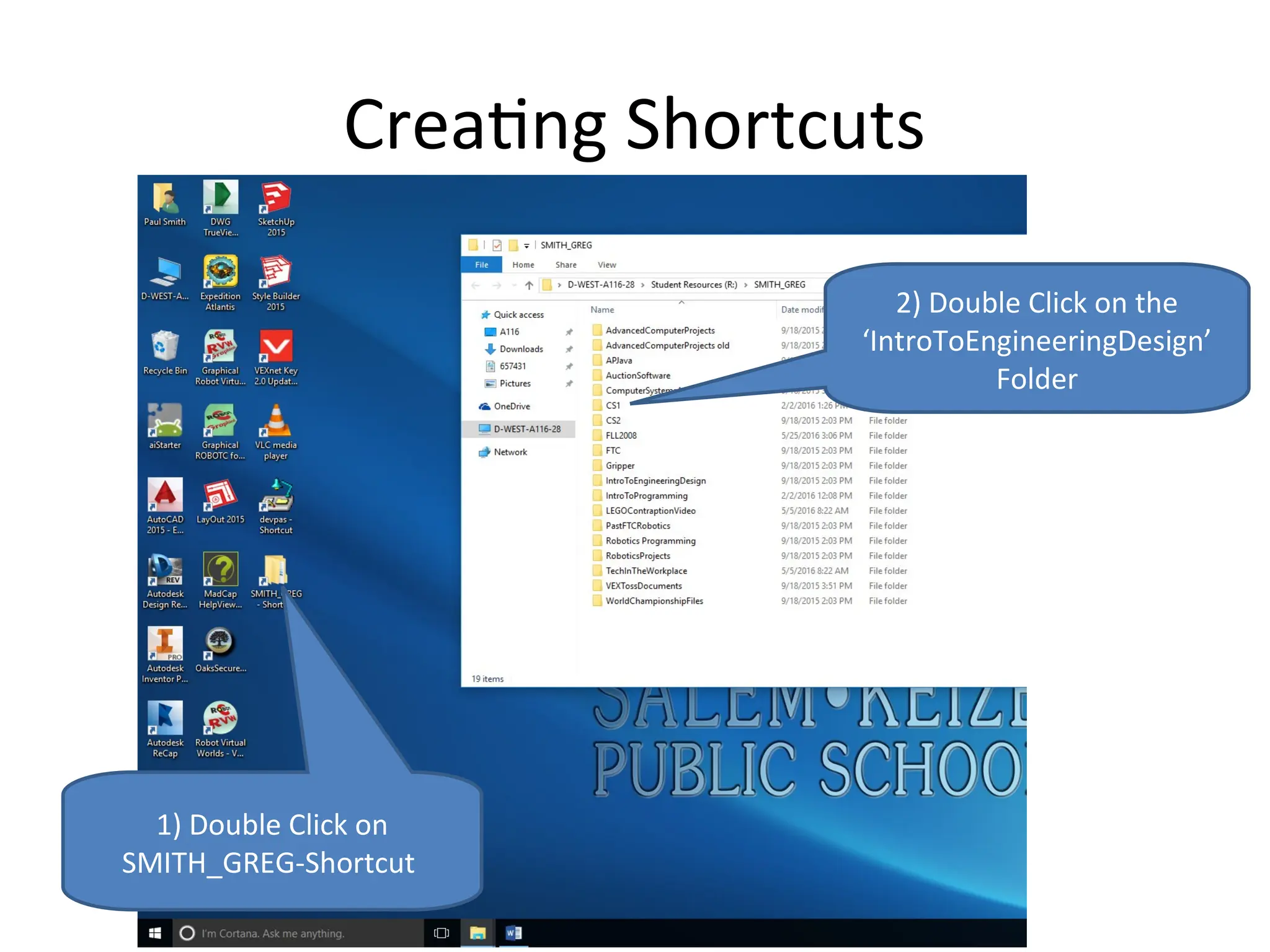
Creating Shortcuts
1) DoubleClick on
SMITH_GREG-Shortcut
2) Double Click on the
‘IntroToEngineeringDesign’
Folder
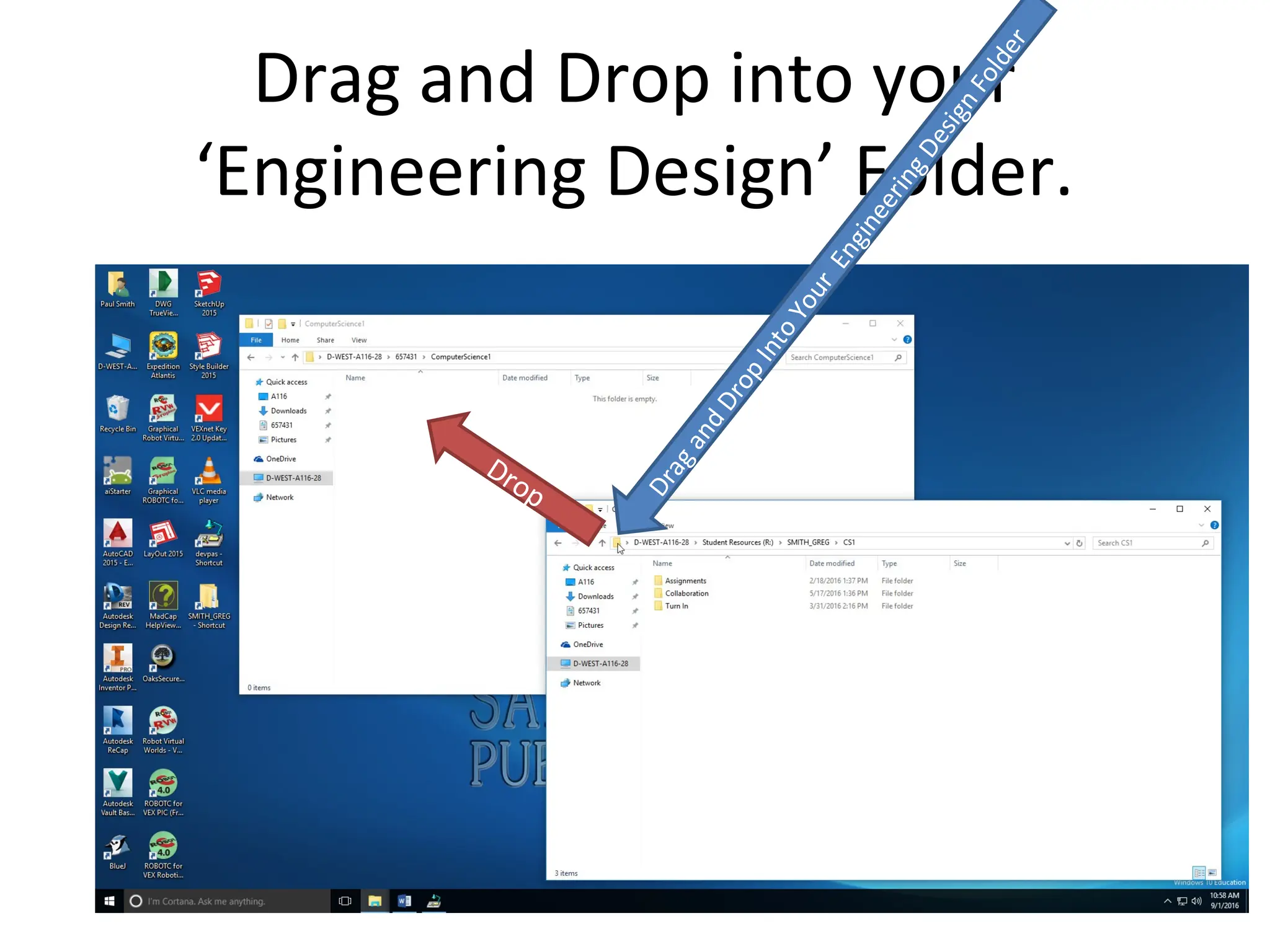
15.
Drag and Dropinto your
‘Engineering Design’ Folder.
D
r
a
g
a
n
d
D
r
o
p
I
n
t
o
Y
o
u
r
E
n
g
i
n
e
e
r
i
n
g
D
e
s
i
g
n
F
o
l
d
e
r
Drop
16.
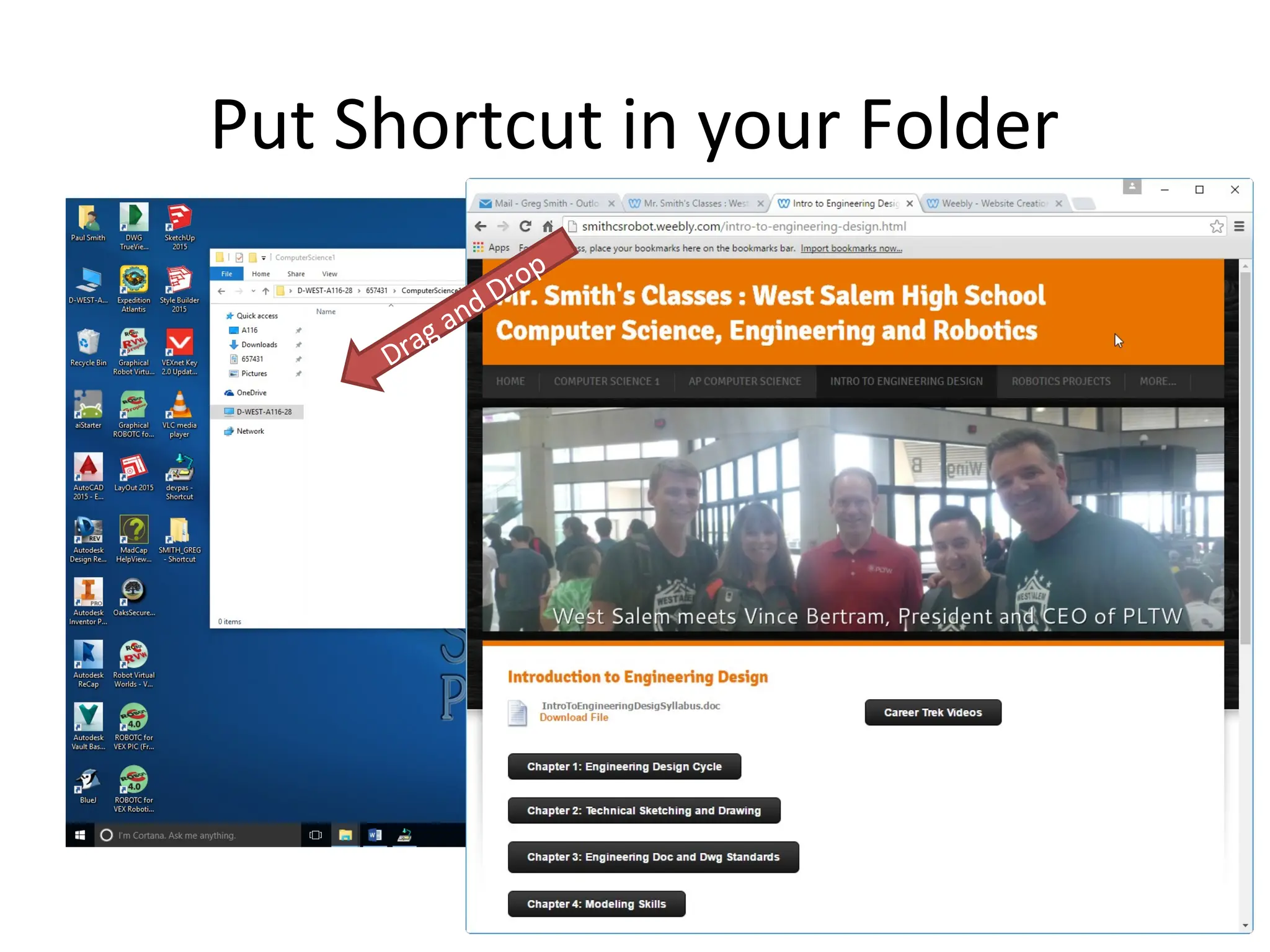
Shortcut to ClassWebsite
• www.smithcsrobot.weebly.com
Click on ‘Intro to
Engineering Design’
Day 1 WarmUp Activity
• Open a Microsoft Word Document
– Enter your name
– Something you would like to create
– A place you would like to go
• Label it YourNameCreatePlace
• Using the shortcut you made, turn it into the
turn in folder
20.
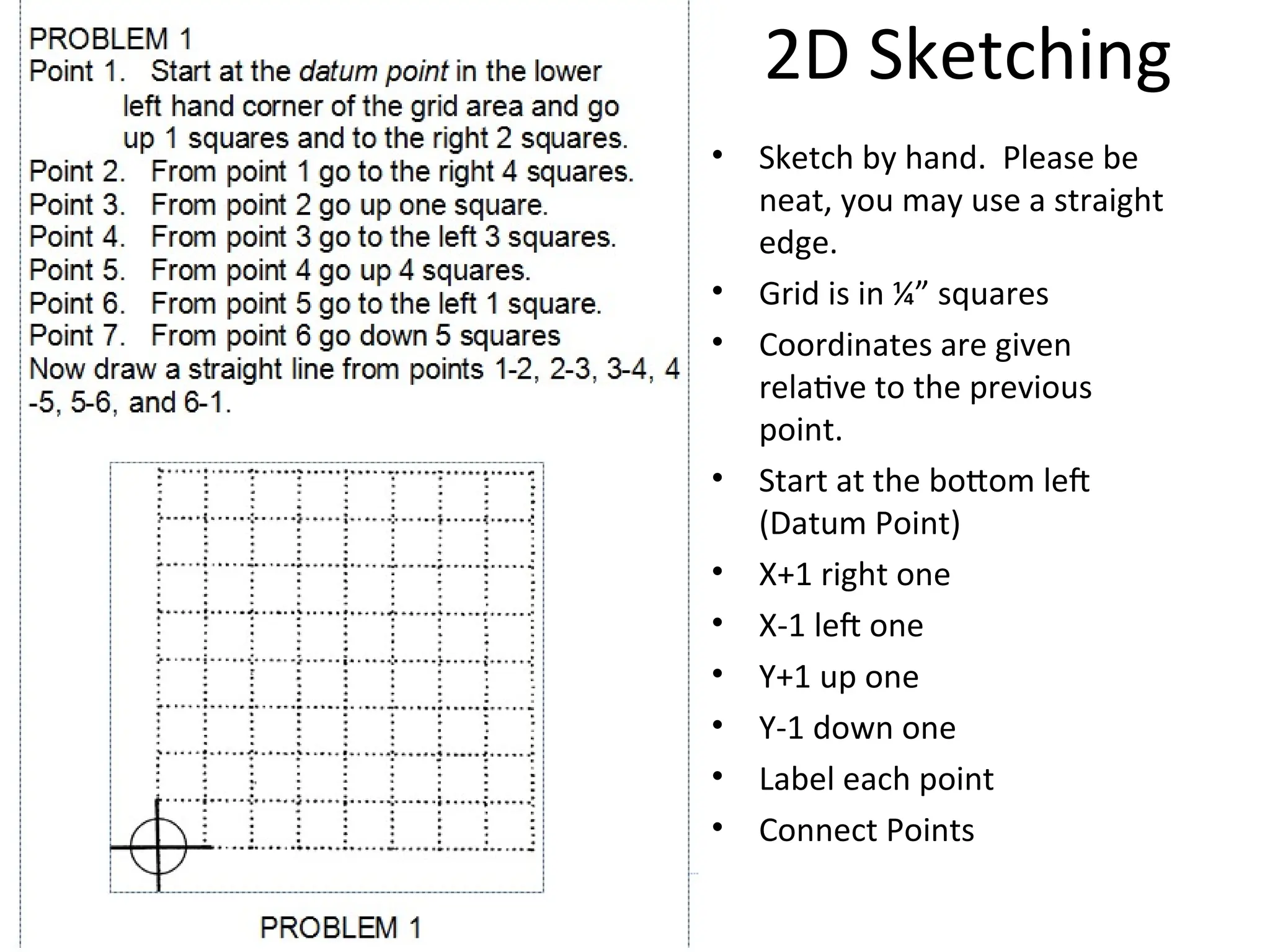
2D Sketching
• Sketchby hand. Please be
neat, you may use a straight
edge.
• Grid is in ¼” squares
• Coordinates are given
relative to the previous
point.
• Start at the bottom left
(Datum Point)
• X+1 right one
• X-1 left one
• Y+1 up one
• Y-1 down one
• Label each point
• Connect Points
21.
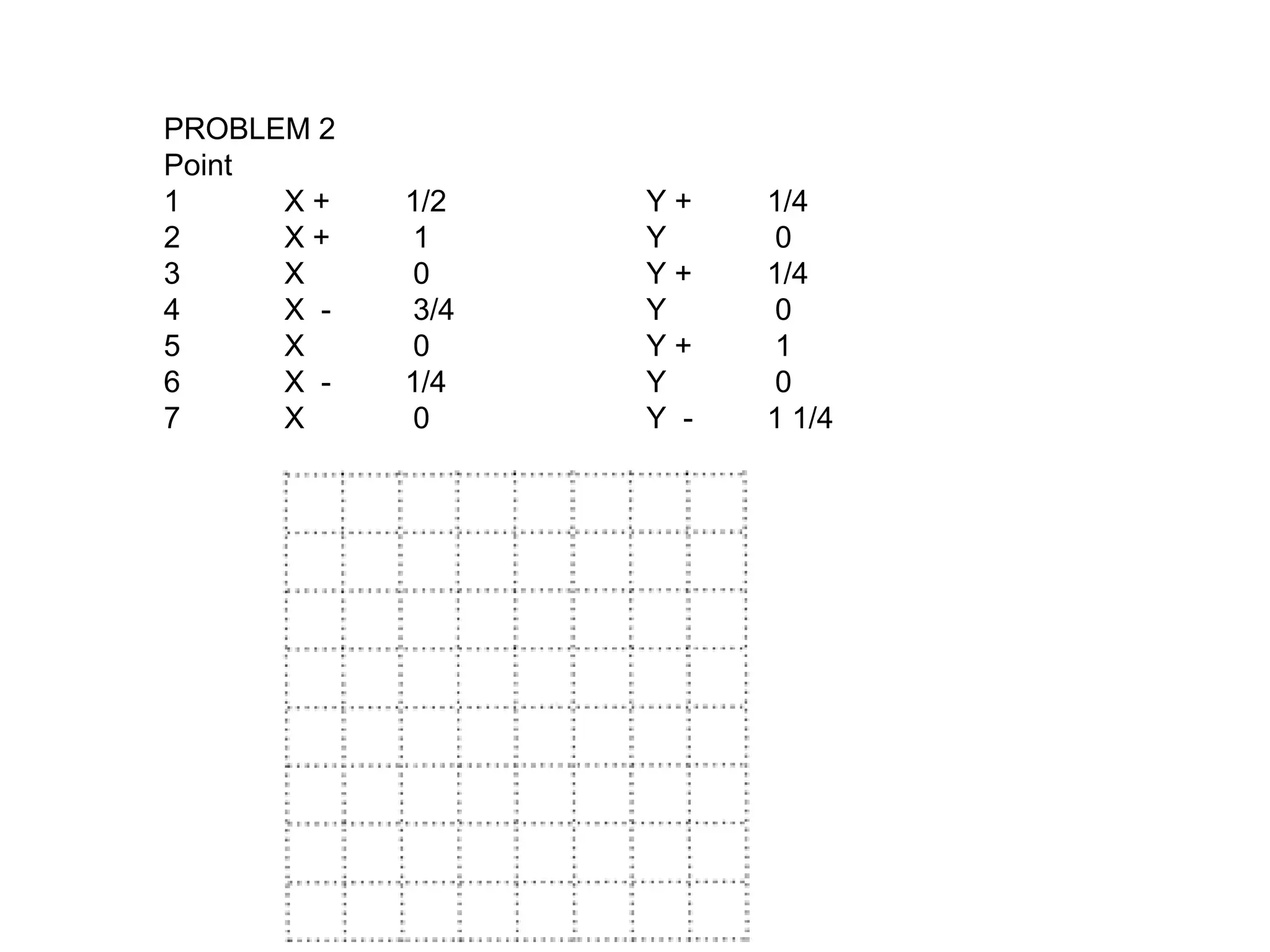
PROBLEM 2
Point
1 X+ 1/2 Y + 1/4
2 X + 1 Y 0
3 X 0 Y + 1/4
4 X - 3/4 Y 0
5 X 0 Y + 1
6 X - 1/4 Y 0
7 X 0 Y - 1 1/4