Mobile Application
Development
Introductory Session
Introduction
Sarah Ahmed
• Final Year Student (Software Engineering)
NED University
• Freelance Hybrid Mobile App Developer
at Upwork
• Areas I have worked in:
Mobile Apps: Ionic Framework, IntelXDK, Native Java/Android, Unity3D
Web Development: MEAN Stack
Desktop Apps: Kinect SDK
Overview
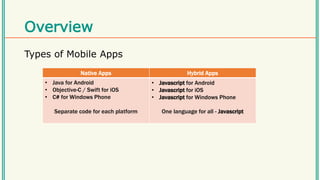
Types of Mobile Apps
Native Apps Hybrid Apps
• Java for Android
• Objective-C / Swift for iOS
• C# for Windows Phone
Separate code for each platform
• Javascript for Android
• Javascript for iOS
• Javascript for Windows Phone
One language for all - Javascript
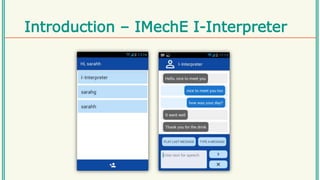
Introduction – IMechE I-Interpreter
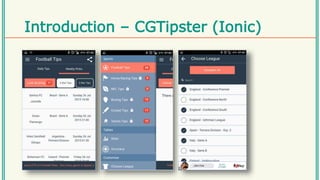
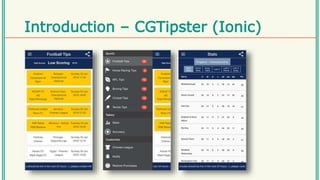
Introduction – CGTipster (Ionic)
Introduction – LaQuête (Ionic)
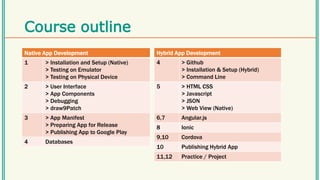
Course outline
Native App Development
1 > Installation and Setup (Native)
> Testing on Emulator
> Testing on Physical Device
2 > User Interface
> App Components
> Debugging
> draw9Patch
3 > App Manifest
> Preparing App for Release
> Publishing App to Google Play
4 Databases
Hybrid App Development
4 > Github
> Installation & Setup (Hybrid)
> Command Line
5 > HTML CSS
> Javascript
> JSON
> Web View (Native)
6,7 Angular.js
8 Ionic
9,10 Cordova
10 Publishing Hybrid App
11,12 Practice / Project
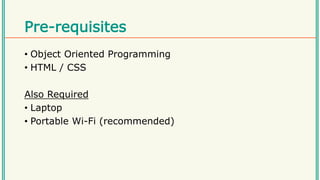
Pre-requisites
• Object Oriented Programming
• HTML / CSS
Also Required
• Laptop
• Portable Wi-Fi (recommended)
Questions ?

Intro

  • 1.
  • 2.
    Introduction Sarah Ahmed • FinalYear Student (Software Engineering) NED University • Freelance Hybrid Mobile App Developer at Upwork • Areas I have worked in: Mobile Apps: Ionic Framework, IntelXDK, Native Java/Android, Unity3D Web Development: MEAN Stack Desktop Apps: Kinect SDK
  • 3.
    Overview Types of MobileApps Native Apps Hybrid Apps • Java for Android • Objective-C / Swift for iOS • C# for Windows Phone Separate code for each platform • Javascript for Android • Javascript for iOS • Javascript for Windows Phone One language for all - Javascript
  • 4.
  • 5.
  • 6.
  • 7.
  • 8.
    Course outline Native AppDevelopment 1 > Installation and Setup (Native) > Testing on Emulator > Testing on Physical Device 2 > User Interface > App Components > Debugging > draw9Patch 3 > App Manifest > Preparing App for Release > Publishing App to Google Play 4 Databases Hybrid App Development 4 > Github > Installation & Setup (Hybrid) > Command Line 5 > HTML CSS > Javascript > JSON > Web View (Native) 6,7 Angular.js 8 Ionic 9,10 Cordova 10 Publishing Hybrid App 11,12 Practice / Project
  • 9.
    Pre-requisites • Object OrientedProgramming • HTML / CSS Also Required • Laptop • Portable Wi-Fi (recommended)
  • 10.