INTRANETS AND
EXTRANETS
By / MahmoudShaqria
‫شقريه‬ ‫محمد‬ ‫محمود‬
Learning Objectives
• Compare and contrast the purpose and use of Intranets and Extranets.
• Define electronic communication.
• Discuss synchronous vs. asynchronous communications.
• Demonstrate how to compose, send and receive e-mail.
• Describe the different search engines which are available on the Internet and how to
use them to search for nursing related items.
• Explain what Listservs and Newsgroups are, and how to access nursing and healthcare
groups
Introduction
• Effective communication both internally with the staff and externally with the partners
and customers is a key requirement in today's business environment
• For many, words such as intranet and extranet can cause a fair amount of confusion. It
can be difficult to differentiate between the two especially for those who have never
used them in the past
Intranet
• is a private secured network designed to facilitate collaboration and make it easier to
communicate and share documents in real time
• is a private network of computers within an organization where Many computers are
connected to one server; data of all computers are stored in this server and responded
accordingly.
• Intranet can be simple as two computers connected at home to each other or as vast as 1000
branch offices of a bank connected via privately owned , non public network links
• intranets are hosted within a private network meaning that only the authorized users inside of
the network can access it
Uses Of intranet
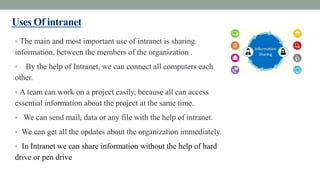
• The main and most important use of intranet is sharing
information, between the members of the organization .
• By the help of Intranet, we can connect all computers each
other.
• A team can work on a project easily, because all can access
essential information about the project at the same time.
• We can send mail, data or any file with the help of intranet.
• We can get all the updates about the organization immediately.
• In Intranet we can share information without the help of hard
drive or pen drive
Uses cont.
• We can allow the only authorized user to access intranet in the organization
premises. Intranet cannot be accessed from outside the organization.
• If we look towards its uses for any universities then students can give the online
test, pay tuition fee. We can read online books of the university; students can give
online attendance etc.
• By the help of extranet, we can work on a sharing project with other company.
Advantages of intranet:
• Workforce productivity : it can help Users to locate and view information faster
• Communication: it can help as a powerful tools for communication Within an
organization
• Enhance collaboration: with information easily accessible by all authorized users
, teamwork is enabled
Disadvantages of intranet
• Management fears loss of control
• Hidden or unknown costs and complexity
• It can create confusion between employees if not managed well
• Unauthorized access
• Abused use of the access
Extranet
• If the outside user wants to access the data of intranet, then with the help of the
internet, the user can access data from the intranet. This whole assembles or situation is
called extranet.
• An extranet is basically a private network designed specifically to allow these
individuals (clients, vendors, suppliers, partners, etc.) to communicate with the
organization and its employees in a closed digital workspace.
• It is a private network that uses intranet protocols, connectivity, and the public
communication system as well as provides a secure share part of an organization’s
information with suppliers, partners, customers, or other businesses
Benefits of extranet
• One of the key benefits of an extranet is that it can be accessed from any computer at
any time of the day or night. 24/7 access means that your clients and customers can
upload documents, ask questions, or approve designs/concepts whenever they have
the time to do so, thus breaking down the barriers often caused by a more rigid work
schedule.
• everyone has access to the same data in the same format. Because all extranet
communications can be encrypted over a VPN, it should also be more secure than
sending data over the public internet.
Advantages of extranet
• Improved customer service
• Improved quality
• Lower travel cost
• Delivery of accurate information on time
• Overall improvement in business effectiveness
Disadvantages of extranet
• the suppliers and customer who don`t have technical knowledge feel problem
• faceless contact
• information could be misused by other competitors
• technical employees are required
• fraud may be possible
Electronic Communication
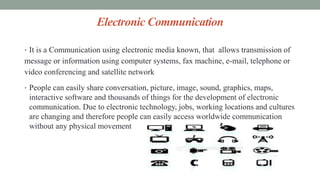
• It is a Communication using electronic media known, that allows transmission of
message or information using computer systems, fax machine, e-mail, telephone or
video conferencing and satellite network
• People can easily share conversation, picture, image, sound, graphics, maps,
interactive software and thousands of things for the development of electronic
communication. Due to electronic technology, jobs, working locations and cultures
are changing and therefore people can easily access worldwide communication
without any physical movement
Advantages of Electronic Communication
1. Speedy transmission: It requires only a few seconds to communicate through
electronic media because it supports quick transmission..
2. Wide coverage: World has become a global village and communication around the
globe requires a second only, It provides the opportunity for groups of people in
different geographical locations to communicate interactively through text, sound and
video
3. Low cost: Electronic communication saves time and money. For example, Text SMS
is cheaper than the traditional letter.
Advantages of Electronic Communication cont.
4. Exchange of feedback: Electronic communication allows the instant exchange of
feedback. So communication becomes perfect using electronic media.
5. Managing global operation: Due to the advancement of electronic media,
managers can easily control operation across the globe. Video or teleconferencing e-
mail and mobile communication are helping managers in this regard.
Disadvantages of Electronic Communication
• The volume of data: The volume of telecommunication information is increasing at
such a fast rate that business people are unable to absorb it within the relevant time limit.
• The cost of development: Electronic communication requires huge investment for
infrastructural development. Frequent change in technology also demands further
investment.
• Legal status: Data or information, if faxed, may be distorted and will cause zero value
in the eye of law.
• Undelivered data: Data may not be retrieved due to system error or fault with the
technology. Hence required service will be delayed
Disadvantages of Electronic Communication cont.
• Dependency: Technology is changing every day and therefore poor countries face
the problem as they cannot afford the new or advanced technology. Therefore poor
countries need to be dependent towards developed countries for sharing global
network.
• Personal Mail is Insecure: Sending someone a personal electronic message can
become a permanent record.
• Electronic messages are not secure and can be easily copied, resent or forwarded to
others so you can never know for sure who will read it
Synchronous vs. asynchronous communication
• Synchronous communication: it’s the communication that requires the consumer
and the provider to be present at the same time for the communication to take place
• Examples of synchronous communication :
 Face to face conversation
 Chat rooms
 Telephone calls
 Video conferencing
Advantages of Synchronous communication
• Real time discussion
• Real time collaboration
• Easy to integrate and learn
• Immediate feedback
• Fast-paced
• Can develop a human element or bounding between participants
Disadvantages Synchronous communication
• Limited time to think about what to say or how to respond to another participant
• Typing skills and speed could limit contributions
• Computer connection and speed could inhibit the access
• Extra equipment might be necessary including web camera, speakers and
microphones
Asynchronous communication
• It is a communication where the sender and receiver doesn't need to be present at the
same time for the communication to take place . There is some delay between initial
communication and the reply
• Examples:
• E-mail
• Announcement
• Audio files (mp3)
• Video /audio files (mp4)
• Blogs
AdvantageAsynchronous communication
• Time to make considered meaningful response
• Opportunity to search answer
• Can express thoughts without any interruption
• Access massages at a suitable time
• Can appear more polished
DisadvantageAsynchronous communication
• Responses not immediate if there are time constraints
• Loses human contact element
Internet search engines
• A web search engine or Internet search engine is a software system that is designed
to carry out web search (Internet search), which means to search the World Wide
Web in a systematic way for particular information specified in a web search query.
The search results are generally presented in a line of results, often referred to as
search engine results pages (SERPs). The information may be a mix of web pages,
images, videos, infographics, articles, research papers and other types of files. Some
search engines also mine data available in databases or open directories.
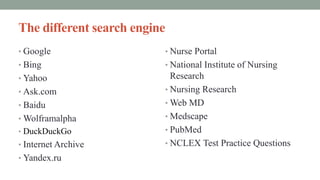
The different search engine
• Google
• Bing
• Yahoo
• Ask.com
• Baidu
• Wolframalpha
• DuckDuckGo
• Internet Archive
• Yandex.ru
• Nurse Portal
• National Institute of Nursing
Research
• Nursing Research
• Web MD
• Medscape
• PubMed
• NCLEX Test Practice Questions
How to use the search engines for nursing related items
• It’s supporting a clinical research study or providing faculty with instructional
multimedia content to help students connect theory to practice, librarians rely on the
Nursing & Allied Health Database for its diverse mix of scholarly literature, clinical
training videos, reference materials, and evidence-based resources, including
dissertations and systematic reviews. Specifically, while other providers tend to focus
solely on the information needs of professionals, the Nursing & Allied Health
Database is best used for those preparing for a career in healthcare, teaching patient
care, or engaged in nursing research.
• Is uniquely suited for students, instructors, researchers, and healthcare professionals.
What listservs and newsgroups are
• A Listserv is a method of communicating with a group of people via email. You send
one email message to the “reflector” email address, and the software sends the email
to all of the group’s subscribers.
• Listservs are discussion groups of like-minded people or people joined together by
their shared interest in a particular topic who use the Internet to communicate with
each other.
• Actually the term “listserv” is a kind of brand name become generic name for what are
also called mailing lists.
• Listservs are managing the sharing of mail messages among created groups of people.
I, for example, belong to a listserv for my department which uses it to post
announcements and otherwise communicate about departmental business.
What listservs and newsgroups are (Cont.)
• An alternative to listservs are newsgroups.
• Like listservs, newsgroups are discussion groups of like-minded people or people
joined together by their shared interest in a particular topic who use the Internet to
communicate with each other.
• Unlike listservs, newsgroup messages are not sent to your email address, but rather are
collected in a single space on a server, avoiding the problem of your mailbox filling
up. Newsgroups thus afford a measure of economy in managing discussion forums
since participants link to a local server to read current messages, multiple copies aren't
distributed, taking up bandwidth on the Net and disk storage in individual's mailboxes.
No matter how many people actually read a given message, only one copy needs to be
stored on any given computer network.
What listservs and newsgroups are (cont.)
• Newsgroups are divided into broad subject categories, indicated by the three letter
preface to group names. For example:
• alt -- controversial or "alternative" topics comp -- computers and related subjects
• news -- USENET news and software
• rec -- arts, hobbies, and recreation
• sci -- scientific research and application
• soc -- social issues and ethnicity
• talk -- politics & related topics; (debate-oriented & long-winded).
How the listservs and newsgroups access healthcare
groups
• Communication and discussion with others throughout the world will come to you
automatically in your e-mail.
Intranet and extranet

Intranet and extranet

  • 1.
    INTRANETS AND EXTRANETS By /MahmoudShaqria ‫شقريه‬ ‫محمد‬ ‫محمود‬
  • 2.
    Learning Objectives • Compareand contrast the purpose and use of Intranets and Extranets. • Define electronic communication. • Discuss synchronous vs. asynchronous communications. • Demonstrate how to compose, send and receive e-mail. • Describe the different search engines which are available on the Internet and how to use them to search for nursing related items. • Explain what Listservs and Newsgroups are, and how to access nursing and healthcare groups
  • 3.
    Introduction • Effective communicationboth internally with the staff and externally with the partners and customers is a key requirement in today's business environment • For many, words such as intranet and extranet can cause a fair amount of confusion. It can be difficult to differentiate between the two especially for those who have never used them in the past
  • 4.
    Intranet • is aprivate secured network designed to facilitate collaboration and make it easier to communicate and share documents in real time • is a private network of computers within an organization where Many computers are connected to one server; data of all computers are stored in this server and responded accordingly. • Intranet can be simple as two computers connected at home to each other or as vast as 1000 branch offices of a bank connected via privately owned , non public network links • intranets are hosted within a private network meaning that only the authorized users inside of the network can access it
  • 5.
    Uses Of intranet •The main and most important use of intranet is sharing information, between the members of the organization . • By the help of Intranet, we can connect all computers each other. • A team can work on a project easily, because all can access essential information about the project at the same time. • We can send mail, data or any file with the help of intranet. • We can get all the updates about the organization immediately. • In Intranet we can share information without the help of hard drive or pen drive
  • 6.
    Uses cont. • Wecan allow the only authorized user to access intranet in the organization premises. Intranet cannot be accessed from outside the organization. • If we look towards its uses for any universities then students can give the online test, pay tuition fee. We can read online books of the university; students can give online attendance etc. • By the help of extranet, we can work on a sharing project with other company.
  • 7.
    Advantages of intranet: •Workforce productivity : it can help Users to locate and view information faster • Communication: it can help as a powerful tools for communication Within an organization • Enhance collaboration: with information easily accessible by all authorized users , teamwork is enabled
  • 8.
    Disadvantages of intranet •Management fears loss of control • Hidden or unknown costs and complexity • It can create confusion between employees if not managed well • Unauthorized access • Abused use of the access
  • 9.
    Extranet • If theoutside user wants to access the data of intranet, then with the help of the internet, the user can access data from the intranet. This whole assembles or situation is called extranet. • An extranet is basically a private network designed specifically to allow these individuals (clients, vendors, suppliers, partners, etc.) to communicate with the organization and its employees in a closed digital workspace. • It is a private network that uses intranet protocols, connectivity, and the public communication system as well as provides a secure share part of an organization’s information with suppliers, partners, customers, or other businesses
  • 10.
    Benefits of extranet •One of the key benefits of an extranet is that it can be accessed from any computer at any time of the day or night. 24/7 access means that your clients and customers can upload documents, ask questions, or approve designs/concepts whenever they have the time to do so, thus breaking down the barriers often caused by a more rigid work schedule. • everyone has access to the same data in the same format. Because all extranet communications can be encrypted over a VPN, it should also be more secure than sending data over the public internet.
  • 11.
    Advantages of extranet •Improved customer service • Improved quality • Lower travel cost • Delivery of accurate information on time • Overall improvement in business effectiveness
  • 12.
    Disadvantages of extranet •the suppliers and customer who don`t have technical knowledge feel problem • faceless contact • information could be misused by other competitors • technical employees are required • fraud may be possible
  • 13.
    Electronic Communication • Itis a Communication using electronic media known, that allows transmission of message or information using computer systems, fax machine, e-mail, telephone or video conferencing and satellite network • People can easily share conversation, picture, image, sound, graphics, maps, interactive software and thousands of things for the development of electronic communication. Due to electronic technology, jobs, working locations and cultures are changing and therefore people can easily access worldwide communication without any physical movement
  • 14.
    Advantages of ElectronicCommunication 1. Speedy transmission: It requires only a few seconds to communicate through electronic media because it supports quick transmission.. 2. Wide coverage: World has become a global village and communication around the globe requires a second only, It provides the opportunity for groups of people in different geographical locations to communicate interactively through text, sound and video 3. Low cost: Electronic communication saves time and money. For example, Text SMS is cheaper than the traditional letter.
  • 15.
    Advantages of ElectronicCommunication cont. 4. Exchange of feedback: Electronic communication allows the instant exchange of feedback. So communication becomes perfect using electronic media. 5. Managing global operation: Due to the advancement of electronic media, managers can easily control operation across the globe. Video or teleconferencing e- mail and mobile communication are helping managers in this regard.
  • 16.
    Disadvantages of ElectronicCommunication • The volume of data: The volume of telecommunication information is increasing at such a fast rate that business people are unable to absorb it within the relevant time limit. • The cost of development: Electronic communication requires huge investment for infrastructural development. Frequent change in technology also demands further investment. • Legal status: Data or information, if faxed, may be distorted and will cause zero value in the eye of law. • Undelivered data: Data may not be retrieved due to system error or fault with the technology. Hence required service will be delayed
  • 17.
    Disadvantages of ElectronicCommunication cont. • Dependency: Technology is changing every day and therefore poor countries face the problem as they cannot afford the new or advanced technology. Therefore poor countries need to be dependent towards developed countries for sharing global network. • Personal Mail is Insecure: Sending someone a personal electronic message can become a permanent record. • Electronic messages are not secure and can be easily copied, resent or forwarded to others so you can never know for sure who will read it
  • 18.
    Synchronous vs. asynchronouscommunication • Synchronous communication: it’s the communication that requires the consumer and the provider to be present at the same time for the communication to take place • Examples of synchronous communication :  Face to face conversation  Chat rooms  Telephone calls  Video conferencing
  • 19.
    Advantages of Synchronouscommunication • Real time discussion • Real time collaboration • Easy to integrate and learn • Immediate feedback • Fast-paced • Can develop a human element or bounding between participants
  • 20.
    Disadvantages Synchronous communication •Limited time to think about what to say or how to respond to another participant • Typing skills and speed could limit contributions • Computer connection and speed could inhibit the access • Extra equipment might be necessary including web camera, speakers and microphones
  • 21.
    Asynchronous communication • Itis a communication where the sender and receiver doesn't need to be present at the same time for the communication to take place . There is some delay between initial communication and the reply • Examples: • E-mail • Announcement • Audio files (mp3) • Video /audio files (mp4) • Blogs
  • 22.
    AdvantageAsynchronous communication • Timeto make considered meaningful response • Opportunity to search answer • Can express thoughts without any interruption • Access massages at a suitable time • Can appear more polished
  • 23.
    DisadvantageAsynchronous communication • Responsesnot immediate if there are time constraints • Loses human contact element
  • 24.
    Internet search engines •A web search engine or Internet search engine is a software system that is designed to carry out web search (Internet search), which means to search the World Wide Web in a systematic way for particular information specified in a web search query. The search results are generally presented in a line of results, often referred to as search engine results pages (SERPs). The information may be a mix of web pages, images, videos, infographics, articles, research papers and other types of files. Some search engines also mine data available in databases or open directories.
  • 25.
    The different searchengine • Google • Bing • Yahoo • Ask.com • Baidu • Wolframalpha • DuckDuckGo • Internet Archive • Yandex.ru • Nurse Portal • National Institute of Nursing Research • Nursing Research • Web MD • Medscape • PubMed • NCLEX Test Practice Questions
  • 27.
    How to usethe search engines for nursing related items • It’s supporting a clinical research study or providing faculty with instructional multimedia content to help students connect theory to practice, librarians rely on the Nursing & Allied Health Database for its diverse mix of scholarly literature, clinical training videos, reference materials, and evidence-based resources, including dissertations and systematic reviews. Specifically, while other providers tend to focus solely on the information needs of professionals, the Nursing & Allied Health Database is best used for those preparing for a career in healthcare, teaching patient care, or engaged in nursing research. • Is uniquely suited for students, instructors, researchers, and healthcare professionals.
  • 28.
    What listservs andnewsgroups are • A Listserv is a method of communicating with a group of people via email. You send one email message to the “reflector” email address, and the software sends the email to all of the group’s subscribers. • Listservs are discussion groups of like-minded people or people joined together by their shared interest in a particular topic who use the Internet to communicate with each other. • Actually the term “listserv” is a kind of brand name become generic name for what are also called mailing lists. • Listservs are managing the sharing of mail messages among created groups of people. I, for example, belong to a listserv for my department which uses it to post announcements and otherwise communicate about departmental business.
  • 29.
    What listservs andnewsgroups are (Cont.) • An alternative to listservs are newsgroups. • Like listservs, newsgroups are discussion groups of like-minded people or people joined together by their shared interest in a particular topic who use the Internet to communicate with each other. • Unlike listservs, newsgroup messages are not sent to your email address, but rather are collected in a single space on a server, avoiding the problem of your mailbox filling up. Newsgroups thus afford a measure of economy in managing discussion forums since participants link to a local server to read current messages, multiple copies aren't distributed, taking up bandwidth on the Net and disk storage in individual's mailboxes. No matter how many people actually read a given message, only one copy needs to be stored on any given computer network.
  • 30.
    What listservs andnewsgroups are (cont.) • Newsgroups are divided into broad subject categories, indicated by the three letter preface to group names. For example: • alt -- controversial or "alternative" topics comp -- computers and related subjects • news -- USENET news and software • rec -- arts, hobbies, and recreation • sci -- scientific research and application • soc -- social issues and ethnicity • talk -- politics & related topics; (debate-oriented & long-winded).
  • 31.
    How the listservsand newsgroups access healthcare groups • Communication and discussion with others throughout the world will come to you automatically in your e-mail.