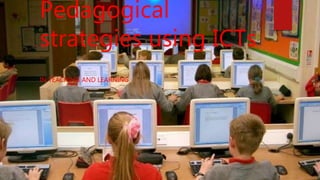
Pedagogical
strategies using ICTs
IN TEACHING AND LEARNING
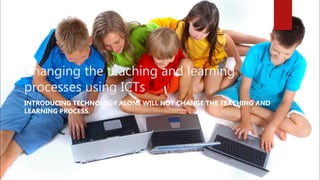
Changing the teaching and learning
processes using ICTs
INTRODUCING TECHNOLOGY ALONE WILL NOT CHANGE THE TEACHING AND
LEARNING PROCESS.
Acquire skills
 The teacher will first need to acquire skills to use ICTs in the classroom for
teaching and learning.
 They will be advised to do the online course on Microsoft on these link
http://goo.gl/xvaovy which they will learn how to teach with technologies.
 Build your professional development plan by doing self reflection
continuously.
Technologies that can be accessed
 Find ways in which you will use the ICTs that you
have in the classroom.
 For example: what resources do you have, number of
learners and how can you use them.
Learners have skills to use the ICTS
 Find out the skill that the learners have to use ICTs.
 You can develop their skills by training the learners in
small workshops.
 You can use available ICTs to train them on what will
be used in the classroom.
Failure and trouble shooting
 Always have a non-technological plan as a
back up.
 Have hard copies and non technological
teaching tools.
 Model troubleshooting with students.
 Ask for help from others.
Using Technology for Feedback and
Assessment
 Research on tools that you can use for
assessment and feedback such as:
 Padlet : in the classroom as a form of class
discussion. Here is a link to show an example
of how to use padlet http://goo.gl/PAQYpw
 Testmoz : in a form of individual assessment.
Digital citizenship
 Most importantly, teach the learners about
digital citizenship to avoid factors such as
cyberbullying.
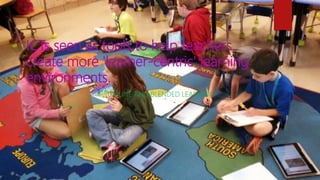
ICTs seen as tools to help teachers
create more 'learner-centric' learning
environments.
ONLINE AND BLENDED LEARNING
Facilitate a student- centered
classroom:
 Empower the learner: through the use of blogs, wiki
and online activities.
 Using Edu-blogs to empower them selves. An
example of created blog
http://edublogs.misd.net/techiekids/
 Organize activities so that the learners can be able
to access them. One can use learning management
system to organise the activities
Continue……
 Adopt technological tools in the classroom to teach: This
helps teachers to optimize their time, efforts and resources
and focus.
 Making the student responsible for his own learning: like
using scoop it to research on topics they are learning on and
choosing what is best for them. See these link
http://www.scoop.it/?snConnect
 Subjecting students to regular evaluation through activities
that they can get badges.
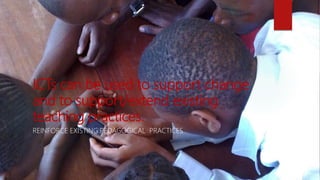
ICTs can be used to support change
and to support/extend existing
teaching practices.
REINFORCE EXISTING PEDAGOGICAL PRACTICES
How ICTs can be used to support
change
 ICT can improve teaching by enhancing an already practiced
knowledge and introducing new ways of teaching and
learning
 The use of white boards and conference videos can be used to
support ongoing learning. here is a link of how conference
calls are used https://youtu.be/JMOOG7rWTPg
 Things like slide share could also be used to support group
discussions, where by different people could collaborate
online and create a slide together from different place
Using ICTs as tools for information
presentation is of mixed effectiveness.
EFFECTIVE FOR MANY USES
Mixed effectiveness
 The point will be addressed using projector to show
power point presentation.
 The presentation will include videos, links to the web
and pictures.
 The integration of videos, links and pictures will show
that ICTs can be used to cover many things in one
lesson.
 These power point will be used to demonstrate the
example.

Pedagogical strategies using ic ts

  • 1.
  • 2.
    Changing the teachingand learning processes using ICTs INTRODUCING TECHNOLOGY ALONE WILL NOT CHANGE THE TEACHING AND LEARNING PROCESS.
  • 3.
    Acquire skills  Theteacher will first need to acquire skills to use ICTs in the classroom for teaching and learning.  They will be advised to do the online course on Microsoft on these link http://goo.gl/xvaovy which they will learn how to teach with technologies.  Build your professional development plan by doing self reflection continuously.
  • 4.
    Technologies that canbe accessed  Find ways in which you will use the ICTs that you have in the classroom.  For example: what resources do you have, number of learners and how can you use them.
  • 5.
    Learners have skillsto use the ICTS  Find out the skill that the learners have to use ICTs.  You can develop their skills by training the learners in small workshops.  You can use available ICTs to train them on what will be used in the classroom.
  • 6.
    Failure and troubleshooting  Always have a non-technological plan as a back up.  Have hard copies and non technological teaching tools.  Model troubleshooting with students.  Ask for help from others.
  • 7.
    Using Technology forFeedback and Assessment  Research on tools that you can use for assessment and feedback such as:  Padlet : in the classroom as a form of class discussion. Here is a link to show an example of how to use padlet http://goo.gl/PAQYpw  Testmoz : in a form of individual assessment.
  • 8.
    Digital citizenship  Mostimportantly, teach the learners about digital citizenship to avoid factors such as cyberbullying.
  • 9.
    ICTs seen astools to help teachers create more 'learner-centric' learning environments. ONLINE AND BLENDED LEARNING
  • 10.
    Facilitate a student-centered classroom:  Empower the learner: through the use of blogs, wiki and online activities.  Using Edu-blogs to empower them selves. An example of created blog http://edublogs.misd.net/techiekids/  Organize activities so that the learners can be able to access them. One can use learning management system to organise the activities
  • 11.
    Continue……  Adopt technologicaltools in the classroom to teach: This helps teachers to optimize their time, efforts and resources and focus.  Making the student responsible for his own learning: like using scoop it to research on topics they are learning on and choosing what is best for them. See these link http://www.scoop.it/?snConnect  Subjecting students to regular evaluation through activities that they can get badges.
  • 12.
    ICTs can beused to support change and to support/extend existing teaching practices. REINFORCE EXISTING PEDAGOGICAL PRACTICES
  • 13.
    How ICTs canbe used to support change  ICT can improve teaching by enhancing an already practiced knowledge and introducing new ways of teaching and learning  The use of white boards and conference videos can be used to support ongoing learning. here is a link of how conference calls are used https://youtu.be/JMOOG7rWTPg  Things like slide share could also be used to support group discussions, where by different people could collaborate online and create a slide together from different place
  • 14.
    Using ICTs astools for information presentation is of mixed effectiveness. EFFECTIVE FOR MANY USES
  • 15.
    Mixed effectiveness  Thepoint will be addressed using projector to show power point presentation.  The presentation will include videos, links to the web and pictures.  The integration of videos, links and pictures will show that ICTs can be used to cover many things in one lesson.  These power point will be used to demonstrate the example.