How to install git on 
ubuntu 
By baran19901990
Step1 
Create new account on github use email of 
company (Ex: username@gmail.vn) 
https://github.com/
Step2 (You can see later) 
After finished create a account. You should 
read some documents about how to use git 
https://guides.github.com/activities/hello-world/
Step3 (Let’s install git) 
Open terminal and type: 
sudo add-apt-repository ppa:git-core/ppa 
sudo apt-get update 
sudo apt-get install git
Step4 (Let’s install git) 
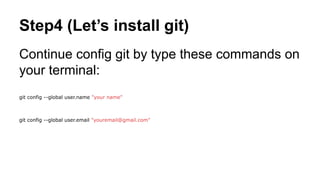
Continue config git by type these commands on 
your terminal: 
git config --global user.name "your name" 
git config --global user.email "youremail@gmail.com"
Step5 (Let’s install git) 
You can see all of your settings with this 
command: 
git config --list
Step6 
Some commands usefull with git: 
- git clone ………. -> Clone a project into your 
computer 
- git add file_name -> Add a file to git 
- git commit -m “your comment” -> Commit a file 
with your comment 
- git push origin your_branch -> Push file to 
server
Summary 
Talk with your leader add you to company’s 
github. You need to send your github’s url to 
him.

How to install git on ubuntu

  • 1.
    How to installgit on ubuntu By baran19901990
  • 2.
    Step1 Create newaccount on github use email of company (Ex: username@gmail.vn) https://github.com/
  • 3.
    Step2 (You cansee later) After finished create a account. You should read some documents about how to use git https://guides.github.com/activities/hello-world/
  • 4.
    Step3 (Let’s installgit) Open terminal and type: sudo add-apt-repository ppa:git-core/ppa sudo apt-get update sudo apt-get install git
  • 5.
    Step4 (Let’s installgit) Continue config git by type these commands on your terminal: git config --global user.name "your name" git config --global user.email "youremail@gmail.com"
  • 6.
    Step5 (Let’s installgit) You can see all of your settings with this command: git config --list
  • 7.
    Step6 Some commandsusefull with git: - git clone ………. -> Clone a project into your computer - git add file_name -> Add a file to git - git commit -m “your comment” -> Commit a file with your comment - git push origin your_branch -> Push file to server
  • 8.
    Summary Talk withyour leader add you to company’s github. You need to send your github’s url to him.