OpenStack
Open source software to build public and private clouds
Austin PyLadies, June 6, 2013
Anne Gentle anne.gentle@rackspace.com
What is OpenStack?
How do I consume OpenStack?
How do I contribute to OpenStack?
What’s next?
What else?
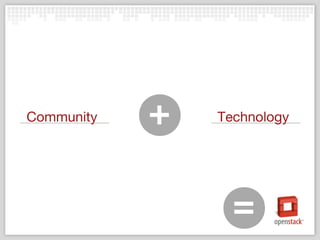
+Community Technology
= =
HOW TO: Use OpenStack
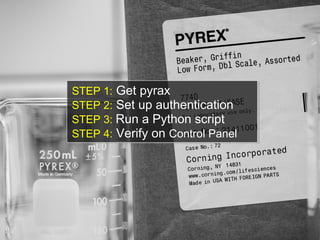
STEP 1: Get pyrax
STEP 2: Set up authentication
STEP 3: Run a Python script
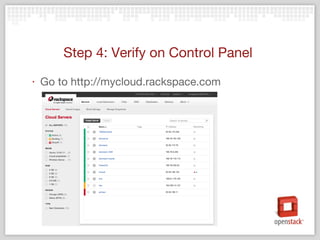
STEP 4: Verify on Control Panel
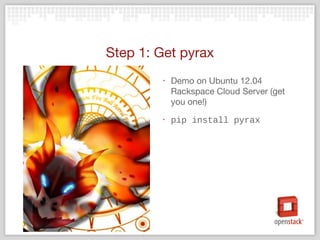
Step 1: Get pyrax
‣ Demo on Ubuntu 12.04
Rackspace Cloud Server (get
you one!)
‣ pip install pyrax
Step 2: Set up authentication
‣ Create ~/.pyrax.cfg with:
[default]
identity_type = rackspace
keyring_username = yourusername
debug=True
‣ Also, in the code itself, username and API Key:
pyrax.set_credentials("annegentle",
"486edc1d76c0981b7a5f998c9f4b8849")
Step 3: Run tutorial, spin up servers
‣ Create pyrax_tutorial.py file
https://gist.github.com/EdLeafe/5665994
#!/usr/bin/env python
# -*- coding: utf-8 -*-
import pyrax
# First you need to authenticate.
pyrax.keyring_auth()
# Create a shortcut alias for
cloudservers
cs = pyrax.cloudservers
# Get the image for Ubuntu 12.04
image = [img for img in cs.list_images()
if "Ubuntu 12.04" in img.name][0]
# Flavors are RAM/disk combinations.
flavor = cs.list_flavors()[0]
# Create the first server
server1 =
cs.servers.create(name=“Buntuone",
image=image.id,
flavor=flavor.id)
…
Step 4: Verify on Control Panel
‣ Go to http://mycloud.rackspace.com
HOW TO: Make OpenStack
STEP 1: Launchpad account
STEP 2: Upload SSH keys
STEP 3: Join the Foundation
STEP 4: Verify on review.openstack.org
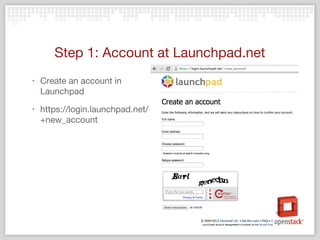
Step 1: Account at Launchpad.net
‣ Create an account in
Launchpad
‣ https://login.launchpad.net/
+new_account
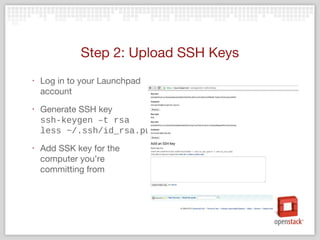
Step 2: Upload SSH Keys
‣ Log in to your Launchpad
account
‣ Generate SSH key
ssh-keygen –t rsa
less ~/.ssh/id_rsa.pub
‣ Add SSK key for the
computer you’re
committing from
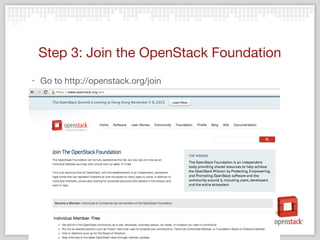
Step 3: Join the OpenStack Foundation
‣ Go to http://openstack.org/join
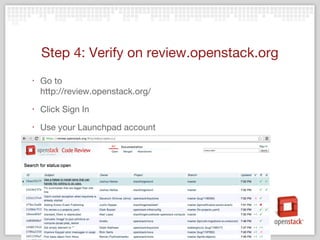
Step 4: Verify on review.openstack.org
‣ Go to
http://review.openstack.org/
‣ Click Sign In
‣ Use your Launchpad account
STEP 1: Clone a repo
STEP 2: Set up git-review
STEP 3: Submit a patch
STEP 4: Get it reviewed
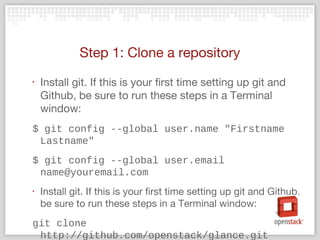
Step 1: Clone a repository
‣ Install git. If this is your first time setting up git and
Github, be sure to run these steps in a Terminal
window:
$ git config --global user.name "Firstname
Lastname"
$ git config --global user.email
name@youremail.com
‣ Install git. If this is your first time setting up git and Github,
be sure to run these steps in a Terminal window:
git clone
http://github.com/openstack/glance.git
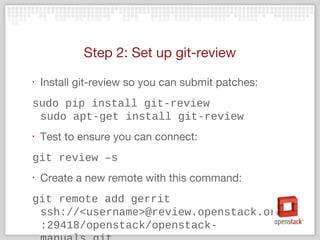
Step 2: Set up git-review
‣ Install git-review so you can submit patches:
sudo pip install git-review
sudo apt-get install git-review
‣ Test to ensure you can connect:
git review –s
‣ Create a new remote with this command:
git remote add gerrit
ssh://<username>@review.openstack.org
:29418/openstack/openstack-
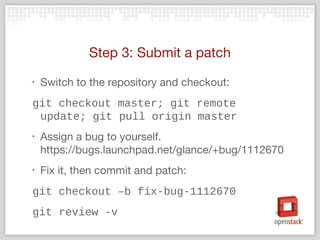
Step 3: Submit a patch
‣ Switch to the repository and checkout:
git checkout master; git remote
update; git pull origin master
‣ Assign a bug to yourself.
https://bugs.launchpad.net/glance/+bug/1112670
‣ Fix it, then commit and patch:
git checkout –b fix-bug-1112670
git review -v
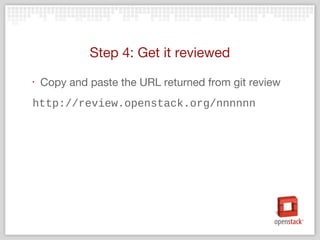
Step 4: Get it reviewed
‣ Copy and paste the URL returned from git review
http://review.openstack.org/nnnnnn
What’s next?
STEP 1: Meet people
STEP 2: Travel
STEP 3: Have fun
STEP 4: Get a job
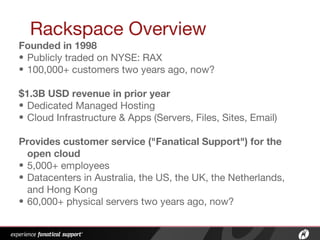
Rackspace Overview
Founded in 1998
• Publicly traded on NYSE: RAX
• 100,000+ customers two years ago, now?
$1.3B USD revenue in prior year
• Dedicated Managed Hosting
• Cloud Infrastructure & Apps (Servers, Files, Sites, Email)
Provides customer service ("Fanatical Support") for the
open cloud
• 5,000+ employees
• Datacenters in Australia, the US, the UK, the Netherlands,
and Hong Kong
• 60,000+ physical servers two years ago, now?
What else?
OpenStack How To - PyLadies ATX

OpenStack How To - PyLadies ATX

  • 1.
    OpenStack Open source softwareto build public and private clouds Austin PyLadies, June 6, 2013 Anne Gentle anne.gentle@rackspace.com
  • 2.
    What is OpenStack? Howdo I consume OpenStack? How do I contribute to OpenStack? What’s next? What else?
  • 3.
  • 6.
    HOW TO: UseOpenStack
  • 7.
    STEP 1: Getpyrax STEP 2: Set up authentication STEP 3: Run a Python script STEP 4: Verify on Control Panel
  • 8.
    Step 1: Getpyrax ‣ Demo on Ubuntu 12.04 Rackspace Cloud Server (get you one!) ‣ pip install pyrax
  • 9.
    Step 2: Setup authentication ‣ Create ~/.pyrax.cfg with: [default] identity_type = rackspace keyring_username = yourusername debug=True ‣ Also, in the code itself, username and API Key: pyrax.set_credentials("annegentle", "486edc1d76c0981b7a5f998c9f4b8849")
  • 10.
    Step 3: Runtutorial, spin up servers ‣ Create pyrax_tutorial.py file https://gist.github.com/EdLeafe/5665994 #!/usr/bin/env python # -*- coding: utf-8 -*- import pyrax # First you need to authenticate. pyrax.keyring_auth() # Create a shortcut alias for cloudservers cs = pyrax.cloudservers # Get the image for Ubuntu 12.04 image = [img for img in cs.list_images() if "Ubuntu 12.04" in img.name][0] # Flavors are RAM/disk combinations. flavor = cs.list_flavors()[0] # Create the first server server1 = cs.servers.create(name=“Buntuone", image=image.id, flavor=flavor.id) …
  • 11.
    Step 4: Verifyon Control Panel ‣ Go to http://mycloud.rackspace.com
  • 12.
    HOW TO: MakeOpenStack
  • 13.
    STEP 1: Launchpadaccount STEP 2: Upload SSH keys STEP 3: Join the Foundation STEP 4: Verify on review.openstack.org
  • 14.
    Step 1: Accountat Launchpad.net ‣ Create an account in Launchpad ‣ https://login.launchpad.net/ +new_account
  • 15.
    Step 2: UploadSSH Keys ‣ Log in to your Launchpad account ‣ Generate SSH key ssh-keygen –t rsa less ~/.ssh/id_rsa.pub ‣ Add SSK key for the computer you’re committing from
  • 16.
    Step 3: Jointhe OpenStack Foundation ‣ Go to http://openstack.org/join
  • 17.
    Step 4: Verifyon review.openstack.org ‣ Go to http://review.openstack.org/ ‣ Click Sign In ‣ Use your Launchpad account
  • 18.
    STEP 1: Clonea repo STEP 2: Set up git-review STEP 3: Submit a patch STEP 4: Get it reviewed
  • 19.
    Step 1: Clonea repository ‣ Install git. If this is your first time setting up git and Github, be sure to run these steps in a Terminal window: $ git config --global user.name "Firstname Lastname" $ git config --global user.email name@youremail.com ‣ Install git. If this is your first time setting up git and Github, be sure to run these steps in a Terminal window: git clone http://github.com/openstack/glance.git
  • 20.
    Step 2: Setup git-review ‣ Install git-review so you can submit patches: sudo pip install git-review sudo apt-get install git-review ‣ Test to ensure you can connect: git review –s ‣ Create a new remote with this command: git remote add gerrit ssh://<username>@review.openstack.org :29418/openstack/openstack-
  • 21.
    Step 3: Submita patch ‣ Switch to the repository and checkout: git checkout master; git remote update; git pull origin master ‣ Assign a bug to yourself. https://bugs.launchpad.net/glance/+bug/1112670 ‣ Fix it, then commit and patch: git checkout –b fix-bug-1112670 git review -v
  • 22.
    Step 4: Getit reviewed ‣ Copy and paste the URL returned from git review http://review.openstack.org/nnnnnn
  • 23.
  • 24.
    STEP 1: Meetpeople STEP 2: Travel STEP 3: Have fun STEP 4: Get a job
  • 25.
    Rackspace Overview Founded in1998 • Publicly traded on NYSE: RAX • 100,000+ customers two years ago, now? $1.3B USD revenue in prior year • Dedicated Managed Hosting • Cloud Infrastructure & Apps (Servers, Files, Sites, Email) Provides customer service ("Fanatical Support") for the open cloud • 5,000+ employees • Datacenters in Australia, the US, the UK, the Netherlands, and Hong Kong • 60,000+ physical servers two years ago, now?
  • 26.

Editor's Notes

  • #2 Introduction, explain that Iwork at Rackspace. Next slide talks about the topics for the talk.
  • #4 OpenStack is… We ’re both a community and a cloud technology with associated projects
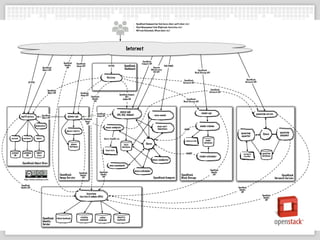
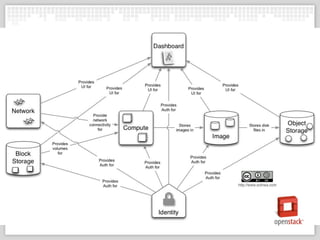
  • #5 This is the logical architecture and all the parts written in python. Next slide shows the conceptual arch, much more digestable.
  • #6 Next slide starts on how to use OpenStack
  • #7 So back to the mission. We want to make IT easier. To abstract from the hardware environment to a standardized software environment. We want to provide servers and storage on demand.
  • #9 By installing pyrax, you have the ability to build on any OpenStack cloud using standard Python objects and code.
  • #10 OpenStack is doing this: Next slide shows how we create open source software.
  • #11 OpenStack is doing this: Next slide shows how we create open source software.
  • #12 OpenStack is doing this: Next slide shows how we create open source software.
  • #13 So back to the mission. We want to make IT easier. To abstract from the hardware environment to a standardized software environment.
  • #15 OpenStack is doing this: Next slide shows how we create open source software.
  • #16 OpenStack is doing this: Next slide shows how we create open source software.
  • #17 OpenStack is doing this: Next slide shows how we create open source software.
  • #18 OpenStack is doing this: Next slide shows how we create open source software.
  • #20 OpenStack is doing this: Next slide shows how we create open source software.
  • #21 OpenStack is doing this: Next slide shows how we create open source software.
  • #22 https://bugs.launchpad.net/glance/+bug/1112670
  • #23 https://bugs.launchpad.net/glance/+bug/1112670
  • #24 https://bugs.launchpad.net/glance/+bug/1112670
  • #27 https://bugs.launchpad.net/glance/+bug/1112670