Data	
  Conversions	
  –	
  Convert	
  With	
  Confidence	
  
Wednesday,	
  July	
  9,	
  2014	
  
Disclaimer:	
  Nothing	
  that	
  we	
  are	
  sharing	
  is	
  intended	
  as	
  legally	
  binding	
  or	
  prescrip7ve	
  advice.	
  This	
  
presenta7on	
  is	
  a	
  synthesis	
  of	
  publically	
  available	
  informa7on	
  and	
  best	
  prac7ces.	
  
•  Why	
  are	
  conversions	
  necessary?	
  
– Lack	
  of	
  MU	
  Cer5fica5on	
  
•  Federal	
  Funding	
  
– Improved	
  Performance	
  
– Increased	
  Quality	
  of	
  Care	
  
– Lack	
  of	
  Func5onality	
  in	
  Outdated	
  Systems	
  
Introduc5on	
  
•  Why	
  are	
  changes	
  needed?	
  
– Solu5on	
  does	
  not	
  meet	
  needs.	
  
– Needs	
  not	
  adequately	
  assessed	
  when	
  original	
  
implementa5on	
  occurred.	
  
– Designed	
  not	
  suited	
  for	
  prac5ce	
  specialty	
  
– Unresponsive	
  Vendor	
  
Why	
  the	
  pain?	
  
•  Legal	
  Record	
  
–  Maintaining	
  pa5ent	
  records	
  for	
  legal	
  purposes	
  
•  Con5nuity	
  of	
  Care	
  
–  Easy	
  access	
  to	
  pa5ent	
  informa5on	
  
–  BeMer	
  Pa5ent	
  Care	
  
•  Proper	
  Planning	
  
–  Data	
  conversion	
  is	
  an	
  o=en	
  7mes	
  an	
  a=erthought	
  	
  
•  Conversion	
  Exper5se	
  
–  Many	
  organiza5ons	
  are	
  not	
  familiar	
  with	
  the	
  data	
  
conversion	
  process	
  	
  
–  Suitable	
  op5ons	
  that	
  meet	
  specific	
  needs	
  	
  
Considera5ons	
  
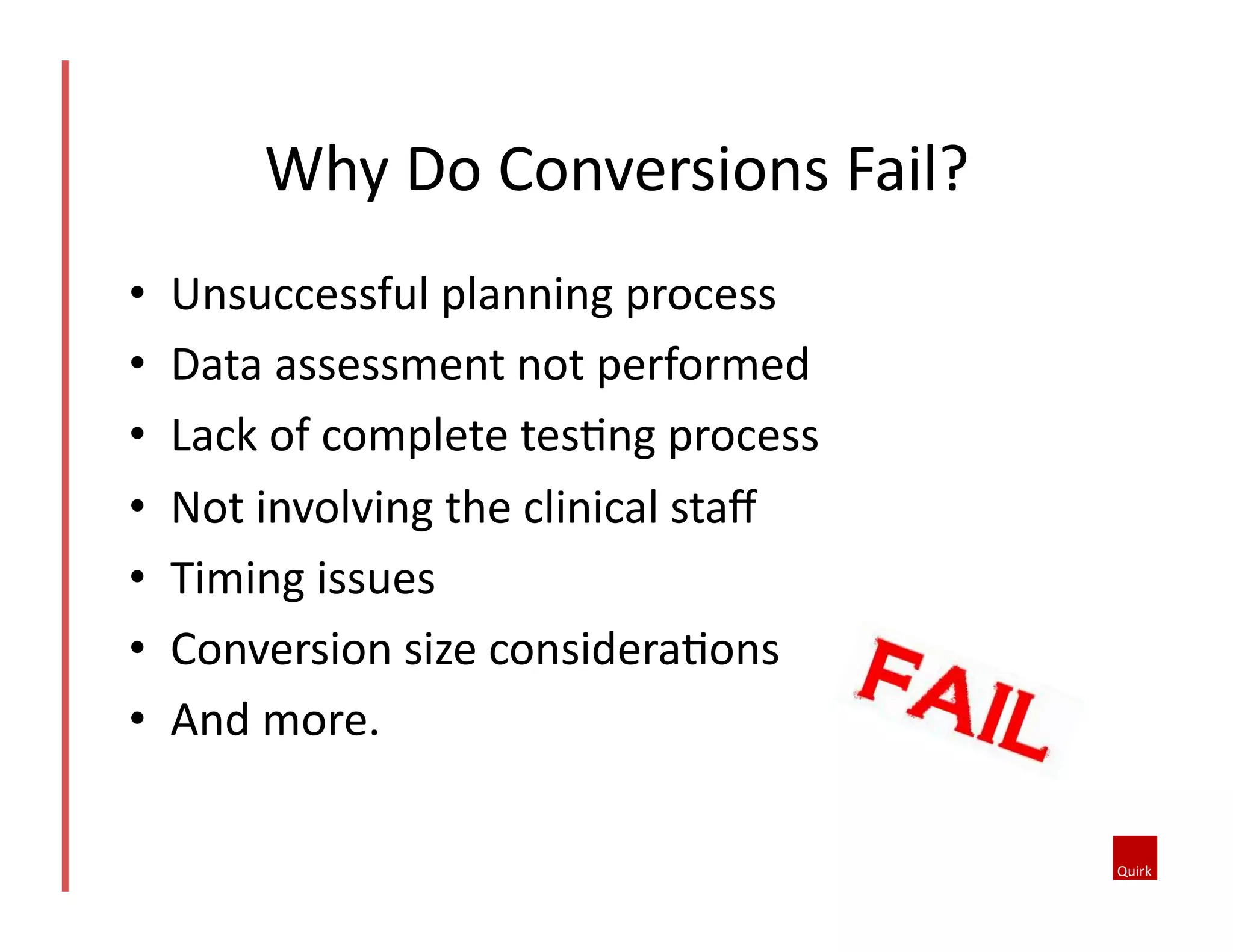
•  Unsuccessful	
  planning	
  process	
  
•  Data	
  assessment	
  not	
  performed	
  
•  Lack	
  of	
  complete	
  tes5ng	
  process	
  
•  Not	
  involving	
  the	
  clinical	
  staff	
  	
  
•  Timing	
  issues	
  
•  Conversion	
  size	
  considera5ons	
  
•  And	
  more.	
  
Why	
  Do	
  Conversions	
  Fail?	
  
•  Leave	
  old	
  system	
  up	
  and	
  running	
  
– Pros	
  
•  Don’t	
  have	
  to	
  dedicate	
  funds	
  or	
  resources	
  for	
  a	
  
conversion	
  	
  
– Cons	
  	
  
•  Ongoing	
  maintenance	
  and	
  support	
  costs	
  can	
  be	
  huge	
  	
  
•  Risk	
  of	
  not	
  being	
  able	
  to	
  access	
  the	
  data	
  if	
  issues	
  occur	
  	
  
•  Requires	
  physicians	
  having	
  to	
  log	
  into	
  another	
  system	
  
and	
  search	
  for	
  the	
  pa5ent	
  	
  
You	
  Always	
  Have	
  Op5ons	
  
•  Manual	
  Entry	
  (Hand	
  type	
  data	
  from	
  old	
  EMR	
  
into	
  new	
  EMR)	
  
– Pros	
  	
  
•  Enables	
  full	
  EMR	
  func5onality	
  on	
  legacy	
  data	
  	
  
•  Ease	
  of	
  access	
  	
  
– Cons	


•  May	
  poten5ally	
  take	
  a	
  VERY	
  long	
  5me	
  and	
  is	
  resource	
  
intensive	
  	
  
•  Greater	
  chances	
  of	
  error	
  when	
  manually	
  entering	
  
informa5on	
  	
  
Op5ons	
  to	
  consider	
  
•  Discrete	
  Data	
  Conversion	
  (Clinical	
  data	
  electronically	
  
transferred	
  and	
  physically	
  resides	
  in	
  new	
  database	
  )	
  
–  Pros	
  	
  
•  Enables	
  full	
  EMR	
  func5onality	
  on	
  legacy	
  data	
  	
  
•  Legacy	
  data	
  is	
  easily	
  accessible	
  	
  
•  Faster	
  implementa5on	
  5me	
  over	
  manual	
  conversion	
  	
  
•  Less	
  resource	
  intensive	
  than	
  manual	
  	
  
•  Higher	
  degree	
  of	
  accuracy	
  	
  
•  Legacy	
  data	
  can	
  be	
  incorporated	
  for	
  clinical	
  intelligence	
  purposes	
  
(i.e.	
  PQRS)	
  	
  
–  Cons	
  	
  
•  Can	
  be	
  cost-­‐prohibi5ve	
  for	
  smaller	
  prac5ces	
  	
  
•  Requires	
  conversion	
  exper5se	
  	
  
•  Garbage	
  in,	
  garbage	
  out	
  
Op5ons	
  to	
  consider	
  
•  Summary	
  Report	
  Documents	
  (Summarized	
  
documents	
  created	
  as	
  PDFs	
  and	
  physically	
  reside	
  
in	
  new	
  EMR	
  database	
  )	
  
–  Pros	
  	
  
•  More	
  cost-­‐effec5ve	
  than	
  discrete	
  conversion	
  	
  
•  Doesn’t	
  require	
  logging	
  into	
  another	
  system	
  	
  
–  Cons	
  	
  
•  Hard	
  to	
  find	
  informa5on	
  quickly	
  in	
  large	
  summary	
  
documents	
  	
  
•  Does	
  not	
  receive	
  benefit	
  of	
  full	
  EMR	
  func5onality	
  on	
  legacy	
  
data	
  	
  
•  Cannot	
  report	
  on	
  the	
  data	
  	
  
Op5ons	
  to	
  consider	
  
•  Interface	
  the	
  data	
  during	
  transi5on	
  
– Pros	
  	
  
•  More	
  cost-­‐effec5ve	
  than	
  discrete	
  conversion	
  	
  
•  Real-­‐5me	
  system	
  sync	
  
– Cons	
  	
  
•  Interface	
  systems	
  can	
  take	
  a	
  long	
  5me	
  to	
  create	
  and	
  
test	
  
•  Certain	
  data	
  elements	
  may	
  not	
  be	
  interfaced	
  precisely	
  
as	
  needed	
  due	
  to	
  vendor	
  system	
  inadequacy.	
  	
  
Op5ons	
  to	
  consider	
  
Common	
  Conversion	
  Process	
  
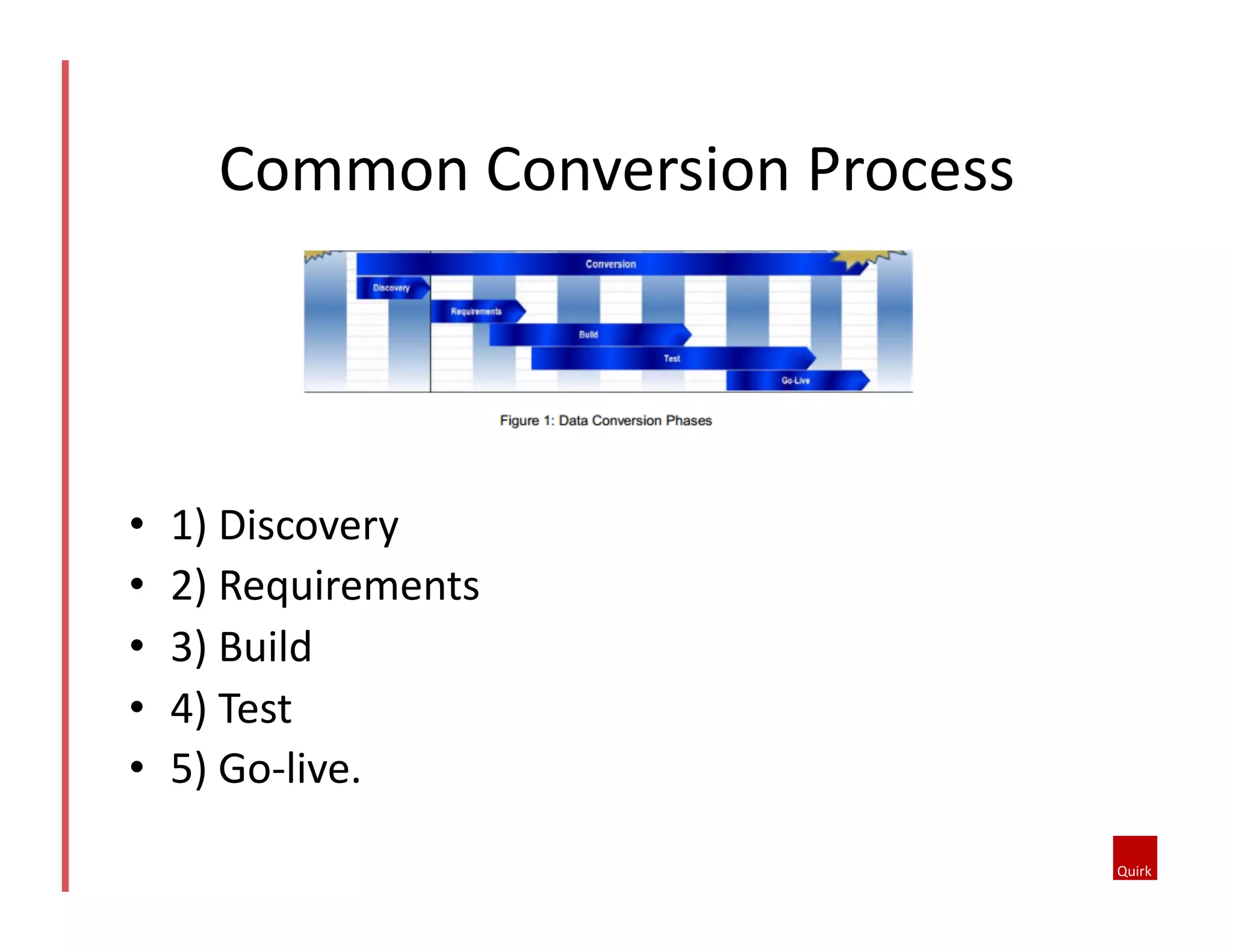
•  1)	
  Discovery	
  	
  
•  2)	
  Requirements	
  	
  
•  3)	
  Build	
  	
  
•  4)	
  Test	
  
•  5)	
  Go-­‐live.	
  
•  Risks	
  
– Make	
  a	
  list	
  of	
  risks	
  and	
  their	
  con5ngency	
  plans.	
  	
  
– What	
  would	
  jeopardize	
  your	
  deliverables	
  or	
  
schedule?	
  	
  
•  Service	
  Level	
  Agreements	
  
– Agreements	
  in	
  place	
  for	
  quick	
  turn	
  around	
  on	
  
decisions	
  
Discovery	
  
•  Data	
  content	
  issues	
  
– Plan	
  for	
  late	
  discoveries	
  of	
  data	
  content	
  issues	
  
•  Conversion	
  and	
  mapping	
  teams	
  
– The	
  project	
  team	
  requires	
  a	
  combina5on	
  of	
  
people	
  with	
  clinical,	
  technical	
  and	
  project	
  
management	
  skills	
  
Discovery	
  	
  
•  Data	
  mapping	
  
– Plan	
  to	
  deliver	
  the	
  EHR	
  build	
  based	
  on	
  the	
  
schedule	
  needed	
  for	
  the	
  conversion	
  data	
  mapping	
  
effort	
  
•  Documenta5on	
  
– Document	
  everything.	
  
– This	
  includes:	
  status	
  reports,	
  dashboards	
  and	
  
other	
  visual	
  aids	
  
Requirements	
  
•  Format	
  
– Many	
  clients	
  have	
  standards	
  for	
  specifica5on	
  
formats.	
  Since	
  there	
  will	
  be	
  many	
  specifica5ons,	
  
it’s	
  important	
  to	
  enforce	
  a	
  standard	
  so	
  that	
  all	
  
specifica5ons	
  are	
  consistent.	
  	
  
•  Content	
  
– Every	
  detail	
  must	
  be	
  defined	
  on	
  a	
  field-­‐by-­‐field	
  
basis	
  
Requirements	
  
•  Mapping	
  
– There	
  will	
  be	
  mul5ple	
  versions	
  of	
  mapping	
  
documenta5on.	
  It	
  is	
  important	
  to	
  manage	
  these	
  
so	
  that	
  team	
  members	
  always	
  have	
  the	
  latest	
  
version	
  available	
  to	
  them.	
  	
  
Build	
  
•  Conversion	
  design	
  
–  Demographics	
  
•  Determine	
  the	
  trusted	
  source	
  of	
  your	
  demographic	
  data	
  
•  Consider	
  how	
  new	
  and	
  updated	
  registra5on	
  data	
  will	
  flow	
  to	
  
the	
  new	
  EMR	
  in	
  real	
  5me	
  once	
  the	
  ini5al	
  registra5on	
  
conversion	
  is	
  complete.	
  
–  Encounters	
  
•  All	
  chart	
  data	
  that	
  gets	
  loaded	
  is	
  associated	
  with	
  an	
  
encounter	
  or	
  “visit.”	
  	
  
•  Pa5ent	
  contact	
  or	
  visit	
  entries	
  may	
  not	
  necessarily	
  be	
  an	
  
exact	
  match	
  
Build	
  
•  Full	
  volume	
  tes5ng	
  
–  Work	
  with	
  technical	
  support	
  to	
  plan	
  disc	
  space.	
  
–  Perform	
  incremental	
  tests	
  at	
  increasing	
  volumes	
  up	
  to	
  
full	
  volume.	
  	
  
•  Test	
  environments	
  
–  2	
  are	
  necessary	
  
–  A	
  primary	
  test	
  environment	
  for	
  incremental	
  volume	
  
tests	
  
–  A	
  secondary	
  test	
  environment	
  for	
  simulated	
  
produc5on	
  
Test	
  
•  Tracking	
  
– Good	
  tes5ng	
  requires	
  good	
  tracking.	
  Use	
  tracking	
  
tools	
  to	
  monitor	
  tes5ng	
  progress,	
  defect	
  
countdown,	
  issue	
  resolu5on,	
  etc.	
  	
  
•  Clinician	
  sign-­‐off	
  
– Tes5ng	
  is	
  not	
  complete	
  un5l	
  the	
  clinicians	
  sign	
  off.	
  
Test	
  
•  Bulk	
  and	
  gap	
  conversions	
  
–  Bulk	
  conversions	
  some5mes	
  take	
  days	
  to	
  complete.	
  
–  a	
  smaller	
  bulk	
  conversion	
  is	
  needed,	
  ofen	
  called	
  a	
  
“gap	
  conversion”	
  
•  Big-­‐bang	
  vs.	
  rollout:	
  
–  If	
  the	
  go-­‐live	
  approach	
  is	
  a	
  “big	
  bang”,	
  the	
  legacy	
  
system	
  must	
  be	
  locked	
  out	
  to	
  prevent	
  any	
  new	
  
transac5ons	
  
–  If	
  the	
  go-­‐live	
  approach	
  is	
  a	
  “rollout”,	
  there	
  must	
  be	
  
real-­‐5me	
  conversion	
  interfaces	
  that	
  transfer	
  all	
  new	
  
manual	
  ac5vity	
  
Go-­‐Live	
  
•  Dan.Holleran@quirkhealthcare.com	
  
•  Tamina.Vahidy@quirkhealthcare.com	
  	
  
Ques5ons?	
  

Data Conversions - Convert with Confidence

  • 1.
    Data  Conversions  –  Convert  With  Confidence   Wednesday,  July  9,  2014   Disclaimer:  Nothing  that  we  are  sharing  is  intended  as  legally  binding  or  prescrip7ve  advice.  This   presenta7on  is  a  synthesis  of  publically  available  informa7on  and  best  prac7ces.  
  • 2.
    •  Why  are  conversions  necessary?   – Lack  of  MU  Cer5fica5on   •  Federal  Funding   – Improved  Performance   – Increased  Quality  of  Care   – Lack  of  Func5onality  in  Outdated  Systems   Introduc5on  
  • 3.
    •  Why  are  changes  needed?   – Solu5on  does  not  meet  needs.   – Needs  not  adequately  assessed  when  original   implementa5on  occurred.   – Designed  not  suited  for  prac5ce  specialty   – Unresponsive  Vendor   Why  the  pain?  
  • 4.
    •  Legal  Record   –  Maintaining  pa5ent  records  for  legal  purposes   •  Con5nuity  of  Care   –  Easy  access  to  pa5ent  informa5on   –  BeMer  Pa5ent  Care   •  Proper  Planning   –  Data  conversion  is  an  o=en  7mes  an  a=erthought     •  Conversion  Exper5se   –  Many  organiza5ons  are  not  familiar  with  the  data   conversion  process     –  Suitable  op5ons  that  meet  specific  needs     Considera5ons  
  • 5.
    •  Unsuccessful  planning  process   •  Data  assessment  not  performed   •  Lack  of  complete  tes5ng  process   •  Not  involving  the  clinical  staff     •  Timing  issues   •  Conversion  size  considera5ons   •  And  more.   Why  Do  Conversions  Fail?  
  • 6.
    •  Leave  old  system  up  and  running   – Pros   •  Don’t  have  to  dedicate  funds  or  resources  for  a   conversion     – Cons     •  Ongoing  maintenance  and  support  costs  can  be  huge     •  Risk  of  not  being  able  to  access  the  data  if  issues  occur     •  Requires  physicians  having  to  log  into  another  system   and  search  for  the  pa5ent     You  Always  Have  Op5ons  
  • 7.
    •  Manual  Entry  (Hand  type  data  from  old  EMR   into  new  EMR)   – Pros     •  Enables  full  EMR  func5onality  on  legacy  data     •  Ease  of  access     – Cons       •  May  poten5ally  take  a  VERY  long  5me  and  is  resource   intensive     •  Greater  chances  of  error  when  manually  entering   informa5on     Op5ons  to  consider  
  • 8.
    •  Discrete  Data  Conversion  (Clinical  data  electronically   transferred  and  physically  resides  in  new  database  )   –  Pros     •  Enables  full  EMR  func5onality  on  legacy  data     •  Legacy  data  is  easily  accessible     •  Faster  implementa5on  5me  over  manual  conversion     •  Less  resource  intensive  than  manual     •  Higher  degree  of  accuracy     •  Legacy  data  can  be  incorporated  for  clinical  intelligence  purposes   (i.e.  PQRS)     –  Cons     •  Can  be  cost-­‐prohibi5ve  for  smaller  prac5ces     •  Requires  conversion  exper5se     •  Garbage  in,  garbage  out   Op5ons  to  consider  
  • 9.
    •  Summary  Report  Documents  (Summarized   documents  created  as  PDFs  and  physically  reside   in  new  EMR  database  )   –  Pros     •  More  cost-­‐effec5ve  than  discrete  conversion     •  Doesn’t  require  logging  into  another  system     –  Cons     •  Hard  to  find  informa5on  quickly  in  large  summary   documents     •  Does  not  receive  benefit  of  full  EMR  func5onality  on  legacy   data     •  Cannot  report  on  the  data     Op5ons  to  consider  
  • 10.
    •  Interface  the  data  during  transi5on   – Pros     •  More  cost-­‐effec5ve  than  discrete  conversion     •  Real-­‐5me  system  sync   – Cons     •  Interface  systems  can  take  a  long  5me  to  create  and   test   •  Certain  data  elements  may  not  be  interfaced  precisely   as  needed  due  to  vendor  system  inadequacy.     Op5ons  to  consider  
  • 11.
    Common  Conversion  Process   •  1)  Discovery     •  2)  Requirements     •  3)  Build     •  4)  Test   •  5)  Go-­‐live.  
  • 12.
    •  Risks   – Make  a  list  of  risks  and  their  con5ngency  plans.     – What  would  jeopardize  your  deliverables  or   schedule?     •  Service  Level  Agreements   – Agreements  in  place  for  quick  turn  around  on   decisions   Discovery  
  • 13.
    •  Data  content  issues   – Plan  for  late  discoveries  of  data  content  issues   •  Conversion  and  mapping  teams   – The  project  team  requires  a  combina5on  of   people  with  clinical,  technical  and  project   management  skills   Discovery    
  • 14.
    •  Data  mapping   – Plan  to  deliver  the  EHR  build  based  on  the   schedule  needed  for  the  conversion  data  mapping   effort   •  Documenta5on   – Document  everything.   – This  includes:  status  reports,  dashboards  and   other  visual  aids   Requirements  
  • 15.
    •  Format   – Many  clients  have  standards  for  specifica5on   formats.  Since  there  will  be  many  specifica5ons,   it’s  important  to  enforce  a  standard  so  that  all   specifica5ons  are  consistent.     •  Content   – Every  detail  must  be  defined  on  a  field-­‐by-­‐field   basis   Requirements  
  • 16.
    •  Mapping   – There  will  be  mul5ple  versions  of  mapping   documenta5on.  It  is  important  to  manage  these   so  that  team  members  always  have  the  latest   version  available  to  them.     Build  
  • 17.
    •  Conversion  design   –  Demographics   •  Determine  the  trusted  source  of  your  demographic  data   •  Consider  how  new  and  updated  registra5on  data  will  flow  to   the  new  EMR  in  real  5me  once  the  ini5al  registra5on   conversion  is  complete.   –  Encounters   •  All  chart  data  that  gets  loaded  is  associated  with  an   encounter  or  “visit.”     •  Pa5ent  contact  or  visit  entries  may  not  necessarily  be  an   exact  match   Build  
  • 18.
    •  Full  volume  tes5ng   –  Work  with  technical  support  to  plan  disc  space.   –  Perform  incremental  tests  at  increasing  volumes  up  to   full  volume.     •  Test  environments   –  2  are  necessary   –  A  primary  test  environment  for  incremental  volume   tests   –  A  secondary  test  environment  for  simulated   produc5on   Test  
  • 19.
    •  Tracking   – Good  tes5ng  requires  good  tracking.  Use  tracking   tools  to  monitor  tes5ng  progress,  defect   countdown,  issue  resolu5on,  etc.     •  Clinician  sign-­‐off   – Tes5ng  is  not  complete  un5l  the  clinicians  sign  off.   Test  
  • 20.
    •  Bulk  and  gap  conversions   –  Bulk  conversions  some5mes  take  days  to  complete.   –  a  smaller  bulk  conversion  is  needed,  ofen  called  a   “gap  conversion”   •  Big-­‐bang  vs.  rollout:   –  If  the  go-­‐live  approach  is  a  “big  bang”,  the  legacy   system  must  be  locked  out  to  prevent  any  new   transac5ons   –  If  the  go-­‐live  approach  is  a  “rollout”,  there  must  be   real-­‐5me  conversion  interfaces  that  transfer  all  new   manual  ac5vity   Go-­‐Live  
  • 21.
    •  Dan.Holleran@quirkhealthcare.com   • Tamina.Vahidy@quirkhealthcare.com     Ques5ons?