The Ins and Outs of
CTMS Data Migration
February 16, 2012
Param Singh
Vice President of
Clinical Trial Management Solutions
BioPharm Systems, Inc.
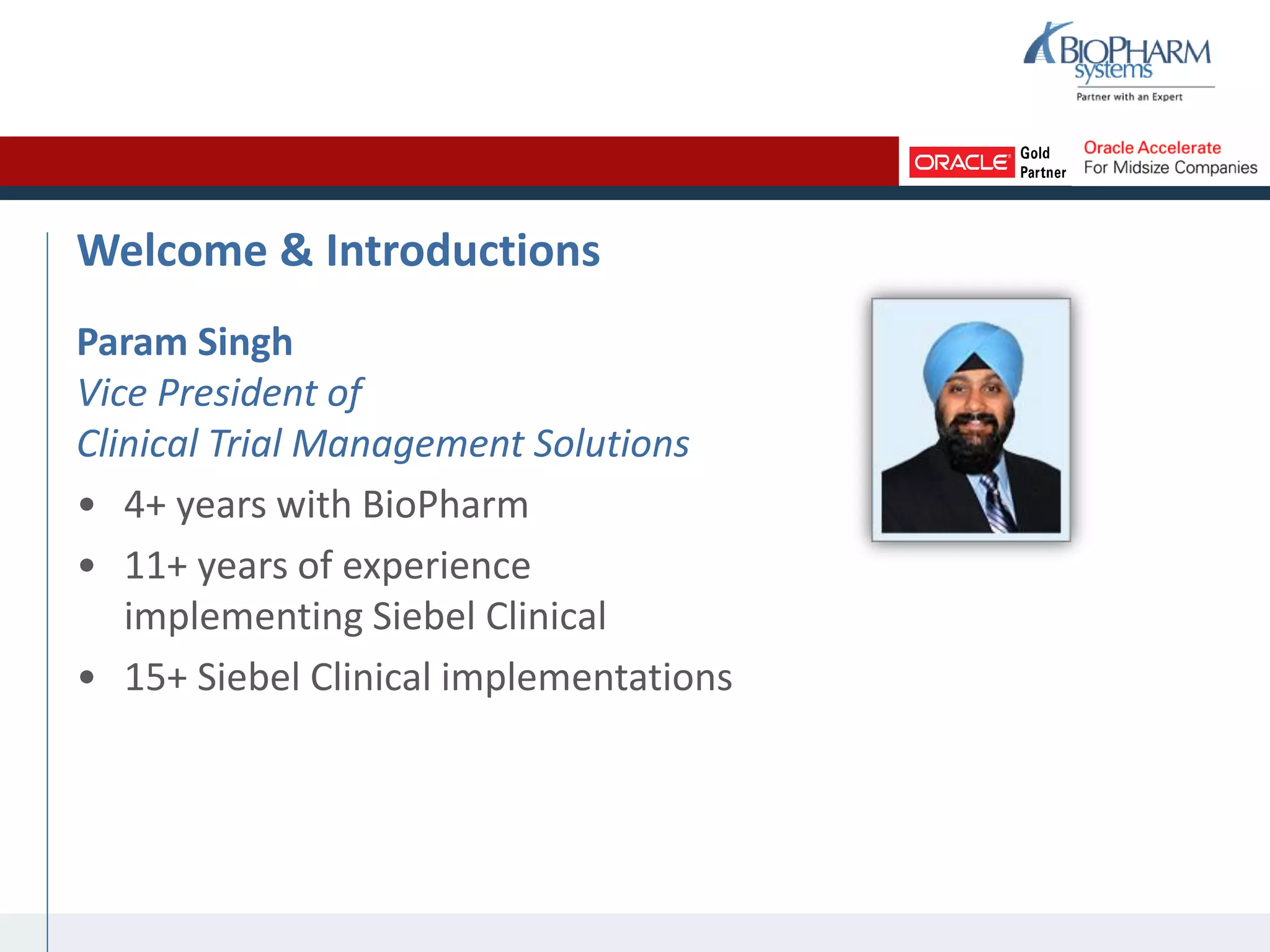
Welcome & Introductions
Param Singh
Vice President of
Clinical Trial Management Solutions
• 4+ years with BioPharm
• 11+ years of experience
implementing Siebel Clinical
• 15+ Siebel Clinical implementations
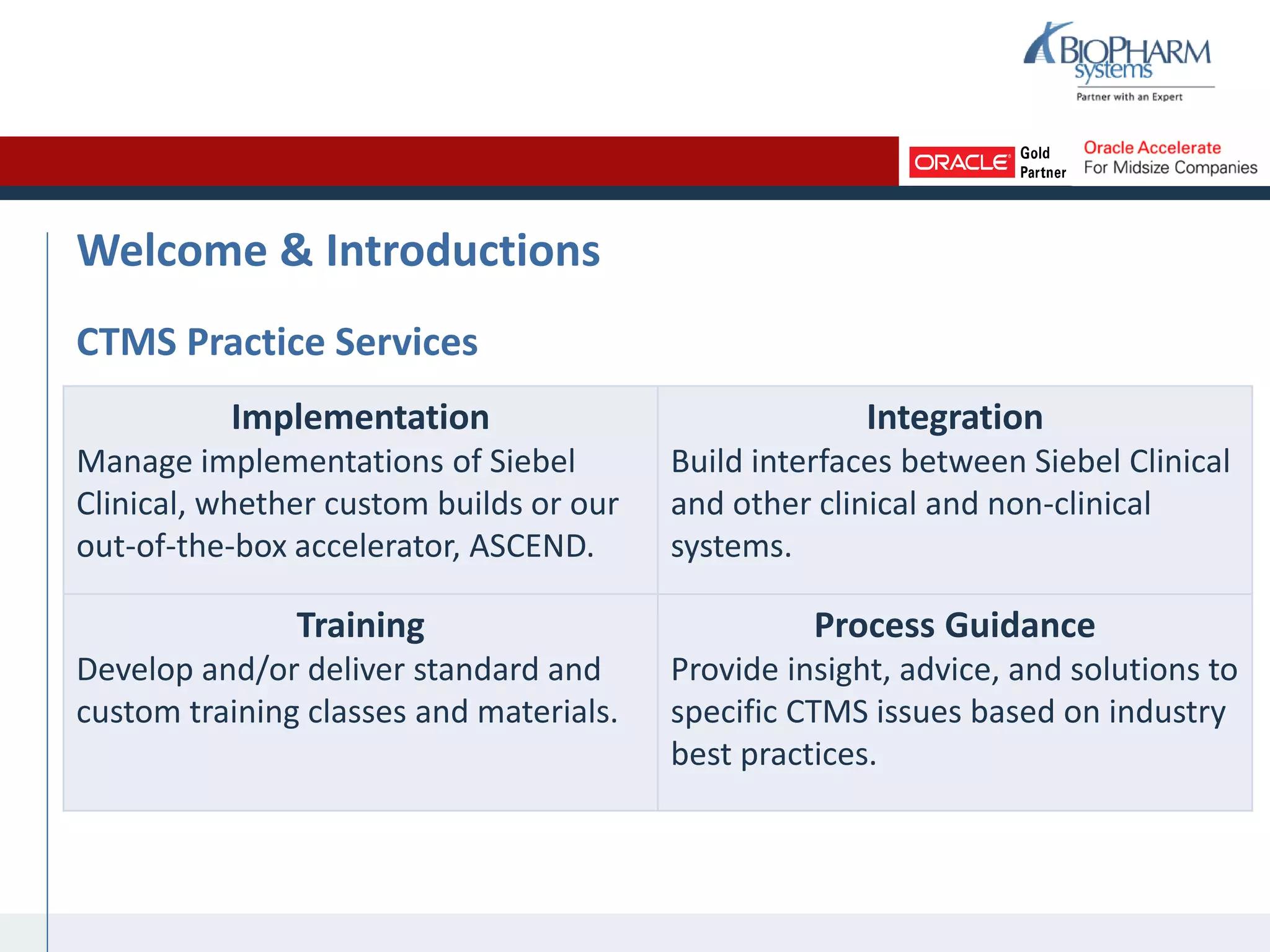
Welcome & Introductions
CTMS Practice Services
Implementation
Manage implementations of Siebel
Clinical, whether custom builds or our
out-of-the-box accelerator, ASCEND.
Integration
Build interfaces between Siebel Clinical
and other clinical and non-clinical
systems.
Training
Develop and/or deliver standard and
custom training classes and materials.
Process Guidance
Provide insight, advice, and solutions to
specific CTMS issues based on industry
best practices.
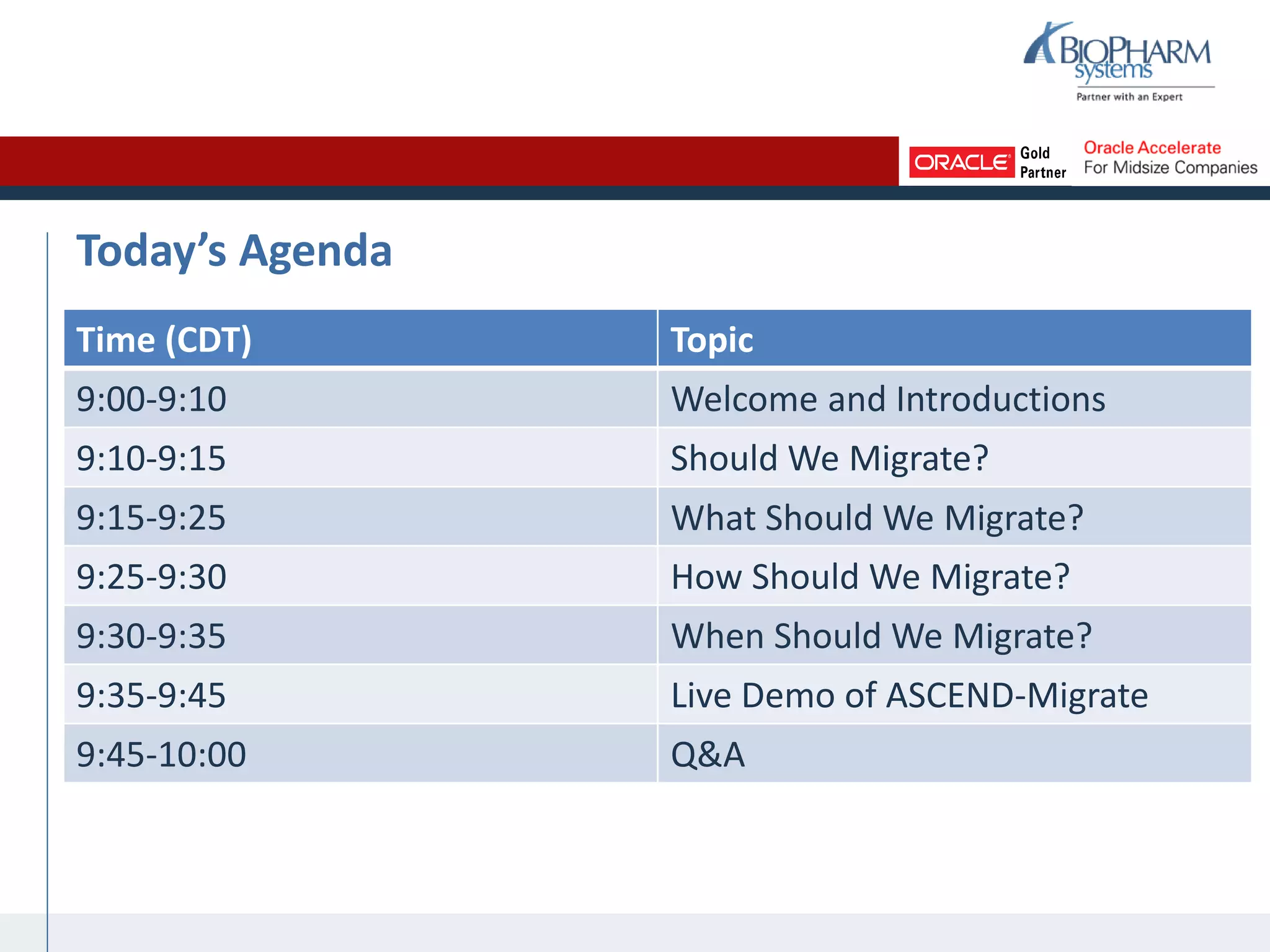
Today’s Agenda
Time (CDT) Topic
9:00-9:10 Welcome and Introductions
9:10-9:15 Should We Migrate?
9:15-9:25 What Should We Migrate?
9:25-9:30 How Should We Migrate?
9:30-9:35 When Should We Migrate?
9:35-9:45 Live Demo of ASCEND-Migrate
9:45-10:00 Q&A
Should We Migrate? (Purpose)
• What are the benefits of having historical
study data in the new CTMS?
– Comprehensive reporting
– Complete picture of each study
• What are the benefits of having current
study data in the new CTMS?
– All study team members working in one
system within one set of business processes
– More cost-effective for IT to support and
maintain one system
Should We Migrate? (Purpose)
• What are the risks of migrating?
– Loss of Functionality: New CTMS might not
have the same functionality as all combined
legacy systems and tools
– Loss of Data: Data could be lost in the
process of cleaning and/or migrating
– Time Lag: Could be a gap between when the
data is unavailable in the legacy system and
when it is available in the new system
– Time Overlap: One study could be available
in two systems before the legacy system is
decommissioned
Examples Scenarios
Growing CRO
• Recently secured a new,
global client
• Several large-scale and long-
term studies planned or
already started
• Limited human resources to
manage studies; need to
operate as efficiently as
possible
• Limited IT department to
support systems and tools
Oncology Pharma
• For all studies of all sizes,
need to track subject data,
even after officially closed
• New Clinical Director
requires comprehensive
reporting on study, site, and
vendor expenses
• Recently implemented a data
warehouse
What Should We Migrate? (Scope)
• Scoping takes place on two levels:
1. Study: Which studies should be migrated?
2. Data Type: Which types of data should be migrated for all of the studies
chosen?
• Begin with a study-by-study analysis:
– Compare each study timeline to your CTMS implementation timeline,
especially CTMS go-live date and legacy system cutoff date(s)
– For current studies, consider the volume of work that remains, given
available resources
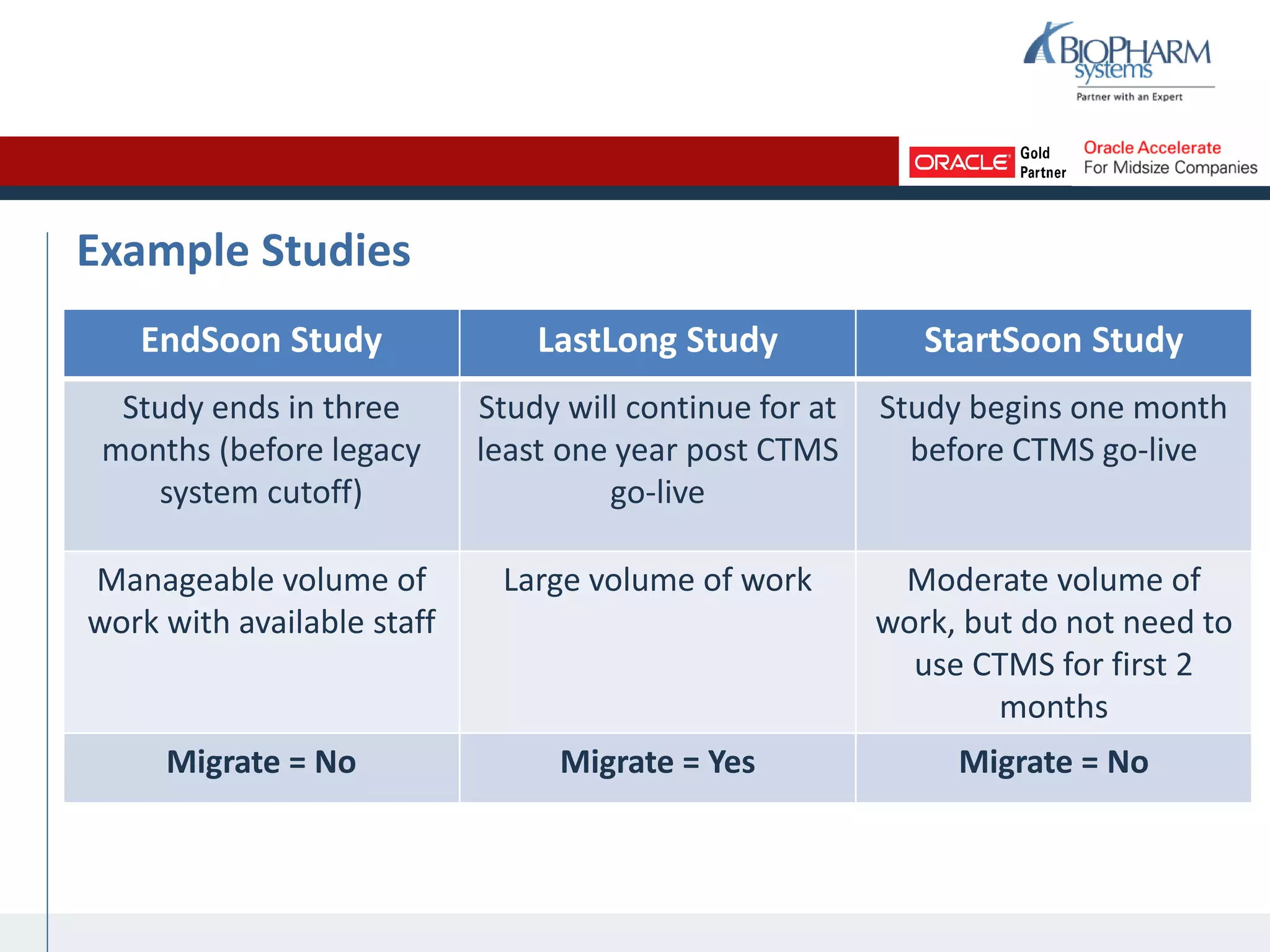
Example Studies
EndSoon Study LastLong Study StartSoon Study
Study ends in three
months (before legacy
system cutoff)
Study will continue for at
least one year post CTMS
go-live
Study begins one month
before CTMS go-live
Manageable volume of
work with available staff
Large volume of work Moderate volume of
work, but do not need to
use CTMS for first 2
months
Migrate = No Migrate = Yes Migrate = No
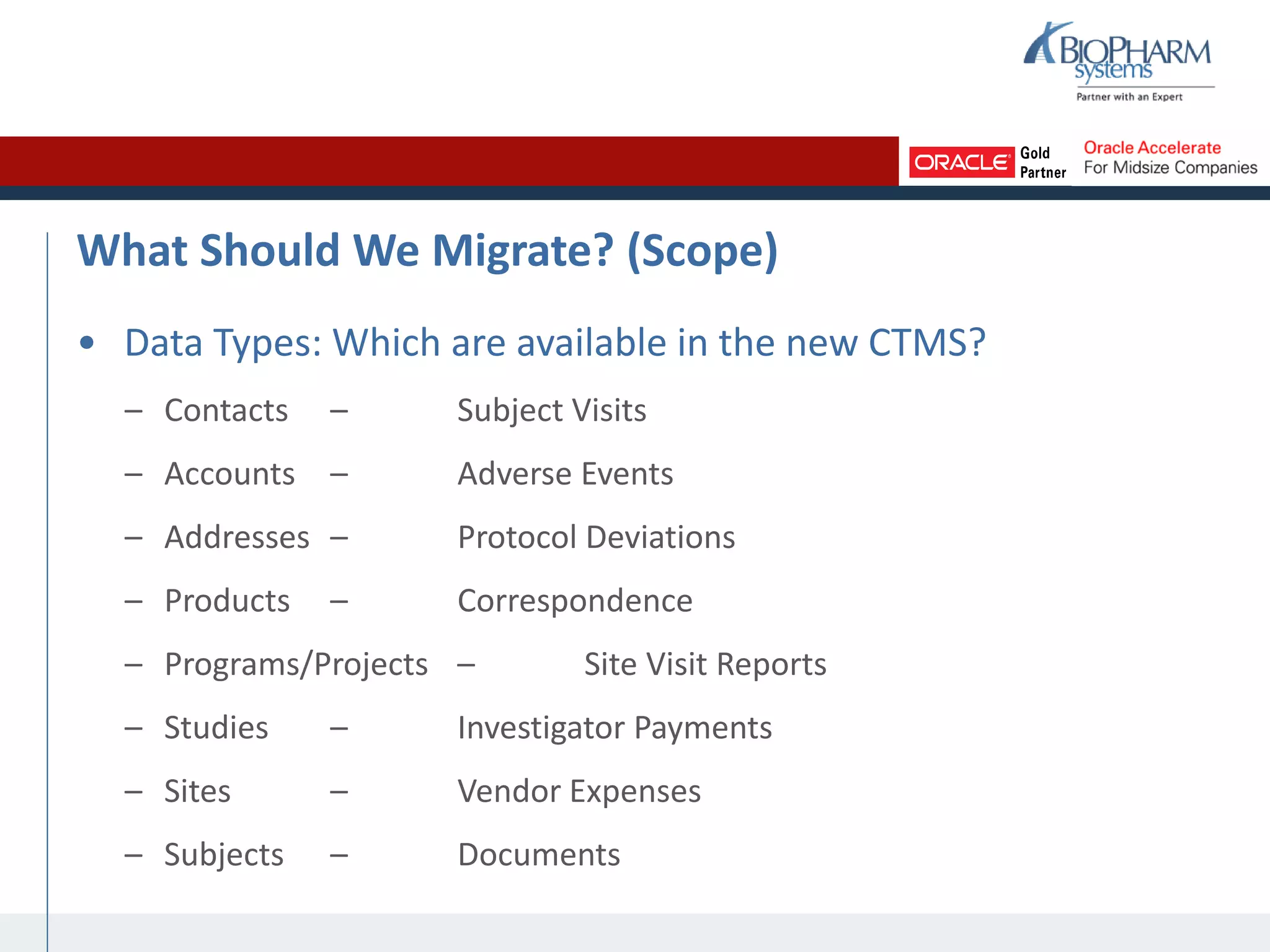
What Should We Migrate? (Scope)
• Data Types: Which are available in the new CTMS?
– Contacts – Subject Visits
– Accounts – Adverse Events
– Addresses – Protocol Deviations
– Products – Correspondence
– Programs/Projects – Site Visit Reports
– Studies – Investigator Payments
– Sites – Vendor Expenses
– Subjects – Documents
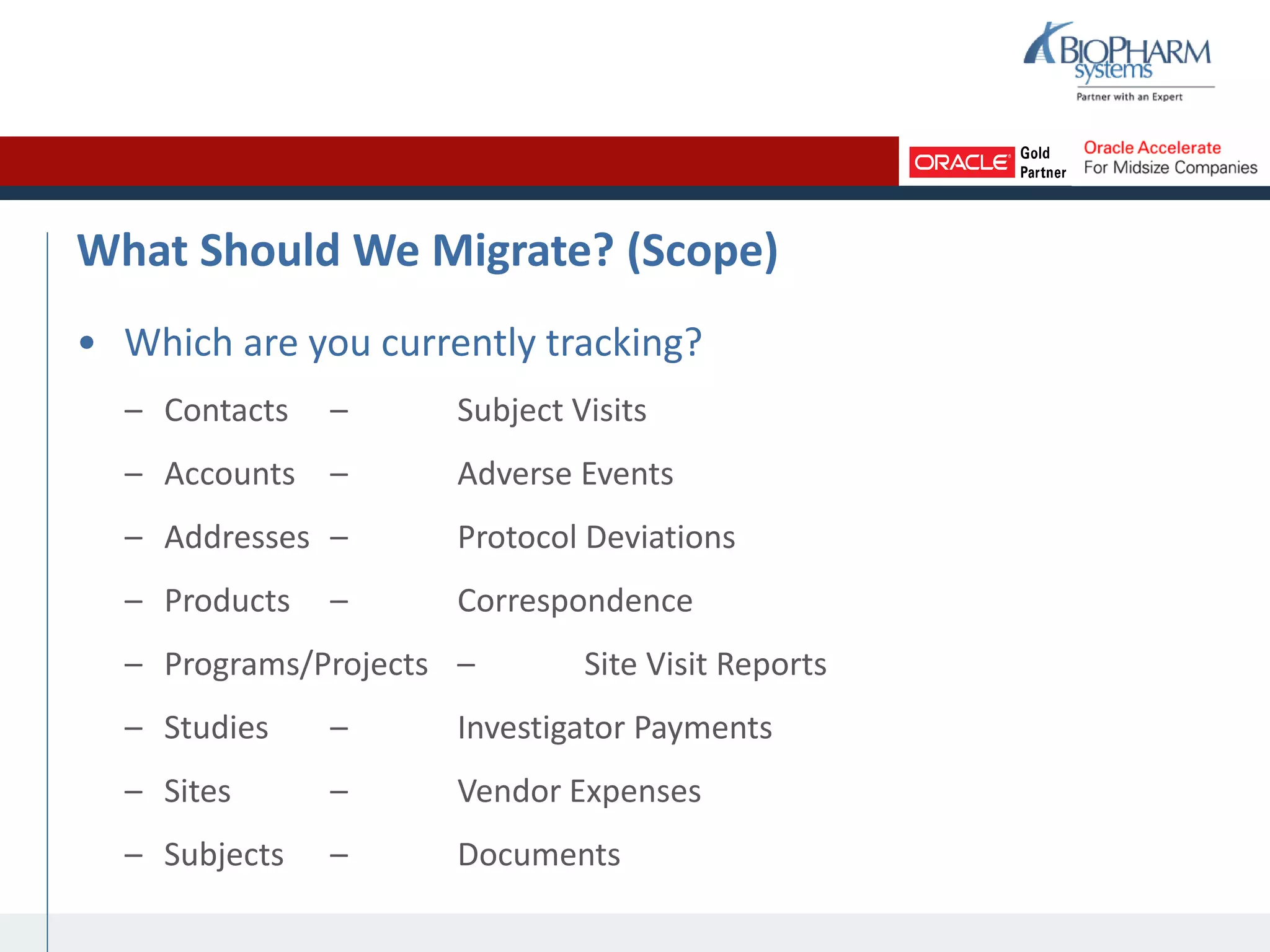
What Should We Migrate? (Scope)
• Which are you currently tracking?
– Contacts – Subject Visits
– Accounts – Adverse Events
– Addresses – Protocol Deviations
– Products – Correspondence
– Programs/Projects – Site Visit Reports
– Studies – Investigator Payments
– Sites – Vendor Expenses
– Subjects – Documents
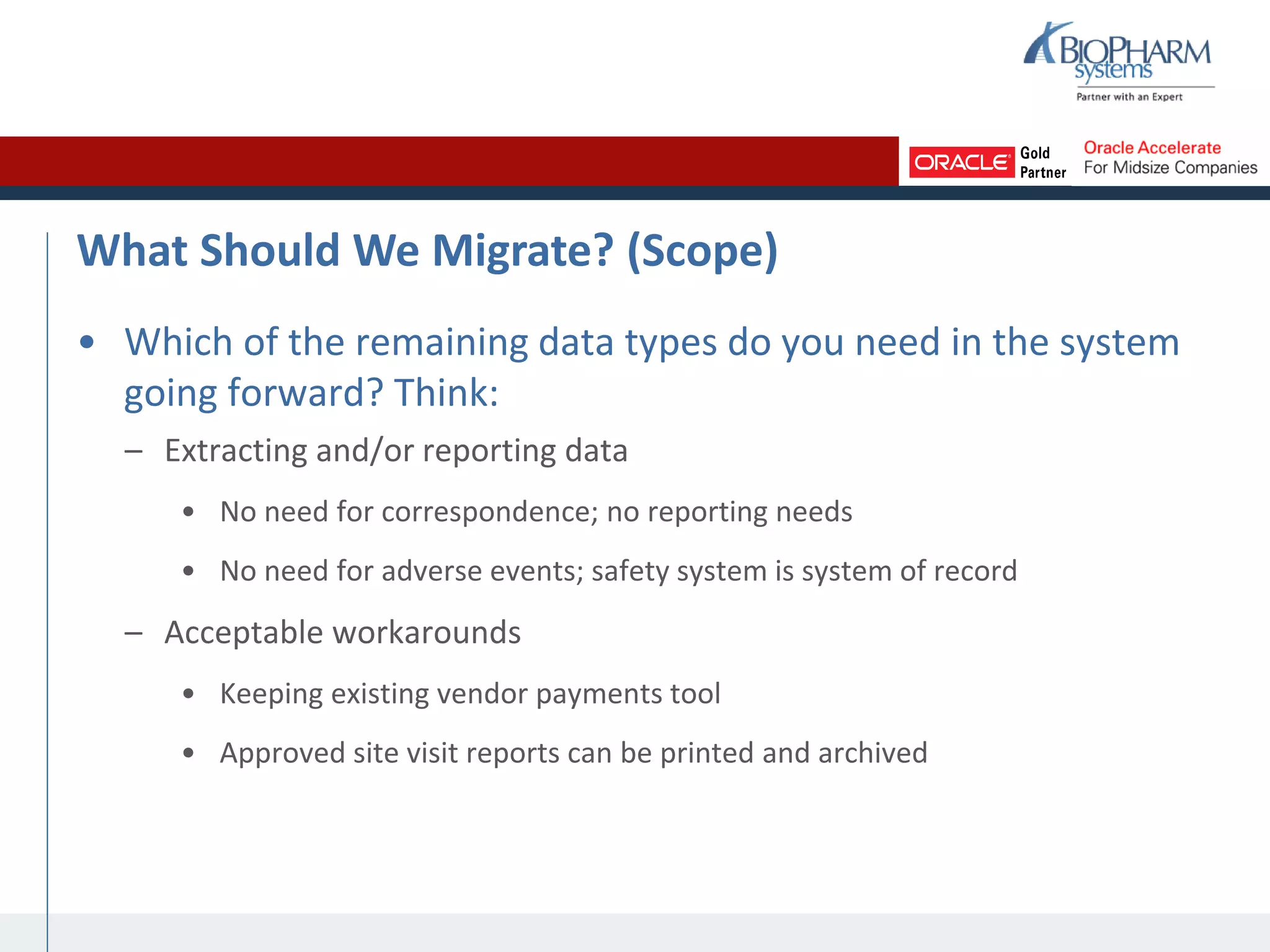
What Should We Migrate? (Scope)
• Which of the remaining data types do you need in the system
going forward? Think:
– Extracting and/or reporting data
• No need for correspondence; no reporting needs
• No need for adverse events; safety system is system of record
– Acceptable workarounds
• Keeping existing vendor payments tool
• Approved site visit reports can be printed and archived
How Should We Migrate? (Methods)
• Inventory your source systems: Where
does the data currently live?
– Spreadsheets
– MS Access databases
– Home-grown databases
– Word documents
– Document management system
– Accounts payable system
– Existing CTMS
How Should We Migrate? (Methods)
• How many records do you have of each
date type in each source system?
– Use reports or embedded functions that
provide row and column counts
• How closely does the source system
format map to the CTMS format? Think:
– Relationships: one-one, one-many, many-
many
– Attributes: fields
– Data Standards: field contents
How Should We Migrate? (Methods)
• Manual migration vs. automated
migration
– Automated options:
• Embedded tools
• Existing external tools
• Custom-built tools
• To choose a method, consider:
– Available tools – Available
staff
– Volume – Complexity
– Budget – Time
When Should We Migrate? (Timing)
• Timing depends on your CTMS rollout strategy
– Big Bang: All studies go live at the same time
– Study-by-Study: Begin with a pilot study, roll out subsequent studies one
by one
• Recommendation: Study-by-Study
– Iron out kinks in business processes and training materials during pilot
• Increases user adoption
– Easier to manage training rollout
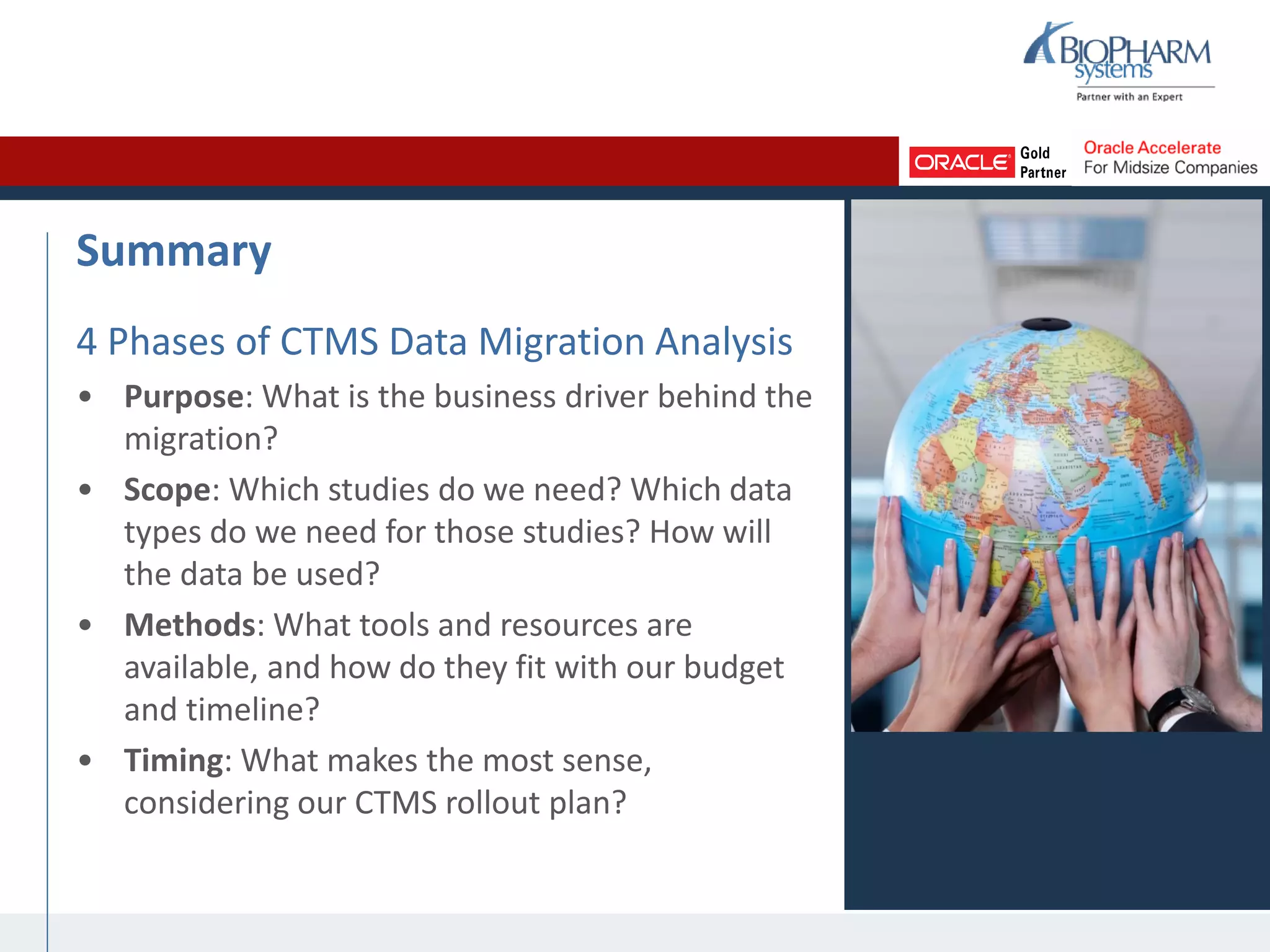
Summary
4 Phases of CTMS Data Migration Analysis
• Purpose: What is the business driver behind the
migration?
• Scope: Which studies do we need? Which data
types do we need for those studies? How will
the data be used?
• Methods: What tools and resources are
available, and how do they fit with our budget
and timeline?
• Timing: What makes the most sense,
considering our CTMS rollout plan?
ASCEND-Migrate
Q&A
Closing
Thank you for attending!
This webinar will be posted on
www.biopharm.com
within 24 hours
psingh@biopharm.com
+1 877-654-0033
+44 (0) 1865 910200

The Ins and Outs of CTMS Data Migration

  • 1.
    The Ins andOuts of CTMS Data Migration February 16, 2012 Param Singh Vice President of Clinical Trial Management Solutions BioPharm Systems, Inc.
  • 2.
    Welcome & Introductions ParamSingh Vice President of Clinical Trial Management Solutions • 4+ years with BioPharm • 11+ years of experience implementing Siebel Clinical • 15+ Siebel Clinical implementations
  • 3.
    Welcome & Introductions CTMSPractice Services Implementation Manage implementations of Siebel Clinical, whether custom builds or our out-of-the-box accelerator, ASCEND. Integration Build interfaces between Siebel Clinical and other clinical and non-clinical systems. Training Develop and/or deliver standard and custom training classes and materials. Process Guidance Provide insight, advice, and solutions to specific CTMS issues based on industry best practices.
  • 4.
    Today’s Agenda Time (CDT)Topic 9:00-9:10 Welcome and Introductions 9:10-9:15 Should We Migrate? 9:15-9:25 What Should We Migrate? 9:25-9:30 How Should We Migrate? 9:30-9:35 When Should We Migrate? 9:35-9:45 Live Demo of ASCEND-Migrate 9:45-10:00 Q&A
  • 5.
    Should We Migrate?(Purpose) • What are the benefits of having historical study data in the new CTMS? – Comprehensive reporting – Complete picture of each study • What are the benefits of having current study data in the new CTMS? – All study team members working in one system within one set of business processes – More cost-effective for IT to support and maintain one system
  • 6.
    Should We Migrate?(Purpose) • What are the risks of migrating? – Loss of Functionality: New CTMS might not have the same functionality as all combined legacy systems and tools – Loss of Data: Data could be lost in the process of cleaning and/or migrating – Time Lag: Could be a gap between when the data is unavailable in the legacy system and when it is available in the new system – Time Overlap: One study could be available in two systems before the legacy system is decommissioned
  • 7.
    Examples Scenarios Growing CRO •Recently secured a new, global client • Several large-scale and long- term studies planned or already started • Limited human resources to manage studies; need to operate as efficiently as possible • Limited IT department to support systems and tools Oncology Pharma • For all studies of all sizes, need to track subject data, even after officially closed • New Clinical Director requires comprehensive reporting on study, site, and vendor expenses • Recently implemented a data warehouse
  • 8.
    What Should WeMigrate? (Scope) • Scoping takes place on two levels: 1. Study: Which studies should be migrated? 2. Data Type: Which types of data should be migrated for all of the studies chosen? • Begin with a study-by-study analysis: – Compare each study timeline to your CTMS implementation timeline, especially CTMS go-live date and legacy system cutoff date(s) – For current studies, consider the volume of work that remains, given available resources
  • 9.
    Example Studies EndSoon StudyLastLong Study StartSoon Study Study ends in three months (before legacy system cutoff) Study will continue for at least one year post CTMS go-live Study begins one month before CTMS go-live Manageable volume of work with available staff Large volume of work Moderate volume of work, but do not need to use CTMS for first 2 months Migrate = No Migrate = Yes Migrate = No
  • 10.
    What Should WeMigrate? (Scope) • Data Types: Which are available in the new CTMS? – Contacts – Subject Visits – Accounts – Adverse Events – Addresses – Protocol Deviations – Products – Correspondence – Programs/Projects – Site Visit Reports – Studies – Investigator Payments – Sites – Vendor Expenses – Subjects – Documents
  • 11.
    What Should WeMigrate? (Scope) • Which are you currently tracking? – Contacts – Subject Visits – Accounts – Adverse Events – Addresses – Protocol Deviations – Products – Correspondence – Programs/Projects – Site Visit Reports – Studies – Investigator Payments – Sites – Vendor Expenses – Subjects – Documents
  • 12.
    What Should WeMigrate? (Scope) • Which of the remaining data types do you need in the system going forward? Think: – Extracting and/or reporting data • No need for correspondence; no reporting needs • No need for adverse events; safety system is system of record – Acceptable workarounds • Keeping existing vendor payments tool • Approved site visit reports can be printed and archived
  • 13.
    How Should WeMigrate? (Methods) • Inventory your source systems: Where does the data currently live? – Spreadsheets – MS Access databases – Home-grown databases – Word documents – Document management system – Accounts payable system – Existing CTMS
  • 14.
    How Should WeMigrate? (Methods) • How many records do you have of each date type in each source system? – Use reports or embedded functions that provide row and column counts • How closely does the source system format map to the CTMS format? Think: – Relationships: one-one, one-many, many- many – Attributes: fields – Data Standards: field contents
  • 15.
    How Should WeMigrate? (Methods) • Manual migration vs. automated migration – Automated options: • Embedded tools • Existing external tools • Custom-built tools • To choose a method, consider: – Available tools – Available staff – Volume – Complexity – Budget – Time
  • 16.
    When Should WeMigrate? (Timing) • Timing depends on your CTMS rollout strategy – Big Bang: All studies go live at the same time – Study-by-Study: Begin with a pilot study, roll out subsequent studies one by one • Recommendation: Study-by-Study – Iron out kinks in business processes and training materials during pilot • Increases user adoption – Easier to manage training rollout
  • 17.
    Summary 4 Phases ofCTMS Data Migration Analysis • Purpose: What is the business driver behind the migration? • Scope: Which studies do we need? Which data types do we need for those studies? How will the data be used? • Methods: What tools and resources are available, and how do they fit with our budget and timeline? • Timing: What makes the most sense, considering our CTMS rollout plan?
  • 18.
  • 19.
  • 20.
    Closing Thank you forattending! This webinar will be posted on www.biopharm.com within 24 hours psingh@biopharm.com +1 877-654-0033 +44 (0) 1865 910200