By: MARJORIE IRENE
B. DELA ROSA
Maximizing Google
Technologies for Education
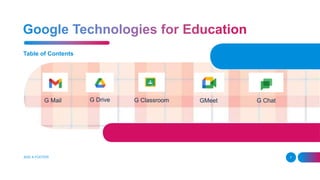
Table of Contents
ADD A FOOTER 2
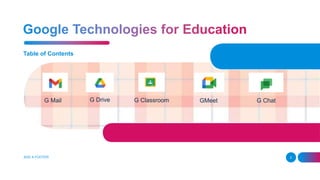
G Mail G Drive G Classroom GMeet G Chat
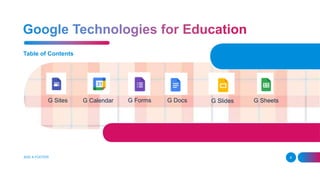
Table of Contents
ADD A FOOTER 3
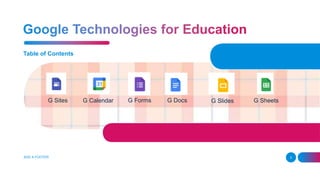
G Sites G Calendar G Forms G Slides G Sheets
G Docs
ADD A FOOTER 4
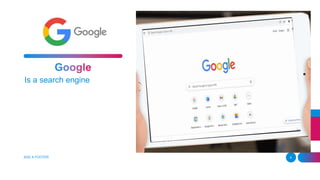
Is a search engine
ADD A FOOTER 5
BIG IMAGE
Lorem ipsum dolor sit amet, consectetuer adipiscing elit.
Maecenas porttitor congue massa
ADD A FOOTER 6
Table of Contents
ADD A FOOTER 7
G Mail G Drive G Classroom GMeet G Chat
Table of Contents
ADD A FOOTER 8
G Sites G Calendar G Forms G Slides G Sheets
G Docs
ADD A FOOTER 9
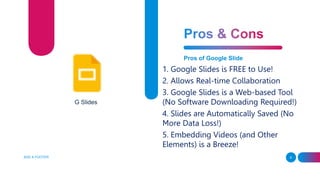
Pros of Google Slide
1. Google Slides is FREE to Use!
2. Allows Real-time Collaboration
3. Google Slides is a Web-based Tool
(No Software Downloading Required!)
4. Slides are Automatically Saved (No
More Data Loss!)
5. Embedding Videos (and Other
Elements) is a Breeze!
G Slides
ADD A FOOTER 10
Pros of Google Slide
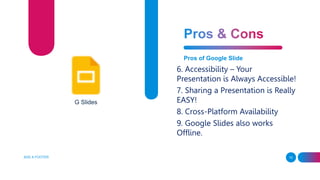
6. Accessibility – Your
Presentation is Always Accessible!
7. Sharing a Presentation is Really
EASY!
8. Cross-Platform Availability
9. Google Slides also works
Offline.
G Slides
ADD A FOOTER 11
Cons of Google Slide
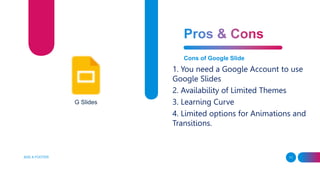
1. You need a Google Account to use
Google Slides
2. Availability of Limited Themes
3. Learning Curve
4. Limited options for Animations and
Transitions.
G Slides
ADD A FOOTER 12
Cons of Google Slide
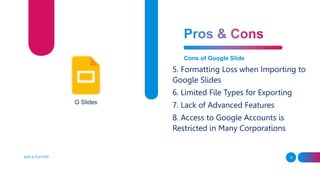
5. Formatting Loss when Importing to
Google Slides
6. Limited File Types for Exporting
7. Lack of Advanced Features
8. Access to Google Accounts is
Restricted in Many Corporations
G Slides
13
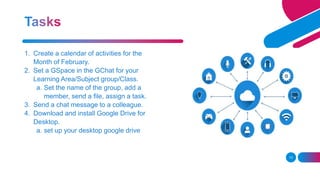
1. Create a calendar of activities for the
Month of February.
2. Set a GSpace in the GChat for your
Learning Area/Subject group/Class.
a. Set the name of the group, add a
member, send a file, assign a task.
3. Send a chat message to a colleague.
4. Download and install Google Drive for
Desktop.
a. set up your desktop google drive
14
5. Create Google Form for student’s
profiling/AR survey
questionnaire/Activity Evaluation.
6. Include Add Ons for Gsheets Form
Responses
7. Present using Google Slides.
8. Share a Document thru Google Docs
with your group for a collaborative task.
15
1. Month of February Calendar of Activities
2. Class / Learning Area GSpace
3. GChat Convo
4. Desktop Google Drive
5. Google Form Survey/Quaestionnaire
6. Google Sheets with Add-Ons
1. Autocrat to send e-certificate
7. LAC Collaborative Planning Agenda
Thank You.
16
 17 Pros and Cons of Google Slides! (Should
You Use it?) By: shrotkatewa

INSET 2022_January.pptx

  • 1.
    By: MARJORIE IRENE B.DELA ROSA Maximizing Google Technologies for Education
  • 2.
    Table of Contents ADDA FOOTER 2 G Mail G Drive G Classroom GMeet G Chat
  • 3.
    Table of Contents ADDA FOOTER 3 G Sites G Calendar G Forms G Slides G Sheets G Docs
  • 4.
    ADD A FOOTER4 Is a search engine
  • 5.
  • 6.
    BIG IMAGE Lorem ipsumdolor sit amet, consectetuer adipiscing elit. Maecenas porttitor congue massa ADD A FOOTER 6
  • 7.
    Table of Contents ADDA FOOTER 7 G Mail G Drive G Classroom GMeet G Chat
  • 8.
    Table of Contents ADDA FOOTER 8 G Sites G Calendar G Forms G Slides G Sheets G Docs
  • 9.
    ADD A FOOTER9 Pros of Google Slide 1. Google Slides is FREE to Use! 2. Allows Real-time Collaboration 3. Google Slides is a Web-based Tool (No Software Downloading Required!) 4. Slides are Automatically Saved (No More Data Loss!) 5. Embedding Videos (and Other Elements) is a Breeze! G Slides
  • 10.
    ADD A FOOTER10 Pros of Google Slide 6. Accessibility – Your Presentation is Always Accessible! 7. Sharing a Presentation is Really EASY! 8. Cross-Platform Availability 9. Google Slides also works Offline. G Slides
  • 11.
    ADD A FOOTER11 Cons of Google Slide 1. You need a Google Account to use Google Slides 2. Availability of Limited Themes 3. Learning Curve 4. Limited options for Animations and Transitions. G Slides
  • 12.
    ADD A FOOTER12 Cons of Google Slide 5. Formatting Loss when Importing to Google Slides 6. Limited File Types for Exporting 7. Lack of Advanced Features 8. Access to Google Accounts is Restricted in Many Corporations G Slides
  • 13.
    13 1. Create acalendar of activities for the Month of February. 2. Set a GSpace in the GChat for your Learning Area/Subject group/Class. a. Set the name of the group, add a member, send a file, assign a task. 3. Send a chat message to a colleague. 4. Download and install Google Drive for Desktop. a. set up your desktop google drive
  • 14.
    14 5. Create GoogleForm for student’s profiling/AR survey questionnaire/Activity Evaluation. 6. Include Add Ons for Gsheets Form Responses 7. Present using Google Slides. 8. Share a Document thru Google Docs with your group for a collaborative task.
  • 15.
    15 1. Month ofFebruary Calendar of Activities 2. Class / Learning Area GSpace 3. GChat Convo 4. Desktop Google Drive 5. Google Form Survey/Quaestionnaire 6. Google Sheets with Add-Ons 1. Autocrat to send e-certificate 7. LAC Collaborative Planning Agenda
  • 16.
    Thank You. 16  17Pros and Cons of Google Slides! (Should You Use it?) By: shrotkatewa

Editor's Notes

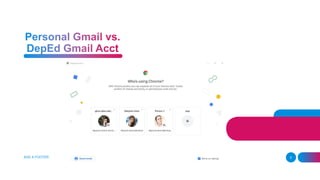
  • #7 Gmail capacity – 15gb /personal use/limited features/ free Deped account – is an organization purchased products from google with unlimited storage capacity, customized features that can be useful for us in the field as well as serves as an identification for us to avail free features and services from other products they provide for the field of education.