Informix Update
      New Features 11.70.xC1+


Rickard Linck (rickard.linck@se.ibm.com)

May 31, 2012                               © 2012 IBM Corporation
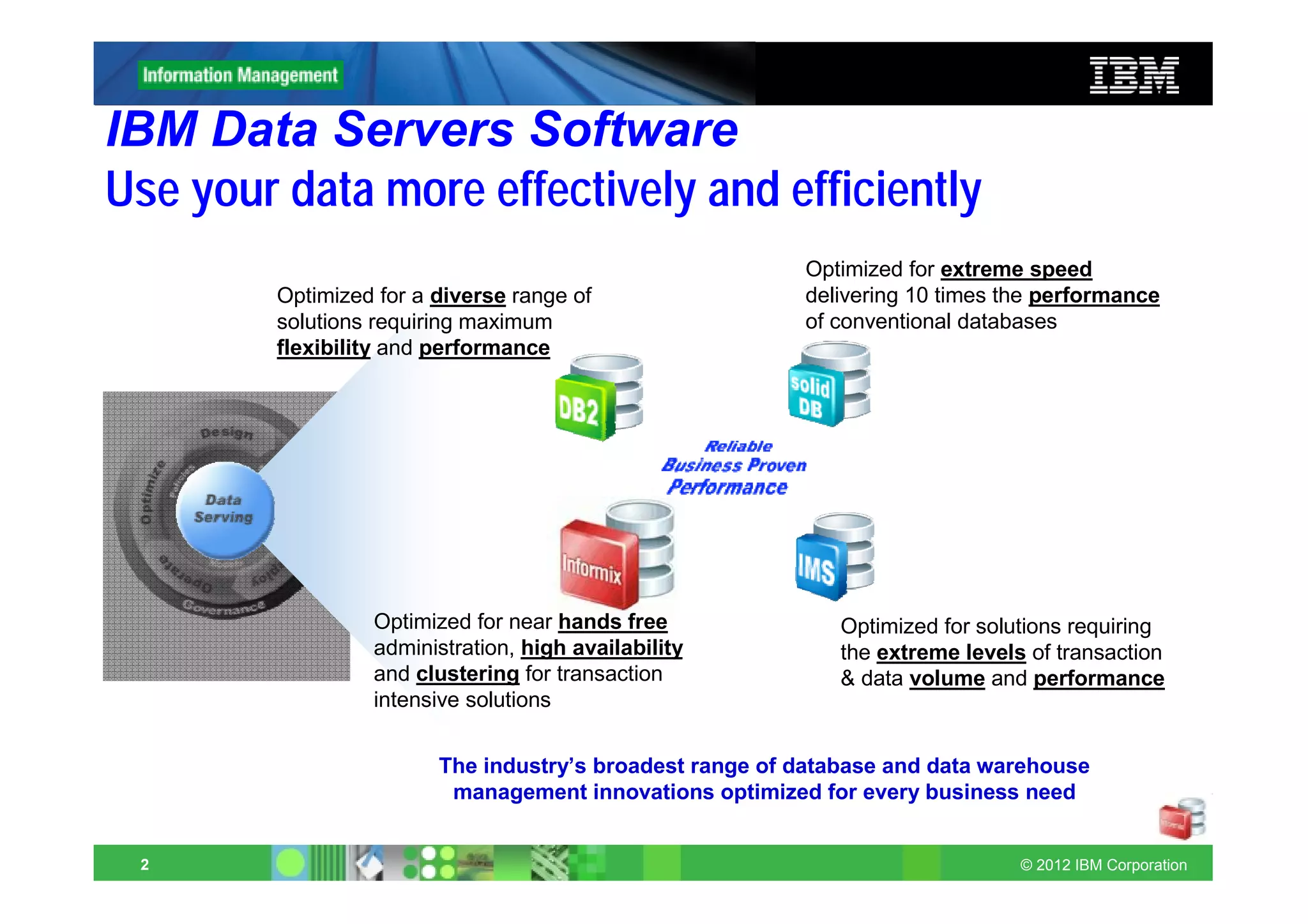
IBM Data Servers Software
Use your data more effectively and efficiently
                                                          Optimized for extreme speed
         Optimized for a diverse range of                 delivering 10 times the performance
         solutions requiring maximum                      of conventional databases
         flexibility and performance


                  Optimized for near hands free               Optimized for solutions requiring
                  administration, high availability           the extreme levels of transaction
                  and clustering for transaction              & data volume and performance
                  intensive solutions


                         The industry’s broadest range of database and data warehouse
                          management innovations optimized for every business need


 2                                                                              © 2012 IBM Corporation
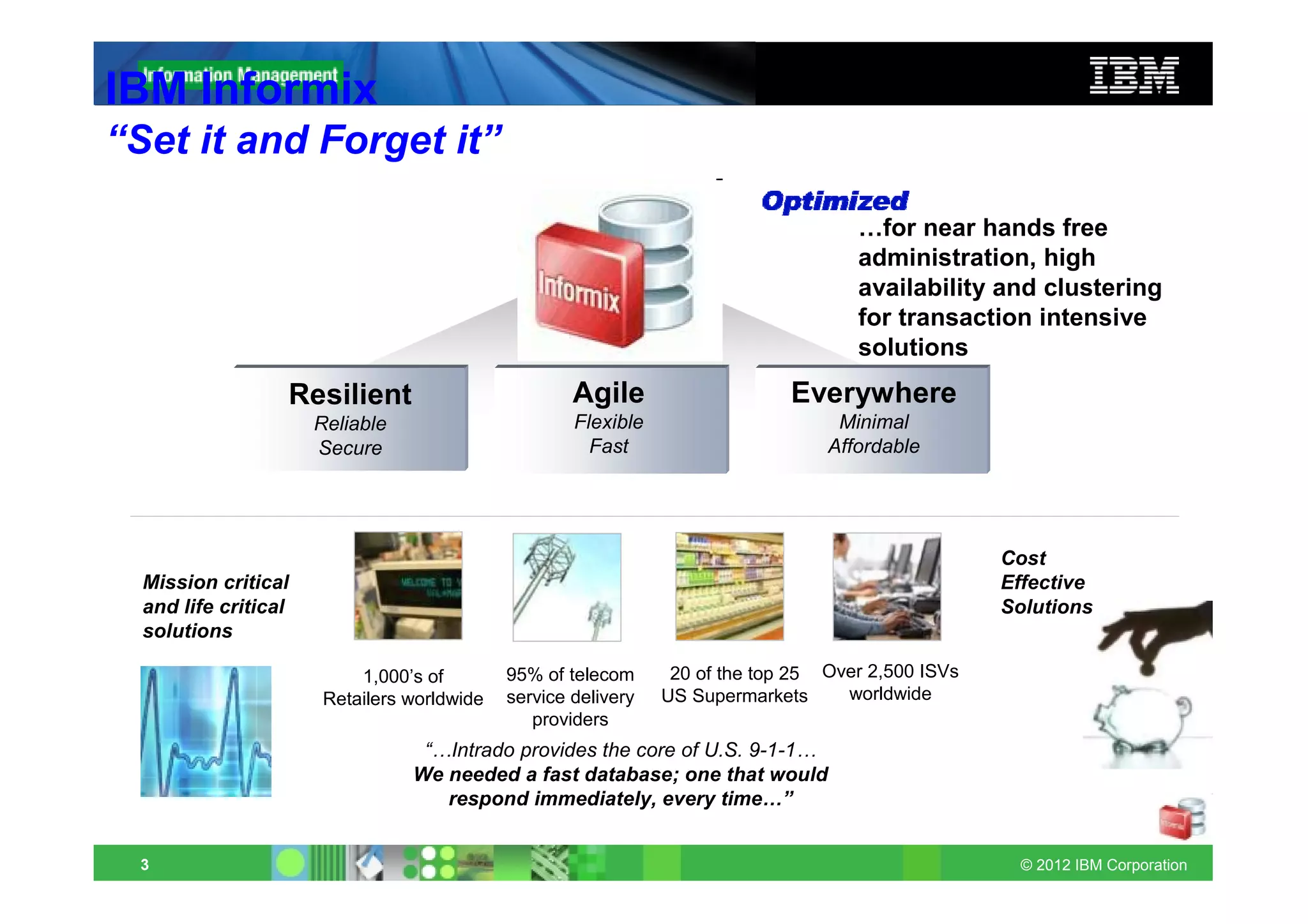
IBM Informix
“Set it and Forget it”

                                                                                     …for near hands free
                                                                                     administration, high
                                                                                     availability and clustering
                                                                                     for transaction intensive
                                                                                     solutions
                  Resilient                          Agile                    Everywhere
                      Reliable                       Flexible                      Minimal
                      Secure                           Fast                       Affordable


                                                                                                    Cost
  Mission critical                                                                                  Effective
  and life critical                                                                                 Solutions
  solutions

                           1,000’s of        95% of telecom      20 of the top 25 Over 2,500 ISVs
                       Retailers worldwide   service delivery   US Supermarkets     worldwide
                                                providers
                                  “…Intrado provides the core of U.S. 9-1-1…
                                 We needed a fast database; one that would
                                    respond immediately, every time…”


 3                                                                                                   © 2012 IBM Corporation
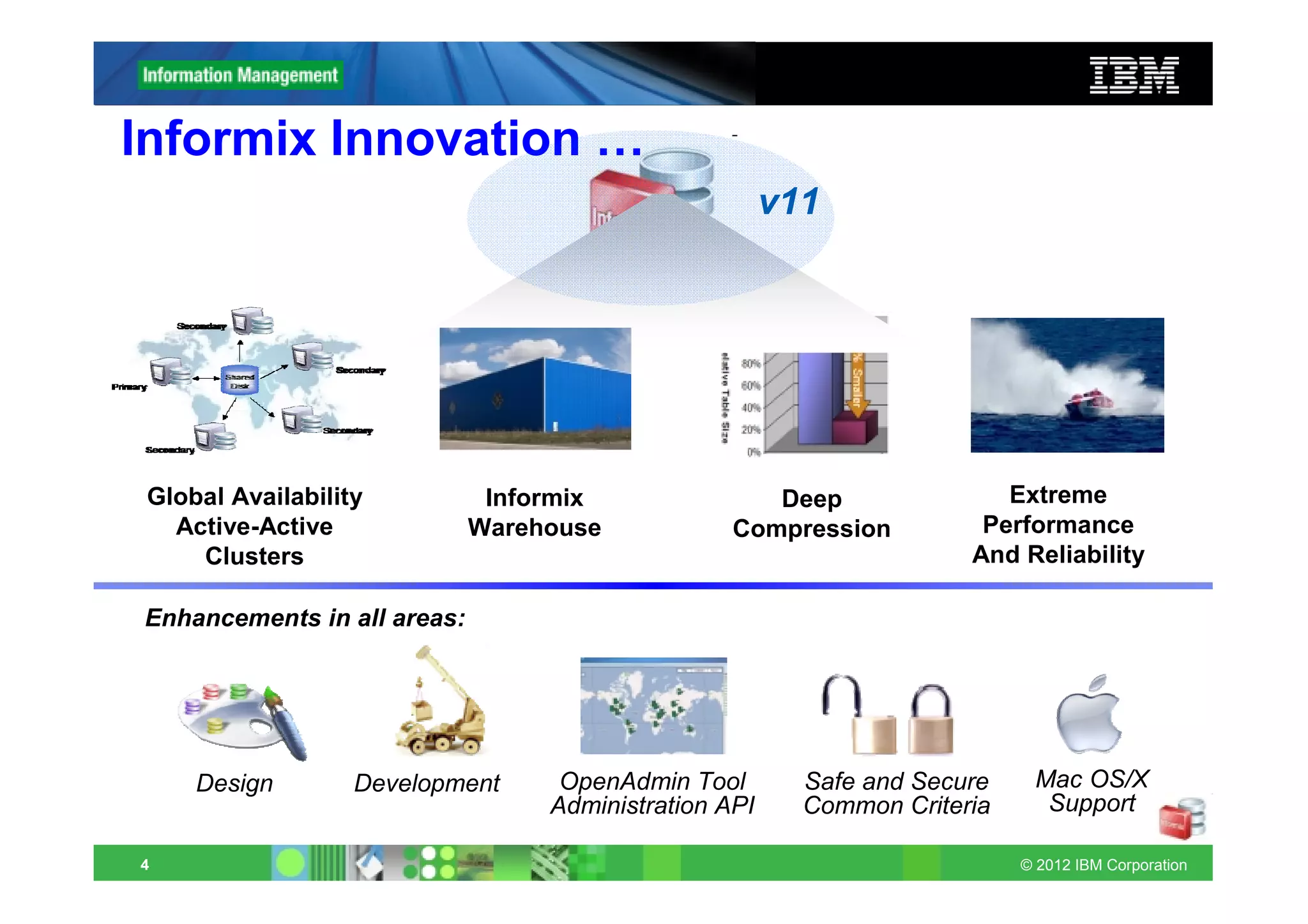
Informix Innovation …
                                                       v11


 Global Availability          Informix               Deep                Extreme
   Active-Active             Warehouse            Compression          Performance
     Clusters                                                         And Reliability

Enhancements in all areas:


     Design        Development     OpenAdmin Tool        Safe and Secure    Mac OS/X
                                  Administration API     Common Criteria     Support

4                                                                          © 2012 IBM Corporation
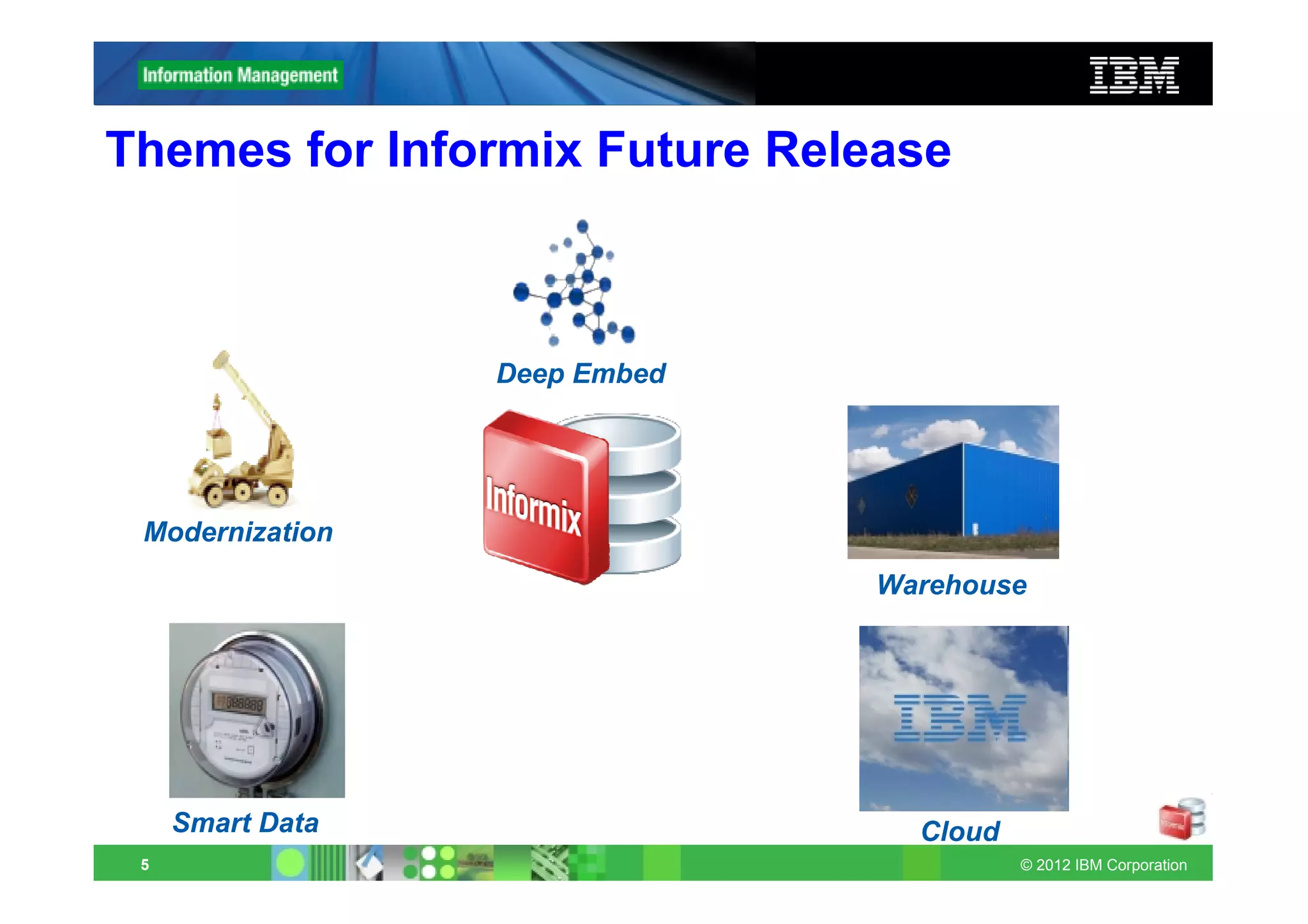
Themes for Informix Future Release


                  Deep Embed


 Modernization
                               Warehouse


     Smart Data                  Cloud
 5                                       © 2012 IBM Corporation
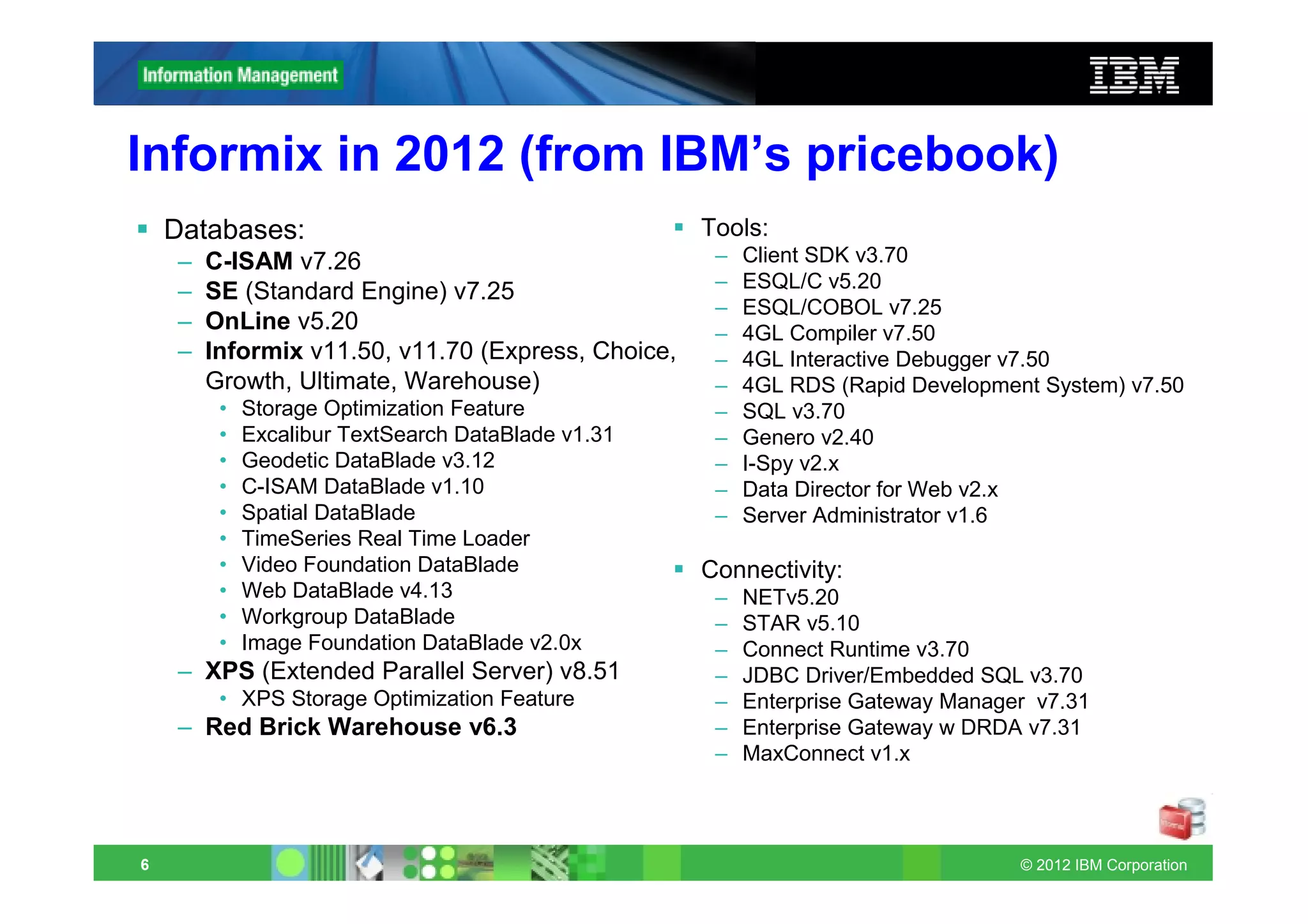
Informix in 2012 (from IBM’s pricebook)
    Databases:                                      Tools:
    –   C-ISAM v7.26                                 –   Client SDK v3.70
    –   SE (Standard Engine) v7.25                   –   ESQL/C v5.20
                                                     –   ESQL/COBOL v7.25
    –   OnLine v5.20                                 –   4GL Compiler v7.50
    –   Informix v11.50, v11.70 (Express, Choice,    –   4GL Interactive Debugger v7.50
        Growth, Ultimate, Warehouse)                 –   4GL RDS (Rapid Development System) v7.50
         •   Storage Optimization Feature            –   SQL v3.70
         •   Excalibur TextSearch DataBlade v1.31    –   Genero v2.40
         •   Geodetic DataBlade v3.12                –   I-Spy v2.x
         •   C-ISAM DataBlade v1.10                  –   Data Director for Web v2.x
         •   Spatial DataBlade                       –   Server Administrator v1.6
         •   TimeSeries Real Time Loader
         •   Video Foundation DataBlade             Connectivity:
         •   Web DataBlade v4.13                     –   NETv5.20
         •   Workgroup DataBlade                     –   STAR v5.10
         •   Image Foundation DataBlade v2.0x        –   Connect Runtime v3.70
    – XPS (Extended Parallel Server) v8.51           –   JDBC Driver/Embedded SQL v3.70
         • XPS Storage Optimization Feature          –   Enterprise Gateway Manager v7.31
    – Red Brick Warehouse v6.3                       –   Enterprise Gateway w DRDA v7.31
                                                     –   MaxConnect v1.x


6                                                                                 © 2012 IBM Corporation
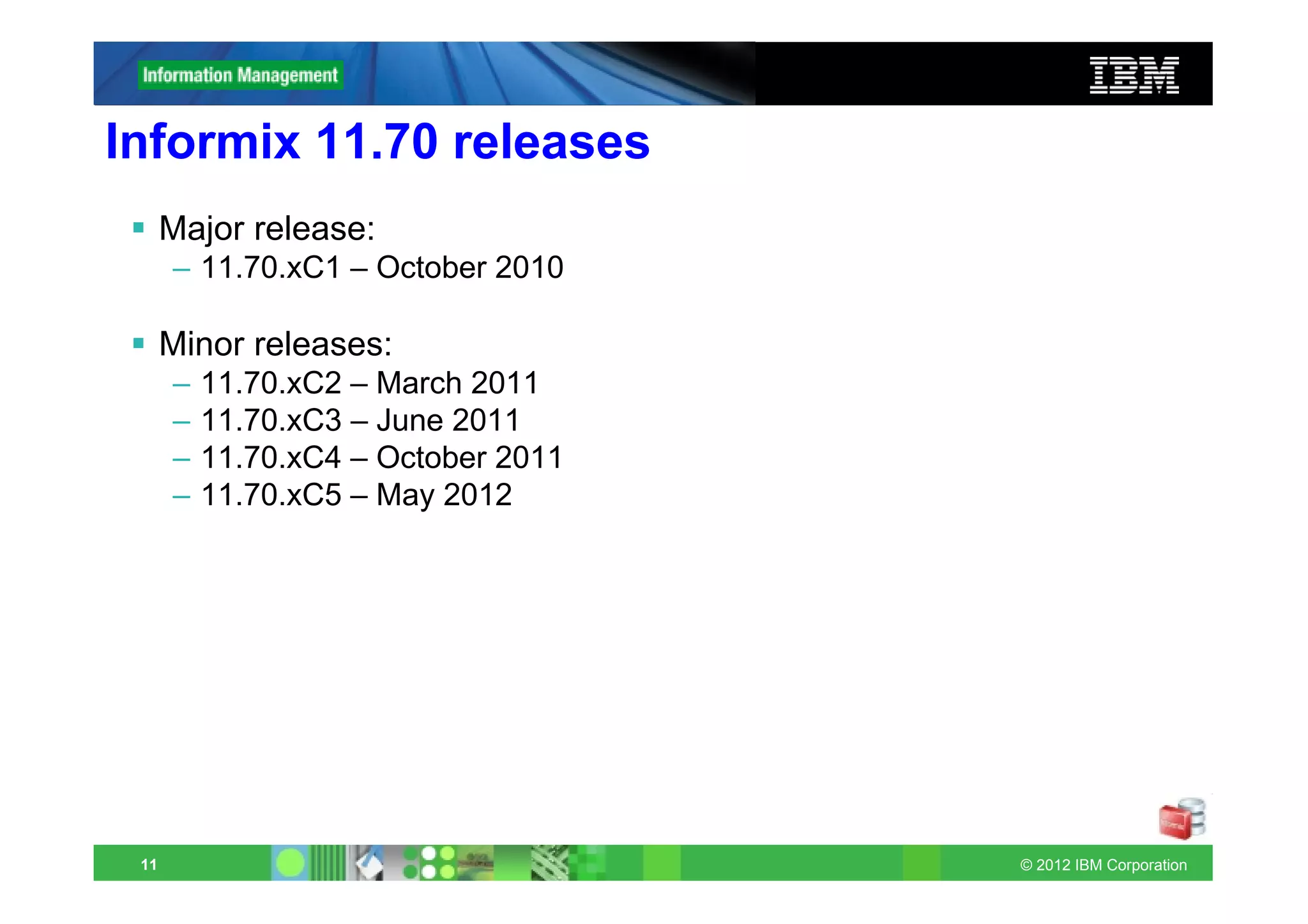
Informix 11.70 releases
      Major release:
      – 11.70.xC1 – October 2010

      Minor releases:
      –   11.70.xC2 – March 2011
      –   11.70.xC3 – June 2011
      –   11.70.xC4 – October 2011
      –   11.70.xC5 – May 2012


 11                                  © 2012 IBM Corporation
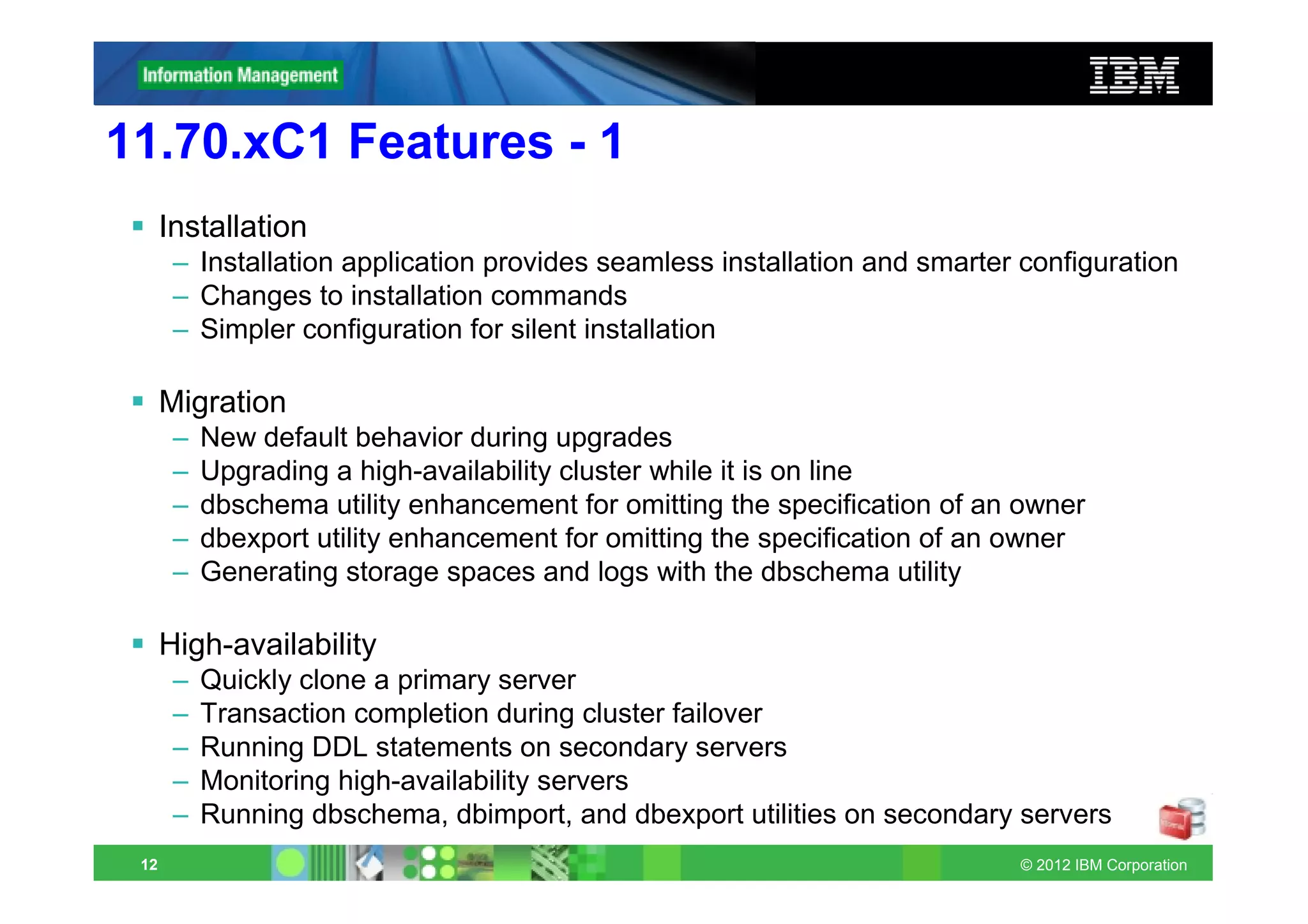
11.70.xC1 Features - 1
      Installation
       – Installation application provides seamless installation and smarter configuration
       – Changes to installation commands
       – Simpler configuration for silent installation

      Migration
       –   New default behavior during upgrades
       –   Upgrading a high-availability cluster while it is on line
       –   dbschema utility enhancement for omitting the specification of an owner
       –   dbexport utility enhancement for omitting the specification of an owner
       –   Generating storage spaces and logs with the dbschema utility

      High-availability
       –   Quickly clone a primary server
       –   Transaction completion during cluster failover
       –   Running DDL statements on secondary servers
       –   Monitoring high-availability servers
       –   Running dbschema, dbimport, and dbexport utilities on secondary servers
 12                                                                         © 2012 IBM Corporation
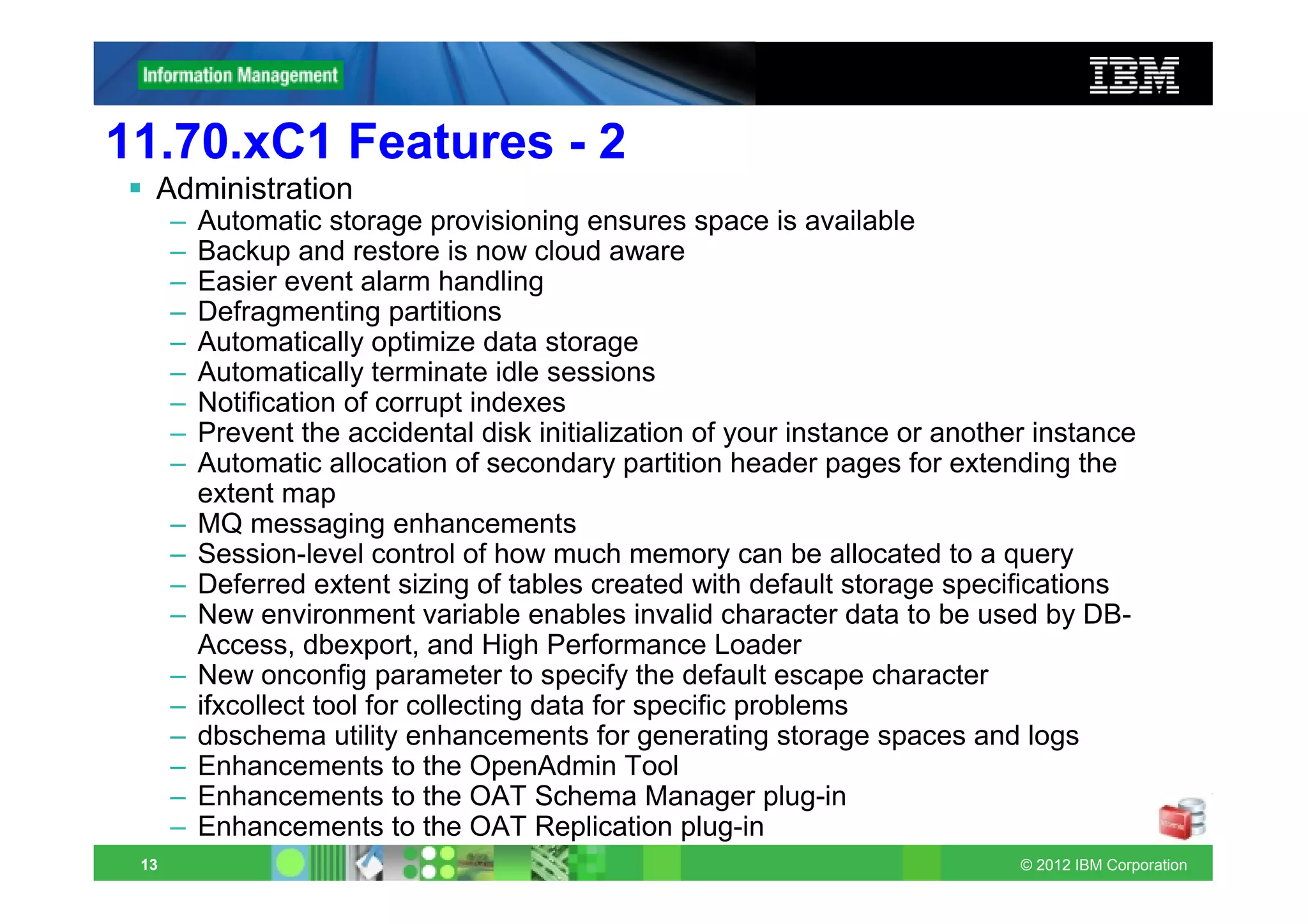
11.70.xC1 Features - 2
  Administration
      –   Automatic storage provisioning ensures space is available
      –   Backup and restore is now cloud aware
      –   Easier event alarm handling
      –   Defragmenting partitions
      –   Automatically optimize data storage
      –   Automatically terminate idle sessions
      –   Notification of corrupt indexes
      –   Prevent the accidental disk initialization of your instance or another instance
      –   Automatic allocation of secondary partition header pages for extending the
          extent map
      –   MQ messaging enhancements
      –   Session-level control of how much memory can be allocated to a query
      –   Deferred extent sizing of tables created with default storage specifications
      –   New environment variable enables invalid character data to be used by DB-
          Access, dbexport, and High Performance Loader
      –   New onconfig parameter to specify the default escape character
      –   ifxcollect tool for collecting data for specific problems
      –   dbschema utility enhancements for generating storage spaces and logs
      –   Enhancements to the OpenAdmin Tool
      –   Enhancements to the OAT Schema Manager plug-in
      –   Enhancements to the OAT Replication plug-in
 13                                                                            © 2012 IBM Corporation
11.70.xC1 Features - 3
  Application Development
      –   Database extensions are automatically registered
      –   Spatial data type and functions are built in and automatically registered
      –   Time series data types and functions are built-in and automatically registered
      –   Setting the file seek position for large files
      –   Faster basic text searches on multiple columns
      –   Virtual processor is created automatically for XML publishing
      –   SQL expressions as arguments to the COUNT function
      –   Specifying the extent size when user-defined indexes are created
      –   Syntax support for DDL statements with IF [NOT] EXISTS conditions
      –   Simplified SQL syntax for defining database tables
      –   Debugging Informix SPL routines with Optim Development Studio

  Embeddability
      –   Information about embedding Informix instances
      –   Enhanced utility for deploying Informix instances
      –   Tutorial to deploy and embed Informix
      –   Deployment assistant simplifies snapshot capture and configuration
      –   Enhanced ability to compress and to extract compressed snapshots
      –   Improved return codes for the oninit utility
      –   Sample scripts for embedding IBM Informix 11.70 database servers
 14                                                                          © 2012 IBM Corporation
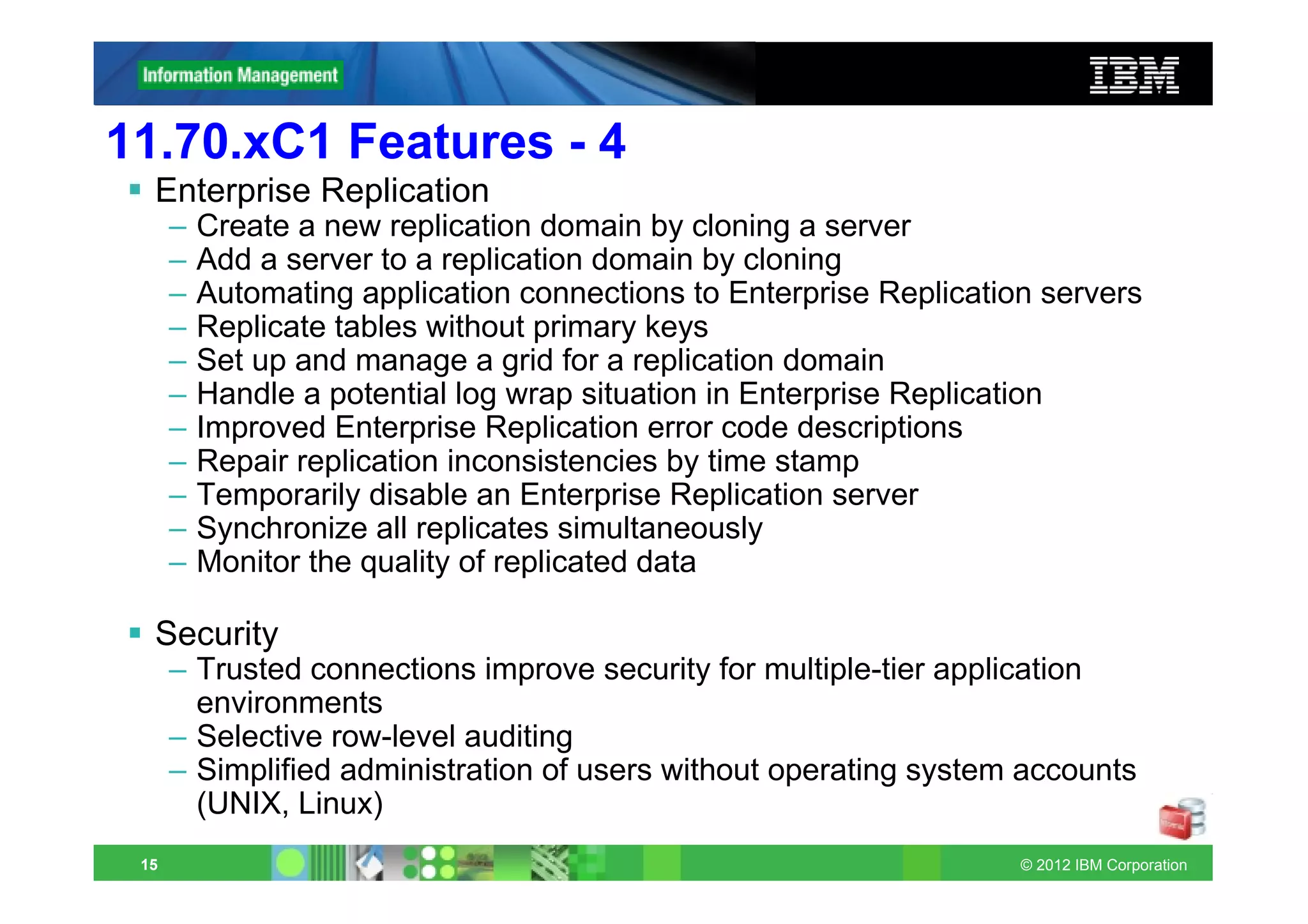
11.70.xC1 Features - 4
  Enterprise Replication
      –   Create a new replication domain by cloning a server
      –   Add a server to a replication domain by cloning
      –   Automating application connections to Enterprise Replication servers
      –   Replicate tables without primary keys
      –   Set up and manage a grid for a replication domain
      –   Handle a potential log wrap situation in Enterprise Replication
      –   Improved Enterprise Replication error code descriptions
      –   Repair replication inconsistencies by time stamp
      –   Temporarily disable an Enterprise Replication server
      –   Synchronize all replicates simultaneously
      –   Monitor the quality of replicated data

  Security
      – Trusted connections improve security for multiple-tier application
        environments
      – Selective row-level auditing
      – Simplified administration of users without operating system accounts
        (UNIX, Linux)
 15                                                                  © 2012 IBM Corporation
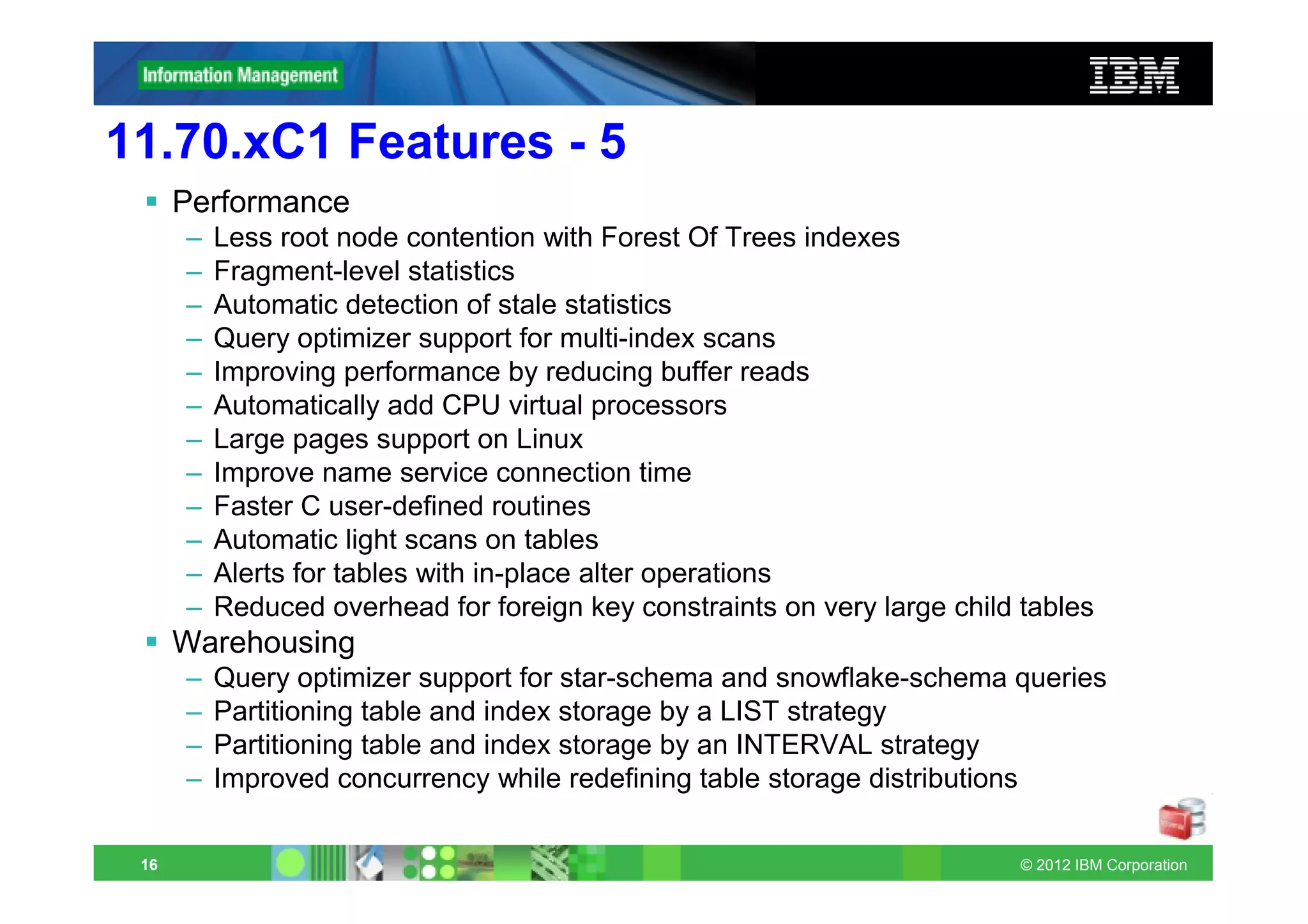
11.70.xC1 Features - 5
      Performance
      –   Less root node contention with Forest Of Trees indexes
      –   Fragment-level statistics
      –   Automatic detection of stale statistics
      –   Query optimizer support for multi-index scans
      –   Improving performance by reducing buffer reads
      –   Automatically add CPU virtual processors
      –   Large pages support on Linux
      –   Improve name service connection time
      –   Faster C user-defined routines
      –   Automatic light scans on tables
      –   Alerts for tables with in-place alter operations
      –   Reduced overhead for foreign key constraints on very large child tables
      Warehousing
      –   Query optimizer support for star-schema and snowflake-schema queries
      –   Partitioning table and index storage by a LIST strategy
      –   Partitioning table and index storage by an INTERVAL strategy
      –   Improved concurrency while redefining table storage distributions

 16                                                                        © 2012 IBM Corporation
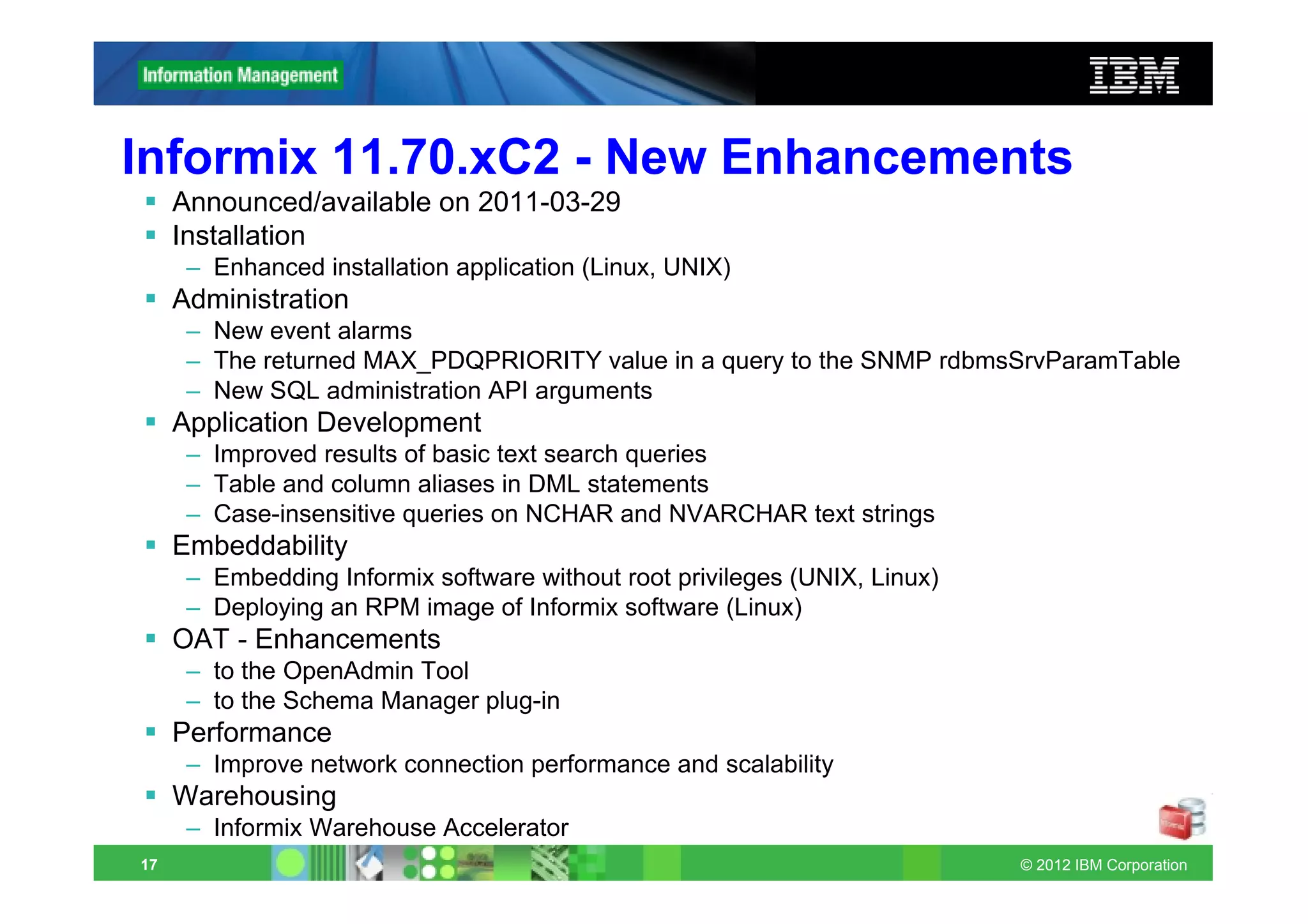
Informix 11.70.xC2 - New Enhancements
     Announced/available on 2011-03-29
     Installation
      – Enhanced installation application (Linux, UNIX)
     Administration
      – New event alarms
      – The returned MAX_PDQPRIORITY value in a query to the SNMP rdbmsSrvParamTable
      – New SQL administration API arguments
     Application Development
      – Improved results of basic text search queries
      – Table and column aliases in DML statements
      – Case-insensitive queries on NCHAR and NVARCHAR text strings
     Embeddability
      – Embedding Informix software without root privileges (UNIX, Linux)
      – Deploying an RPM image of Informix software (Linux)
     OAT - Enhancements
      – to the OpenAdmin Tool
      – to the Schema Manager plug-in
     Performance
      – Improve network connection performance and scalability
     Warehousing
      – Informix Warehouse Accelerator
17                                                                          © 2012 IBM Corporation
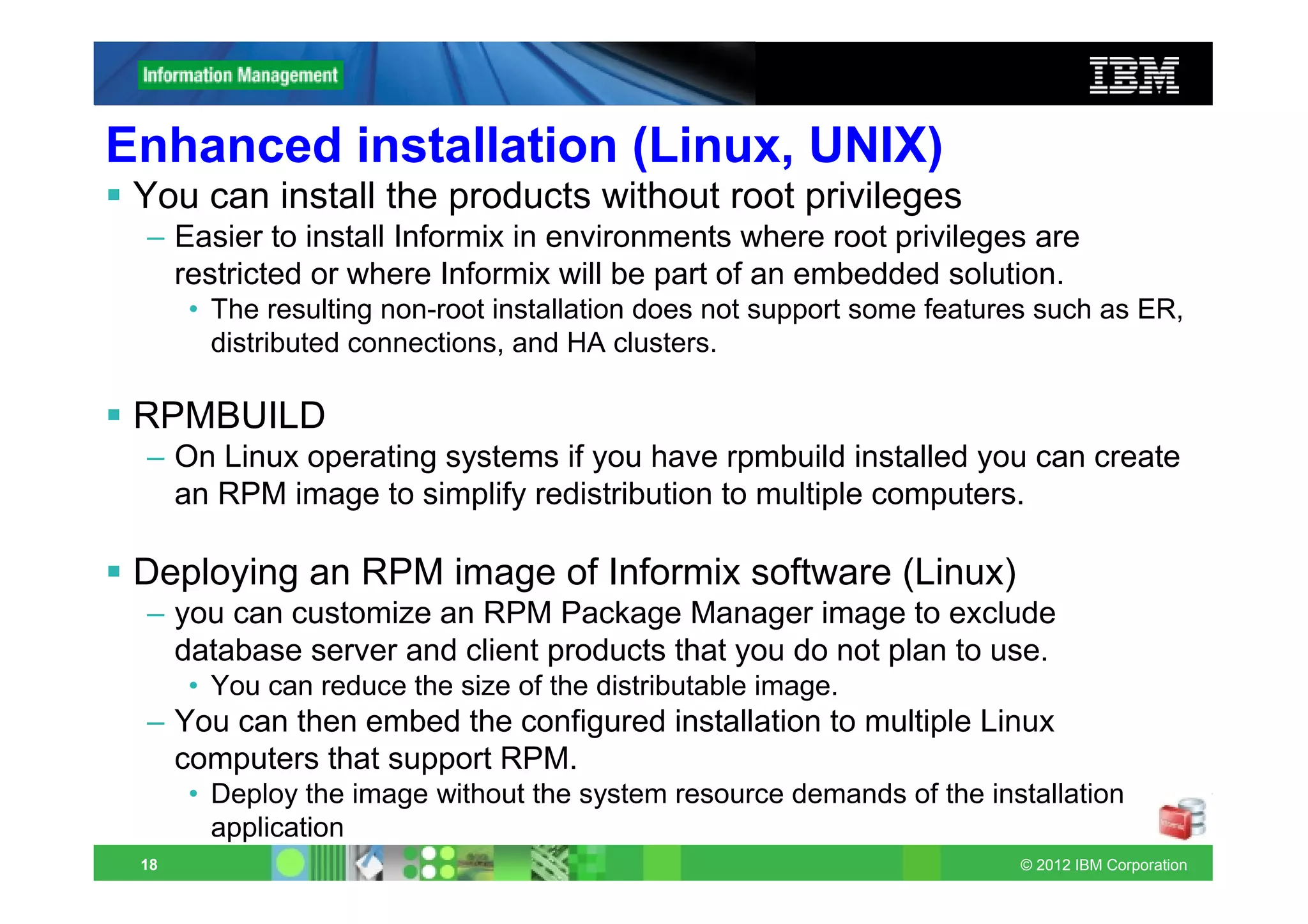
Enhanced installation (Linux, UNIX)
 You can install the products without root privileges
 – Easier to install Informix in environments where root privileges are
   restricted or where Informix will be part of an embedded solution.
      • The resulting non-root installation does not support some features such as ER,
        distributed connections, and HA clusters.

 RPMBUILD
 – On Linux operating systems if you have rpmbuild installed you can create
   an RPM image to simplify redistribution to multiple computers.

 Deploying an RPM image of Informix software (Linux)
 – you can customize an RPM Package Manager image to exclude
   database server and client products that you do not plan to use.
      • You can reduce the size of the distributable image.
 – You can then embed the configured installation to multiple Linux
   computers that support RPM.
      • Deploy the image without the system resource demands of the installation
        application
 18                                                                     © 2012 IBM Corporation
Event Alarms / SNMP
      New event alarms: Event alarm class IDs 81 and 83 added.
      – 81 indicates logical log corruption.
      – 83 indicates that a shared disk secondary server could not become the
        primary server because the primary server was still active.

      The returned MAX_PDQPRIORITY value in a query to the SNMP
      rdbmsSrvParamTable
      – When you use the Simple Network Management Protocol (SNMP) to
        query rdbmsSrvParamTable, SNMP now returns the current
        MAX_PDQPRIORITY value, including changes made with the onmode
        -D, onmode -wm, and onmode -wf commands. If an error occurs, SNMP
        returns the value of -1.


 19                                                               © 2012 IBM Corporation
New SQL administration API arguments
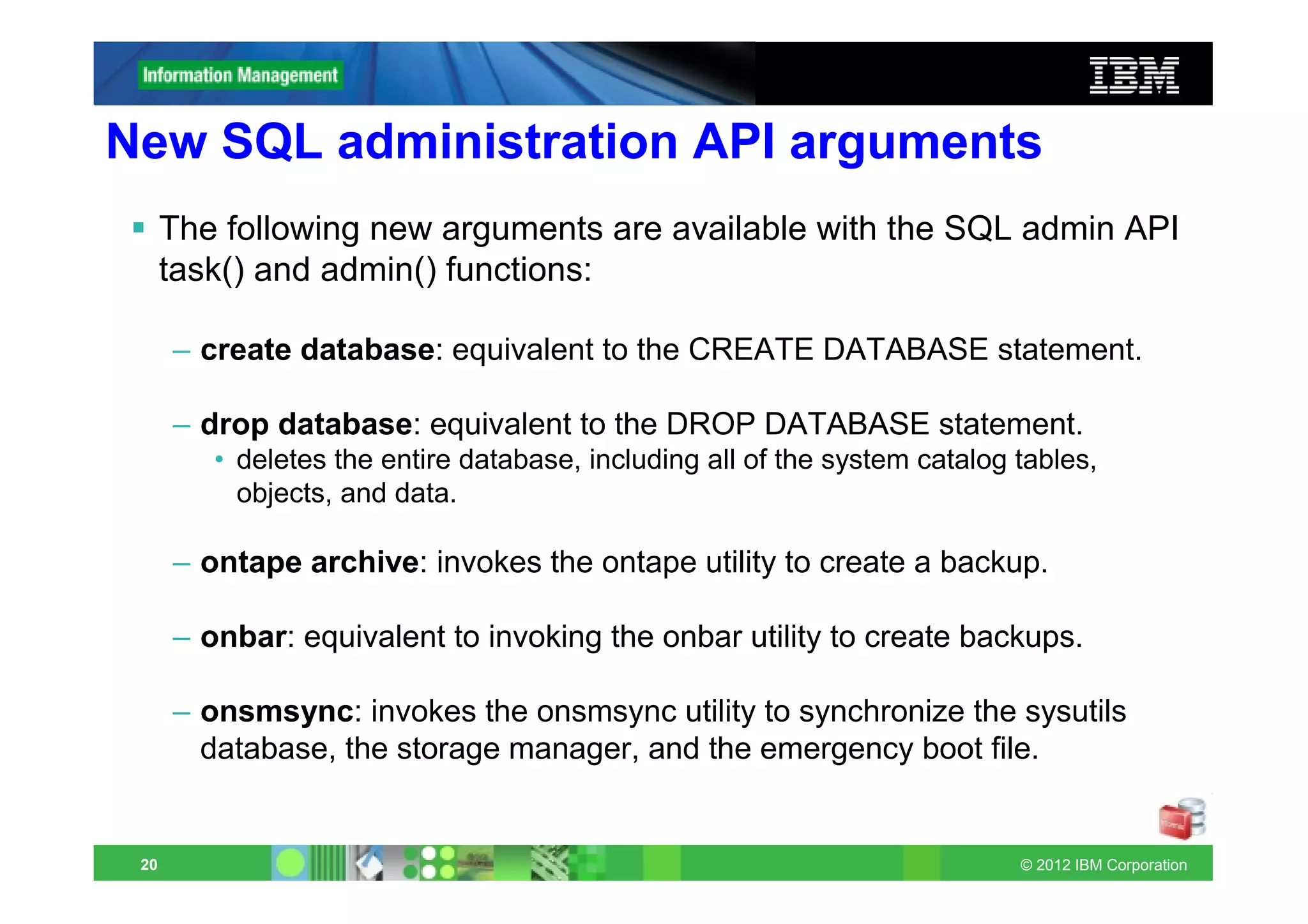
      The following new arguments are available with the SQL admin API
      task() and admin() functions:

      – create database: equivalent to the CREATE DATABASE statement.

      – drop database: equivalent to the DROP DATABASE statement.
         • deletes the entire database, including all of the system catalog tables,
           objects, and data.

      – ontape archive: invokes the ontape utility to create a backup.

      – onbar: equivalent to invoking the onbar utility to create backups.

      – onsmsync: invokes the onsmsync utility to synchronize the sysutils
        database, the storage manager, and the emergency boot file.


 20                                                                         © 2012 IBM Corporation
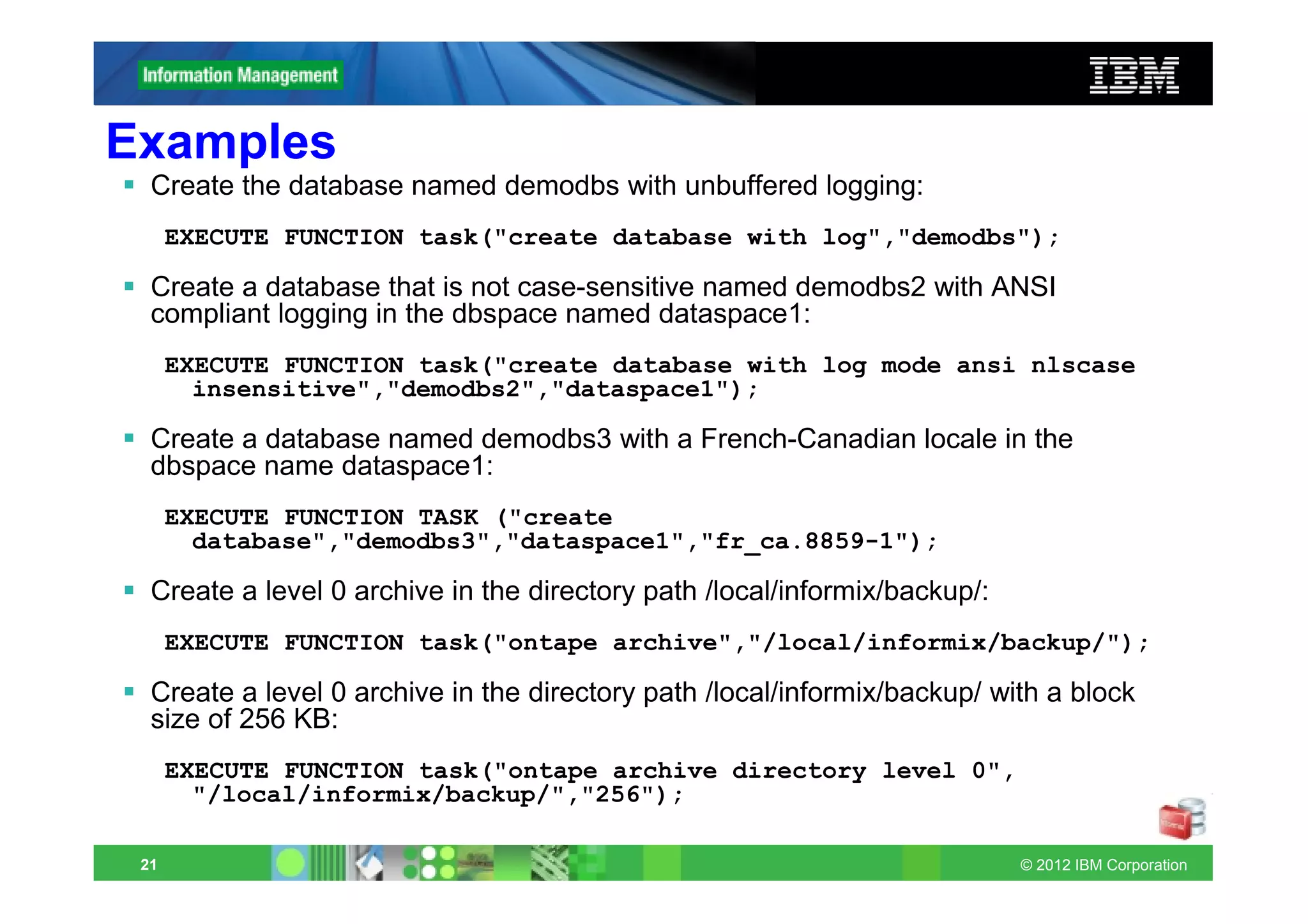
Examples
  Create the database named demodbs with unbuffered logging:
      EXECUTE FUNCTION task("create database with log","demodbs");

  Create a database that is not case-sensitive named demodbs2 with ANSI
  compliant logging in the dbspace named dataspace1:
      EXECUTE FUNCTION task("create database with log mode ansi nlscase
        insensitive","demodbs2","dataspace1");

  Create a database named demodbs3 with a French-Canadian locale in the
  dbspace name dataspace1:
      EXECUTE FUNCTION TASK ("create
        database","demodbs3","dataspace1","fr_ca.8859-1");

  Create a level 0 archive in the directory path /local/informix/backup/:
      EXECUTE FUNCTION task("ontape archive","/local/informix/backup/");

  Create a level 0 archive in the directory path /local/informix/backup/ with a block
  size of 256 KB:
      EXECUTE FUNCTION task("ontape archive directory level 0",
        "/local/informix/backup/","256");

 21                                                                         © 2012 IBM Corporation
Improved results of Basic Text Search queries
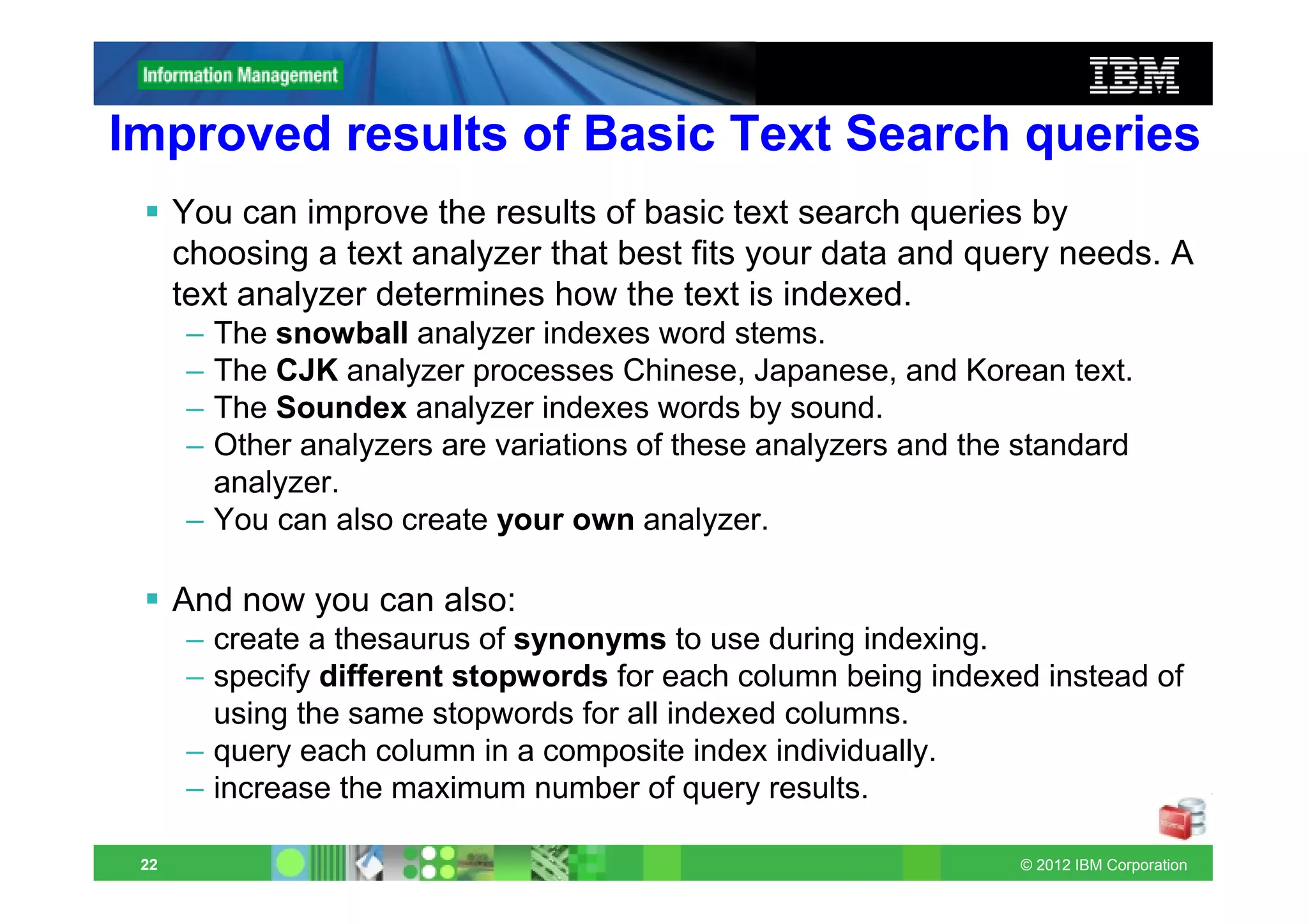
      You can improve the results of basic text search queries by
      choosing a text analyzer that best fits your data and query needs. A
      text analyzer determines how the text is indexed.
      – The snowball analyzer indexes word stems.
      – The CJK analyzer processes Chinese, Japanese, and Korean text.
      – The Soundex analyzer indexes words by sound.
      – Other analyzers are variations of these analyzers and the standard
        analyzer.
      – You can also create your own analyzer.

      And now you can also:
      – create a thesaurus of synonyms to use during indexing.
      – specify different stopwords for each column being indexed instead of
        using the same stopwords for all indexed columns.
      – query each column in a composite index individually.
      – increase the maximum number of query results.

 22                                                              © 2012 IBM Corporation
BTS Analyzers
  Analyzers:
      –   cjk: Processes Chinese, Japanese, and Korean text. Ignores surrogates.
      –   cjk.ws: Processes Chinese, Japanese, and Korean text. Processes surrogates.
      –   esoundex: Processes text into pronunciation codes.
      –   keyword: Processes input text as a single token.
      –   simple: Processes alphabetic characters only without stopwords.
      –   snowball: Processes text into stem words.
      –   snowball.language: Processes text into stem words in the specified language.
      –   soundex: Processes text into four pronunciation codes.
      –   standard: Default. Processes alphabetic characters, special characters, and
          numbers with stopwords.
      –   stopword: Processes alphabetic characters only with stopwords.
      –   udr.udr_name: The name of a user-defined analyzer.
      –   whitespace: Creates tokens based on whitespace only
      –   or create your own analyzer
  The Snowball analyzer is similar to the Standard analyzer except that is
  converts words to stem words: different words are indexed with the same
  stem word:
      – accept                [accept]
      – acceptable            [accept]
      – acceptance            [accept]
 23                                                                       © 2012 IBM Corporation
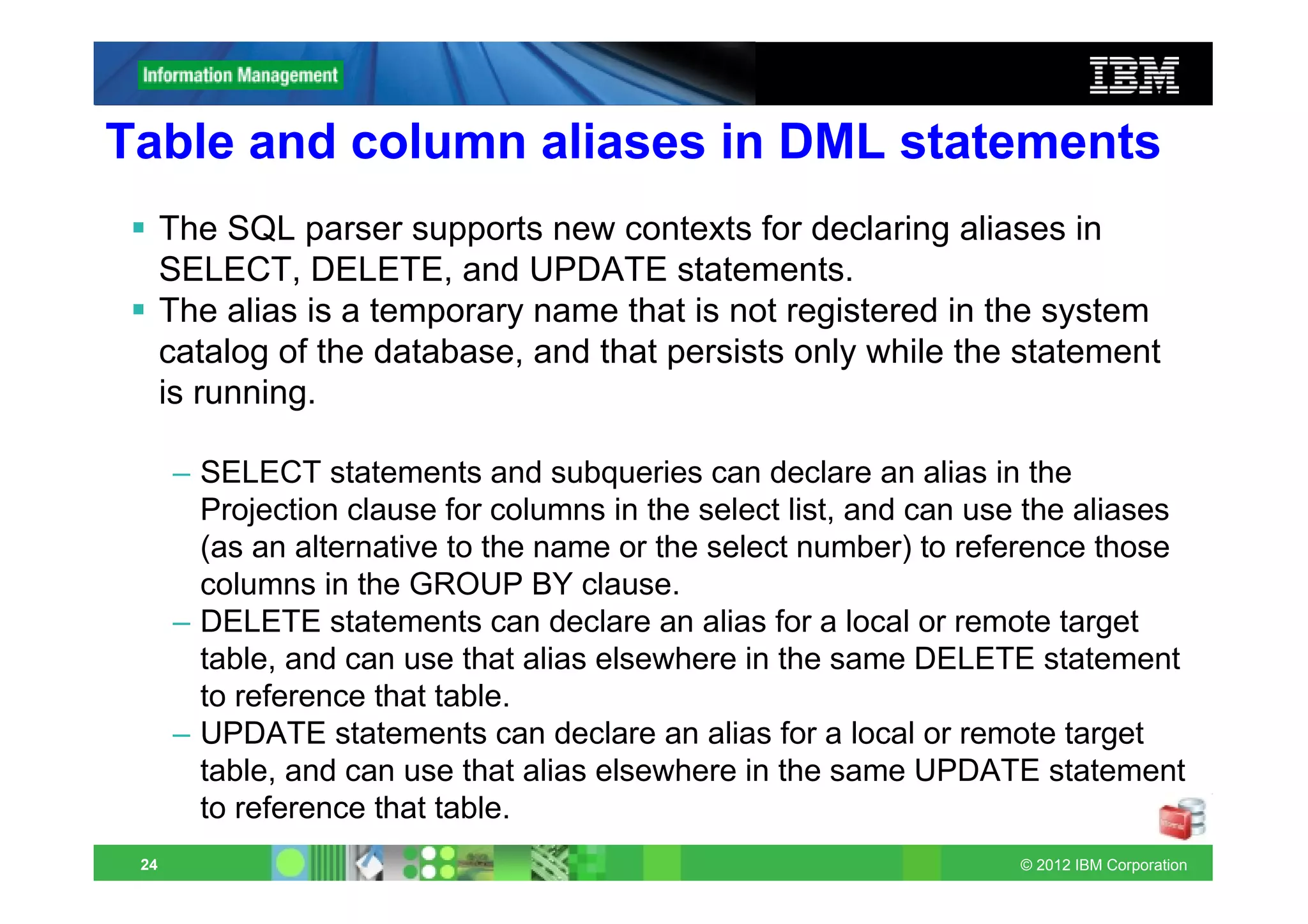
Table and column aliases in DML statements
      The SQL parser supports new contexts for declaring aliases in
      SELECT, DELETE, and UPDATE statements.
      The alias is a temporary name that is not registered in the system
      catalog of the database, and that persists only while the statement
      is running.

      – SELECT statements and subqueries can declare an alias in the
        Projection clause for columns in the select list, and can use the aliases
        (as an alternative to the name or the select number) to reference those
        columns in the GROUP BY clause.
      – DELETE statements can declare an alias for a local or remote target
        table, and can use that alias elsewhere in the same DELETE statement
        to reference that table.
      – UPDATE statements can declare an alias for a local or remote target
        table, and can use that alias elsewhere in the same UPDATE statement
        to reference that table.
 24                                                                 © 2012 IBM Corporation
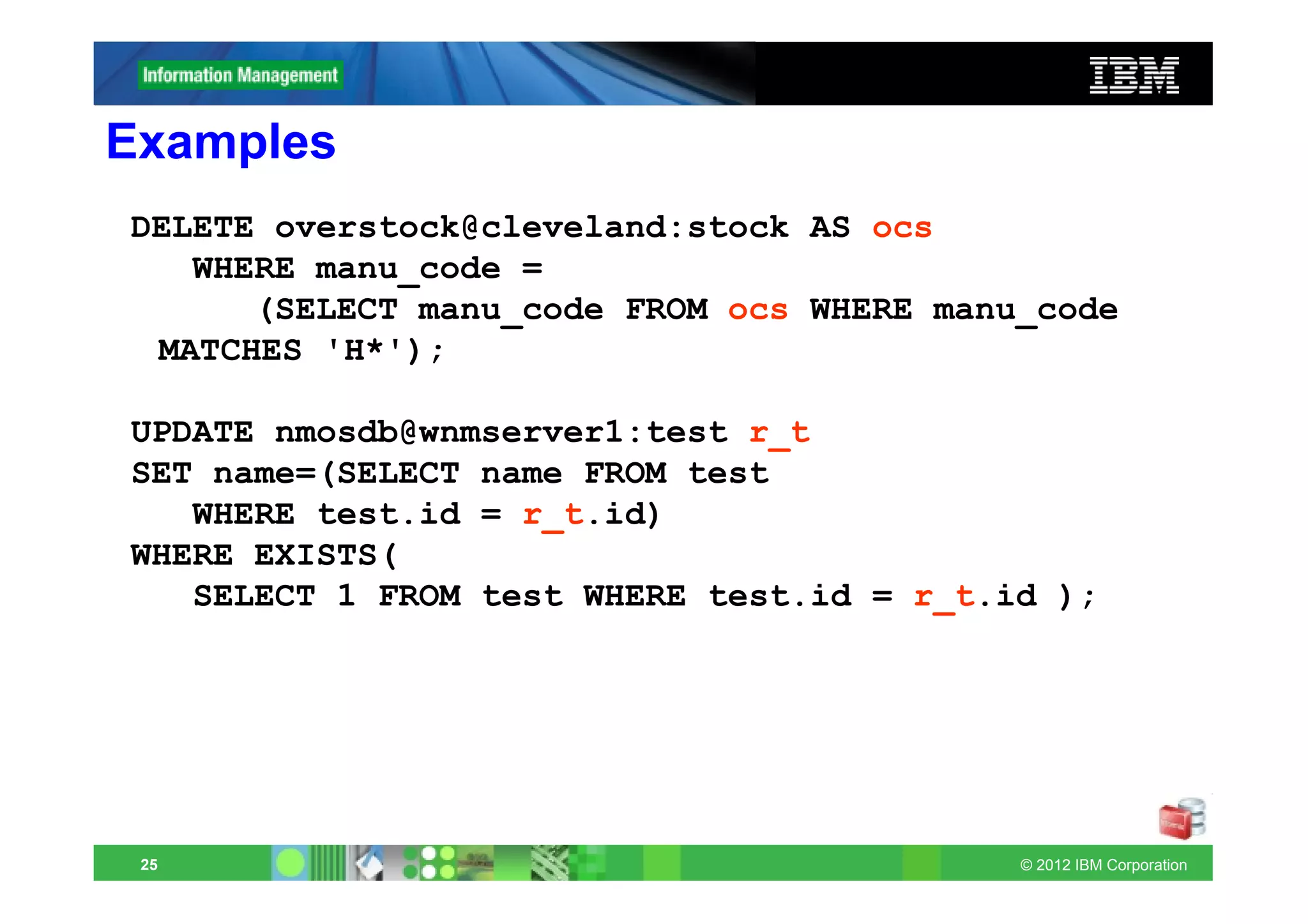
Examples
DELETE overstock@cleveland:stock AS ocs
   WHERE manu_code =
      (SELECT manu_code FROM ocs WHERE manu_code
 MATCHES 'H*');

UPDATE nmosdb@wnmserver1:test r_t
SET name=(SELECT name FROM test
   WHERE test.id = r_t.id)
WHERE EXISTS(
   SELECT 1 FROM test WHERE test.id = r_t.id );


 25                                        © 2012 IBM Corporation
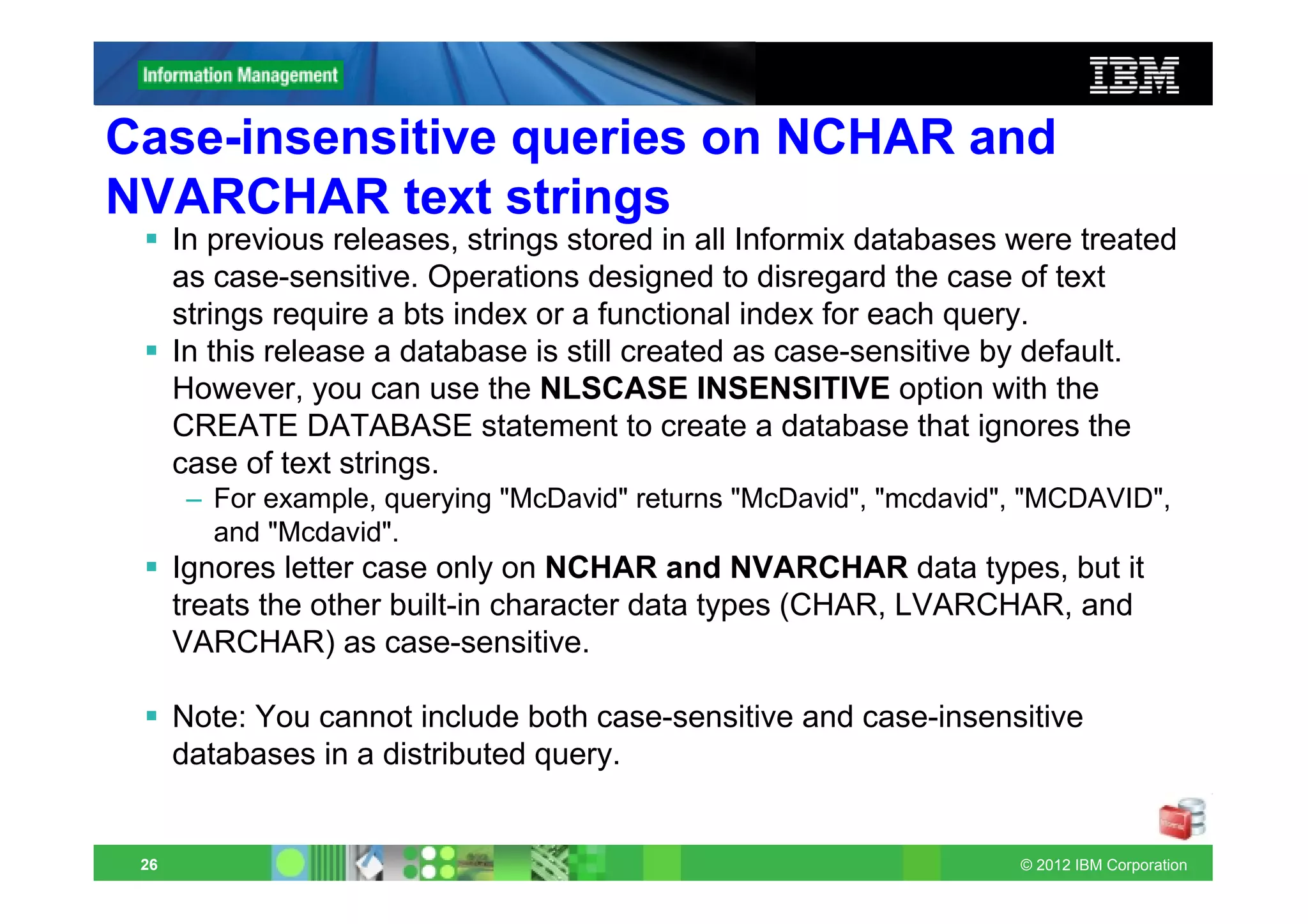
Case-insensitive queries on NCHAR and
NVARCHAR text strings
      In previous releases, strings stored in all Informix databases were treated
      as case-sensitive. Operations designed to disregard the case of text
      strings require a bts index or a functional index for each query.
      In this release a database is still created as case-sensitive by default.
      However, you can use the NLSCASE INSENSITIVE option with the
      CREATE DATABASE statement to create a database that ignores the
      case of text strings.
       – For example, querying "McDavid" returns "McDavid", "mcdavid", "MCDAVID",
         and "Mcdavid".
      Ignores letter case only on NCHAR and NVARCHAR data types, but it
      treats the other built-in character data types (CHAR, LVARCHAR, and
      VARCHAR) as case-sensitive.

      Note: You cannot include both case-sensitive and case-insensitive
      databases in a distributed query.


 26                                                                  © 2012 IBM Corporation
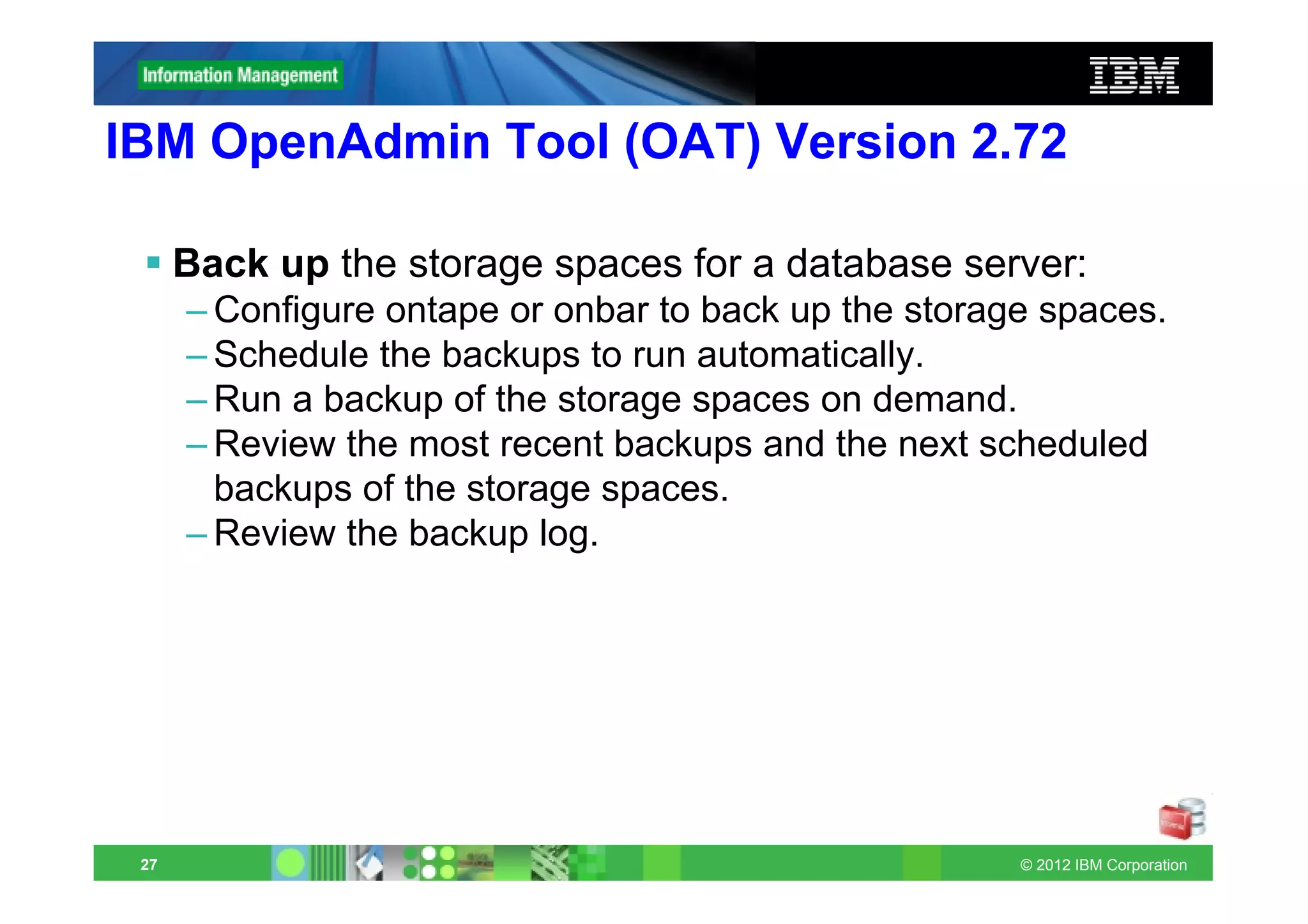
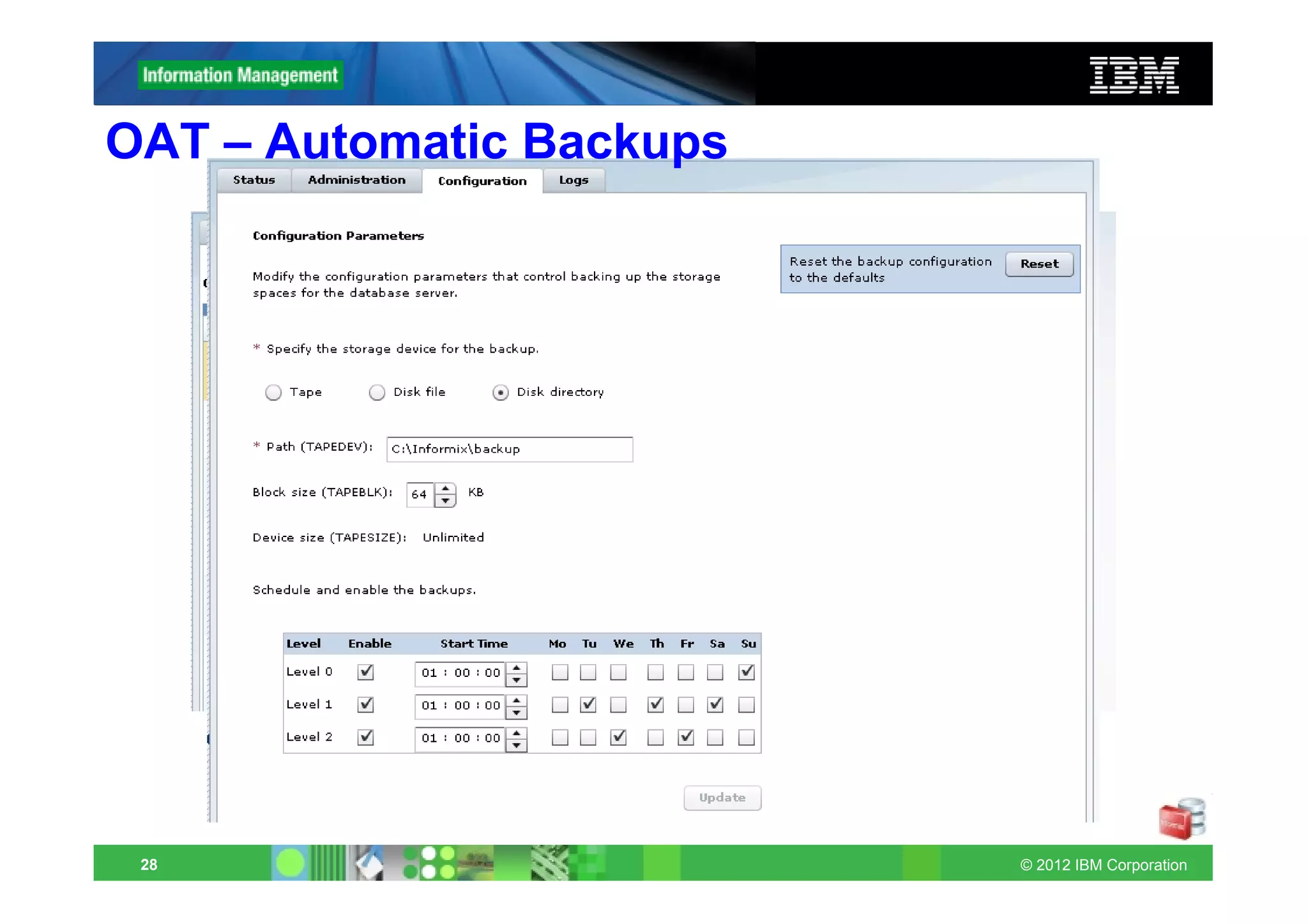
IBM OpenAdmin Tool (OAT) Version 2.72

      Back up the storage spaces for a database server:
      – Configure ontape or onbar to back up the storage spaces.
      – Schedule the backups to run automatically.
      – Run a backup of the storage spaces on demand.
      – Review the most recent backups and the next scheduled
        backups of the storage spaces.
      – Review the backup log.


 27                                                    © 2012 IBM Corporation
OAT – Automatic Backups


 28                       © 2012 IBM Corporation
IBM OpenAdmin Tool (OAT) Version 2.72
      Create system reports based on the historical data for a database
      server
      – information about the SQL that were running, including the slowest and
        the one with the most I/O time and with the most buffer activity.

      Switch to the next logical-log file

      When you develop a plug-in for OAT, you can specify a minimum
      required version of OAT.
      You can uninstall plug-ins for OAT.
      – In previous releases, you could disable the plug-ins, but you could not
        uninstall them.
      You can restore OAT menu items that are deleted.
      – In previous editions, you could delete menu items, but you could not
        restore them.


 29                                                                © 2012 IBM Corporation
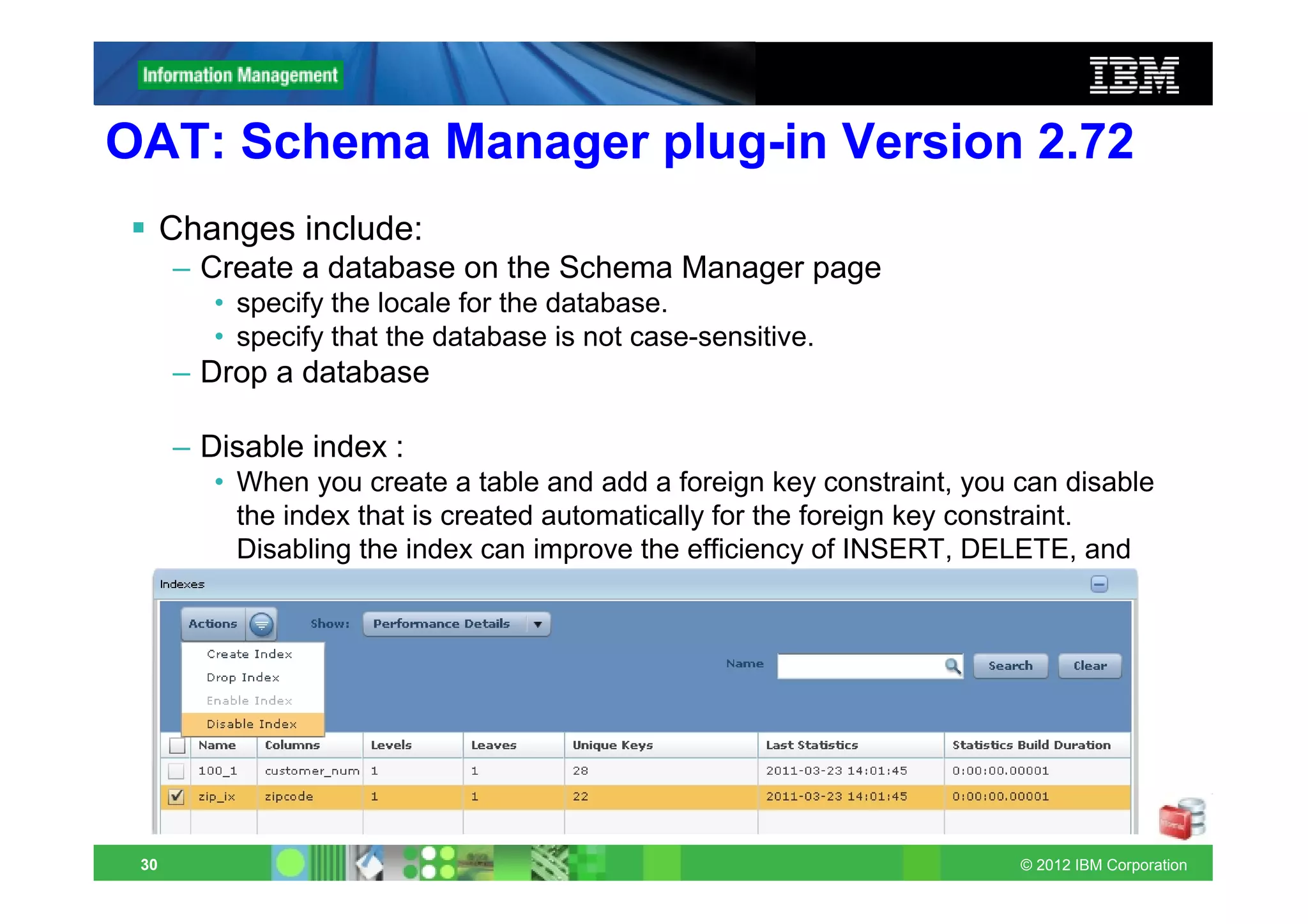
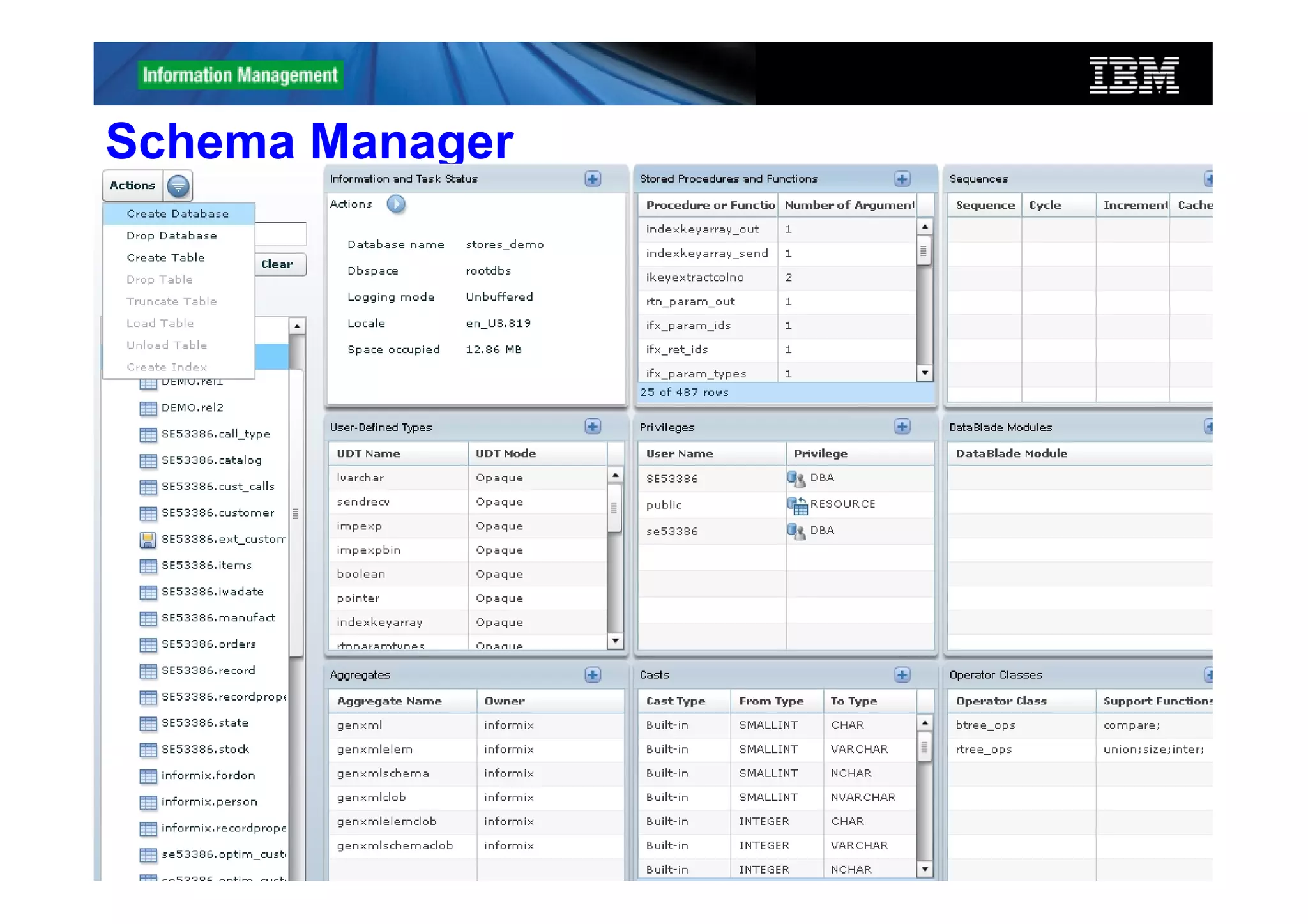
OAT: Schema Manager plug-in Version 2.72
      Changes include:
      – Create a database on the Schema Manager page
         • specify the locale for the database.
         • specify that the database is not case-sensitive.
      – Drop a database

      – Disable index :
         • When you create a table and add a foreign key constraint, you can disable
           the index that is created automatically for the foreign key constraint.
           Disabling the index can improve the efficiency of INSERT, DELETE, and
           UPDATE operations on large child tables.


 30                                                                      © 2012 IBM Corporation
Schema Manager


 31              © 2012 IBM Corporation
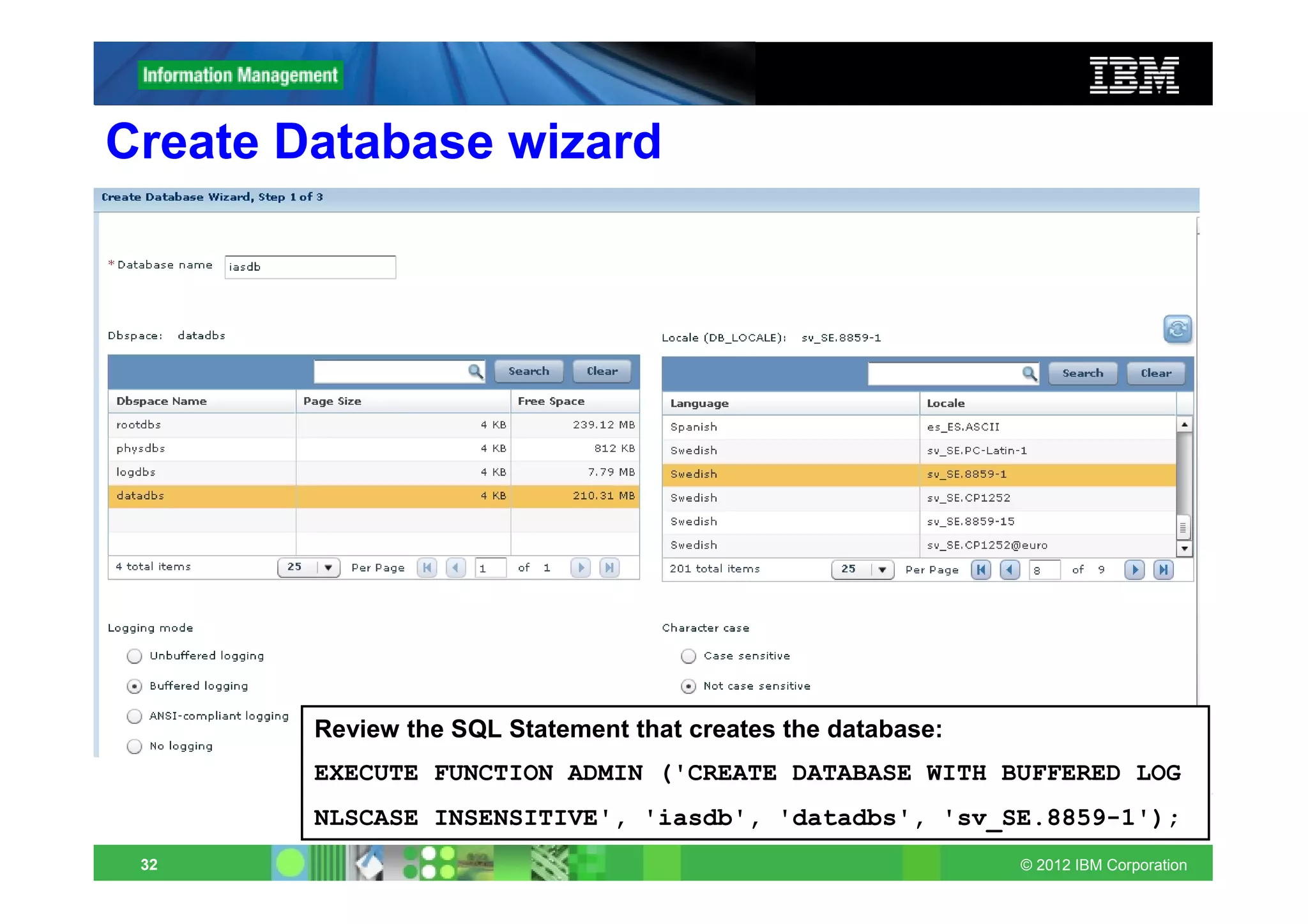
Create Database wizard


        Review the SQL Statement that creates the database:
        EXECUTE FUNCTION ADMIN ('CREATE DATABASE WITH BUFFERED LOG
        NLSCASE INSENSITIVE', 'iasdb', 'datadbs', 'sv_SE.8859-1');
 32                                                           © 2012 IBM Corporation
Improve network connection performance
and scalability
      You can improve the performance and scalability of network
      connections on UNIX by using the NUMFDSERVERS parameter.
      Adjusts the maximum number of poll threads for the server to use
      when migrating TCP/IP connection across virtual processors (VPs).
      Adjusting the number of poll threads, for example, by increasing the
      number of poll threads beyond the default number, is useful
      – if the database server has a high rate of new connect and disconnect
        requests or
      – if you find a high amount of contention between network shared file
        (NSF) locks.
         • For example, if you have multiple CPU VPs and poll treads and this results
           in NSF locking*, you can increase the value of NUMFDSERVERS (and you
           can increase the number of poll threads specified in the NETTYPE
           configuration parameter) to reduce NSF lock contention.
            – *use onstat -g ath command to display information about all threads which
              includes a status, such as mutex wait nsf.lock, which indicates that you
              have a significant amount of NSF lock contention.
      Default 4, Max 50.
 33                                                                        © 2012 IBM Corporation
Informix Warehouse Accelerator - IWA
      An Informix product that delivers faster analytic query responses
      transparently to all Informix users. The accelerator integrates into
      an Informix environment, providing high-performance query
      software that is based on advanced data in-memory technology.
      The accelerator helps enable a new class of high speed business
      intelligence (BI).

      Includes a graphical user interface plugin for IBM Data Studio that
      you can use to perform accelerator administration tasks.
      You can use the accelerator with a database server that supports a
      mixed workload (an online transactional processing (OLTP)
      database and a data warehouse database), or use the accelerator
      with a database server that supports only a data warehouse
      database


 34                                                             © 2012 IBM Corporation
IWA requires you to do…
No query tuning and optmizer hints
No database tuning
No index creation, reorganization
No update Statistics
No partioning/Fragementation
No storage management/page size configuration
No database/schema changes
No application changes
No summary tables/materialized views/query tables
No buying more expensive hardware*
No change of expectations
            Power of Simplicity!
35                                         © 2012 IBM Corporation
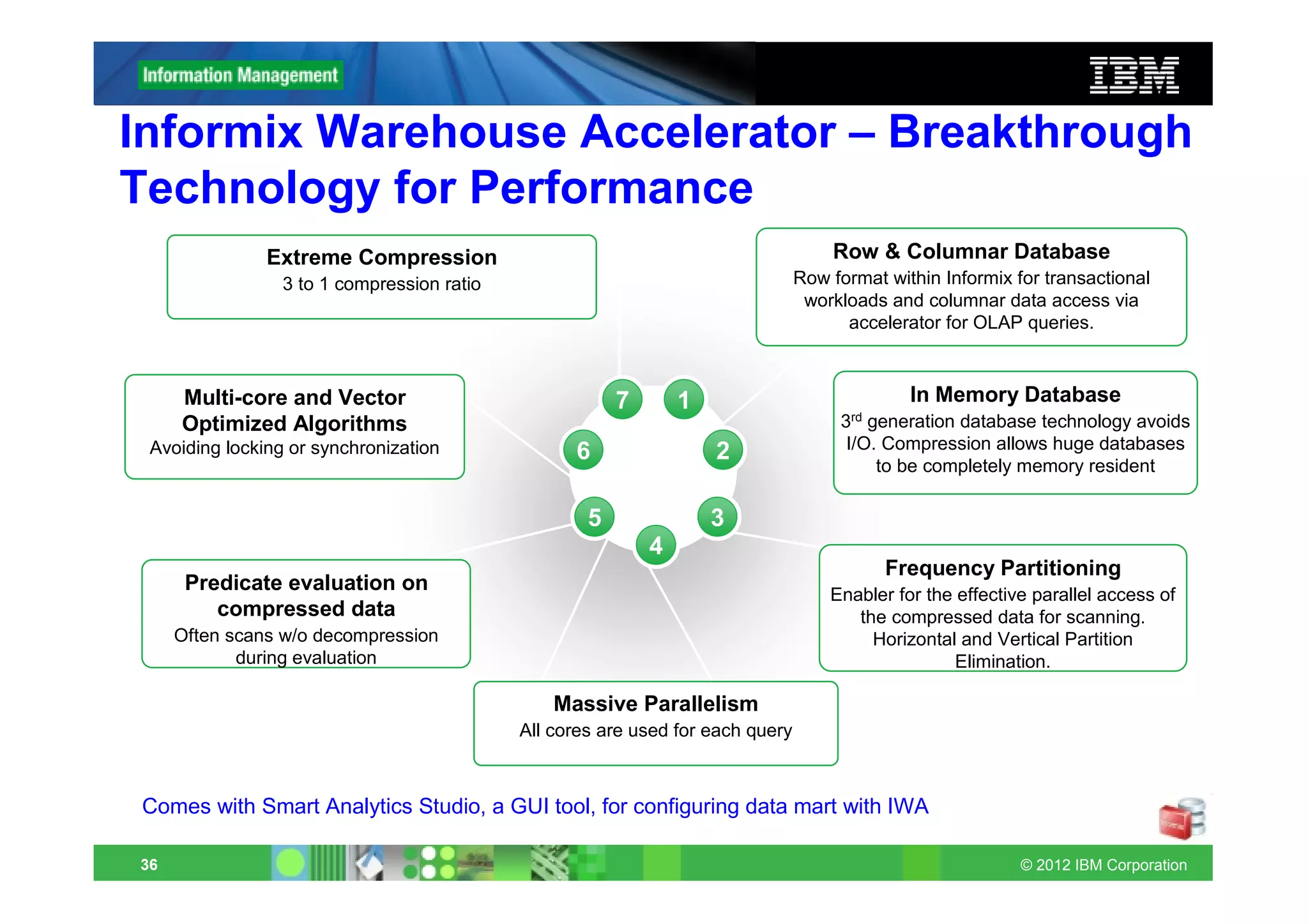
Informix Warehouse Accelerator – Breakthrough
Technology for Performance
               Extreme Compression                                                  Row & Columnar Database
                 3 to 1 compression ratio                                       Row format within Informix for transactional
                                                                                 workloads and columnar data access via
                                                                                      accelerator for OLAP queries.


     Multi-core and Vector                              7       1                             In Memory Database
     Optimized Algorithms                                                            3rd generation database technology avoids
 Avoiding locking or synchronization                                                  I/O. Compression allows huge databases
                                                  6                 2
                                                                                          to be completely memory resident

                                                    5               3
                                                            4
                                                                                           Frequency Partitioning
      Predicate evaluation on                                                       Enabler for the effective parallel access of
         compressed data                                                               the compressed data for scanning.
     Often scans w/o decompression                                                       Horizontal and Vertical Partition
            during evaluation                                                                       Elimination.

                                                Massive Parallelism
                                            All cores are used for each query


Comes with Smart Analytics Studio, a GUI tool, for configuring data mart with IWA

36                                                                                                          © 2012 IBM Corporation
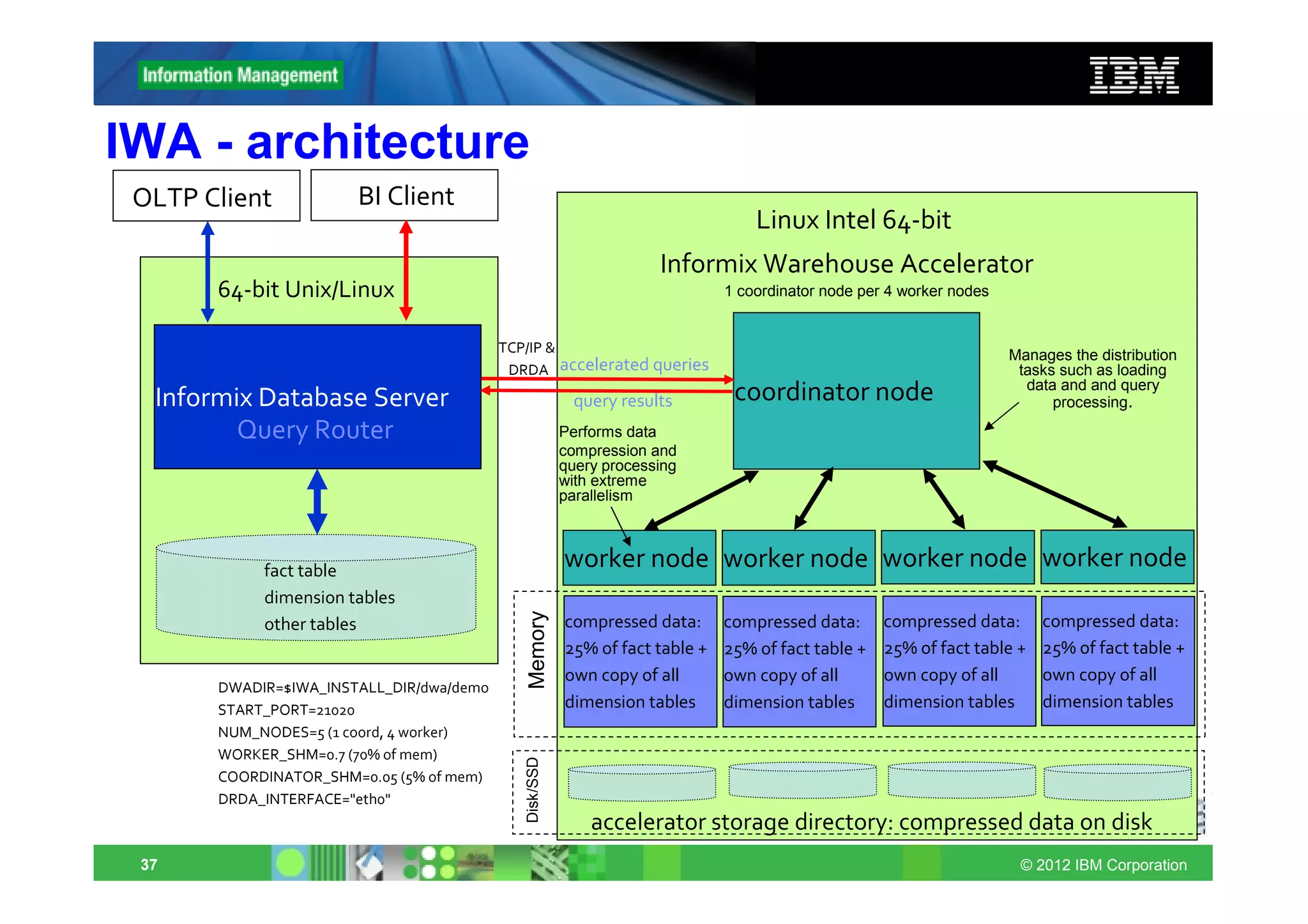
IWA - architecture
 OLTP Client           BI Client
                                                                                  Linux Intel 64‐bit
                                                                     Informix Warehouse Accelerator
       64‐bit Unix/Linux                                                      1 coordinator node per 4 worker nodes


                                          TCP/IP &                                                                    Manages the distribution
                                           DRDA accelerated queries                                                    tasks such as loading
                                                                                                                        data and and query
  Informix Database Server                               query results         coordinator node                             processing.
         Query Router                                   Performs data
                                                        compression and
                                                        query processing
                                                        with extreme
                                                        parallelism


            fact table
                                                        worker node worker node worker node worker node
            dimension tables
                                             Memory


            other tables                                compressed data:      compressed data:      compressed data:      compressed data:
                                                        25% of fact table +   25% of fact table +   25% of fact table +   25% of fact table +
                                                        own copy of all       own copy of all       own copy of all       own copy of all
       DWADIR=$IWA_INSTALL_DIR/dwa/demo
       START_PORT=21020                                 dimension tables      dimension tables      dimension tables      dimension tables
       NUM_NODES=5 (1 coord, 4 worker)
       WORKER_SHM=0.7 (70% of mem)
                                             Disk/SSD


       COORDINATOR_SHM=0.05 (5% of mem)
       DRDA_INTERFACE="eth0"
                                                            accelerator storage directory: compressed data on disk
 37                                                                                                                    © 2012 IBM Corporation
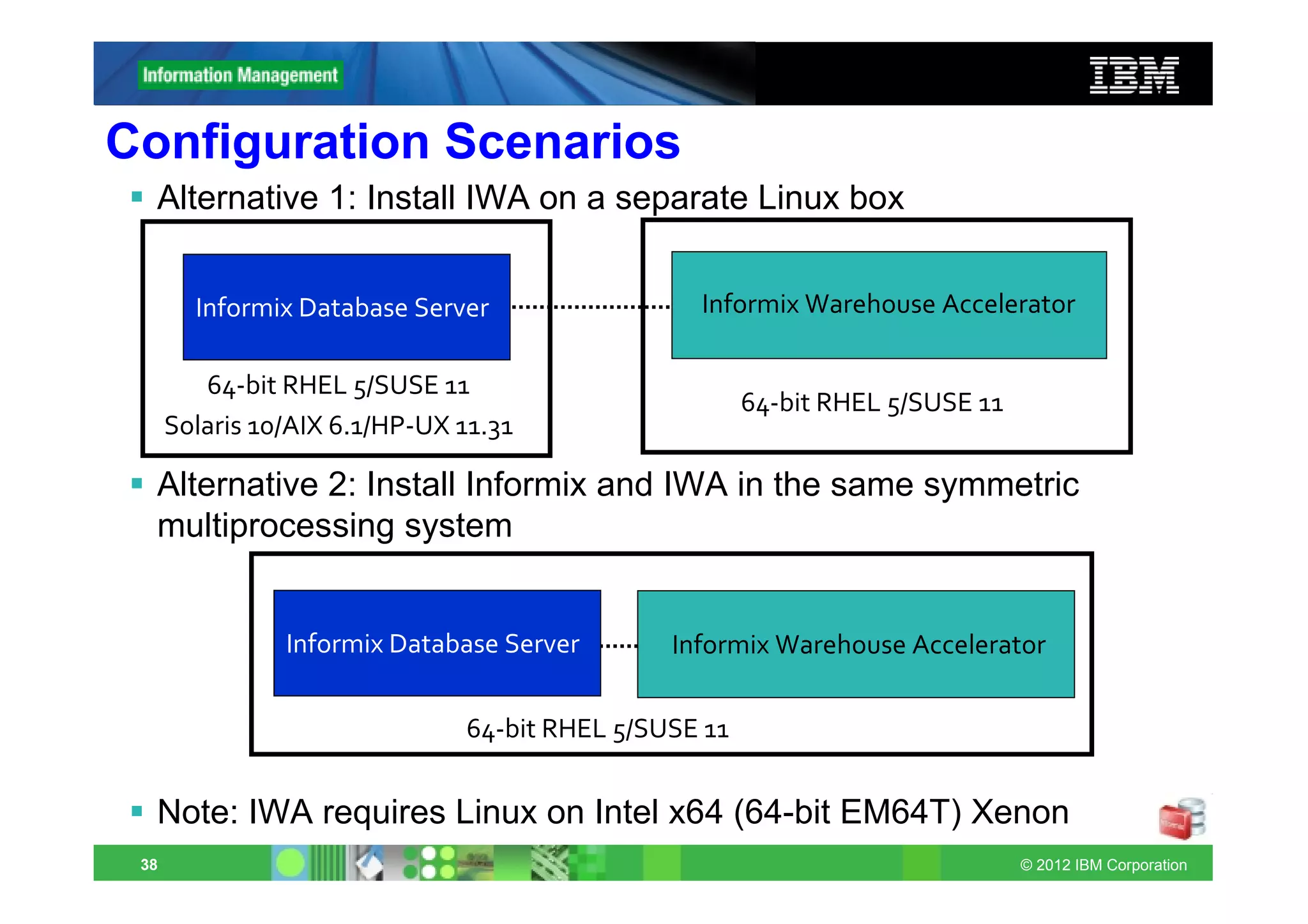
Configuration Scenarios
  Alternative 1: Install IWA on a separate Linux box


        Informix Database Server                 Informix Warehouse Accelerator

         64‐bit RHEL 5/SUSE 11
                                                       64‐bit RHEL 5/SUSE 11
      Solaris 10/AIX 6.1/HP‐UX 11.31

  Alternative 2: Install Informix and IWA in the same symmetric
  multiprocessing system


                Informix Database Server       Informix Warehouse Accelerator


                               64‐bit RHEL 5/SUSE 11


  Note: IWA requires Linux on Intel x64 (64-bit EM64T) Xenon
 38                                                                            © 2012 IBM Corporation
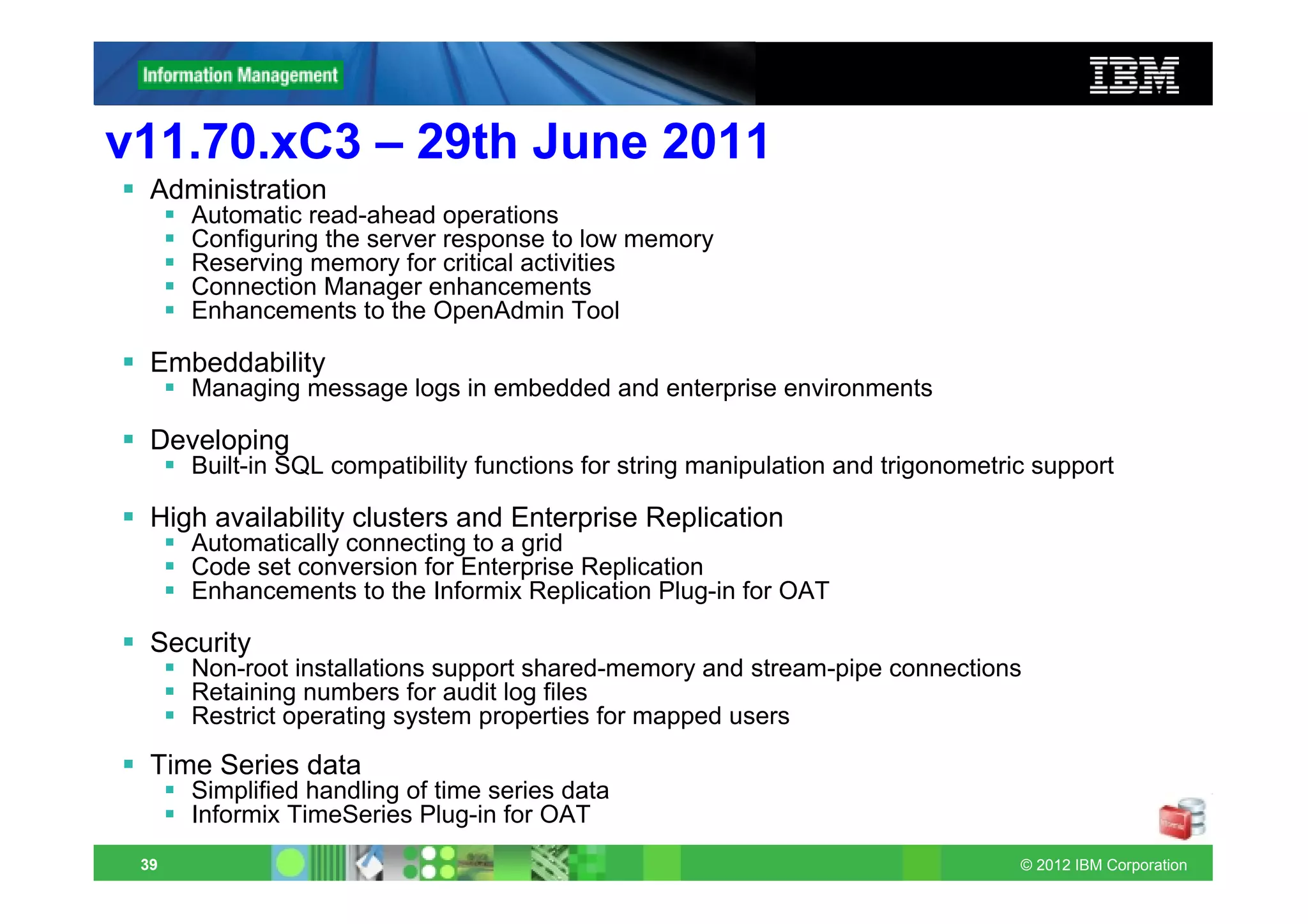
v11.70.xC3 – 29th June 2011
  Administration
      Automatic read-ahead operations
      Configuring the server response to low memory
      Reserving memory for critical activities
      Connection Manager enhancements
      Enhancements to the OpenAdmin Tool

  Embeddability
      Managing message logs in embedded and enterprise environments

  Developing
      Built-in SQL compatibility functions for string manipulation and trigonometric support

  High availability clusters and Enterprise Replication
      Automatically connecting to a grid
      Code set conversion for Enterprise Replication
      Enhancements to the Informix Replication Plug-in for OAT

  Security
      Non-root installations support shared-memory and stream-pipe connections
      Retaining numbers for audit log files
      Restrict operating system properties for mapped users

  Time Series data
      Simplified handling of time series data
      Informix TimeSeries Plug-in for OAT
 39                                                                                © 2012 IBM Corporation
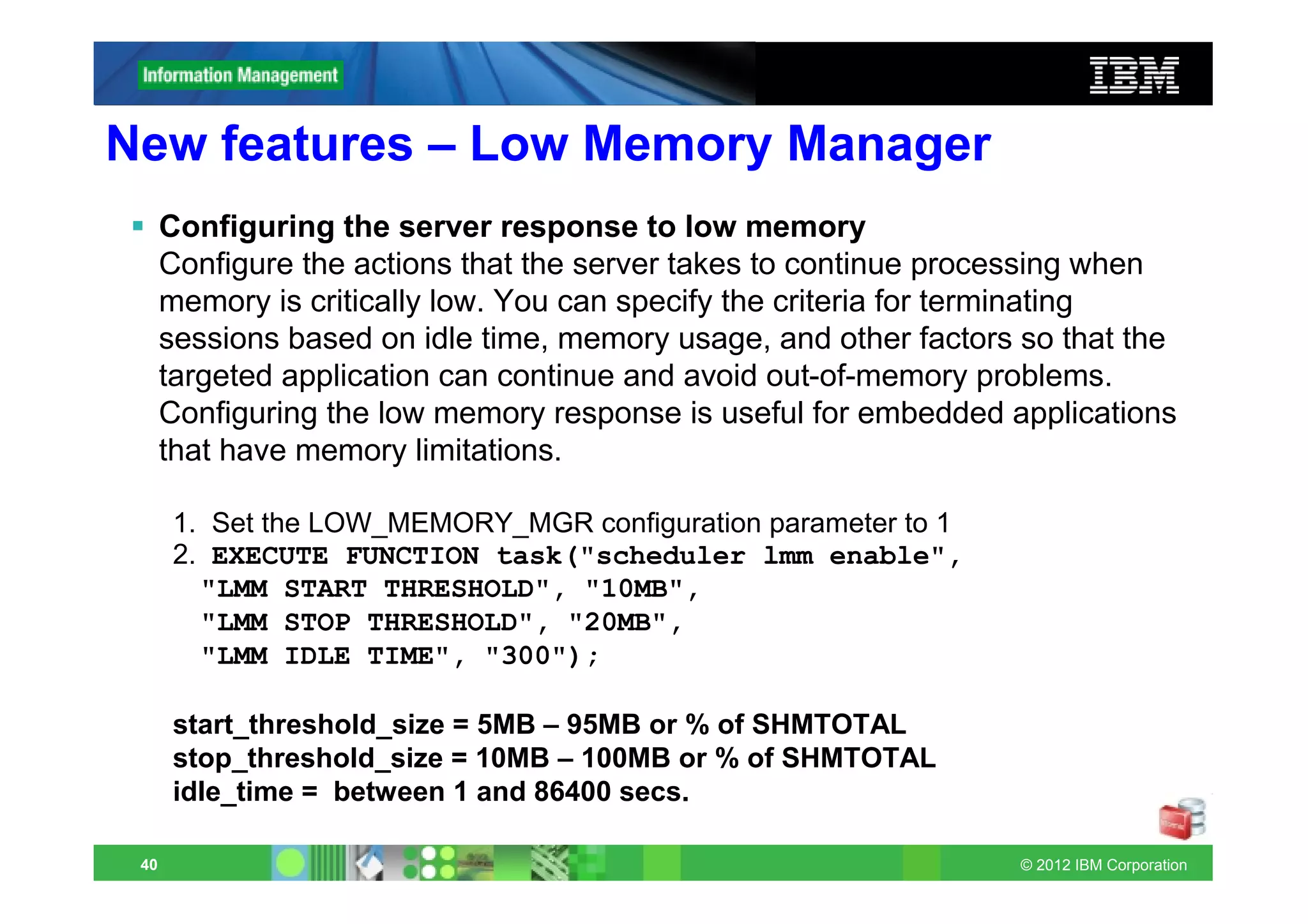
New features – Low Memory Manager
      Configuring the server response to low memory
      Configure the actions that the server takes to continue processing when
      memory is critically low. You can specify the criteria for terminating
      sessions based on idle time, memory usage, and other factors so that the
      targeted application can continue and avoid out-of-memory problems.
      Configuring the low memory response is useful for embedded applications
      that have memory limitations.

      1. Set the LOW_MEMORY_MGR configuration parameter to 1
      2. EXECUTE FUNCTION task("scheduler lmm enable",
        "LMM START THRESHOLD", "10MB",
        "LMM STOP THRESHOLD", "20MB",
        "LMM IDLE TIME", "300");

      start_threshold_size = 5MB – 95MB or % of SHMTOTAL
      stop_threshold_size = 10MB – 100MB or % of SHMTOTAL
      idle_time = between 1 and 86400 secs.

 40                                                               © 2012 IBM Corporation
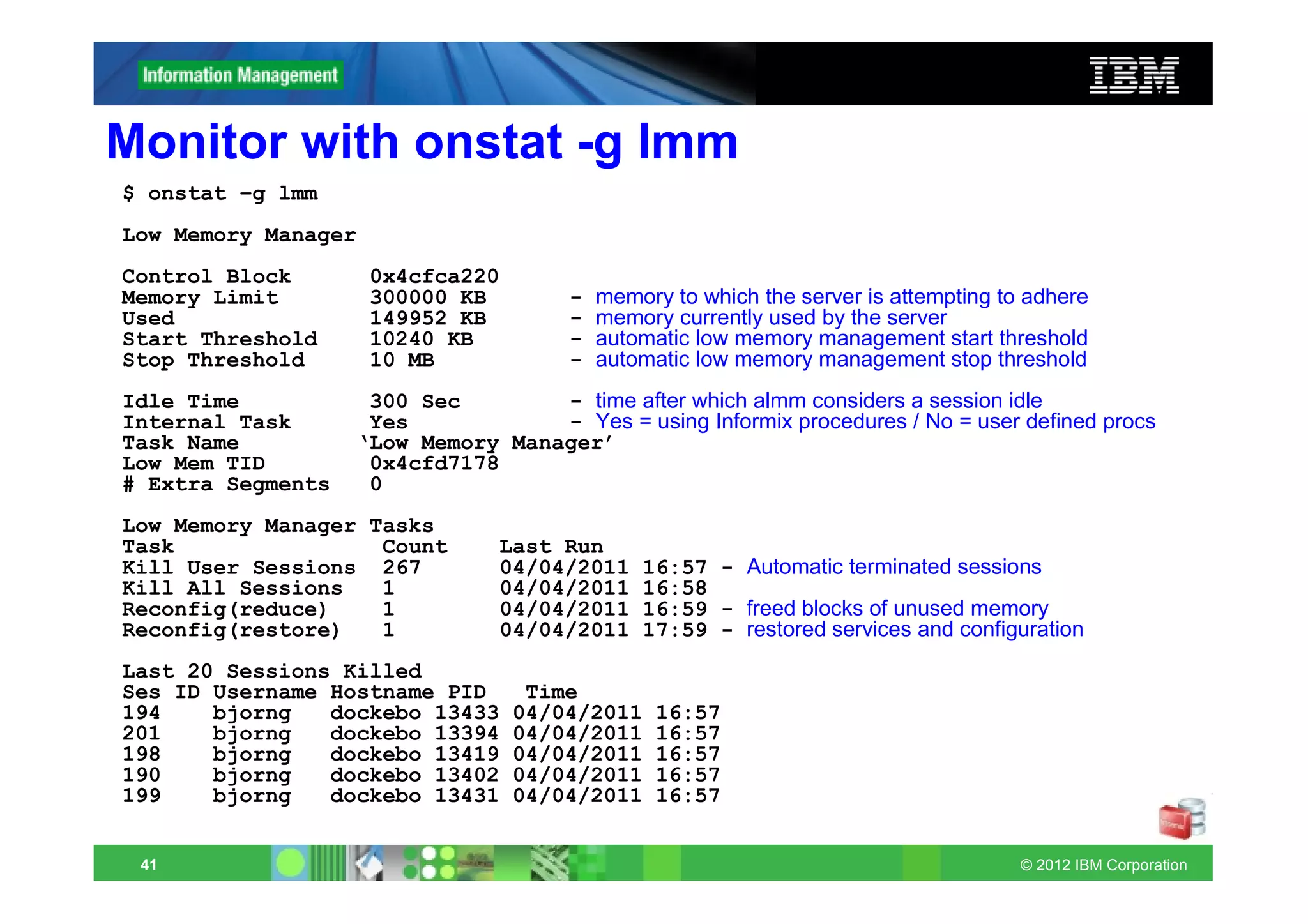
Monitor with onstat -g lmm
$ onstat –g lmm
Low Memory Manager
Control Block        0x4cfca220
Memory Limit         300000 KB        -   memory to which the server is attempting to adhere
Used                 149952 KB        -   memory currently used by the server
Start Threshold      10240 KB         -   automatic low memory management start threshold
Stop Threshold       10 MB            -   automatic low memory management stop threshold
Idle Time           300 Sec        - time after which almm considers a session idle
Internal Task       Yes            - Yes = using Informix procedures / No = user defined procs
Task Name          ‘Low Memory Manager’
Low Mem TID         0x4cfd7178
# Extra Segments    0
Low Memory Manager Tasks
Task                Count       Last Run
Kill User Sessions 267          04/04/2011    16:57 - Automatic terminated sessions
Kill All Sessions   1           04/04/2011    16:58
Reconfig(reduce)    1           04/04/2011    16:59 - freed blocks of unused memory
Reconfig(restore)   1           04/04/2011    17:59 - restored services and configuration
Last 20 Sessions Killed
Ses ID Username Hostname PID       Time
194    bjorng   dockebo 13433     04/04/2011    16:57
201    bjorng   dockebo 13394     04/04/2011    16:57
198    bjorng   dockebo 13419     04/04/2011    16:57
190    bjorng   dockebo 13402     04/04/2011    16:57
199    bjorng   dockebo 13431     04/04/2011    16:57


 41                                                                                  © 2012 IBM Corporation
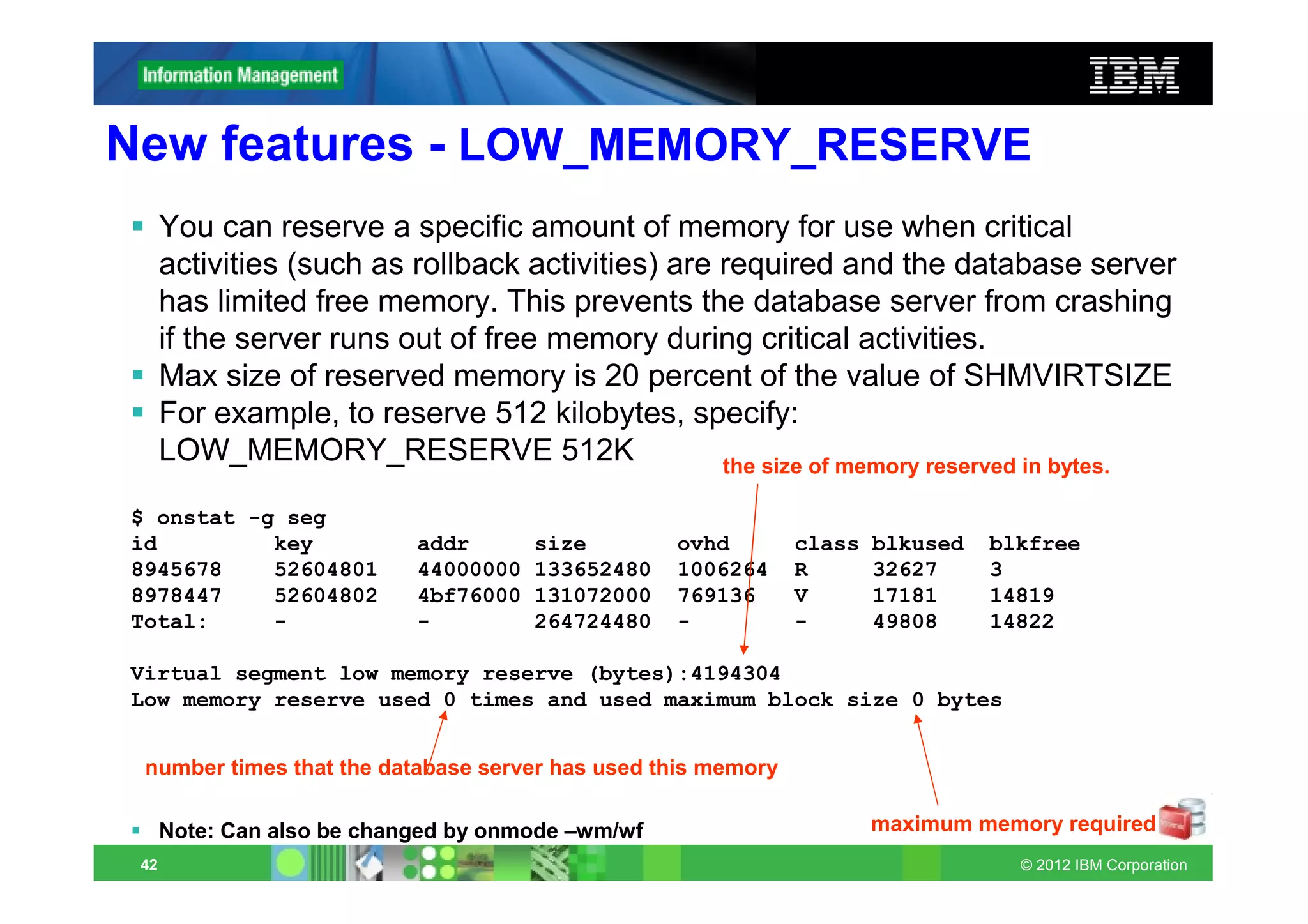
New features - LOW_MEMORY_RESERVE
      You can reserve a specific amount of memory for use when critical
      activities (such as rollback activities) are required and the database server
      has limited free memory. This prevents the database server from crashing
      if the server runs out of free memory during critical activities.
      Max size of reserved memory is 20 percent of the value of SHMVIRTSIZE
      For example, to reserve 512 kilobytes, specify:
      LOW_MEMORY_RESERVE 512K                      the size of memory reserved in bytes.

$ onstat -g seg
id         key              addr       size        ovhd       class   blkused   blkfree
8945678    52604801         44000000   133652480   1006264    R       32627     3
8978447    52604802         4bf76000   131072000   769136     V       17181     14819
Total:     -                -          264724480   -          -       49808     14822

Virtual segment low memory reserve (bytes):4194304
Low memory reserve used 0 times and used maximum block size 0 bytes


 number times that the database server has used this memory

      Note: Can also be changed by onmode –wm/wf                      maximum memory required
 42                                                                               © 2012 IBM Corporation
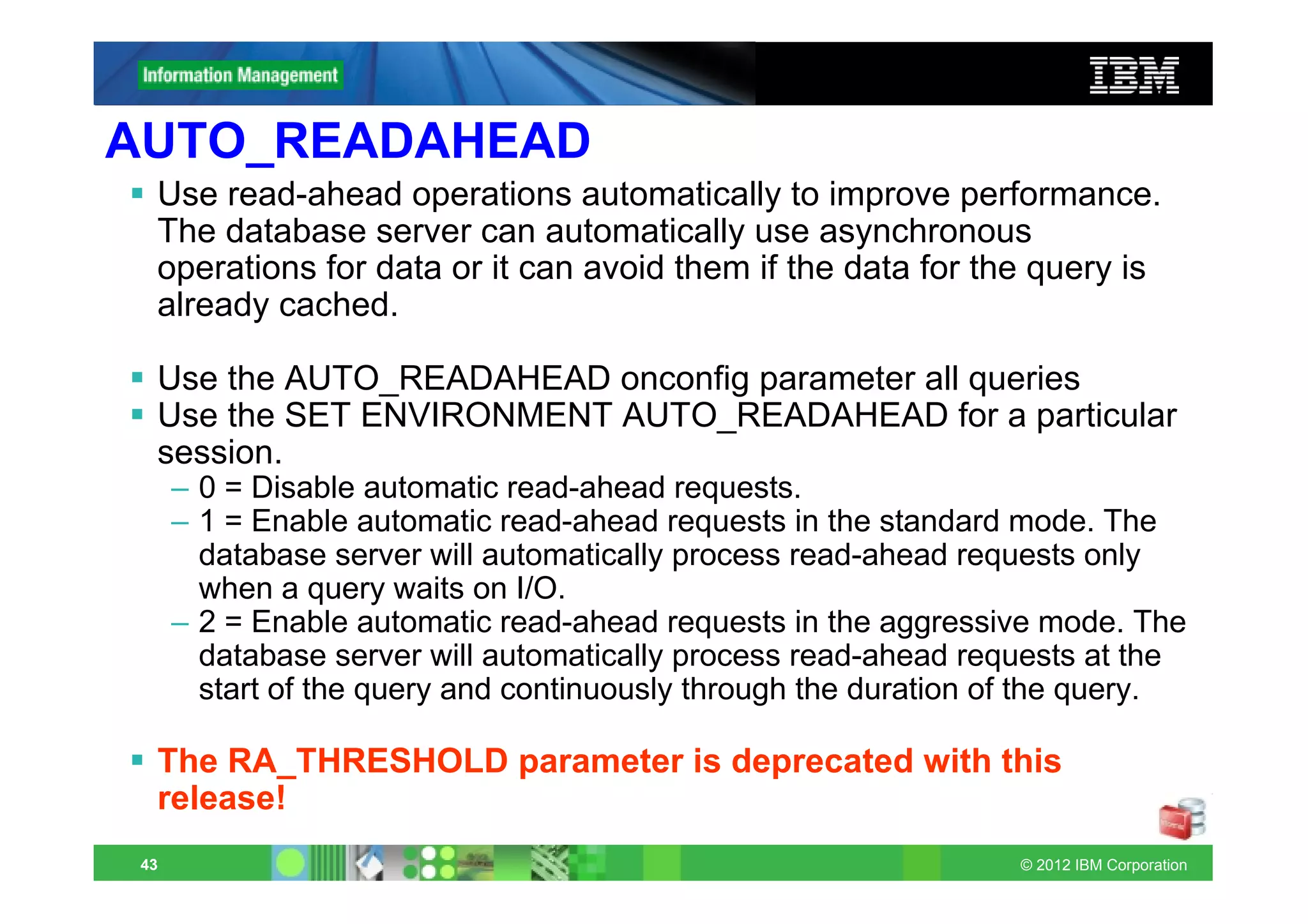
AUTO_READAHEAD
  Use read-ahead operations automatically to improve performance.
  The database server can automatically use asynchronous
  operations for data or it can avoid them if the data for the query is
  already cached.

  Use the AUTO_READAHEAD onconfig parameter all queries
  Use the SET ENVIRONMENT AUTO_READAHEAD for a particular
  session.
      – 0 = Disable automatic read-ahead requests.
      – 1 = Enable automatic read-ahead requests in the standard mode. The
        database server will automatically process read-ahead requests only
        when a query waits on I/O.
      – 2 = Enable automatic read-ahead requests in the aggressive mode. The
        database server will automatically process read-ahead requests at the
        start of the query and continuously through the duration of the query.

  The RA_THRESHOLD parameter is deprecated with this
  release!
 43                                                               © 2012 IBM Corporation
Automatic read-ahead operations
      Asynchronous page requests can improve query performance by
      overlapping query processing with the processing necessary to
      retrieve data from disk and put it in the buffer pool.
      Avoids read-ahead if data cached in bufferpool
      Set up and administration of automatic read-ahead
      – ONCONFIG:        AUTO_READAHEAD mode[,readahead_cnt]
      – Environment:     SET ENVIRONMENT AUTO_READAHEAD mode
      – onmode –wm/fm    AUTOREADAHEAD=mode

         Value/Mode      Comments
         2               Enable automatic requests aggressive mode
         1               Default: Enable requests in standard mode
         0               Disable automatic read-ahead requests
         readahead_cnt   Optional: Read ahead pages

      AUTO_READAHEAD deprecates ONCONFIG parameters RA_PAGES
      and RA_THRESHOLD!
 44                                                                  © 2012 IBM Corporation
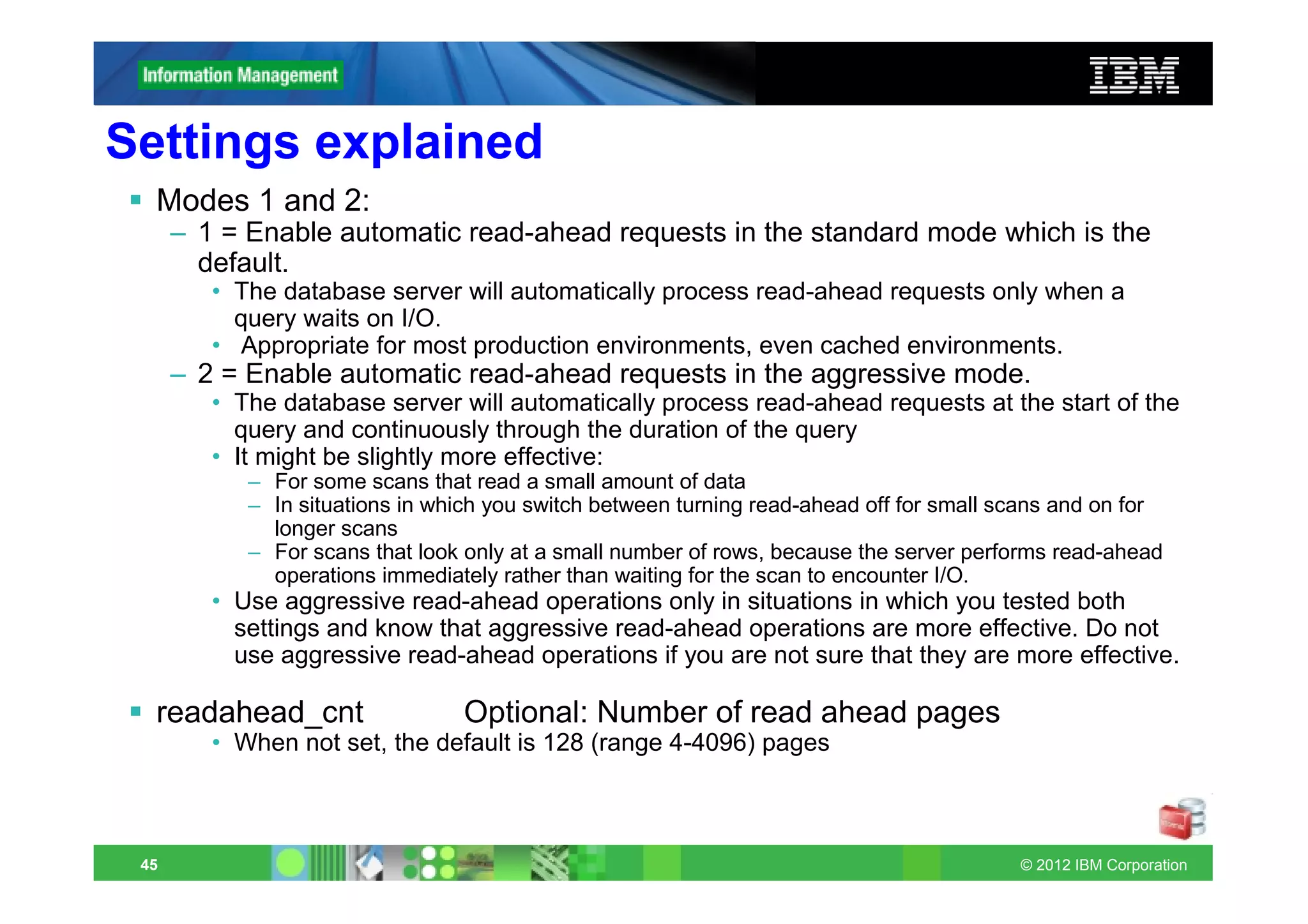
Settings explained
  Modes 1 and 2:
      – 1 = Enable automatic read-ahead requests in the standard mode which is the
        default.
         • The database server will automatically process read-ahead requests only when a
           query waits on I/O.
         • Appropriate for most production environments, even cached environments.
      – 2 = Enable automatic read-ahead requests in the aggressive mode.
         • The database server will automatically process read-ahead requests at the start of the
           query and continuously through the duration of the query
         • It might be slightly more effective:
            – For some scans that read a small amount of data
            – In situations in which you switch between turning read-ahead off for small scans and on for
              longer scans
            – For scans that look only at a small number of rows, because the server performs read-ahead
              operations immediately rather than waiting for the scan to encounter I/O.
         • Use aggressive read-ahead operations only in situations in which you tested both
           settings and know that aggressive read-ahead operations are more effective. Do not
           use aggressive read-ahead operations if you are not sure that they are more effective.

  readahead_cnt                  Optional: Number of read ahead pages
         • When not set, the default is 128 (range 4-4096) pages


 45                                                                                       © 2012 IBM Corporation
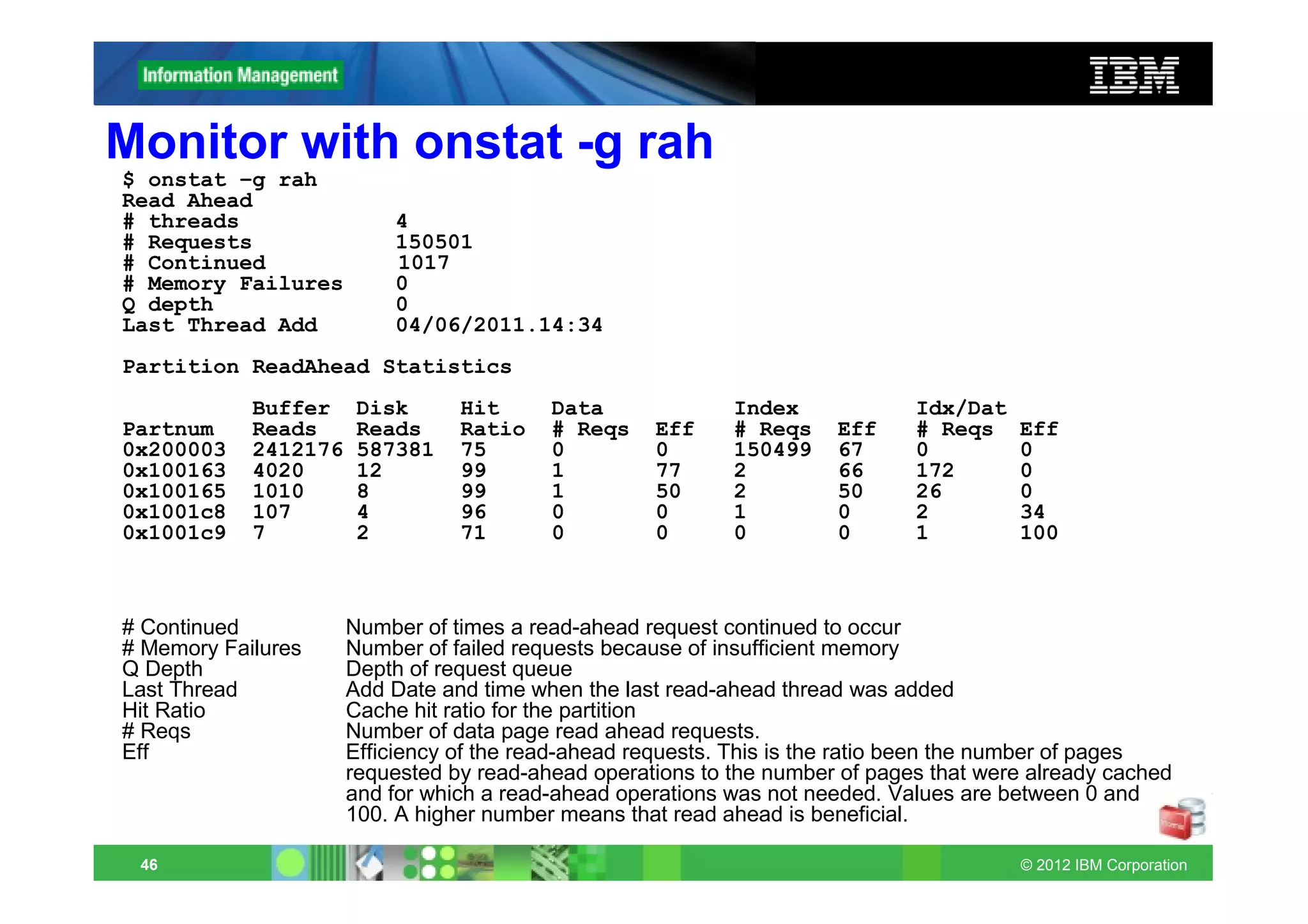
Monitor with onstat -g rah
$ onstat –g rah
Read Ahead
# threads                 4
# Requests                150501
# Continued               1017
# Memory Failures         0
Q depth                   0
Last Thread Add           04/06/2011.14:34
Partition ReadAhead Statistics
            Buffer     Disk      Hit      Data              Index             Idx/Dat
Partnum     Reads      Reads     Ratio    # Reqs    Eff     # Reqs    Eff     # Reqs    Eff
0x200003    2412176    587381    75       0         0       150499    67      0         0
0x100163    4020       12        99       1         77      2         66      172       0
0x100165    1010       8         99       1         50      2         50      26        0
0x1001c8    107        4         96       0         0       1         0       2         34
0x1001c9    7          2         71       0         0       0         0       1         100


# Continued           Number of times a read-ahead request continued to occur
# Memory Failures     Number of failed requests because of insufficient memory
Q Depth               Depth of request queue
Last Thread           Add Date and time when the last read-ahead thread was added
Hit Ratio             Cache hit ratio for the partition
# Reqs                Number of data page read ahead requests.
Eff                   Efficiency of the read-ahead requests. This is the ratio been the number of pages
                      requested by read-ahead operations to the number of pages that were already cached
                      and for which a read-ahead operations was not needed. Values are between 0 and
                      100. A higher number means that read ahead is beneficial.

 46                                                                                     © 2012 IBM Corporation
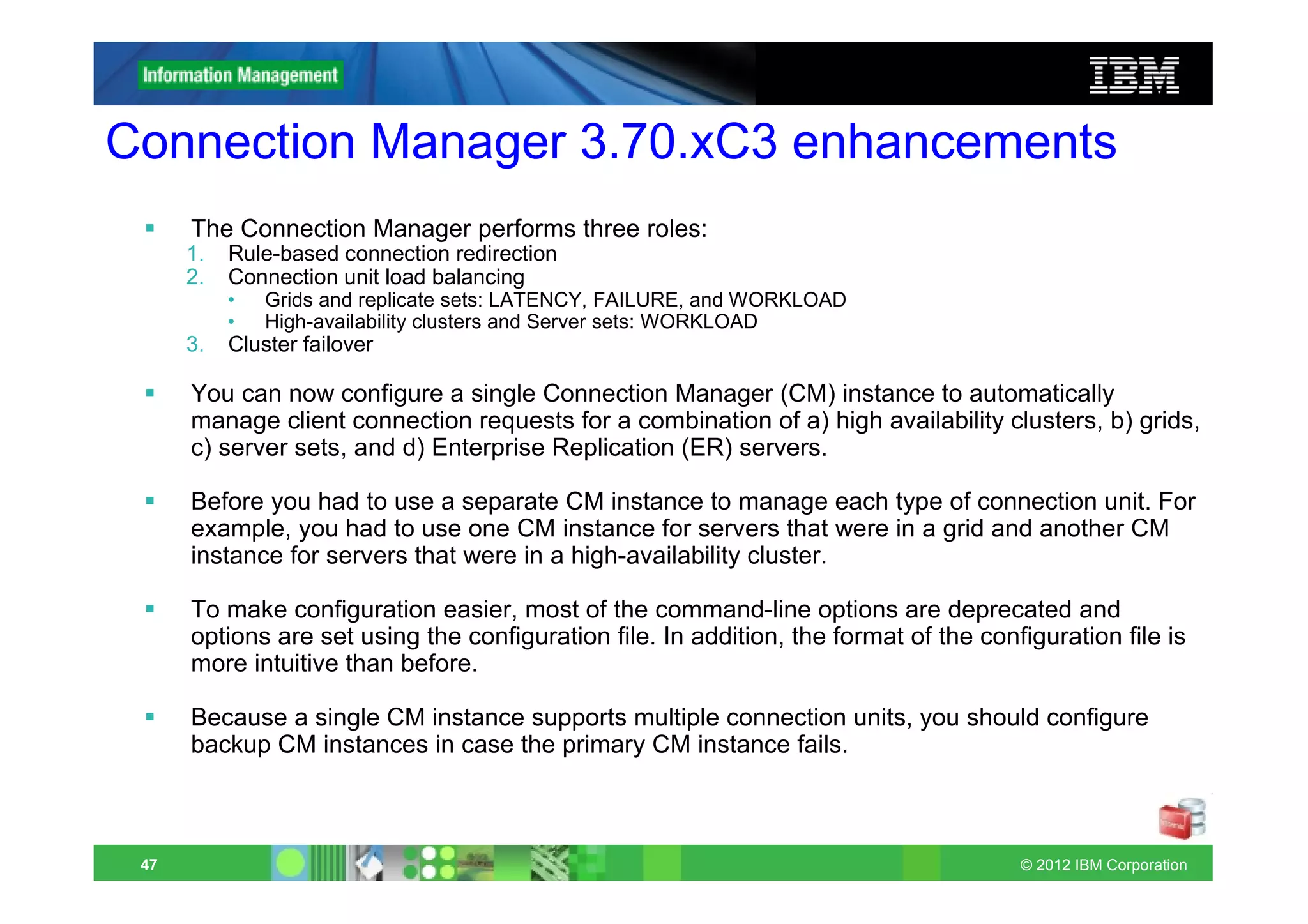
Connection Manager 3.70.xC3 enhancements
      The Connection Manager performs three roles:
      1.   Rule-based connection redirection
      2.   Connection unit load balancing
           •   Grids and replicate sets: LATENCY, FAILURE, and WORKLOAD
           •   High-availability clusters and Server sets: WORKLOAD
      3.   Cluster failover

      You can now configure a single Connection Manager (CM) instance to automatically
      manage client connection requests for a combination of a) high availability clusters, b) grids,
      c) server sets, and d) Enterprise Replication (ER) servers.

      Before you had to use a separate CM instance to manage each type of connection unit. For
      example, you had to use one CM instance for servers that were in a grid and another CM
      instance for servers that were in a high-availability cluster.

      To make configuration easier, most of the command-line options are deprecated and
      options are set using the configuration file. In addition, the format of the configuration file is
      more intuitive than before.

      Because a single CM instance supports multiple connection units, you should configure
      backup CM instances in case the primary CM instance fails.


 47                                                                                    © 2012 IBM Corporation
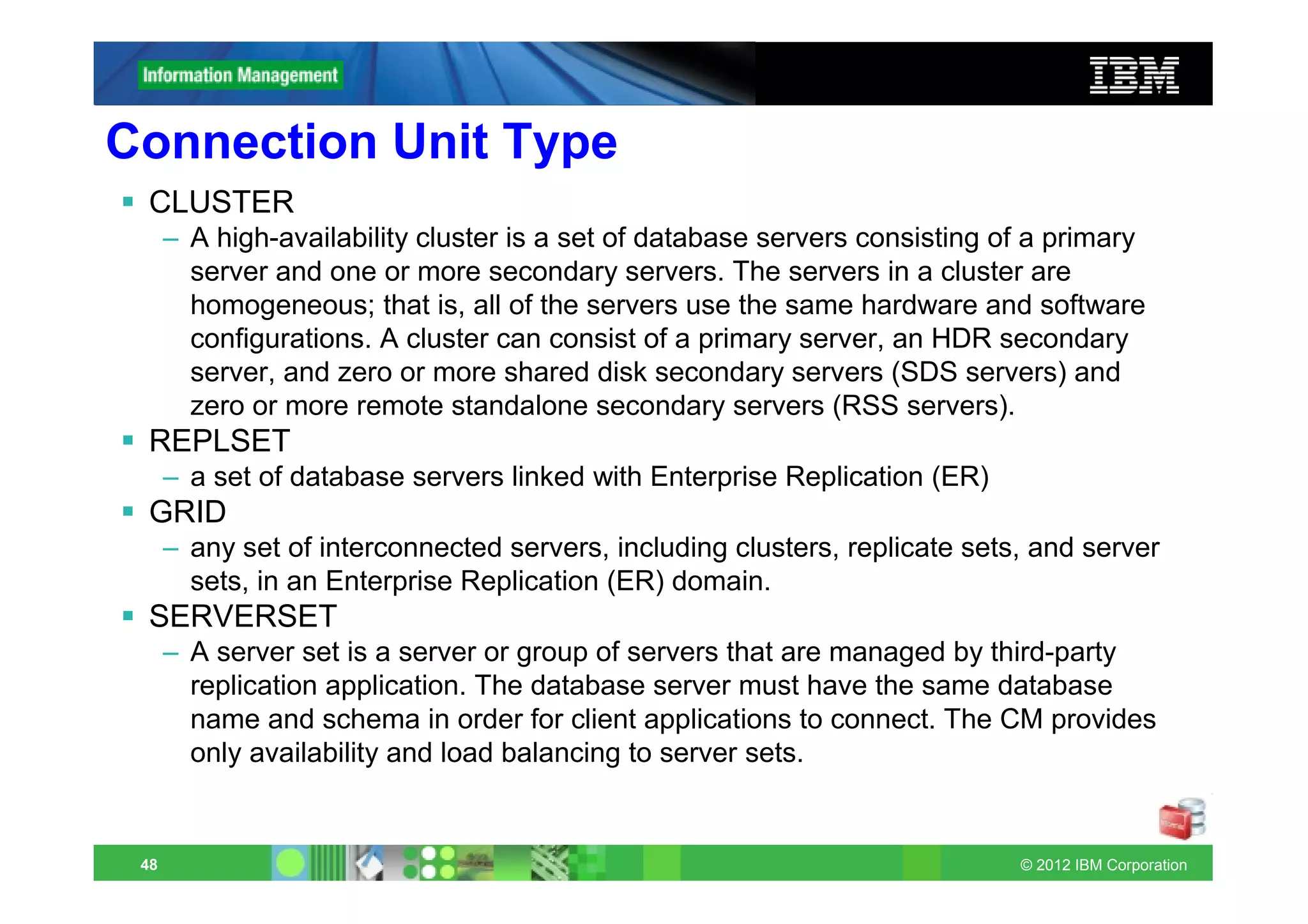
Connection Unit Type
 CLUSTER
      – A high-availability cluster is a set of database servers consisting of a primary
        server and one or more secondary servers. The servers in a cluster are
        homogeneous; that is, all of the servers use the same hardware and software
        configurations. A cluster can consist of a primary server, an HDR secondary
        server, and zero or more shared disk secondary servers (SDS servers) and
        zero or more remote standalone secondary servers (RSS servers).
 REPLSET
      – a set of database servers linked with Enterprise Replication (ER)
 GRID
      – any set of interconnected servers, including clusters, replicate sets, and server
        sets, in an Enterprise Replication (ER) domain.
 SERVERSET
      – A server set is a server or group of servers that are managed by third-party
        replication application. The database server must have the same database
        name and schema in order for client applications to connect. The CM provides
        only availability and load balancing to server sets.


 48                                                                          © 2012 IBM Corporation
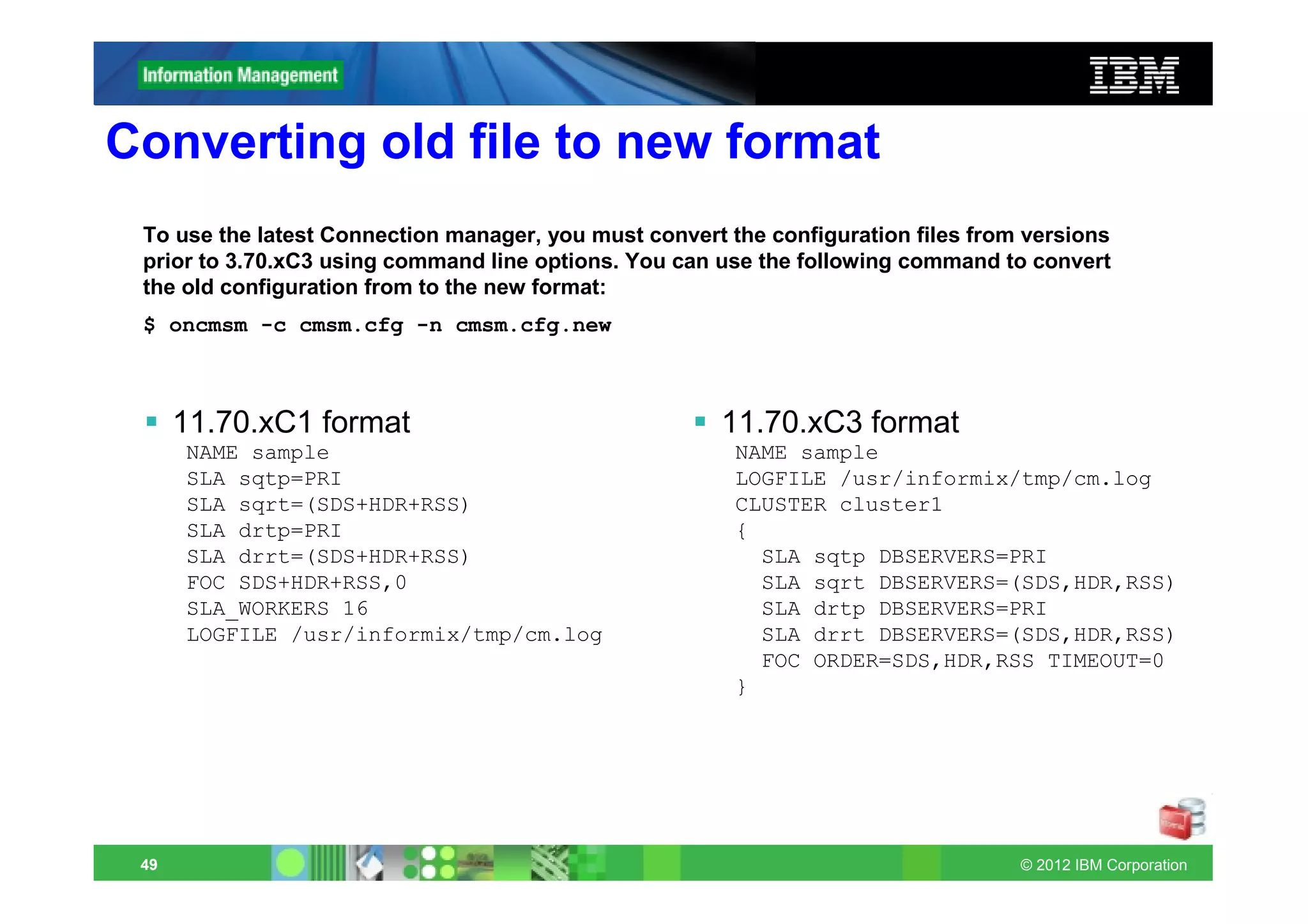
Converting old file to new format
 To use the latest Connection manager, you must convert the configuration files from versions
 prior to 3.70.xC3 using command line options. You can use the following command to convert
 the old configuration from to the new format:
 $ oncmsm -c cmsm.cfg -n cmsm.cfg.new


      11.70.xC1 format                                 11.70.xC3 format
      NAME sample                                        NAME sample
      SLA sqtp=PRI                                       LOGFILE /usr/informix/tmp/cm.log
      SLA sqrt=(SDS+HDR+RSS)                             CLUSTER cluster1
      SLA drtp=PRI                                       {
      SLA drrt=(SDS+HDR+RSS)                               SLA sqtp DBSERVERS=PRI
      FOC SDS+HDR+RSS,0                                    SLA sqrt DBSERVERS=(SDS,HDR,RSS)
      SLA_WORKERS 16                                       SLA drtp DBSERVERS=PRI
      LOGFILE /usr/informix/tmp/cm.log                     SLA drrt DBSERVERS=(SDS,HDR,RSS)
                                                           FOC ORDER=SDS,HDR,RSS TIMEOUT=0
                                                         }


 49                                                                                 © 2012 IBM Corporation
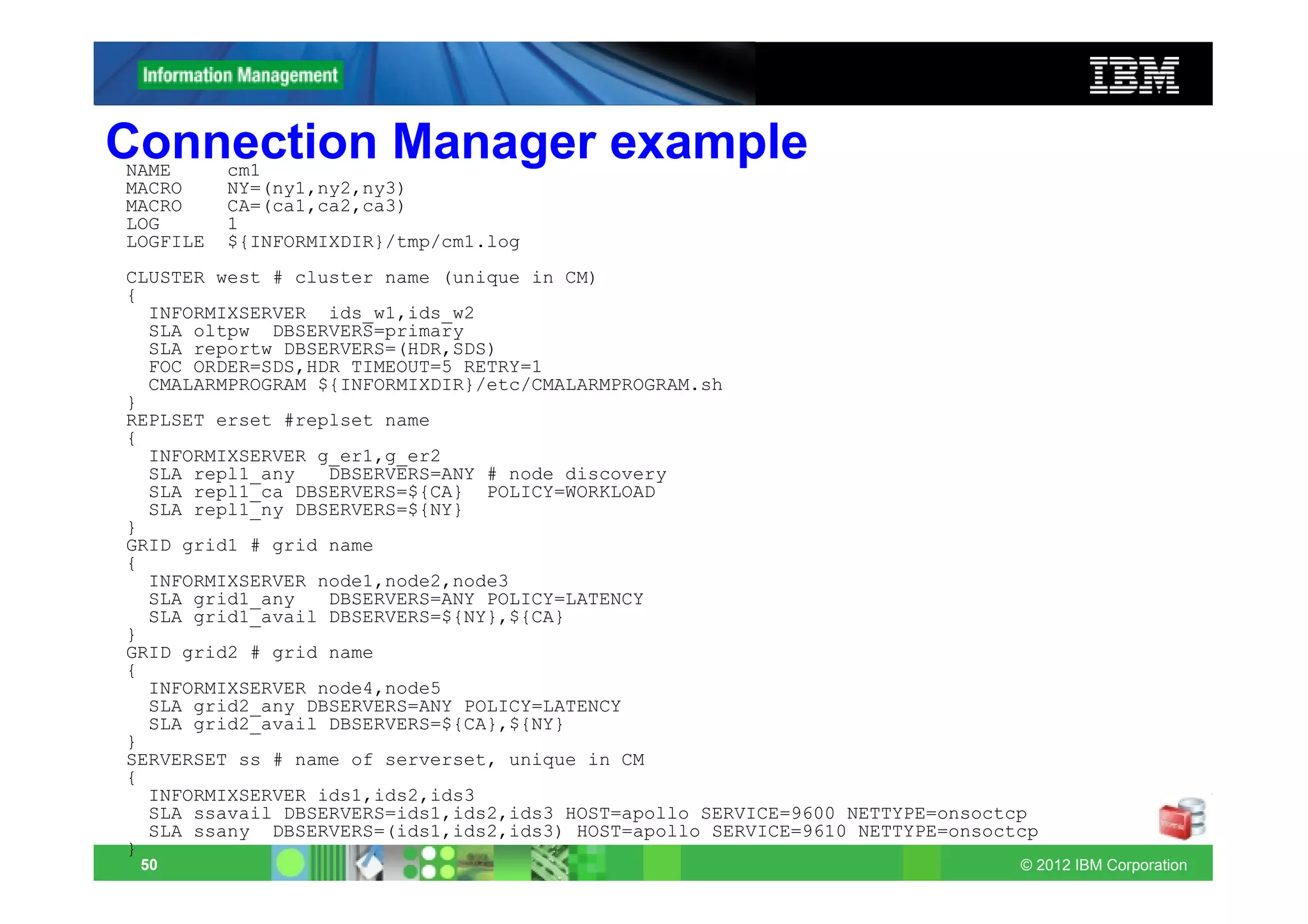
Connection Manager example
NAME      cm1
MACRO     NY=(ny1,ny2,ny3)
MACRO     CA=(ca1,ca2,ca3)
LOG       1
LOGFILE   ${INFORMIXDIR}/tmp/cm1.log
CLUSTER west # cluster name (unique in CM)
{
  INFORMIXSERVER ids_w1,ids_w2
  SLA oltpw DBSERVERS=primary
  SLA reportw DBSERVERS=(HDR,SDS)
  FOC ORDER=SDS,HDR TIMEOUT=5 RETRY=1
  CMALARMPROGRAM ${INFORMIXDIR}/etc/CMALARMPROGRAM.sh
}
REPLSET erset #replset name
{
  INFORMIXSERVER g_er1,g_er2
  SLA repl1_any   DBSERVERS=ANY # node discovery
  SLA repl1_ca DBSERVERS=${CA} POLICY=WORKLOAD
  SLA repl1_ny DBSERVERS=${NY}
}
GRID grid1 # grid name
{
  INFORMIXSERVER node1,node2,node3
  SLA grid1_any   DBSERVERS=ANY POLICY=LATENCY
  SLA grid1_avail DBSERVERS=${NY},${CA}
}
GRID grid2 # grid name
{
  INFORMIXSERVER node4,node5
  SLA grid2_any DBSERVERS=ANY POLICY=LATENCY
  SLA grid2_avail DBSERVERS=${CA},${NY}
}
SERVERSET ss # name of serverset, unique in CM
{
  INFORMIXSERVER ids1,ids2,ids3
  SLA ssavail DBSERVERS=ids1,ids2,ids3 HOST=apollo SERVICE=9600 NETTYPE=onsoctcp
  SLA ssany DBSERVERS=(ids1,ids2,ids3) HOST=apollo SERVICE=9610 NETTYPE=onsoctcp
}
 50                                                                           © 2012 IBM Corporation
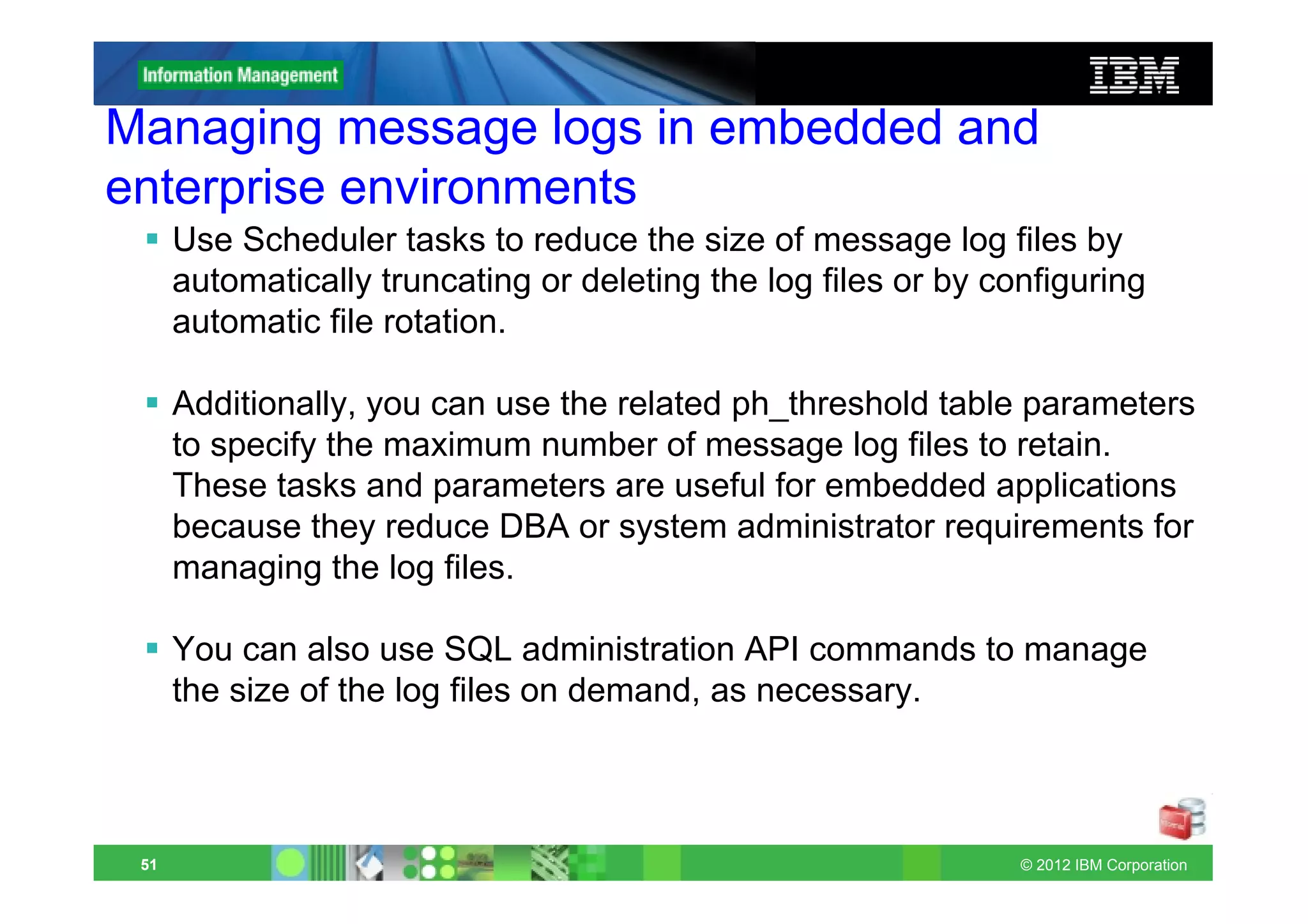
Managing message logs in embedded and
enterprise environments
      Use Scheduler tasks to reduce the size of message log files by
      automatically truncating or deleting the log files or by configuring
      automatic file rotation.

      Additionally, you can use the related ph_threshold table parameters
      to specify the maximum number of message log files to retain.
      These tasks and parameters are useful for embedded applications
      because they reduce DBA or system administrator requirements for
      managing the log files.

      You can also use SQL administration API commands to manage
      the size of the log files on demand, as necessary.


 51                                                              © 2012 IBM Corporation
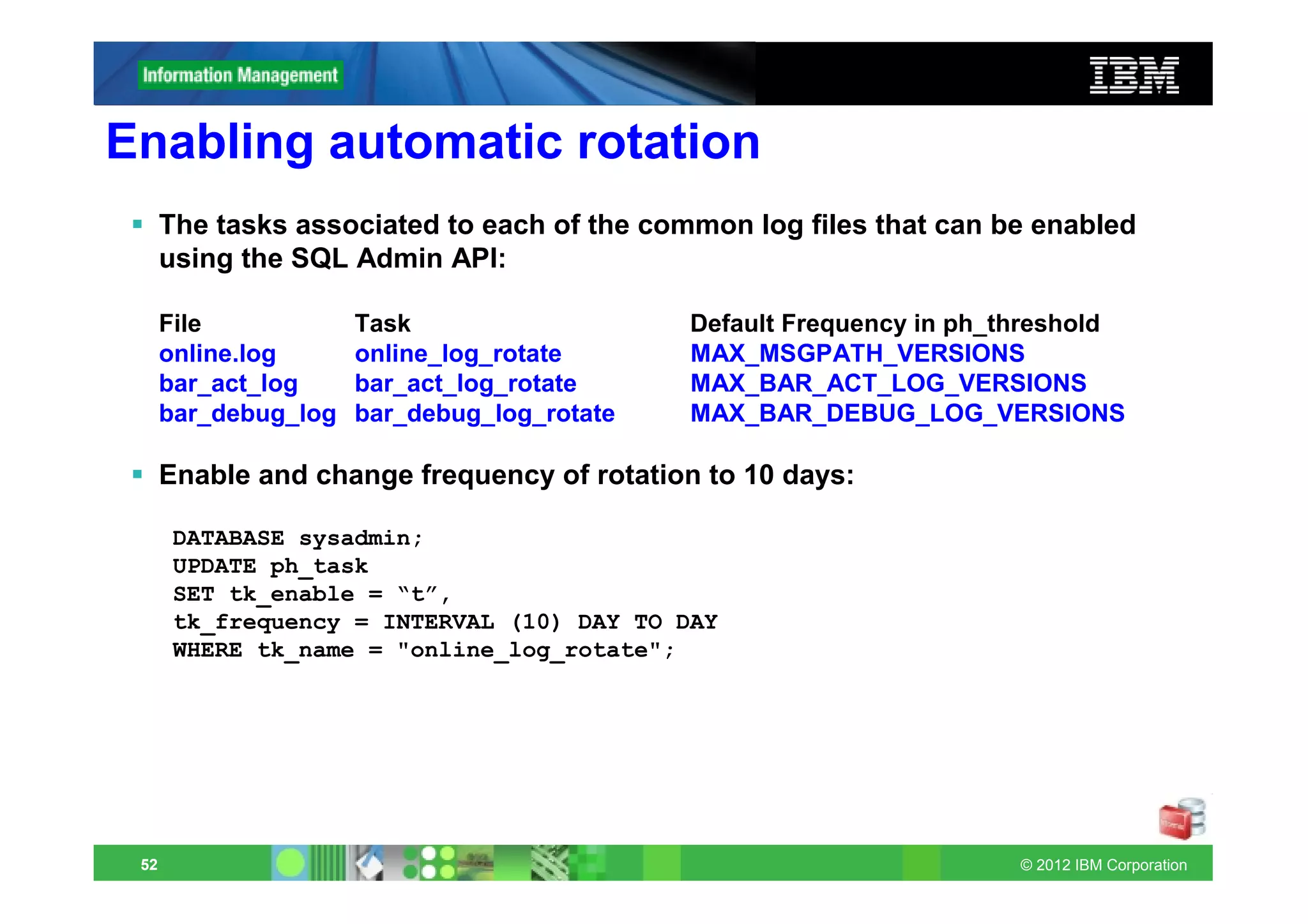
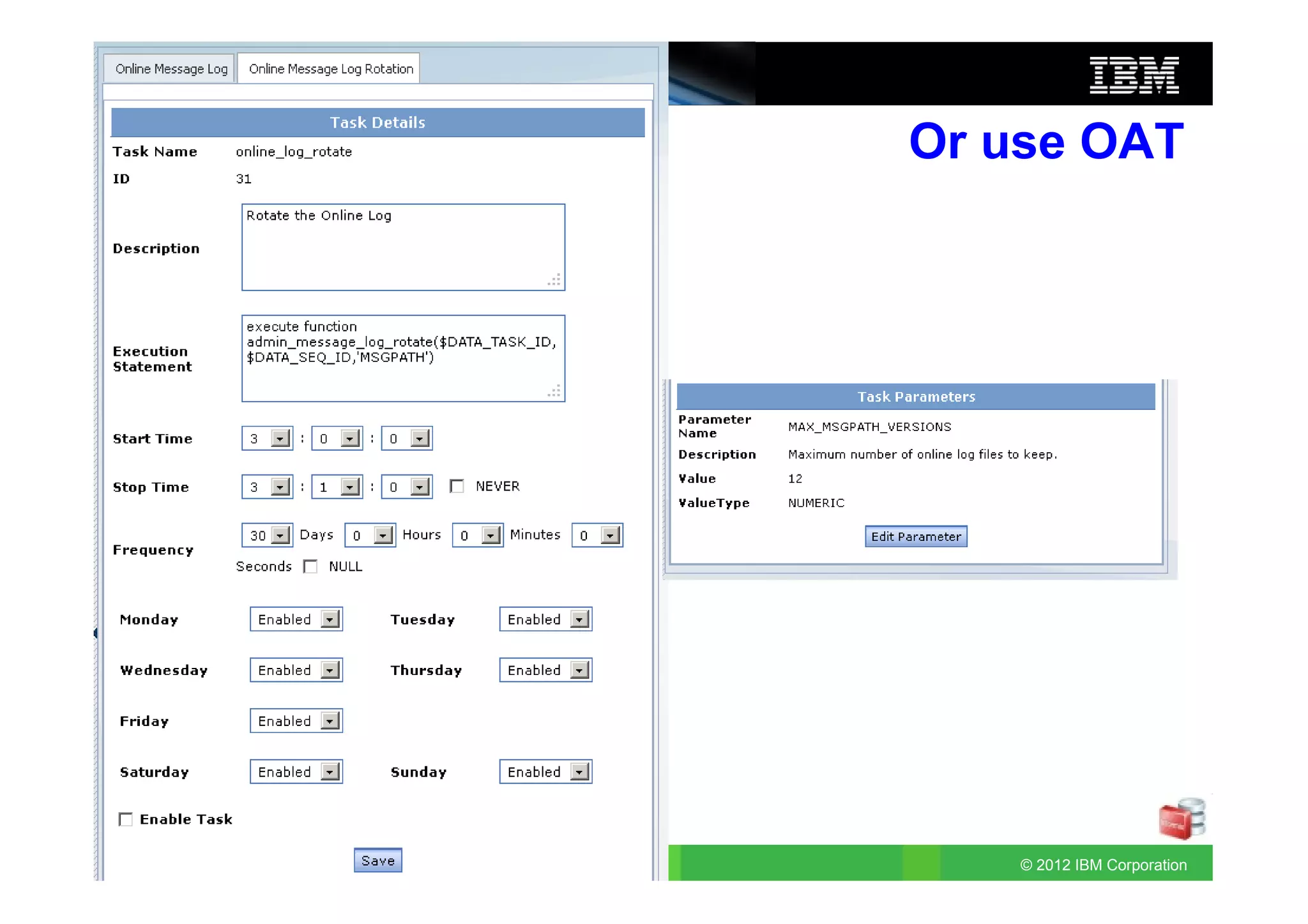
Enabling automatic rotation
      The tasks associated to each of the common log files that can be enabled
      using the SQL Admin API:

      File            Task                   Default Frequency in ph_threshold
      online.log      online_log_rotate      MAX_MSGPATH_VERSIONS
      bar_act_log     bar_act_log_rotate     MAX_BAR_ACT_LOG_VERSIONS
      bar_debug_log   bar_debug_log_rotate   MAX_BAR_DEBUG_LOG_VERSIONS

      Enable and change frequency of rotation to 10 days:

       DATABASE sysadmin;
       UPDATE ph_task
       SET tk_enable = “t”,
       tk_frequency = INTERVAL (10) DAY TO DAY
       WHERE tk_name = "online_log_rotate";


 52                                                                   © 2012 IBM Corporation
Or use OAT


53       © 2012 IBM Corporation
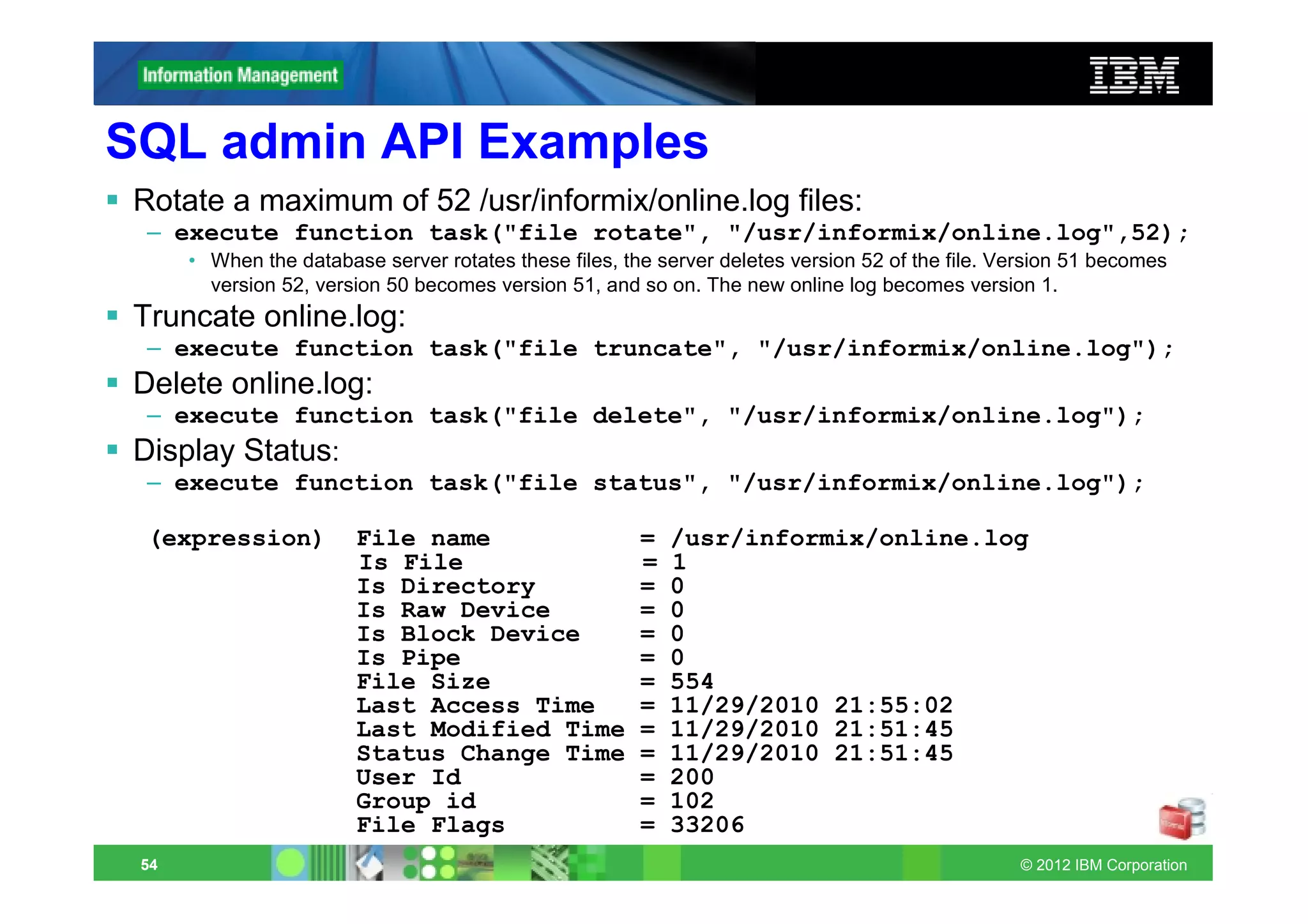
SQL admin API Examples
 Rotate a maximum of 52 /usr/informix/online.log files:
  – execute function task("file rotate", "/usr/informix/online.log",52);
      • When the database server rotates these files, the server deletes version 52 of the file. Version 51 becomes
        version 52, version 50 becomes version 51, and so on. The new online log becomes version 1.
 Truncate online.log:
  – execute function task("file truncate", "/usr/informix/online.log");
 Delete online.log:
  – execute function task("file delete", "/usr/informix/online.log");
 Display Status:
  – execute function task("file status", "/usr/informix/online.log");

  (expression)          File name                       =   /usr/informix/online.log
                        Is File                         =   1
                        Is Directory                    =   0
                        Is Raw Device                   =   0
                        Is Block Device                 =   0
                        Is Pipe                         =   0
                        File Size                       =   554
                        Last Access Time                =   11/29/2010 21:55:02
                        Last Modified Time              =   11/29/2010 21:51:45
                        Status Change Time              =   11/29/2010 21:51:45
                        User Id                         =   200
                        Group id                        =   102
                        File Flags                      =   33206
 54                                                                                               © 2012 IBM Corporation
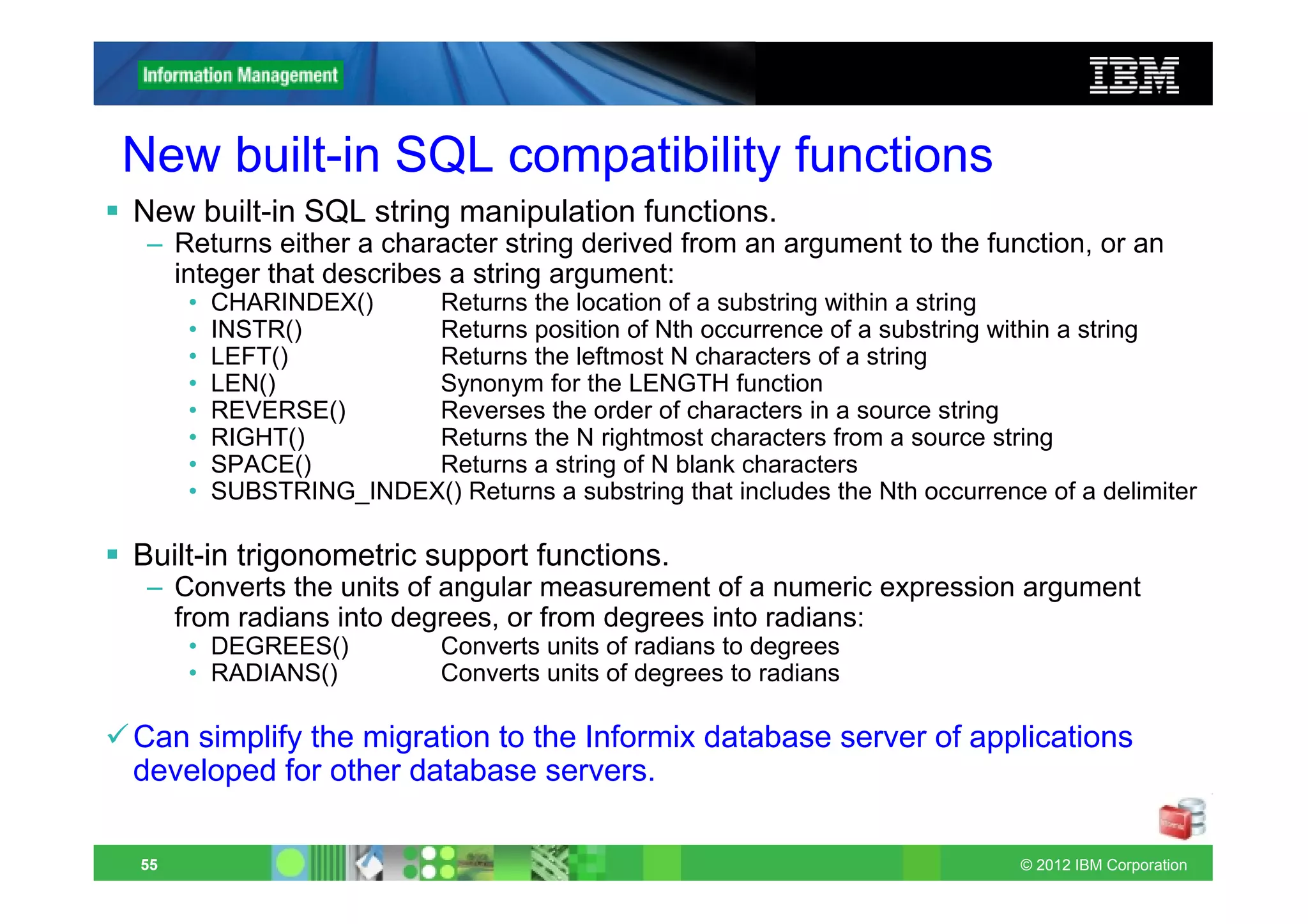
New built-in SQL compatibility functions
New built-in SQL string manipulation functions.
 – Returns either a character string derived from an argument to the function, or an
   integer that describes a string argument:
     •   CHARINDEX()    Returns the location of a substring within a string
     •   INSTR()        Returns position of Nth occurrence of a substring within a string
     •   LEFT()         Returns the leftmost N characters of a string
     •   LEN()          Synonym for the LENGTH function
     •   REVERSE()      Reverses the order of characters in a source string
     •   RIGHT()        Returns the N rightmost characters from a source string
     •   SPACE()        Returns a string of N blank characters
     •   SUBSTRING_INDEX() Returns a substring that includes the Nth occurrence of a delimiter

Built-in trigonometric support functions.
 – Converts the units of angular measurement of a numeric expression argument
   from radians into degrees, or from degrees into radians:
     • DEGREES()            Converts units of radians to degrees
     • RADIANS()            Converts units of degrees to radians

Can simplify the migration to the Informix database server of applications
developed for other database servers.

55                                                                            © 2012 IBM Corporation
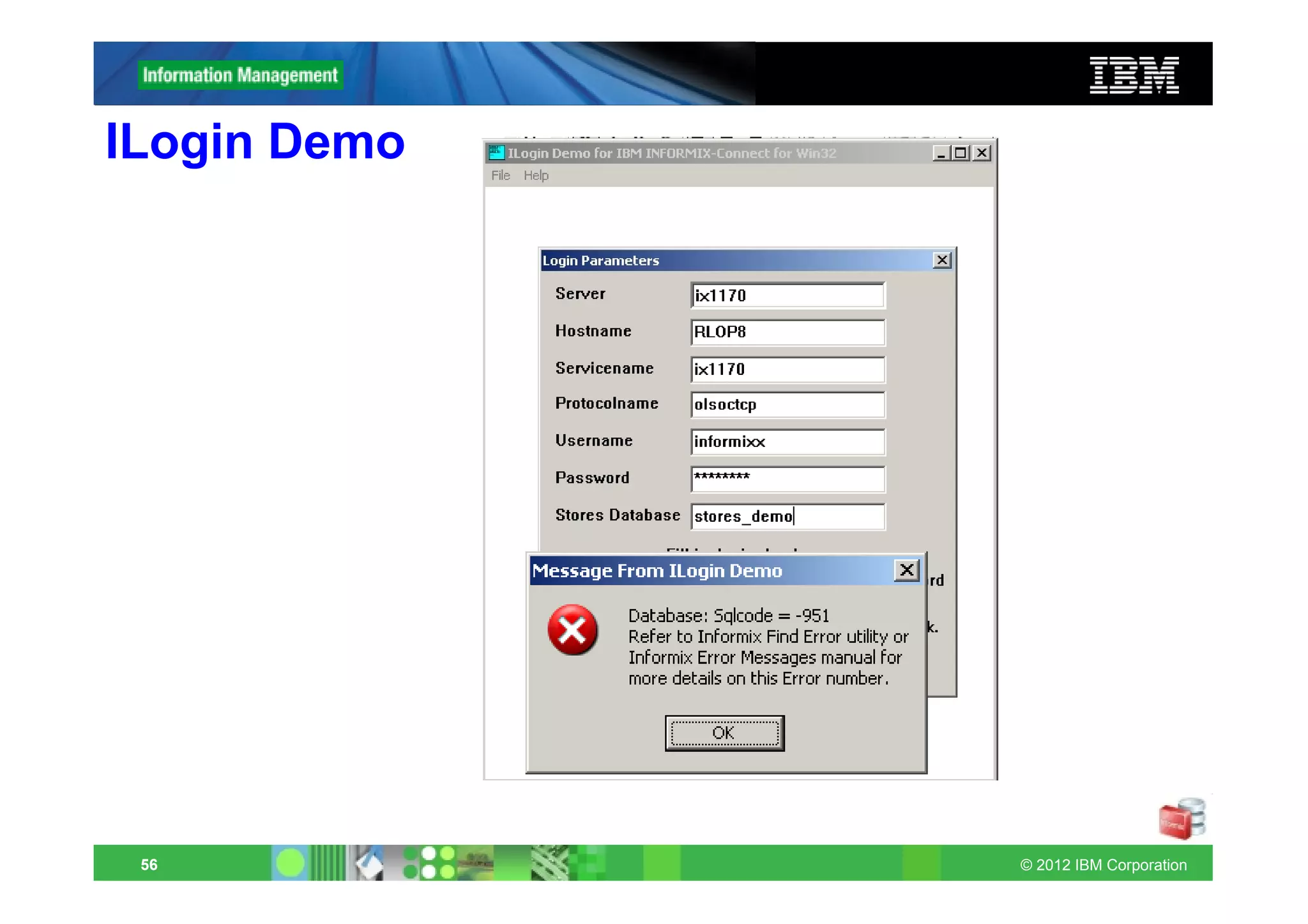
ILogin Demo


 56           © 2012 IBM Corporation
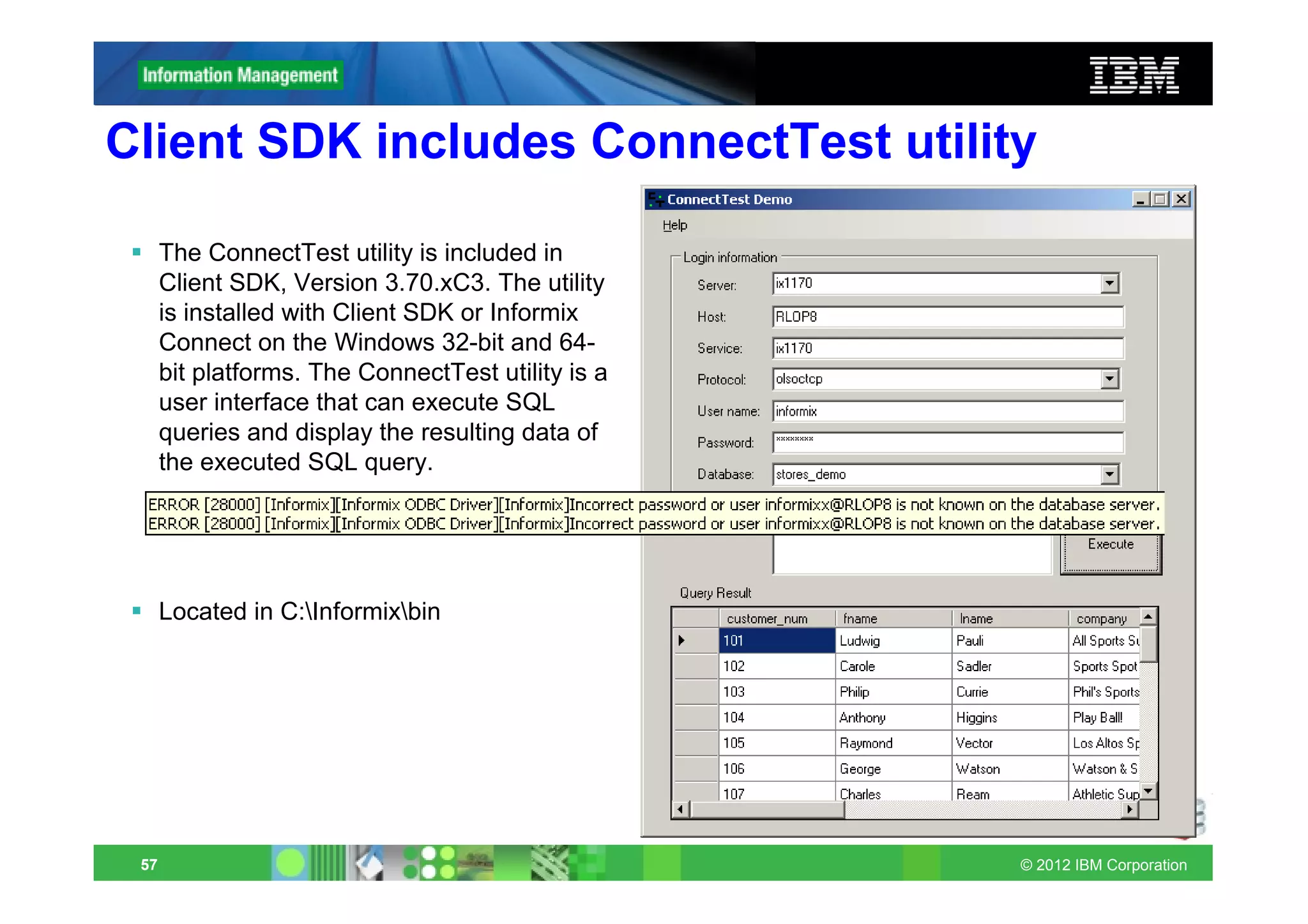
Client SDK includes ConnectTest utility

      The ConnectTest utility is included in
      Client SDK, Version 3.70.xC3. The utility
      is installed with Client SDK or Informix
      Connect on the Windows 32-bit and 64-
      bit platforms. The ConnectTest utility is a
      user interface that can execute SQL
      queries and display the resulting data of
      the executed SQL query.


      Located in C:Informixbin


 57                                                 © 2012 IBM Corporation
DB-Access included with Client-SDK
      Client SDK includes the DB-Access utility!

      Users now have an IBM supported server command line utility on
      the client side.

      – The DB-Access utility is included in IBM Informix Client Software
        Development Kit (Client SDK), version 3.70.xC3

      – The utility is installed with Client SDK or IBM Informix Connect only on
        platforms that support IBM Informix 11.70.


 58                                                                  © 2012 IBM Corporation
Non-root installations with SHM and pipes
 Non-root installations support shared-memory and stream-pipe
 connections (for onipcshm and onipcstr)
 – Communication files directory option (cfd)
 – You can use the communication files directory option to store shared-memory or
   stream-pipe connection communication files in a new location. Specifying the
   communication files directory option for non-root installations of Informix is
   necessary if the server and client are in different locations, and increases system
   performance if the server and client are in the same location.

 – The cfd option can define an absolute path or a path relative to $INFORMIXDIR for
   storing communication files:
      • cfd=/location defines an absolute path
      • cfd=location defines a path relative to $INFORMIXDIR
 – The length of the cfd path is restricted to 70 bytes. Relative-path byte lengths
   include $INFORMIXDIR.

 – Non-root installations of Informix do not have permission to write to the
   /INFORMIXTMP directory, so shared-memory and stream-pipe connection
   communication files are written to the $INFORMIXDIR/etc directory if no
   communication files directory has been specified as an option in the sqlhosts file.
 59                                                                       © 2012 IBM Corporation
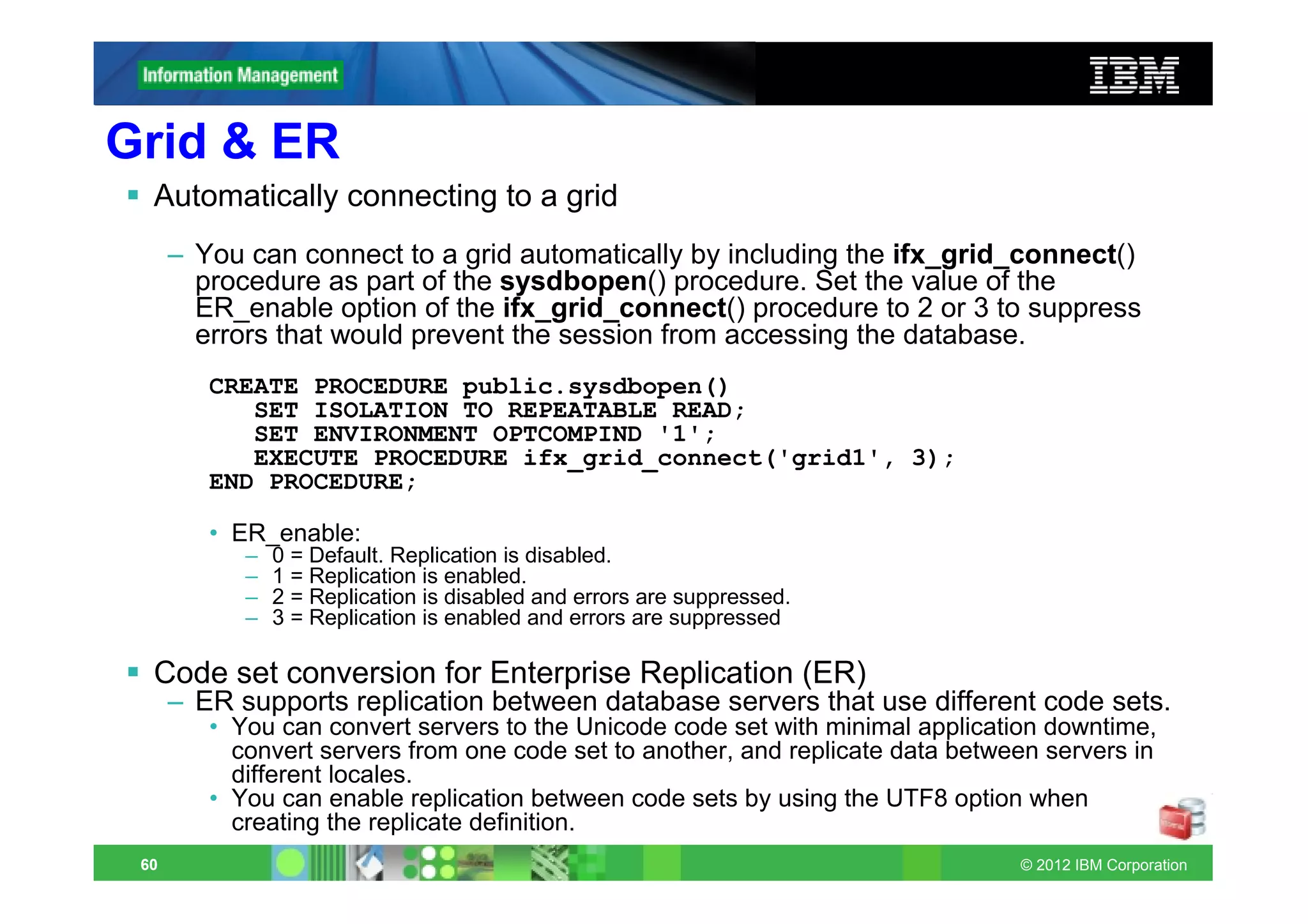
Grid & ER
  Automatically connecting to a grid
      – You can connect to a grid automatically by including the ifx_grid_connect()
        procedure as part of the sysdbopen() procedure. Set the value of the
        ER_enable option of the ifx_grid_connect() procedure to 2 or 3 to suppress
        errors that would prevent the session from accessing the database.
         CREATE PROCEDURE public.sysdbopen()
            SET ISOLATION TO REPEATABLE READ;
            SET ENVIRONMENT OPTCOMPIND '1';
            EXECUTE PROCEDURE ifx_grid_connect('grid1', 3);
         END PROCEDURE;

         • ER_enable:
            –   0 = Default. Replication is disabled.
            –   1 = Replication is enabled.
            –   2 = Replication is disabled and errors are suppressed.
            –   3 = Replication is enabled and errors are suppressed

  Code set conversion for Enterprise Replication (ER)
      – ER supports replication between database servers that use different code sets.
         • You can convert servers to the Unicode code set with minimal application downtime,
           convert servers from one code set to another, and replicate data between servers in
           different locales.
         • You can enable replication between code sets by using the UTF8 option when
           creating the replicate definition.
 60                                                                              © 2012 IBM Corporation
Enhancements to the Replication plug-in for OAT
      Define one Connection Manager for multiple connection units.
      – You can define a Connection Manager to manage client connection requests
        for a combination of clusters, grids, replication sets, and server sets on the
        Replication > Connection Manager pages.
      – You can
         • add connection units to a Connection Manager
         • start and stop a Connection Manager
         • create service level agreements (SLAs).

      Replicate among multiple code sets.
      – You can specify that replication can occur between code sets when you create
        a template or a replicate on the Replication > Replicates pages.
         • The character columns are converted to UTF-8 when a row is copied into the
           transmission queue.
         • When the replicated row is applied on the target server, the data is converted from
           UTF-8 to the code set of the target server.


 61                                                                                © 2012 IBM Corporation
Audit log files
     Retaining numbers for audit log files
     Audit log file numbers are no longer reused if the database server
     restarts after audit log files are removed.
     The adtlog.server file in the $INFORMIXDIR/aaodir directory
     maintains the number of the most recent audit log file.

     The adtlog.server file saves system resources whenever the
     database server restarts because the database server no longer
     checks each audit log file number before assigning a number to the
     new log file.


62                                                            © 2012 IBM Corporation
Mapped Users
      Restrict operating system properties for mapped users

      The operating system administrator can now use the
      /etc/informix/allowed.surrogates file to control which operating
      system users and groups can act as surrogates for mapped users.

      – The improved control makes root installations of Informix more secure
        by preventing the database security administrator from specifying
        surrogates that could compromise operating system security.


 63                                                                © 2012 IBM Corporation
Simplified handling of time series data
• Managing time series data with the Informix TimeSeries data type is easier
  than in previous releases:
• Storing time series data:
      • Containers for time series data are created automatically in the same dbspaces
        that the table uses. Container and TimeSeries subtype names can be up to 128
        bytes long. Time series tables and containers can use non-default page sizes.

• Creating a time series:
      • You can use predefined calendars for a time series. You can experiment with
        time series data in the stores_demo database.

• Using time series data:
      • You can create virtual tables based on the results of a time series expression,
        and you can use standard virtual tables to easily update data. You can also
        output time series data in XML format with the TSToXML function.

• Deleting time series data:
      • You can quickly delete large quantities of time series data.
 64                                                                         © 2012 IBM Corporation
Informix TimeSeries plug-in for OAT
 • With the TimeSeries plug-in, you can monitor the database objects
   related to your time series:

      • View the TimeSeries subtypes, containers, and calendars that are used
        for the time series data in a database.

      • View the tables and indexes that contain TimeSeries subtypes.

      • View the virtual tables that are based on tables that contain TimeSeries
        subtypes.

      • Monitor the percentage of the space that is used in the containers and
        in the dbspaces for the containers.

      • You can also create and drop containers, calendars, and virtual tables.


 65                                                                © 2012 IBM Corporation
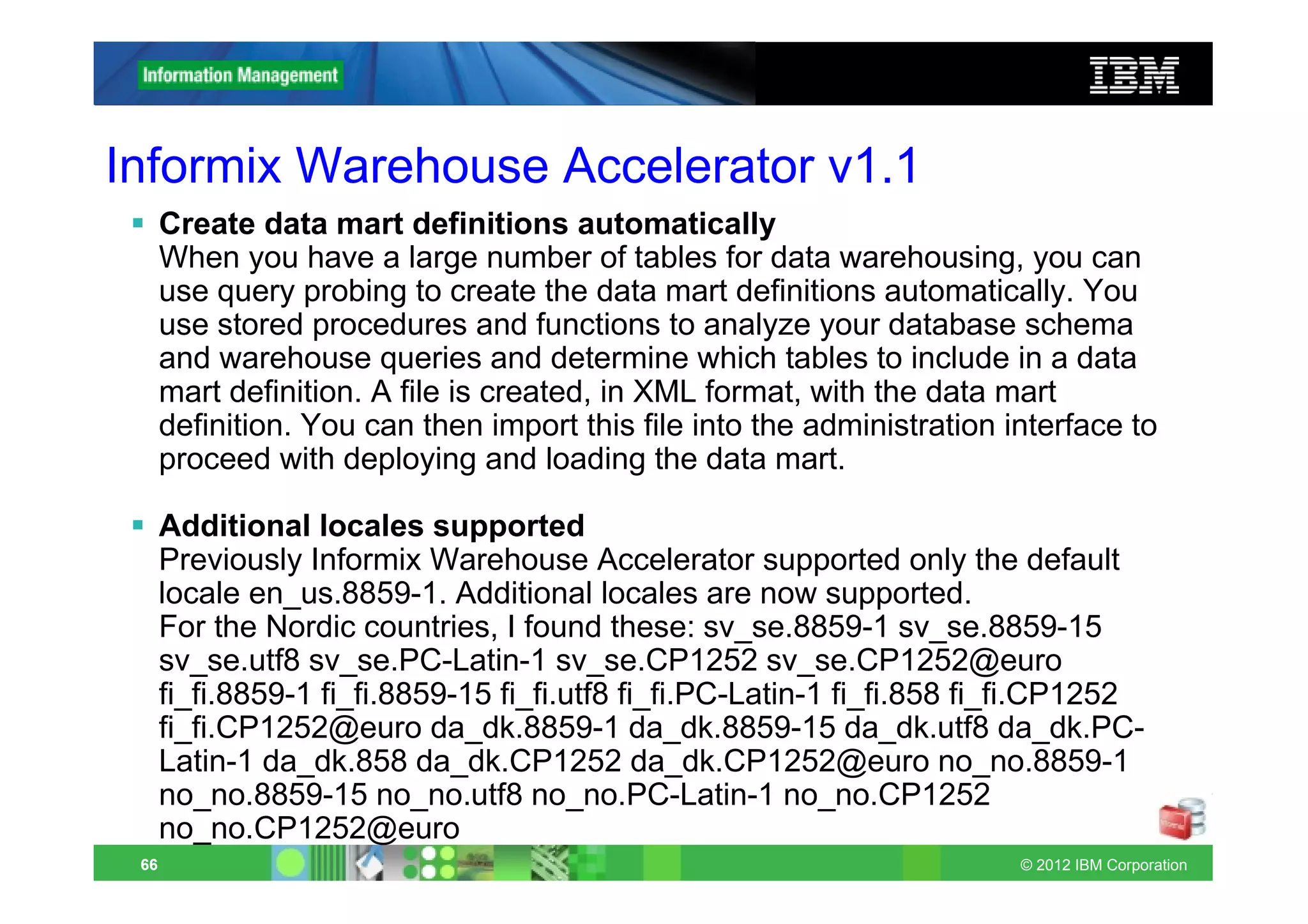
Informix Warehouse Accelerator v1.1
      Create data mart definitions automatically
      When you have a large number of tables for data warehousing, you can
      use query probing to create the data mart definitions automatically. You
      use stored procedures and functions to analyze your database schema
      and warehouse queries and determine which tables to include in a data
      mart definition. A file is created, in XML format, with the data mart
      definition. You can then import this file into the administration interface to
      proceed with deploying and loading the data mart.

      Additional locales supported
      Previously Informix Warehouse Accelerator supported only the default
      locale en_us.8859-1. Additional locales are now supported.
      For the Nordic countries, I found these: sv_se.8859-1 sv_se.8859-15
      sv_se.utf8 sv_se.PC-Latin-1 sv_se.CP1252 sv_se.CP1252@euro
      fi_fi.8859-1 fi_fi.8859-15 fi_fi.utf8 fi_fi.PC-Latin-1 fi_fi.858 fi_fi.CP1252
      fi_fi.CP1252@euro da_dk.8859-1 da_dk.8859-15 da_dk.utf8 da_dk.PC-
      Latin-1 da_dk.858 da_dk.CP1252 da_dk.CP1252@euro no_no.8859-1
      no_no.8859-15 no_no.utf8 no_no.PC-Latin-1 no_no.CP1252
      no_no.CP1252@euro
 66                                                                      © 2012 IBM Corporation
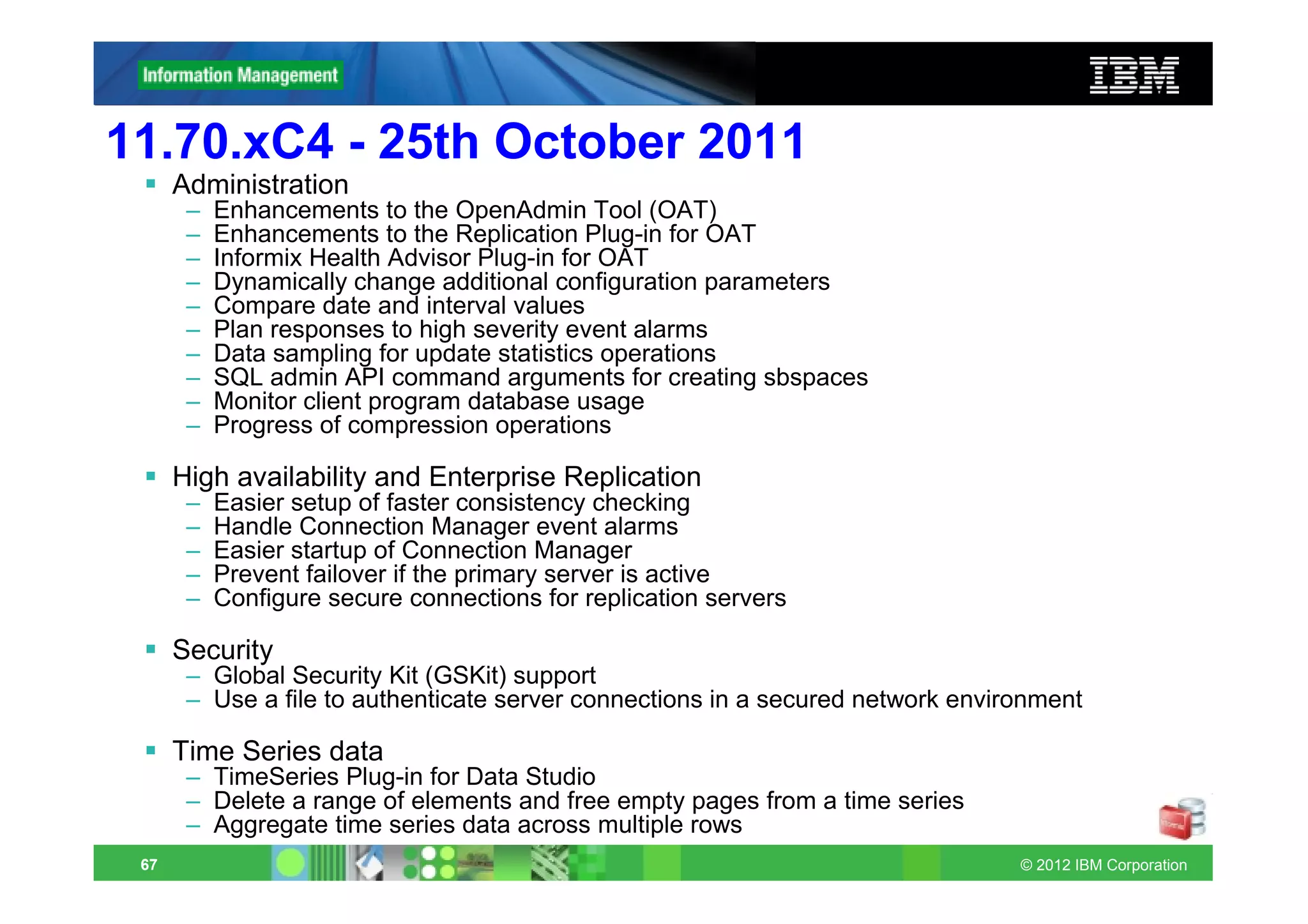
11.70.xC4 - 25th October 2011
      Administration
       –   Enhancements to the OpenAdmin Tool (OAT)
       –   Enhancements to the Replication Plug-in for OAT
       –   Informix Health Advisor Plug-in for OAT
       –   Dynamically change additional configuration parameters
       –   Compare date and interval values
       –   Plan responses to high severity event alarms
       –   Data sampling for update statistics operations
       –   SQL admin API command arguments for creating sbspaces
       –   Monitor client program database usage
       –   Progress of compression operations

      High availability and Enterprise Replication
       –   Easier setup of faster consistency checking
       –   Handle Connection Manager event alarms
       –   Easier startup of Connection Manager
       –   Prevent failover if the primary server is active
       –   Configure secure connections for replication servers

      Security
       – Global Security Kit (GSKit) support
       – Use a file to authenticate server connections in a secured network environment

      Time Series data
       – TimeSeries Plug-in for Data Studio
       – Delete a range of elements and free empty pages from a time series
       – Aggregate time series data across multiple rows
 67                                                                              © 2012 IBM Corporation
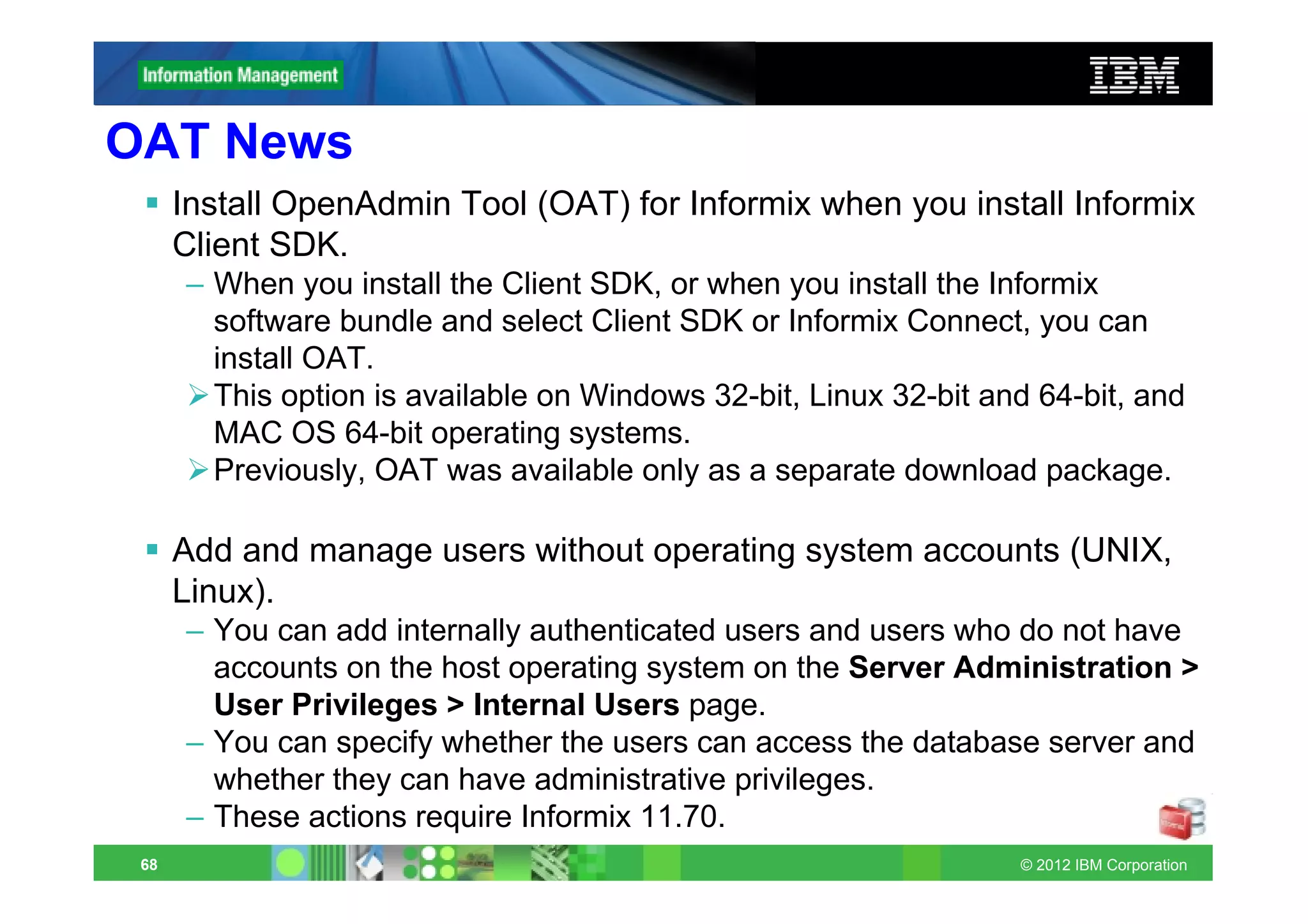
OAT News
      Install OpenAdmin Tool (OAT) for Informix when you install Informix
      Client SDK.
      – When you install the Client SDK, or when you install the Informix
        software bundle and select Client SDK or Informix Connect, you can
        install OAT.
        This option is available on Windows 32-bit, Linux 32-bit and 64-bit, and
        MAC OS 64-bit operating systems.
        Previously, OAT was available only as a separate download package.

      Add and manage users without operating system accounts (UNIX,
      Linux).
      – You can add internally authenticated users and users who do not have
        accounts on the host operating system on the Server Administration >
        User Privileges > Internal Users page.
      – You can specify whether the users can access the database server and
        whether they can have administrative privileges.
      – These actions require Informix 11.70.
 68                                                                © 2012 IBM Corporation
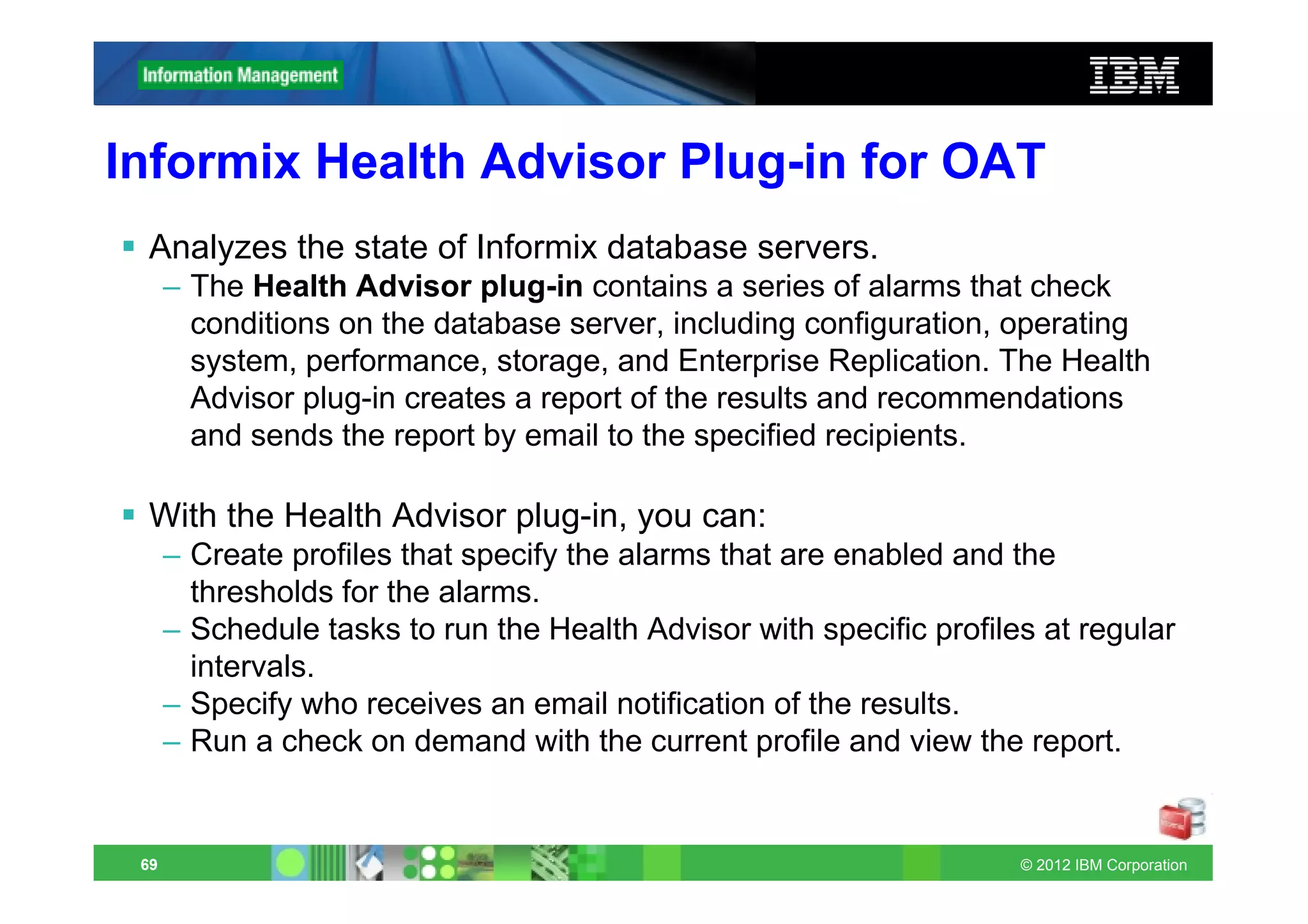
Informix Health Advisor Plug-in for OAT
 Analyzes the state of Informix database servers.
      – The Health Advisor plug-in contains a series of alarms that check
        conditions on the database server, including configuration, operating
        system, performance, storage, and Enterprise Replication. The Health
        Advisor plug-in creates a report of the results and recommendations
        and sends the report by email to the specified recipients.

 With the Health Advisor plug-in, you can:
      – Create profiles that specify the alarms that are enabled and the
        thresholds for the alarms.
      – Schedule tasks to run the Health Advisor with specific profiles at regular
        intervals.
      – Specify who receives an email notification of the results.
      – Run a check on demand with the current profile and view the report.


 69                                                                   © 2012 IBM Corporation
Enhancements to the Replication Plug-in for OAT
     Administer Enterprise Replication, the Connection Manager, and
     grids for multibyte database locales.
     – You can view data in any database locale that Informix database
       servers support when you are using the Replication plug-in, including
       the Enterprise Replication, Connection Manager, and Grid pages.
     – For example, you can access a database that has an Italian or a
       Japanese locale.
     – Previously, the OAT pages supported non-English locales, but the
       Replication plug-in did not.
     – Support for multibyte database locales in the Replication plug-in
       requires Informix 11.70.xC4.


70                                                                © 2012 IBM Corporation
Dynamically change additional configuration
parameters

      In past releases you could dynamically change some configuration
      parameters with the onmode -wf or onmode -wm commands. As of
      this fix pack, you can use those commands to dynamically change
      these additional configurations parameters:
      – ALARMPROGRAM, AUTO_REPREPARE, BLOCKTIMEOUT,
        CKPTINTVL, DBSPACETEMP, DEADLOCK_TIMEOUT,
        DEF_TABLE_LOCKMODE, DIRECTIVES, DRINTERVAL,
        DRTIMEOUT, FILLFACTOR, LOGSIZE, LTAPEBLK, LTAPEDEV,
        LTAPESIZE, MSGPATH, ONDBSPACEDOWN, OPTCOMPIND,
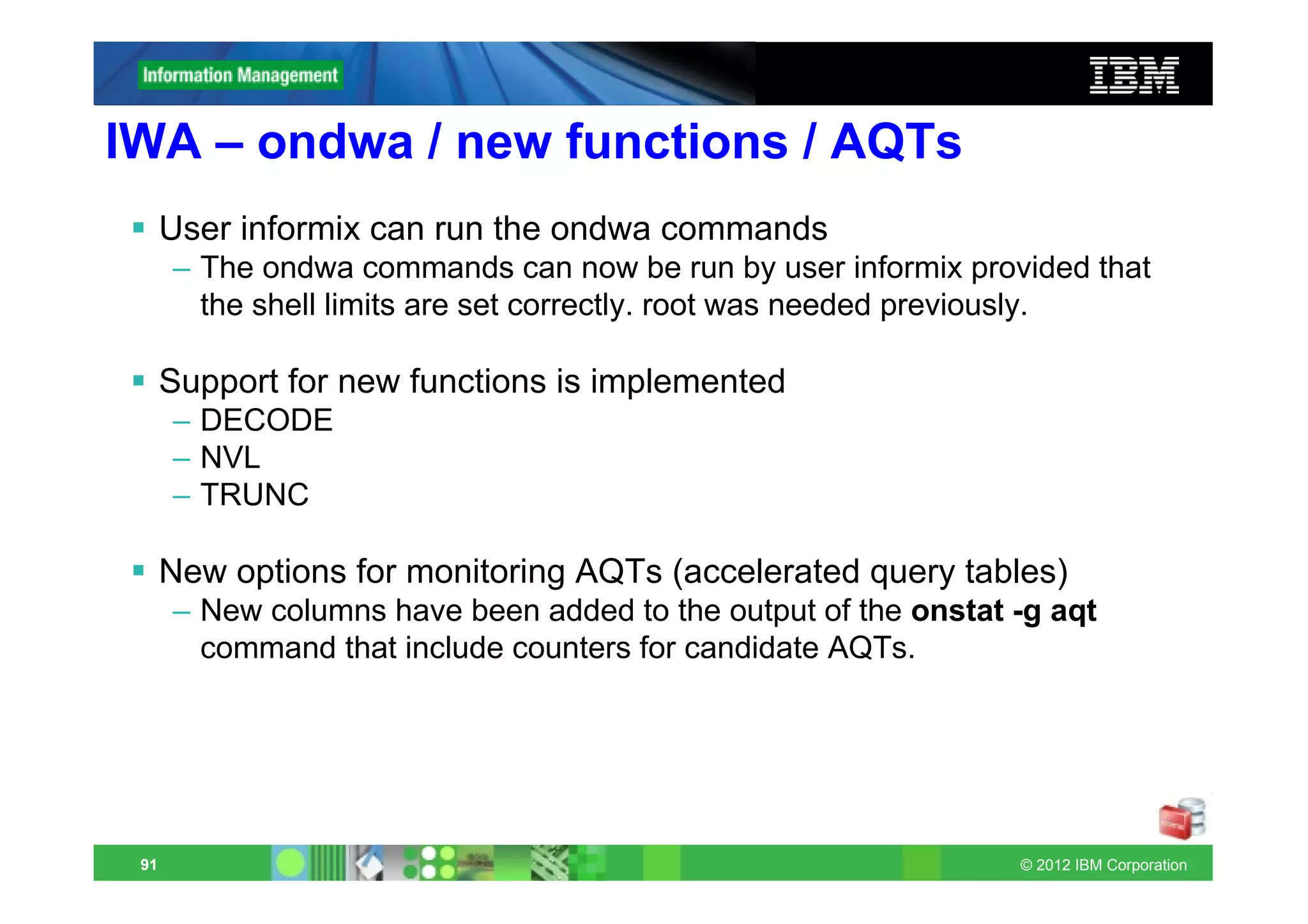
        RA_PAGES, SHMADD, STACKSIZE, SYSALARMPROGRAM,
        TAPEBLK, TAPEDEV, TAPESIZE, TBLTBLFIRST, TBLTBLNEXT,
        TXTIMEOUT, and WSTATS.


 71                                                         © 2012 IBM Corporation
onmode –wm/wf changeable
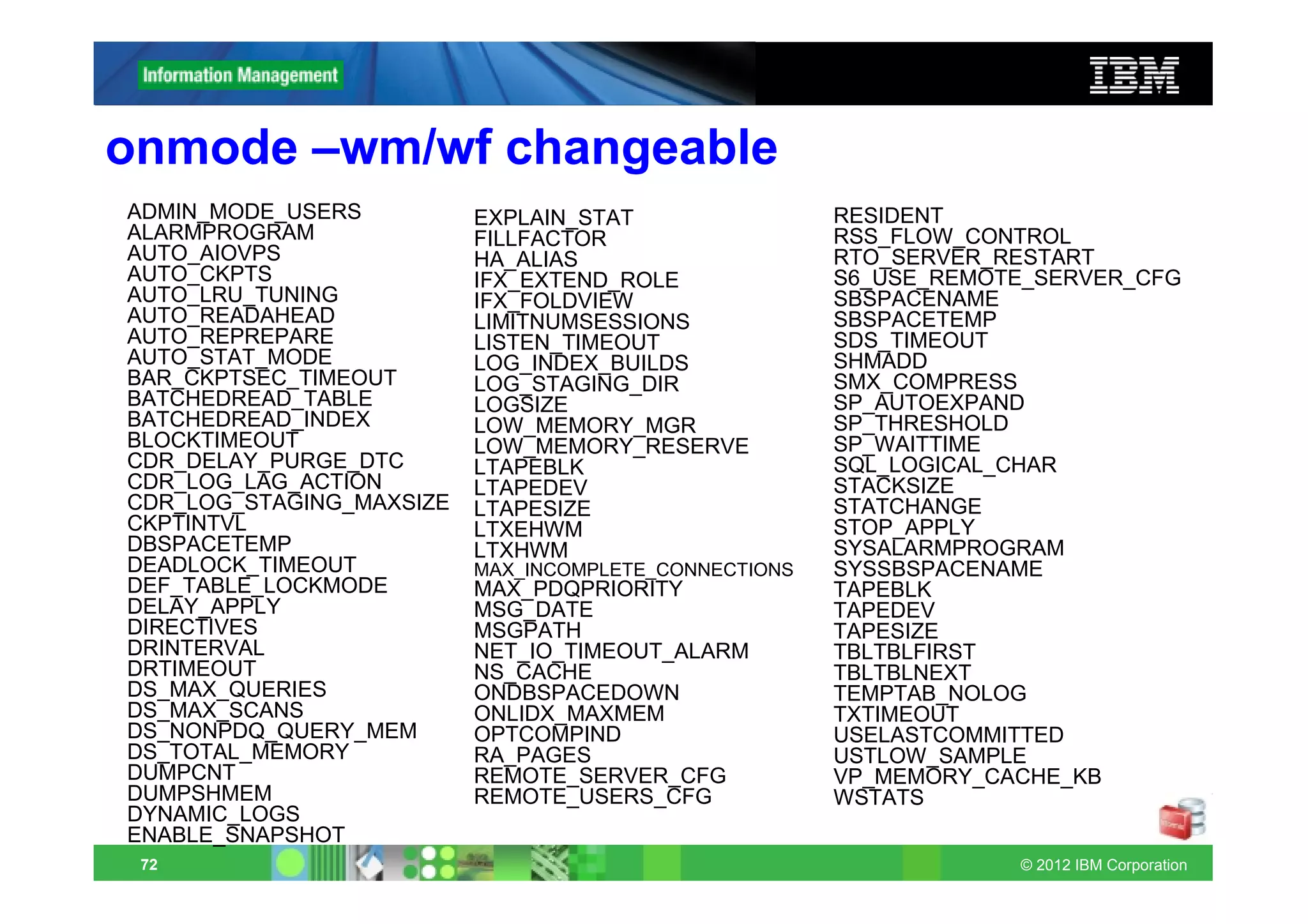
ADMIN_MODE_USERS          EXPLAIN_STAT                 RESIDENT
ALARMPROGRAM              FILLFACTOR                   RSS_FLOW_CONTROL
AUTO_AIOVPS               HA_ALIAS                     RTO_SERVER_RESTART
AUTO_CKPTS                IFX_EXTEND_ROLE              S6_USE_REMOTE_SERVER_CFG
AUTO_LRU_TUNING           IFX_FOLDVIEW                 SBSPACENAME
AUTO_READAHEAD            LIMITNUMSESSIONS             SBSPACETEMP
AUTO_REPREPARE            LISTEN_TIMEOUT               SDS_TIMEOUT
AUTO_STAT_MODE            LOG_INDEX_BUILDS             SHMADD
BAR_CKPTSEC_TIMEOUT       LOG_STAGING_DIR              SMX_COMPRESS
BATCHEDREAD_TABLE         LOGSIZE                      SP_AUTOEXPAND
BATCHEDREAD_INDEX         LOW_MEMORY_MGR               SP_THRESHOLD
BLOCKTIMEOUT              LOW_MEMORY_RESERVE           SP_WAITTIME
CDR_DELAY_PURGE_DTC       LTAPEBLK                     SQL_LOGICAL_CHAR
CDR_LOG_LAG_ACTION        LTAPEDEV                     STACKSIZE
CDR_LOG_STAGING_MAXSIZE   LTAPESIZE                    STATCHANGE
CKPTINTVL                 LTXEHWM                      STOP_APPLY
DBSPACETEMP               LTXHWM                       SYSALARMPROGRAM
DEADLOCK_TIMEOUT          MAX_INCOMPLETE_CONNECTIONS   SYSSBSPACENAME
DEF_TABLE_LOCKMODE        MAX_PDQPRIORITY              TAPEBLK
DELAY_APPLY               MSG_DATE                     TAPEDEV
DIRECTIVES                MSGPATH                      TAPESIZE
DRINTERVAL                NET_IO_TIMEOUT_ALARM         TBLTBLFIRST
DRTIMEOUT                 NS_CACHE                     TBLTBLNEXT
DS_MAX_QUERIES            ONDBSPACEDOWN                TEMPTAB_NOLOG
DS_MAX_SCANS              ONLIDX_MAXMEM                TXTIMEOUT
DS_NONPDQ_QUERY_MEM       OPTCOMPIND                   USELASTCOMMITTED
DS_TOTAL_MEMORY           RA_PAGES                     USTLOW_SAMPLE
DUMPCNT                   REMOTE_SERVER_CFG            VP_MEMORY_CACHE_KB
DUMPSHMEM                 REMOTE_USERS_CFG             WSTATS
DYNAMIC_LOGS
ENABLE_SNAPSHOT
 72                                                                © 2012 IBM Corporation
Datablade API - date/interval comparison
      Compare date and interval values
      – You can compare the values of two DATETIME data types or the
        values of two INTERVAL data types to determine if the first value is
        before, after, or the same as the second value.

      mi_integer mi_interval_compare(
      – mi_interval *inv1,
      – mi_interval *inv2,
      – mi_integer *result)

      mi_integer mi_datetime_compare(
      – mi_datetime *dtime1,
      – mi_datetime *dtime2,
      – mi_integer *result)


 73                                                                 © 2012 IBM Corporation
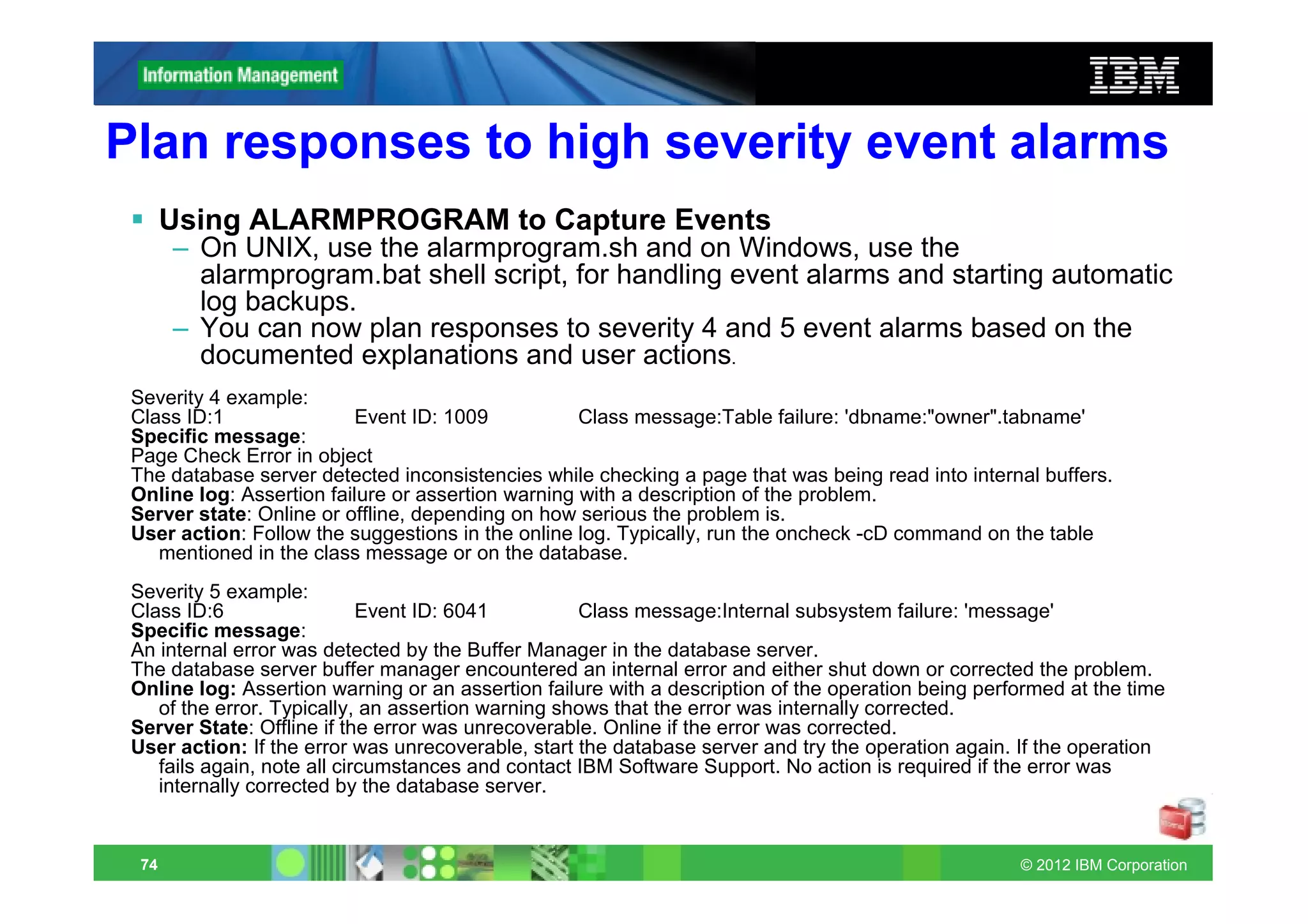
Plan responses to high severity event alarms
       Using ALARMPROGRAM to Capture Events
       – On UNIX, use the alarmprogram.sh and on Windows, use the
         alarmprogram.bat shell script, for handling event alarms and starting automatic
         log backups.
       – You can now plan responses to severity 4 and 5 event alarms based on the
         documented explanations and user actions.
 Severity 4 example:
 Class ID:1               Event ID: 1009            Class message:Table failure: 'dbname:"owner".tabname'
 Specific message:
 Page Check Error in object
 The database server detected inconsistencies while checking a page that was being read into internal buffers.
 Online log: Assertion failure or assertion warning with a description of the problem.
 Server state: Online or offline, depending on how serious the problem is.
 User action: Follow the suggestions in the online log. Typically, run the oncheck -cD command on the table
    mentioned in the class message or on the database.
 Severity 5 example:
 Class ID:6                  Event ID: 6041         Class message:Internal subsystem failure: 'message'
 Specific message:
 An internal error was detected by the Buffer Manager in the database server.
 The database server buffer manager encountered an internal error and either shut down or corrected the problem.
 Online log: Assertion warning or an assertion failure with a description of the operation being performed at the time
    of the error. Typically, an assertion warning shows that the error was internally corrected.
 Server State: Offline if the error was unrecoverable. Online if the error was corrected.
 User action: If the error was unrecoverable, start the database server and try the operation again. If the operation
    fails again, note all circumstances and contact IBM Software Support. No action is required if the error was
    internally corrected by the database server.


  74                                                                                                 © 2012 IBM Corporation
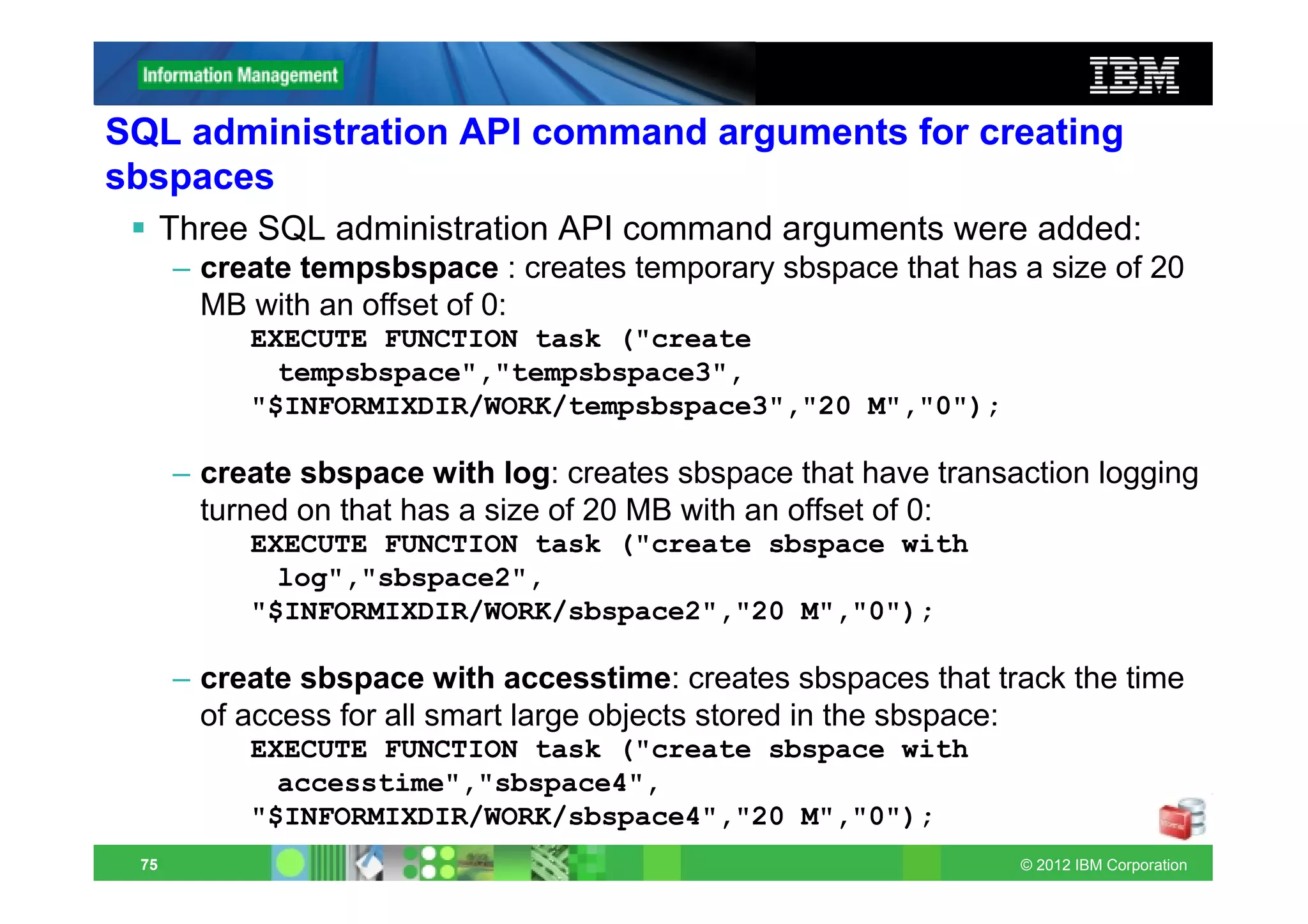
SQL administration API command arguments for creating
sbspaces
      Three SQL administration API command arguments were added:
      – create tempsbspace : creates temporary sbspace that has a size of 20
        MB with an offset of 0:
           EXECUTE FUNCTION task ("create
             tempsbspace","tempsbspace3",
           "$INFORMIXDIR/WORK/tempsbspace3","20 M","0");

      – create sbspace with log: creates sbspace that have transaction logging
        turned on that has a size of 20 MB with an offset of 0:
           EXECUTE FUNCTION task ("create sbspace with
             log","sbspace2",
           "$INFORMIXDIR/WORK/sbspace2","20 M","0");

      – create sbspace with accesstime: creates sbspaces that track the time
        of access for all smart large objects stored in the sbspace:
           EXECUTE FUNCTION task ("create sbspace with
             accesstime","sbspace4",
           "$INFORMIXDIR/WORK/sbspace4","20 M","0");
 75                                                              © 2012 IBM Corporation
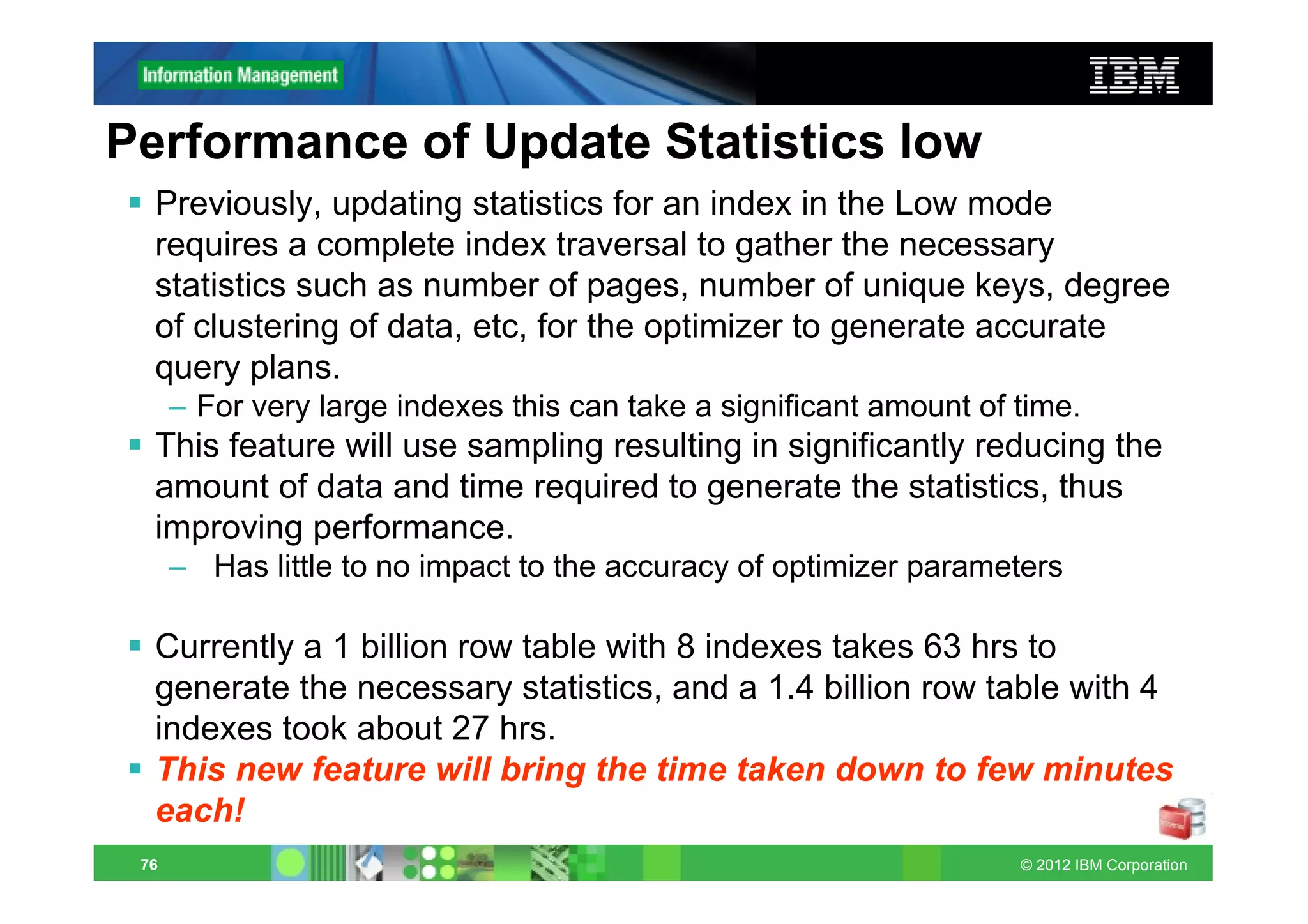
Performance of Update Statistics low
  Previously, updating statistics for an index in the Low mode
  requires a complete index traversal to gather the necessary
  statistics such as number of pages, number of unique keys, degree
  of clustering of data, etc, for the optimizer to generate accurate
  query plans.
      – For very large indexes this can take a significant amount of time.
  This feature will use sampling resulting in significantly reducing the
  amount of data and time required to generate the statistics, thus
  improving performance.
      – Has little to no impact to the accuracy of optimizer parameters

  Currently a 1 billion row table with 8 indexes takes 63 hrs to
  generate the necessary statistics, and a 1.4 billion row table with 4
  indexes took about 27 hrs.
  This new feature will bring the time taken down to few minutes
  each!
 76                                                                  © 2012 IBM Corporation
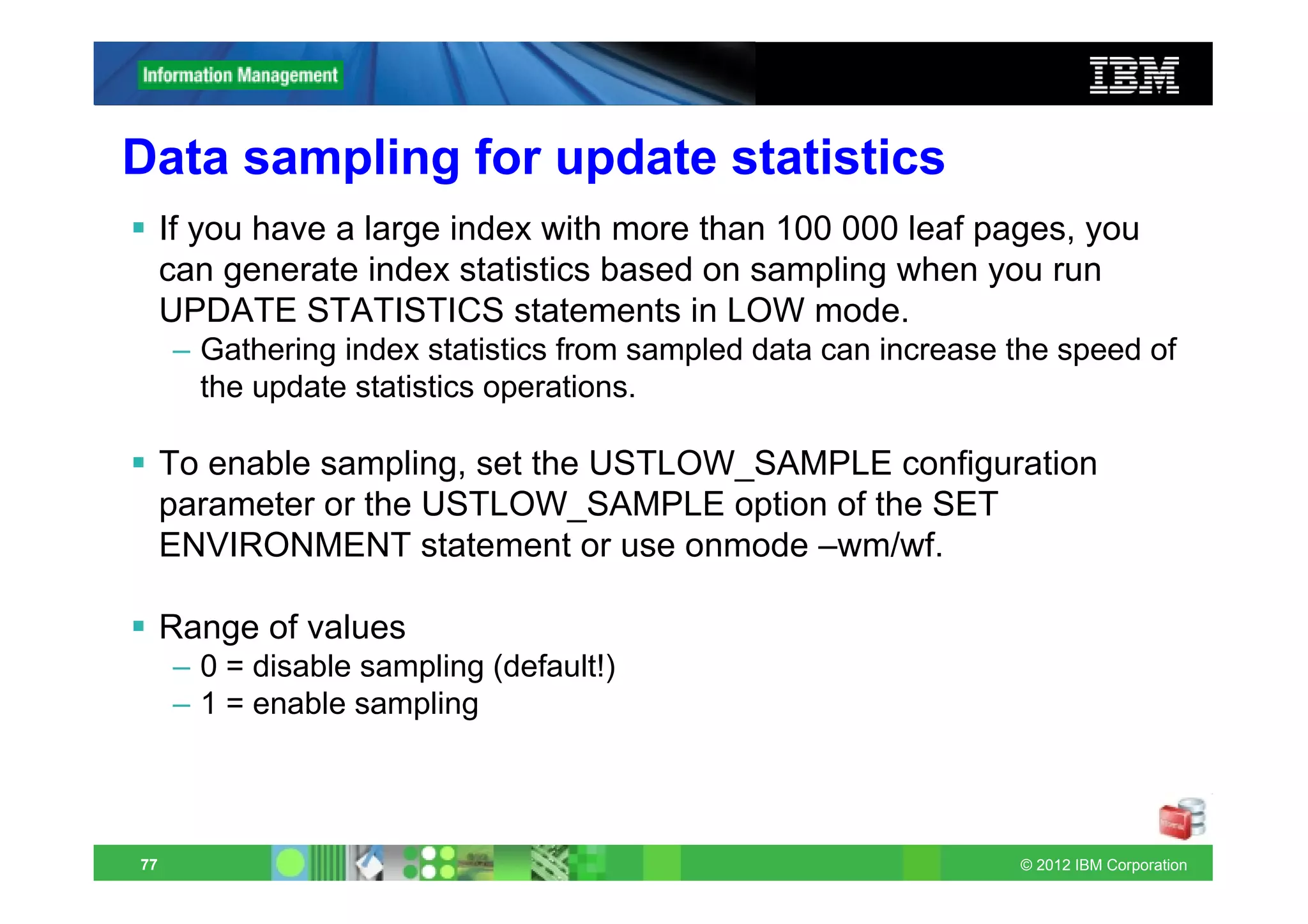
Data sampling for update statistics
     If you have a large index with more than 100 000 leaf pages, you
     can generate index statistics based on sampling when you run
     UPDATE STATISTICS statements in LOW mode.
     – Gathering index statistics from sampled data can increase the speed of
       the update statistics operations.

     To enable sampling, set the USTLOW_SAMPLE configuration
     parameter or the USTLOW_SAMPLE option of the SET
     ENVIRONMENT statement or use onmode –wm/wf.

     Range of values
     – 0 = disable sampling (default!)
     – 1 = enable sampling


77                                                               © 2012 IBM Corporation
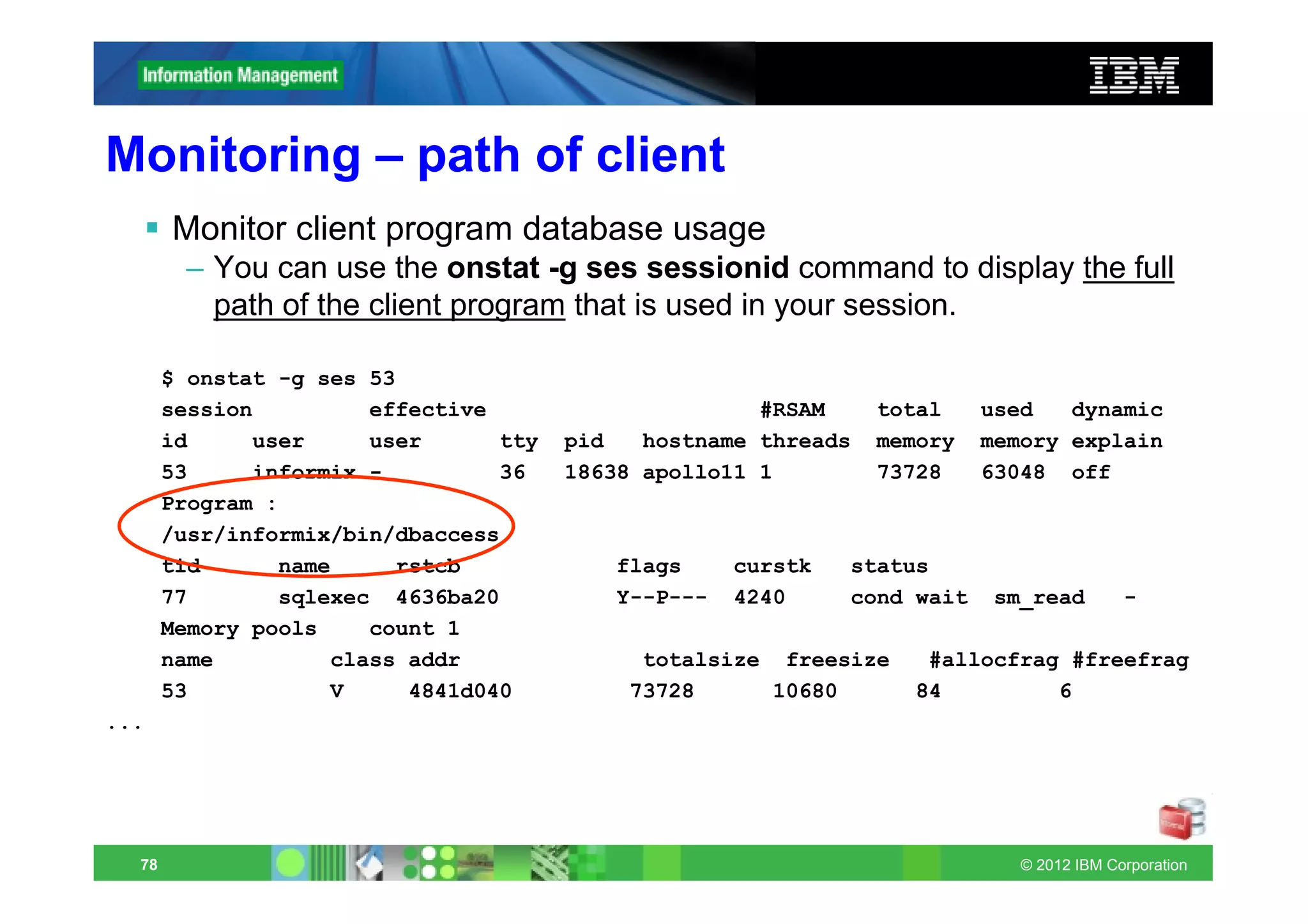
Monitoring – path of client
       Monitor client program database usage
        – You can use the onstat -g ses sessionid command to display the full
          path of the client program that is used in your session.

       $ onstat -g ses 53
       session         effective                      #RSAM     total    used   dynamic
       id     user     user      tty   pid   hostname threads   memory   memory explain
       53     informix -         36    18638 apollo11 1         73728    63048 off
       Program :
       /usr/informix/bin/dbaccess
       tid      name     rstcb            flags     curstk   status
       77       sqlexec 4636ba20          Y--P---   4240     cond wait    sm_read        -
       Memory pools    count 1
       name         class addr              totalsize freesize     #allocfrag #freefrag
       53           V     4841d040         73728     10680        84         6
...


  78                                                                        © 2012 IBM Corporation
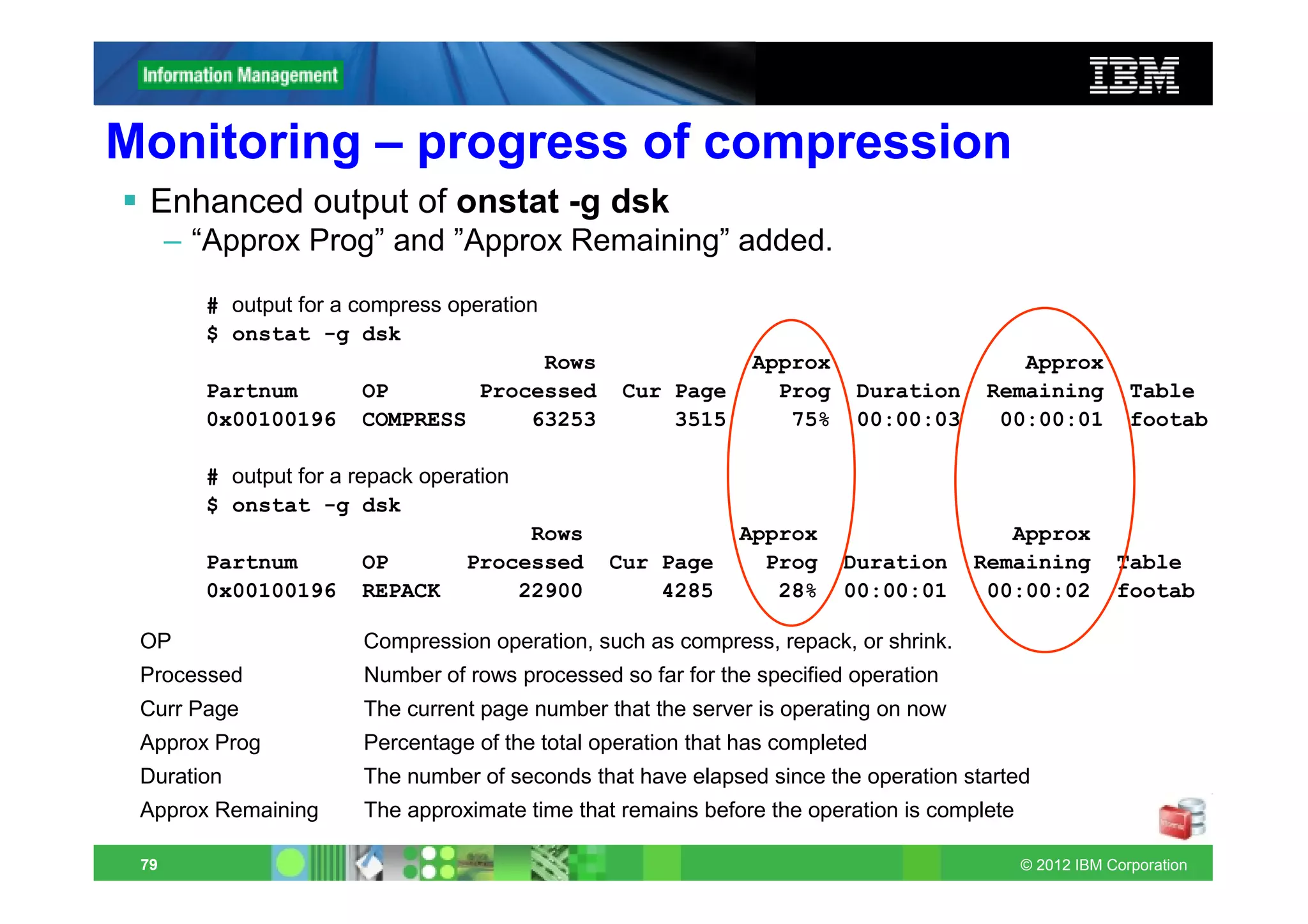
Monitoring – progress of compression
  Enhanced output of onstat -g dsk
      – “Approx Prog” and ”Approx Remaining” added.
        # output for a compress operation
        $ onstat -g dsk
                                     Rows                       Approx                    Approx
        Partnum        OP       Processed         Cur Page        Prog    Duration     Remaining           Table
        0x00100196     COMPRESS     63253             3515         75%    00:00:03      00:00:01           footab

        # output for a repack operation
        $ onstat -g dsk
                                       Rows                   Approx                     Approx
        Partnum        OP         Processed      Cur Page       Prog     Duration     Remaining          Table
        0x00100196     REPACK         22900          4285        28%     00:00:01      00:00:02          footab

 OP                     Compression operation, such as compress, repack, or shrink.
 Processed              Number of rows processed so far for the specified operation
 Curr Page              The current page number that the server is operating on now
 Approx Prog            Percentage of the total operation that has completed
 Duration               The number of seconds that have elapsed since the operation started
 Approx Remaining       The approximate time that remains before the operation is complete

 79                                                                                          © 2012 IBM Corporation
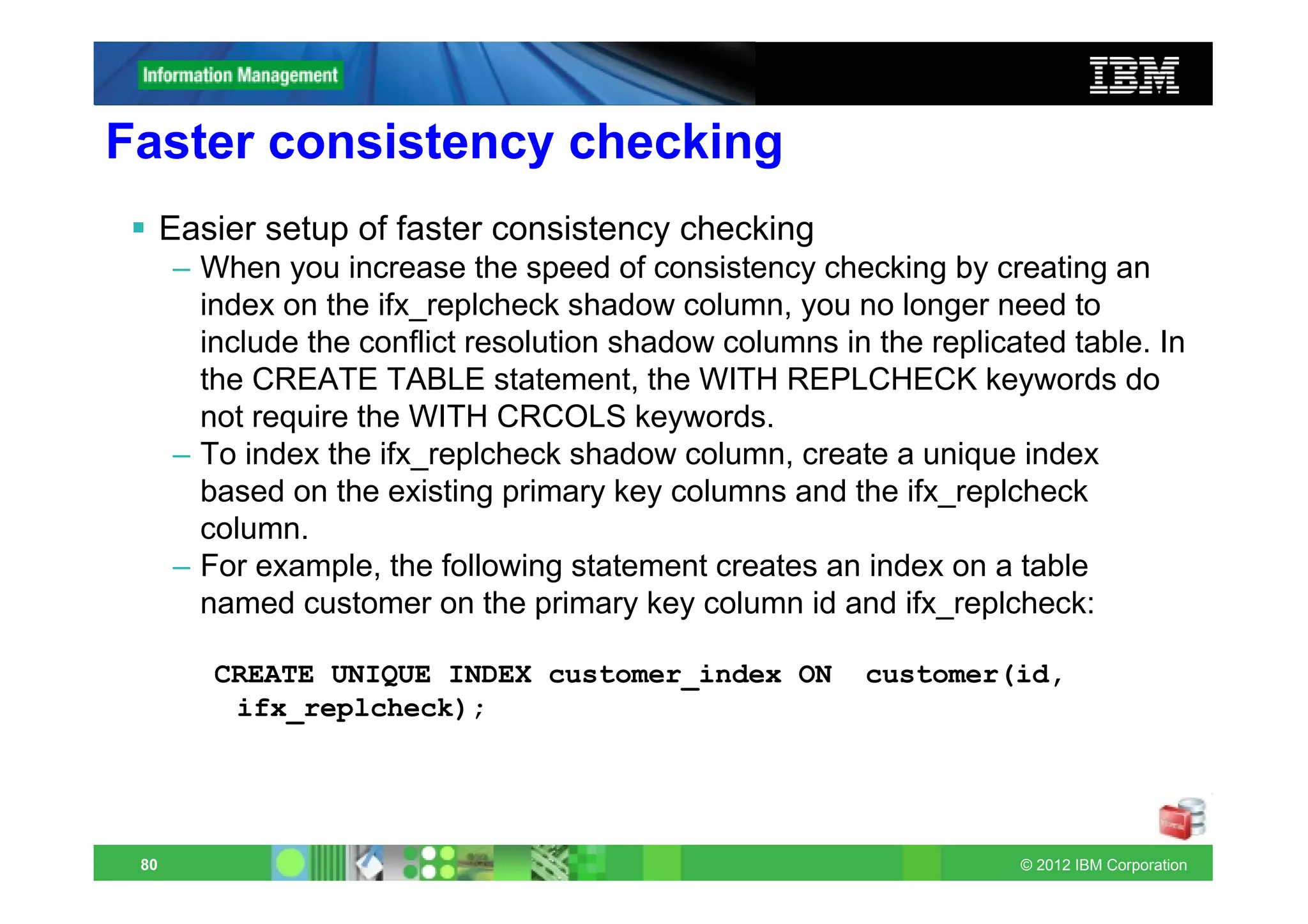
Faster consistency checking
      Easier setup of faster consistency checking
      – When you increase the speed of consistency checking by creating an
        index on the ifx_replcheck shadow column, you no longer need to
        include the conflict resolution shadow columns in the replicated table. In
        the CREATE TABLE statement, the WITH REPLCHECK keywords do
        not require the WITH CRCOLS keywords.
      – To index the ifx_replcheck shadow column, create a unique index
        based on the existing primary key columns and the ifx_replcheck
        column.
      – For example, the following statement creates an index on a table
        named customer on the primary key column id and ifx_replcheck:

         CREATE UNIQUE INDEX customer_index ON           customer(id,
          ifx_replcheck);


 80                                                                  © 2012 IBM Corporation
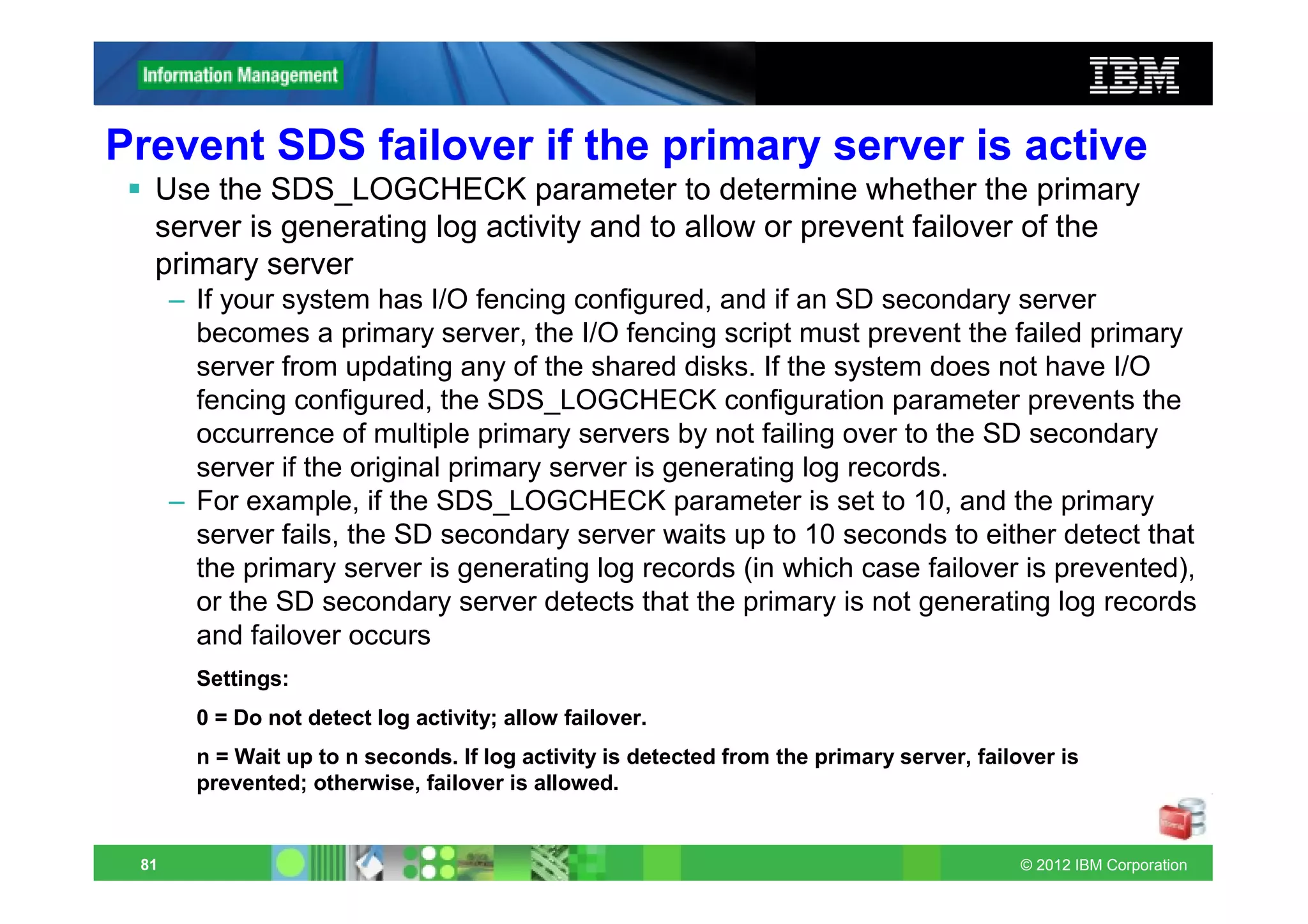
Prevent SDS failover if the primary server is active
  Use the SDS_LOGCHECK parameter to determine whether the primary
  server is generating log activity and to allow or prevent failover of the
  primary server
      – If your system has I/O fencing configured, and if an SD secondary server
        becomes a primary server, the I/O fencing script must prevent the failed primary
        server from updating any of the shared disks. If the system does not have I/O
        fencing configured, the SDS_LOGCHECK configuration parameter prevents the
        occurrence of multiple primary servers by not failing over to the SD secondary
        server if the original primary server is generating log records.
      – For example, if the SDS_LOGCHECK parameter is set to 10, and the primary
        server fails, the SD secondary server waits up to 10 seconds to either detect that
        the primary server is generating log records (in which case failover is prevented),
        or the SD secondary server detects that the primary is not generating log records
        and failover occurs
        Settings:
        0 = Do not detect log activity; allow failover.
        n = Wait up to n seconds. If log activity is detected from the primary server, failover is
        prevented; otherwise, failover is allowed.


 81                                                                                         © 2012 IBM Corporation
Connection Manager enhancements
  Easier startup of Connection Manager
      – If you set the CMCONFIG environment variable to the path and file name of the
        Connection Manager configuration file, you can start, stop, and restart the
        Connection Manager without specifying the configuration file.
            – The configuration file specifies service level agreements and other Connection Manager
              configuration options.
         • If the CMCONFIG environment variable is not set and the configuration file name is
           not specified on the oncmsm utility command line, the Connection Manager attempts
           to load the file from the following path and file name: $INFORMIXDIR/etc/cmsm.cfg

  Handle Connection Manager event alarms
      – You can use the values of the INFORMIXCMNAME and
        INFORMIXCMCONUNITNAME environment variables when writing an alarm
        handler for the Connection Manager. If the Connection Manager raises an
        event alarm, the Connection Manager instance name is stored in the
        INFORMIXCMNAME environment variable, and the Connection Manager
        connection unit name is stored in the INFORMIXCMCONUNITNAME
        environment variable.
         • automatically created and set by the Connection Manager and you must not set or
           modify them.

 82                                                                                       © 2012 IBM Corporation
Security - secure connections for replication
      Configure secure connections for replication servers
      – You can use the connection security option in the sqlhosts file and
        create an encrypted password file so that the Connection Manager and
        the CDR (ER) utility can securely connect to networked servers. Use the
        onpassword utility to encrypt or decrypt a password file.
      – The input file is an ASCII text file with the following structure:
         • Server_or_group AlternateServer UserName Password

      – The file contains the server names, user names, and passwords that
        must be specified in order to connect to the appropriate server.
        AlternateServer specifies the name of an alternate server to connect
        with in case the connection cannot be made to ServerName.

      – To encrypt a file named passwords.txt by using a key named EncryptKey and
        place the encrypted file in $INFORMIXDIR/etc/passwd_file:
         • onpassword -k EncryptKey -e ./passwords.txt


 83                                                                   © 2012 IBM Corporation
Security – S6_REMOTE_SERVER_CFG
      Use a file to authenticate server connections in a secured network
      environment
      – You can use the S6_USE_REMOTE_SERVER_CFG parameter with
        the REMOTE_SERVER_CFG parameter to specify the file that is used
        to authenticate connections in a secured network environment.
         range of values
         0 = The $INFORMIXDIR/etc/hosts.equiv file is used to authenticate servers
           connecting through a secure port.
         1 = The file specified by the REMOTE_SERVER_CFG configuration
           parameter is used to authenticate servers connecting through a secure port

• The file specified by the REMOTE_SERVER_CFG configuration
  parameter must be located in $INFORMIXDIR/etc. If the
  configuration parameter is set, then the specified file is used instead
  of the $INFORMIXDIR/etc/hosts.equiv file.


 84                                                                      © 2012 IBM Corporation
Security - GSKIT_VERSION
Global Security Kit (GSKit) support
      – The GSKit is used by the database server for encryption and SSL
        communication.
      – GSKit version 8 is installed with Informix® 11.70 and IBM Client
        Software Development Kit (Client SDK) version 3.70. GSKit 8 is used
        by default; however, if you have another supported, major version of
        GSKit software installed on your computer, you can set the
        GSKIT_VERSION parameter so that the database server uses the
        other version.
      – GSKit 8 includes the GSKCapiCmd command-line interface for
        managing keys, certificates, and certificate requests.
      – The iKeyman utility and GSKCmd command-line interface can also be
        used to manage keys, certificates, and certificate requests, but are a
        part of IBM JRE 1.6 or later, instead of GSKit 8.


 85                                                                © 2012 IBM Corporation
Time series
      IBM Informix TimeSeries Plug-in for Data Studio
      – You can easily load data from an input file into an Informix table with a
        TimeSeries column by using IBM Informix TimeSeries Plug-in for Data
        Studio. You can also use the plug-in with IBM Optim(TM) Developer
        Studio.

      Delete a range of elements and free empty pages from a time
      series
      – You can delete elements in a time series from a specified time range
        and free any resulting empty pages by using the DelRange function.
        The DelRange function is similar to the DelTrim function; however,
        unlike the DelTrim function, the DelRange function frees pages in any
        part of the range of deleted elements. You can free empty pages that
        have only null elements from a time series for a specified time range or
        throughout the time series by using the NullCleanup function.


 86                                                                   © 2012 IBM Corporation
Time series
      Aggregate time series data across multiple rows

      – You can use a single TimeSeries function, TSRollup, to aggregate time
        series values by time for multiple rows in the table and return a time
        series that contains the results. Previously, you could aggregate time
        series values only for each row individually.

      – For example, if you have a table that contains information about energy
        consumption for the meters attached to a specific energy concentrator,
        you can aggregate the values for all the meters and sum the values for
        specific time intervals to get a single total for each interval. The
        resulting time series represents the total energy consumption for each
        time interval for that energy concentrator.


 87                                                                © 2012 IBM Corporation
Informix Growth Warehouse Edition
  IBM Informix Growth Warehouse Edition:
      – IBM Informix Growth Edition
      – IBM Informix Warehouse Accelerator
  IBM Informix Growth Warehouse Edition V11.7 provides:
      – Faster query response times on unpredictable and long-running query
        workloads
      – Help in lowering operating costs by reducing database tuning efforts
      – Improved performance on analytical queries compared to your existing Informix
        environment
      – The ability to run mixed workloads

  IBM Informix Growth Warehouse Edition can be deployed on a physical
  server that has 16 cores or less. IWA can be configured for a maximum of
  48 gigabytes of memory. IWA component compresses data in memory and
  can, therefore, potentially hold up to 250 gigabytes of raw table data.


 88                                                                     © 2012 IBM Corporation
Install Informix Warehouse Accelerator on a
cluster system
      You can now install IWA on a cluster system. Using a cluster for
      IWA takes advantage of the parallel processing power of multiple
      cluster nodes.
      The accelerator coordinator node and each worker node can run on
      a different cluster node.
      IWA software and data are shared in the cluster file system.
      You can administer IWA from any node in the cluster


 89                                                        © 2012 IBM Corporation
Refresh data mart data during query
acceleration
     You can now refresh data in IWA while queries are accelerated.
     – You no longer need to suspend query acceleration in order to drop
        and re-create the original data mart.
     1. Using the existing administrator tools, you create a new data mart that
        has the same data mart definition as the original data mart, but has a
        different name.
     2. You can then load the new data mart while query acceleration still
        uses the original data mart.
     3. After the new data mart is loaded, the accelerator automatically uses
        the new data mart with the latest data to accelerate queries.


90                                                                 © 2012 IBM Corporation
IWA – ondwa / new functions / AQTs
      User informix can run the ondwa commands
      – The ondwa commands can now be run by user informix provided that
        the shell limits are set correctly. root was needed previously.

      Support for new functions is implemented
      – DECODE
      – NVL
      – TRUNC

      New options for monitoring AQTs (accelerated query tables)
      – New columns have been added to the output of the onstat -g aqt
        command that include counters for candidate AQTs.


 91                                                             © 2012 IBM Corporation
JDBC 4.1 compliance
      Support for metadata functions for JDBC 4.1 compliance for
      the JCC data driver
      – In DB2 ver 9.7.fp5 JCC plans to support the JDBC 4.1 specifications.
        According to the specifications, there is additional column level
        metadata information that is needed from the server side. On the
        Informix side this epic is intended to address all such metadata
        changes for JCC. All internal C/R related changes were already done
        during the 11.70xC3 time frame.


 92                                                               © 2012 IBM Corporation
11.70.xC5 – eGA May 24 - 2012
      Administration
       – Plan responses to medium-severity and low-severity event alarms
       – IFX_BATCHEDREAD_INDEX environment option
       – Reserve space for BYTE and TEXT data in round-robin fragments.
      Application development
       –   Improvement to the keyword analyzer for basic text searching
       –   Increased SQL statement length
       –   Enhanced query performance
       –   The Change Data Capture API sample program
      Enterprise Replication
       – Replication errors on leaf nodes
      Global language support
       – Scan strings with the ifx_gl_complen() function
      Time Series:
       – Count the time-series elements that match expression criteria
       – Remove old time-series data from containers
       – New operators for aggregating across time-series values
      Informix Warehouse Accelerator
       –   Refresh data quickly without reloading the whole data mart
       –   Use high-availability secondary servers to accelerate queries
       –   New options added for the use_dwa environment variable
       –   Support for new functions is implemented
       –   Support for the Solaris Intel x64 operating system added
 95                                                                        © 2012 IBM Corporation
Plan responses
      Plan responses to medium-severity and low-severity event
      alarms
      – You can plan responses to severity 3, 2, and 1 event alarms for alarms
        with documented explanations and user actions.


 96                                                               © 2012 IBM Corporation
IFX_BATCHEDREAD_INDEX environment
      Onconfig setting BATCHEDREAD_INDEX was introduced in
      11.70.xC1 to control whether the optimizer automatically fetches a
      set of keys from an index buffer for a session.

      Use the IFX_BATCHEDREAD_INDEX environment option of the
      SET ENVIRONMENT statement to enable/disable it for a specific
      session.

      Specify:
      – '1' to enable the optimizer to automatically fetch a set of keys from an
        index buffer
      – '0' to disable the automatic fetching of keys from an index buffer
      Example:
      – SET ENVIRONMENT IFX_BATCHEDREAD_INDEX '1';


 97                                                                   © 2012 IBM Corporation
Improvement to the keyword analyzer for
basic text searching (BTS)
      You can specify that the keyword analyzer removes trailing white
      spaces from input text and queries so that you do not need to
      specify the exact number of white spaces to query words in
      variable-length data types.
      – Add the .rt suffix to the keyword analyzer name when you create the bts
        index.

      White spaces are indexed. Queries for text that includes white
      spaces must escape each white space by a backslash () character.
      If the analyzer name is keyword.rt, BTS removes trailing white
      spaces during indexing and querying.


 98                                                                © 2012 IBM Corporation
Increased SQL statement length
      Previously, SQL statements and SPL routines were restricted to 64
      KB in length.
      – Automated query generation program, such as Cognos, generates
        large statements (with multiple nested derived tables) and has run into
        the 64KB limit.

      The maximum length of SQL statements and is now 4 GB!
      The only exception is the length of the CREATE VIEW statement,
      which is restricted to 2 MB in length.
      The extended length is valid when using Client SDK 3.70.xC5 and
      JDBC 3.70.xC5.


 99                                                                 © 2012 IBM Corporation
Enhanced query performance
   When a SELECT statement is sent from a Java program to an
   Informix database, the returned rows, or tuples, are stored in a
   tuple buffer in Informix JDBC Driver. The default size of the tuple
   buffer is the larger of the returned tuple size or 4096 bytes.
   You can now set the maximum size of the fetch buffer to 2 GB to
   increase query performance and to reduce network traffic.

       setenv FET_BUF_SIZE bytes

   The greater the size of the buffer, the more rows can be returned,
   and the less frequently the client application must wait while the
   database server returns rows.
   A large buffer can improve performance by reducing the overhead
   of filling the client-side buffer.
   Max was previously 32767, now it is 2147483648 bytes.

 100                                                          © 2012 IBM Corporation
The Change Data Capture (CDC) API sample
program
   The Change Data Capture API sample program, cdcapi.ec, is
   included in the INFORMIXDIR/demo/cdc directory.
   In previous releases, you had to copy the program from the
   documentation.


 101                                                    © 2012 IBM Corporation
Replication errors on leaf nodes
   Because leaf servers have limited information about other
   replication servers, the syscdrerror tables on leaf nodes no longer
   contain replication errors for other replication servers.


 102                                                         © 2012 IBM Corporation
Scan strings with the ifx_gl_complen()
function
   The ifx_gl_complen() function scans input strings faster than using
   the ifx_gl_mblen() function alone.
   The ifx_gl_complen() function returns the length in bytes of the
   initial part of an input string that matches a collating element, or
   returns 0 if the initial part of the string is not a collation sequence.
       #include <gls.h>
       int ifx_gl_complen(gl_lc_t lc, gl_mchar_t *input)


 103                                                            © 2012 IBM Corporation
PN_STAGEBLOB_THRESHOLD
   Use the PN_STAGEBLOB_THRESHOLD configuration parameter
   to reserve space for BYTE and TEXT data in round-robin
   fragments.
   Set this configuration parameter to the typical or average size of the
   BYTE or TEXT data that is stored in the table.
   When a table reaches the maximum number of pages for a
   fragment, more pages can be added to the table by adding a new
   fragment. However, if a table contains BYTE or TEXT columns and
   that table is fragmented by the round-robin distribution scheme,
   adding a new fragment does not automatically enable new rows to
   be inserted into the new fragment.

   PN_STAGEBLOB_THRESHOLD 0 # default
       range of values   0 to 1000000
       units             Kilobytes

 104                                                         © 2012 IBM Corporation
Time Series
   Count the time-series elements that match expression criteria
       – You can count the number of elements in a time series that match the
         criteria of a simple arithmetic expression by running the CountIf
         function. For example, you can count the number of null elements.

   Remove old time-series data from containers
       – You can remove the oldest time-series data through an end date in one
         or more containers for multiple time-series instances by running the
         TSContainerPurge function. You can then reuse the space for new
         data.

   New operators for aggregating across time-series values
       – You can return the first or last elements entered into the database for
         each timepoint by using the FIRST or LAST operators in the TSRollup
         function.

 105                                                                 © 2012 IBM Corporation
IWA - Refresh data quickly without reloading
   Refresh data quickly without reloading the whole data mart
       – By using the dropPartMart() and loadPartMart() functions, you can
         drop and load a table partition in Informix Warehouse Accelerator.
       –
           In previous versions of IWA if the data on the database server changes, you
           must reload the entire data mart.
           Now you can selectively refresh the partitions and load the new data more
           quickly.

       – For example, if you have a terabyte-size data warehouse already
         loaded in IWA and 10 GB of the data changes in certain partitions, you
         can reload only the changed data.


 106                                                                     © 2012 IBM Corporation
IWA: Use high-availability secondary servers
to accelerate queries
  You can now use high-availability secondary servers to create data
  marts, load data, and accelerate queries.
  By using secondary servers for IWA, you have greater flexibility in a
  mixed-workload environment.
  For example, you can dedicate the primary server for OLTP
  transactions and use a secondary server for processing the
  warehouse analytic queries.
  By using secondary servers for IWA, you can increase the
  availability and the throughput for all the servers in the high-
  availability cluster.
  High-availability secondary servers include shared-disk (SD)
  secondary servers, high-availability data replication (HDR)
  secondary servers, and remote stand-alone (RS) secondary
  servers.
107                                                         © 2012 IBM Corporation
Example config                                                  HDR is set to access and use IWA just for the benefit of
                                                                achieving extreme query acceleration for its users, so it
Primary and SDS                                                 transparently offloads matching heavy queries to IWA, but do
fully dedicated to                                              not deploy or maintain IWA data marts.
OLTP workloads,
not using IWA
since their clients
most probably do
not need to


             RSS used to create and load/refresh different data marts into IWA,
             and it can also accelerate queries for its clients using IWA

 108                                                                                                       © 2012 IBM Corporation
IWA: New options added for use_dwa
       The use_dwa environment variable includes new options for
       controlling the database client connection to the Informix database
       server.
       You can now specify settings for a particular session, control
       whether queries are run by the Informix database server if they
       cannot be accelerated by IWA, and specify a debugging file other
       than the default online.log file.
       set environment use_dwa 'accelerate on';
       set environment use_dwa 'probe cleanup';
       set environment use_dwa 'accelerate on';
       set environment use_dwa 'fallback off';
       set environment use_dwa 'probe on';
       set environment use_dwa 'debug on';
       set environment use_dwa 'debug file /tmp/my_debug_file';
       set environment use_dwa 'debug on';
       set environment use_dwa 'debug file /tmp/myDwaDebugFile';
       select ... { query 1 }
       set environment use_dwa 'debug file';
       select ... { query 2 }
 109                                                           © 2012 IBM Corporation
IWA: Support Solaris Intel x64 / new functions
   Solaris Intel x64 operating system
   added
       – Now query acceleration for
         database servers on Solaris
         Intel/AMD x64


   Support for additional functions is
   implemented
       –   LEN / LENGTH
       –   SUBSTR / SUBSTRING
       –   TODAY
       –   TRIM
       –   YEAR
       –   UNITS
       –   COUNT (DISTINCT CASE …)
       –   Multiple DISTINCT with aggregates,
           such as COUNT (DISTINCT…)
 110                                            © 2012 IBM Corporation
Which .Net provider should I install?
   Starting with IBM Informix Version 11.70.xC5, use the DB2 .NET
   Provider with your Informix installation. For information about the
   DB2 .NET Provider, see
   http://publib.boulder.ibm.com/infocenter/db2luw/v9r7/topic/com.ibm.swg.im
   .dbclient.adonet.doc/doc/c0010960.html.

   The DB2 .NET Provider is part of the Data Server Driver. You can
   download the Data Server Driver from
   http://www.ibm.com/support/docview.wss?rs=4020&uid=swg27016878.


 111                                                            © 2012 IBM Corporation

Informix Update New Features 11.70.xC1+

  • 1.
    Informix Update New Features 11.70.xC1+ Rickard Linck (rickard.linck@se.ibm.com) May 31, 2012 © 2012 IBM Corporation
  • 2.
    IBM Data ServersSoftware Use your data more effectively and efficiently Optimized for extreme speed Optimized for a diverse range of delivering 10 times the performance solutions requiring maximum of conventional databases flexibility and performance Optimized for near hands free Optimized for solutions requiring administration, high availability the extreme levels of transaction and clustering for transaction & data volume and performance intensive solutions The industry’s broadest range of database and data warehouse management innovations optimized for every business need 2 © 2012 IBM Corporation
  • 3.
    IBM Informix “Set itand Forget it” …for near hands free administration, high availability and clustering for transaction intensive solutions Resilient Agile Everywhere Reliable Flexible Minimal Secure Fast Affordable Cost Mission critical Effective and life critical Solutions solutions 1,000’s of 95% of telecom 20 of the top 25 Over 2,500 ISVs Retailers worldwide service delivery US Supermarkets worldwide providers “…Intrado provides the core of U.S. 9-1-1… We needed a fast database; one that would respond immediately, every time…” 3 © 2012 IBM Corporation
  • 4.
    Informix Innovation … v11 Global Availability Informix Deep Extreme Active-Active Warehouse Compression Performance Clusters And Reliability Enhancements in all areas: Design Development OpenAdmin Tool Safe and Secure Mac OS/X Administration API Common Criteria Support 4 © 2012 IBM Corporation
  • 5.
    Themes for InformixFuture Release Deep Embed Modernization Warehouse Smart Data Cloud 5 © 2012 IBM Corporation
  • 6.
    Informix in 2012(from IBM’s pricebook) Databases: Tools: – C-ISAM v7.26 – Client SDK v3.70 – SE (Standard Engine) v7.25 – ESQL/C v5.20 – ESQL/COBOL v7.25 – OnLine v5.20 – 4GL Compiler v7.50 – Informix v11.50, v11.70 (Express, Choice, – 4GL Interactive Debugger v7.50 Growth, Ultimate, Warehouse) – 4GL RDS (Rapid Development System) v7.50 • Storage Optimization Feature – SQL v3.70 • Excalibur TextSearch DataBlade v1.31 – Genero v2.40 • Geodetic DataBlade v3.12 – I-Spy v2.x • C-ISAM DataBlade v1.10 – Data Director for Web v2.x • Spatial DataBlade – Server Administrator v1.6 • TimeSeries Real Time Loader • Video Foundation DataBlade Connectivity: • Web DataBlade v4.13 – NETv5.20 • Workgroup DataBlade – STAR v5.10 • Image Foundation DataBlade v2.0x – Connect Runtime v3.70 – XPS (Extended Parallel Server) v8.51 – JDBC Driver/Embedded SQL v3.70 • XPS Storage Optimization Feature – Enterprise Gateway Manager v7.31 – Red Brick Warehouse v6.3 – Enterprise Gateway w DRDA v7.31 – MaxConnect v1.x 6 © 2012 IBM Corporation
  • 7.
    Informix 11.70 releases Major release: – 11.70.xC1 – October 2010 Minor releases: – 11.70.xC2 – March 2011 – 11.70.xC3 – June 2011 – 11.70.xC4 – October 2011 – 11.70.xC5 – May 2012 11 © 2012 IBM Corporation
  • 8.
    11.70.xC1 Features -1 Installation – Installation application provides seamless installation and smarter configuration – Changes to installation commands – Simpler configuration for silent installation Migration – New default behavior during upgrades – Upgrading a high-availability cluster while it is on line – dbschema utility enhancement for omitting the specification of an owner – dbexport utility enhancement for omitting the specification of an owner – Generating storage spaces and logs with the dbschema utility High-availability – Quickly clone a primary server – Transaction completion during cluster failover – Running DDL statements on secondary servers – Monitoring high-availability servers – Running dbschema, dbimport, and dbexport utilities on secondary servers 12 © 2012 IBM Corporation
  • 9.
    11.70.xC1 Features -2 Administration – Automatic storage provisioning ensures space is available – Backup and restore is now cloud aware – Easier event alarm handling – Defragmenting partitions – Automatically optimize data storage – Automatically terminate idle sessions – Notification of corrupt indexes – Prevent the accidental disk initialization of your instance or another instance – Automatic allocation of secondary partition header pages for extending the extent map – MQ messaging enhancements – Session-level control of how much memory can be allocated to a query – Deferred extent sizing of tables created with default storage specifications – New environment variable enables invalid character data to be used by DB- Access, dbexport, and High Performance Loader – New onconfig parameter to specify the default escape character – ifxcollect tool for collecting data for specific problems – dbschema utility enhancements for generating storage spaces and logs – Enhancements to the OpenAdmin Tool – Enhancements to the OAT Schema Manager plug-in – Enhancements to the OAT Replication plug-in 13 © 2012 IBM Corporation
  • 10.
    11.70.xC1 Features -3 Application Development – Database extensions are automatically registered – Spatial data type and functions are built in and automatically registered – Time series data types and functions are built-in and automatically registered – Setting the file seek position for large files – Faster basic text searches on multiple columns – Virtual processor is created automatically for XML publishing – SQL expressions as arguments to the COUNT function – Specifying the extent size when user-defined indexes are created – Syntax support for DDL statements with IF [NOT] EXISTS conditions – Simplified SQL syntax for defining database tables – Debugging Informix SPL routines with Optim Development Studio Embeddability – Information about embedding Informix instances – Enhanced utility for deploying Informix instances – Tutorial to deploy and embed Informix – Deployment assistant simplifies snapshot capture and configuration – Enhanced ability to compress and to extract compressed snapshots – Improved return codes for the oninit utility – Sample scripts for embedding IBM Informix 11.70 database servers 14 © 2012 IBM Corporation
  • 11.
    11.70.xC1 Features -4 Enterprise Replication – Create a new replication domain by cloning a server – Add a server to a replication domain by cloning – Automating application connections to Enterprise Replication servers – Replicate tables without primary keys – Set up and manage a grid for a replication domain – Handle a potential log wrap situation in Enterprise Replication – Improved Enterprise Replication error code descriptions – Repair replication inconsistencies by time stamp – Temporarily disable an Enterprise Replication server – Synchronize all replicates simultaneously – Monitor the quality of replicated data Security – Trusted connections improve security for multiple-tier application environments – Selective row-level auditing – Simplified administration of users without operating system accounts (UNIX, Linux) 15 © 2012 IBM Corporation
  • 12.
    11.70.xC1 Features -5 Performance – Less root node contention with Forest Of Trees indexes – Fragment-level statistics – Automatic detection of stale statistics – Query optimizer support for multi-index scans – Improving performance by reducing buffer reads – Automatically add CPU virtual processors – Large pages support on Linux – Improve name service connection time – Faster C user-defined routines – Automatic light scans on tables – Alerts for tables with in-place alter operations – Reduced overhead for foreign key constraints on very large child tables Warehousing – Query optimizer support for star-schema and snowflake-schema queries – Partitioning table and index storage by a LIST strategy – Partitioning table and index storage by an INTERVAL strategy – Improved concurrency while redefining table storage distributions 16 © 2012 IBM Corporation
  • 13.
    Informix 11.70.xC2 -New Enhancements Announced/available on 2011-03-29 Installation – Enhanced installation application (Linux, UNIX) Administration – New event alarms – The returned MAX_PDQPRIORITY value in a query to the SNMP rdbmsSrvParamTable – New SQL administration API arguments Application Development – Improved results of basic text search queries – Table and column aliases in DML statements – Case-insensitive queries on NCHAR and NVARCHAR text strings Embeddability – Embedding Informix software without root privileges (UNIX, Linux) – Deploying an RPM image of Informix software (Linux) OAT - Enhancements – to the OpenAdmin Tool – to the Schema Manager plug-in Performance – Improve network connection performance and scalability Warehousing – Informix Warehouse Accelerator 17 © 2012 IBM Corporation
  • 14.
    Enhanced installation (Linux,UNIX) You can install the products without root privileges – Easier to install Informix in environments where root privileges are restricted or where Informix will be part of an embedded solution. • The resulting non-root installation does not support some features such as ER, distributed connections, and HA clusters. RPMBUILD – On Linux operating systems if you have rpmbuild installed you can create an RPM image to simplify redistribution to multiple computers. Deploying an RPM image of Informix software (Linux) – you can customize an RPM Package Manager image to exclude database server and client products that you do not plan to use. • You can reduce the size of the distributable image. – You can then embed the configured installation to multiple Linux computers that support RPM. • Deploy the image without the system resource demands of the installation application 18 © 2012 IBM Corporation
  • 15.
    Event Alarms /SNMP New event alarms: Event alarm class IDs 81 and 83 added. – 81 indicates logical log corruption. – 83 indicates that a shared disk secondary server could not become the primary server because the primary server was still active. The returned MAX_PDQPRIORITY value in a query to the SNMP rdbmsSrvParamTable – When you use the Simple Network Management Protocol (SNMP) to query rdbmsSrvParamTable, SNMP now returns the current MAX_PDQPRIORITY value, including changes made with the onmode -D, onmode -wm, and onmode -wf commands. If an error occurs, SNMP returns the value of -1. 19 © 2012 IBM Corporation
  • 16.
    New SQL administrationAPI arguments The following new arguments are available with the SQL admin API task() and admin() functions: – create database: equivalent to the CREATE DATABASE statement. – drop database: equivalent to the DROP DATABASE statement. • deletes the entire database, including all of the system catalog tables, objects, and data. – ontape archive: invokes the ontape utility to create a backup. – onbar: equivalent to invoking the onbar utility to create backups. – onsmsync: invokes the onsmsync utility to synchronize the sysutils database, the storage manager, and the emergency boot file. 20 © 2012 IBM Corporation
  • 17.
    Examples Createthe database named demodbs with unbuffered logging: EXECUTE FUNCTION task("create database with log","demodbs"); Create a database that is not case-sensitive named demodbs2 with ANSI compliant logging in the dbspace named dataspace1: EXECUTE FUNCTION task("create database with log mode ansi nlscase insensitive","demodbs2","dataspace1"); Create a database named demodbs3 with a French-Canadian locale in the dbspace name dataspace1: EXECUTE FUNCTION TASK ("create database","demodbs3","dataspace1","fr_ca.8859-1"); Create a level 0 archive in the directory path /local/informix/backup/: EXECUTE FUNCTION task("ontape archive","/local/informix/backup/"); Create a level 0 archive in the directory path /local/informix/backup/ with a block size of 256 KB: EXECUTE FUNCTION task("ontape archive directory level 0", "/local/informix/backup/","256"); 21 © 2012 IBM Corporation
  • 18.
    Improved results ofBasic Text Search queries You can improve the results of basic text search queries by choosing a text analyzer that best fits your data and query needs. A text analyzer determines how the text is indexed. – The snowball analyzer indexes word stems. – The CJK analyzer processes Chinese, Japanese, and Korean text. – The Soundex analyzer indexes words by sound. – Other analyzers are variations of these analyzers and the standard analyzer. – You can also create your own analyzer. And now you can also: – create a thesaurus of synonyms to use during indexing. – specify different stopwords for each column being indexed instead of using the same stopwords for all indexed columns. – query each column in a composite index individually. – increase the maximum number of query results. 22 © 2012 IBM Corporation
  • 19.
    BTS Analyzers Analyzers: – cjk: Processes Chinese, Japanese, and Korean text. Ignores surrogates. – cjk.ws: Processes Chinese, Japanese, and Korean text. Processes surrogates. – esoundex: Processes text into pronunciation codes. – keyword: Processes input text as a single token. – simple: Processes alphabetic characters only without stopwords. – snowball: Processes text into stem words. – snowball.language: Processes text into stem words in the specified language. – soundex: Processes text into four pronunciation codes. – standard: Default. Processes alphabetic characters, special characters, and numbers with stopwords. – stopword: Processes alphabetic characters only with stopwords. – udr.udr_name: The name of a user-defined analyzer. – whitespace: Creates tokens based on whitespace only – or create your own analyzer The Snowball analyzer is similar to the Standard analyzer except that is converts words to stem words: different words are indexed with the same stem word: – accept [accept] – acceptable [accept] – acceptance [accept] 23 © 2012 IBM Corporation
  • 20.
    Table and columnaliases in DML statements The SQL parser supports new contexts for declaring aliases in SELECT, DELETE, and UPDATE statements. The alias is a temporary name that is not registered in the system catalog of the database, and that persists only while the statement is running. – SELECT statements and subqueries can declare an alias in the Projection clause for columns in the select list, and can use the aliases (as an alternative to the name or the select number) to reference those columns in the GROUP BY clause. – DELETE statements can declare an alias for a local or remote target table, and can use that alias elsewhere in the same DELETE statement to reference that table. – UPDATE statements can declare an alias for a local or remote target table, and can use that alias elsewhere in the same UPDATE statement to reference that table. 24 © 2012 IBM Corporation
  • 21.
    Examples DELETE overstock@cleveland:stock ASocs WHERE manu_code = (SELECT manu_code FROM ocs WHERE manu_code MATCHES 'H*'); UPDATE nmosdb@wnmserver1:test r_t SET name=(SELECT name FROM test WHERE test.id = r_t.id) WHERE EXISTS( SELECT 1 FROM test WHERE test.id = r_t.id ); 25 © 2012 IBM Corporation
  • 22.
    Case-insensitive queries onNCHAR and NVARCHAR text strings In previous releases, strings stored in all Informix databases were treated as case-sensitive. Operations designed to disregard the case of text strings require a bts index or a functional index for each query. In this release a database is still created as case-sensitive by default. However, you can use the NLSCASE INSENSITIVE option with the CREATE DATABASE statement to create a database that ignores the case of text strings. – For example, querying "McDavid" returns "McDavid", "mcdavid", "MCDAVID", and "Mcdavid". Ignores letter case only on NCHAR and NVARCHAR data types, but it treats the other built-in character data types (CHAR, LVARCHAR, and VARCHAR) as case-sensitive. Note: You cannot include both case-sensitive and case-insensitive databases in a distributed query. 26 © 2012 IBM Corporation
  • 23.
    IBM OpenAdmin Tool(OAT) Version 2.72 Back up the storage spaces for a database server: – Configure ontape or onbar to back up the storage spaces. – Schedule the backups to run automatically. – Run a backup of the storage spaces on demand. – Review the most recent backups and the next scheduled backups of the storage spaces. – Review the backup log. 27 © 2012 IBM Corporation
  • 24.
    OAT – AutomaticBackups 28 © 2012 IBM Corporation
  • 25.
    IBM OpenAdmin Tool(OAT) Version 2.72 Create system reports based on the historical data for a database server – information about the SQL that were running, including the slowest and the one with the most I/O time and with the most buffer activity. Switch to the next logical-log file When you develop a plug-in for OAT, you can specify a minimum required version of OAT. You can uninstall plug-ins for OAT. – In previous releases, you could disable the plug-ins, but you could not uninstall them. You can restore OAT menu items that are deleted. – In previous editions, you could delete menu items, but you could not restore them. 29 © 2012 IBM Corporation
  • 26.
    OAT: Schema Managerplug-in Version 2.72 Changes include: – Create a database on the Schema Manager page • specify the locale for the database. • specify that the database is not case-sensitive. – Drop a database – Disable index : • When you create a table and add a foreign key constraint, you can disable the index that is created automatically for the foreign key constraint. Disabling the index can improve the efficiency of INSERT, DELETE, and UPDATE operations on large child tables. 30 © 2012 IBM Corporation
  • 27.
    Schema Manager 31 © 2012 IBM Corporation
  • 28.
    Create Database wizard Review the SQL Statement that creates the database: EXECUTE FUNCTION ADMIN ('CREATE DATABASE WITH BUFFERED LOG NLSCASE INSENSITIVE', 'iasdb', 'datadbs', 'sv_SE.8859-1'); 32 © 2012 IBM Corporation
  • 29.
    Improve network connectionperformance and scalability You can improve the performance and scalability of network connections on UNIX by using the NUMFDSERVERS parameter. Adjusts the maximum number of poll threads for the server to use when migrating TCP/IP connection across virtual processors (VPs). Adjusting the number of poll threads, for example, by increasing the number of poll threads beyond the default number, is useful – if the database server has a high rate of new connect and disconnect requests or – if you find a high amount of contention between network shared file (NSF) locks. • For example, if you have multiple CPU VPs and poll treads and this results in NSF locking*, you can increase the value of NUMFDSERVERS (and you can increase the number of poll threads specified in the NETTYPE configuration parameter) to reduce NSF lock contention. – *use onstat -g ath command to display information about all threads which includes a status, such as mutex wait nsf.lock, which indicates that you have a significant amount of NSF lock contention. Default 4, Max 50. 33 © 2012 IBM Corporation
  • 30.
    Informix Warehouse Accelerator- IWA An Informix product that delivers faster analytic query responses transparently to all Informix users. The accelerator integrates into an Informix environment, providing high-performance query software that is based on advanced data in-memory technology. The accelerator helps enable a new class of high speed business intelligence (BI). Includes a graphical user interface plugin for IBM Data Studio that you can use to perform accelerator administration tasks. You can use the accelerator with a database server that supports a mixed workload (an online transactional processing (OLTP) database and a data warehouse database), or use the accelerator with a database server that supports only a data warehouse database 34 © 2012 IBM Corporation
  • 31.
    IWA requires youto do… No query tuning and optmizer hints No database tuning No index creation, reorganization No update Statistics No partioning/Fragementation No storage management/page size configuration No database/schema changes No application changes No summary tables/materialized views/query tables No buying more expensive hardware* No change of expectations Power of Simplicity! 35 © 2012 IBM Corporation
  • 32.
    Informix Warehouse Accelerator– Breakthrough Technology for Performance Extreme Compression Row & Columnar Database 3 to 1 compression ratio Row format within Informix for transactional workloads and columnar data access via accelerator for OLAP queries. Multi-core and Vector 7 1 In Memory Database Optimized Algorithms 3rd generation database technology avoids Avoiding locking or synchronization I/O. Compression allows huge databases 6 2 to be completely memory resident 5 3 4 Frequency Partitioning Predicate evaluation on Enabler for the effective parallel access of compressed data the compressed data for scanning. Often scans w/o decompression Horizontal and Vertical Partition during evaluation Elimination. Massive Parallelism All cores are used for each query Comes with Smart Analytics Studio, a GUI tool, for configuring data mart with IWA 36 © 2012 IBM Corporation
  • 33.
    IWA - architecture OLTP Client BI Client Linux Intel 64‐bit Informix Warehouse Accelerator 64‐bit Unix/Linux 1 coordinator node per 4 worker nodes TCP/IP & Manages the distribution DRDA accelerated queries tasks such as loading data and and query Informix Database Server query results coordinator node processing. Query Router Performs data compression and query processing with extreme parallelism fact table worker node worker node worker node worker node dimension tables Memory other tables compressed data: compressed data: compressed data: compressed data: 25% of fact table + 25% of fact table + 25% of fact table + 25% of fact table + own copy of all own copy of all own copy of all own copy of all DWADIR=$IWA_INSTALL_DIR/dwa/demo START_PORT=21020 dimension tables dimension tables dimension tables dimension tables NUM_NODES=5 (1 coord, 4 worker) WORKER_SHM=0.7 (70% of mem) Disk/SSD COORDINATOR_SHM=0.05 (5% of mem) DRDA_INTERFACE="eth0" accelerator storage directory: compressed data on disk 37 © 2012 IBM Corporation
  • 34.
    Configuration Scenarios Alternative 1: Install IWA on a separate Linux box Informix Database Server Informix Warehouse Accelerator 64‐bit RHEL 5/SUSE 11 64‐bit RHEL 5/SUSE 11 Solaris 10/AIX 6.1/HP‐UX 11.31 Alternative 2: Install Informix and IWA in the same symmetric multiprocessing system Informix Database Server Informix Warehouse Accelerator 64‐bit RHEL 5/SUSE 11 Note: IWA requires Linux on Intel x64 (64-bit EM64T) Xenon 38 © 2012 IBM Corporation
  • 35.
    v11.70.xC3 – 29thJune 2011 Administration Automatic read-ahead operations Configuring the server response to low memory Reserving memory for critical activities Connection Manager enhancements Enhancements to the OpenAdmin Tool Embeddability Managing message logs in embedded and enterprise environments Developing Built-in SQL compatibility functions for string manipulation and trigonometric support High availability clusters and Enterprise Replication Automatically connecting to a grid Code set conversion for Enterprise Replication Enhancements to the Informix Replication Plug-in for OAT Security Non-root installations support shared-memory and stream-pipe connections Retaining numbers for audit log files Restrict operating system properties for mapped users Time Series data Simplified handling of time series data Informix TimeSeries Plug-in for OAT 39 © 2012 IBM Corporation
  • 36.
    New features –Low Memory Manager Configuring the server response to low memory Configure the actions that the server takes to continue processing when memory is critically low. You can specify the criteria for terminating sessions based on idle time, memory usage, and other factors so that the targeted application can continue and avoid out-of-memory problems. Configuring the low memory response is useful for embedded applications that have memory limitations. 1. Set the LOW_MEMORY_MGR configuration parameter to 1 2. EXECUTE FUNCTION task("scheduler lmm enable", "LMM START THRESHOLD", "10MB", "LMM STOP THRESHOLD", "20MB", "LMM IDLE TIME", "300"); start_threshold_size = 5MB – 95MB or % of SHMTOTAL stop_threshold_size = 10MB – 100MB or % of SHMTOTAL idle_time = between 1 and 86400 secs. 40 © 2012 IBM Corporation
  • 37.
    Monitor with onstat-g lmm $ onstat –g lmm Low Memory Manager Control Block 0x4cfca220 Memory Limit 300000 KB - memory to which the server is attempting to adhere Used 149952 KB - memory currently used by the server Start Threshold 10240 KB - automatic low memory management start threshold Stop Threshold 10 MB - automatic low memory management stop threshold Idle Time 300 Sec - time after which almm considers a session idle Internal Task Yes - Yes = using Informix procedures / No = user defined procs Task Name ‘Low Memory Manager’ Low Mem TID 0x4cfd7178 # Extra Segments 0 Low Memory Manager Tasks Task Count Last Run Kill User Sessions 267 04/04/2011 16:57 - Automatic terminated sessions Kill All Sessions 1 04/04/2011 16:58 Reconfig(reduce) 1 04/04/2011 16:59 - freed blocks of unused memory Reconfig(restore) 1 04/04/2011 17:59 - restored services and configuration Last 20 Sessions Killed Ses ID Username Hostname PID Time 194 bjorng dockebo 13433 04/04/2011 16:57 201 bjorng dockebo 13394 04/04/2011 16:57 198 bjorng dockebo 13419 04/04/2011 16:57 190 bjorng dockebo 13402 04/04/2011 16:57 199 bjorng dockebo 13431 04/04/2011 16:57 41 © 2012 IBM Corporation
  • 38.
    New features -LOW_MEMORY_RESERVE You can reserve a specific amount of memory for use when critical activities (such as rollback activities) are required and the database server has limited free memory. This prevents the database server from crashing if the server runs out of free memory during critical activities. Max size of reserved memory is 20 percent of the value of SHMVIRTSIZE For example, to reserve 512 kilobytes, specify: LOW_MEMORY_RESERVE 512K the size of memory reserved in bytes. $ onstat -g seg id key addr size ovhd class blkused blkfree 8945678 52604801 44000000 133652480 1006264 R 32627 3 8978447 52604802 4bf76000 131072000 769136 V 17181 14819 Total: - - 264724480 - - 49808 14822 Virtual segment low memory reserve (bytes):4194304 Low memory reserve used 0 times and used maximum block size 0 bytes number times that the database server has used this memory Note: Can also be changed by onmode –wm/wf maximum memory required 42 © 2012 IBM Corporation
  • 39.
    AUTO_READAHEAD Useread-ahead operations automatically to improve performance. The database server can automatically use asynchronous operations for data or it can avoid them if the data for the query is already cached. Use the AUTO_READAHEAD onconfig parameter all queries Use the SET ENVIRONMENT AUTO_READAHEAD for a particular session. – 0 = Disable automatic read-ahead requests. – 1 = Enable automatic read-ahead requests in the standard mode. The database server will automatically process read-ahead requests only when a query waits on I/O. – 2 = Enable automatic read-ahead requests in the aggressive mode. The database server will automatically process read-ahead requests at the start of the query and continuously through the duration of the query. The RA_THRESHOLD parameter is deprecated with this release! 43 © 2012 IBM Corporation
  • 40.
    Automatic read-ahead operations Asynchronous page requests can improve query performance by overlapping query processing with the processing necessary to retrieve data from disk and put it in the buffer pool. Avoids read-ahead if data cached in bufferpool Set up and administration of automatic read-ahead – ONCONFIG: AUTO_READAHEAD mode[,readahead_cnt] – Environment: SET ENVIRONMENT AUTO_READAHEAD mode – onmode –wm/fm AUTOREADAHEAD=mode Value/Mode Comments 2 Enable automatic requests aggressive mode 1 Default: Enable requests in standard mode 0 Disable automatic read-ahead requests readahead_cnt Optional: Read ahead pages AUTO_READAHEAD deprecates ONCONFIG parameters RA_PAGES and RA_THRESHOLD! 44 © 2012 IBM Corporation
  • 41.
    Settings explained Modes 1 and 2: – 1 = Enable automatic read-ahead requests in the standard mode which is the default. • The database server will automatically process read-ahead requests only when a query waits on I/O. • Appropriate for most production environments, even cached environments. – 2 = Enable automatic read-ahead requests in the aggressive mode. • The database server will automatically process read-ahead requests at the start of the query and continuously through the duration of the query • It might be slightly more effective: – For some scans that read a small amount of data – In situations in which you switch between turning read-ahead off for small scans and on for longer scans – For scans that look only at a small number of rows, because the server performs read-ahead operations immediately rather than waiting for the scan to encounter I/O. • Use aggressive read-ahead operations only in situations in which you tested both settings and know that aggressive read-ahead operations are more effective. Do not use aggressive read-ahead operations if you are not sure that they are more effective. readahead_cnt Optional: Number of read ahead pages • When not set, the default is 128 (range 4-4096) pages 45 © 2012 IBM Corporation
  • 42.
    Monitor with onstat-g rah $ onstat –g rah Read Ahead # threads 4 # Requests 150501 # Continued 1017 # Memory Failures 0 Q depth 0 Last Thread Add 04/06/2011.14:34 Partition ReadAhead Statistics Buffer Disk Hit Data Index Idx/Dat Partnum Reads Reads Ratio # Reqs Eff # Reqs Eff # Reqs Eff 0x200003 2412176 587381 75 0 0 150499 67 0 0 0x100163 4020 12 99 1 77 2 66 172 0 0x100165 1010 8 99 1 50 2 50 26 0 0x1001c8 107 4 96 0 0 1 0 2 34 0x1001c9 7 2 71 0 0 0 0 1 100 # Continued Number of times a read-ahead request continued to occur # Memory Failures Number of failed requests because of insufficient memory Q Depth Depth of request queue Last Thread Add Date and time when the last read-ahead thread was added Hit Ratio Cache hit ratio for the partition # Reqs Number of data page read ahead requests. Eff Efficiency of the read-ahead requests. This is the ratio been the number of pages requested by read-ahead operations to the number of pages that were already cached and for which a read-ahead operations was not needed. Values are between 0 and 100. A higher number means that read ahead is beneficial. 46 © 2012 IBM Corporation
  • 43.
    Connection Manager 3.70.xC3enhancements The Connection Manager performs three roles: 1. Rule-based connection redirection 2. Connection unit load balancing • Grids and replicate sets: LATENCY, FAILURE, and WORKLOAD • High-availability clusters and Server sets: WORKLOAD 3. Cluster failover You can now configure a single Connection Manager (CM) instance to automatically manage client connection requests for a combination of a) high availability clusters, b) grids, c) server sets, and d) Enterprise Replication (ER) servers. Before you had to use a separate CM instance to manage each type of connection unit. For example, you had to use one CM instance for servers that were in a grid and another CM instance for servers that were in a high-availability cluster. To make configuration easier, most of the command-line options are deprecated and options are set using the configuration file. In addition, the format of the configuration file is more intuitive than before. Because a single CM instance supports multiple connection units, you should configure backup CM instances in case the primary CM instance fails. 47 © 2012 IBM Corporation
  • 44.
    Connection Unit Type CLUSTER – A high-availability cluster is a set of database servers consisting of a primary server and one or more secondary servers. The servers in a cluster are homogeneous; that is, all of the servers use the same hardware and software configurations. A cluster can consist of a primary server, an HDR secondary server, and zero or more shared disk secondary servers (SDS servers) and zero or more remote standalone secondary servers (RSS servers). REPLSET – a set of database servers linked with Enterprise Replication (ER) GRID – any set of interconnected servers, including clusters, replicate sets, and server sets, in an Enterprise Replication (ER) domain. SERVERSET – A server set is a server or group of servers that are managed by third-party replication application. The database server must have the same database name and schema in order for client applications to connect. The CM provides only availability and load balancing to server sets. 48 © 2012 IBM Corporation
  • 45.
    Converting old fileto new format To use the latest Connection manager, you must convert the configuration files from versions prior to 3.70.xC3 using command line options. You can use the following command to convert the old configuration from to the new format: $ oncmsm -c cmsm.cfg -n cmsm.cfg.new 11.70.xC1 format 11.70.xC3 format NAME sample NAME sample SLA sqtp=PRI LOGFILE /usr/informix/tmp/cm.log SLA sqrt=(SDS+HDR+RSS) CLUSTER cluster1 SLA drtp=PRI { SLA drrt=(SDS+HDR+RSS) SLA sqtp DBSERVERS=PRI FOC SDS+HDR+RSS,0 SLA sqrt DBSERVERS=(SDS,HDR,RSS) SLA_WORKERS 16 SLA drtp DBSERVERS=PRI LOGFILE /usr/informix/tmp/cm.log SLA drrt DBSERVERS=(SDS,HDR,RSS) FOC ORDER=SDS,HDR,RSS TIMEOUT=0 } 49 © 2012 IBM Corporation
  • 46.
    Connection Manager example NAME cm1 MACRO NY=(ny1,ny2,ny3) MACRO CA=(ca1,ca2,ca3) LOG 1 LOGFILE ${INFORMIXDIR}/tmp/cm1.log CLUSTER west # cluster name (unique in CM) { INFORMIXSERVER ids_w1,ids_w2 SLA oltpw DBSERVERS=primary SLA reportw DBSERVERS=(HDR,SDS) FOC ORDER=SDS,HDR TIMEOUT=5 RETRY=1 CMALARMPROGRAM ${INFORMIXDIR}/etc/CMALARMPROGRAM.sh } REPLSET erset #replset name { INFORMIXSERVER g_er1,g_er2 SLA repl1_any DBSERVERS=ANY # node discovery SLA repl1_ca DBSERVERS=${CA} POLICY=WORKLOAD SLA repl1_ny DBSERVERS=${NY} } GRID grid1 # grid name { INFORMIXSERVER node1,node2,node3 SLA grid1_any DBSERVERS=ANY POLICY=LATENCY SLA grid1_avail DBSERVERS=${NY},${CA} } GRID grid2 # grid name { INFORMIXSERVER node4,node5 SLA grid2_any DBSERVERS=ANY POLICY=LATENCY SLA grid2_avail DBSERVERS=${CA},${NY} } SERVERSET ss # name of serverset, unique in CM { INFORMIXSERVER ids1,ids2,ids3 SLA ssavail DBSERVERS=ids1,ids2,ids3 HOST=apollo SERVICE=9600 NETTYPE=onsoctcp SLA ssany DBSERVERS=(ids1,ids2,ids3) HOST=apollo SERVICE=9610 NETTYPE=onsoctcp } 50 © 2012 IBM Corporation
  • 47.
    Managing message logsin embedded and enterprise environments Use Scheduler tasks to reduce the size of message log files by automatically truncating or deleting the log files or by configuring automatic file rotation. Additionally, you can use the related ph_threshold table parameters to specify the maximum number of message log files to retain. These tasks and parameters are useful for embedded applications because they reduce DBA or system administrator requirements for managing the log files. You can also use SQL administration API commands to manage the size of the log files on demand, as necessary. 51 © 2012 IBM Corporation
  • 48.
    Enabling automatic rotation The tasks associated to each of the common log files that can be enabled using the SQL Admin API: File Task Default Frequency in ph_threshold online.log online_log_rotate MAX_MSGPATH_VERSIONS bar_act_log bar_act_log_rotate MAX_BAR_ACT_LOG_VERSIONS bar_debug_log bar_debug_log_rotate MAX_BAR_DEBUG_LOG_VERSIONS Enable and change frequency of rotation to 10 days: DATABASE sysadmin; UPDATE ph_task SET tk_enable = “t”, tk_frequency = INTERVAL (10) DAY TO DAY WHERE tk_name = "online_log_rotate"; 52 © 2012 IBM Corporation
  • 49.
    Or use OAT 53 © 2012 IBM Corporation
  • 50.
    SQL admin APIExamples Rotate a maximum of 52 /usr/informix/online.log files: – execute function task("file rotate", "/usr/informix/online.log",52); • When the database server rotates these files, the server deletes version 52 of the file. Version 51 becomes version 52, version 50 becomes version 51, and so on. The new online log becomes version 1. Truncate online.log: – execute function task("file truncate", "/usr/informix/online.log"); Delete online.log: – execute function task("file delete", "/usr/informix/online.log"); Display Status: – execute function task("file status", "/usr/informix/online.log"); (expression) File name = /usr/informix/online.log Is File = 1 Is Directory = 0 Is Raw Device = 0 Is Block Device = 0 Is Pipe = 0 File Size = 554 Last Access Time = 11/29/2010 21:55:02 Last Modified Time = 11/29/2010 21:51:45 Status Change Time = 11/29/2010 21:51:45 User Id = 200 Group id = 102 File Flags = 33206 54 © 2012 IBM Corporation
  • 51.
    New built-in SQLcompatibility functions New built-in SQL string manipulation functions. – Returns either a character string derived from an argument to the function, or an integer that describes a string argument: • CHARINDEX() Returns the location of a substring within a string • INSTR() Returns position of Nth occurrence of a substring within a string • LEFT() Returns the leftmost N characters of a string • LEN() Synonym for the LENGTH function • REVERSE() Reverses the order of characters in a source string • RIGHT() Returns the N rightmost characters from a source string • SPACE() Returns a string of N blank characters • SUBSTRING_INDEX() Returns a substring that includes the Nth occurrence of a delimiter Built-in trigonometric support functions. – Converts the units of angular measurement of a numeric expression argument from radians into degrees, or from degrees into radians: • DEGREES() Converts units of radians to degrees • RADIANS() Converts units of degrees to radians Can simplify the migration to the Informix database server of applications developed for other database servers. 55 © 2012 IBM Corporation
  • 52.
    ILogin Demo 56 © 2012 IBM Corporation
  • 53.
    Client SDK includesConnectTest utility The ConnectTest utility is included in Client SDK, Version 3.70.xC3. The utility is installed with Client SDK or Informix Connect on the Windows 32-bit and 64- bit platforms. The ConnectTest utility is a user interface that can execute SQL queries and display the resulting data of the executed SQL query. Located in C:Informixbin 57 © 2012 IBM Corporation
  • 54.
    DB-Access included withClient-SDK Client SDK includes the DB-Access utility! Users now have an IBM supported server command line utility on the client side. – The DB-Access utility is included in IBM Informix Client Software Development Kit (Client SDK), version 3.70.xC3 – The utility is installed with Client SDK or IBM Informix Connect only on platforms that support IBM Informix 11.70. 58 © 2012 IBM Corporation
  • 55.
    Non-root installations withSHM and pipes Non-root installations support shared-memory and stream-pipe connections (for onipcshm and onipcstr) – Communication files directory option (cfd) – You can use the communication files directory option to store shared-memory or stream-pipe connection communication files in a new location. Specifying the communication files directory option for non-root installations of Informix is necessary if the server and client are in different locations, and increases system performance if the server and client are in the same location. – The cfd option can define an absolute path or a path relative to $INFORMIXDIR for storing communication files: • cfd=/location defines an absolute path • cfd=location defines a path relative to $INFORMIXDIR – The length of the cfd path is restricted to 70 bytes. Relative-path byte lengths include $INFORMIXDIR. – Non-root installations of Informix do not have permission to write to the /INFORMIXTMP directory, so shared-memory and stream-pipe connection communication files are written to the $INFORMIXDIR/etc directory if no communication files directory has been specified as an option in the sqlhosts file. 59 © 2012 IBM Corporation
  • 56.
    Grid & ER Automatically connecting to a grid – You can connect to a grid automatically by including the ifx_grid_connect() procedure as part of the sysdbopen() procedure. Set the value of the ER_enable option of the ifx_grid_connect() procedure to 2 or 3 to suppress errors that would prevent the session from accessing the database. CREATE PROCEDURE public.sysdbopen() SET ISOLATION TO REPEATABLE READ; SET ENVIRONMENT OPTCOMPIND '1'; EXECUTE PROCEDURE ifx_grid_connect('grid1', 3); END PROCEDURE; • ER_enable: – 0 = Default. Replication is disabled. – 1 = Replication is enabled. – 2 = Replication is disabled and errors are suppressed. – 3 = Replication is enabled and errors are suppressed Code set conversion for Enterprise Replication (ER) – ER supports replication between database servers that use different code sets. • You can convert servers to the Unicode code set with minimal application downtime, convert servers from one code set to another, and replicate data between servers in different locales. • You can enable replication between code sets by using the UTF8 option when creating the replicate definition. 60 © 2012 IBM Corporation
  • 57.
    Enhancements to theReplication plug-in for OAT Define one Connection Manager for multiple connection units. – You can define a Connection Manager to manage client connection requests for a combination of clusters, grids, replication sets, and server sets on the Replication > Connection Manager pages. – You can • add connection units to a Connection Manager • start and stop a Connection Manager • create service level agreements (SLAs). Replicate among multiple code sets. – You can specify that replication can occur between code sets when you create a template or a replicate on the Replication > Replicates pages. • The character columns are converted to UTF-8 when a row is copied into the transmission queue. • When the replicated row is applied on the target server, the data is converted from UTF-8 to the code set of the target server. 61 © 2012 IBM Corporation
  • 58.
    Audit log files Retaining numbers for audit log files Audit log file numbers are no longer reused if the database server restarts after audit log files are removed. The adtlog.server file in the $INFORMIXDIR/aaodir directory maintains the number of the most recent audit log file. The adtlog.server file saves system resources whenever the database server restarts because the database server no longer checks each audit log file number before assigning a number to the new log file. 62 © 2012 IBM Corporation
  • 59.
    Mapped Users Restrict operating system properties for mapped users The operating system administrator can now use the /etc/informix/allowed.surrogates file to control which operating system users and groups can act as surrogates for mapped users. – The improved control makes root installations of Informix more secure by preventing the database security administrator from specifying surrogates that could compromise operating system security. 63 © 2012 IBM Corporation
  • 60.
    Simplified handling oftime series data • Managing time series data with the Informix TimeSeries data type is easier than in previous releases: • Storing time series data: • Containers for time series data are created automatically in the same dbspaces that the table uses. Container and TimeSeries subtype names can be up to 128 bytes long. Time series tables and containers can use non-default page sizes. • Creating a time series: • You can use predefined calendars for a time series. You can experiment with time series data in the stores_demo database. • Using time series data: • You can create virtual tables based on the results of a time series expression, and you can use standard virtual tables to easily update data. You can also output time series data in XML format with the TSToXML function. • Deleting time series data: • You can quickly delete large quantities of time series data. 64 © 2012 IBM Corporation
  • 61.
    Informix TimeSeries plug-infor OAT • With the TimeSeries plug-in, you can monitor the database objects related to your time series: • View the TimeSeries subtypes, containers, and calendars that are used for the time series data in a database. • View the tables and indexes that contain TimeSeries subtypes. • View the virtual tables that are based on tables that contain TimeSeries subtypes. • Monitor the percentage of the space that is used in the containers and in the dbspaces for the containers. • You can also create and drop containers, calendars, and virtual tables. 65 © 2012 IBM Corporation
  • 62.
    Informix Warehouse Acceleratorv1.1 Create data mart definitions automatically When you have a large number of tables for data warehousing, you can use query probing to create the data mart definitions automatically. You use stored procedures and functions to analyze your database schema and warehouse queries and determine which tables to include in a data mart definition. A file is created, in XML format, with the data mart definition. You can then import this file into the administration interface to proceed with deploying and loading the data mart. Additional locales supported Previously Informix Warehouse Accelerator supported only the default locale en_us.8859-1. Additional locales are now supported. For the Nordic countries, I found these: sv_se.8859-1 sv_se.8859-15 sv_se.utf8 sv_se.PC-Latin-1 sv_se.CP1252 sv_se.CP1252@euro fi_fi.8859-1 fi_fi.8859-15 fi_fi.utf8 fi_fi.PC-Latin-1 fi_fi.858 fi_fi.CP1252 fi_fi.CP1252@euro da_dk.8859-1 da_dk.8859-15 da_dk.utf8 da_dk.PC- Latin-1 da_dk.858 da_dk.CP1252 da_dk.CP1252@euro no_no.8859-1 no_no.8859-15 no_no.utf8 no_no.PC-Latin-1 no_no.CP1252 no_no.CP1252@euro 66 © 2012 IBM Corporation
  • 63.
    11.70.xC4 - 25thOctober 2011 Administration – Enhancements to the OpenAdmin Tool (OAT) – Enhancements to the Replication Plug-in for OAT – Informix Health Advisor Plug-in for OAT – Dynamically change additional configuration parameters – Compare date and interval values – Plan responses to high severity event alarms – Data sampling for update statistics operations – SQL admin API command arguments for creating sbspaces – Monitor client program database usage – Progress of compression operations High availability and Enterprise Replication – Easier setup of faster consistency checking – Handle Connection Manager event alarms – Easier startup of Connection Manager – Prevent failover if the primary server is active – Configure secure connections for replication servers Security – Global Security Kit (GSKit) support – Use a file to authenticate server connections in a secured network environment Time Series data – TimeSeries Plug-in for Data Studio – Delete a range of elements and free empty pages from a time series – Aggregate time series data across multiple rows 67 © 2012 IBM Corporation
  • 64.
    OAT News Install OpenAdmin Tool (OAT) for Informix when you install Informix Client SDK. – When you install the Client SDK, or when you install the Informix software bundle and select Client SDK or Informix Connect, you can install OAT. This option is available on Windows 32-bit, Linux 32-bit and 64-bit, and MAC OS 64-bit operating systems. Previously, OAT was available only as a separate download package. Add and manage users without operating system accounts (UNIX, Linux). – You can add internally authenticated users and users who do not have accounts on the host operating system on the Server Administration > User Privileges > Internal Users page. – You can specify whether the users can access the database server and whether they can have administrative privileges. – These actions require Informix 11.70. 68 © 2012 IBM Corporation
  • 65.
    Informix Health AdvisorPlug-in for OAT Analyzes the state of Informix database servers. – The Health Advisor plug-in contains a series of alarms that check conditions on the database server, including configuration, operating system, performance, storage, and Enterprise Replication. The Health Advisor plug-in creates a report of the results and recommendations and sends the report by email to the specified recipients. With the Health Advisor plug-in, you can: – Create profiles that specify the alarms that are enabled and the thresholds for the alarms. – Schedule tasks to run the Health Advisor with specific profiles at regular intervals. – Specify who receives an email notification of the results. – Run a check on demand with the current profile and view the report. 69 © 2012 IBM Corporation
  • 66.
    Enhancements to theReplication Plug-in for OAT Administer Enterprise Replication, the Connection Manager, and grids for multibyte database locales. – You can view data in any database locale that Informix database servers support when you are using the Replication plug-in, including the Enterprise Replication, Connection Manager, and Grid pages. – For example, you can access a database that has an Italian or a Japanese locale. – Previously, the OAT pages supported non-English locales, but the Replication plug-in did not. – Support for multibyte database locales in the Replication plug-in requires Informix 11.70.xC4. 70 © 2012 IBM Corporation
  • 67.
    Dynamically change additionalconfiguration parameters In past releases you could dynamically change some configuration parameters with the onmode -wf or onmode -wm commands. As of this fix pack, you can use those commands to dynamically change these additional configurations parameters: – ALARMPROGRAM, AUTO_REPREPARE, BLOCKTIMEOUT, CKPTINTVL, DBSPACETEMP, DEADLOCK_TIMEOUT, DEF_TABLE_LOCKMODE, DIRECTIVES, DRINTERVAL, DRTIMEOUT, FILLFACTOR, LOGSIZE, LTAPEBLK, LTAPEDEV, LTAPESIZE, MSGPATH, ONDBSPACEDOWN, OPTCOMPIND, RA_PAGES, SHMADD, STACKSIZE, SYSALARMPROGRAM, TAPEBLK, TAPEDEV, TAPESIZE, TBLTBLFIRST, TBLTBLNEXT, TXTIMEOUT, and WSTATS. 71 © 2012 IBM Corporation
  • 68.
    onmode –wm/wf changeable ADMIN_MODE_USERS EXPLAIN_STAT RESIDENT ALARMPROGRAM FILLFACTOR RSS_FLOW_CONTROL AUTO_AIOVPS HA_ALIAS RTO_SERVER_RESTART AUTO_CKPTS IFX_EXTEND_ROLE S6_USE_REMOTE_SERVER_CFG AUTO_LRU_TUNING IFX_FOLDVIEW SBSPACENAME AUTO_READAHEAD LIMITNUMSESSIONS SBSPACETEMP AUTO_REPREPARE LISTEN_TIMEOUT SDS_TIMEOUT AUTO_STAT_MODE LOG_INDEX_BUILDS SHMADD BAR_CKPTSEC_TIMEOUT LOG_STAGING_DIR SMX_COMPRESS BATCHEDREAD_TABLE LOGSIZE SP_AUTOEXPAND BATCHEDREAD_INDEX LOW_MEMORY_MGR SP_THRESHOLD BLOCKTIMEOUT LOW_MEMORY_RESERVE SP_WAITTIME CDR_DELAY_PURGE_DTC LTAPEBLK SQL_LOGICAL_CHAR CDR_LOG_LAG_ACTION LTAPEDEV STACKSIZE CDR_LOG_STAGING_MAXSIZE LTAPESIZE STATCHANGE CKPTINTVL LTXEHWM STOP_APPLY DBSPACETEMP LTXHWM SYSALARMPROGRAM DEADLOCK_TIMEOUT MAX_INCOMPLETE_CONNECTIONS SYSSBSPACENAME DEF_TABLE_LOCKMODE MAX_PDQPRIORITY TAPEBLK DELAY_APPLY MSG_DATE TAPEDEV DIRECTIVES MSGPATH TAPESIZE DRINTERVAL NET_IO_TIMEOUT_ALARM TBLTBLFIRST DRTIMEOUT NS_CACHE TBLTBLNEXT DS_MAX_QUERIES ONDBSPACEDOWN TEMPTAB_NOLOG DS_MAX_SCANS ONLIDX_MAXMEM TXTIMEOUT DS_NONPDQ_QUERY_MEM OPTCOMPIND USELASTCOMMITTED DS_TOTAL_MEMORY RA_PAGES USTLOW_SAMPLE DUMPCNT REMOTE_SERVER_CFG VP_MEMORY_CACHE_KB DUMPSHMEM REMOTE_USERS_CFG WSTATS DYNAMIC_LOGS ENABLE_SNAPSHOT 72 © 2012 IBM Corporation
  • 69.
    Datablade API -date/interval comparison Compare date and interval values – You can compare the values of two DATETIME data types or the values of two INTERVAL data types to determine if the first value is before, after, or the same as the second value. mi_integer mi_interval_compare( – mi_interval *inv1, – mi_interval *inv2, – mi_integer *result) mi_integer mi_datetime_compare( – mi_datetime *dtime1, – mi_datetime *dtime2, – mi_integer *result) 73 © 2012 IBM Corporation
  • 70.
    Plan responses tohigh severity event alarms Using ALARMPROGRAM to Capture Events – On UNIX, use the alarmprogram.sh and on Windows, use the alarmprogram.bat shell script, for handling event alarms and starting automatic log backups. – You can now plan responses to severity 4 and 5 event alarms based on the documented explanations and user actions. Severity 4 example: Class ID:1 Event ID: 1009 Class message:Table failure: 'dbname:"owner".tabname' Specific message: Page Check Error in object The database server detected inconsistencies while checking a page that was being read into internal buffers. Online log: Assertion failure or assertion warning with a description of the problem. Server state: Online or offline, depending on how serious the problem is. User action: Follow the suggestions in the online log. Typically, run the oncheck -cD command on the table mentioned in the class message or on the database. Severity 5 example: Class ID:6 Event ID: 6041 Class message:Internal subsystem failure: 'message' Specific message: An internal error was detected by the Buffer Manager in the database server. The database server buffer manager encountered an internal error and either shut down or corrected the problem. Online log: Assertion warning or an assertion failure with a description of the operation being performed at the time of the error. Typically, an assertion warning shows that the error was internally corrected. Server State: Offline if the error was unrecoverable. Online if the error was corrected. User action: If the error was unrecoverable, start the database server and try the operation again. If the operation fails again, note all circumstances and contact IBM Software Support. No action is required if the error was internally corrected by the database server. 74 © 2012 IBM Corporation
  • 71.
    SQL administration APIcommand arguments for creating sbspaces Three SQL administration API command arguments were added: – create tempsbspace : creates temporary sbspace that has a size of 20 MB with an offset of 0: EXECUTE FUNCTION task ("create tempsbspace","tempsbspace3", "$INFORMIXDIR/WORK/tempsbspace3","20 M","0"); – create sbspace with log: creates sbspace that have transaction logging turned on that has a size of 20 MB with an offset of 0: EXECUTE FUNCTION task ("create sbspace with log","sbspace2", "$INFORMIXDIR/WORK/sbspace2","20 M","0"); – create sbspace with accesstime: creates sbspaces that track the time of access for all smart large objects stored in the sbspace: EXECUTE FUNCTION task ("create sbspace with accesstime","sbspace4", "$INFORMIXDIR/WORK/sbspace4","20 M","0"); 75 © 2012 IBM Corporation
  • 72.
    Performance of UpdateStatistics low Previously, updating statistics for an index in the Low mode requires a complete index traversal to gather the necessary statistics such as number of pages, number of unique keys, degree of clustering of data, etc, for the optimizer to generate accurate query plans. – For very large indexes this can take a significant amount of time. This feature will use sampling resulting in significantly reducing the amount of data and time required to generate the statistics, thus improving performance. – Has little to no impact to the accuracy of optimizer parameters Currently a 1 billion row table with 8 indexes takes 63 hrs to generate the necessary statistics, and a 1.4 billion row table with 4 indexes took about 27 hrs. This new feature will bring the time taken down to few minutes each! 76 © 2012 IBM Corporation
  • 73.
    Data sampling forupdate statistics If you have a large index with more than 100 000 leaf pages, you can generate index statistics based on sampling when you run UPDATE STATISTICS statements in LOW mode. – Gathering index statistics from sampled data can increase the speed of the update statistics operations. To enable sampling, set the USTLOW_SAMPLE configuration parameter or the USTLOW_SAMPLE option of the SET ENVIRONMENT statement or use onmode –wm/wf. Range of values – 0 = disable sampling (default!) – 1 = enable sampling 77 © 2012 IBM Corporation
  • 74.
    Monitoring – pathof client Monitor client program database usage – You can use the onstat -g ses sessionid command to display the full path of the client program that is used in your session. $ onstat -g ses 53 session effective #RSAM total used dynamic id user user tty pid hostname threads memory memory explain 53 informix - 36 18638 apollo11 1 73728 63048 off Program : /usr/informix/bin/dbaccess tid name rstcb flags curstk status 77 sqlexec 4636ba20 Y--P--- 4240 cond wait sm_read - Memory pools count 1 name class addr totalsize freesize #allocfrag #freefrag 53 V 4841d040 73728 10680 84 6 ... 78 © 2012 IBM Corporation
  • 75.
    Monitoring – progressof compression Enhanced output of onstat -g dsk – “Approx Prog” and ”Approx Remaining” added. # output for a compress operation $ onstat -g dsk Rows Approx Approx Partnum OP Processed Cur Page Prog Duration Remaining Table 0x00100196 COMPRESS 63253 3515 75% 00:00:03 00:00:01 footab # output for a repack operation $ onstat -g dsk Rows Approx Approx Partnum OP Processed Cur Page Prog Duration Remaining Table 0x00100196 REPACK 22900 4285 28% 00:00:01 00:00:02 footab OP Compression operation, such as compress, repack, or shrink. Processed Number of rows processed so far for the specified operation Curr Page The current page number that the server is operating on now Approx Prog Percentage of the total operation that has completed Duration The number of seconds that have elapsed since the operation started Approx Remaining The approximate time that remains before the operation is complete 79 © 2012 IBM Corporation
  • 76.
    Faster consistency checking Easier setup of faster consistency checking – When you increase the speed of consistency checking by creating an index on the ifx_replcheck shadow column, you no longer need to include the conflict resolution shadow columns in the replicated table. In the CREATE TABLE statement, the WITH REPLCHECK keywords do not require the WITH CRCOLS keywords. – To index the ifx_replcheck shadow column, create a unique index based on the existing primary key columns and the ifx_replcheck column. – For example, the following statement creates an index on a table named customer on the primary key column id and ifx_replcheck: CREATE UNIQUE INDEX customer_index ON customer(id, ifx_replcheck); 80 © 2012 IBM Corporation
  • 77.
    Prevent SDS failoverif the primary server is active Use the SDS_LOGCHECK parameter to determine whether the primary server is generating log activity and to allow or prevent failover of the primary server – If your system has I/O fencing configured, and if an SD secondary server becomes a primary server, the I/O fencing script must prevent the failed primary server from updating any of the shared disks. If the system does not have I/O fencing configured, the SDS_LOGCHECK configuration parameter prevents the occurrence of multiple primary servers by not failing over to the SD secondary server if the original primary server is generating log records. – For example, if the SDS_LOGCHECK parameter is set to 10, and the primary server fails, the SD secondary server waits up to 10 seconds to either detect that the primary server is generating log records (in which case failover is prevented), or the SD secondary server detects that the primary is not generating log records and failover occurs Settings: 0 = Do not detect log activity; allow failover. n = Wait up to n seconds. If log activity is detected from the primary server, failover is prevented; otherwise, failover is allowed. 81 © 2012 IBM Corporation
  • 78.
    Connection Manager enhancements Easier startup of Connection Manager – If you set the CMCONFIG environment variable to the path and file name of the Connection Manager configuration file, you can start, stop, and restart the Connection Manager without specifying the configuration file. – The configuration file specifies service level agreements and other Connection Manager configuration options. • If the CMCONFIG environment variable is not set and the configuration file name is not specified on the oncmsm utility command line, the Connection Manager attempts to load the file from the following path and file name: $INFORMIXDIR/etc/cmsm.cfg Handle Connection Manager event alarms – You can use the values of the INFORMIXCMNAME and INFORMIXCMCONUNITNAME environment variables when writing an alarm handler for the Connection Manager. If the Connection Manager raises an event alarm, the Connection Manager instance name is stored in the INFORMIXCMNAME environment variable, and the Connection Manager connection unit name is stored in the INFORMIXCMCONUNITNAME environment variable. • automatically created and set by the Connection Manager and you must not set or modify them. 82 © 2012 IBM Corporation
  • 79.
    Security - secureconnections for replication Configure secure connections for replication servers – You can use the connection security option in the sqlhosts file and create an encrypted password file so that the Connection Manager and the CDR (ER) utility can securely connect to networked servers. Use the onpassword utility to encrypt or decrypt a password file. – The input file is an ASCII text file with the following structure: • Server_or_group AlternateServer UserName Password – The file contains the server names, user names, and passwords that must be specified in order to connect to the appropriate server. AlternateServer specifies the name of an alternate server to connect with in case the connection cannot be made to ServerName. – To encrypt a file named passwords.txt by using a key named EncryptKey and place the encrypted file in $INFORMIXDIR/etc/passwd_file: • onpassword -k EncryptKey -e ./passwords.txt 83 © 2012 IBM Corporation
  • 80.
    Security – S6_REMOTE_SERVER_CFG Use a file to authenticate server connections in a secured network environment – You can use the S6_USE_REMOTE_SERVER_CFG parameter with the REMOTE_SERVER_CFG parameter to specify the file that is used to authenticate connections in a secured network environment. range of values 0 = The $INFORMIXDIR/etc/hosts.equiv file is used to authenticate servers connecting through a secure port. 1 = The file specified by the REMOTE_SERVER_CFG configuration parameter is used to authenticate servers connecting through a secure port • The file specified by the REMOTE_SERVER_CFG configuration parameter must be located in $INFORMIXDIR/etc. If the configuration parameter is set, then the specified file is used instead of the $INFORMIXDIR/etc/hosts.equiv file. 84 © 2012 IBM Corporation
  • 81.
    Security - GSKIT_VERSION GlobalSecurity Kit (GSKit) support – The GSKit is used by the database server for encryption and SSL communication. – GSKit version 8 is installed with Informix® 11.70 and IBM Client Software Development Kit (Client SDK) version 3.70. GSKit 8 is used by default; however, if you have another supported, major version of GSKit software installed on your computer, you can set the GSKIT_VERSION parameter so that the database server uses the other version. – GSKit 8 includes the GSKCapiCmd command-line interface for managing keys, certificates, and certificate requests. – The iKeyman utility and GSKCmd command-line interface can also be used to manage keys, certificates, and certificate requests, but are a part of IBM JRE 1.6 or later, instead of GSKit 8. 85 © 2012 IBM Corporation
  • 82.
    Time series IBM Informix TimeSeries Plug-in for Data Studio – You can easily load data from an input file into an Informix table with a TimeSeries column by using IBM Informix TimeSeries Plug-in for Data Studio. You can also use the plug-in with IBM Optim(TM) Developer Studio. Delete a range of elements and free empty pages from a time series – You can delete elements in a time series from a specified time range and free any resulting empty pages by using the DelRange function. The DelRange function is similar to the DelTrim function; however, unlike the DelTrim function, the DelRange function frees pages in any part of the range of deleted elements. You can free empty pages that have only null elements from a time series for a specified time range or throughout the time series by using the NullCleanup function. 86 © 2012 IBM Corporation
  • 83.
    Time series Aggregate time series data across multiple rows – You can use a single TimeSeries function, TSRollup, to aggregate time series values by time for multiple rows in the table and return a time series that contains the results. Previously, you could aggregate time series values only for each row individually. – For example, if you have a table that contains information about energy consumption for the meters attached to a specific energy concentrator, you can aggregate the values for all the meters and sum the values for specific time intervals to get a single total for each interval. The resulting time series represents the total energy consumption for each time interval for that energy concentrator. 87 © 2012 IBM Corporation
  • 84.
    Informix Growth WarehouseEdition IBM Informix Growth Warehouse Edition: – IBM Informix Growth Edition – IBM Informix Warehouse Accelerator IBM Informix Growth Warehouse Edition V11.7 provides: – Faster query response times on unpredictable and long-running query workloads – Help in lowering operating costs by reducing database tuning efforts – Improved performance on analytical queries compared to your existing Informix environment – The ability to run mixed workloads IBM Informix Growth Warehouse Edition can be deployed on a physical server that has 16 cores or less. IWA can be configured for a maximum of 48 gigabytes of memory. IWA component compresses data in memory and can, therefore, potentially hold up to 250 gigabytes of raw table data. 88 © 2012 IBM Corporation
  • 85.
    Install Informix WarehouseAccelerator on a cluster system You can now install IWA on a cluster system. Using a cluster for IWA takes advantage of the parallel processing power of multiple cluster nodes. The accelerator coordinator node and each worker node can run on a different cluster node. IWA software and data are shared in the cluster file system. You can administer IWA from any node in the cluster 89 © 2012 IBM Corporation
  • 86.
    Refresh data martdata during query acceleration You can now refresh data in IWA while queries are accelerated. – You no longer need to suspend query acceleration in order to drop and re-create the original data mart. 1. Using the existing administrator tools, you create a new data mart that has the same data mart definition as the original data mart, but has a different name. 2. You can then load the new data mart while query acceleration still uses the original data mart. 3. After the new data mart is loaded, the accelerator automatically uses the new data mart with the latest data to accelerate queries. 90 © 2012 IBM Corporation
  • 87.
    IWA – ondwa/ new functions / AQTs User informix can run the ondwa commands – The ondwa commands can now be run by user informix provided that the shell limits are set correctly. root was needed previously. Support for new functions is implemented – DECODE – NVL – TRUNC New options for monitoring AQTs (accelerated query tables) – New columns have been added to the output of the onstat -g aqt command that include counters for candidate AQTs. 91 © 2012 IBM Corporation
  • 88.
    JDBC 4.1 compliance Support for metadata functions for JDBC 4.1 compliance for the JCC data driver – In DB2 ver 9.7.fp5 JCC plans to support the JDBC 4.1 specifications. According to the specifications, there is additional column level metadata information that is needed from the server side. On the Informix side this epic is intended to address all such metadata changes for JCC. All internal C/R related changes were already done during the 11.70xC3 time frame. 92 © 2012 IBM Corporation
  • 89.
    11.70.xC5 – eGAMay 24 - 2012 Administration – Plan responses to medium-severity and low-severity event alarms – IFX_BATCHEDREAD_INDEX environment option – Reserve space for BYTE and TEXT data in round-robin fragments. Application development – Improvement to the keyword analyzer for basic text searching – Increased SQL statement length – Enhanced query performance – The Change Data Capture API sample program Enterprise Replication – Replication errors on leaf nodes Global language support – Scan strings with the ifx_gl_complen() function Time Series: – Count the time-series elements that match expression criteria – Remove old time-series data from containers – New operators for aggregating across time-series values Informix Warehouse Accelerator – Refresh data quickly without reloading the whole data mart – Use high-availability secondary servers to accelerate queries – New options added for the use_dwa environment variable – Support for new functions is implemented – Support for the Solaris Intel x64 operating system added 95 © 2012 IBM Corporation
  • 90.
    Plan responses Plan responses to medium-severity and low-severity event alarms – You can plan responses to severity 3, 2, and 1 event alarms for alarms with documented explanations and user actions. 96 © 2012 IBM Corporation
  • 91.
    IFX_BATCHEDREAD_INDEX environment Onconfig setting BATCHEDREAD_INDEX was introduced in 11.70.xC1 to control whether the optimizer automatically fetches a set of keys from an index buffer for a session. Use the IFX_BATCHEDREAD_INDEX environment option of the SET ENVIRONMENT statement to enable/disable it for a specific session. Specify: – '1' to enable the optimizer to automatically fetch a set of keys from an index buffer – '0' to disable the automatic fetching of keys from an index buffer Example: – SET ENVIRONMENT IFX_BATCHEDREAD_INDEX '1'; 97 © 2012 IBM Corporation
  • 92.
    Improvement to thekeyword analyzer for basic text searching (BTS) You can specify that the keyword analyzer removes trailing white spaces from input text and queries so that you do not need to specify the exact number of white spaces to query words in variable-length data types. – Add the .rt suffix to the keyword analyzer name when you create the bts index. White spaces are indexed. Queries for text that includes white spaces must escape each white space by a backslash () character. If the analyzer name is keyword.rt, BTS removes trailing white spaces during indexing and querying. 98 © 2012 IBM Corporation
  • 93.
    Increased SQL statementlength Previously, SQL statements and SPL routines were restricted to 64 KB in length. – Automated query generation program, such as Cognos, generates large statements (with multiple nested derived tables) and has run into the 64KB limit. The maximum length of SQL statements and is now 4 GB! The only exception is the length of the CREATE VIEW statement, which is restricted to 2 MB in length. The extended length is valid when using Client SDK 3.70.xC5 and JDBC 3.70.xC5. 99 © 2012 IBM Corporation
  • 94.
    Enhanced query performance When a SELECT statement is sent from a Java program to an Informix database, the returned rows, or tuples, are stored in a tuple buffer in Informix JDBC Driver. The default size of the tuple buffer is the larger of the returned tuple size or 4096 bytes. You can now set the maximum size of the fetch buffer to 2 GB to increase query performance and to reduce network traffic. setenv FET_BUF_SIZE bytes The greater the size of the buffer, the more rows can be returned, and the less frequently the client application must wait while the database server returns rows. A large buffer can improve performance by reducing the overhead of filling the client-side buffer. Max was previously 32767, now it is 2147483648 bytes. 100 © 2012 IBM Corporation
  • 95.
    The Change DataCapture (CDC) API sample program The Change Data Capture API sample program, cdcapi.ec, is included in the INFORMIXDIR/demo/cdc directory. In previous releases, you had to copy the program from the documentation. 101 © 2012 IBM Corporation
  • 96.
    Replication errors onleaf nodes Because leaf servers have limited information about other replication servers, the syscdrerror tables on leaf nodes no longer contain replication errors for other replication servers. 102 © 2012 IBM Corporation
  • 97.
    Scan strings withthe ifx_gl_complen() function The ifx_gl_complen() function scans input strings faster than using the ifx_gl_mblen() function alone. The ifx_gl_complen() function returns the length in bytes of the initial part of an input string that matches a collating element, or returns 0 if the initial part of the string is not a collation sequence. #include <gls.h> int ifx_gl_complen(gl_lc_t lc, gl_mchar_t *input) 103 © 2012 IBM Corporation
  • 98.
    PN_STAGEBLOB_THRESHOLD Use the PN_STAGEBLOB_THRESHOLD configuration parameter to reserve space for BYTE and TEXT data in round-robin fragments. Set this configuration parameter to the typical or average size of the BYTE or TEXT data that is stored in the table. When a table reaches the maximum number of pages for a fragment, more pages can be added to the table by adding a new fragment. However, if a table contains BYTE or TEXT columns and that table is fragmented by the round-robin distribution scheme, adding a new fragment does not automatically enable new rows to be inserted into the new fragment. PN_STAGEBLOB_THRESHOLD 0 # default range of values 0 to 1000000 units Kilobytes 104 © 2012 IBM Corporation
  • 99.
    Time Series Count the time-series elements that match expression criteria – You can count the number of elements in a time series that match the criteria of a simple arithmetic expression by running the CountIf function. For example, you can count the number of null elements. Remove old time-series data from containers – You can remove the oldest time-series data through an end date in one or more containers for multiple time-series instances by running the TSContainerPurge function. You can then reuse the space for new data. New operators for aggregating across time-series values – You can return the first or last elements entered into the database for each timepoint by using the FIRST or LAST operators in the TSRollup function. 105 © 2012 IBM Corporation
  • 100.
    IWA - Refreshdata quickly without reloading Refresh data quickly without reloading the whole data mart – By using the dropPartMart() and loadPartMart() functions, you can drop and load a table partition in Informix Warehouse Accelerator. – In previous versions of IWA if the data on the database server changes, you must reload the entire data mart. Now you can selectively refresh the partitions and load the new data more quickly. – For example, if you have a terabyte-size data warehouse already loaded in IWA and 10 GB of the data changes in certain partitions, you can reload only the changed data. 106 © 2012 IBM Corporation
  • 101.
    IWA: Use high-availabilitysecondary servers to accelerate queries You can now use high-availability secondary servers to create data marts, load data, and accelerate queries. By using secondary servers for IWA, you have greater flexibility in a mixed-workload environment. For example, you can dedicate the primary server for OLTP transactions and use a secondary server for processing the warehouse analytic queries. By using secondary servers for IWA, you can increase the availability and the throughput for all the servers in the high- availability cluster. High-availability secondary servers include shared-disk (SD) secondary servers, high-availability data replication (HDR) secondary servers, and remote stand-alone (RS) secondary servers. 107 © 2012 IBM Corporation
  • 102.
    Example config HDR is set to access and use IWA just for the benefit of achieving extreme query acceleration for its users, so it Primary and SDS transparently offloads matching heavy queries to IWA, but do fully dedicated to not deploy or maintain IWA data marts. OLTP workloads, not using IWA since their clients most probably do not need to RSS used to create and load/refresh different data marts into IWA, and it can also accelerate queries for its clients using IWA 108 © 2012 IBM Corporation
  • 103.
    IWA: New optionsadded for use_dwa The use_dwa environment variable includes new options for controlling the database client connection to the Informix database server. You can now specify settings for a particular session, control whether queries are run by the Informix database server if they cannot be accelerated by IWA, and specify a debugging file other than the default online.log file. set environment use_dwa 'accelerate on'; set environment use_dwa 'probe cleanup'; set environment use_dwa 'accelerate on'; set environment use_dwa 'fallback off'; set environment use_dwa 'probe on'; set environment use_dwa 'debug on'; set environment use_dwa 'debug file /tmp/my_debug_file'; set environment use_dwa 'debug on'; set environment use_dwa 'debug file /tmp/myDwaDebugFile'; select ... { query 1 } set environment use_dwa 'debug file'; select ... { query 2 } 109 © 2012 IBM Corporation
  • 104.
    IWA: Support SolarisIntel x64 / new functions Solaris Intel x64 operating system added – Now query acceleration for database servers on Solaris Intel/AMD x64 Support for additional functions is implemented – LEN / LENGTH – SUBSTR / SUBSTRING – TODAY – TRIM – YEAR – UNITS – COUNT (DISTINCT CASE …) – Multiple DISTINCT with aggregates, such as COUNT (DISTINCT…) 110 © 2012 IBM Corporation
  • 105.
    Which .Net providershould I install? Starting with IBM Informix Version 11.70.xC5, use the DB2 .NET Provider with your Informix installation. For information about the DB2 .NET Provider, see http://publib.boulder.ibm.com/infocenter/db2luw/v9r7/topic/com.ibm.swg.im .dbclient.adonet.doc/doc/c0010960.html. The DB2 .NET Provider is part of the Data Server Driver. You can download the Data Server Driver from http://www.ibm.com/support/docview.wss?rs=4020&uid=swg27016878. 111 © 2012 IBM Corporation