CRAFT In Action
How do we use this?
Next Steps
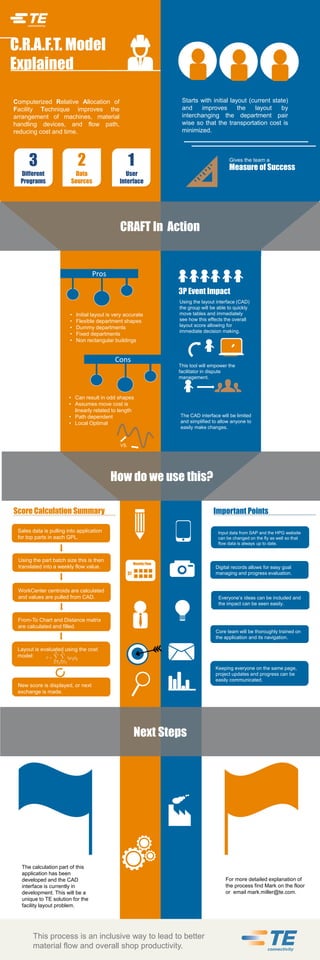
C.R.A.F.T. Model
Explained
Computerized Relative Allocation of
Facility Technique improves the
arrangement of machines, material
handling devices, and flow path,
reducing cost and time.
Gives the team a
3
Different
Programs
2 1
Data
Sources
User
Interface
3P Event Impact
Using the layout interface (CAD)
the group will be able to quickly
move tables and immediately
see how this effects the overall
layout score allowing for
immediate decision making.
This tool will empower the
facilitator in dispute
management.
The CAD interface will be limited
and simplified to allow anyone to
easily make changes.
• Initial layout is very accurate
• Flexible department shapes
• Dummy departments
• Fixed departments
• Non rectangular buildings
31
Input data from SAP and the HPG website
can be changed on the fly as well so that
flow data is always up to date.
Digital records allows for easy goal
managing and progress evaluation.
Everyone’s ideas can be included and
the impact can be seen easily.
Keeping everyone on the same page,
project updates and progress can be
easily communicated.
The calculation part of this
application has been
developed and the CAD
interface is currently in
development. This will be a
unique to TE solution for the
facility layout problem.
For more detailed explanation of
the process find Mark on the floor
or email mark.miller@te.com.
This process is an inclusive way to lead to better
material flow and overall shop productivity.
Measure of Success
Starts with initial layout (current state)
and improves the layout by
interchanging the department pair
wise so that the transportation cost is
minimized.
Pros
Cons
• Can result in odd shapes
• Assumes move cost is
linearly related to length
• Path dependent
• Local Optimal
VS.
Core team will be thoroughly trained on
the application and its navigation.
WorkCenter centroids are calculated
and values are pulled from CAD.
Score Calculation Summary
Sales data is pulling into application
for top parts in each GPL.
Using the part batch size this is then
translated into a weekly flow value.
Weekly Flow
From-To Chart and Distance matrix
are calculated and filled.
Layout is evaluated using the cost
model:
New score is displayed, or next
exchange is made.
Important Points

Info graphic

  • 1.
    CRAFT In Action Howdo we use this? Next Steps C.R.A.F.T. Model Explained Computerized Relative Allocation of Facility Technique improves the arrangement of machines, material handling devices, and flow path, reducing cost and time. Gives the team a 3 Different Programs 2 1 Data Sources User Interface 3P Event Impact Using the layout interface (CAD) the group will be able to quickly move tables and immediately see how this effects the overall layout score allowing for immediate decision making. This tool will empower the facilitator in dispute management. The CAD interface will be limited and simplified to allow anyone to easily make changes. • Initial layout is very accurate • Flexible department shapes • Dummy departments • Fixed departments • Non rectangular buildings 31 Input data from SAP and the HPG website can be changed on the fly as well so that flow data is always up to date. Digital records allows for easy goal managing and progress evaluation. Everyone’s ideas can be included and the impact can be seen easily. Keeping everyone on the same page, project updates and progress can be easily communicated. The calculation part of this application has been developed and the CAD interface is currently in development. This will be a unique to TE solution for the facility layout problem. For more detailed explanation of the process find Mark on the floor or email mark.miller@te.com. This process is an inclusive way to lead to better material flow and overall shop productivity. Measure of Success Starts with initial layout (current state) and improves the layout by interchanging the department pair wise so that the transportation cost is minimized. Pros Cons • Can result in odd shapes • Assumes move cost is linearly related to length • Path dependent • Local Optimal VS. Core team will be thoroughly trained on the application and its navigation. WorkCenter centroids are calculated and values are pulled from CAD. Score Calculation Summary Sales data is pulling into application for top parts in each GPL. Using the part batch size this is then translated into a weekly flow value. Weekly Flow From-To Chart and Distance matrix are calculated and filled. Layout is evaluated using the cost model: New score is displayed, or next exchange is made. Important Points