i	
  M	
  P	
  l	


Industrial	
  Modeling	
  Language	
  (IML)	


"(Advanced)	
  Reference	
  Manual	
  for	
  Logic/Logistics"	


i	
  n	
  d	
  u	
  s	
  t	
  r	
  I	
  A	
  L	
  g	
  o	
  r	
  i	
  t	
  h	
  m	
  s	
  	
  LLC.	
  
www.industrialgorithms.com	


Version	
  1.0	
  
April	
  2014	
  
IAL-­‐IMPL-­‐IML-­‐RMQL-­‐1-­‐0.docx	


Copyright	
  and	
  Property	
  of	
  Industrial	
  Algorithms	
  LLC.	
   	
  
Introduction	


The	
  IML	
  file	
  is	
  our	
  user	
  readable	
  import	
  or	
  input	
  file	
  to	
  the	
  IMPL	
  modeling	
  and	
  solving	
  platform.	
  	
  IMPL	
  is	
  
an	
  acronym	
  for	
  Industrial	
  Modeling	
  and	
  Programming	
  Language	
  provided	
  by	
  Industrial	
  Algorithms	
  LLC.	
  	
  
The	
  IML	
  file	
  allows	
  the	
  user	
  to	
  configure	
  the	
  necessary	
  data	
  to	
  model	
  and	
  solve	
  large-­‐scale	
  and	
  complex	
  
industrial	
  optimization	
  problems	
  (IOP's)	
  such	
  as	
  planning,	
  scheduling,	
  control	
  and	
  data	
  reconciliation	
  
and	
  regression	
  in	
  either	
  off	
  or	
  on-­‐line	
  environments.	


Please	
  see	
  our	
  IML	
  “(Basic)	
  Reference	
  Manual	
  for	
  Quantities”	
  for	
  a	
  complete	
  introduction	
  on	
  the	
  basics	
  
of	
  IML.	
  	
  This	
  manual	
  describes	
  the	
  configuration	
  data	
  necessary	
  to	
  model	
  and	
  solve	
  IOP’s	
  with	
  logic	
  and	
  
logistics	
  (quantity	
  and	
  logic)	
  variables	
  and	
  constraints	
  i.e.,	
  setups,	
  startups,	
  shutdowns,	
  switchovers,	
  
sequence-­‐dependent	
  switchovers,	
  etc.	


The	
  symbol	
  "&"	
  denotes	
  an	
  address,	
  index,	
  pointer	
  or	
  key,	
  the	
  "@"	
  denotes	
  an	
  attribute,	
  property,	
  
characteristic	
  or	
  value	
  and	
  the	
  prefix	
  "s"	
  stands	
  for	
  string	
  of	
  which	
  there	
  are	
  two	
  other	
  prefixes	
  "r"	
  and	
  
"i"	
  for	
  reals	
  (double	
  precision)	
  and	
  integers	
  respectively.	
  	
  String	
  addresses	
  and	
  attributes	
  are	
  case	
  
sensitive	
  and	
  do	
  not	
  require	
  any	
  quotes	
  where	
  essentially	
  any	
  character	
  is	
  allowed	
  including	
  spaces	
  
except	
  for	
  	
  ",".	
  	
  Each	
  address	
  string	
  field	
  may	
  have	
  no	
  more	
  than	
  64	
  characters	
  for	
  it	
  to	
  be	
  considered	
  as	
  
unique	
  and	
  each	
  attribute	
  string	
  field	
  may	
  have	
  no	
  more	
  than	
  512	
  characters.	


Constriction	
  Data	


IMPL	
  allows	
  for	
  the	
  configuration	
  of	
  several	
  diverse	
  types	
  of	
  logic	
  and	
  logistics	
  (quantity	
  and	
  logic)	
  
Constriction	
  Data	
  which	
  comprise	
  most	
  of	
  the	
  configuration	
  data	
  for	
  IOP’s	
  involving	
  logic	
  and	
  logistics	
  
details.	


Flow-­‐	
  and	
  holdup-­‐smoothing	
  minimizes	
  the	
  1-­‐norm	
  and	
  2-­‐norm	
  deviations	
  from	
  the	
  quantity	
  in	
  the	
  
previous	
  time-­‐period	
  against	
  the	
  current	
  time-­‐period.	


&sUnit,&sOperation,@rFlowSmoothing1_Weight,@rFlowSmoothing2_Weight
UNIT,OPERATION,	
  FSWEIGHT	
  1,	
  FSWEIGHT2	
  
&sUnit,&sOperation,@rFlowSmoothing1_Weight,@rFlowSmoothing2_Weight
 
&sUnit,&sOperation,@rHoldupSmoothing1_Weight,@rHoldupSmoothing2_Weight
UNIT,OPERATION,	
  HSWEIGHT	
  1,	
  HSWEIGHT2	
  
&sUnit,&sOperation,@rHoldupSmoothing1_Weight,@rHoldupSmoothing2_Weight
	
  
&sUnit,&sOperation,&sPort,&sState,@rFlowSmoothing1_Weight,@rFlowSmoothing2_Weight
UNIT,OPERATION,	
  PORT,STATE,FSWEIGHT	
  1,	
  FSWEIGHT2	
  
&sUnit,&sOperation,&sPort,&sState,@rFlowSmoothing1_Weight,@rFlowSmoothing2_Weight
	
  
Flow-­‐equaling	
  is	
  similar	
  to	
  flow-­‐smoothing	
  except	
  that	
  equality	
  constraints	
  are	
  created	
  between	
  the	
  
previous	
  and	
  current	
  time-­‐periods	
  instead	
  of	
  minimizing	
  the	
  1-­‐norm	
  and	
  2-­‐norm	
  deviation	
  variables	
  in	
  
the	
  objective	
  function.	


&sUnit,&sOperation,@sFlowEquality
UNIT,OPERATION,ONOFF	
  
&sUnit,&sOperation,@sFlowEquality
	
  
&sUnit,&sOperation,&sPort,&sState,@sFlowEquality
UNIT,OPERATION,PORT,STATE,ONOFF	
  
&sUnit,&sOperation,&sPort,&sState,@sFlowEquality
	
  
Both	
  lower	
  and	
  upper	
  bounds	
  for	
  multi-­‐use	
  restrictions	
  are	
  applied	
  to	
  noncontentious	
  units	
  (planning)	
  
whereas	
  for	
  contentious	
  units	
  	
  (scheduling)	
  the	
  lower	
  bound	
  is	
  assumed	
  to	
  be	
  zero	
  (0)	
  and	
  the	
  upper	
  is	
  
one	
  (1).	


&sUnit,@iMultiUse_Lower,@iMultiUse_Upper
UNIT,LMULTIUSE,UMULTIUSE	
  
&sUnit,@iMultiUse_Lower,@iMultiUse_Upper
	
  
Multi-­‐use	
  on	
  inlet	
  and	
  outlet	
  unit-­‐operation-­‐port-­‐states	
  in	
  terms	
  of	
  how	
  many	
  in-­‐flows	
  and	
  out-­‐flows	
  are	
  
allowed	
  is	
  configured	
  using	
  this	
  frame.	


&sUnit,&sOperation,&sPort,&sState,@iMultiUse_Lower,@iMultiUse_Upper
UNIT,OPERATION,PORT,STATE,LMULTIUSE,UMULTIUSE	
  
&sUnit,&sOperation,&sPort,&sState,@iMultiUse_Lower,@iMultiUse_Upper
	
  
The	
  zero	
  down-­‐timing	
  configuration	
  forces	
  IMPL	
  not	
  to	
  shutdown	
  the	
  unit.	
  	
  This	
  implies	
  that	
  at	
  least	
  
unit-­‐operation	
  must	
  be	
  setup	
  for	
  the	
  entire	
  future	
  time-­‐horizon.	
  
 
&sUnit,@sZeroDownTiming
UNIT,ON	
  
&sUnit,@sZeroDownTiming
	
  
The	
  lower	
  and	
  upper	
  up-­‐timing	
  configuration	
  specifies	
  in	
  the	
  same	
  time-­‐units	
  as	
  the	
  time-­‐horizons	
  that	
  
the	
  unit-­‐operation,	
  if	
  setup	
  or	
  started-­‐up,	
  must	
  be	
  up	
  or	
  run	
  for	
  at	
  least	
  the	
  lower	
  up-­‐timing	
  configured	
  
and	
  no	
  greater	
  than	
  the	
  upper	
  up-­‐timing.	


&sUnit,&sOperation,@rUpTiming_Lower,@rUpTiming_Upper
UNIT,OPERATION,LUPTIME,UUPTIME	
  
&sUnit,&sOperation,@rUpTiming_Lower,@rUpTiming_Upper
	
  
&sUnit,&sOperation,&sPort,&sState,
&sUnit,&sOperation,&sPort,&sState,@rUpTiming_Lower,@rUpTiming_Upper
UNIT,OPERATION,PORT,STATE,UNIT2,OPERATION2,PORT2,STATE2,LUPTIME,UUPTIME	
  
&sUnit,&sOperation,&sPort,&sState,	
  	
  
&sUnit,&sOperation,&sPort,&sState,@rUpTiming_Lower,@rUpTiming_Upper
	
  
The	
  lower	
  and	
  upper	
  down-­‐timing	
  configuration	
  specifies	
  in	
  the	
  same	
  time-­‐units	
  as	
  the	
  time-­‐horizons	
  
that	
  the	
  unit-­‐operation,	
  if	
  setdown	
  or	
  shutdown,	
  must	
  be	
  down	
  or	
  not	
  run	
  for	
  at	
  least	
  the	
  lower	
  down-­‐
timing	
  configured	
  and	
  no	
  greater	
  than	
  the	
  upper	
  down-­‐timing.	


&sUnit,&sOperation,@rDownTiming_Lower,@rDownTiming_Upper
UNIT,OPERATION,LDOWNTIME,UDOWNTIME	
  
&sUnit,&sOperation,@rDownTiming_Lower,@rDownTiming_Upper
	
  
The	
  lower	
  and	
  upper	
  fill-­‐draw-­‐delaying	
  configuration	
  specifies	
  in	
  the	
  same	
  time-­‐units	
  as	
  the	
  time-­‐
horizons	
  that	
  for	
  the	
  unit-­‐operation	
  of	
  type	
  pool,	
  if	
  there	
  is	
  flow	
  in	
  to	
  or	
  the	
  unit-­‐operation	
  is	
  filling,	
  then	
  
any	
  flow	
  out	
  of	
  or	
  drawing	
  from	
  the	
  unit-­‐operation	
  must	
  respect	
  the	
  lower	
  and	
  upper	
  bounds.	
  	
  If	
  the	
  
lower	
  bound	
  is	
  zero	
  (0)	
  then	
  this	
  is	
  useful	
  for	
  a	
  pool	
  to	
  be	
  standing-­‐gauge	
  or	
  also	
  known	
  as	
  a	
  dead-­‐tank	
  
i.e.,	
  as	
  opposed	
  to	
  a	
  live-­‐tank.	


&sUnit,&sOperation,@rFillDrawDelaying_Lower,@rFillDrawDelaying_Upper
UNIT,OPERATION,LFILLDRAWDELAY,UFILLDRAWDELAY	
  
&sUnit,&sOperation,@rFillDrawDelaying_Lower,@rFillDrawDelaying_Upper
	
  
The	
  switching-­‐when-­‐empty	
  and	
  -­‐full	
  configuration	
  specifies	
  in	
  the	
  quantity-­‐units	
  that	
  for	
  the	
  unit-­‐
operation	
  of	
  type	
  pool,	
  that	
  if	
  the	
  holdup	
  is	
  below	
  the	
  empty	
  quantity	
  or	
  above	
  the	
  full	
  quantity	
  then	
  
the	
  unit-­‐operation	
  can	
  be	
  switched.	
  	
  This	
  is	
  useful	
  to	
  model	
  multi-­‐purpose	
  or	
  multi-­‐product	
  (non-­‐
dedicated)	
  tanks	
  to	
  allow	
  their	
  material	
  service,	
  mode	
  or	
  operation	
  to	
  switch	
  from	
  one	
  operation	
  to	
  
another	
  provided	
  the	
  empty	
  or	
  full	
  quantities	
  are	
  respected.	


&sUnit,&sOperation,@rSwitchingWhen_Empty,@rSwitchingWhen_Full
UNIT,OPERATION,SWITCHWHENEMPTY,SWITCHWHENFULL	
  
&sUnit,&sOperation,@rSwitchingWhen_Empty,@rSwitchingWhen_Full
	
  
The	
  lower	
  and	
  upper	
  flow-­‐delaying	
  configuration	
  specifies	
  in	
  the	
  same	
  time-­‐units	
  as	
  the	
  time-­‐horizons	
  
that	
  for	
  unit-­‐operations	
  of	
  type	
  batch-­‐process	
  and	
  parcel,	
  their	
  flows	
  in	
  and	
  out	
  of	
  their	
  unit-­‐operation-­‐
port-­‐states	
  must	
  respect	
  these	
  relative	
  timings	
  of	
  when	
  the	
  unit-­‐operation	
  is	
  started-­‐up.	
  	
  	
  The	
  flow-­‐
delaying	
  configurations	
  are	
  also	
  useful	
  to	
  model	
  semi-­‐batch	
  operations	
  where	
  there	
  can	
  be	
  a	
  delay	
  
between	
  when	
  material	
  or	
  other	
  types	
  of	
  resources	
  enter	
  and	
  leave	
  the	
  unit-­‐operation.	


&sUnit,&sOperation,&sPort,&sState,@rFlowDelaying_Lower,@rFlowDelaying_Upper
UNIT,OPERATION,PORT,STATE,LFLOWDELAY,	
  UFLOWDELAY	
  
&sUnit,&sOperation,&sPort,&sState,@rFlowDelaying_Lower,@rFlowDelaying_Upper
	
  
Consolidation	
  (Collection)	
  Data	


The	
  Consolidation	
  Data	
  allows	
  consolidations	
  of	
  unit-­‐operations	
  into	
  collections	
  such	
  as	
  unit-­‐operation-­‐
groups	
  which	
  are	
  useful	
  for	
  applying	
  aggregation	
  or	
  consolidation	
  constraints	
  across	
  several	
  diverse	
  
unit-­‐operations	
  i.e.,	
  different	
  units	
  and	
  different	
  operations	
  within	
  the	
  same	
  group.	
  	
  	
  There	
  are	
  also	
  unit-­‐
operation-­‐operation-­‐groups	
  which	
  are	
  useful	
  for	
  sequence-­‐dependent	
  switchovers,	
  setups	
  or	
  
changeovers	
  when	
  there	
  is	
  a	
  constriction	
  or	
  restriction	
  that	
  some	
  form	
  of	
  sequence-­‐dependent	
  
switchover	
  action,	
  activity	
  or	
  task	
  must	
  be	
  taken	
  between	
  different	
  operations	
  in	
  a	
  different	
  group	
  on	
  
the	
  same	
  unit.	


&sUnit,&sOperation,&sGroup
UNIT,OPERATION,GROUP	
  
&sUnit,&sOperation,&sGroup
	
  
&sUnit,&sOperation,&sOperationGroup
UNIT,OPERATION,OGROUP	
  
&sUnit,&sOperation,&sOperationGroup
	
  
Compatibility	
  (Changeover)	
  Data	


The	
  Compatibility	
  or	
  Changeover	
  Data	
  is	
  operation-­‐group	
  centric	
  in	
  that	
  on	
  the	
  same	
  unit	
  between	
  
different	
  operation-­‐groups,	
  IMPL	
  allows	
  for	
  what	
  we	
  call	
  “purging”,	
  “prohibiting”,	
  “phasing”	
  and	
  
“postponing”.	
  	
  “Purging”	
  is	
  the	
  usual	
  repetitive	
  maintenance	
  activity,	
  task	
  or	
  operation	
  that	
  will	
  be	
  setup	
  
between	
  the	
  “from”	
  operation-­‐group	
  shutdown	
  and	
  the	
  “to”	
  	
  operation-­‐group	
  startup	
  where	
  the	
  last	
  
field	
  must	
  be	
  a	
  configured	
  and	
  known	
  operation	
  on	
  the	
  unit	
  –	
  see	
  Kelly	
  and	
  Zyngier,"An	
  improved	
  
modeling	
  of	
  sequence-­‐dependent	
  switchovers	
  for	
  discrete-­‐time	
  scheduling	
  problems",	
  I&ER,	
  46,	
  (2007)	
  
for	
  details.	


&sUnit,&sOperationGroup,&sOperationGroup,@sOperation
UNIT,OGROUP,	
  OGROUP2,OPERATION	
  
&sUnit,&sOperationGroup,&sOperationGroup,@sOperation
	
  
If	
  the	
  last	
  field	
  is	
  configured	
  as	
  “prohibited”	
  then	
  IMPL	
  will	
  not	
  allow	
  or	
  will	
  forbid	
  any	
  “from”	
  operation-­‐
group	
  “to”	
  operation-­‐group	
  sequence,	
  transition	
  or	
  precedence	
  and	
  if	
  “phased”	
  will	
  force	
  or	
  only	
  allow	
  
the	
  “from”	
  operation-­‐group	
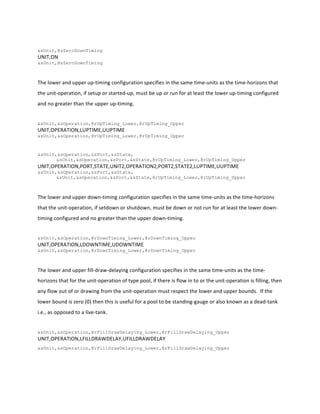
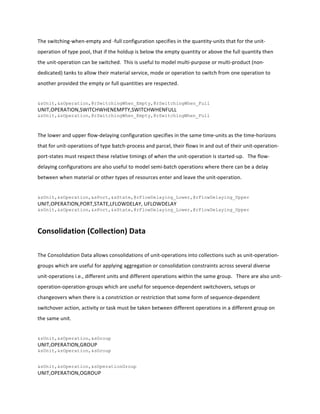
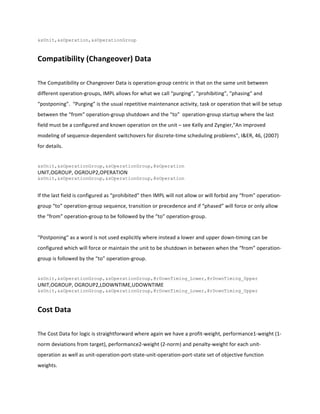
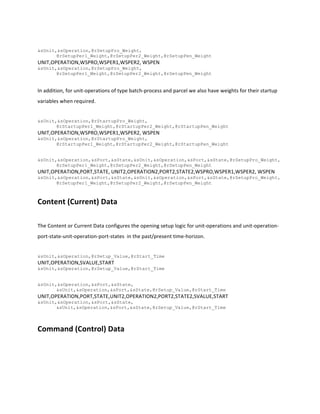
  to	
  be	
  followed	
  by	
  the	
  “to”	
  operation-­‐group.	


“Postponing”	
  as	
  a	
  word	
  is	
  not	
  used	
  explicitly	
  where	
  instead	
  a	
  lower	
  and	
  upper	
  down-­‐timing	
  can	
  be	
  
configured	
  which	
  will	
  force	
  or	
  maintain	
  the	
  unit	
  to	
  be	
  shutdown	
  in	
  between	
  when	
  the	
  “from”	
  operation-­‐
group	
  is	
  followed	
  by	
  the	
  “to”	
  operation-­‐group.	


&sUnit,&sOperationGroup,&sOperationGroup,@rDownTiming_Lower,@rDownTiming_Upper
UNIT,OGROUP,	
  OGROUP2,LDOWNTIME,UDOWNTIME	
  
&sUnit,&sOperationGroup,&sOperationGroup,@rDownTiming_Lower,@rDownTiming_Upper
	
  
Cost	
  Data	


The	
  Cost	
  Data	
  for	
  logic	
  is	
  straightforward	
  where	
  again	
  we	
  have	
  a	
  profit-­‐weight,	
  performance1-­‐weight	
  (1-­‐
norm	
  deviations	
  from	
  target),	
  performance2-­‐weight	
  (2-­‐norm)	
  and	
  penalty-­‐weight	
  for	
  each	
  unit-­‐
operation	
  as	
  well	
  as	
  unit-­‐operation-­‐port-­‐state-­‐unit-­‐operation-­‐port-­‐state	
  set	
  of	
  objective	
  function	
  
weights.	


&sUnit,&sOperation,@rSetupPro_Weight,
@rSetupPer1_Weight,@rSetupPer2_Weight,@rSetupPen_Weight	
  
UNIT,OPERATION,WSPRO,WSPER1,WSPER2,	
  WSPEN	
  
&sUnit,&sOperation,@rSetupPro_Weight,
@rSetupPer1_Weight,@rSetupPer2_Weight,@rSetupPen_Weight	


In	
  addition,	
  for	
  unit-­‐operations	
  of	
  type	
  batch-­‐process	
  and	
  parcel	
  we	
  also	
  have	
  weights	
  for	
  their	
  startup	
  
variables	
  when	
  required.	


&sUnit,&sOperation,@rStartupPro_Weight,
@rStartupPer1_Weight,@rStartupPer2_Weight,@rStartupPen_Weight	
  
UNIT,OPERATION,WSPRO,WSPER1,WSPER2,	
  WSPEN	
  
&sUnit,&sOperation,@rStartupPro_Weight,
@rStartupPer1_Weight,@rStartupPer2_Weight,@rStartupPen_Weight	


&sUnit,&sOperation,&sPort,&sState,&sUnit,&sOperation,&sPort,&sState,@rSetupPro_Weight,
@rSetupPer1_Weight,@rSetupPer2_Weight,@rSetupPen_Weight
UNIT,OPERATION,PORT,STATE,	
  UNIT2,OPERATION2,PORT2,STATE2,WSPRO,WSPER1,WSPER2,	
  WSPEN	
  
&sUnit,&sOperation,&sPort,&sState,&sUnit,&sOperation,&sPort,&sState,@rSetupPro_Weight,
@rSetupPer1_Weight,@rSetupPer2_Weight,@rSetupPen_Weight
	
  
Content	
  (Current)	
  Data	


The	
  Content	
  or	
  Current	
  Data	
  configures	
  the	
  opening	
  setup	
  logic	
  for	
  unit-­‐operations	
  and	
  unit-­‐operation-­‐
port-­‐state-­‐unit-­‐operation-­‐port-­‐states	
  	
  in	
  the	
  past/present	
  time-­‐horizon.	


&sUnit,&sOperation,@rSetup_Value,@rStart_Time
UNIT,OPERATION,SVALUE,START
&sUnit,&sOperation,@rSetup_Value,@rStart_Time
	
  
&sUnit,&sOperation,&sPort,&sState,
&sUnit,&sOperation,&sPort,&sState,@rSetup_Value,@rStart_Time	
  
UNIT,OPERATION,PORT,STATE,UNIT2,OPERATION2,PORT2,STATE2,SVALUE,START
&sUnit,&sOperation,&sPort,&sState,
&sUnit,&sOperation,&sPort,&sState,@rSetup_Value,@rStart_Time	


Command	
  (Control)	
  Data	


The	
  Command	
  or	
  Control	
  Data	
  configures	
  the	
  order,	
  transaction	
  or	
  proviso	
  details	
  of	
  how	
  the	
  lower	
  and	
  
upper	
  (hard)	
  bounds	
  can	
  vary	
  over	
  time	
  for	
  unit-­‐operation	
  setups	
  and	
  startups	
  and	
  unit-­‐operation-­‐port-­‐
state-­‐unit-­‐operation-­‐port-­‐state	
  	
  setups.	


&sUnit,&sOperation,@rSetup_Lower,@rSetup_Upper,@rBegin_Time,@rEnd_Time
UNIT,OPERATION,SLOWER,SUPPER,BEGIN,END
&sUnit,&sOperation,@rSetup_Lower,@rSetup_Upper,@rBegin_Time,@rEnd_Time
	
  
&sUnit,&sOperation,@rStartup_Lower,@rStartup_Upper,@rBegin_Time,@rEnd_Time
UNIT,OPERATION,SLOWER,SUPPER,BEGIN,END
&sUnit,&sOperation,@rStartup_Lower,@rStartup_Upper,@rBegin_Time,@rEnd_Time
	
  
&sUnit,&sOperation,&sPort,&sState,&sUnit,&sOperation,&sPort,&sState,
@rSetup_Lower,@rSetup_Upper,@rBegin_Time,@rEnd_Time	
  
UNIT,OPERATION,PORT,STATE,UNIT2,OPERATION2,PORT2,STATE2,SLOWER,SUPPER,BEGIN,END
&sUnit,&sOperation,&sPort,&sState,&sUnit,&sOperation,&sPort,&sState,
@rSetup_Lower,@rSetup_Upper,@rBegin_Time,@rEnd_Time
	
  
To	
  configure	
  free	
  or	
  finite	
  logic	
  variables	
  that	
  will	
  be	
  declared	
  as	
  binary	
  variables	
  in	
  the	
  optimization,	
  the	
  
lower	
  bound	
  should	
  be	
  set	
  to	
  zero	
  (0)	
  and	
  the	
  upper	
  bound	
  to	
  one	
  (1).	
  	
  To	
  configure	
  fixed	
  or	
  forced	
  logic	
  
variables	
  the	
  lower	
  and	
  upper	
  bounds	
  should	
  be	
  equal	
  to	
  either	
  zero	
  (0)	
  or	
  one	
  (1)	
  i.e.,	
  off	
  
(closed/inactive)	
  or	
  on	
  (open/active)	
  respectively.	


An	
  important	
  aspect	
  of	
  IMPL’s	
  logic	
  order	
  digitization	
  or	
  discretization	
  from	
  continuous-­‐time	
  to	
  discrete-­‐
time,	
  is	
  that	
  the	
  order	
  lower	
  and	
  upper	
  bounds	
  are	
  cumulative,	
  aggregated	
  or	
  additive	
  in	
  nature.	
  	
  For	
  
instance,	
  to	
  configure	
  a	
  fixed	
  or	
  forced	
  logic	
  variable	
  to	
  be	
  zero	
  (0)	
  in	
  a	
  time-­‐period	
  (time-­‐interval	
  or	
  
window)	
  where	
  it	
  has	
  already	
  been	
  fixed	
  or	
  forced	
  to	
  one	
  (1)	
  then	
  the	
  lower	
  bound	
  should	
  be	
  set	
  to	
  
minus	
  one	
  (-­‐1)	
  and	
  the	
  upper	
  bound	
  also	
  to	
  -­‐1.	
  	
  This	
  will	
  add	
  1	
  to	
  -­‐1	
  resulting	
  in	
  0	
  in	
  the	
  time-­‐period	
  for	
  
both	
  the	
  lower	
  and	
  upper	
  bounds.	
  	
  If	
  previously	
  in	
  a	
  time-­‐interval	
  the	
  lower	
  bound	
  is	
  zero	
  (0)	
  and	
  the	
  
upper	
  bound	
  is	
  one	
  (1)	
  i.e.,	
  a	
  binary	
  variable	
  but	
  it	
  needs	
  to	
  be	
  fixed	
  or	
  forced	
  to	
  one	
  (1)	
  in	
  a	
  particular	
  
time-­‐period	
  then	
  the	
  lower	
  bound	
  should	
  be	
  specified	
  to	
  one	
  (1)	
  and	
  the	
  upper	
  bound	
  to	
  zero	
  (0).	


Configuration	
  Demo	
  (Job-­‐Shop	
  Scheduling	
  Optimization	
  Problem)	


The	
  Configuration	
  Demo	
  provided	
  below	
  is	
  a	
  small	
  job-­‐shop	
  scheduling	
  optimization	
  problem	
  with	
  three	
  
(3)	
  jobs	
  and	
  three	
  (3)	
  machines	
  which	
  process	
  or	
  operate	
  on	
  these	
  jobs	
  in	
  a	
  predefined	
  sequence	
  or	
  
precedence	
  as	
  shown	
  in	
  Figure	
  1.0	
  which	
  is	
  similar	
  to	
  what	
  is	
  known	
  as	
  a	
  “disjunctive	
  graph”	
  in	
  open-­‐
shop	
  scheduling	
  theory.	
  	
  The	
  square	
  shapes	
  are	
  batch-­‐processes	
  with	
  one	
  in-­‐port	
  (circle)	
  and	
  one	
  out-­‐
port	
  (circle	
  with	
  an	
  “x”	
  inside).	
  	
  The	
  triangle	
  shapes	
  are	
  pools	
  which	
  model	
  unlimited	
  wait	
  times	
  between	
  
the	
  work-­‐in-­‐progress	
  of	
  the	
  jobs	
  i.e.,	
  between	
  the	
  machines.	
  	
  The	
  lines	
  with	
  the	
  arrowheads	
  are	
  the	
  
“flow”	
  of	
  the	
  job	
  hypothetically	
  and	
  the	
  diamonds	
  are	
  called	
  perimeters	
  and	
  represent	
  the	
  start	
  and	
  end	
  
of	
  the	
  jobs.	


The	
  objective	
  function	
  of	
  this	
  example	
  is	
  to	
  minimize	
  the	
  make-­‐span	
  or	
  completion-­‐time	
  for	
  processing	
  
the	
  three	
  jobs	
  on	
  the	
  three	
  contentious	
  (unary	
  resource)	
  machines	
  i.e.,	
  the	
  total-­‐time	
  to	
  complete	
  the	
  
last	
  job.	
  	
  Since	
  this	
  is	
  an	
  optimization	
  (MILP)	
  formation	
  of	
  the	
  problem	
  we	
  discretize	
  the	
  time-­‐horizon	
  of	
  
one-­‐day	
  or	
  24-­‐hours	
  into	
  one-­‐hour	
  time-­‐periods	
  which	
  tacitly	
  assumes	
  that	
  the	
  make-­‐span	
  is	
  less	
  than	
  
the	
  time-­‐horizon	
  configured.	
  	
  The	
  completion-­‐time	
  for	
  this	
  example	
  is	
  14-­‐hours.	


Figure	
  1.0	
  Flowsheet	
  of	
  Job-­‐Shop	
  Scheduling	
  Optimization	
  Problem.	


i M P l (c)
Copyright and Property of i n d u s t r I A L g o r i t h m s LLC.
!!!!!!!!!!!!!!!!!!!!!!!!!!!!!!!!!!!!!!!!!!!!!!!!!!!!!!!!!!!!!!!!!!!!!!!!!!!!!!!!
! Calculation Data (Parameters)
!!!!!!!!!!!!!!!!!!!!!!!!!!!!!!!!!!!!!!!!!!!!!!!!!!!!!!!!!!!!!!!!!!!!!!!!!!!!!!!!
&sCalc,@sValue
START,0.0
BEGIN,0.0
END,24.0
PERIOD,1.0
&sCalc,@sValue
!!!!!!!!!!!!!!!!!!!!!!!!!!!!!!!!!!!!!!!!!!!!!!!!!!!!!!!!!!!!!!!!!!!!!!!!!!!!!!!!
! Chronological Data (Periods)
!!!!!!!!!!!!!!!!!!!!!!!!!!!!!!!!!!!!!!!!!!!!!!!!!!!!!!!!!!!!!!!!!!!!!!!!!!!!!!!!
@rPastTHD,@rFutureTHD,@rTPD
START,END,PERIOD
@rPastTHD,@rFutureTHD,@rTPD
!!!!!!!!!!!!!!!!!!!!!!!!!!!!!!!!!!!!!!!!!!!!!!!!!!!!!!!!!!!!!!!!!!!!!!!!!!!!!!!!
! Construction Data (Pointers)
!!!!!!!!!!!!!!!!!!!!!!!!!!!!!!!!!!!!!!!!!!!!!!!!!!!!!!!!!!!!!!!!!!!!!!!!!!!!!!!!
&sUnit,&sOperation,@sType,@sSubtype,@sUse
End,,perimeter,,noncontiguous
Job1,,perimeter,,noncontiguous
Job11,,pool,,
Job12,,pool,,
Job2,,perimeter,,noncontiguous
Job21,,pool,,
Job22,,pool,,
Job3,,perimeter,,noncontiguous
Job31,,pool,,
Job32,,pool,,
JobPool,Draw,pool,,
JobPool,Fill,pool,,
Machine1,Job1,processb,,
Machine1,Job2,processb,,
Machine1,Job3,processb,,
Machine2,Job1,processb,,
Machine2,Job2,processb,,
Machine2,Job3,processb,,
Machine3,Job1,processb,,
Machine3,Job2,processb,,
Machine3,Job3,processb,,
&sUnit,&sOperation,@sType,@sSubtype,@sUse
&sAlias,&sUnit,&sOperation
ALLPARTS,End,
ALLPARTS,Job1,
ALLPARTS,Job11,
ALLPARTS,Job12,
ALLPARTS,Job2,
ALLPARTS,Job21,
ALLPARTS,Job22,
ALLPARTS,Job3,
ALLPARTS,Job31,
ALLPARTS,Job32,
ALLPARTS,JobPool,Draw
ALLPARTS,JobPool,Fill
ALLPARTS,Machine1,Job1
ALLPARTS,Machine1,Job2
ALLPARTS,Machine1,Job3
ALLPARTS,Machine2,Job1
ALLPARTS,Machine2,Job2
ALLPARTS,Machine2,Job3
ALLPARTS,Machine3,Job1
ALLPARTS,Machine3,Job2
ALLPARTS,Machine3,Job3
&sAlias,&sUnit,&sOperation
&sUnit,&sOperation,&sPort,&sState,@sType,@sSubtype
End,,i,,in,
Job1,,o,,out,
Job11,,i,,in,
Job11,,o,,out,
Job12,,i,,in,
Job12,,o,,out,
Job2,,o,,out,
Job21,,i,,in,
Job21,,o,,out,
Job22,,i,,in,
Job22,,o,,out,
Job3,,o,,out,
Job31,,i,,in,
Job31,,o,,out,
Job32,,i,,in,
Job32,,o,,out,
JobPool,Draw,o,,out,
JobPool,Fill,i,,in,
Machine1,Job1,i,,in,
Machine1,Job1,o,,out,
Machine1,Job2,i,,in,
Machine1,Job2,o,,out,
Machine1,Job3,i,,in,
Machine1,Job3,o,,out,
Machine2,Job1,i,,in,
Machine2,Job1,o,,out,
Machine2,Job2,i,,in,
Machine2,Job2,o,,out,
Machine2,Job3,i,,in,
Machine2,Job3,o,,out,
Machine3,Job1,i,,in,
Machine3,Job1,o,,out,
Machine3,Job2,i,,in,
Machine3,Job2,o,,out,
Machine3,Job3,i,,in,
Machine3,Job3,o,,out,
&sUnit,&sOperation,&sPort,&sState,@sType,@sSubtype
&sAlias,&sUnit,&sOperation,&sPort,&sState
ALLINPORTS,End,,i,
ALLINPORTS,Job11,,i,
ALLINPORTS,Job12,,i,
ALLINPORTS,Job21,,i,
ALLINPORTS,Job22,,i,
ALLINPORTS,Job31,,i,
ALLINPORTS,Job32,,i,
ALLINPORTS,JobPool,Fill,i,
ALLINPORTS,Machine1,Job1,i,
ALLINPORTS,Machine1,Job2,i,
ALLINPORTS,Machine1,Job3,i,
ALLINPORTS,Machine2,Job1,i,
ALLINPORTS,Machine2,Job2,i,
ALLINPORTS,Machine2,Job3,i,
ALLINPORTS,Machine3,Job1,i,
ALLINPORTS,Machine3,Job2,i,
ALLINPORTS,Machine3,Job3,i,
ALLOUTPORTS,Job1,,o,
ALLOUTPORTS,Job11,,o,
ALLOUTPORTS,Job12,,o,
ALLOUTPORTS,Job2,,o,
ALLOUTPORTS,Job21,,o,
ALLOUTPORTS,Job22,,o,
ALLOUTPORTS,Job3,,o,
ALLOUTPORTS,Job31,,o,
ALLOUTPORTS,Job32,,o,
ALLOUTPORTS,JobPool,Draw,o,
ALLOUTPORTS,Machine1,Job1,o,
ALLOUTPORTS,Machine1,Job2,o,
ALLOUTPORTS,Machine1,Job3,o,
ALLOUTPORTS,Machine2,Job1,o,
ALLOUTPORTS,Machine2,Job2,o,
ALLOUTPORTS,Machine2,Job3,o,
ALLOUTPORTS,Machine3,Job1,o,
ALLOUTPORTS,Machine3,Job2,o,
ALLOUTPORTS,Machine3,Job3,o,
&sAlias,&sUnit,&sOperation,&sPort,&sState
&sUnit,&sOperation,&sPort,&sState,&sUnit,&sOperation,&sPort,&sState
Job1,,o,,Machine1,Job1,i,
Job11,,o,,Machine2,Job1,i,
Job12,,o,,Machine3,Job1,i,
Job2,,o,,Machine1,Job2,i,
Job21,,o,,Machine3,Job2,i,
Job22,,o,,Machine2,Job2,i,
Job3,,o,,Machine2,Job3,i,
Job31,,o,,Machine1,Job3,i,
Job32,,o,,Machine3,Job3,i,
JobPool,Draw,o,,End,,i,
Machine1,Job1,o,,Job11,,i,
Machine1,Job2,o,,Job21,,i,
Machine1,Job3,o,,Job32,,i,
Machine2,Job1,o,,Job12,,i,
Machine2,Job2,o,,JobPool,Fill,i,
Machine2,Job3,o,,Job31,,i,
Machine3,Job1,o,,JobPool,Fill,i,
Machine3,Job2,o,,Job22,,i,
Machine3,Job3,o,,JobPool,Fill,i,
&sUnit,&sOperation,&sPort,&sState,&sUnit,&sOperation,&sPort,&sState
&sAlias,&sUnit,&sOperation,&sPort,&sState,&sUnit,&sOperation,&sPort,&sState
ALLPATHS,JobPool,Draw,o,,End,,i,
ALLPATHS,Machine1,Job1,o,,Job11,,i,
ALLPATHS,Machine2,Job1,o,,Job12,,i,
ALLPATHS,Machine1,Job2,o,,Job21,,i,
ALLPATHS,Machine3,Job2,o,,Job22,,i,
ALLPATHS,Machine2,Job3,o,,Job31,,i,
ALLPATHS,Machine1,Job3,o,,Job32,,i,
ALLPATHS,Machine2,Job2,o,,JobPool,Fill,i,
ALLPATHS,Machine3,Job1,o,,JobPool,Fill,i,
ALLPATHS,Machine3,Job3,o,,JobPool,Fill,i,
ALLPATHS,Job1,,o,,Machine1,Job1,i,
ALLPATHS,Job2,,o,,Machine1,Job2,i,
ALLPATHS,Job31,,o,,Machine1,Job3,i,
ALLPATHS,Job11,,o,,Machine2,Job1,i,
ALLPATHS,Job22,,o,,Machine2,Job2,i,
ALLPATHS,Job3,,o,,Machine2,Job3,i,
ALLPATHS,Job12,,o,,Machine3,Job1,i,
ALLPATHS,Job21,,o,,Machine3,Job2,i,
ALLPATHS,Job32,,o,,Machine3,Job3,i,
&sAlias,&sUnit,&sOperation,&sPort,&sState,&sUnit,&sOperation,&sPort,&sState
!!!!!!!!!!!!!!!!!!!!!!!!!!!!!!!!!!!!!!!!!!!!!!!!!!!!!!!!!!!!!!!!!!!!!!!!!!!!!!!!
! Capacity Data (Prototypes)
!!!!!!!!!!!!!!!!!!!!!!!!!!!!!!!!!!!!!!!!!!!!!!!!!!!!!!!!!!!!!!!!!!!!!!!!!!!!!!!!
&sUnit,&sOperation,@rHoldup_Lower,@rHoldup_Upper
ALLPARTS,1.0,1.0
JobPool,Fill,0.0,3.0
JobPool,Draw,0.0,3.0
Job11,,0.0,1.0
Job12,,0.0,1.0
Job21,,0.0,1.0
Job22,,0.0,1.0
Job31,,0.0,1.0
Job32,,0.0,1.0
&sUnit,&sOperation,@rHoldup_Lower,@rHoldup_Upper
&sUnit,&sOperation,&sPort,&sState,@rTeeRate_Lower,@rTeeRate_Upper
ALLINPORTS,0.0,1.0
ALLOUTPORTS,0.0,1.0
&sUnit,&sOperation,&sPort,&sState,@rTeeRate_Lower,@rTeeRate_Upper
&sUnit,&sOperation,&sPort,&sState,@rTotalRate_Lower,@rTotalRate_Upper
ALLINPORTS,0.0,1.0
ALLOUTPORTS,0.0,1.0
&sUnit,&sOperation,&sPort,&sState,@rTotalRate_Lower,@rTotalRate_Upper
&sUnit,&sOperation,&sPort,&sState,@rYield_Lower,@rYield_Upper,@rYield_Fixed
Machine1,Job1,i,,1.0,1.0,
Machine1,Job2,i,,1.0,1.0,
Machine1,Job3,i,,1.0,1.0,
Machine2,Job1,i,,1.0,1.0,
Machine2,Job2,i,,1.0,1.0,
Machine2,Job3,i,,1.0,1.0,
Machine3,Job1,i,,1.0,1.0,
Machine3,Job2,i,,1.0,1.0,
Machine3,Job3,i,,1.0,1.0,
Machine1,Job1,o,,1.0,1.0,
Machine1,Job2,o,,1.0,1.0,
Machine1,Job3,o,,1.0,1.0,
Machine2,Job1,o,,1.0,1.0,
Machine2,Job2,o,,1.0,1.0,
Machine2,Job3,o,,1.0,1.0,
Machine3,Job1,o,,1.0,1.0,
Machine3,Job2,o,,1.0,1.0,
Machine3,Job3,o,,1.0,1.0,
&sUnit,&sOperation,&sPort,&sState,@rYield_Lower,@rYield_Upper,@rYield_Fixed
!!!!!!!!!!!!!!!!!!!!!!!!!!!!!!!!!!!!!!!!!!!!!!!!!!!!!!!!!!!!!!!!!!!!!!!!!!!!!!!!
! Constriction Data (Practices/Policies)
!!!!!!!!!!!!!!!!!!!!!!!!!!!!!!!!!!!!!!!!!!!!!!!!!!!!!!!!!!!!!!!!!!!!!!!!!!!!!!!!
&sUnit,&sOperation,@rUpTiming_Lower,@rUpTiming_Upper
Machine1,Job1,3.0,3.0
Machine1,Job2,2.0,2.0
Machine1,Job3,2.0,2.0
Machine2,Job1,3.0,3.0
Machine2,Job2,4.0,4.0
Machine2,Job3,3.0,3.0
Machine3,Job1,3.0,3.0
Machine3,Job2,3.0,3.0
Machine3,Job3,1.0,1.0
&sUnit,&sOperation,@rUpTiming_Lower,@rUpTiming_Upper
&sUnit,&sOperation,&sPort,&sState,@rFlowDelaying_Lower,@rFlowDelaying_Upper
Machine1,Job1,i,,0.0,0.0
Machine1,Job2,i,,0.0,0.0
Machine1,Job3,i,,0.0,0.0
Machine2,Job1,i,,0.0,0.0
Machine2,Job2,i,,0.0,0.0
Machine2,Job3,i,,0.0,0.0
Machine3,Job1,i,,0.0,0.0
Machine3,Job2,i,,0.0,0.0
Machine3,Job3,i,,0.0,0.0
Machine1,Job1,o,,3.0,3.0
Machine1,Job2,o,,2.0,2.0
Machine1,Job3,o,,2.0,2.0
Machine2,Job1,o,,3.0,3.0
Machine2,Job2,o,,4.0,4.0
Machine2,Job3,o,,3.0,3.0
Machine3,Job1,o,,3.0,3.0
Machine3,Job2,o,,3.0,3.0
Machine3,Job3,o,,1.0,1.0
&sUnit,&sOperation,&sPort,&sState,@rFlowDelaying_Lower,@rFlowDelaying_Upper
&sUnit,&sOperation,@rSwitchingWhen_Empty,@rSwitchingWhen_Full
JobPool,Fill,,3.0
&sUnit,&sOperation,@rSwitchingWhen_Empty,@rSwitchingWhen_Full
!!!!!!!!!!!!!!!!!!!!!!!!!!!!!!!!!!!!!!!!!!!!!!!!!!!!!!!!!!!!!!!!!!!!!!!!!!!!!!!!
! Cost Data (Pricing)
!!!!!!!!!!!!!!!!!!!!!!!!!!!!!!!!!!!!!!!!!!!!!!!!!!!!!!!!!!!!!!!!!!!!!!!!!!!!!!!!
&sUnit,&sOperation,&sPort,&sState,@rFlowPro_Weight,@rFlowPer1_Weight,@rFlowPer2_Weight,@rFlowPen_Weight,@rBegin_Time,@rEnd_Time
End,,i,,-1.0,,,,0.0,1.0
End,,i,,-2.0,,,,1.0,2.0
End,,i,,-3.0,,,,2.0,3.0
End,,i,,-4.0,,,,3.0,4.0
End,,i,,-5.0,,,,4.0,5.0
End,,i,,-6.0,,,,5.0,6.0
End,,i,,-7.0,,,,6.0,7.0
End,,i,,-8.0,,,,7.0,8.0
End,,i,,-9.0,,,,8.0,9.0
End,,i,,-10.0,,,,9.0,10.0
End,,i,,-11.0,,,,10.0,11.0
End,,i,,-12.0,,,,11.0,12.0
End,,i,,-13.0,,,,12.0,13.0
End,,i,,-14.0,,,,13.0,14.0
End,,i,,-15.0,,,,14.0,15.0
End,,i,,-16.0,,,,15.0,16.0
End,,i,,-17.0,,,,16.0,17.0
End,,i,,-18.0,,,,17.0,18.0
End,,i,,-19.0,,,,18.0,19.0
End,,i,,-20.0,,,,19.0,20.0
End,,i,,-21.0,,,,20.0,21.0
End,,i,,-22.0,,,,21.0,22.0
End,,i,,-23.0,,,,22.0,23.0
End,,i,,-24.0,,,,23.0,24.0
&sUnit,&sOperation,&sPort,&sState,@rFlowPro_Weight,@rFlowPer1_Weight,@rFlowPer2_Weight,@rFlowPen_Weight,@rBegin_Time,@rEnd_Time
!!!!!!!!!!!!!!!!!!!!!!!!!!!!!!!!!!!!!!!!!!!!!!!!!!!!!!!!!!!!!!!!!!!!!!!!!!!!!!!!
! Content/Current Data (Past, Present Provisos)
!!!!!!!!!!!!!!!!!!!!!!!!!!!!!!!!!!!!!!!!!!!!!!!!!!!!!!!!!!!!!!!!!!!!!!!!!!!!!!!!
&sUnit,&sOperation,@rHoldup_Value,@rStart_Time
JobPool,Fill,0.0,-1.0
Job11,,0.0,-1.0
Job12,,0.0,-1.0
Job21,,0.0,-1.0
Job22,,0.0,-1.0
Job31,,0.0,-1.0
Job32,,0.0,-1.0
&sUnit,&sOperation,@rHoldup_Value,@rStart_Time
!!!!!!!!!!!!!!!!!!!!!!!!!!!!!!!!!!!!!!!!!!!!!!!!!!!!!!!!!!!!!!!!!!!!!!!!!!!!!!!!
! Command Data (Future Provisos)
!!!!!!!!!!!!!!!!!!!!!!!!!!!!!!!!!!!!!!!!!!!!!!!!!!!!!!!!!!!!!!!!!!!!!!!!!!!!!!!!
&sUnit,&sOperation,@rSetup_Lower,@rSetup_Upper,@rBegin_Time,@rEnd_Time
ALLPARTS,0,1,BEGIN,END
Job1,,1,0,BEGIN,END
Job2,,1,0,BEGIN,END
Job3,,1,0,BEGIN,END
End,,1,0,BEGIN,END
Job11,,1,0,BEGIN,END
Job12,,1,0,BEGIN,END
Job21,,1,0,BEGIN,END
Job22,,1,0,BEGIN,END
Job31,,1,0,BEGIN,END
Job32,,1,0,BEGIN,END
&sUnit,&sOperation,@rSetup_Lower,@rSetup_Upper,@rBegin_Time,@rEnd_Time
&sUnit,&sOperation,&sPort,&sState,&sUnit,&sOperation,&sPort,&sState,@rSetup_Lower,@rSetup_Upper,@rBegin_Time,@rEnd_Time
ALLPATHS,0,1,BEGIN,END
&sUnit,&sOperation,&sPort,&sState,&sUnit,&sOperation,&sPort,&sState,@rSetup_Lower,@rSetup_Upper,@rBegin_Time,@rEnd_Time
&sUnit,&sOperation,&sPort,&sState,@rHoldup_Lower,@rHoldup_Upper,@rHoldup_Target,@rBegin_Time,@rEnd_Time
Job1,,o,,1.0,1.0,,BEGIN,END
Job2,,o,,1.0,1.0,,BEGIN,END
Job3,,o,,1.0,1.0,,BEGIN,END
End,,i,,1.0,1.0,,BEGIN,END
&sUnit,&sOperation,&sPort,&sState,@rHoldup_Lower,@rHoldup_Upper,@rHoldup_Target,@rBegin_Time,@rEnd_Time

Impl reference manual_for_logic_logistics