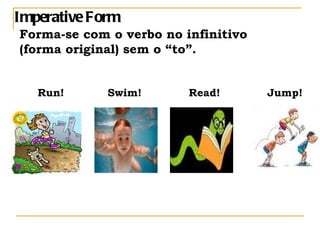
Imperative Form Forma-se com o verbo no infinitivo  (forma original) sem o “to”. Run!  Swim!  Read!  Jump!
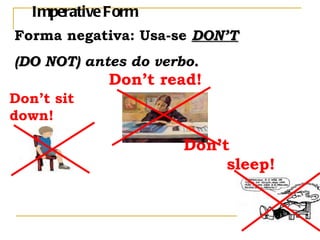
Imperative Form Forma negativa: Usa-se  DON’T   (DO NOT)  antes do verbo . Don’t sit down! Don’t read! Don’t  sleep!
USES OF THE  IMPERATIVE
1. Direct commands, suggestions: Follow me. Shut the door (please). Don't worry!  2. Warnings: Look out! Don't panic!  3. Directions: Take the 2nd turning on the left and then turn right.
4. Instructions: Use a moderate oven and bake for 20 minutes.  5. Prohibitions (in e.g. public notices): Keep off the grass! Do not feed the animals!  6. Advice (especially after always and never):   Never speak to strangers!
7 . Invitations: Come and have dinner with us soon.  8. Offers: Help yourself. Have a biscuit.  9. Expressing rudeness: Shut up!
1) Press the joystick to select recipients from the contacts directory, or write the  phone number or e-mail address of the recipient in the  field if you are sending an MMS or e-mail to the recipient.  Nokia 6620 User Guide
2) Press the  #  key to add a semicolon ( ; ) to separate each recipient. 3) Scroll down to move to the message field. 4)   Write the message. Nokia 6620 User Guide

Imperative

  • 1.
    Imperative Form Forma-secom o verbo no infinitivo (forma original) sem o “to”. Run! Swim! Read! Jump!
  • 2.
    Imperative Form Formanegativa: Usa-se DON’T (DO NOT) antes do verbo . Don’t sit down! Don’t read! Don’t sleep!
  • 3.
    USES OF THE IMPERATIVE
  • 4.
    1. Direct commands,suggestions: Follow me. Shut the door (please). Don't worry! 2. Warnings: Look out! Don't panic! 3. Directions: Take the 2nd turning on the left and then turn right.
  • 5.
    4. Instructions: Usea moderate oven and bake for 20 minutes. 5. Prohibitions (in e.g. public notices): Keep off the grass! Do not feed the animals! 6. Advice (especially after always and never): Never speak to strangers!
  • 6.
    7 . Invitations:Come and have dinner with us soon. 8. Offers: Help yourself. Have a biscuit. 9. Expressing rudeness: Shut up!
  • 7.
    1) Press thejoystick to select recipients from the contacts directory, or write the phone number or e-mail address of the recipient in the field if you are sending an MMS or e-mail to the recipient. Nokia 6620 User Guide
  • 8.
    2) Press the # key to add a semicolon ( ; ) to separate each recipient. 3) Scroll down to move to the message field. 4) Write the message. Nokia 6620 User Guide