
WELCOME
IMPACTFUL COMMUNICATIONS SKILLS
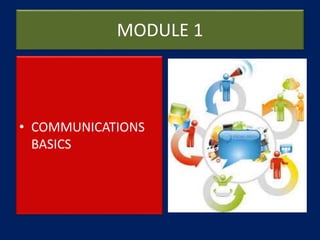
MODULE 1
• COMMUNICATIONS
BASICS
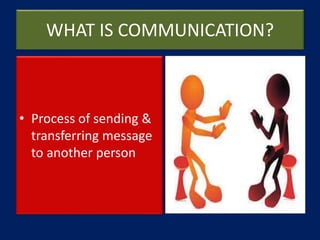
WHAT IS COMMUNICATION?
• Process of sending &
transferring message
to another person
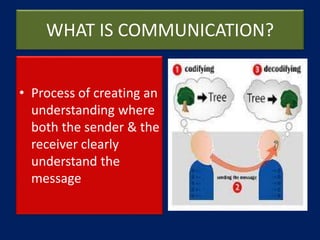
WHAT IS COMMUNICATION?
• Process of creating an
understanding where
both the sender & the
receiver clearly
understand the
message
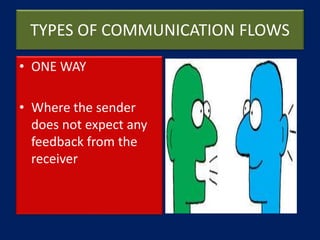
TYPES OF COMMUNICATION FLOWS
• ONE WAY
• Where the sender
does not expect any
feedback from the
receiver
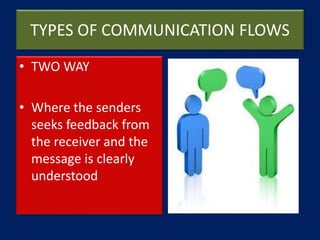
TYPES OF COMMUNICATION FLOWS
• TWO WAY
• Where the senders
seeks feedback from
the receiver and the
message is clearly
understood
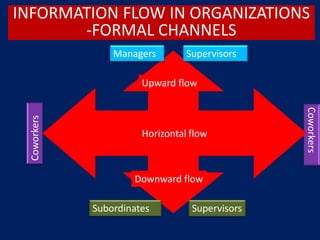
INFORMATION FLOW IN ORGANIZATIONS
-FORMAL CHANNELS
Downward flow
Upward flow
Managers Supervisors
Subordinates Supervisors
Coworkers
Coworkers
Horizontal flow
TYPES OF COMMUNICATION FLOWS
• UPWARD
• Reports, comments
from subordinates to
superiors
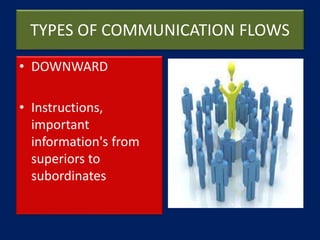
TYPES OF COMMUNICATION FLOWS
• DOWNWARD
• Instructions,
important
information's from
superiors to
subordinates
TYPES OF COMMUNICATION FLOWS
• HORIZONTAL
• Shared information to
coordinate task and
solve problems and
conflicts
TYPES OF COMMUNICATION FLOWS
• GRAPEVINE
• Informal, casual,
rumors mongering
among any group of
people
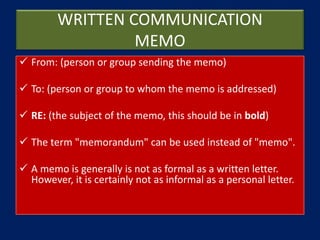
WRITTEN COMMUNICATION
MEMO
 From: (person or group sending the memo)
 To: (person or group to whom the memo is addressed)
 RE: (the subject of the memo, this should be in bold)
 The term "memorandum" can be used instead of "memo".
 A memo is generally is not as formal as a written letter.
However, it is certainly not as informal as a personal letter.
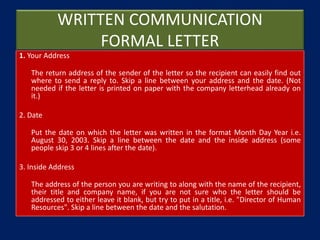
WRITTEN COMMUNICATION
FORMAL LETTER
1. Your Address
The return address of the sender of the letter so the recipient can easily find out
where to send a reply to. Skip a line between your address and the date. (Not
needed if the letter is printed on paper with the company letterhead already on
it.)
2. Date
Put the date on which the letter was written in the format Month Day Year i.e.
August 30, 2003. Skip a line between the date and the inside address (some
people skip 3 or 4 lines after the date).
3. Inside Address
The address of the person you are writing to along with the name of the recipient,
their title and company name, if you are not sure who the letter should be
addressed to either leave it blank, but try to put in a title, i.e. "Director of Human
Resources". Skip a line between the date and the salutation.
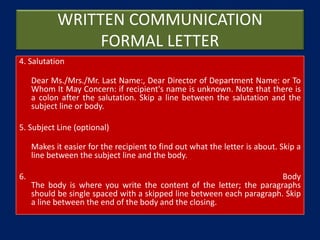
WRITTEN COMMUNICATION
FORMAL LETTER
4. Salutation
Dear Ms./Mrs./Mr. Last Name:, Dear Director of Department Name: or To
Whom It May Concern: if recipient's name is unknown. Note that there is
a colon after the salutation. Skip a line between the salutation and the
subject line or body.
5. Subject Line (optional)
Makes it easier for the recipient to find out what the letter is about. Skip a
line between the subject line and the body.
6. Body
The body is where you write the content of the letter; the paragraphs
should be single spaced with a skipped line between each paragraph. Skip
a line between the end of the body and the closing.
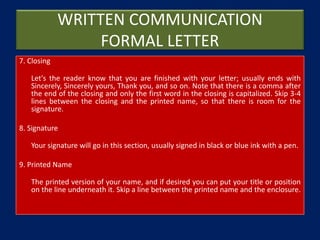
WRITTEN COMMUNICATION
FORMAL LETTER
7. Closing
Let's the reader know that you are finished with your letter; usually ends with
Sincerely, Sincerely yours, Thank you, and so on. Note that there is a comma after
the end of the closing and only the first word in the closing is capitalized. Skip 3-4
lines between the closing and the printed name, so that there is room for the
signature.
8. Signature
Your signature will go in this section, usually signed in black or blue ink with a pen.
9. Printed Name
The printed version of your name, and if desired you can put your title or position
on the line underneath it. Skip a line between the printed name and the enclosure.
WRITTEN COMMUNICATION
FORMAL LETTER
10. Enclosure
If letter contains other document other than the letter itself your letter will include
the word "Enclosure." If there is more than one you would type, "Enclosures (#)"
with the # being the number of other documents enclosed that doesn't include
the letter itself.
11. Reference Initials
If someone other than yourself typed the letter you will include your initials in
capital letters followed by the typist's initials in lower case in the following format;
AG/gs or AG:gs.
WRITTEN COMMUNICATION
EMAIL
 A heading is not necessary in an email (your return
address, their address, and the date).
 Use a descriptive subject line.
 Avoid using an inappropriate or silly email address,
register a professional sounding address if you don't
have one.
 Use simple formatting, keep everything flush with the
left margin; avoid special formatting and tabs.
WRITTEN COMMUNICATION
EMAIL
 Keep your letter formal, just because it's an email instead of a hard
copy is no excuse for informality (don't forget to use spell check and
proper grammar).
 Try to keep your letter less than 80 characters wide, some email
readers will create line breaks on anything longer and ruin the
formatting.
 If possible avoid attachments unless the recipient has requested or
is expecting an attachment. If it is a text document, simply cut and
paste the text below your letter and strip off any special formatting.
 If the persons name is unknown, address the person's title i.e. Dear
Director of Human Resources
WRITTEN COMMUNICATION
EMAIL
 Email is much less formal than a written letter. Emails
are usually short and concise.
 If you are writing to someone you don't know, a
simple "Hello" is adequate. Using a salutation such as
"Dear Mr. Smith," is too formal.
 When writing to someone you know well, feel free to
write as if you are speaking to the person.
WRITTEN COMMUNICATION
EMAIL
 Use abbreviated verb forms (He's, We're, He'd, etc.)
 Include a telephone number to the signature of the email.
This will give the recipient the chance to telephone if
necessary.
 It is not necessary to include your email address as the
recipient can just reply to the email.
 When replying eliminate all the information that is not
necessary. Only leave the sections of text that are related
to your reply. This will save your reader time when reading
your email.
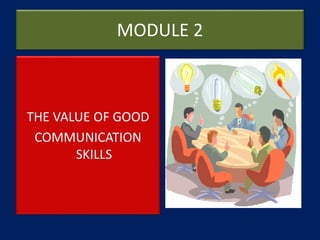
MODULE 2
THE VALUE OF GOOD
COMMUNICATION
SKILLS
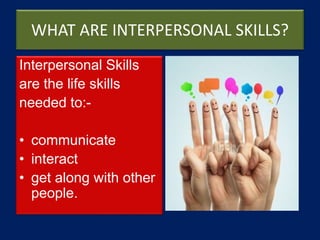
WHAT ARE INTERPERSONAL SKILLS?
Interpersonal Skills
are the life skills
needed to:-
• communicate
• interact
• get along with other
people.
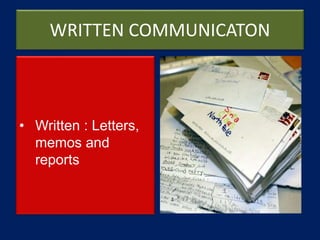
WRITTEN COMMUNICATON
• Written : Letters,
memos and
reports
WRITTEN COMMUNICATON
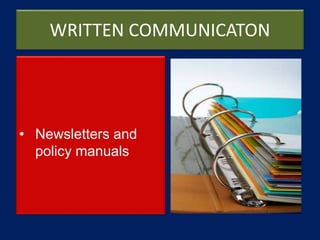
• Newsletters and
policy manuals
VERBAL COMMUNICATON
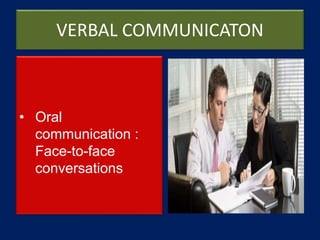
• Oral
communication :
Face-to-face
conversations
VERBAL COMMUNICATON
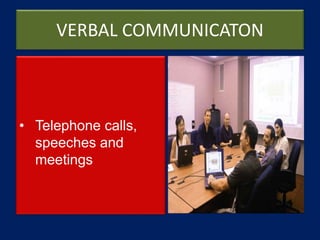
• Telephone calls,
speeches and
meetings
NON VERBAL COMMUNICATION
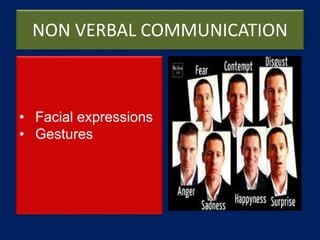
• Facial expressions
• Gestures
NON VERBAL COMMUNICATION
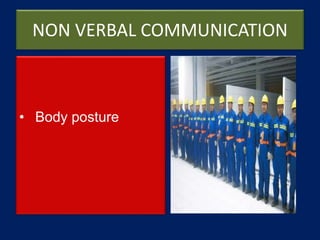
• Body posture
NON VERBAL COMMUNICATION
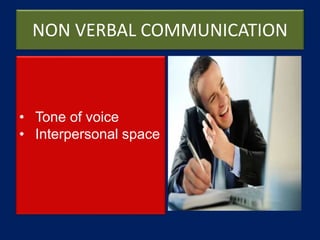
• Tone of voice
• Interpersonal space
MODULE 3
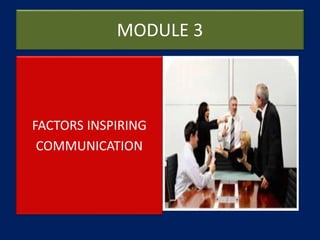
FACTORS INSPIRING
COMMUNICATION
COMMUNICATION CHALLENGES @WORK
 Please list down 5
Interpersonal
challenges which you
have encountered.
 Segregate your answers
by “within your
control” and “beyond
your control”.
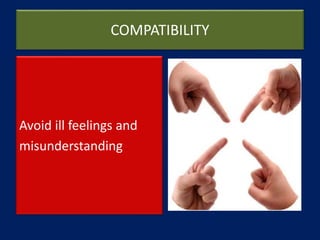
COMPATIBILITY
Avoid ill feelings and
misunderstanding
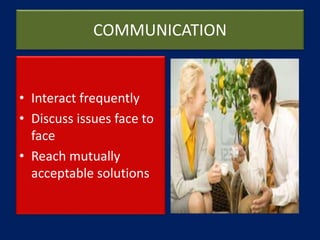
COMMUNICATION
• Interact frequently
• Discuss issues face to
face
• Reach mutually
acceptable solutions
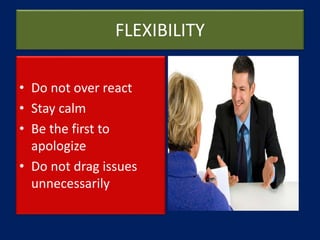
FLEXIBILITY
• Do not over react
• Stay calm
• Be the first to
apologize
• Do not drag issues
unnecessarily
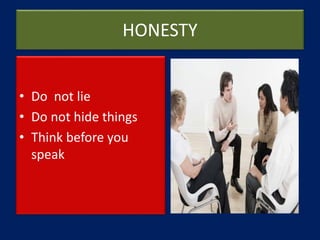
HONESTY
• Do not lie
• Do not hide things
• Think before you
speak
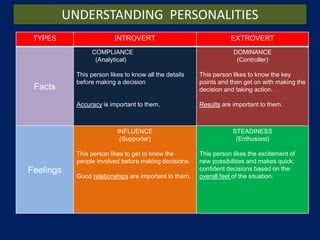
TYPES INTROVERT EXTROVERT
Facts
COMPLIANCE
(Analytical)
This person likes to know all the details
before making a decision
Accuracy is important to them.
DOMINANCE
(Controller)
This person likes to know the key
points and then get on with making the
decision and taking action.
Results are important to them.
Feelings
INFLUENCE
(Supporter)
This person likes to get to know the
people involved before making decisions.
Good relationships are important to them.
STEADINESS
(Enthusiast)
This person likes the excitement of
new possibilities and makes quick,
confident decisions based on the
overall feel of the situation.
UNDERSTANDING PERSONALITIES
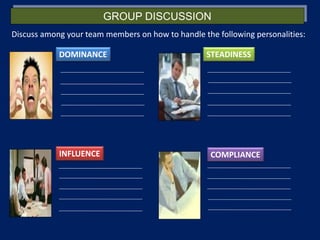
GROUP DISCUSSION
Discuss among your team members on how to handle the following personalities:
DOMINANCE
INFLUENCE
STEADINESS
COMPLIANCE
MODULE 4
THE ART OF DYNAMIC
COMMUNICATIONS
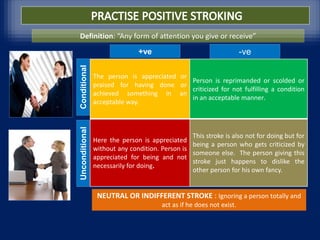
TYPES OF STROKINGThe person is appreciated or
praised for having done or
achieved something in an
acceptable way.
Person is reprimanded or scolded or
criticized for not fulfilling a condition
in an acceptable manner.
Here the person is appreciated
without any condition. Person is
appreciated for being and not
necessarily for doing.
This stroke is also not for doing but for
being a person who gets criticized by
someone else. The person giving this
stroke just happens to dislike the
other person for his own fancy.
ConditionalUnconditional
+ve -ve
NEUTRAL OR INDIFFERENT STROKE : Ignoring a person totally and
act as if he does not exist.
Definition: “Any form of attention you give or receive”
PRACTICE POSITIVE STROKING
• Please write down at
least 3 possible positive
stroking while
communicating with
your staffs, colleagues
or superior
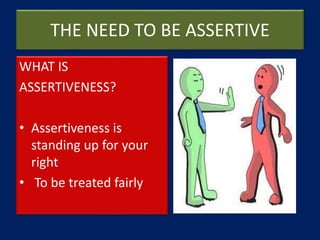
THE NEED TO BE ASSERTIVE
WHAT IS
ASSERTIVENESS?
• Assertiveness is
standing up for your
right
• To be treated fairly
THE NEED TO BE ASSERTIVE
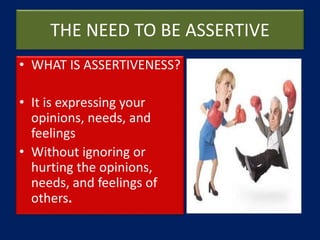
• WHAT IS ASSERTIVENESS?
• It is expressing your
opinions, needs, and
feelings
• Without ignoring or
hurting the opinions,
needs, and feelings of
others.
ASSERTIVE SELF ANALYSIS
• Based on your
assertion self analysis
are you:
a.Passive?
b.Aggressive?
c. Assertive?
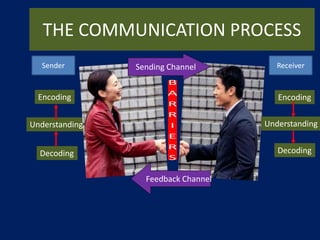
THE COMMUNICATION PROCESS
Encoding
Decoding
Encoding
Understanding
Decoding
Feedback Channel
Sending Channel
Understanding
ReceiverSender
BARRIERS TO ACTIVE LISTENING
• We ‘know’ what we
are going to hear
• We judge delivery
(how they say it), not
content (what they
say)
BARRIERS TO ACTIVE LISTENING
• We are seeking
confirmation not
information
EFFECTIVE LISTENING TECHNIQUES
• Encouraging
• Pretending ignorance
• Noting and reflecting
emotions
• Paraphrasing
• Summarizing
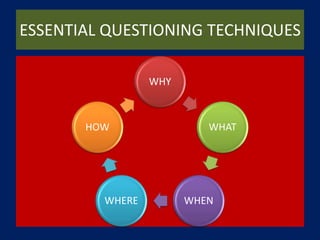
ESSENTIAL QUESTIONING TECHNIQUES
WHY
WHAT
WHENWHERE
HOW
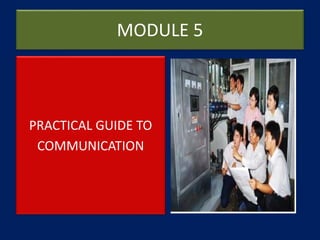
MODULE 5
PRACTICAL GUIDE TO
COMMUNICATION
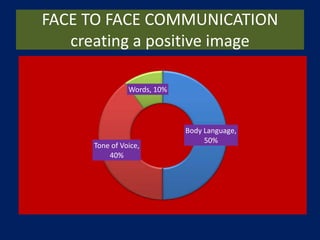
FACE TO FACE COMMUNICATION
creating a positive image
Body Language,
50%
Tone of Voice,
40%
Words, 10%
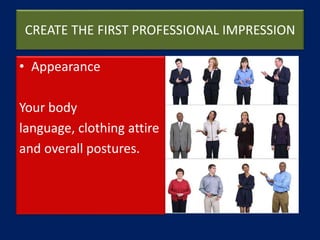
CREATE THE FIRST PROFESSIONAL IMPRESSION
• Appearance
Your body
language, clothing attire
and overall postures.
CREATE THE FIRST PROFESSIONAL IMPRESSION
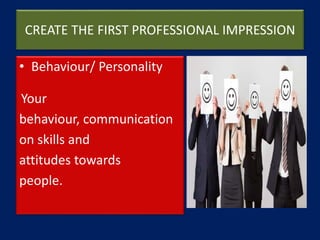
• Behaviour/ Personality
Your
behaviour, communication
on skills and
attitudes towards
people.
CREATE THE FIRST PROFESSIONAL IMPRESSION
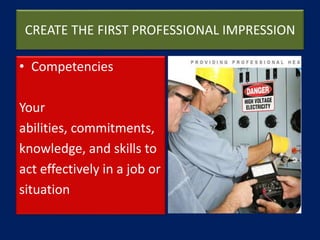
• Competencies
Your
abilities, commitments,
knowledge, and skills to
act effectively in a job or
situation
CREATE THE FIRST PROFESSIONAL IMPRESSION
• Differentiation
What separates you from
others and leaves a
lasting memory in the
minds of others.
MEETING FACE TO FACE
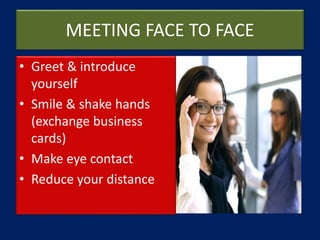
• Greet & introduce
yourself
• Smile & shake hands
(exchange business
cards)
• Make eye contact
• Reduce your distance
MEETING FACE TO FACE
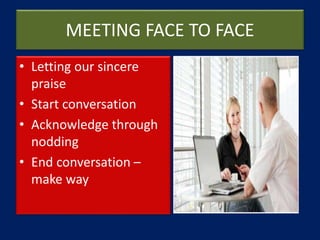
• Letting our sincere
praise
• Start conversation
• Acknowledge through
nodding
• End conversation –
make way
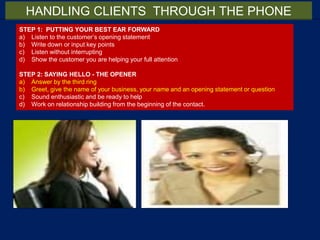
STEP 1: PUTTING YOUR BEST EAR FORWARD
a) Listen to the customer’s opening statement
b) Write down or input key points
c) Listen without interrupting
d) Show the customer you are helping your full attention
STEP 2: SAYING HELLO - THE OPENER
a) Answer by the third ring
b) Greet, give the name of your business, your name and an opening statement or question
c) Sound enthusiastic and be ready to help
d) Work on relationship building from the beginning of the contact.
HANDLING CLIENTS THROUGH THE PHONE
STEP 3: BETWEEN HELLO & GOODBYE - HELPING THE CUSTOMER
a) Assure the customer you can help
b) Summarize the customer’s opening statement
c) Verbalize what you are doing
d) Put your personal touch into the contact
e) Before a lengthy pause, tell the customer what is happening
f) When putting customers on hold, explain why.
STEP 4: SAYING GOODBYE - THE CLOSER
a) Recap what you are going to do
b) Gain the customer’s acceptance and confidence
c) Ask if you can help with anything else
d) Give your name again
e) Thank the customer for calling your company
HANDLING CLIENTS THROUGH THE PHONE
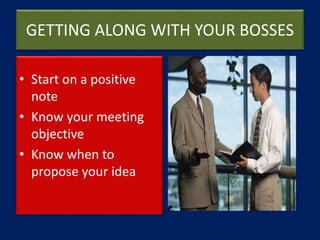
GETTING ALONG WITH YOUR BOSSES
• Start on a positive
note
• Know your meeting
objective
• Know when to
propose your idea
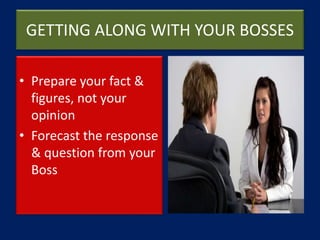
GETTING ALONG WITH YOUR BOSSES
• Prepare your fact &
figures, not your
opinion
• Forecast the response
& question from your
Boss
GETTING ALONG WITH YOUR BOSSES
• Practice empathy to
understand your Boss
• Don’t raise a problem
without a solution
• Give suggestions and
be prepared to
compromise
GETTING ALONG WITH YOUR BOSSES
• Ask questions and
seek consent
• Get approval and
commitment from
your Boss
THANK YOU
WINNING DOESN’T ALWAYS MEAN
BEING FIRST – WINNING MEANS YOU’RE
DOING BETTER THAN YOU’VE DONE
BEFORE
SUCCESS MEANS – KNOWING MORE
THAN THE OTHERS, WORKING MORE
THAN THE OTHERS & EXPECTING LESS
THAN THE OTHERS

Impactful Communication Skills

  • 1.
  • 2.
  • 3.
    WHAT IS COMMUNICATION? •Process of sending & transferring message to another person
  • 4.
    WHAT IS COMMUNICATION? •Process of creating an understanding where both the sender & the receiver clearly understand the message
  • 5.
    TYPES OF COMMUNICATIONFLOWS • ONE WAY • Where the sender does not expect any feedback from the receiver
  • 6.
    TYPES OF COMMUNICATIONFLOWS • TWO WAY • Where the senders seeks feedback from the receiver and the message is clearly understood
  • 7.
    INFORMATION FLOW INORGANIZATIONS -FORMAL CHANNELS Downward flow Upward flow Managers Supervisors Subordinates Supervisors Coworkers Coworkers Horizontal flow
  • 8.
    TYPES OF COMMUNICATIONFLOWS • UPWARD • Reports, comments from subordinates to superiors
  • 9.
    TYPES OF COMMUNICATIONFLOWS • DOWNWARD • Instructions, important information's from superiors to subordinates
  • 10.
    TYPES OF COMMUNICATIONFLOWS • HORIZONTAL • Shared information to coordinate task and solve problems and conflicts
  • 11.
    TYPES OF COMMUNICATIONFLOWS • GRAPEVINE • Informal, casual, rumors mongering among any group of people
  • 12.
    WRITTEN COMMUNICATION MEMO  From:(person or group sending the memo)  To: (person or group to whom the memo is addressed)  RE: (the subject of the memo, this should be in bold)  The term "memorandum" can be used instead of "memo".  A memo is generally is not as formal as a written letter. However, it is certainly not as informal as a personal letter.
  • 13.
    WRITTEN COMMUNICATION FORMAL LETTER 1.Your Address The return address of the sender of the letter so the recipient can easily find out where to send a reply to. Skip a line between your address and the date. (Not needed if the letter is printed on paper with the company letterhead already on it.) 2. Date Put the date on which the letter was written in the format Month Day Year i.e. August 30, 2003. Skip a line between the date and the inside address (some people skip 3 or 4 lines after the date). 3. Inside Address The address of the person you are writing to along with the name of the recipient, their title and company name, if you are not sure who the letter should be addressed to either leave it blank, but try to put in a title, i.e. "Director of Human Resources". Skip a line between the date and the salutation.
  • 14.
    WRITTEN COMMUNICATION FORMAL LETTER 4.Salutation Dear Ms./Mrs./Mr. Last Name:, Dear Director of Department Name: or To Whom It May Concern: if recipient's name is unknown. Note that there is a colon after the salutation. Skip a line between the salutation and the subject line or body. 5. Subject Line (optional) Makes it easier for the recipient to find out what the letter is about. Skip a line between the subject line and the body. 6. Body The body is where you write the content of the letter; the paragraphs should be single spaced with a skipped line between each paragraph. Skip a line between the end of the body and the closing.
  • 15.
    WRITTEN COMMUNICATION FORMAL LETTER 7.Closing Let's the reader know that you are finished with your letter; usually ends with Sincerely, Sincerely yours, Thank you, and so on. Note that there is a comma after the end of the closing and only the first word in the closing is capitalized. Skip 3-4 lines between the closing and the printed name, so that there is room for the signature. 8. Signature Your signature will go in this section, usually signed in black or blue ink with a pen. 9. Printed Name The printed version of your name, and if desired you can put your title or position on the line underneath it. Skip a line between the printed name and the enclosure.
  • 16.
    WRITTEN COMMUNICATION FORMAL LETTER 10.Enclosure If letter contains other document other than the letter itself your letter will include the word "Enclosure." If there is more than one you would type, "Enclosures (#)" with the # being the number of other documents enclosed that doesn't include the letter itself. 11. Reference Initials If someone other than yourself typed the letter you will include your initials in capital letters followed by the typist's initials in lower case in the following format; AG/gs or AG:gs.
  • 17.
    WRITTEN COMMUNICATION EMAIL  Aheading is not necessary in an email (your return address, their address, and the date).  Use a descriptive subject line.  Avoid using an inappropriate or silly email address, register a professional sounding address if you don't have one.  Use simple formatting, keep everything flush with the left margin; avoid special formatting and tabs.
  • 18.
    WRITTEN COMMUNICATION EMAIL  Keepyour letter formal, just because it's an email instead of a hard copy is no excuse for informality (don't forget to use spell check and proper grammar).  Try to keep your letter less than 80 characters wide, some email readers will create line breaks on anything longer and ruin the formatting.  If possible avoid attachments unless the recipient has requested or is expecting an attachment. If it is a text document, simply cut and paste the text below your letter and strip off any special formatting.  If the persons name is unknown, address the person's title i.e. Dear Director of Human Resources
  • 19.
    WRITTEN COMMUNICATION EMAIL  Emailis much less formal than a written letter. Emails are usually short and concise.  If you are writing to someone you don't know, a simple "Hello" is adequate. Using a salutation such as "Dear Mr. Smith," is too formal.  When writing to someone you know well, feel free to write as if you are speaking to the person.
  • 20.
    WRITTEN COMMUNICATION EMAIL  Useabbreviated verb forms (He's, We're, He'd, etc.)  Include a telephone number to the signature of the email. This will give the recipient the chance to telephone if necessary.  It is not necessary to include your email address as the recipient can just reply to the email.  When replying eliminate all the information that is not necessary. Only leave the sections of text that are related to your reply. This will save your reader time when reading your email.
  • 21.
    MODULE 2 THE VALUEOF GOOD COMMUNICATION SKILLS
  • 22.
    WHAT ARE INTERPERSONALSKILLS? Interpersonal Skills are the life skills needed to:- • communicate • interact • get along with other people.
  • 23.
    WRITTEN COMMUNICATON • Written: Letters, memos and reports
  • 24.
  • 25.
    VERBAL COMMUNICATON • Oral communication: Face-to-face conversations
  • 26.
    VERBAL COMMUNICATON • Telephonecalls, speeches and meetings
  • 27.
    NON VERBAL COMMUNICATION •Facial expressions • Gestures
  • 28.
  • 29.
    NON VERBAL COMMUNICATION •Tone of voice • Interpersonal space
  • 30.
  • 31.
    COMMUNICATION CHALLENGES @WORK Please list down 5 Interpersonal challenges which you have encountered.  Segregate your answers by “within your control” and “beyond your control”.
  • 32.
  • 33.
    COMMUNICATION • Interact frequently •Discuss issues face to face • Reach mutually acceptable solutions
  • 34.
    FLEXIBILITY • Do notover react • Stay calm • Be the first to apologize • Do not drag issues unnecessarily
  • 35.
    HONESTY • Do notlie • Do not hide things • Think before you speak
  • 36.
    TYPES INTROVERT EXTROVERT Facts COMPLIANCE (Analytical) Thisperson likes to know all the details before making a decision Accuracy is important to them. DOMINANCE (Controller) This person likes to know the key points and then get on with making the decision and taking action. Results are important to them. Feelings INFLUENCE (Supporter) This person likes to get to know the people involved before making decisions. Good relationships are important to them. STEADINESS (Enthusiast) This person likes the excitement of new possibilities and makes quick, confident decisions based on the overall feel of the situation. UNDERSTANDING PERSONALITIES
  • 37.
    GROUP DISCUSSION Discuss amongyour team members on how to handle the following personalities: DOMINANCE INFLUENCE STEADINESS COMPLIANCE
  • 38.
    MODULE 4 THE ARTOF DYNAMIC COMMUNICATIONS
  • 39.
    TYPES OF STROKINGTheperson is appreciated or praised for having done or achieved something in an acceptable way. Person is reprimanded or scolded or criticized for not fulfilling a condition in an acceptable manner. Here the person is appreciated without any condition. Person is appreciated for being and not necessarily for doing. This stroke is also not for doing but for being a person who gets criticized by someone else. The person giving this stroke just happens to dislike the other person for his own fancy. ConditionalUnconditional +ve -ve NEUTRAL OR INDIFFERENT STROKE : Ignoring a person totally and act as if he does not exist. Definition: “Any form of attention you give or receive”
  • 40.
    PRACTICE POSITIVE STROKING •Please write down at least 3 possible positive stroking while communicating with your staffs, colleagues or superior
  • 41.
    THE NEED TOBE ASSERTIVE WHAT IS ASSERTIVENESS? • Assertiveness is standing up for your right • To be treated fairly
  • 42.
    THE NEED TOBE ASSERTIVE • WHAT IS ASSERTIVENESS? • It is expressing your opinions, needs, and feelings • Without ignoring or hurting the opinions, needs, and feelings of others.
  • 43.
    ASSERTIVE SELF ANALYSIS •Based on your assertion self analysis are you: a.Passive? b.Aggressive? c. Assertive?
  • 44.
  • 45.
    BARRIERS TO ACTIVELISTENING • We ‘know’ what we are going to hear • We judge delivery (how they say it), not content (what they say)
  • 46.
    BARRIERS TO ACTIVELISTENING • We are seeking confirmation not information
  • 47.
    EFFECTIVE LISTENING TECHNIQUES •Encouraging • Pretending ignorance • Noting and reflecting emotions • Paraphrasing • Summarizing
  • 48.
  • 49.
    MODULE 5 PRACTICAL GUIDETO COMMUNICATION
  • 50.
    FACE TO FACECOMMUNICATION creating a positive image Body Language, 50% Tone of Voice, 40% Words, 10%
  • 51.
    CREATE THE FIRSTPROFESSIONAL IMPRESSION • Appearance Your body language, clothing attire and overall postures.
  • 52.
    CREATE THE FIRSTPROFESSIONAL IMPRESSION • Behaviour/ Personality Your behaviour, communication on skills and attitudes towards people.
  • 53.
    CREATE THE FIRSTPROFESSIONAL IMPRESSION • Competencies Your abilities, commitments, knowledge, and skills to act effectively in a job or situation
  • 54.
    CREATE THE FIRSTPROFESSIONAL IMPRESSION • Differentiation What separates you from others and leaves a lasting memory in the minds of others.
  • 55.
    MEETING FACE TOFACE • Greet & introduce yourself • Smile & shake hands (exchange business cards) • Make eye contact • Reduce your distance
  • 56.
    MEETING FACE TOFACE • Letting our sincere praise • Start conversation • Acknowledge through nodding • End conversation – make way
  • 57.
    STEP 1: PUTTINGYOUR BEST EAR FORWARD a) Listen to the customer’s opening statement b) Write down or input key points c) Listen without interrupting d) Show the customer you are helping your full attention STEP 2: SAYING HELLO - THE OPENER a) Answer by the third ring b) Greet, give the name of your business, your name and an opening statement or question c) Sound enthusiastic and be ready to help d) Work on relationship building from the beginning of the contact. HANDLING CLIENTS THROUGH THE PHONE
  • 58.
    STEP 3: BETWEENHELLO & GOODBYE - HELPING THE CUSTOMER a) Assure the customer you can help b) Summarize the customer’s opening statement c) Verbalize what you are doing d) Put your personal touch into the contact e) Before a lengthy pause, tell the customer what is happening f) When putting customers on hold, explain why. STEP 4: SAYING GOODBYE - THE CLOSER a) Recap what you are going to do b) Gain the customer’s acceptance and confidence c) Ask if you can help with anything else d) Give your name again e) Thank the customer for calling your company HANDLING CLIENTS THROUGH THE PHONE
  • 59.
    GETTING ALONG WITHYOUR BOSSES • Start on a positive note • Know your meeting objective • Know when to propose your idea
  • 60.
    GETTING ALONG WITHYOUR BOSSES • Prepare your fact & figures, not your opinion • Forecast the response & question from your Boss
  • 61.
    GETTING ALONG WITHYOUR BOSSES • Practice empathy to understand your Boss • Don’t raise a problem without a solution • Give suggestions and be prepared to compromise
  • 62.
    GETTING ALONG WITHYOUR BOSSES • Ask questions and seek consent • Get approval and commitment from your Boss
  • 63.
    THANK YOU WINNING DOESN’TALWAYS MEAN BEING FIRST – WINNING MEANS YOU’RE DOING BETTER THAN YOU’VE DONE BEFORE SUCCESS MEANS – KNOWING MORE THAN THE OTHERS, WORKING MORE THAN THE OTHERS & EXPECTING LESS THAN THE OTHERS