presentation: Highlight imoot 2011
presenter: Bas Brands
link:
About the iMoot 2011

+60 presentations

audience: teachers, developers, users, moodle partners,
consultants

Start: Friday 30th April 23:00 (Amsterdam)
End: Tuesday 3rd May 23:00 (Amsterdam)

1 one hour break
repeated sessions

using Adobe Connect
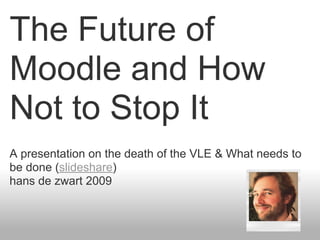
2009: The VLE is Dead
The Future of
Moodle and How
Not to Stop It
A presentation on the death of the VLE & What needs to
be done (slideshare)
hans de zwart 2009
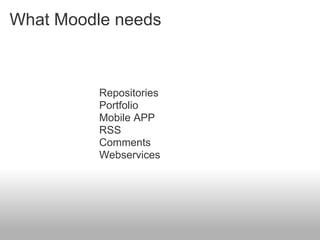
What Moodle needs


          Repositories
          Portfolio
          Mobile APP
          RSS
          Comments
          Webservices
2010: Moodle 2.0
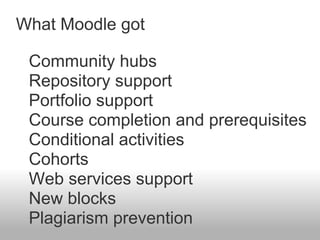
What Moodle got

 Community hubs
 Repository support
 Portfolio support
 Course completion and prerequisites
 Conditional activities
 Cohorts
 Web services support
 New blocks
 Plagiarism prevention
2011: Moodle 2.1
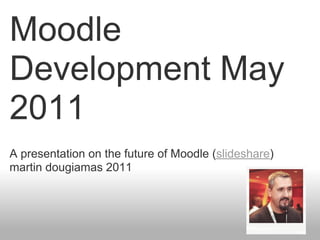
Moodle
Development May
2011
A presentation on the future of Moodle (slideshare)
martin dougiamas 2011
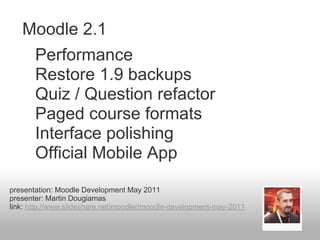
Moodle 2.1
       Performance
       Restore 1.9 backups
       Quiz / Question refactor
       Paged course formats
       Interface polishing
       Official Mobile App
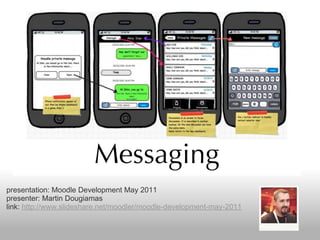
presentation: Moodle Development May 2011
presenter: Martin Dougiamas
link: http://www.slideshare.net/moodler/moodle-development-may-2011
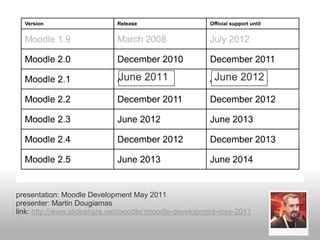
June 2011                  June 2012


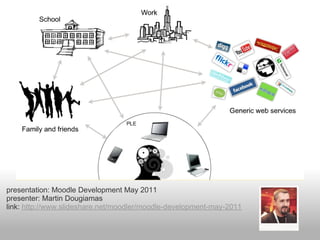
presentation: Moodle Development May 2011
presenter: Martin Dougiamas
link: http://www.slideshare.net/moodler/moodle-development-may-2011
presentation: Moodle Development May 2011
presenter: Martin Dougiamas
link: http://www.slideshare.net/moodler/moodle-development-may-2011
presentation: Moodle Development May 2011
presenter: Martin Dougiamas
link: http://www.slideshare.net/moodler/moodle-development-may-2011
imoot Homepage
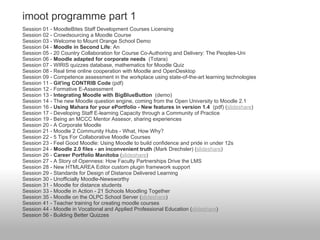
imoot programme part 1
Session 01 - MoodleBites Staff Development Courses Licensing
Session 02 - Crowdsourcing a Moodle Course
Session 03 - Welcome to Mount Orange School Demo
Session 04 - Moodle in Second Life: An
Session 05 - 20 Country Collaboration for Course Co-Authoring and Delivery: The Peoples-Uni
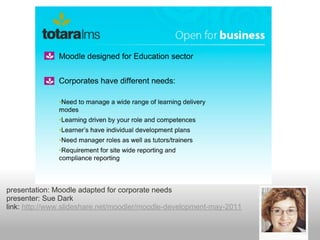
Session 06 - Moodle adapted for corporate needs (Totara)
Session 07 - WIRIS quizzes database, mathematics for Moodle Quiz
Session 08 - Real time online cooperation with Moodle and OpenDesktop
Session 09 - Competence assessment in the workplace using state-of-the-art learning technologies
Session 11 - Git'ing CONTRIB Code (pdf)
Session 12 - Formative E-Assessment
Session 13 - Integrating Moodle with BigBlueButton (demo)
Session 14 - The new Moodle question engine, coming from the Open University to Moodle 2.1
Session 16 - Using Mahara for your ePortfolio - New features in version 1.4 (pdf) (slideshare)
Session 17 - Developing Staff E-learning Capacity through a Community of Practice
Session 19 - Being an MCCC Mentor Assesor, sharing experiences
Session 20 - A Corporate Moodle
Session 21 - Moodle 2 Community Hubs - What, How Why?
Session 22 - 5 Tips For Collaborative Moodle Courses
Session 23 - Feel Good Moodle: Using Moodle to build confidence and pride in under 12s
Session 24 - Moodle 2.0 files - an inconvenient truth (Mark Drechsler) (slideshare)
Session 26 - Career Portfolio Manitoba (slideshare)
Session 27 - A Story of Openness: How Faculty Partnerships Drive the LMS
Session 28 - New HTMLAREA Editor custom plugin framework support
Session 29 - Standards for Design of Distance Delivered Learning
Session 30 - Unofficially Moodle-Newsworthy
Session 31 - Moodle for distance students
Session 33 - Moodle in Action - 21 Schools Moodling Together
Session 35 - Moodle on the OLPC School Server (slideshare)
Session 41 - Teacher training for creating moodle courses
Session 44 - Moodle in Vocational and Applied Professional Education (slideshare)
Session 56 - Building Better Quizzes
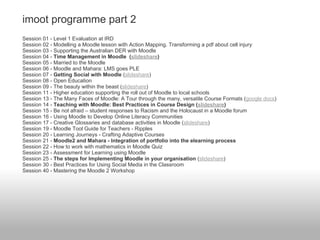
imoot programme part 2
Session 01 - Level 1 Evaluation at IRD
Session 02 - Modelling a Moodle lesson with Action Mapping. Transforming a pdf about cell injury
Session 03 - Supporting the Australian DER with Moodle
Session 04 - Time Management in Moodle (slideshare)
Session 05 - Married to the Moodle
Session 06 - Moodle and Mahara: LMS goes PLE
Session 07 - Getting Social with Moodle (slideshare)
Session 08 - Open Education
Session 09 - The beauty within the beast (slideshare)
Session 11 - Higher education supporting the roll out of Moodle to local schools
Session 13 - The Many Faces of Moodle: A Tour through the many, versatile Course Formats (google docs)
Session 14 - Teaching with Moodle: Best Practices in Course Design (slideshare)
Session 15 - Be not afraid – student responses to Racism and the Holocaust in a Moodle forum
Session 16 - Using Moodle to Develop Online Literacy Communities
Session 17 - Creative Glossaries and database activities in Moodle (slideshare)
Session 19 - Moodle Tool Guide for Teachers - Ripples
Session 20 - Learning Journeys - Crafting Adaptive Courses
Session 21 - Moodle2 and Mahara - Integration of portfolio into the elearning process
Session 22 - How to work with mathematics in Moodle Quiz
Session 23 - Assessment for Learning using Moodle
Session 25 - The steps for Implementing Moodle in your organisation (slideshare)
Session 30 - Best Practices for Using Social Media in the Classroom
Session 40 - Mastering the Moodle 2 Workshop
presentation: Moodle adapted for corporate needs
presenter: Sue Dark
link: http://www.slideshare.net/moodler/moodle-development-may-2011
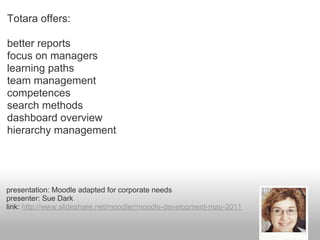
Totara offers:

better reports
focus on managers
learning paths
team management
competences
search methods
dashboard overview
hierarchy management


presentation: Moodle adapted for corporate needs
presenter: Sue Dark
link: http://www.slideshare.net/moodler/moodle-development-may-2011
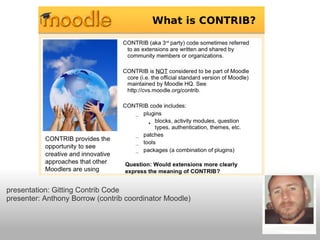
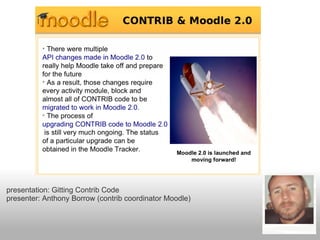
presentation: Gitting Contrib Code
presenter: Anthony Borrow (contrib coordinator Moodle)
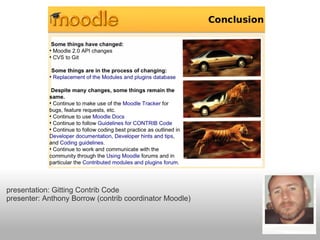
presentation: Gitting Contrib Code
presenter: Anthony Borrow (contrib coordinator Moodle)
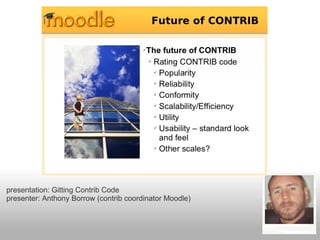
presentation: Gitting Contrib Code
presenter: Anthony Borrow (contrib coordinator Moodle)
presentation: Gitting Contrib Code
presenter: Anthony Borrow (contrib coordinator Moodle)
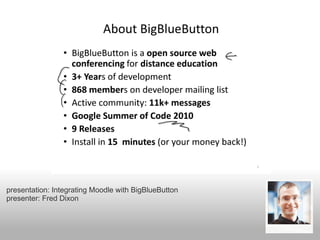
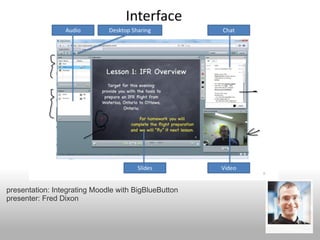
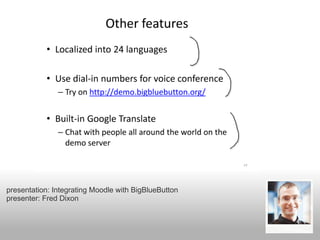
presentation: Integrating Moodle with BigBlueButton
presenter: Fred Dixon
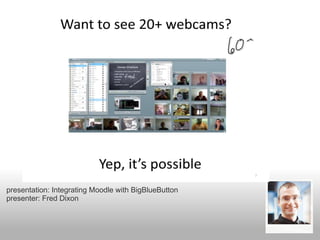
presentation: Integrating Moodle with BigBlueButton
presenter: Fred Dixon
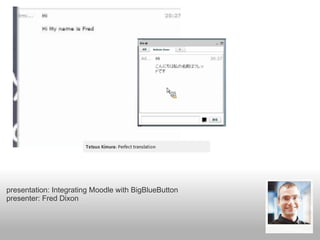
presentation: Integrating Moodle with BigBlueButton
presenter: Fred Dixon
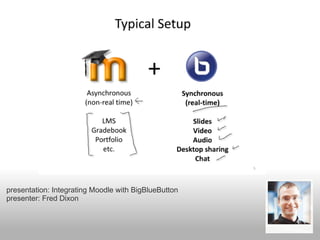
presentation: Integrating Moodle with BigBlueButton
presenter: Fred Dixon
presentation: Integrating Moodle with BigBlueButton
presenter: Fred Dixon
presentation: Integrating Moodle with BigBlueButton
presenter: Fred Dixon
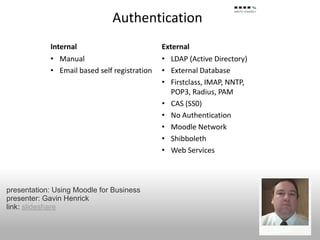
presentation: Using Moodle for Business
presenter: Gavin Henrick
link: slideshare
presentation: Integrating Moodle with Business
presenter: Gavin Henrick
link: slideshare
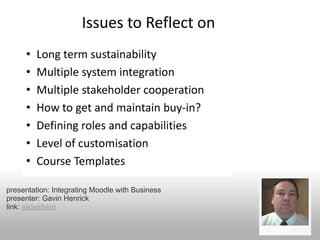
presentation: Integrating Moodle with Business
presenter: Gavin Henrick
link: slideshare
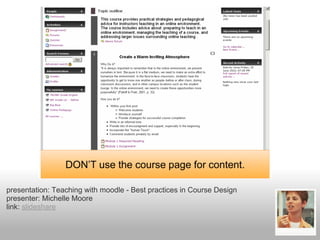
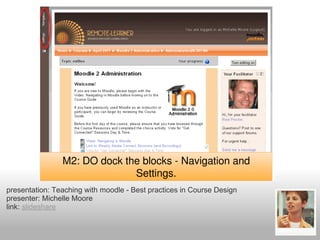
presentation: Teaching with moodle - Best practices in Course Design
presenter: Michelle Moore
link: slideshare
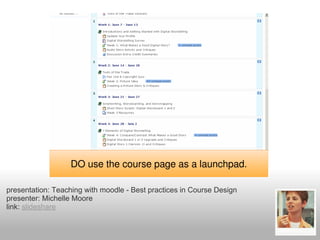
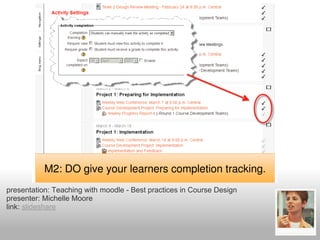
presentation: Teaching with moodle - Best practices in Course Design
presenter: Michelle Moore
link: slideshare
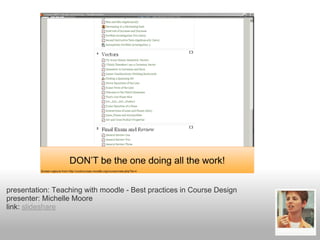
presentation: Teaching with moodle - Best practices in Course Design
presenter: Michelle Moore
link: slideshare
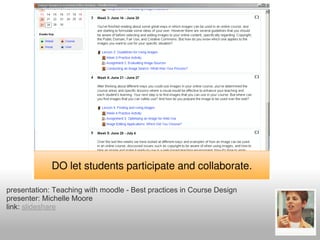
presentation: Teaching with moodle - Best practices in Course Design
presenter: Michelle Moore
link: slideshare
presentation: Teaching with moodle - Best practices in Course Design
presenter: Michelle Moore
link: slideshare
presentation: Teaching with moodle - Best practices in Course Design
presenter: Michelle Moore
link: slideshare
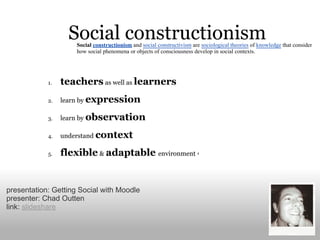
Social constructionism and social constructivism are sociological theories of knowledge that consider
                     how social phenomena or objects of consciousness develop in social contexts.


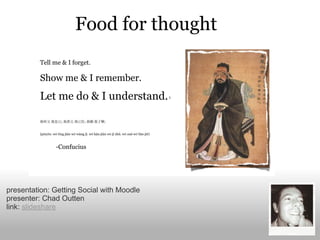
presentation: Getting Social with Moodle
presenter: Chad Outten
link: slideshare
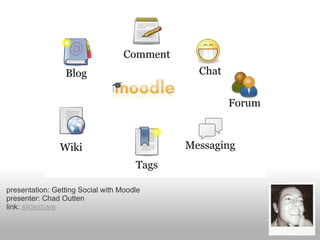
presentation: Getting Social with Moodle
presenter: Chad Outten
link: slideshare
presentation: Getting Social with Moodle
presenter: Chad Outten
link: slideshare
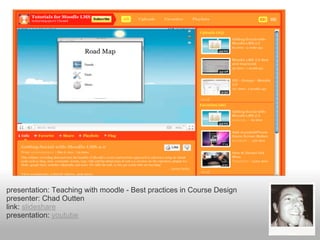
presentation: Teaching with moodle - Best practices in Course Design
presenter: Chad Outten
link: slideshare
presentation: youtube
presentation: Getting Social with Moodle
presenter: Chad Outten
link: slideshare

imoot 2011 highlights

  • 1.
    presentation: Highlight imoot2011 presenter: Bas Brands link:
  • 2.
    About the iMoot2011 +60 presentations audience: teachers, developers, users, moodle partners, consultants Start: Friday 30th April 23:00 (Amsterdam) End: Tuesday 3rd May 23:00 (Amsterdam) 1 one hour break repeated sessions using Adobe Connect
  • 3.
  • 4.
    The Future of Moodleand How Not to Stop It A presentation on the death of the VLE & What needs to be done (slideshare) hans de zwart 2009
  • 5.
    What Moodle needs Repositories Portfolio Mobile APP RSS Comments Webservices
  • 6.
  • 7.
    What Moodle got Community hubs Repository support Portfolio support Course completion and prerequisites Conditional activities Cohorts Web services support New blocks Plagiarism prevention
  • 8.
  • 9.
    Moodle Development May 2011 A presentationon the future of Moodle (slideshare) martin dougiamas 2011
  • 10.
    Moodle 2.1 Performance Restore 1.9 backups Quiz / Question refactor Paged course formats Interface polishing Official Mobile App presentation: Moodle Development May 2011 presenter: Martin Dougiamas link: http://www.slideshare.net/moodler/moodle-development-may-2011
  • 11.
    June 2011 June 2012 presentation: Moodle Development May 2011 presenter: Martin Dougiamas link: http://www.slideshare.net/moodler/moodle-development-may-2011
  • 12.
    presentation: Moodle DevelopmentMay 2011 presenter: Martin Dougiamas link: http://www.slideshare.net/moodler/moodle-development-may-2011
  • 13.
    presentation: Moodle DevelopmentMay 2011 presenter: Martin Dougiamas link: http://www.slideshare.net/moodler/moodle-development-may-2011
  • 14.
  • 15.
    imoot programme part1 Session 01 - MoodleBites Staff Development Courses Licensing Session 02 - Crowdsourcing a Moodle Course Session 03 - Welcome to Mount Orange School Demo Session 04 - Moodle in Second Life: An Session 05 - 20 Country Collaboration for Course Co-Authoring and Delivery: The Peoples-Uni Session 06 - Moodle adapted for corporate needs (Totara) Session 07 - WIRIS quizzes database, mathematics for Moodle Quiz Session 08 - Real time online cooperation with Moodle and OpenDesktop Session 09 - Competence assessment in the workplace using state-of-the-art learning technologies Session 11 - Git'ing CONTRIB Code (pdf) Session 12 - Formative E-Assessment Session 13 - Integrating Moodle with BigBlueButton (demo) Session 14 - The new Moodle question engine, coming from the Open University to Moodle 2.1 Session 16 - Using Mahara for your ePortfolio - New features in version 1.4 (pdf) (slideshare) Session 17 - Developing Staff E-learning Capacity through a Community of Practice Session 19 - Being an MCCC Mentor Assesor, sharing experiences Session 20 - A Corporate Moodle Session 21 - Moodle 2 Community Hubs - What, How Why? Session 22 - 5 Tips For Collaborative Moodle Courses Session 23 - Feel Good Moodle: Using Moodle to build confidence and pride in under 12s Session 24 - Moodle 2.0 files - an inconvenient truth (Mark Drechsler) (slideshare) Session 26 - Career Portfolio Manitoba (slideshare) Session 27 - A Story of Openness: How Faculty Partnerships Drive the LMS Session 28 - New HTMLAREA Editor custom plugin framework support Session 29 - Standards for Design of Distance Delivered Learning Session 30 - Unofficially Moodle-Newsworthy Session 31 - Moodle for distance students Session 33 - Moodle in Action - 21 Schools Moodling Together Session 35 - Moodle on the OLPC School Server (slideshare) Session 41 - Teacher training for creating moodle courses Session 44 - Moodle in Vocational and Applied Professional Education (slideshare) Session 56 - Building Better Quizzes
  • 16.
    imoot programme part2 Session 01 - Level 1 Evaluation at IRD Session 02 - Modelling a Moodle lesson with Action Mapping. Transforming a pdf about cell injury Session 03 - Supporting the Australian DER with Moodle Session 04 - Time Management in Moodle (slideshare) Session 05 - Married to the Moodle Session 06 - Moodle and Mahara: LMS goes PLE Session 07 - Getting Social with Moodle (slideshare) Session 08 - Open Education Session 09 - The beauty within the beast (slideshare) Session 11 - Higher education supporting the roll out of Moodle to local schools Session 13 - The Many Faces of Moodle: A Tour through the many, versatile Course Formats (google docs) Session 14 - Teaching with Moodle: Best Practices in Course Design (slideshare) Session 15 - Be not afraid – student responses to Racism and the Holocaust in a Moodle forum Session 16 - Using Moodle to Develop Online Literacy Communities Session 17 - Creative Glossaries and database activities in Moodle (slideshare) Session 19 - Moodle Tool Guide for Teachers - Ripples Session 20 - Learning Journeys - Crafting Adaptive Courses Session 21 - Moodle2 and Mahara - Integration of portfolio into the elearning process Session 22 - How to work with mathematics in Moodle Quiz Session 23 - Assessment for Learning using Moodle Session 25 - The steps for Implementing Moodle in your organisation (slideshare) Session 30 - Best Practices for Using Social Media in the Classroom Session 40 - Mastering the Moodle 2 Workshop
  • 17.
    presentation: Moodle adaptedfor corporate needs presenter: Sue Dark link: http://www.slideshare.net/moodler/moodle-development-may-2011
  • 18.
    Totara offers: better reports focuson managers learning paths team management competences search methods dashboard overview hierarchy management presentation: Moodle adapted for corporate needs presenter: Sue Dark link: http://www.slideshare.net/moodler/moodle-development-may-2011
  • 19.
    presentation: Gitting ContribCode presenter: Anthony Borrow (contrib coordinator Moodle)
  • 20.
    presentation: Gitting ContribCode presenter: Anthony Borrow (contrib coordinator Moodle)
  • 21.
    presentation: Gitting ContribCode presenter: Anthony Borrow (contrib coordinator Moodle)
  • 22.
    presentation: Gitting ContribCode presenter: Anthony Borrow (contrib coordinator Moodle)
  • 23.
    presentation: Integrating Moodlewith BigBlueButton presenter: Fred Dixon
  • 24.
    presentation: Integrating Moodlewith BigBlueButton presenter: Fred Dixon
  • 25.
    presentation: Integrating Moodlewith BigBlueButton presenter: Fred Dixon
  • 26.
    presentation: Integrating Moodlewith BigBlueButton presenter: Fred Dixon
  • 27.
    presentation: Integrating Moodlewith BigBlueButton presenter: Fred Dixon
  • 28.
    presentation: Integrating Moodlewith BigBlueButton presenter: Fred Dixon
  • 29.
    presentation: Using Moodlefor Business presenter: Gavin Henrick link: slideshare
  • 30.
    presentation: Integrating Moodlewith Business presenter: Gavin Henrick link: slideshare
  • 31.
    presentation: Integrating Moodlewith Business presenter: Gavin Henrick link: slideshare
  • 32.
    presentation: Teaching withmoodle - Best practices in Course Design presenter: Michelle Moore link: slideshare
  • 33.
    presentation: Teaching withmoodle - Best practices in Course Design presenter: Michelle Moore link: slideshare
  • 34.
    presentation: Teaching withmoodle - Best practices in Course Design presenter: Michelle Moore link: slideshare
  • 35.
    presentation: Teaching withmoodle - Best practices in Course Design presenter: Michelle Moore link: slideshare
  • 36.
    presentation: Teaching withmoodle - Best practices in Course Design presenter: Michelle Moore link: slideshare
  • 37.
    presentation: Teaching withmoodle - Best practices in Course Design presenter: Michelle Moore link: slideshare
  • 38.
    Social constructionism andsocial constructivism are sociological theories of knowledge that consider how social phenomena or objects of consciousness develop in social contexts. presentation: Getting Social with Moodle presenter: Chad Outten link: slideshare
  • 39.
    presentation: Getting Socialwith Moodle presenter: Chad Outten link: slideshare
  • 40.
    presentation: Getting Socialwith Moodle presenter: Chad Outten link: slideshare
  • 41.
    presentation: Teaching withmoodle - Best practices in Course Design presenter: Chad Outten link: slideshare presentation: youtube
  • 42.
    presentation: Getting Socialwith Moodle presenter: Chad Outten link: slideshare