

IRELAND & UK
                                 MOODLEMOOT
                                        2012

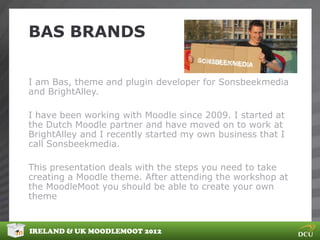
                                   Bas Brands
                                web developer
                               Sonsbeekmedia


IRELAND & UK MOODLEMOOT 2012
BAS BRANDS

I am Bas, theme and plugin developer for Sonsbeekmedia
and BrightAlley.

I have been working with Moodle since 2009. I started at
the Dutch Moodle partner and have moved on to work at
BrightAlley and I recently started my own business that I
call Sonsbeekmedia.

This presentation deals with the steps you need to take
creating a Moodle theme. After attending the workshop at
the MoodleMoot you should be able to create your own
theme


IRELAND & UK MOODLEMOOT 2012
MOODLE 2 THEMING PART1


This presentation contains:

1 THEME EXAMPLES. 10 min

2 DECISIONS BEFOR YOU START. 10 min

3 DESIGN YOUR THEME


IRELAND & UK MOODLEMOOT 2012
THEME EXAMPLES


IRELAND & UK MOODLEMOOT 2012
THEME EXAMPLES


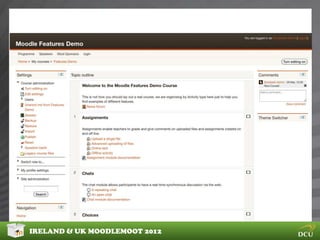
These next slides show some theme examples for Moodle
2. They all use the new theme systems.
Some of the new theme features from the users / admin
perspective are:

Docking of blocks
Minimizing block
Configurable dropdown menu
Separate themes for Default, Mobile, Tablet, and old
browsers.


IRELAND & UK MOODLEMOOT 2012
THEME EXAMPLES


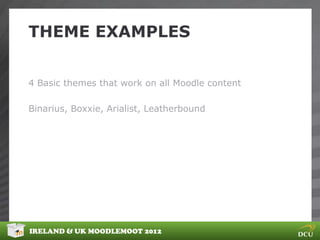
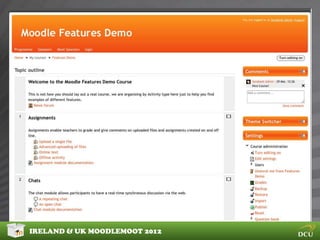
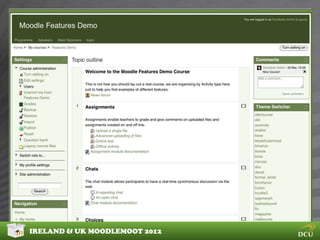
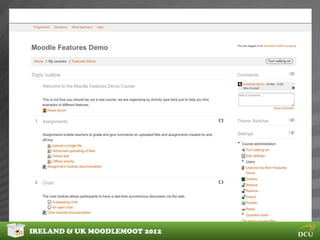
4 Basic themes that work on all Moodle content

Binarius, Boxxie, Arialist, Leatherbound


IRELAND & UK MOODLEMOOT 2012
THEME EXAMPLES


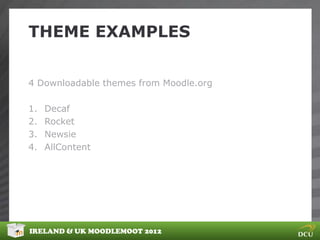
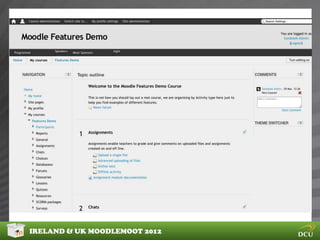
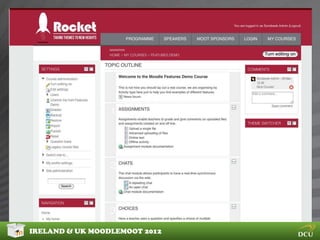
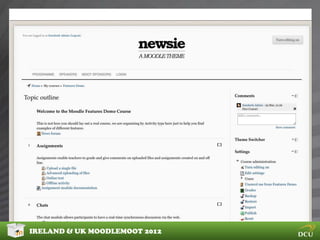
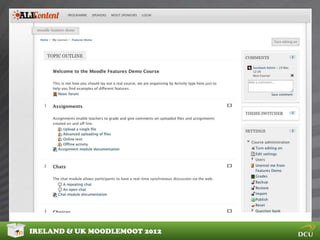
4 Downloadable themes from Moodle.org

1.   Decaf
2.   Rocket
3.   Newsie
4.   AllContent


IRELAND & UK MOODLEMOOT 2012
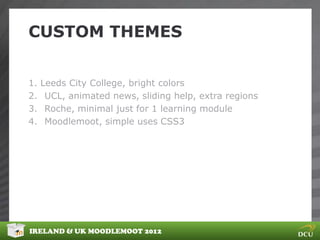
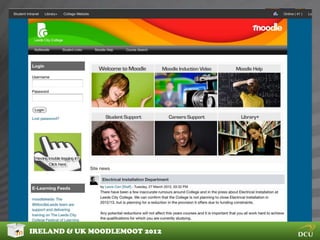
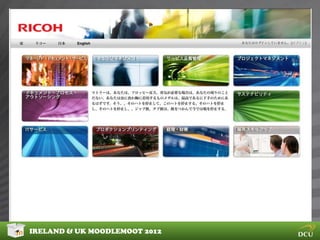
CUSTOM THEMES


1.   Leeds City College, bright colors
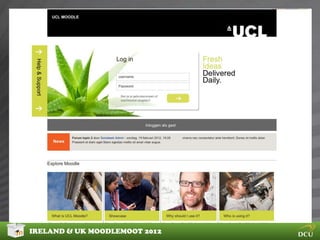
2.    UCL, animated news, sliding help, extra regions
3.    Roche, minimal just for 1 learning module
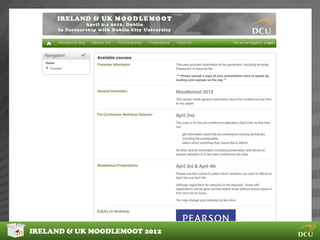
4.    Moodlemoot, simple uses CSS3


IRELAND & UK MOODLEMOOT 2012
CUSTOM MOODLE THEMES


4 Advanced custom themes


IRELAND & UK MOODLEMOOT 2012
DECISIONS.. DECISIONS


IRELAND & UK MOODLEMOOT 2012
DECISIONS.. DECISIONS


Based on Gavin Henricks Theming whitepaper

http://www.somerandomthoughts.com/blog/moodle-2-themes-whitepaper/moodle-
2-themes-whitepaper-customised-themes/


IRELAND & UK MOODLEMOOT 2012
DECISIONS.. DECISIONS


Layout:

How would you like to position the block regions and the
content region.
You could have
• Block, content, block
• Or content, block, block
• Or just content, block

And so on


IRELAND & UK MOODLEMOOT 2012
DECISIONS.. DECISIONS


Docking

Do you want to support docking in your theme? Then
make sure you base your theme on a theme that supports
docking.


IRELAND & UK MOODLEMOOT 2012
DECISIONS.. DECISIONS


My home

You can customize the my home as an admin using
Site administration -> Appearance -> Default my Moodle
page
This page allows you to move blocks into the content
page.
Users entering the my page will get the layout you defined
in de default my Moodle page providing you users a
dashboard for easy access of content.


IRELAND & UK MOODLEMOOT 2012
DECISIONS.. DECISIONS


Navigation

The new navigation block provides side wide context aware
navigation. Does this block suit your needs or do you need
a specialized in course navigation block such as the
“Course Menu block” or the “Course Content block”.


IRELAND & UK MOODLEMOOT 2012
DECISIONS.. DECISIONS


Front-page

When configuring the front page you can add course lists,
configure blocks and add a topics section that allow you to
add resources or activities to the front page.
When adding a Label resource to the font page you can
add some nice graphical content that welcome users to
your site.
I you want more control you could leave the front page
empty and add your custom html / flash using the
FrontPage layout file.


IRELAND & UK MOODLEMOOT 2012
DECISIONS.. DECISIONS


Blocks

When styling the blocks make sure standard content fits
into it. I use a minimum content width of 210 px.

Consider styling of the block header, content its borders
and spacing


IRELAND & UK MOODLEMOOT 2012
DECISIONS.. DECISIONS


Accessibility

Add JavaScript widget to control font sizes
Make sure color is not of importance for usability
Use easy to read fonts
When using images provide a good image title.
Provide an alternative theme with good contrast and
bigger font sizes


IRELAND & UK MOODLEMOOT 2012
DECISIONS.. DECISIONS


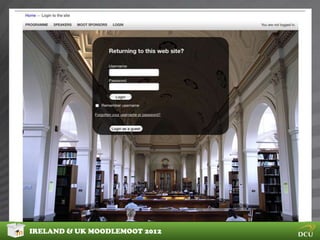
Login box

You can add a login box to the FrontPage and a login info
block that displays profile fields when the user is logged in.

Logging in can be the most important action required from
you users on the front page. You could even force users to
login before entering Moodle using the force login setting
in Site administration -> Security -> Site policies

Once you know what to do, make it look nice..


IRELAND & UK MOODLEMOOT 2012
DESIGNING YOUR THEME


Before you start coding you should take some steps to get
a clear idea of what you want to achieve

Ask yourself some questions:
Who are your users, what websites do they use?
What content will you be delivering?
Is there any design you could re-use?

Then:
Create a mockup using your favorite image editor


IRELAND & UK MOODLEMOOT 2012
DECISIONS.. DECISIONS


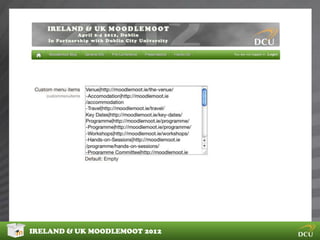
Custom menus

Another new feature in Moodle 2 is the custom menu.

You can configure it in
Site administration -> Appearance -> themes

Once you have added it you can style it. The custom menu
uses some css that are loaded from JavaScript which you
cannot easily override. Use a custom menu renderer if you
encounter problems

IRELAND & UK MOODLEMOOT 2012
DESIGNING YOUR THEME


Choose a nice example theme

Use a image editor to create a layout

Select elements of themes you like

Use examples on:

http://theming.sonsbeekmedia.nl


IRELAND & UK MOODLEMOOT 2012

Theme development workshop part 1

  • 1.
    IRELAND & UK MOODLEMOOT 2012 Bas Brands web developer Sonsbeekmedia IRELAND & UK MOODLEMOOT 2012
  • 2.
    BAS BRANDS I amBas, theme and plugin developer for Sonsbeekmedia and BrightAlley. I have been working with Moodle since 2009. I started at the Dutch Moodle partner and have moved on to work at BrightAlley and I recently started my own business that I call Sonsbeekmedia. This presentation deals with the steps you need to take creating a Moodle theme. After attending the workshop at the MoodleMoot you should be able to create your own theme IRELAND & UK MOODLEMOOT 2012
  • 3.
    MOODLE 2 THEMINGPART1 This presentation contains: 1 THEME EXAMPLES. 10 min 2 DECISIONS BEFOR YOU START. 10 min 3 DESIGN YOUR THEME IRELAND & UK MOODLEMOOT 2012
  • 4.
    THEME EXAMPLES IRELAND &UK MOODLEMOOT 2012
  • 5.
    THEME EXAMPLES These nextslides show some theme examples for Moodle 2. They all use the new theme systems. Some of the new theme features from the users / admin perspective are: Docking of blocks Minimizing block Configurable dropdown menu Separate themes for Default, Mobile, Tablet, and old browsers. IRELAND & UK MOODLEMOOT 2012
  • 6.
    THEME EXAMPLES 4 Basicthemes that work on all Moodle content Binarius, Boxxie, Arialist, Leatherbound IRELAND & UK MOODLEMOOT 2012
  • 7.
    IRELAND & UKMOODLEMOOT 2012
  • 8.
    IRELAND & UKMOODLEMOOT 2012
  • 9.
    IRELAND & UKMOODLEMOOT 2012
  • 10.
    IRELAND & UKMOODLEMOOT 2012
  • 11.
    THEME EXAMPLES 4 Downloadablethemes from Moodle.org 1. Decaf 2. Rocket 3. Newsie 4. AllContent IRELAND & UK MOODLEMOOT 2012
  • 12.
    IRELAND & UKMOODLEMOOT 2012
  • 13.
    IRELAND & UKMOODLEMOOT 2012
  • 14.
    IRELAND & UKMOODLEMOOT 2012
  • 15.
    IRELAND & UKMOODLEMOOT 2012
  • 16.
    CUSTOM THEMES 1. Leeds City College, bright colors 2. UCL, animated news, sliding help, extra regions 3. Roche, minimal just for 1 learning module 4. Moodlemoot, simple uses CSS3 IRELAND & UK MOODLEMOOT 2012
  • 17.
    CUSTOM MOODLE THEMES 4Advanced custom themes IRELAND & UK MOODLEMOOT 2012
  • 18.
    IRELAND & UKMOODLEMOOT 2012
  • 19.
    IRELAND & UKMOODLEMOOT 2012
  • 20.
    IRELAND & UKMOODLEMOOT 2012
  • 21.
  • 22.
    DECISIONS.. DECISIONS Based onGavin Henricks Theming whitepaper http://www.somerandomthoughts.com/blog/moodle-2-themes-whitepaper/moodle- 2-themes-whitepaper-customised-themes/ IRELAND & UK MOODLEMOOT 2012
  • 23.
    DECISIONS.. DECISIONS Layout: How wouldyou like to position the block regions and the content region. You could have • Block, content, block • Or content, block, block • Or just content, block And so on IRELAND & UK MOODLEMOOT 2012
  • 24.
    DECISIONS.. DECISIONS Docking Do youwant to support docking in your theme? Then make sure you base your theme on a theme that supports docking. IRELAND & UK MOODLEMOOT 2012
  • 25.
    DECISIONS.. DECISIONS My home Youcan customize the my home as an admin using Site administration -> Appearance -> Default my Moodle page This page allows you to move blocks into the content page. Users entering the my page will get the layout you defined in de default my Moodle page providing you users a dashboard for easy access of content. IRELAND & UK MOODLEMOOT 2012
  • 26.
    DECISIONS.. DECISIONS Navigation The newnavigation block provides side wide context aware navigation. Does this block suit your needs or do you need a specialized in course navigation block such as the “Course Menu block” or the “Course Content block”. IRELAND & UK MOODLEMOOT 2012
  • 27.
    DECISIONS.. DECISIONS Front-page When configuringthe front page you can add course lists, configure blocks and add a topics section that allow you to add resources or activities to the front page. When adding a Label resource to the font page you can add some nice graphical content that welcome users to your site. I you want more control you could leave the front page empty and add your custom html / flash using the FrontPage layout file. IRELAND & UK MOODLEMOOT 2012
  • 28.
    DECISIONS.. DECISIONS Blocks When stylingthe blocks make sure standard content fits into it. I use a minimum content width of 210 px. Consider styling of the block header, content its borders and spacing IRELAND & UK MOODLEMOOT 2012
  • 29.
    DECISIONS.. DECISIONS Accessibility Add JavaScriptwidget to control font sizes Make sure color is not of importance for usability Use easy to read fonts When using images provide a good image title. Provide an alternative theme with good contrast and bigger font sizes IRELAND & UK MOODLEMOOT 2012
  • 30.
    DECISIONS.. DECISIONS Login box Youcan add a login box to the FrontPage and a login info block that displays profile fields when the user is logged in. Logging in can be the most important action required from you users on the front page. You could even force users to login before entering Moodle using the force login setting in Site administration -> Security -> Site policies Once you know what to do, make it look nice.. IRELAND & UK MOODLEMOOT 2012
  • 31.
    DESIGNING YOUR THEME Beforeyou start coding you should take some steps to get a clear idea of what you want to achieve Ask yourself some questions: Who are your users, what websites do they use? What content will you be delivering? Is there any design you could re-use? Then: Create a mockup using your favorite image editor IRELAND & UK MOODLEMOOT 2012
  • 32.
    DECISIONS.. DECISIONS Custom menus Anothernew feature in Moodle 2 is the custom menu. You can configure it in Site administration -> Appearance -> themes Once you have added it you can style it. The custom menu uses some css that are loaded from JavaScript which you cannot easily override. Use a custom menu renderer if you encounter problems IRELAND & UK MOODLEMOOT 2012
  • 33.
    IRELAND & UKMOODLEMOOT 2012
  • 34.
    DESIGNING YOUR THEME Choosea nice example theme Use a image editor to create a layout Select elements of themes you like Use examples on: http://theming.sonsbeekmedia.nl IRELAND & UK MOODLEMOOT 2012