Global Perspective on
Cybersecurity
Cybersecurity is the practice of protecting systems,
networks, and programs from digital attacks.
The Global Cybersecurity Index (GCI) measures the
commitment of countries to cybersecurity at a
global level – to raise awareness of the importance
and different dimensions of the issue.
https://t.ly/nKLEt
Global Perspective on Cybersecurity
Being a good digital citizen involves understanding how to use technology
responsibly, ethically, and respectfully.
Here are key steps to becoming a positive digital citizen:
Verify Sources: Check facts (Always verify the credibility of the information
before sharing it) and Avoid spreading misinformation
Be Respectful Online: Practice kindness and Avoid cyberbullying
Follow the Law: Respect copyright
Be Inclusive and Considerate: Promote diversity: Support and engage in
conversations that promote inclusion, tolerance, and cultural
understanding.
Be Safe Online: Use strong passwords and Install security software
4.2 Network issues and
communication
Methods of
Authenticatio
n
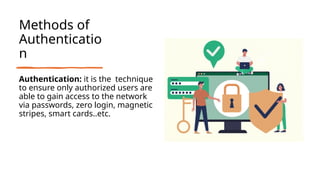
Authentication: it is the technique
to ensure only authorized users are
able to gain access to the network
via passwords, zero login, magnetic
stripes, smart cards..etc.
4.2.2
Passwords
Passwords are one of the most
common types of authentication (that
is, a way of proving your identity).
4.2.2 Passwords
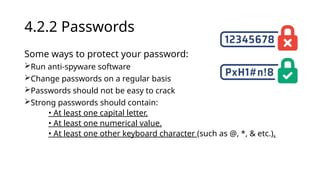
Some ways to protect your password:
Run anti-spyware software
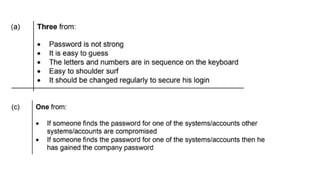
Change passwords on a regular basis
Passwords should not be easy to crack
Strong passwords should contain:
• At least one capital letter.
• At least one numerical value.
• At least one other keyboard character (such as @, *, & etc.).
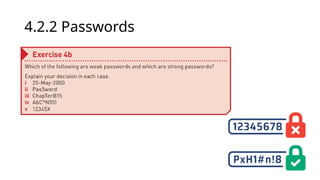
4.2.2 Passwords
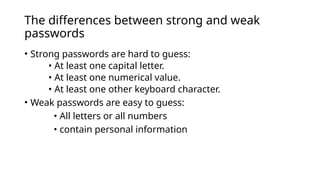
The differences between strong and weak
passwords
• Strong passwords are hard to guess:
• At least one capital letter.
• At least one numerical value.
• At least one other keyboard character.
• Weak passwords are easy to guess:
• All letters or all numbers
• contain personal information
4.2.3 Other
authentication
methods
• » zero login
• » biometrics
• » magnetic stripes
• » smart cards
• » physical tokens
• » electronic tokens.
Zero login and
biometrics
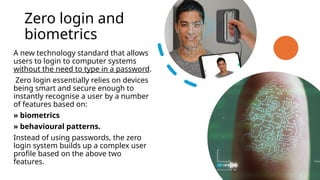
A new technology standard that allows
users to login to computer systems
without the need to type in a password.
Zero login essentially relies on devices
being smart and secure enough to
instantly recognise a user by a number
of features based on:
» biometrics
» behavioural patterns.
Instead of using passwords, the zero
login system builds up a complex user
profile based on the above two
features.
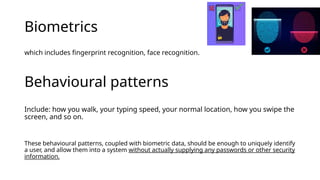
Biometrics
which includes fingerprint recognition, face recognition.
Behavioural patterns
Include: how you walk, your typing speed, your normal location, how you swipe the
screen, and so on.
These behavioural patterns, coupled with biometric data, should be enough to uniquely identify
a user, and allow them into a system without actually supplying any passwords or other security
information.
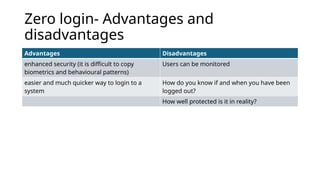
Zero login- Advantages and
disadvantages
Advantages Disadvantages
enhanced security (it is difficult to copy
biometrics and behavioural patterns)
Users can be monitored
easier and much quicker way to login to a
system
How do you know if and when you have been
logged out?
How well protected is it in reality?
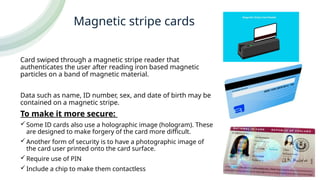
Magnetic stripe cards
Card swiped through a magnetic stripe reader that
authenticates the user after reading iron based magnetic
particles on a band of magnetic material.
Data such as name, ID number, sex, and date of birth may be
contained on a magnetic stripe.
To make it more secure:
Some ID cards also use a holographic image (hologram). These
are designed to make forgery of the card more difficult.
Another form of security is to have a photographic image of
the card user printed onto the card surface.
Require use of PIN
Include a chip to make them contactless
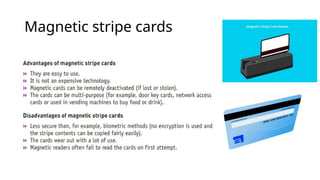
Magnetic stripe cards
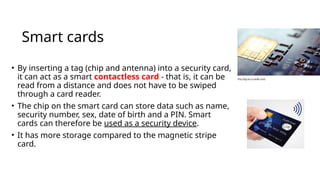
Smart cards
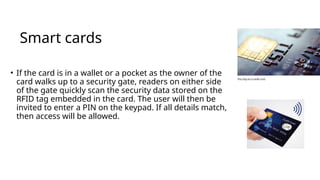
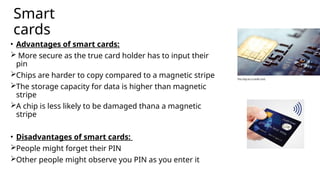
• By inserting a tag (chip and antenna) into a security card,
it can act as a smart contactless card - that is, it can be
read from a distance and does not have to be swiped
through a card reader.
• The chip on the smart card can store data such as name,
security number, sex, date of birth and a PIN. Smart
cards can therefore be used as a security device.
• It has more storage compared to the magnetic stripe
card.
Smart cards
• If the card is in a wallet or a pocket as the owner of the
card walks up to a security gate, readers on either side
of the gate quickly scan the security data stored on the
RFID tag embedded in the card. The user will then be
invited to enter a PIN on the keypad. If all details match,
then access will be allowed.
Smart
cards
• Advantages of smart cards:
 More secure as the true card holder has to input their
pin
Chips are harder to copy compared to a magnetic stripe
The storage capacity for data is higher than magnetic
stripe
A chip is less likely to be damaged thana a magnetic
stripe
• Disadvantages of smart cards:
People might forget their PIN
Other people might observe you PIN as you enter it
Tokens
Physical tokens
• It is a type of authentication that
takes the shape of a solid object. The
user demonstrates ownership of the
token through interaction with a
login system.
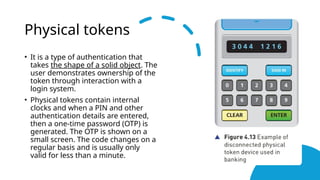
• Physical tokens contain internal
clocks and when a PIN and other
authentication details are entered,
then a one-time password (OTP) is
generated. The OTP is shown on a
small screen. The code changes on a
regular basis and is usually only
valid for less than a minute.
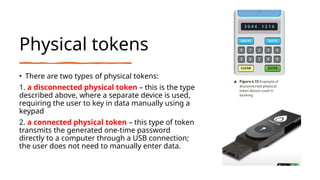
Physical tokens
• There are two types of physical tokens:
1. a disconnected physical token – this is the type
described above, where a separate device is used,
requiring the user to key in data manually using a
keypad
2. a connected physical token – this type of token
transmits the generated one-time password
directly to a computer through a USB connection;
the user does not need to manually enter data.
Electronic tokens
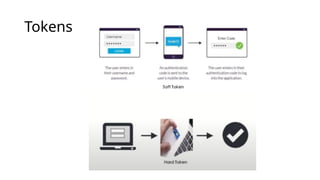
• Electronic (software) tokens are software installed on a user’s
device, such as a smartphone.
• Say a person wants to access a website on a tablet computer. To
access this website, users must first authenticate themselves using
electronic tokens.
• The user has already set up the electronic token app with their
smartphone.
• The user launches the app on their smartphone when the website
asks them to verify their identity.
• The program creates an OTP that is only good for a short period of
time.
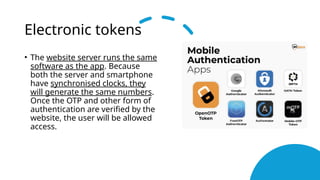
Electronic tokens
• The website server runs the same
software as the app. Because
both the server and smartphone
have synchronised clocks, they
will generate the same numbers.
Once the OTP and other form of
authentication are verified by the
website, the user will be allowed
access.
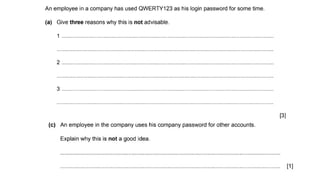
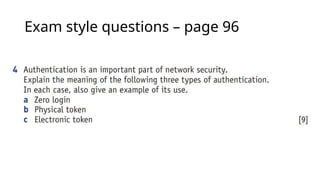
Exam style questions – page 96
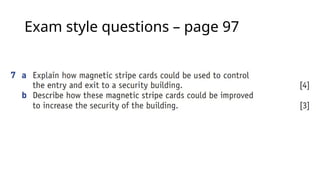
Exam style questions – page 97
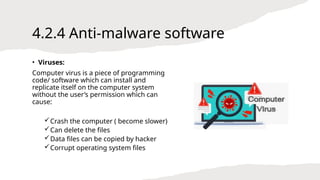
4.2.4 Anti-malware software
• Viruses:
Computer virus is a piece of programming
code/ software which can install and
replicate itself on the computer system
without the user’s permission which can
cause:
Crash the computer ( become slower)
Can delete the files
Data files can be copied by hacker
Corrupt operating system files
4.2.4 Anti-malware software
Antivirus software: Antivirus software runs in the
background and will check for virus attacks.
Common features for anti-virus:
 They check software or files before they are run or loaded on a
computer.
 Anti-virus software compares a possible virus against a database
of known viruses.
 They carry out heuristic checking .
 Any possible files or programs which are infected are put into
quarantine
 Anti-virus software needs to be kept up to date
 Full system checks need to be carried out once a week
4.2.4 Anti-malware software
Heuristic checking – this is the checking of software for
types of behaviour that could indicate a possible virus; this is
useful if software is infected by a virus not yet on the
database.
Quarantine process:
– allows the virus to be automatically deleted, or
– allows the user to make the decision about deletion (it is
possible that the user knows that the file or program is not
infected by a virus
– this is known as a false positive and is one of the
drawbacks of anti-virus software).
Page 97
4.2.5 Electronic conferencing
• This section will consider three types of electronic
conferencing:
» video conferencing
» audio conferencing
» web conferencing
Video conferencing
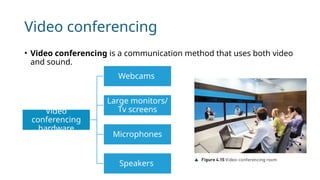
• Video conferencing is a communication method that uses both video
and sound.
Video
conferencing
hardware
Webcams
Large monitors/
Tv screens
Microphones
Speakers
Video conferencing
There are a few items to consider when a conference is about to begin:
• Agree on a time and date: Schedule the conference in advance.Log into the system:
Delegates in each room must join the video-conference platform.
• Check the setup: Ensure all equipment is working properly before starting.
• Position webcams: Place webcams to capture all delegates in the room.
• Place microphones: Position microphones centrally for clear audio transmission.
• Assign a main contact: Designate someone to manage the conference and ensure
everyone can participate.
Video conferencing
Software used in video conferencing:
• Webcam and microphone software drivers: hardware drivers
• CODEC: process that compresses and decompresses large amounts of data
• Echo cancellation software: allows talking to take place in real time and permits
the synchronisation of communication. (removing the echo)
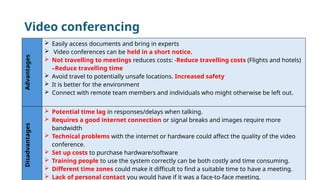
Video conferencing
Advantages
 Easily access documents and bring in experts
 Video conferences can be held in a short notice.
 Not travelling to meetings reduces costs: -Reduce travelling costs (Flights and hotels)
–Reduce travelling time
 Avoid travel to potentially unsafe locations. Increased safety
 It is better for the environment
 Connect with remote team members and individuals who might otherwise be left out.
Disadvantages
 Potential time lag in responses/delays when talking.
 Requires a good internet connection or signal breaks and images require more
bandwidth
 Technical problems with the internet or hardware could affect the quality of the video
conference.
 Set up costs to purchase hardware/software
 Training people to use the system correctly can be both costly and time consuming.
 Different time zones could make it difficult to find a suitable time to have a meeting.
 Lack of personal contact you would have if it was a face-to-face meeting.
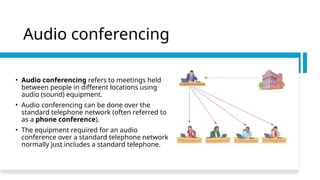
Audio conferencing
• Audio conferencing refers to meetings held
between people in different locations using
audio (sound) equipment.
• Audio conferencing can be done over the
standard telephone network (often referred to
as a phone conference).
• The equipment required for an audio
conference over a standard telephone network
normally just includes a standard telephone.
Audio conferencing
• It is also possible to hold an audio conference using a computer, as long as a
microphone and speakers are connected. This makes use of Voice over Internet
Protocol (VoIP). It is also possible to connect an internet telephone, which usually
plugs into the router or other internet device.
• Software needed: Audio conferencing software , an internet connection
Audio conferencing
• Using VoIP allows an organiser to create a group of people to take part in the
conference call. The group is created by dragging and dropping user details into the
group. When the conference is to take place, the organiser clicks on the required group
and the conference is initiated.
• Using VoIP allows communication using voice, instant messaging and video (by using an
attached webcam). If some of the users do not have an internet connection or do not
have access to a computer, it is possible to add actual telephone numbers (landline or
mobile) to the created group.
• The only real drawback is the quality of the sound when using this technique because
it is totally reliant on a fast, stable broadband connection – otherwise ‘drop out’ (loss of
voice on occasions), echoing (when the user can hear their own voice being echoed back
as they speak) or a very noisy line can happen, making it difficult to understand
Web Conferencing
• Web conferencing (often referred to as a webinar or webcasts) uses
the internet to permit conferencing to take place.
• Multiple computers are used with this system where the same screen
is shared all the time, all connected over the internet. As with video
conferencing, it is carried out in real time.
Web Conferencing

IGCSE 4.2.pptx so cool nice nice nice ojrufdvju

  • 1.
    Global Perspective on Cybersecurity Cybersecurityis the practice of protecting systems, networks, and programs from digital attacks. The Global Cybersecurity Index (GCI) measures the commitment of countries to cybersecurity at a global level – to raise awareness of the importance and different dimensions of the issue. https://t.ly/nKLEt
  • 2.
    Global Perspective onCybersecurity Being a good digital citizen involves understanding how to use technology responsibly, ethically, and respectfully. Here are key steps to becoming a positive digital citizen: Verify Sources: Check facts (Always verify the credibility of the information before sharing it) and Avoid spreading misinformation Be Respectful Online: Practice kindness and Avoid cyberbullying Follow the Law: Respect copyright Be Inclusive and Considerate: Promote diversity: Support and engage in conversations that promote inclusion, tolerance, and cultural understanding. Be Safe Online: Use strong passwords and Install security software
  • 3.
    4.2 Network issuesand communication
  • 4.
    Methods of Authenticatio n Authentication: itis the technique to ensure only authorized users are able to gain access to the network via passwords, zero login, magnetic stripes, smart cards..etc.
  • 5.
    4.2.2 Passwords Passwords are oneof the most common types of authentication (that is, a way of proving your identity).
  • 6.
    4.2.2 Passwords Some waysto protect your password: Run anti-spyware software Change passwords on a regular basis Passwords should not be easy to crack Strong passwords should contain: • At least one capital letter. • At least one numerical value. • At least one other keyboard character (such as @, *, & etc.).
  • 7.
  • 8.
    The differences betweenstrong and weak passwords • Strong passwords are hard to guess: • At least one capital letter. • At least one numerical value. • At least one other keyboard character. • Weak passwords are easy to guess: • All letters or all numbers • contain personal information
  • 11.
    4.2.3 Other authentication methods • »zero login • » biometrics • » magnetic stripes • » smart cards • » physical tokens • » electronic tokens.
  • 12.
    Zero login and biometrics Anew technology standard that allows users to login to computer systems without the need to type in a password. Zero login essentially relies on devices being smart and secure enough to instantly recognise a user by a number of features based on: » biometrics » behavioural patterns. Instead of using passwords, the zero login system builds up a complex user profile based on the above two features.
  • 13.
    Biometrics which includes fingerprintrecognition, face recognition. Behavioural patterns Include: how you walk, your typing speed, your normal location, how you swipe the screen, and so on. These behavioural patterns, coupled with biometric data, should be enough to uniquely identify a user, and allow them into a system without actually supplying any passwords or other security information.
  • 14.
    Zero login- Advantagesand disadvantages Advantages Disadvantages enhanced security (it is difficult to copy biometrics and behavioural patterns) Users can be monitored easier and much quicker way to login to a system How do you know if and when you have been logged out? How well protected is it in reality?
  • 15.
    Magnetic stripe cards Cardswiped through a magnetic stripe reader that authenticates the user after reading iron based magnetic particles on a band of magnetic material. Data such as name, ID number, sex, and date of birth may be contained on a magnetic stripe. To make it more secure: Some ID cards also use a holographic image (hologram). These are designed to make forgery of the card more difficult. Another form of security is to have a photographic image of the card user printed onto the card surface. Require use of PIN Include a chip to make them contactless
  • 16.
  • 17.
    Smart cards • Byinserting a tag (chip and antenna) into a security card, it can act as a smart contactless card - that is, it can be read from a distance and does not have to be swiped through a card reader. • The chip on the smart card can store data such as name, security number, sex, date of birth and a PIN. Smart cards can therefore be used as a security device. • It has more storage compared to the magnetic stripe card.
  • 18.
    Smart cards • Ifthe card is in a wallet or a pocket as the owner of the card walks up to a security gate, readers on either side of the gate quickly scan the security data stored on the RFID tag embedded in the card. The user will then be invited to enter a PIN on the keypad. If all details match, then access will be allowed.
  • 19.
    Smart cards • Advantages ofsmart cards:  More secure as the true card holder has to input their pin Chips are harder to copy compared to a magnetic stripe The storage capacity for data is higher than magnetic stripe A chip is less likely to be damaged thana a magnetic stripe • Disadvantages of smart cards: People might forget their PIN Other people might observe you PIN as you enter it
  • 20.
  • 21.
    Physical tokens • Itis a type of authentication that takes the shape of a solid object. The user demonstrates ownership of the token through interaction with a login system. • Physical tokens contain internal clocks and when a PIN and other authentication details are entered, then a one-time password (OTP) is generated. The OTP is shown on a small screen. The code changes on a regular basis and is usually only valid for less than a minute.
  • 23.
    Physical tokens • Thereare two types of physical tokens: 1. a disconnected physical token – this is the type described above, where a separate device is used, requiring the user to key in data manually using a keypad 2. a connected physical token – this type of token transmits the generated one-time password directly to a computer through a USB connection; the user does not need to manually enter data.
  • 24.
    Electronic tokens • Electronic(software) tokens are software installed on a user’s device, such as a smartphone. • Say a person wants to access a website on a tablet computer. To access this website, users must first authenticate themselves using electronic tokens. • The user has already set up the electronic token app with their smartphone. • The user launches the app on their smartphone when the website asks them to verify their identity. • The program creates an OTP that is only good for a short period of time.
  • 25.
    Electronic tokens • Thewebsite server runs the same software as the app. Because both the server and smartphone have synchronised clocks, they will generate the same numbers. Once the OTP and other form of authentication are verified by the website, the user will be allowed access.
  • 26.
  • 27.
  • 28.
    4.2.4 Anti-malware software •Viruses: Computer virus is a piece of programming code/ software which can install and replicate itself on the computer system without the user’s permission which can cause: Crash the computer ( become slower) Can delete the files Data files can be copied by hacker Corrupt operating system files
  • 29.
    4.2.4 Anti-malware software Antivirussoftware: Antivirus software runs in the background and will check for virus attacks. Common features for anti-virus:  They check software or files before they are run or loaded on a computer.  Anti-virus software compares a possible virus against a database of known viruses.  They carry out heuristic checking .  Any possible files or programs which are infected are put into quarantine  Anti-virus software needs to be kept up to date  Full system checks need to be carried out once a week
  • 30.
    4.2.4 Anti-malware software Heuristicchecking – this is the checking of software for types of behaviour that could indicate a possible virus; this is useful if software is infected by a virus not yet on the database. Quarantine process: – allows the virus to be automatically deleted, or – allows the user to make the decision about deletion (it is possible that the user knows that the file or program is not infected by a virus – this is known as a false positive and is one of the drawbacks of anti-virus software).
  • 31.
  • 32.
    4.2.5 Electronic conferencing •This section will consider three types of electronic conferencing: » video conferencing » audio conferencing » web conferencing
  • 33.
    Video conferencing • Videoconferencing is a communication method that uses both video and sound. Video conferencing hardware Webcams Large monitors/ Tv screens Microphones Speakers
  • 34.
    Video conferencing There area few items to consider when a conference is about to begin: • Agree on a time and date: Schedule the conference in advance.Log into the system: Delegates in each room must join the video-conference platform. • Check the setup: Ensure all equipment is working properly before starting. • Position webcams: Place webcams to capture all delegates in the room. • Place microphones: Position microphones centrally for clear audio transmission. • Assign a main contact: Designate someone to manage the conference and ensure everyone can participate.
  • 35.
    Video conferencing Software usedin video conferencing: • Webcam and microphone software drivers: hardware drivers • CODEC: process that compresses and decompresses large amounts of data • Echo cancellation software: allows talking to take place in real time and permits the synchronisation of communication. (removing the echo)
  • 36.
    Video conferencing Advantages  Easilyaccess documents and bring in experts  Video conferences can be held in a short notice.  Not travelling to meetings reduces costs: -Reduce travelling costs (Flights and hotels) –Reduce travelling time  Avoid travel to potentially unsafe locations. Increased safety  It is better for the environment  Connect with remote team members and individuals who might otherwise be left out. Disadvantages  Potential time lag in responses/delays when talking.  Requires a good internet connection or signal breaks and images require more bandwidth  Technical problems with the internet or hardware could affect the quality of the video conference.  Set up costs to purchase hardware/software  Training people to use the system correctly can be both costly and time consuming.  Different time zones could make it difficult to find a suitable time to have a meeting.  Lack of personal contact you would have if it was a face-to-face meeting.
  • 37.
    Audio conferencing • Audioconferencing refers to meetings held between people in different locations using audio (sound) equipment. • Audio conferencing can be done over the standard telephone network (often referred to as a phone conference). • The equipment required for an audio conference over a standard telephone network normally just includes a standard telephone.
  • 38.
    Audio conferencing • Itis also possible to hold an audio conference using a computer, as long as a microphone and speakers are connected. This makes use of Voice over Internet Protocol (VoIP). It is also possible to connect an internet telephone, which usually plugs into the router or other internet device. • Software needed: Audio conferencing software , an internet connection
  • 39.
    Audio conferencing • UsingVoIP allows an organiser to create a group of people to take part in the conference call. The group is created by dragging and dropping user details into the group. When the conference is to take place, the organiser clicks on the required group and the conference is initiated. • Using VoIP allows communication using voice, instant messaging and video (by using an attached webcam). If some of the users do not have an internet connection or do not have access to a computer, it is possible to add actual telephone numbers (landline or mobile) to the created group. • The only real drawback is the quality of the sound when using this technique because it is totally reliant on a fast, stable broadband connection – otherwise ‘drop out’ (loss of voice on occasions), echoing (when the user can hear their own voice being echoed back as they speak) or a very noisy line can happen, making it difficult to understand
  • 40.
    Web Conferencing • Webconferencing (often referred to as a webinar or webcasts) uses the internet to permit conferencing to take place. • Multiple computers are used with this system where the same screen is shared all the time, all connected over the internet. As with video conferencing, it is carried out in real time.
  • 41.