SEC 815 DigitalForensic and Incident Response
Identifying Indicator of Compromise (IOC) on Windows
2.
• Program issimply an executable
• Process
• Process ID
• Memory space
• Executable program
• Handles
• File descriptors in dd
• Security context
• Threads
Process vs. Program (App)
3.
• A processis a program in execution
• A thread is a lightweight process
• A thread is usually part of a process
• Inter-Process Communication
• Communication between 2 applications
• Intra-Process Communication
• Communication between 2 open threads (e.g. tabs)
Process vs. Thread
4.
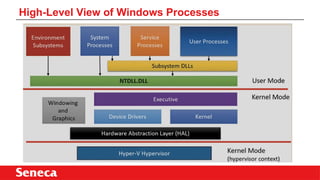
• User mode
•Privileged mode
• Kernel mode (Windows)
• Root mode (Linux)
• Hypervisor mode – only in a virtual machine (VM) setting
Process Modes: User vs. Kernel
5.
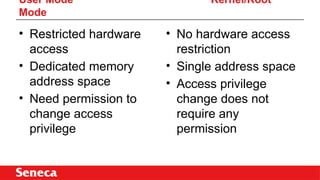
User Mode Kernel/Root
Mode
•Restricted hardware
access
• Dedicated memory
address space
• Need permission to
change access
privilege
• No hardware access
restriction
• Single address space
• Access privilege
change does not
require any
permission
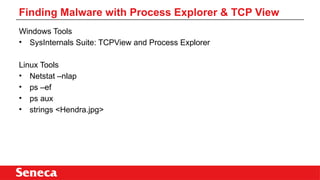
Windows Tools
• SysInternalsSuite: TCPView and Process Explorer
Linux Tools
• Netstat –nlap
• ps –ef
• ps aux
• strings <Hendra.jpg>
Finding Malware with Process Explorer & TCP View
8.
Install SysInternals Suite,a Microsoft set of tools
Experiment with TCPView and Process Explorer
Rerefence:
https://docs.microsoft.com/en-us/sysinternals/downloads/sysinternals-suite
Homework & Preparation for the Upcoming Lab



![ADBB_204_Operating_System_10_09_2024[1].pptx](https://cdn.slidesharecdn.com/ss_thumbnails/adbb204operatingsystem100920241-241122113715-620cd04a-thumbnail.jpg?width=640&height=640&fit=bounds)


