IDA CORPORATION www.idaco.com
A little about IDA Established in 1977 Located in Fargo, ND Full Engineering and Design staff SMT and Thru-hole Manufacturing capability Prototype creation
A little more about IDA Active and Involved Ownership Flexibility to Meet Customer Needs Reputation for Outstanding Customer Service
IDA’s Customers US Government USDA Forest Service Park Service DOI BLM BIA Navy NASA OEM Harris Corporation EF JOHNSON RELM TAIT MIDLAND Ideaonics CEI
more Northeast Utilities Federal Express American Electric Power South Carolina Electric and Gas North Carolina Forest Service Oregon Forest Service Michigan DNR Washington DOT Los Alamos National Labs Houston ISD E911 Costa Rica MicroSoft
more 2500 plus Two Way Radio Dealer across North America Various Large International Endusers
HISTORY of IDA & GE Original Designer and Manufacturer: V &VE Telephone Interconnect EDACS Telephone Interconnect Delta and Ranger Base Station panels Master II Base Station Panels RCN1000 DC and TONE Remotes Keyloader CS7000 Desktop basestation
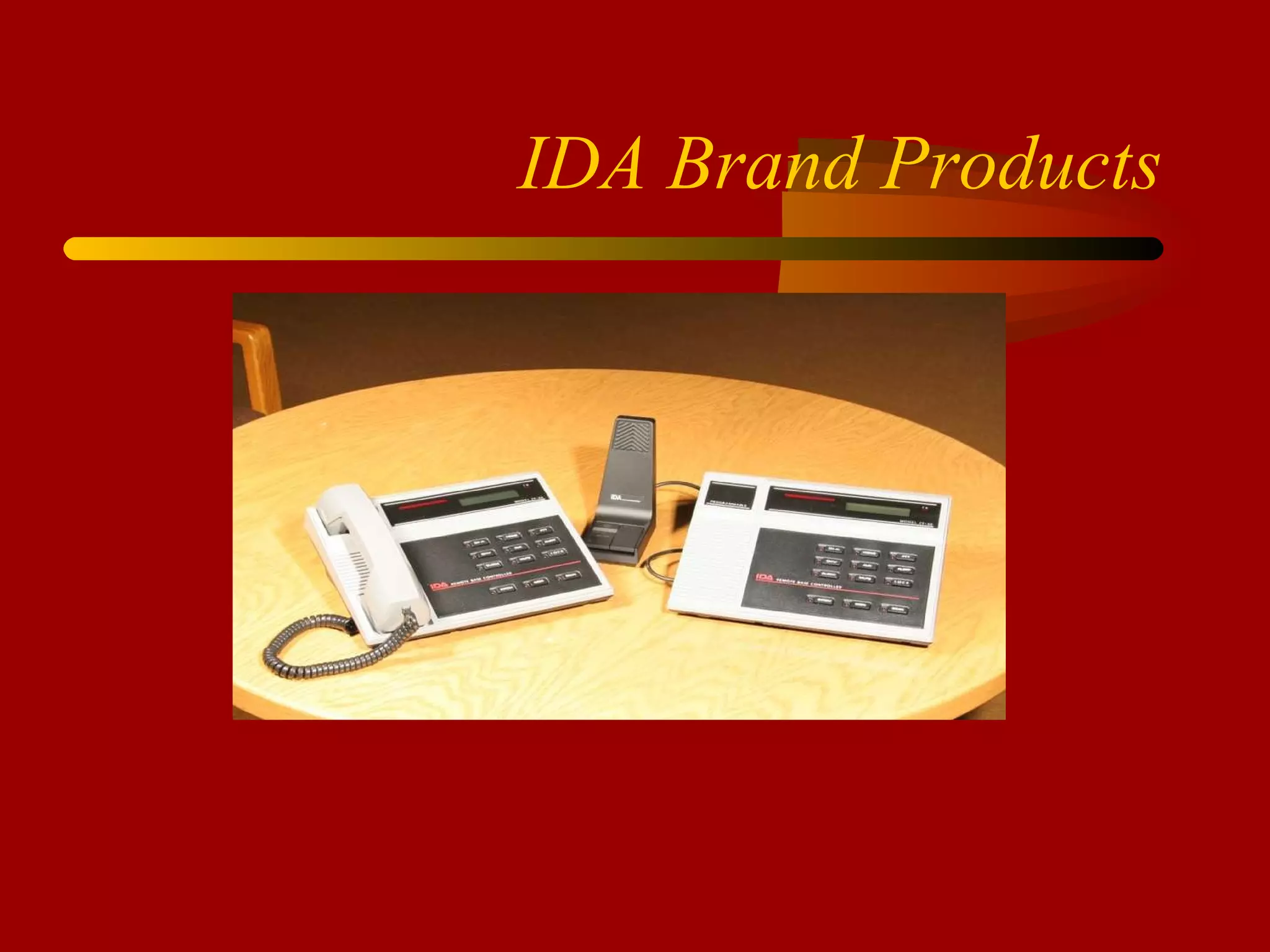
IDA Brand Products
Base Station Remote Controllers Tone Remotes and panels DC Remotes and panels Mini Consoles Digital Remotes and panels VoIP Remotes and Panels
LTR Trunking Trunking Controllers (logic) Trunking Remotes and Panels Linking LTR Conversion kits (Motorola) CAD software (Kenwood FleetSync)
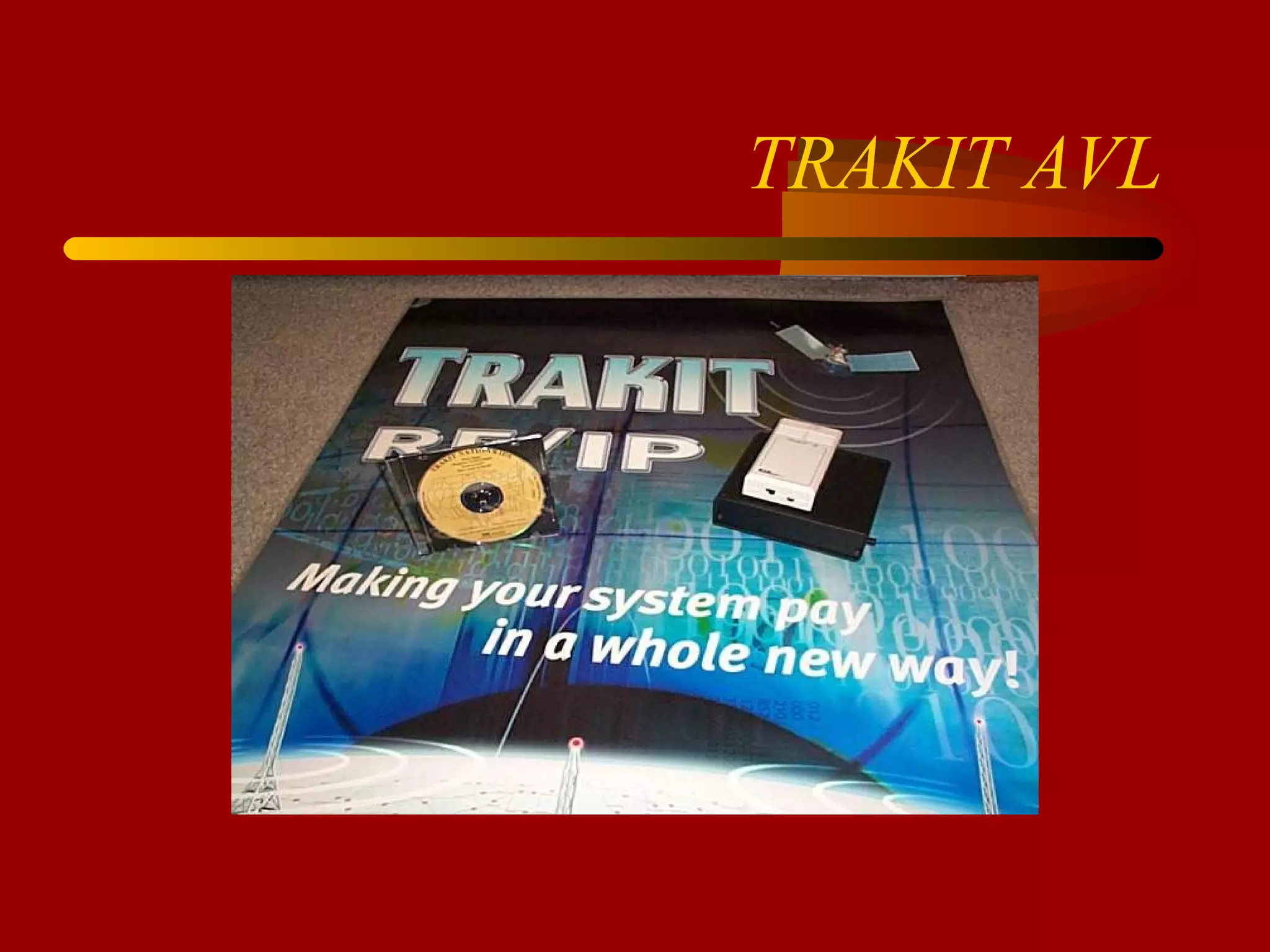
TRAKIT AVL
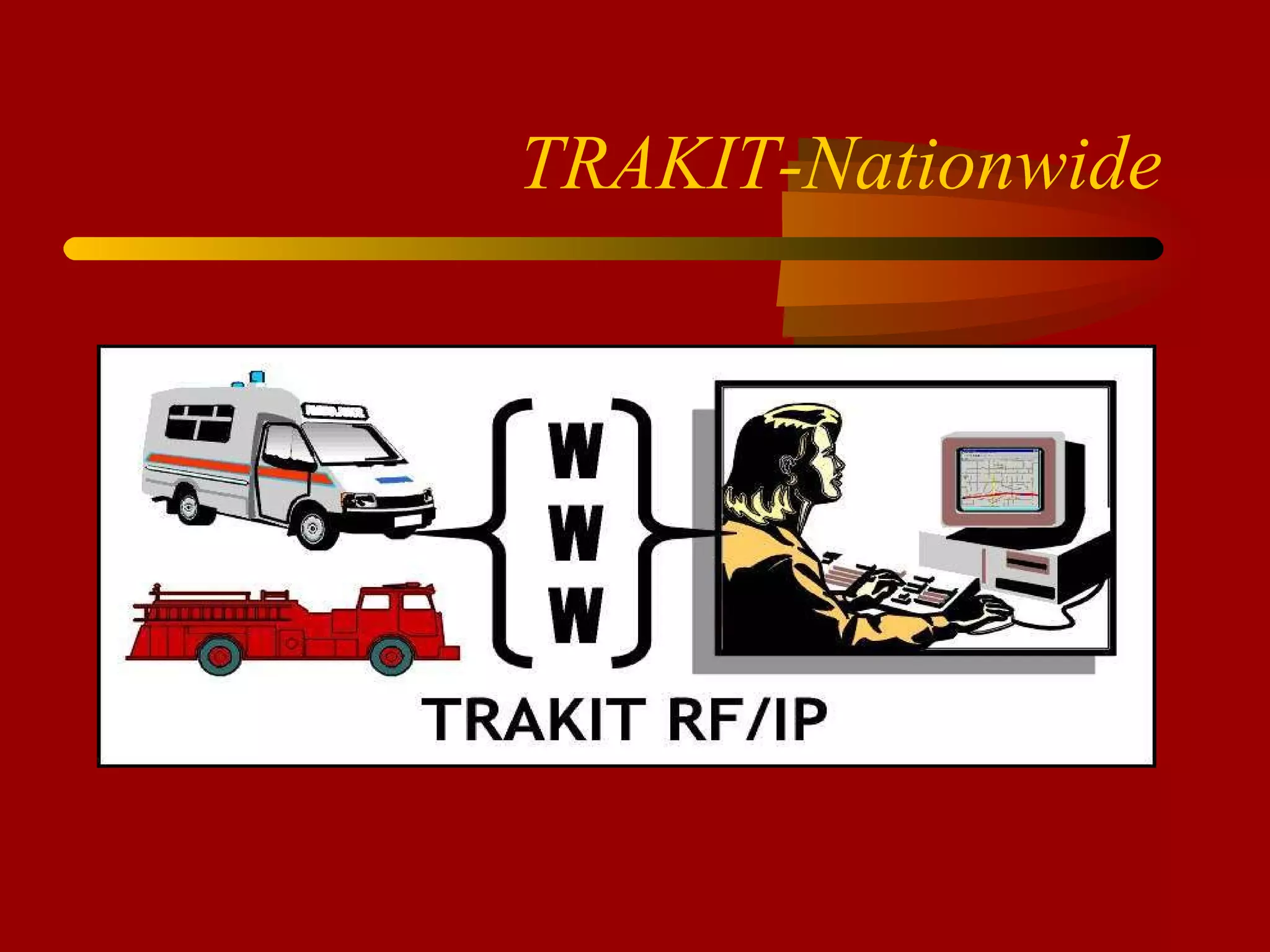
TRAKIT-Nationwide
MODEL 24-46 DC Remote Desk Mic or Handset Field Programmable 1 to 4 Channels Intercom Mute Alert Tone Programmable Auxiliaries OPTIONAL Clock and VU 4 Wire 2nd Line Parallel TX Indicator Wall Mount
 
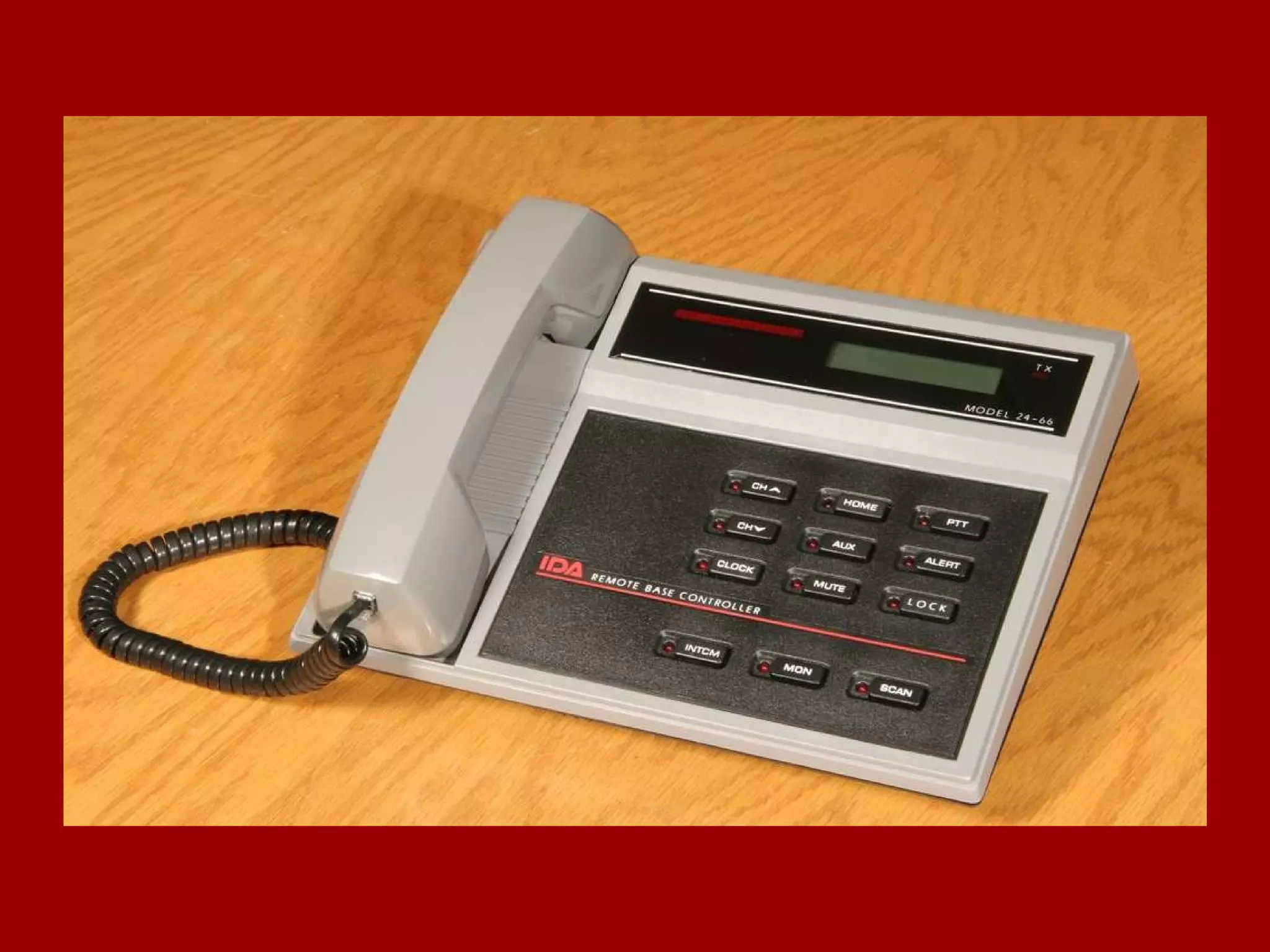
MODEL 24-66 TONE Remote Desk Mic or Handset Field Programmable 1 to 8 Channels Intercom Mute Alert Tone Programmable Auxiliaries OPTIONAL Clock and VU 4 Wire 2nd Line Parallel TX Indicator Notch Filter Wall Mount 12 VDC Power Cable One Touch TX
Additional Options 24-66 2nd Line with Summed Audio 99 Channel Capability Alpha-Numeric Display DIGITAL Signaling DTMF Encode
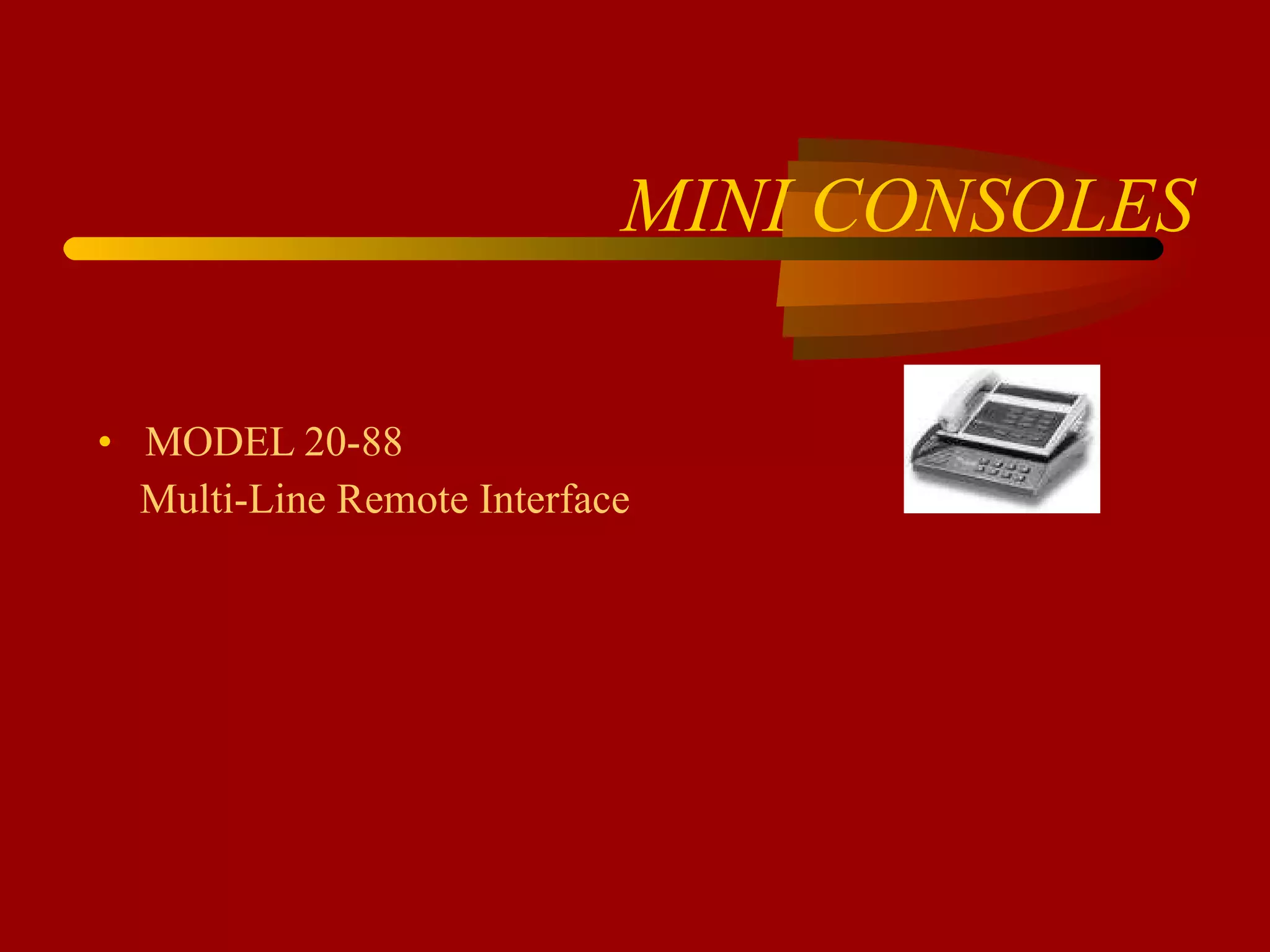
MINI CONSOLES MODEL 20-88  Multi-Line Remote Interface
MODEL 20-88 Works with any TONE or DC Remote Control up to 8 Separate Base Radios Separate Volume Control for Unselected audio MUTE, TIMED MUTE or NO MUTE Audio Present Indicator Light for each Unselected line Indicator Light for Selected Line Optional Wall Mount
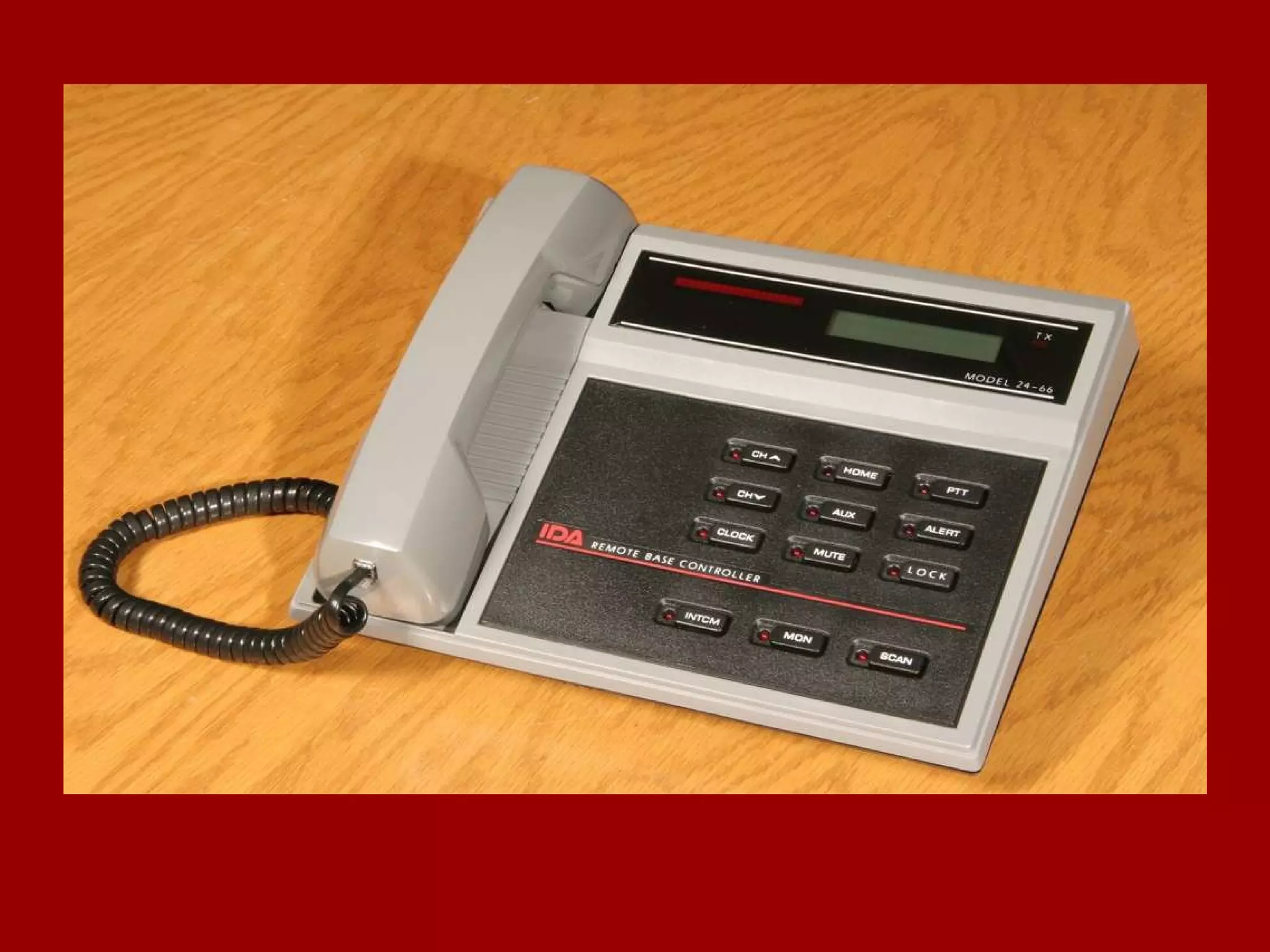
MODEL 24-66 VoIP Remote Allows Remote Control of Base Radio via an Ethernet LAN.  The unit can also be connected to a computer allowing the computer access to the LAN without the need for a hub. Allows Remote Control of Base Radio across an internet.  May be Ethernet LAN’s, WAN’s or the INTERNET.
 
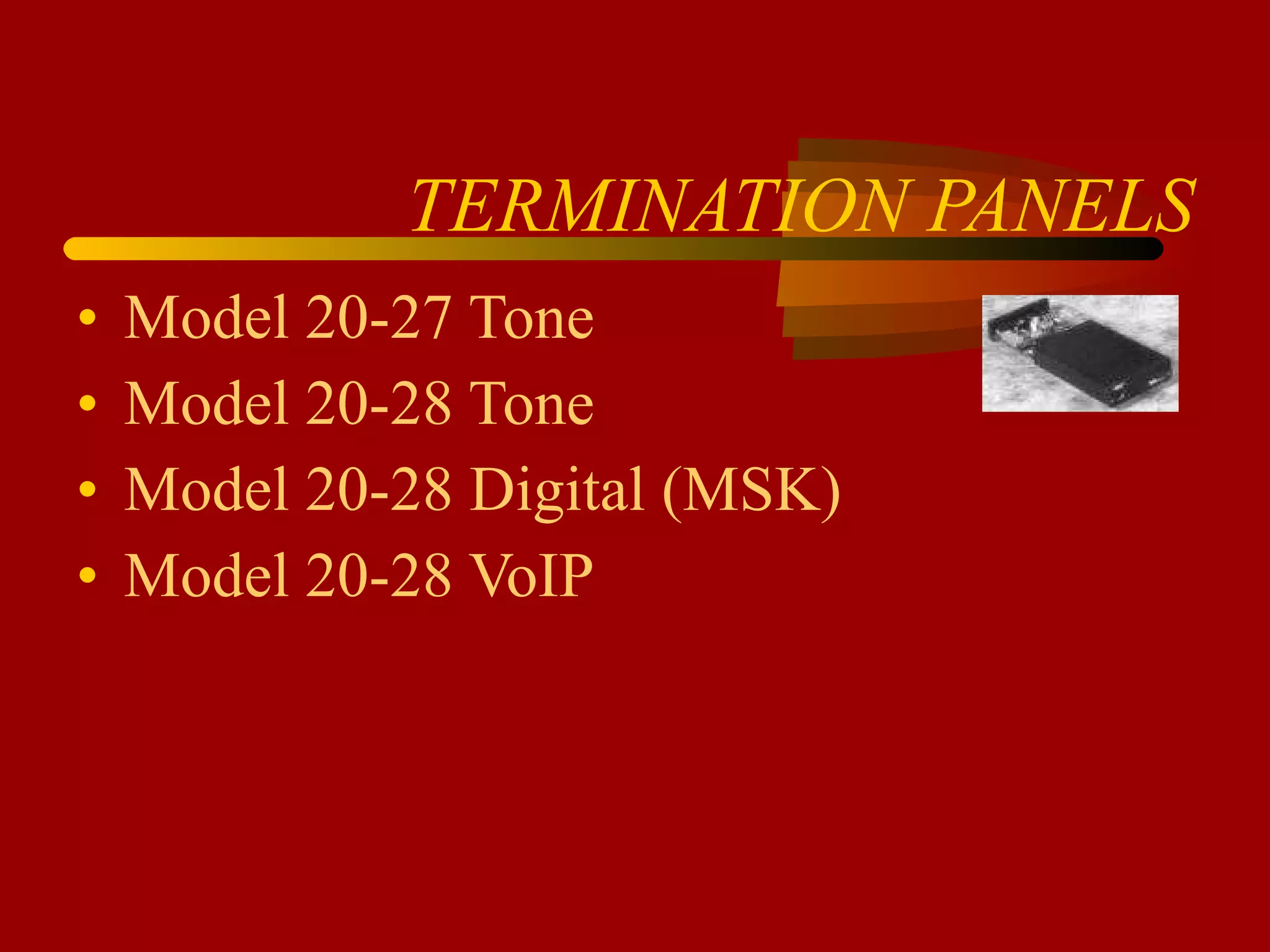
TERMINATION PANELS Model 20-27 Tone Model 20-28 Tone Model 20-28 Digital (MSK) Model 20-28 VoIP
Model 20-27 Tone Termination Programmable 99 Channel 2 or 4 wire Binary or Serial output Remote update Radio Specific Interfaces
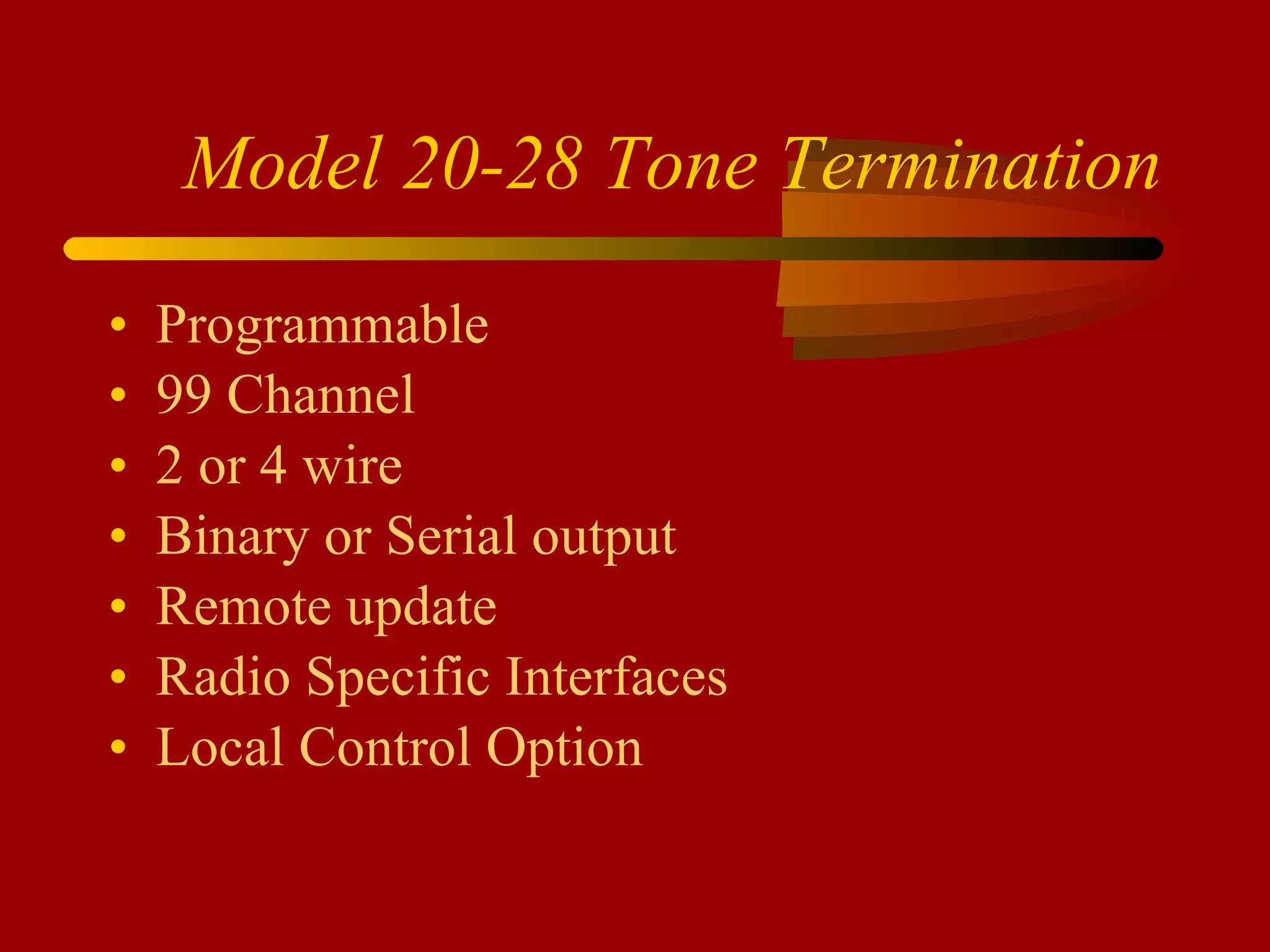
Model 20-28 Tone Termination Programmable 99 Channel 2 or 4 wire Binary or Serial output Remote update Radio Specific Interfaces Local Control Option
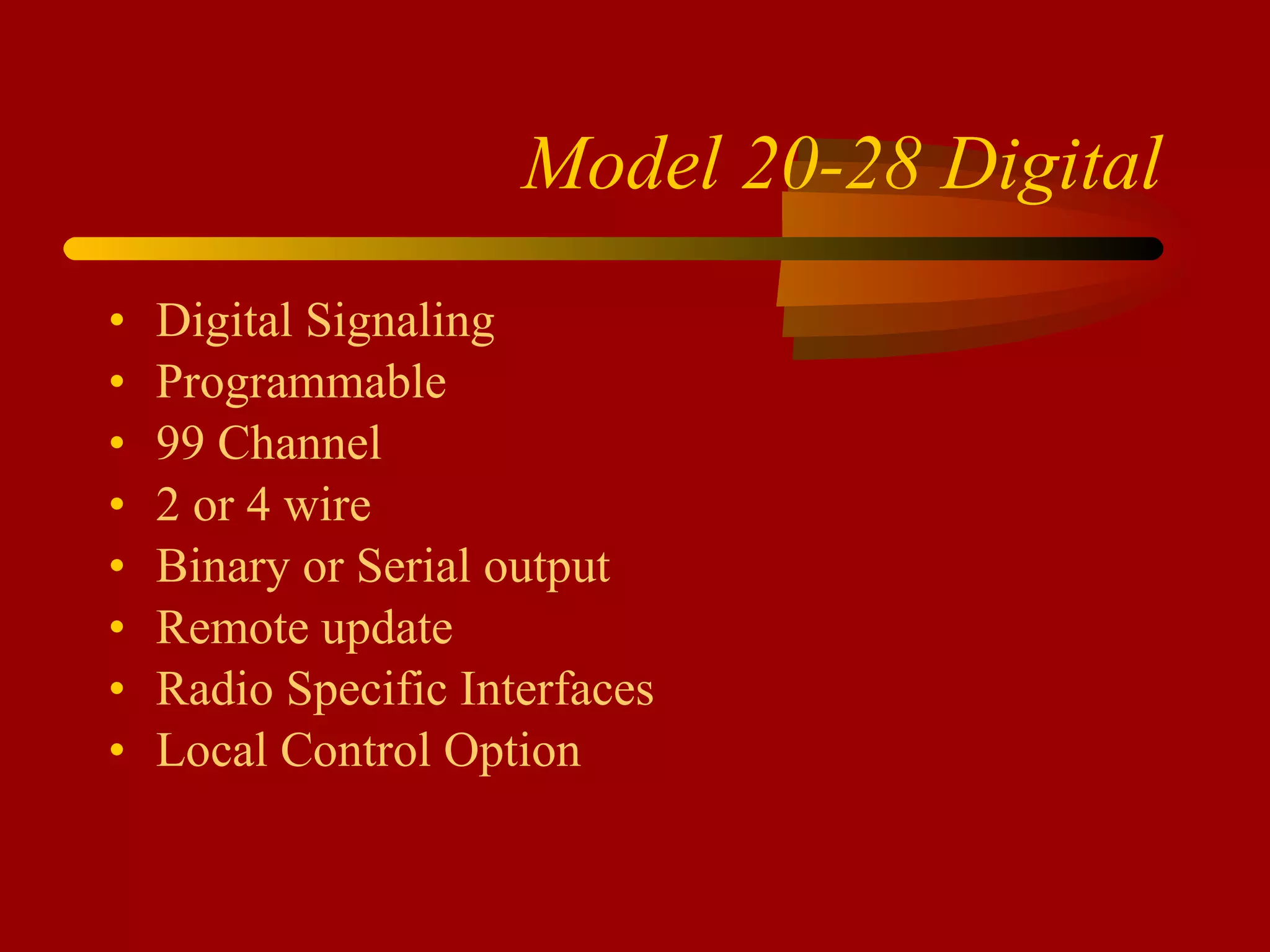
Model 20-28 Digital Digital Signaling Programmable 99 Channel 2 or 4 wire Binary or Serial output Remote update Radio Specific Interfaces Local Control Option
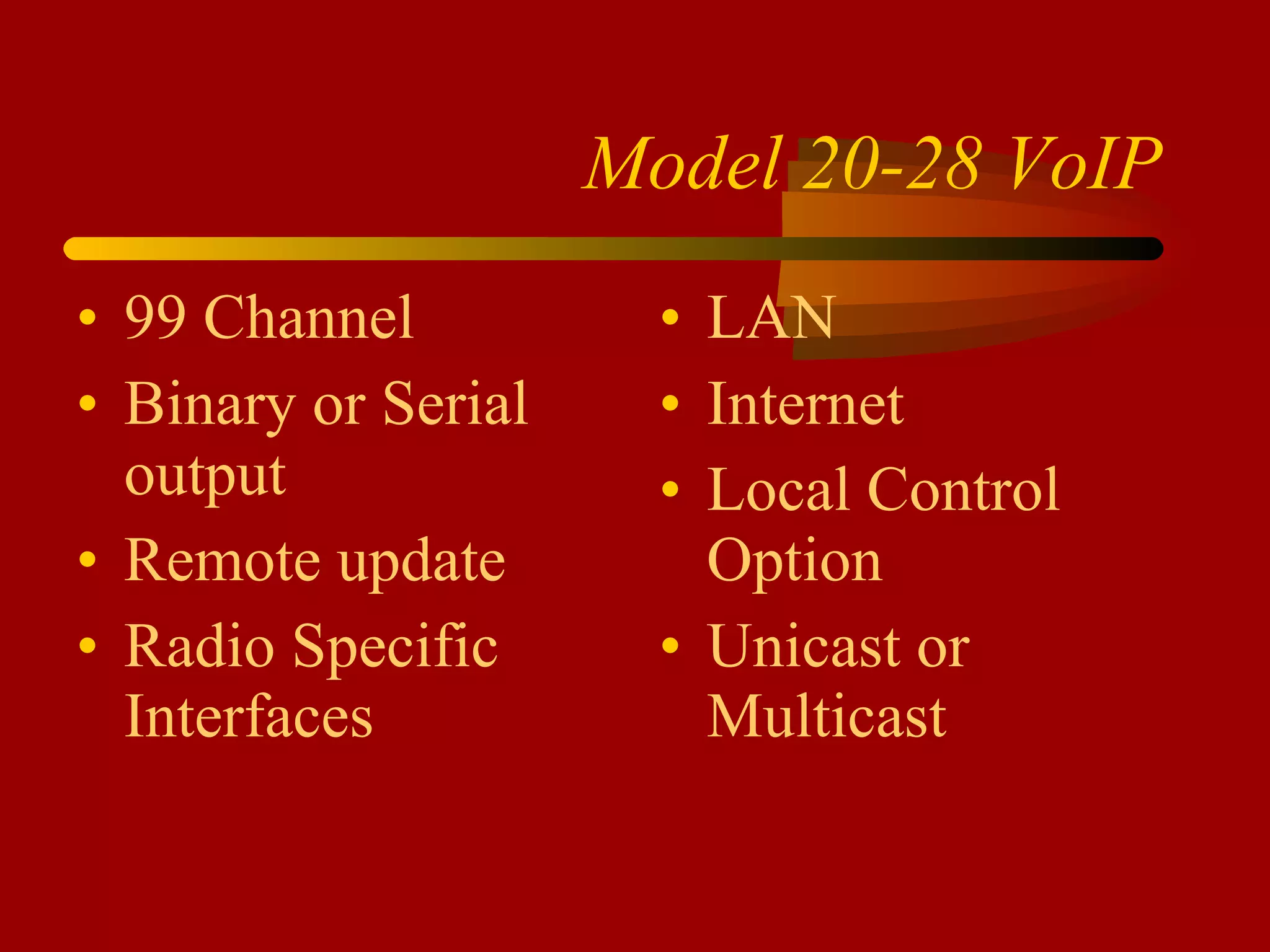
Model 20-28 VoIP 99 Channel Binary or Serial output Remote update Radio Specific Interfaces LAN Internet Local Control Option Unicast or Multicast
Customer Service IDA is Responsible: -  Technical Support - Warranty issues - Repairs
Contact Information www.idaco.com [email_address] (800) 627-4432 (701) 280-1122
IDA CORPORATION TRAKIT
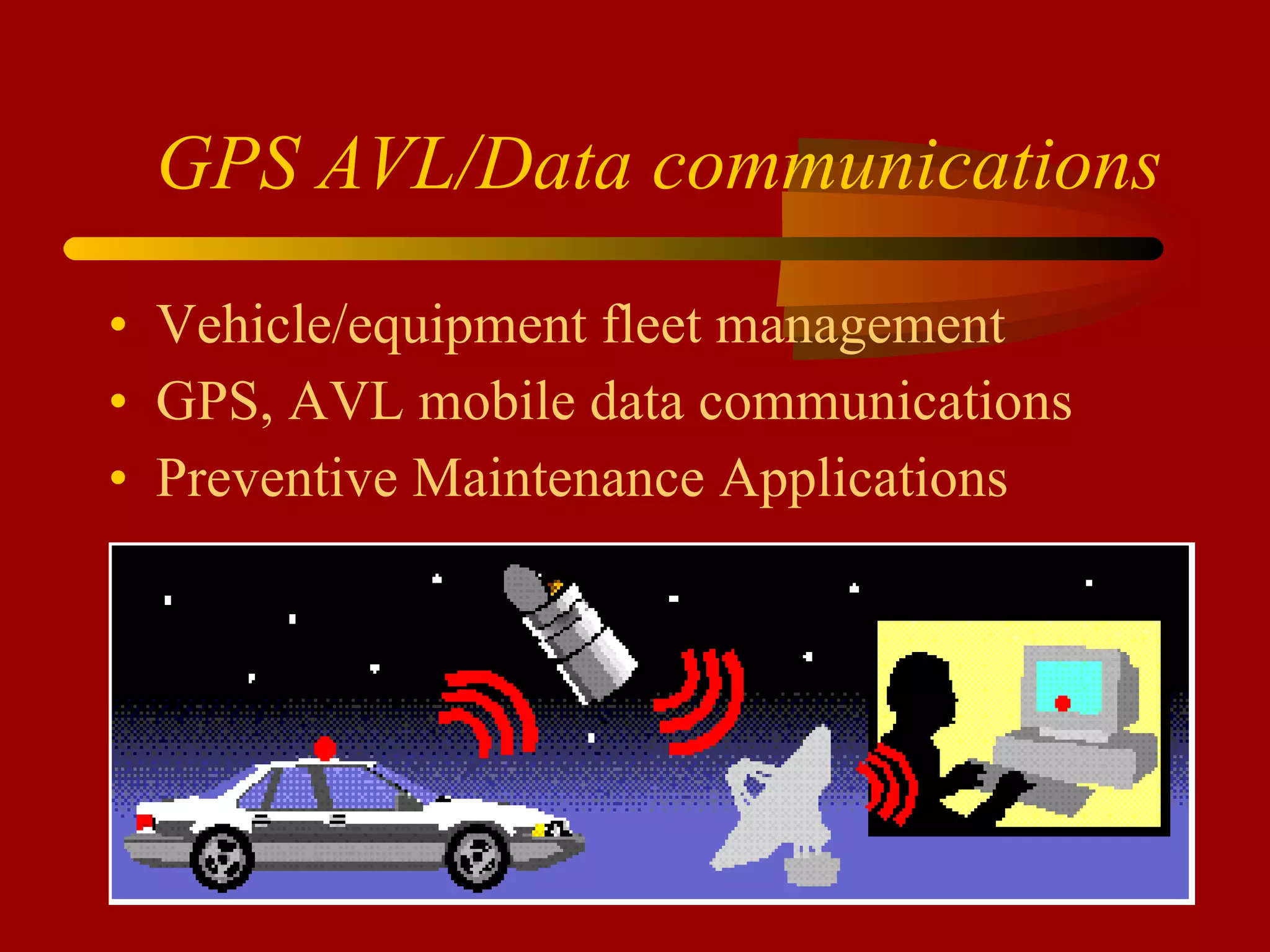
GPS AVL/Data communications Vehicle/equipment fleet management GPS, AVL mobile data communications Preventive Maintenance Applications
WHO IS USING VEHICLE LOCATION? Consumer Market Long Haul Freight Public Safety Emergency Services Schools Service Sector Public Transportation
MANAGEMENT  AXIOMS “ If you don’t know, you can’t react” “  If you can’t measure it, you can’t manage it” “ If you measure something, it gets better” “ Bad data anywhere hurts decision making everywhere in the organization
We’re talking  better information to manage by Improve collection of critical information Access to previously unobtainable information
TRAKIT Customers of Note Cobb/Jackson EMC Los Alamos National Labs CoServe Comanche Peak (TXU) E911 of Costa Rica Frontier Cable TV Cox Cable TV Burlington County, NJ Sioux Valley Electric Seattle Garbage Lower Colorado River Authority American Electric Power Clay County Sheriff Monroe Co Water, NY Kane County, IL Houston School Dist
High End Solutions Large fleets Mobile Data needs Software integration Networked communications infrastructure Security considerations
Simple and Straightforward Small number of vehicles Location information only Packaged Sale
Radio communication link Business band radio 220 MHz, 450Mhz, 800-900 MHz Trunked or conventional Digital Radio - EDACS - P25 EF Johnson - P25 Motorola - OPEN SKY Kenwood FleetSync/Nexedge
TRAKIT-15   GPS Receiver Data Buffer Serial Port Proximity Download Compatible with TRAKIT-Analyzer Reporting Software
TRAKIT-20 GPS receiver MSK Modem Data Buffer Analog Radio Interface Port Serial Port On Board Intelligence Event Input
TRAKIT-25A GPS Receiver MSK Modem Data Buffer Analog Radio Interface Port 2 Serial Ports On Board Intelligence Up to 8 Inputs
TRAKIT-25D GPS Receiver Data Buffer Digital Radio Interface Port EDACS – P25 Motorola – Open Sky – Slip 2 Serial Ports On Board Intelligence Up to 8 Inputs
In-vehicle intelligence   “ SMART” vehicle units eliminate excessive data transmissions  Data communications become “event” driven. Burden (and cost) for communications link is lessened Data is efficiently captured for reports and files Get only the information you are going to use instead of massive chunks of useless data
TRAKIT-USA AVL Application Software USA Map Compatible with ESRI and MapInfo Text Messaging Landmarks Point and Click Data Special Applications
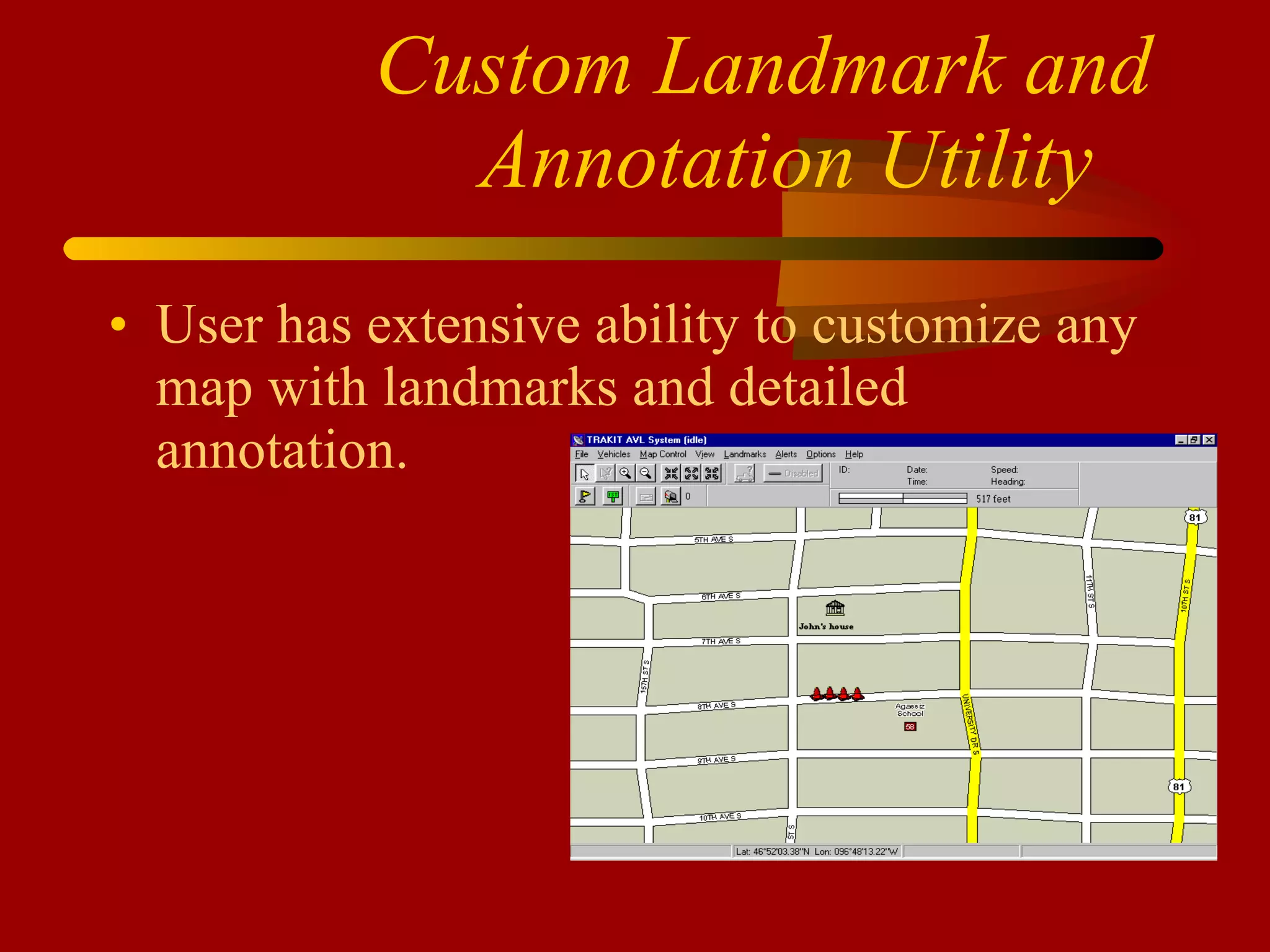
Custom Landmark and Annotation Utility   User has extensive ability to customize any map with landmarks and detailed annotation.
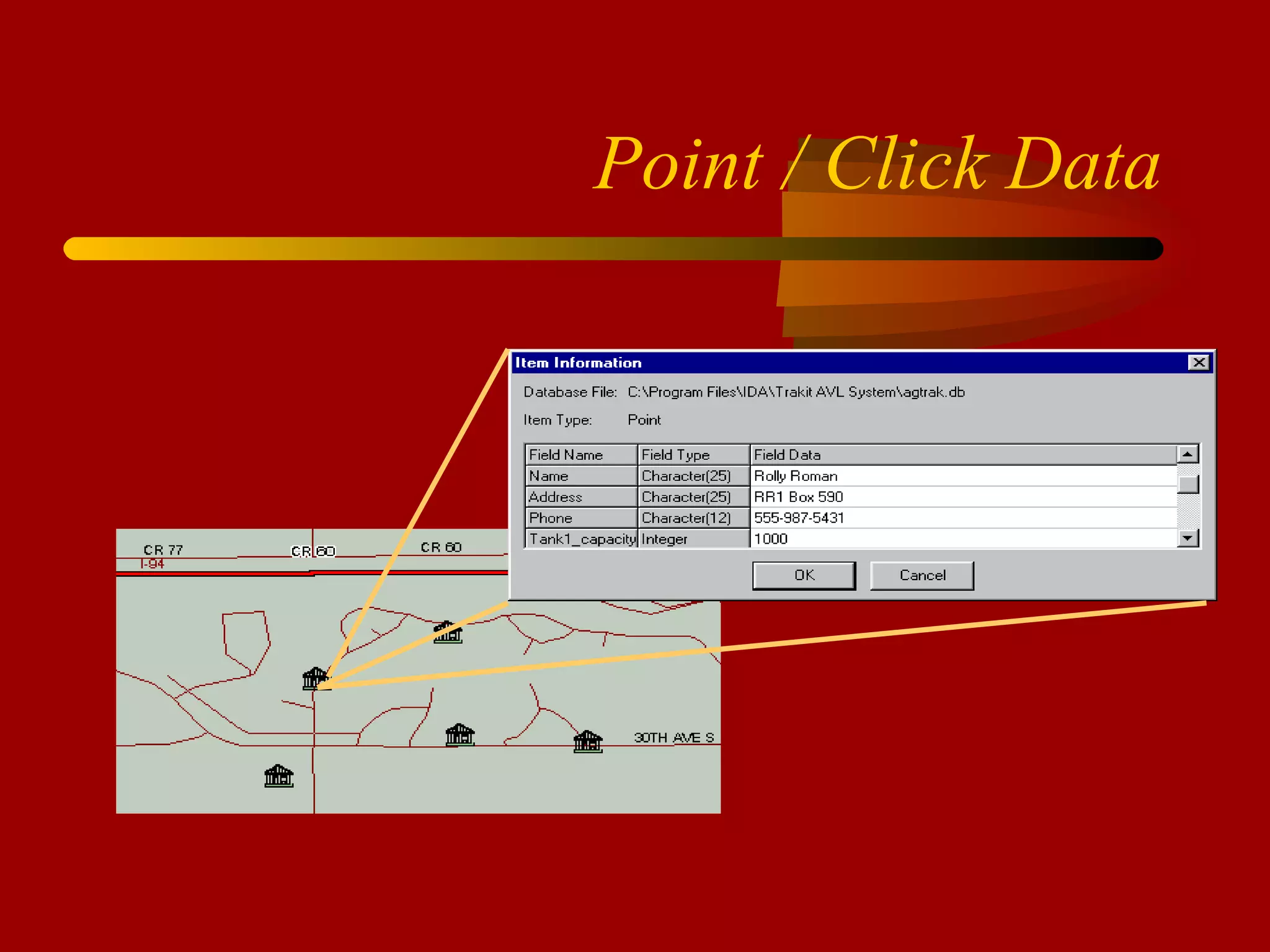
Point / Click Data
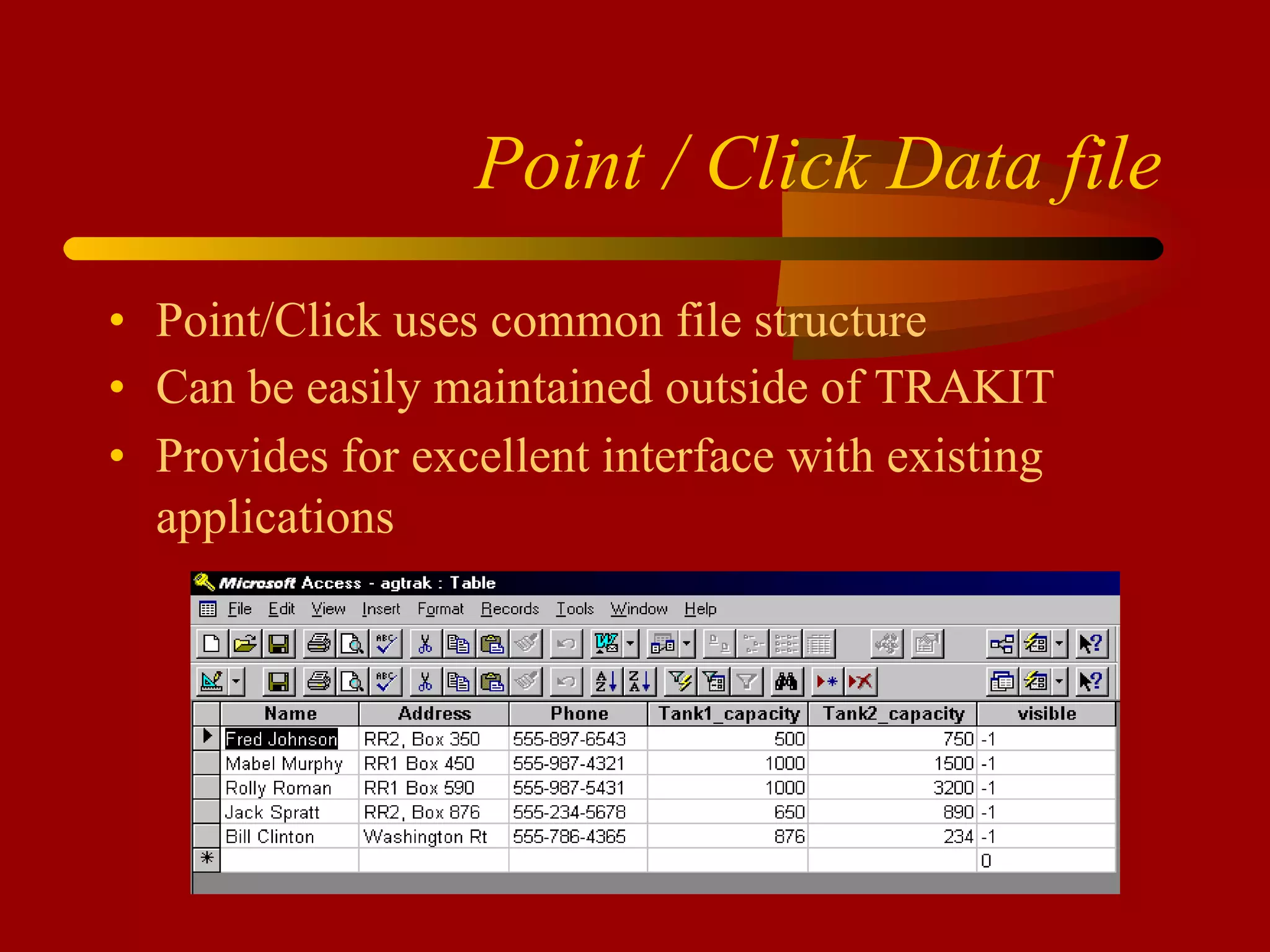
Point / Click Data file Point/Click uses common file structure Can be easily maintained outside of TRAKIT Provides for excellent interface with existing applications
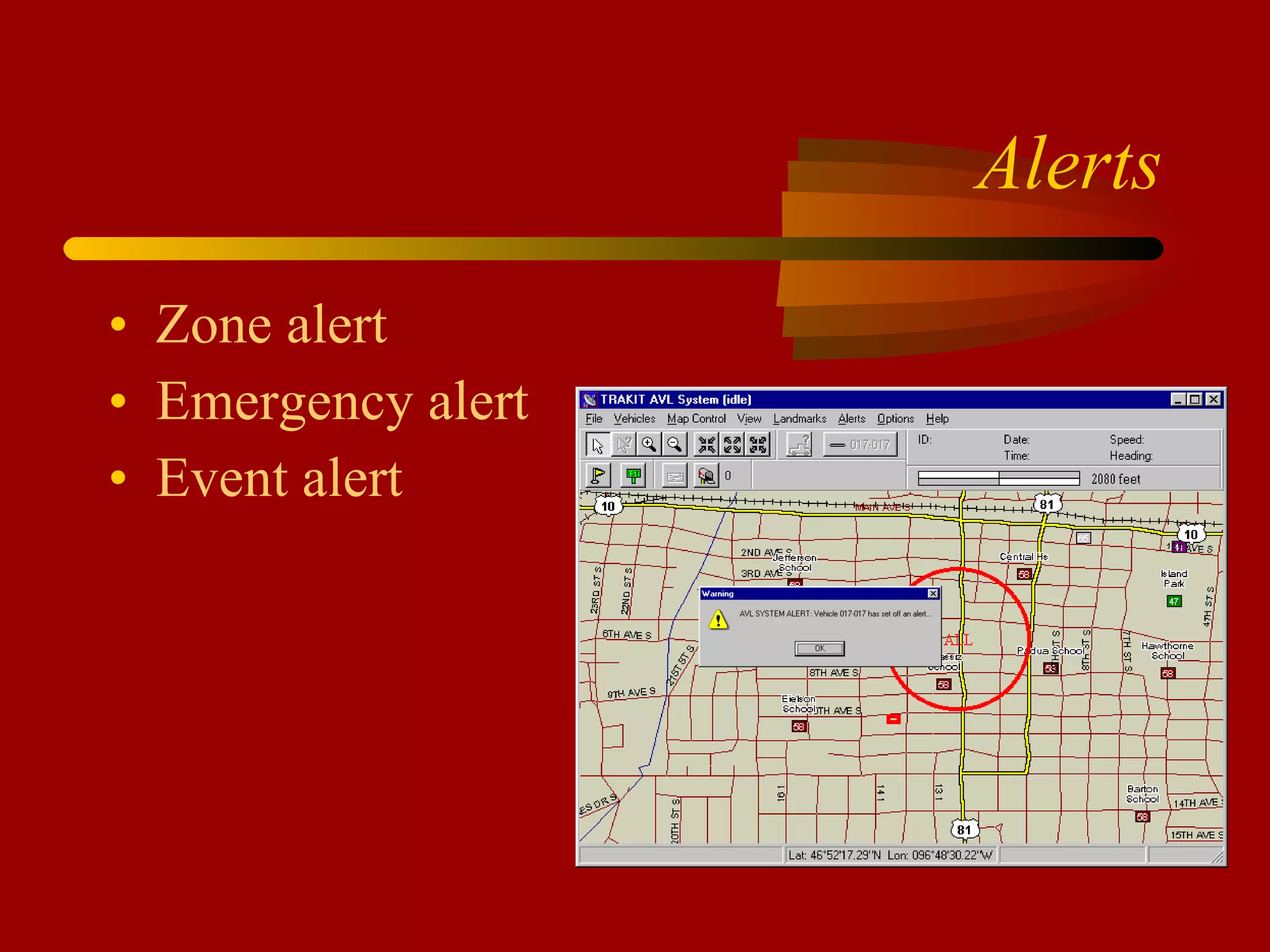
Alerts Zone alert Emergency alert Event alert
SPECIAL APPLICATIONS FleetSync Multi-Port IP Connectivity SQL Server EDACS P25 Motorola Slip
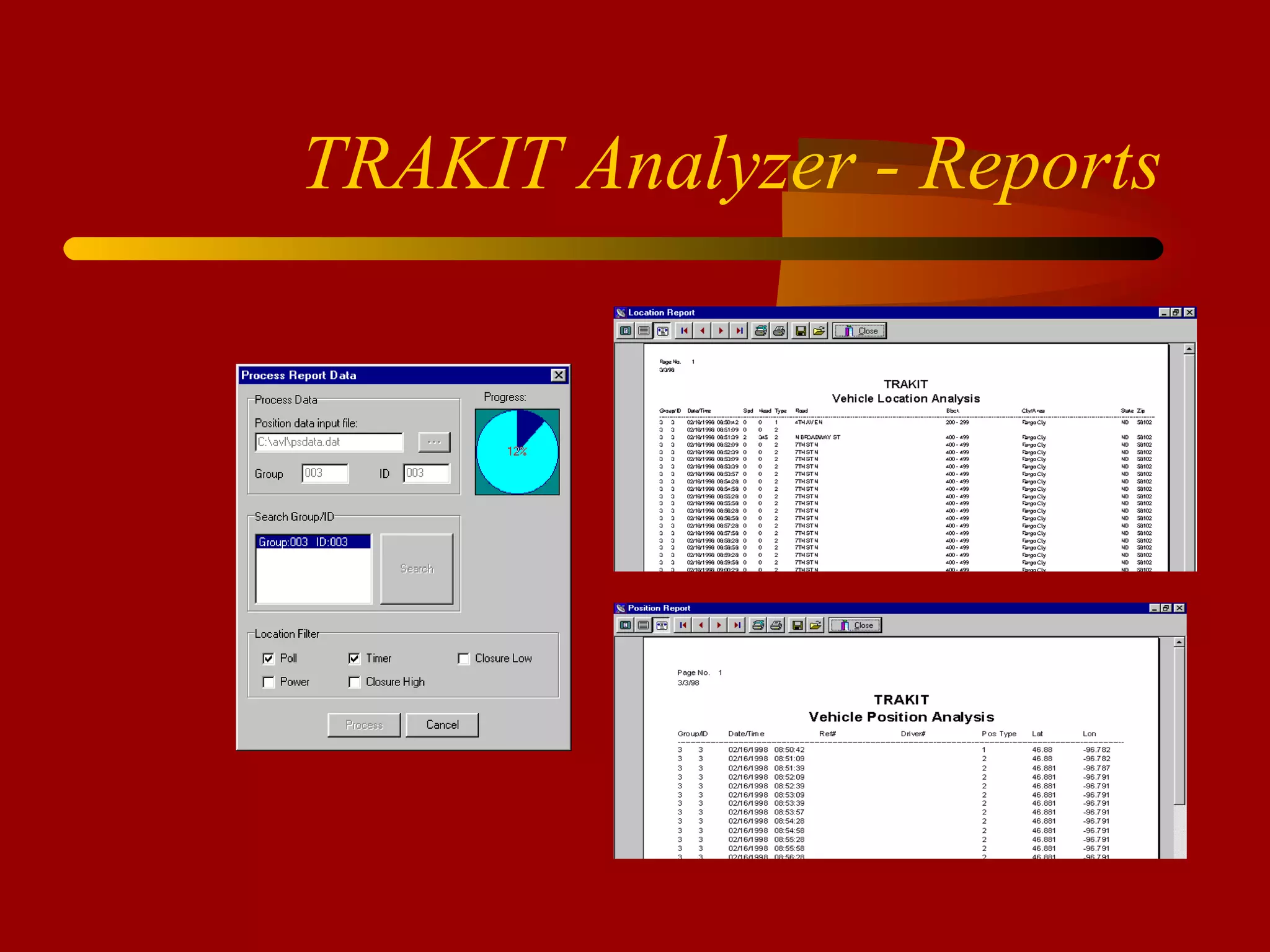
TRAKIT Analyzer - Reports
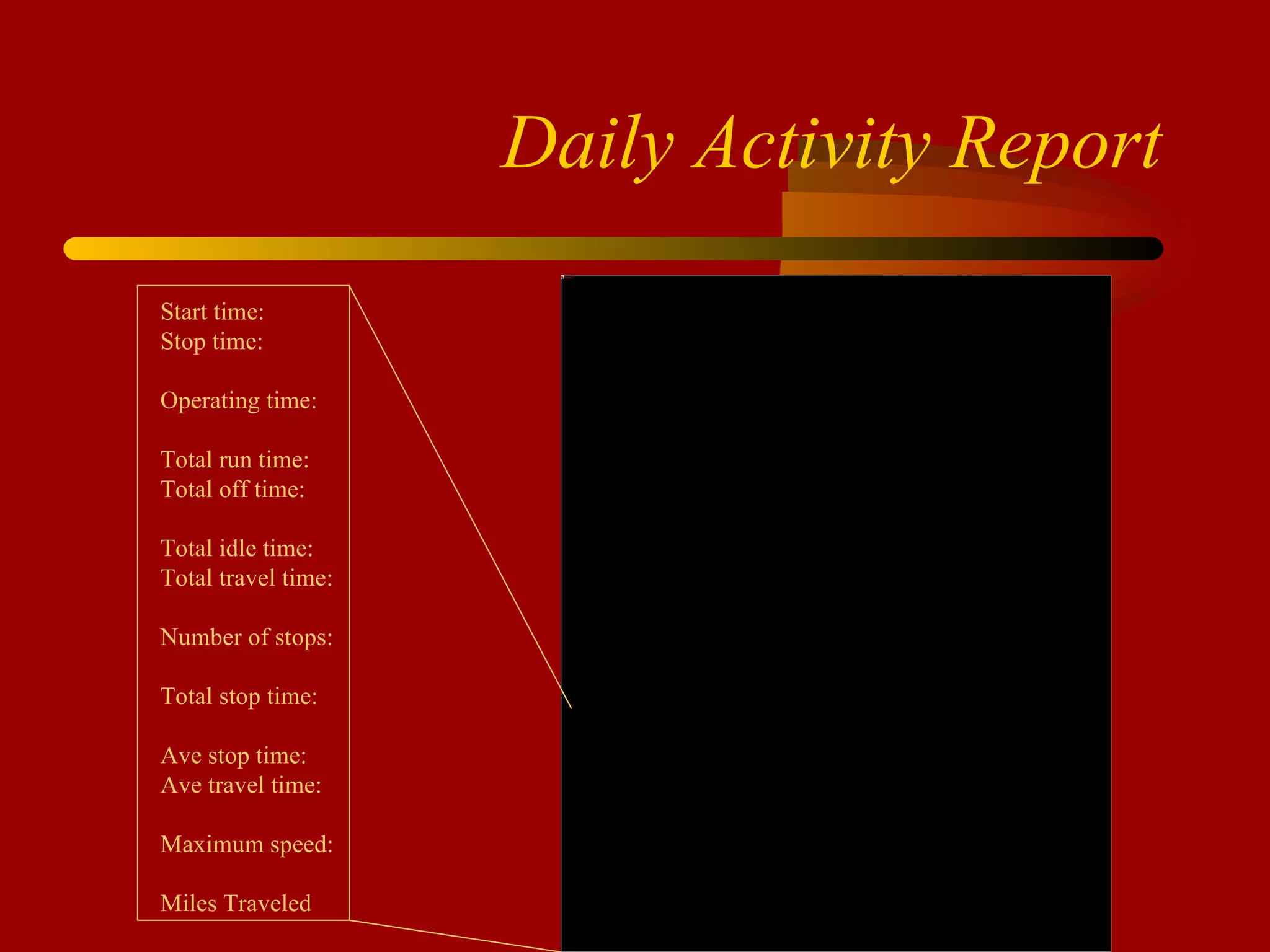
Daily Activity Report Start time: Stop time: Operating time: Total run time: Total off time: Total idle time: Total travel time: Number of stops: Total stop time: Ave stop time: Ave travel time: Maximum speed: Miles Traveled
 
Export to ASCII Vehicle ID Longitude / Latitude Date / Time Record Type Driver name User reference number Speed / Heading Road, Address, City, State, Zip
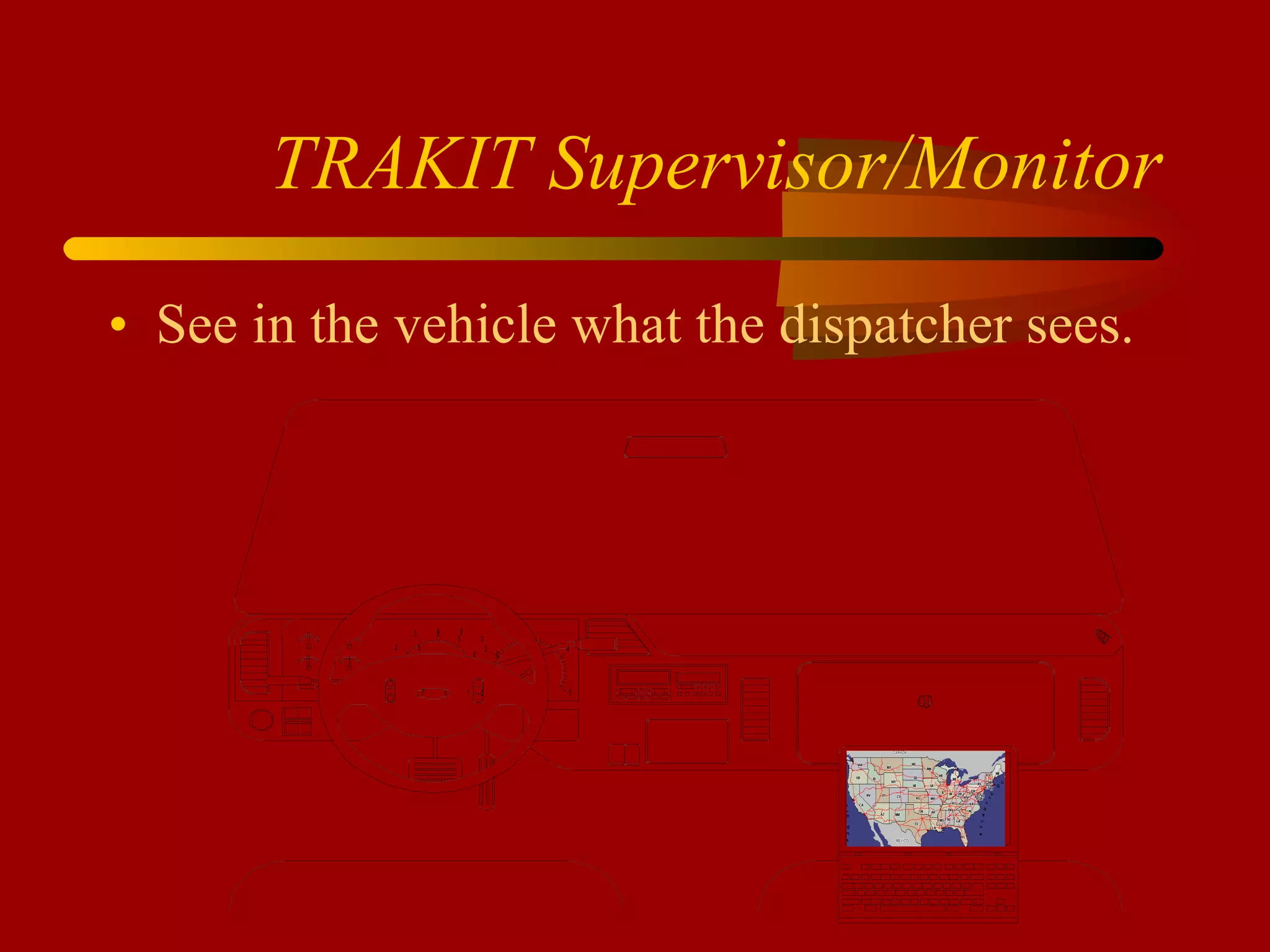
TRAKIT Supervisor/Monitor See in the vehicle what the dispatcher sees.
TRAKIT Advantages Multiple configuration options available Exclusive in-vehicle intelligence  20 years legacy of innovative, quality products Unparalleled customer support Capacity for custom tailoring applications
IDA CORPORATION www.idaco.com

IDA Overview

  • 1.
  • 2.
    A little aboutIDA Established in 1977 Located in Fargo, ND Full Engineering and Design staff SMT and Thru-hole Manufacturing capability Prototype creation
  • 3.
    A little moreabout IDA Active and Involved Ownership Flexibility to Meet Customer Needs Reputation for Outstanding Customer Service
  • 4.
    IDA’s Customers USGovernment USDA Forest Service Park Service DOI BLM BIA Navy NASA OEM Harris Corporation EF JOHNSON RELM TAIT MIDLAND Ideaonics CEI
  • 5.
    more Northeast UtilitiesFederal Express American Electric Power South Carolina Electric and Gas North Carolina Forest Service Oregon Forest Service Michigan DNR Washington DOT Los Alamos National Labs Houston ISD E911 Costa Rica MicroSoft
  • 6.
    more 2500 plusTwo Way Radio Dealer across North America Various Large International Endusers
  • 7.
    HISTORY of IDA& GE Original Designer and Manufacturer: V &VE Telephone Interconnect EDACS Telephone Interconnect Delta and Ranger Base Station panels Master II Base Station Panels RCN1000 DC and TONE Remotes Keyloader CS7000 Desktop basestation
  • 8.
  • 9.
    Base Station RemoteControllers Tone Remotes and panels DC Remotes and panels Mini Consoles Digital Remotes and panels VoIP Remotes and Panels
  • 10.
    LTR Trunking TrunkingControllers (logic) Trunking Remotes and Panels Linking LTR Conversion kits (Motorola) CAD software (Kenwood FleetSync)
  • 11.
  • 12.
  • 13.
    MODEL 24-46 DCRemote Desk Mic or Handset Field Programmable 1 to 4 Channels Intercom Mute Alert Tone Programmable Auxiliaries OPTIONAL Clock and VU 4 Wire 2nd Line Parallel TX Indicator Wall Mount
  • 14.
  • 15.
    MODEL 24-66 TONERemote Desk Mic or Handset Field Programmable 1 to 8 Channels Intercom Mute Alert Tone Programmable Auxiliaries OPTIONAL Clock and VU 4 Wire 2nd Line Parallel TX Indicator Notch Filter Wall Mount 12 VDC Power Cable One Touch TX
  • 16.
    Additional Options 24-662nd Line with Summed Audio 99 Channel Capability Alpha-Numeric Display DIGITAL Signaling DTMF Encode
  • 17.
    MINI CONSOLES MODEL20-88 Multi-Line Remote Interface
  • 18.
    MODEL 20-88 Workswith any TONE or DC Remote Control up to 8 Separate Base Radios Separate Volume Control for Unselected audio MUTE, TIMED MUTE or NO MUTE Audio Present Indicator Light for each Unselected line Indicator Light for Selected Line Optional Wall Mount
  • 19.
    MODEL 24-66 VoIPRemote Allows Remote Control of Base Radio via an Ethernet LAN. The unit can also be connected to a computer allowing the computer access to the LAN without the need for a hub. Allows Remote Control of Base Radio across an internet. May be Ethernet LAN’s, WAN’s or the INTERNET.
  • 20.
  • 21.
    TERMINATION PANELS Model20-27 Tone Model 20-28 Tone Model 20-28 Digital (MSK) Model 20-28 VoIP
  • 22.
    Model 20-27 ToneTermination Programmable 99 Channel 2 or 4 wire Binary or Serial output Remote update Radio Specific Interfaces
  • 23.
    Model 20-28 ToneTermination Programmable 99 Channel 2 or 4 wire Binary or Serial output Remote update Radio Specific Interfaces Local Control Option
  • 24.
    Model 20-28 DigitalDigital Signaling Programmable 99 Channel 2 or 4 wire Binary or Serial output Remote update Radio Specific Interfaces Local Control Option
  • 25.
    Model 20-28 VoIP99 Channel Binary or Serial output Remote update Radio Specific Interfaces LAN Internet Local Control Option Unicast or Multicast
  • 26.
    Customer Service IDAis Responsible: - Technical Support - Warranty issues - Repairs
  • 27.
    Contact Information www.idaco.com[email_address] (800) 627-4432 (701) 280-1122
  • 28.
  • 29.
    GPS AVL/Data communicationsVehicle/equipment fleet management GPS, AVL mobile data communications Preventive Maintenance Applications
  • 30.
    WHO IS USINGVEHICLE LOCATION? Consumer Market Long Haul Freight Public Safety Emergency Services Schools Service Sector Public Transportation
  • 31.
    MANAGEMENT AXIOMS“ If you don’t know, you can’t react” “ If you can’t measure it, you can’t manage it” “ If you measure something, it gets better” “ Bad data anywhere hurts decision making everywhere in the organization
  • 32.
    We’re talking better information to manage by Improve collection of critical information Access to previously unobtainable information
  • 33.
    TRAKIT Customers ofNote Cobb/Jackson EMC Los Alamos National Labs CoServe Comanche Peak (TXU) E911 of Costa Rica Frontier Cable TV Cox Cable TV Burlington County, NJ Sioux Valley Electric Seattle Garbage Lower Colorado River Authority American Electric Power Clay County Sheriff Monroe Co Water, NY Kane County, IL Houston School Dist
  • 34.
    High End SolutionsLarge fleets Mobile Data needs Software integration Networked communications infrastructure Security considerations
  • 35.
    Simple and StraightforwardSmall number of vehicles Location information only Packaged Sale
  • 36.
    Radio communication linkBusiness band radio 220 MHz, 450Mhz, 800-900 MHz Trunked or conventional Digital Radio - EDACS - P25 EF Johnson - P25 Motorola - OPEN SKY Kenwood FleetSync/Nexedge
  • 37.
    TRAKIT-15 GPS Receiver Data Buffer Serial Port Proximity Download Compatible with TRAKIT-Analyzer Reporting Software
  • 38.
    TRAKIT-20 GPS receiverMSK Modem Data Buffer Analog Radio Interface Port Serial Port On Board Intelligence Event Input
  • 39.
    TRAKIT-25A GPS ReceiverMSK Modem Data Buffer Analog Radio Interface Port 2 Serial Ports On Board Intelligence Up to 8 Inputs
  • 40.
    TRAKIT-25D GPS ReceiverData Buffer Digital Radio Interface Port EDACS – P25 Motorola – Open Sky – Slip 2 Serial Ports On Board Intelligence Up to 8 Inputs
  • 41.
    In-vehicle intelligence “ SMART” vehicle units eliminate excessive data transmissions Data communications become “event” driven. Burden (and cost) for communications link is lessened Data is efficiently captured for reports and files Get only the information you are going to use instead of massive chunks of useless data
  • 42.
    TRAKIT-USA AVL ApplicationSoftware USA Map Compatible with ESRI and MapInfo Text Messaging Landmarks Point and Click Data Special Applications
  • 43.
    Custom Landmark andAnnotation Utility User has extensive ability to customize any map with landmarks and detailed annotation.
  • 44.
  • 45.
    Point / ClickData file Point/Click uses common file structure Can be easily maintained outside of TRAKIT Provides for excellent interface with existing applications
  • 46.
    Alerts Zone alertEmergency alert Event alert
  • 47.
    SPECIAL APPLICATIONS FleetSyncMulti-Port IP Connectivity SQL Server EDACS P25 Motorola Slip
  • 48.
  • 49.
    Daily Activity ReportStart time: Stop time: Operating time: Total run time: Total off time: Total idle time: Total travel time: Number of stops: Total stop time: Ave stop time: Ave travel time: Maximum speed: Miles Traveled
  • 50.
  • 51.
    Export to ASCIIVehicle ID Longitude / Latitude Date / Time Record Type Driver name User reference number Speed / Heading Road, Address, City, State, Zip
  • 52.
    TRAKIT Supervisor/Monitor Seein the vehicle what the dispatcher sees.
  • 53.
    TRAKIT Advantages Multipleconfiguration options available Exclusive in-vehicle intelligence 20 years legacy of innovative, quality products Unparalleled customer support Capacity for custom tailoring applications
  • 54.

Editor's Notes

  • #29 For more information contact: Myron Carlisle IDA Corporation 1345 Main Ave. Fargo, ND 58103 Phone: 701-280-1122 FAX: 218-233-1886 Web page: www.idaco.com Email: [email_address]
  • #30 The challenge of managing high cost, capital intensive vehicle and equipment assets is being met by systems incorporating new and emerging technologies. These technologies contribute to the ability to better direct utilization of each asset during its useful life and to focus management upon operating costs and preventive maintenance. A comprehensive remote asset management system involves a cradle-to-grave approach that recognizes every aspect of the asset throughout its life with the organization. The application of satellite GPS (Global Positioning Systems) location data combined with operations data collected via wireless communications link provides the basis for a seamless, integrated system, to totally manage mobile or remote equipment assets. The equipment fleet manager now has a powerful new opportunity to dramatically influence return on investment and ultimately improve profitability of the organization. The availability of AVL (Automatic Vehicle Location) systems used heavily in transportation industries offer only a partial solution for management of construction equipment fleets. To maximize the return from investing in these technologies operational data should be included with locational data and automatically and easily transmitted to a central processing point. IDA’s TRAKIT incorporates GPS positioning and data collection together with several methods of wireless data communication to offer alternative solutions for a wide variety of applications..
  • #32 “ If you don’t know, you can’t react” Information…information…information Car analogy- it’s easier to make small steering corrections to keep a car in the middle of the road than to depend on the availability of a wrecker to pull you out of the ditch. “ If you can’t measure it, you can’t manage it” The opportunity to manage a remote asset suffers when it is out of reach. and activity cannot be documented, quantified and summarized. Without adequate information it becomes impossible to properly manage. “ If you measure something, it gets better” A natural result occurs when attention is given to a process in business. The act of measuring a process directly influences the performance of the process. Employees conscious of being held accountable for the results of the measurement have a stake in assuring a favorable outcome.
  • #33 All fleet operations have a data collection procedure now. Preventive maintenance procedures are at least scheduled on time, odometer, fuel flow readings, etc. Without employing capable systematic methods this information is collected relatively inefficiently, inaccurately and ineffectively. Direct, automatic collection of this data not only reduces costs of data collection but also provides opportunities for comprehensive, more detailed analysis not available before. An equipment asset out of sight is out of reach for management purposes. Activity and usage either directly monitored or post analyzed provides a new dimension of dynamic management capability. With a good, complete remote fleet management system the fleet manager has access to information never before available. This information can be used to offer an entirely new spectrum of management opportunities.
  • #37 Radio offers the most economical alternative and is most often the selection of choice. Good, dependable operation including virtually continuous, real-time tracking by a dispatcher/supervisor can be accomplished. When mobile assets are within radio range all of the functions and features can be used for direct monitoring and management of a fleet of remote units. The range limitation of using a radio link is compromised by the unit’s ability to continue to capture information, however even while out of radio range, recording the data in a buffer included in the data collection device this information is now accessible. This buffer can then be downloaded to a central data collection point, over-the-air or by direct connection to a notebook computer. The data is then processed and analyzed providing a detailed record of the activity of the vehicle.
  • #42 In-vehicle intelligence is the single biggest contributor to enabling this technology to be adapted to business management applications. Locations or events programmed into the vehicle units determine when data transmissions are initiated to the home base. This eliminates the necessity of the base computer to constantly poll the units and congesting the communications link. Reduced usage of the communications link may lessen the cost of usage. Location examples would include when a vehicle reaches a customer account site, when the vehicle enters radio contact range, if a vehicle does not reach a predetermined location by a certain time, if a vehicle enters an “out of bounds” area, etc. Event types would include excessive speed, emergency alert, excessive idle time, etc.
  • #44 Maps can be overlaid with other maps and layers that may be available. The user can customize the map with a landmark symbol and label or annotate any area on the map. These landmarks and labels can either be sized relative to the zoom level or remain the same size independent of the zoom level. This feature allows the dispatcher to construct personal visual references on the map. Using these visual reference points the dispatcher can quickly determine relative positions.
  • #45 When setting up a landmark layer it can be associated with a database file. Field names are set by the operator (requirement- no spaces). When the landmarks are placed the operator has the opportunity to fill in the information for each field. When ENABLE POINT QUERY is selected, clicking on the landmark will bring up the window showing the data keyed in for that landmark. The data can be changed at that time. Multiple landmark layers (databases) can be open any one time- you can click on one landmark to get name and address, another to get other information like tank capacities. This feature has a wide range of uses. It gives the dispatcher the ability to dynamically maintain detailed data associated with visual reference points on the map.
  • #46 The Point/Click data file is a standard Paradox .db file. It can be accessed by numerous database managers including, dBase, Paradox, Access, etc. The data can be maintained externally from TRAKIT. Data originating or maintained separately from this system can be used by TRAKIT. A special field called ‘VISIBLE’ is a logical field (T/F). If TRUE the landmark will be shown on the map. If FALSE the landmark will not be shown on the map. Maintenance of this field in the database can control whether the landmark icon shows on the map. This is a good example of how TRAKIT can interface with external applications.
  • #47 Alerts are a powerful, flexible and useful function of TRAKIT. A circular or rectangular zone can be indicated for each vehicle or all vehicles. Settings by the dispatcher control the type of alert (dialog box appear, audible alarm, etc) and condition (leave/enter the zone). Uses include alert of vehicles leaving an authorized area, recognizing when a vehicle enters radio range to make radio contact with the vehicle, determination of movement of a vehicle, notification of when a vehicle a reaches a destination, etc. This feature can be used to detect unauthorized use of the unit during off-working hours.
  • #49 Selecting one or more of the 5 buttons on the bottom of the screen tells the Analyzer that the Reverse Geo-coding (address) is requested. Report 1 Vehicle Position Analysis Included is vehicle ID, Date, Time, User reference number, Driver number, Type, Latitude, Longitude. Report 2 Vehicle Location Analysis Included is Vehicle ID, Date, Time, Speed, Heading, Type, Road, Block, City/Area, State and Zip.
  • #50 The Daily Activity Report is a popular report that provides an at-a-glance manager’s tool for evaluating activity of one unit for one day. The route taken during the day is plotted on a map along with time stamps at various intervals. A visual depiction of the route taken by a vehicle can give an instant representation of where a vehicle was - or wasn’t, during that day, and at what times. Selected data points such as start time, stop time, total idle time, average travel time, etc. Are shown. Other summary data items such as maximum stop time, maximum idle time and maximum speed can also be shown. Included is an activity graph which is a visual representation of travel/stop, active/idle times. The fleet manager wanting a quick and concise method of monitoring daily equipment utilization of pieces of equipment finds this report crucial to his operation. If problem areas are recognized the fleet manager can request other reports providing greater detail.
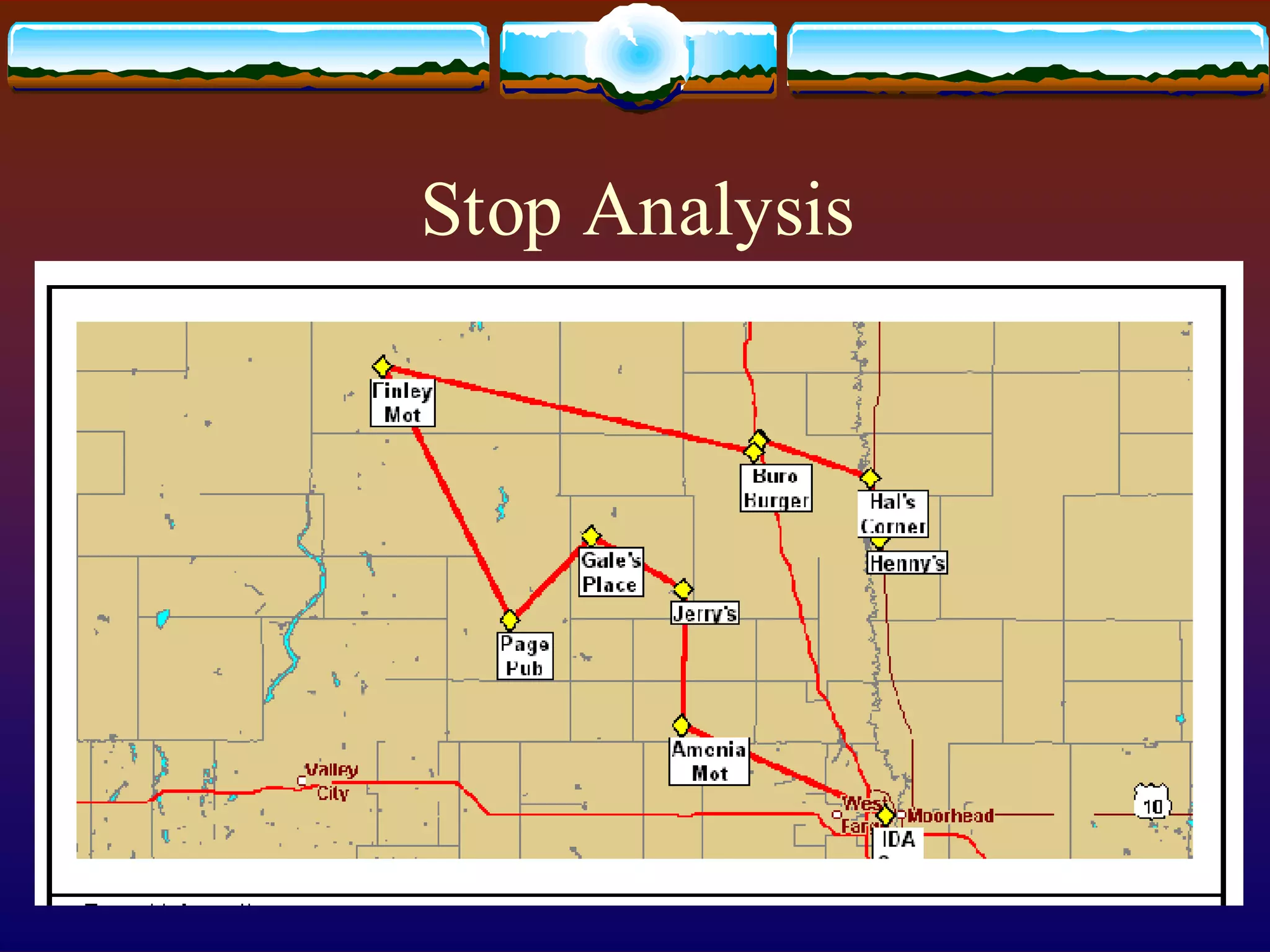
  • #51 Use IDA’S STOP ANALYSIS report to automatically recognize the location,time and duration of vehicle stops
  • #52 Any file recorded from polling or from the vehicle buffer can be exported to an ASCII format. The file can then be imported into a number of of database and spreadsheet programs for detailed, customized analysis. The data can be sorted, selected, computed and summarized to produce highly informative unique reports for operations analysis and management reporting. The data can also be used for costing, billing, project accounting and even payroll processing. The record type can indicate power on, timed interval, polled record, emergency, etc. The conversion to ASCII feature is helpful when interfacing with external applications.
  • #53 The driver sees where he is and where the other fleet vehicles are. The TRAKIT-SUPERVISOR MONITOR software loads onto a notebook computer in the vehicle. The driver can monitor the same fleet activity as the dispatcher. The driver can inquire the locations of other vehicles in the fleet. Included is a powerful messaging utility. This feature can be used by supervisors in the field to monitor and direct activities of the fleet while away from the dispatch center. This option is not available on Project 25, Slip, or EDACS due to the network capabilities of the trunking system.
  • #54 The powerful functions of TRAKIT combined with the open architecture design makes this the ultimate fleet management tool. IDA having complete control and knowledge of all components of the system has the resources to fully support the system. IDA has a 24 hour technical support 800 number- 800-TECH-650. Where unique functions are required IDA’s engineering team can provide custom systems.