Navigation using Audio Jack
Author: Jayanta Kumar Ghoshal
Date: 2015-11-27
Table of Contents
 Abstract
 Introduction
 Navigation Using Audio Jack
 Using the Audio Jack as Data Interface
 Transmitting Data
 Receiving Data
 Block Diagram
 Conclusion
 References
Abstract
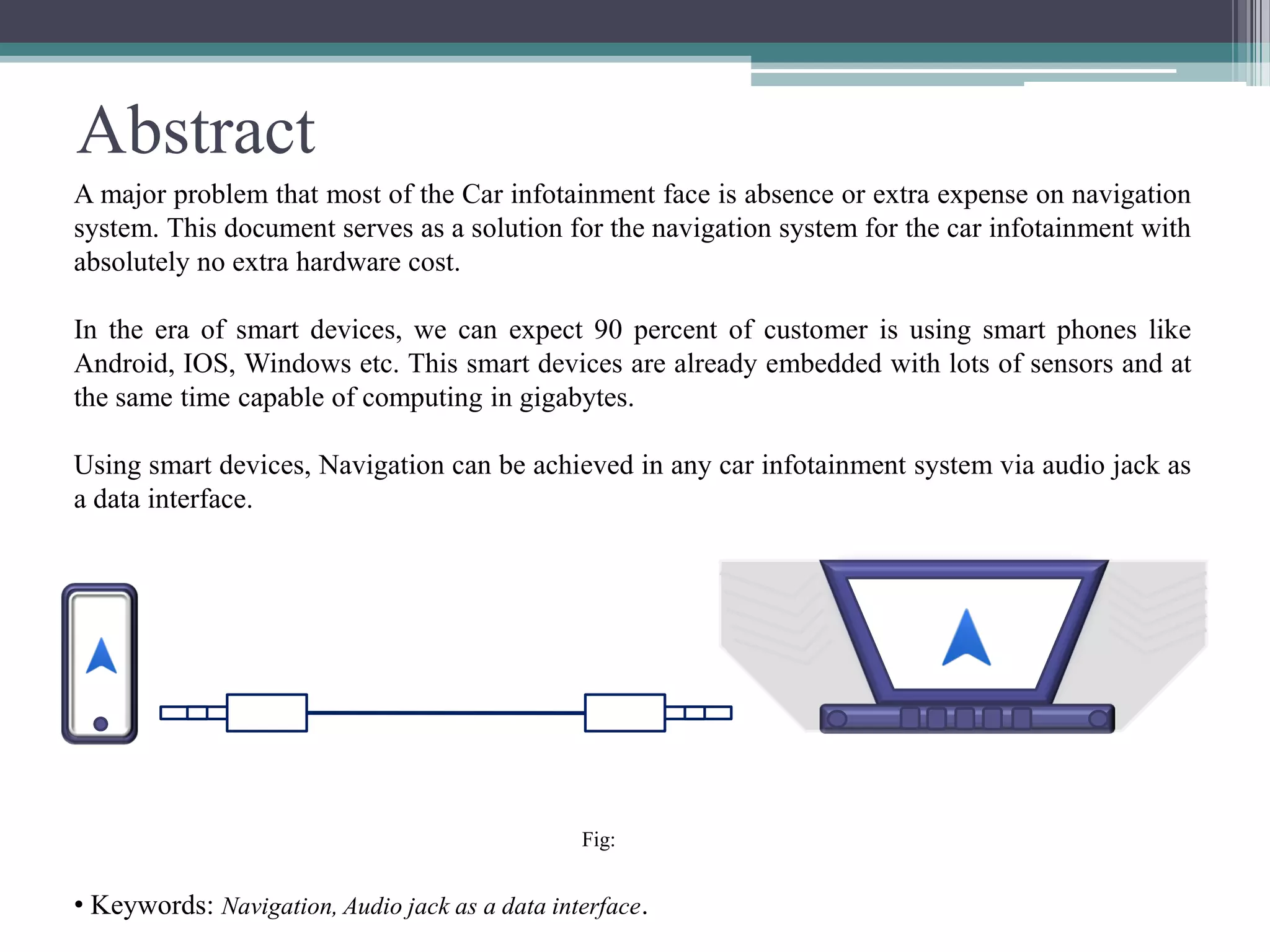
A major problem that most of the Car infotainment face is absence or extra expense on navigation
system. This document serves as a solution for the navigation system for the car infotainment with
absolutely no extra hardware cost.
In the era of smart devices, we can expect 90 percent of customer is using smart phones like
Android, IOS, Windows etc. This smart devices are already embedded with lots of sensors and at
the same time capable of computing in gigabytes.
Using smart devices, Navigation can be achieved in any car infotainment system via audio jack as
a data interface.
Fig:
• Keywords: Navigation, Audio jack as a data interface.
Introduction
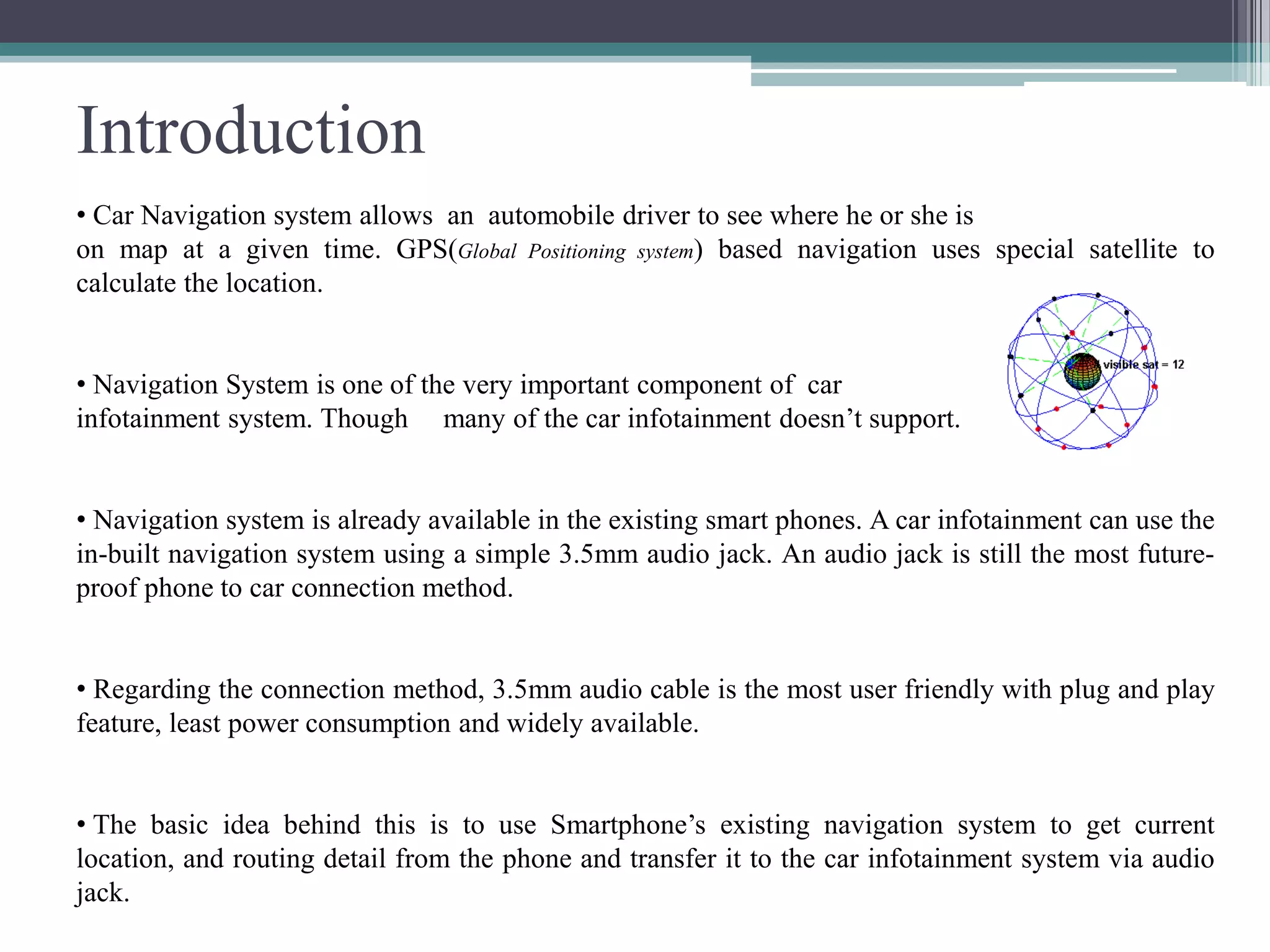
• Car Navigation system allows an automobile driver to see where he or she is
on map at a given time. GPS(Global Positioning system) based navigation uses special satellite to
calculate the location.
• Navigation System is one of the very important component of car
infotainment system. Though many of the car infotainment doesn’t support.
• Navigation system is already available in the existing smart phones. A car infotainment can use the
in-built navigation system using a simple 3.5mm audio jack. An audio jack is still the most future-
proof phone to car connection method.
• Regarding the connection method, 3.5mm audio cable is the most user friendly with plug and play
feature, least power consumption and widely available.
• The basic idea behind this is to use Smartphone’s existing navigation system to get current
location, and routing detail from the phone and transfer it to the car infotainment system via audio
jack.
Navigation using Audio Jack
Navigation could be achieved in car infotainment system by fetching the following:
 All the required location and
 Turn by turn routing detail from a Smartphone via audio jack.
At present Audio jack in car infotainment system is only used to stream audio and video.
There are many commercial products where audio jack has been used to transfer data.
For example:
• Square : Process credit card.
• iHealth Lab’s Glucometer : measure glucose level.
• The Irdroid : provides infrared remote functions to control TVs, set-top boxes, and audio
components
• Flojack : NFC reader, and writer, for Apple mobile
devices.
• 2nd Gen. iPod Shuffle
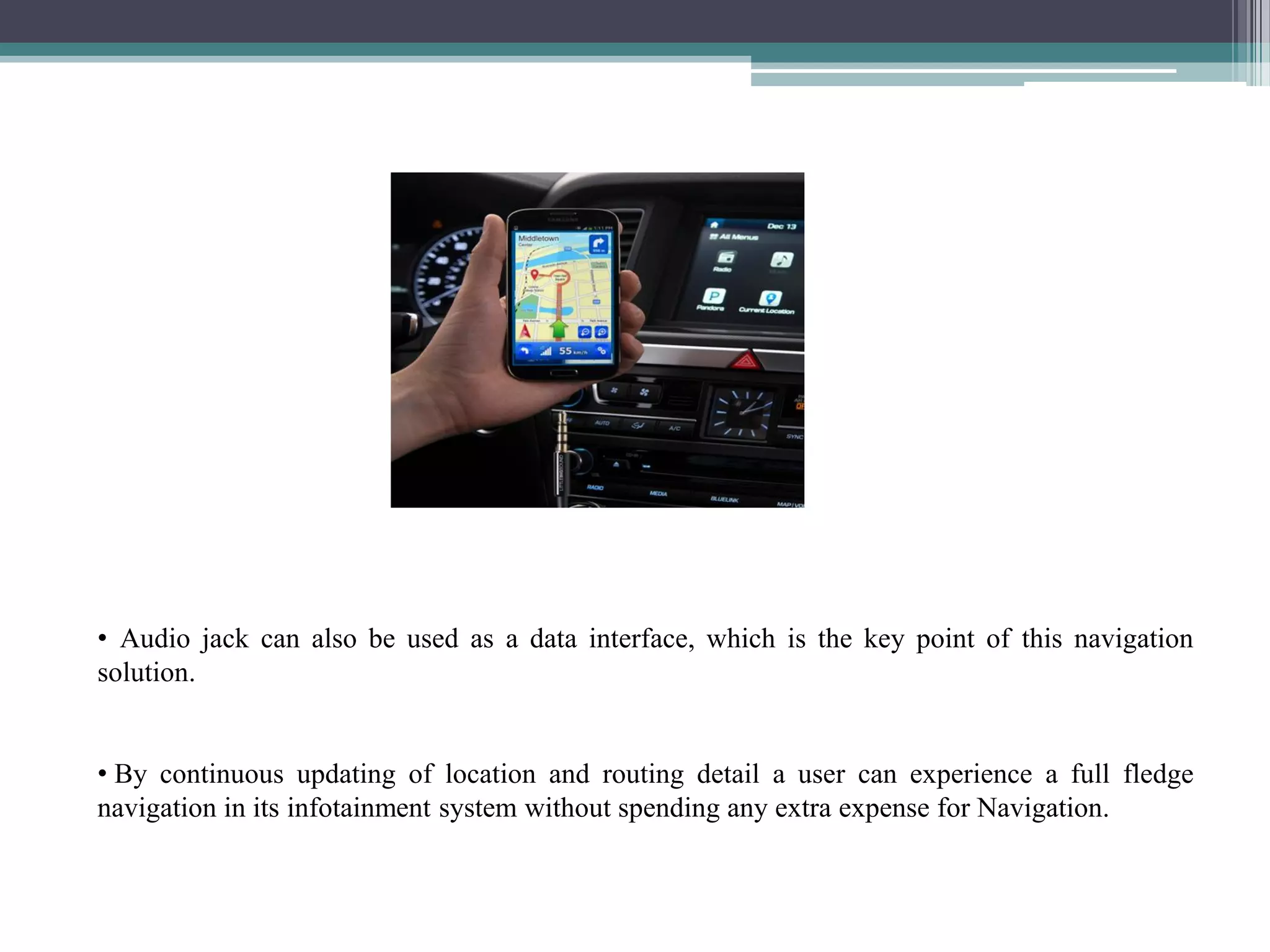
• Audio jack can also be used as a data interface, which is the key point of this navigation
solution.
• By continuous updating of location and routing detail a user can experience a full fledge
navigation in its infotainment system without spending any extra expense for Navigation.
 Audio jack are meant to transfer analog signal(sound/audio), and the data needed to transfer for
navigation is digital(0 and 1).
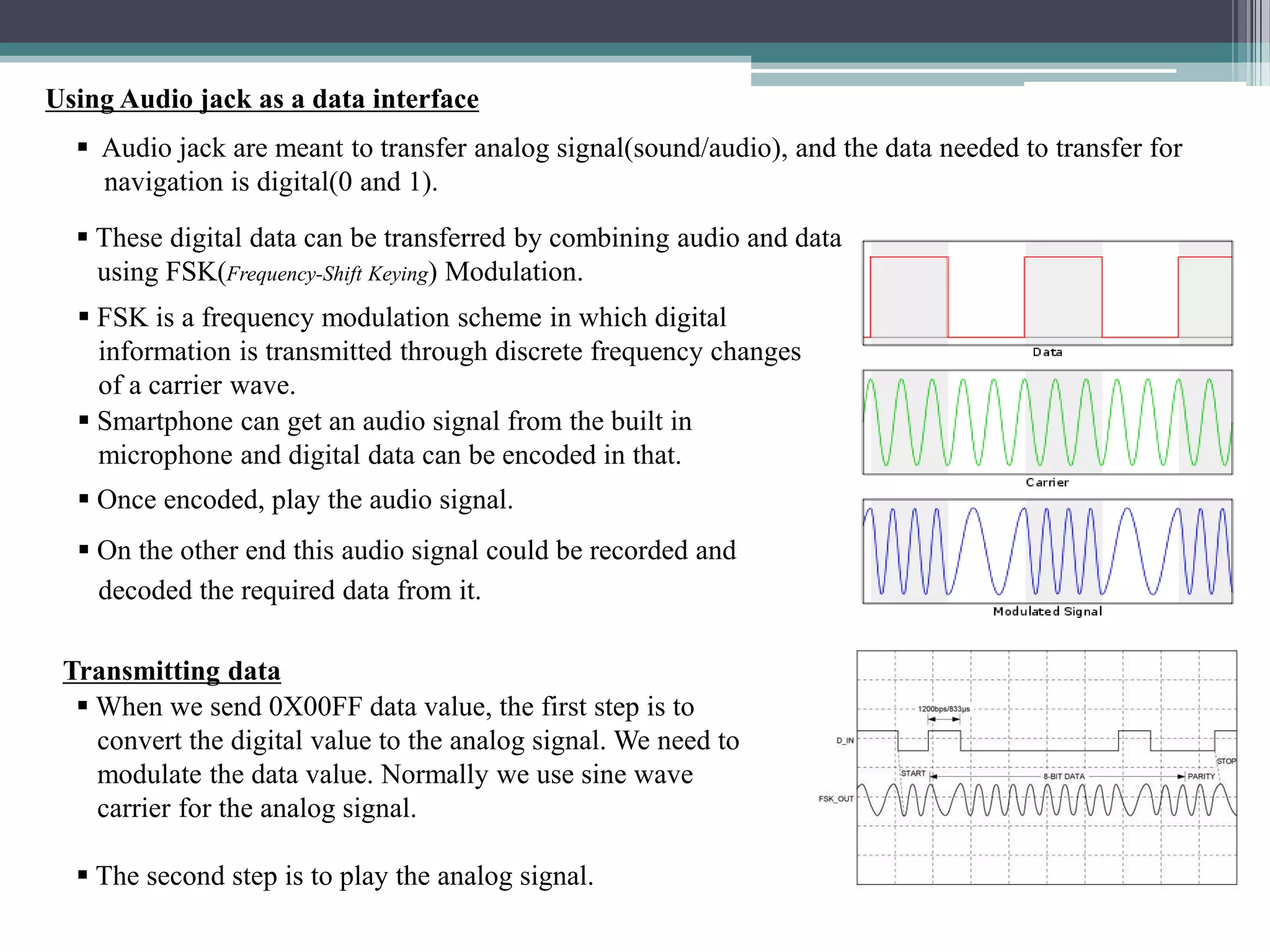
 These digital data can be transferred by combining audio and data
using FSK(Frequency-Shift Keying) Modulation.
Using Audio jack as a data interface
 FSK is a frequency modulation scheme in which digital
information is transmitted through discrete frequency changes
of a carrier wave.
 Smartphone can get an audio signal from the built in
microphone and digital data can be encoded in that.
 Once encoded, play the audio signal.
 On the other end this audio signal could be recorded and
decoded the required data from it.
Transmitting data
 When we send 0X00FF data value, the first step is to
convert the digital value to the analog signal. We need to
modulate the data value. Normally we use sine wave
carrier for the analog signal.
 The second step is to play the analog signal.
Receiving data
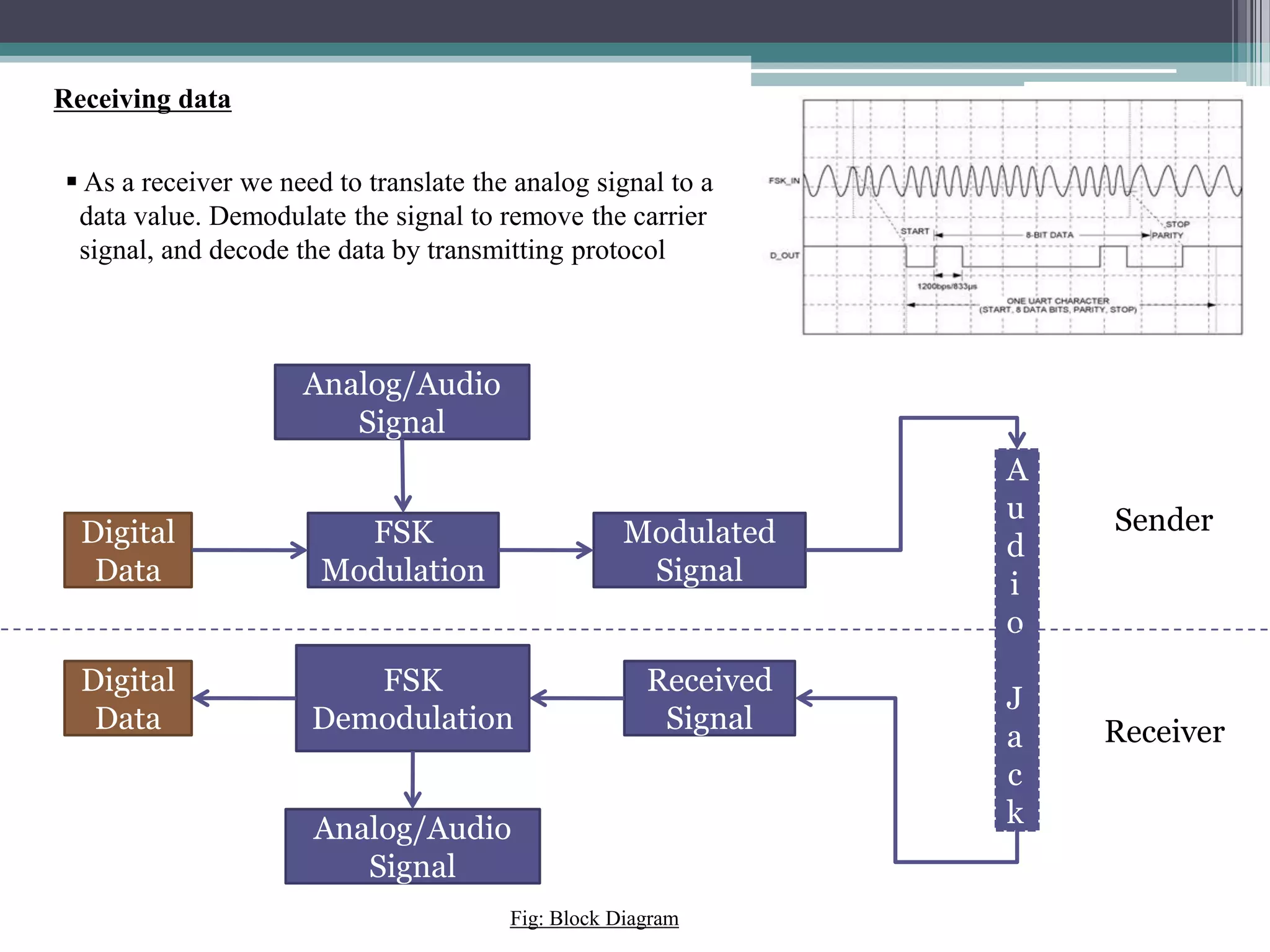
 As a receiver we need to translate the analog signal to a
data value. Demodulate the signal to remove the carrier
signal, and decode the data by transmitting protocol
FSK
Modulation
Digital
Data
Analog/Audio
Signal
Modulated
Signal
FSK
Demodulation
Received
Signal
Analog/Audio
Signal
Digital
Data
A
u
d
i
o
J
a
c
k
Sender
Receiver
Fig: Block Diagram
Conclusion
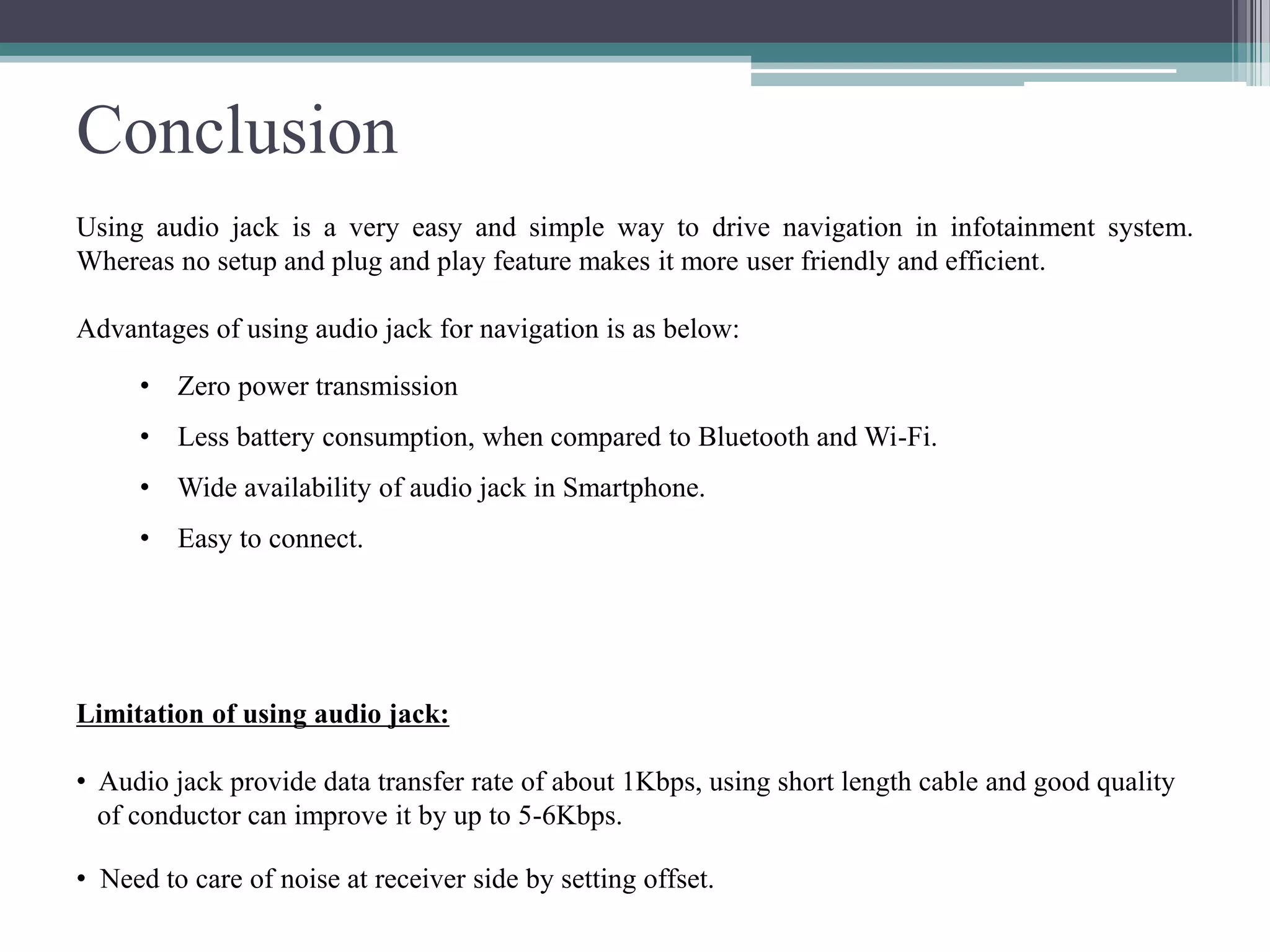
Using audio jack is a very easy and simple way to drive navigation in infotainment system.
Whereas no setup and plug and play feature makes it more user friendly and efficient.
Advantages of using audio jack for navigation is as below:
• Zero power transmission
• Less battery consumption, when compared to Bluetooth and Wi-Fi.
• Wide availability of audio jack in Smartphone.
• Easy to connect.
Limitation of using audio jack:
• Audio jack provide data transfer rate of about 1Kbps, using short length cable and good quality
of conductor can improve it by up to 5-6Kbps.
• Need to care of noise at receiver side by setting offset.
References
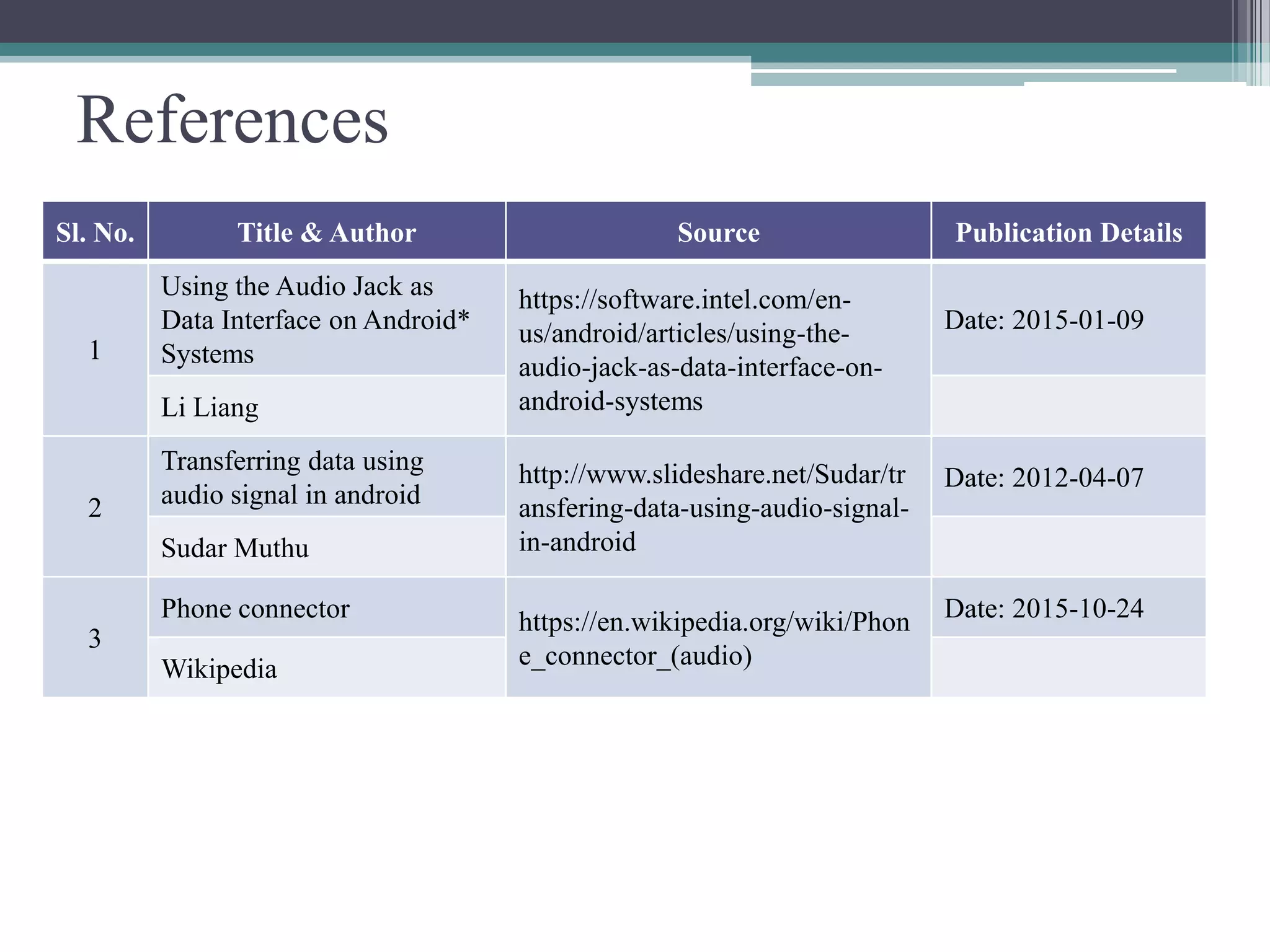
Sl. No. Title & Author Source Publication Details
1
Using the Audio Jack as
Data Interface on Android*
Systems
https://software.intel.com/en-
us/android/articles/using-the-
audio-jack-as-data-interface-on-
android-systems
Date: 2015-01-09
Li Liang
2
Transferring data using
audio signal in android
http://www.slideshare.net/Sudar/tr
ansfering-data-using-audio-signal-
in-android
Date: 2012-04-07
Sudar Muthu
3
Phone connector https://en.wikipedia.org/wiki/Phon
e_connector_(audio)
Date: 2015-10-24
Wikipedia
Questions ?
Please comment!!!
Thank You!

Navigation Using Audio Jack

  • 1.
    Navigation using AudioJack Author: Jayanta Kumar Ghoshal Date: 2015-11-27
  • 2.
    Table of Contents Abstract  Introduction  Navigation Using Audio Jack  Using the Audio Jack as Data Interface  Transmitting Data  Receiving Data  Block Diagram  Conclusion  References
  • 3.
    Abstract A major problemthat most of the Car infotainment face is absence or extra expense on navigation system. This document serves as a solution for the navigation system for the car infotainment with absolutely no extra hardware cost. In the era of smart devices, we can expect 90 percent of customer is using smart phones like Android, IOS, Windows etc. This smart devices are already embedded with lots of sensors and at the same time capable of computing in gigabytes. Using smart devices, Navigation can be achieved in any car infotainment system via audio jack as a data interface. Fig: • Keywords: Navigation, Audio jack as a data interface.
  • 4.
    Introduction • Car Navigationsystem allows an automobile driver to see where he or she is on map at a given time. GPS(Global Positioning system) based navigation uses special satellite to calculate the location. • Navigation System is one of the very important component of car infotainment system. Though many of the car infotainment doesn’t support. • Navigation system is already available in the existing smart phones. A car infotainment can use the in-built navigation system using a simple 3.5mm audio jack. An audio jack is still the most future- proof phone to car connection method. • Regarding the connection method, 3.5mm audio cable is the most user friendly with plug and play feature, least power consumption and widely available. • The basic idea behind this is to use Smartphone’s existing navigation system to get current location, and routing detail from the phone and transfer it to the car infotainment system via audio jack.
  • 5.
    Navigation using AudioJack Navigation could be achieved in car infotainment system by fetching the following:  All the required location and  Turn by turn routing detail from a Smartphone via audio jack. At present Audio jack in car infotainment system is only used to stream audio and video. There are many commercial products where audio jack has been used to transfer data. For example: • Square : Process credit card. • iHealth Lab’s Glucometer : measure glucose level. • The Irdroid : provides infrared remote functions to control TVs, set-top boxes, and audio components • Flojack : NFC reader, and writer, for Apple mobile devices. • 2nd Gen. iPod Shuffle
  • 6.
    • Audio jackcan also be used as a data interface, which is the key point of this navigation solution. • By continuous updating of location and routing detail a user can experience a full fledge navigation in its infotainment system without spending any extra expense for Navigation.
  • 7.
     Audio jackare meant to transfer analog signal(sound/audio), and the data needed to transfer for navigation is digital(0 and 1).  These digital data can be transferred by combining audio and data using FSK(Frequency-Shift Keying) Modulation. Using Audio jack as a data interface  FSK is a frequency modulation scheme in which digital information is transmitted through discrete frequency changes of a carrier wave.  Smartphone can get an audio signal from the built in microphone and digital data can be encoded in that.  Once encoded, play the audio signal.  On the other end this audio signal could be recorded and decoded the required data from it. Transmitting data  When we send 0X00FF data value, the first step is to convert the digital value to the analog signal. We need to modulate the data value. Normally we use sine wave carrier for the analog signal.  The second step is to play the analog signal.
  • 8.
    Receiving data  Asa receiver we need to translate the analog signal to a data value. Demodulate the signal to remove the carrier signal, and decode the data by transmitting protocol FSK Modulation Digital Data Analog/Audio Signal Modulated Signal FSK Demodulation Received Signal Analog/Audio Signal Digital Data A u d i o J a c k Sender Receiver Fig: Block Diagram
  • 9.
    Conclusion Using audio jackis a very easy and simple way to drive navigation in infotainment system. Whereas no setup and plug and play feature makes it more user friendly and efficient. Advantages of using audio jack for navigation is as below: • Zero power transmission • Less battery consumption, when compared to Bluetooth and Wi-Fi. • Wide availability of audio jack in Smartphone. • Easy to connect. Limitation of using audio jack: • Audio jack provide data transfer rate of about 1Kbps, using short length cable and good quality of conductor can improve it by up to 5-6Kbps. • Need to care of noise at receiver side by setting offset.
  • 10.
    References Sl. No. Title& Author Source Publication Details 1 Using the Audio Jack as Data Interface on Android* Systems https://software.intel.com/en- us/android/articles/using-the- audio-jack-as-data-interface-on- android-systems Date: 2015-01-09 Li Liang 2 Transferring data using audio signal in android http://www.slideshare.net/Sudar/tr ansfering-data-using-audio-signal- in-android Date: 2012-04-07 Sudar Muthu 3 Phone connector https://en.wikipedia.org/wiki/Phon e_connector_(audio) Date: 2015-10-24 Wikipedia
  • 11.
  • 12.