


ICT Connection.LIVE
           Rizal Jailani
    North View Primary School
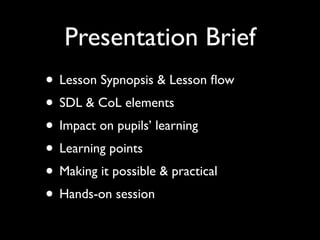
Presentation Brief
• Lesson Sypnopsis & Lesson flow
• SDL & CoL elements
• Impact on pupils’ learning
• Learning points
• Making it possible & practical
• Hands-on session
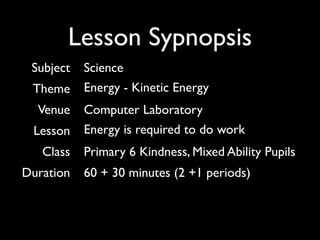
Lesson Sypnopsis
 Subject   Science
 Theme     Energy - Kinetic Energy
  Venue    Computer Laboratory
 Lesson    Energy is required to do work
   Class   Primary 6 Kindness, Mixed Ability Pupils
Duration   60 + 30 minutes (2 +1 periods)
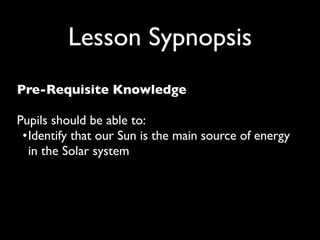
Lesson Sypnopsis
Pre-Requisite Knowledge

Pupils should be able to:
 •
 dentify that our Sun is the main source of energy
  I
  in the Solar system
Lesson Sypnopsis
Specific Instructional Objectives (SIOs)

Pupils will be able to:
 •
 ecognise that energy is required to make things
  r
  work or move.
 •
 ecognise that energy comes in many different
  r
  forms.
 •
 xplain what is kinetic energy.
  e
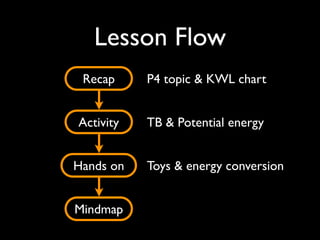
Lesson Flow
 Recap     P4 topic & KWL chart


Activity   TB & Potential energy


Hands on   Toys & energy conversion


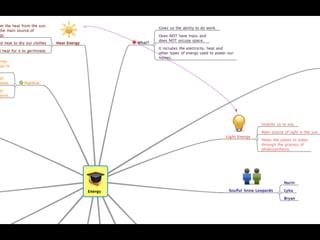
Mindmap
SDL elements
              Construct 1:
           Ownership of learning


Tr has given specific instructions and ample time for
pupils to complete mind map. Groups discuss prior to
     creation of maps as to members’ roles and
                   responsibilities
SDL elements
             Construct 2:
Management & Monitoring of Own Learning


Online mindmapping allows for all members to check on
 each other’s work. Ideas that may not be appropriate
      can be readily rectified and improved upon.
SDL elements
                Construct 3:
         Extension of Own Learning


Pupils can tap on the abundant wealth of resources and
  information outside of classroom context i.e. online.
   Sharing of mindmaps for other groups to view and
 comment encourages learning and accepting different
                  opinions/possibilities.
CoL elements
                  Construct 1:
           Effective Group Processes


      Groups discuss prior to creation of maps as to
  members’ roles and responsibilities. Pupils clearly state
on a branch off the main central idea on their mind map
 as to who is in charge of what aspect and development
               of concepts in the mind map.
CoL elements
                Construct 2:
Individual & Group Accountability of Learning


   Online mindmaping allows for constant and unlimited
   revisions. Status of each individual member’s work are
                clearly displayed for all to see!
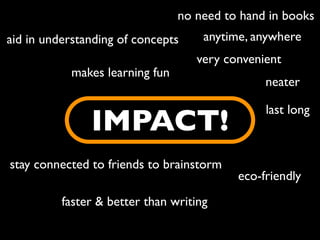
no need to hand in books
aid in understanding of concepts     anytime, anywhere
                                    very convenient
            makes learning fun
                                                neater

                                                last long
               IMPACT!
stay connected to friends to brainstorm
                                           eco-friendly
          faster & better than writing
Learning points

• Patience is KEY when working with
  technology, lagging, etc.
• Pupils need to be relatively comfortable
  with using
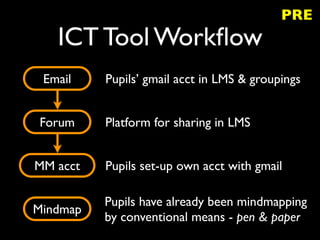
PRE
   ICT Tool Workflow
 Email    Pupils’ gmail acct in LMS & groupings


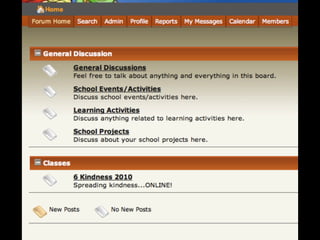
Forum     Platform for sharing in LMS


MM acct   Pupils set-up own acct with gmail

          Pupils have already been mindmapping
Mindmap
          by conventional means - pen & paper
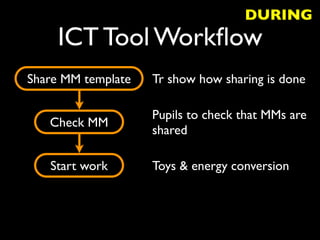
DURING
     ICT Tool Workflow
Share MM template   Tr show how sharing is done

                    Pupils to check that MMs are
   Check MM
                    shared

   Start work       Toys & energy conversion
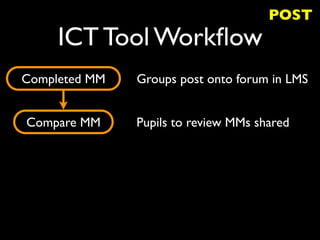
POST
     ICT Tool Workflow
Completed MM   Groups post onto forum in LMS


Compare MM     Pupils to review MMs shared
HANDS-ON!
ICT Sharing Collaborative Online Mindmapping

ICT Sharing Collaborative Online Mindmapping

  • 1.
    ICT Connection.LIVE Rizal Jailani North View Primary School
  • 2.
    Presentation Brief • LessonSypnopsis & Lesson flow • SDL & CoL elements • Impact on pupils’ learning • Learning points • Making it possible & practical • Hands-on session
  • 3.
    Lesson Sypnopsis Subject Science Theme Energy - Kinetic Energy Venue Computer Laboratory Lesson Energy is required to do work Class Primary 6 Kindness, Mixed Ability Pupils Duration 60 + 30 minutes (2 +1 periods)
  • 4.
    Lesson Sypnopsis Pre-Requisite Knowledge Pupilsshould be able to: • dentify that our Sun is the main source of energy I in the Solar system
  • 5.
    Lesson Sypnopsis Specific InstructionalObjectives (SIOs) Pupils will be able to: • ecognise that energy is required to make things r work or move. • ecognise that energy comes in many different r forms. • xplain what is kinetic energy. e
  • 6.
    Lesson Flow Recap P4 topic & KWL chart Activity TB & Potential energy Hands on Toys & energy conversion Mindmap
  • 7.
    SDL elements Construct 1: Ownership of learning Tr has given specific instructions and ample time for pupils to complete mind map. Groups discuss prior to creation of maps as to members’ roles and responsibilities
  • 8.
    SDL elements Construct 2: Management & Monitoring of Own Learning Online mindmapping allows for all members to check on each other’s work. Ideas that may not be appropriate can be readily rectified and improved upon.
  • 9.
    SDL elements Construct 3: Extension of Own Learning Pupils can tap on the abundant wealth of resources and information outside of classroom context i.e. online. Sharing of mindmaps for other groups to view and comment encourages learning and accepting different opinions/possibilities.
  • 10.
    CoL elements Construct 1: Effective Group Processes Groups discuss prior to creation of maps as to members’ roles and responsibilities. Pupils clearly state on a branch off the main central idea on their mind map as to who is in charge of what aspect and development of concepts in the mind map.
  • 11.
    CoL elements Construct 2: Individual & Group Accountability of Learning Online mindmaping allows for constant and unlimited revisions. Status of each individual member’s work are clearly displayed for all to see!
  • 12.
    no need tohand in books aid in understanding of concepts anytime, anywhere very convenient makes learning fun neater last long IMPACT! stay connected to friends to brainstorm eco-friendly faster & better than writing
  • 13.
    Learning points • Patienceis KEY when working with technology, lagging, etc. • Pupils need to be relatively comfortable with using
  • 14.
    PRE ICT Tool Workflow Email Pupils’ gmail acct in LMS & groupings Forum Platform for sharing in LMS MM acct Pupils set-up own acct with gmail Pupils have already been mindmapping Mindmap by conventional means - pen & paper
  • 16.
    DURING ICT Tool Workflow Share MM template Tr show how sharing is done Pupils to check that MMs are Check MM shared Start work Toys & energy conversion
  • 19.
    POST ICT Tool Workflow Completed MM Groups post onto forum in LMS Compare MM Pupils to review MMs shared
  • 22.

Editor's Notes

  • #2 We all know the many benefits of mindmapping as a summative pedagogical tool applicable to various discipline of learning. the advent of the internet and especially Web 2.0 tools provides a platform for mindmapping to acheive greater heights where our PUPILS can SDL and collaborate.
  • #23 Probably show a screencast!