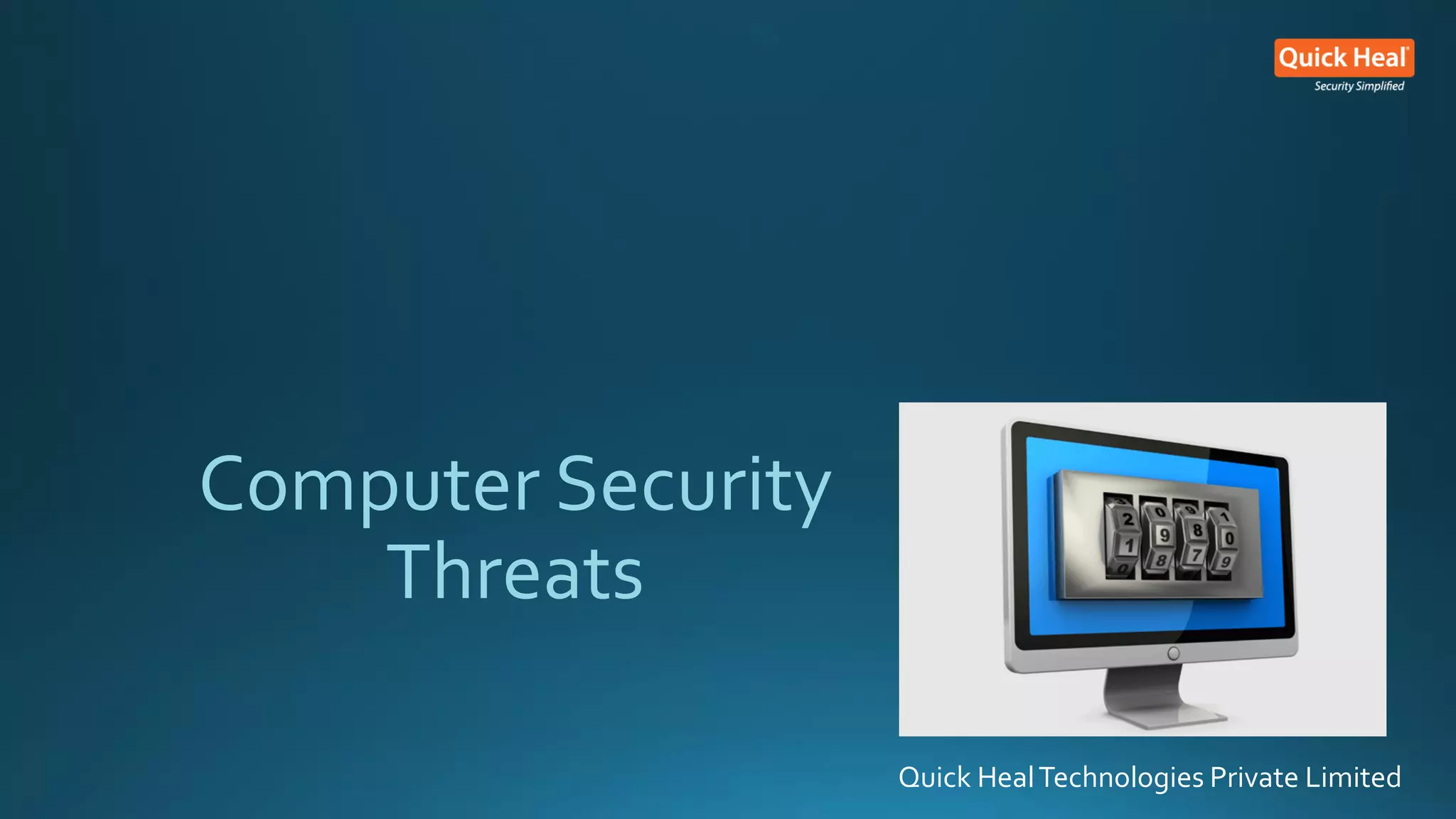
Computer Security
Threats
Quick HealTechnologies Private Limited
Topics Of Today's Discussion
Basics
Of
Computer Security
Consequences
Of
Ignoring Your
Computer Security
Threats
that can
Harm Your Computer
Computer Security
Actions
How Quick Heal
Takes Care
Of Your
Computer Security
How Do Bad Guys
Compromise Your
Computer
Security
Computer Security Basics
• What is Computer Security?
• Computer Security is the protection of computing systems and the data
that they store or access.
• Very little in computing is inherently secure, you must protect yourself!
• Software cannot protect itself
• Networks can be protected better than software
Computer Security Basics
Primary ReasonsTo SecureYour Computer
 To prevent theft of or damage to the hardware
 To prevent theft of or damage to information
 To prevent disruption of service
Photo credit: perspec_photo88 / Foter / CC BY-SA
https://www.flickr.com/photos/111692634@N04/11407095883/
Computer Security Basics
Key Areas Of Concern of Computer Security
• Confidentiality - Only authorized users can access the data resources and
information.
• Integrity - Only authorized users should be able to modify the data when needed.
• Availability - Data should be available to users when needed.
• Authentication - The computer system should be able to verify the identity of a
user.
Consequences Of Ignoring
Computer Security
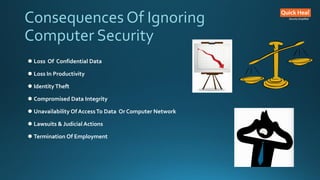
Consequences Of Ignoring
Computer Security
 Loss Of Confidential Data
 Loss In Productivity
 Identity Theft
 Compromised Data Integrity
 Unavailability Of AccessTo Data Or Computer Network
 Lawsuits & Judicial Actions
 Termination Of Employment
Types Of
Computer Security
Threats
Types Of Computer SecurityThreats
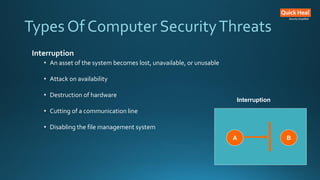
Interruption
• An asset of the system becomes lost, unavailable, or unusable
• Attack on availability
• Destruction of hardware
• Cutting of a communication line
• Disabling the file management system
B
A
Interruption
Types Of Computer SecurityThreats
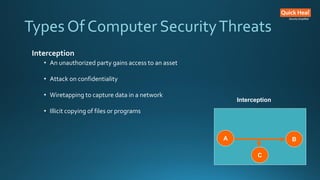
Interception
• An unauthorized party gains access to an asset
• Attack on confidentiality
• Wiretapping to capture data in a network
• Illicit copying of files or programs
A B
C
Interception
Types Of Computer SecurityThreats
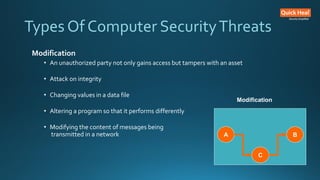
Modification
• An unauthorized party not only gains access but tampers with an asset
• Attack on integrity
• Changing values in a data file
• Altering a program so that it performs differently
• Modifying the content of messages being
transmitted in a network A B
C
Modification
Types Of Computer SecurityThreats
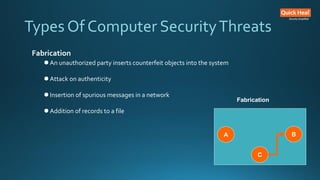
Fabrication
 An unauthorized party inserts counterfeit objects into the system
 Attack on authenticity
 Insertion of spurious messages in a network
 Addition of records to a file
A B
C
Fabrication
Types Of Computer SecurityThreats
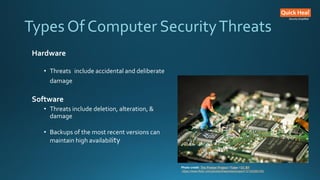
Hardware
• Threats include accidental and deliberate
damage
Software
• Threats include deletion, alteration, &
damage
• Backups of the most recent versions can
maintain high availability
Photo credit: The Preiser Project / Foter / CC BY
https://www.flickr.com/photos/thepreiserproject/12102280105/
Types Of Computer SecurityThreats
Data
• Involves files
• Security concerns for availability, secrecy, and integrity
• Statistical analysis can lead to determination of individual in
formation which threatens privacy
How Do Bad Guys
CompromiseYour
Computer Security
How Do Bad Guys CompromiseYour
Computer Security
1. Social Engineering
Social engineering is a non-technical method of intrusion hackers use
that relies heavily on human interaction and often involves tricking
people into breaking normal security procedures.
Types Of Social Engineering
• Baiting
• Phishing
• Pretexting
Photo credit: Don Hankins / Foter / CC BY
https://www.flickr.com/photos/23905174@N00/1594411528/
How Do Bad Guys CompromiseYour
Computer Security
2. Reverse Social EngineeringAttack
In this kind of cyberattack, the attacker convinces a user
that they have a problem and that the attacker has a
solution to the problem.
3. Virus
Virus is a program that replicates. It spreads from file to
file on your system infecting them.
4. Worm
A worm is a standalone program that doesn’t require user
intervention to spread.Worms don’t infect existing files –
they spread copies of themselves instead.
Photo credit: Don Hankins / Foter / CC BY
https://www.flickr.com/photos/23905174@N00/1594411528/
How Do Bad Guys CompromiseYour
Computer Security
5. Trojan
Trojan horses pose as useful software, such as a legitimate
program. Instead of being well-behaved software, aTrojan opens a
backdoor on your system.
6. Ransomware
• Ransomware is a malicious program that performs the following
malicious activities after infecting a computer.
• Makes the system non-functional unless the victim agrees to pay a ransom.
• Encrypts the computer’s data and demands a ransom to release it to the
victim.
Photo credit: Don Hankins / Foter / CC BY
https://www.flickr.com/photos/23905174@N00/1594411528/
How Do Bad Guys CompromiseYour
Computer Security
7. Spyware
A common computer security threat, spyware is a class of
malicious program that secretly steals your personal
information and sends it to advertisers or hackers.
8. Rogue Antivirus
A rogue antivirus, also known as scareware, is a fake program
that disguises itself as a genuine software but performs
malicious activities in user’s machine.
Photo credit: Don Hankins / Foter / CC BY
https://www.flickr.com/photos/23905174@N00/1594411528/
How Do Bad Guys CompromiseYour
Computer Security
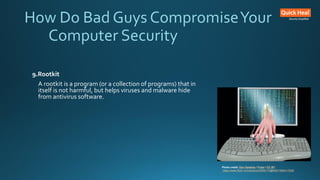
9.Rootkit
A rootkit is a program (or a collection of programs) that in
itself is not harmful, but helps viruses and malware hide
from antivirus software.
Photo credit: Don Hankins / Foter / CC BY
https://www.flickr.com/photos/23905174@N00/1594411528/
Top Computer Security
Actions
Top Computer Security Actions
1.Patch, Patch, Patch!
Set up your computer for automatic software and operating system updates. An
unpatched machine is more likely to have software vulnerabilities that can be exploited.
2. Install Security Software
When installed, the software should be set to scan your files and update your virus
definitions on a regular basis.
3. Choose Strong Passwords
Choose strong passwords with letters, numbers, and special characters to create a
mental image or an acronym that is easy for you to remember. Create a different
password for each important account, and change passwords regularly.
Top Computer Security Actions
4. Backup, Backup, Backup!
Backing up your machine regularly can protect you from the unexpected. Keep a few months'
worth of backups and make sure the files can be retrieved if needed.
5. Control access to your machine
Don't leave your computer in an unsecured area, or unattended and logged on, especially in
public places.The physical security of your machine is just as important as its technical
security
6. Use email and the Internet safely
Ignore unsolicited emails, and be wary of attachments, links and forms in emails that come
from people you don't know, or which seem "phishy."Avoid untrustworthy (often free)
downloads from freeware or shareware sites.
Top Computer Security Actions
7. Protect sensitive data
Reduce the risk of identity theft. Securely remove sensitive data files from your hard drive,
which is also recommended when recycling or repurposing your computer. Use the encryption
tools built into your operating system to protect sensitive files you need to retain.
8. Use desktop firewalls
Macintosh andWindows computers have basic desktop firewalls as part of their operating
systems. When set up properly, these firewalls protect your computer files from being
scanned
9. Use secure connections.
When connected to the Internet, your data can be vulnerable while in transit. Use remote
connectivity and secure file transfer options when off campus
How Quick Heal
Takes Care
Of Your
Computer Security
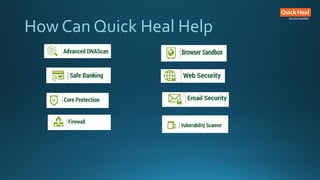
How Can Quick Heal Help
Thank You
CorporateCommunications@quickheal.co.in
Follow us on:
Facebook - www.facebook.com/quickhealav
Twitter - www.twitter.com/quickheal
YouTube - www.youtube.com/quickheal
SlideShare - http://www.slideshare.net/QuickHealPPTs
Website - www.quickheal.com
Official Blog - blogs.quickheal.com
References
• http://en.wikipedia.org/wiki/Computer_security
• http://its.ucsc.edu/security/training/intro.html
• http://www.technologyxperts.com/uncategorized/top-10-safe-computing-tips/
• http://blogs.quickheal.com/wp/a-laymans-glossary-of-computer-security-threats-part-1/
• http://blogs.quickheal.com/wp/common-security-threats-glossary-part-ii/

ICT Security.pdf

  • 1.
  • 2.
    Topics Of Today'sDiscussion Basics Of Computer Security Consequences Of Ignoring Your Computer Security Threats that can Harm Your Computer Computer Security Actions How Quick Heal Takes Care Of Your Computer Security How Do Bad Guys Compromise Your Computer Security
  • 3.
    Computer Security Basics •What is Computer Security? • Computer Security is the protection of computing systems and the data that they store or access. • Very little in computing is inherently secure, you must protect yourself! • Software cannot protect itself • Networks can be protected better than software
  • 4.
    Computer Security Basics PrimaryReasonsTo SecureYour Computer  To prevent theft of or damage to the hardware  To prevent theft of or damage to information  To prevent disruption of service Photo credit: perspec_photo88 / Foter / CC BY-SA https://www.flickr.com/photos/111692634@N04/11407095883/
  • 5.
    Computer Security Basics KeyAreas Of Concern of Computer Security • Confidentiality - Only authorized users can access the data resources and information. • Integrity - Only authorized users should be able to modify the data when needed. • Availability - Data should be available to users when needed. • Authentication - The computer system should be able to verify the identity of a user.
  • 6.
  • 7.
    Consequences Of Ignoring ComputerSecurity  Loss Of Confidential Data  Loss In Productivity  Identity Theft  Compromised Data Integrity  Unavailability Of AccessTo Data Or Computer Network  Lawsuits & Judicial Actions  Termination Of Employment
  • 8.
  • 9.
    Types Of ComputerSecurityThreats Interruption • An asset of the system becomes lost, unavailable, or unusable • Attack on availability • Destruction of hardware • Cutting of a communication line • Disabling the file management system B A Interruption
  • 10.
    Types Of ComputerSecurityThreats Interception • An unauthorized party gains access to an asset • Attack on confidentiality • Wiretapping to capture data in a network • Illicit copying of files or programs A B C Interception
  • 11.
    Types Of ComputerSecurityThreats Modification • An unauthorized party not only gains access but tampers with an asset • Attack on integrity • Changing values in a data file • Altering a program so that it performs differently • Modifying the content of messages being transmitted in a network A B C Modification
  • 12.
    Types Of ComputerSecurityThreats Fabrication  An unauthorized party inserts counterfeit objects into the system  Attack on authenticity  Insertion of spurious messages in a network  Addition of records to a file A B C Fabrication
  • 13.
    Types Of ComputerSecurityThreats Hardware • Threats include accidental and deliberate damage Software • Threats include deletion, alteration, & damage • Backups of the most recent versions can maintain high availability Photo credit: The Preiser Project / Foter / CC BY https://www.flickr.com/photos/thepreiserproject/12102280105/
  • 14.
    Types Of ComputerSecurityThreats Data • Involves files • Security concerns for availability, secrecy, and integrity • Statistical analysis can lead to determination of individual in formation which threatens privacy
  • 15.
    How Do BadGuys CompromiseYour Computer Security
  • 16.
    How Do BadGuys CompromiseYour Computer Security 1. Social Engineering Social engineering is a non-technical method of intrusion hackers use that relies heavily on human interaction and often involves tricking people into breaking normal security procedures. Types Of Social Engineering • Baiting • Phishing • Pretexting Photo credit: Don Hankins / Foter / CC BY https://www.flickr.com/photos/23905174@N00/1594411528/
  • 17.
    How Do BadGuys CompromiseYour Computer Security 2. Reverse Social EngineeringAttack In this kind of cyberattack, the attacker convinces a user that they have a problem and that the attacker has a solution to the problem. 3. Virus Virus is a program that replicates. It spreads from file to file on your system infecting them. 4. Worm A worm is a standalone program that doesn’t require user intervention to spread.Worms don’t infect existing files – they spread copies of themselves instead. Photo credit: Don Hankins / Foter / CC BY https://www.flickr.com/photos/23905174@N00/1594411528/
  • 18.
    How Do BadGuys CompromiseYour Computer Security 5. Trojan Trojan horses pose as useful software, such as a legitimate program. Instead of being well-behaved software, aTrojan opens a backdoor on your system. 6. Ransomware • Ransomware is a malicious program that performs the following malicious activities after infecting a computer. • Makes the system non-functional unless the victim agrees to pay a ransom. • Encrypts the computer’s data and demands a ransom to release it to the victim. Photo credit: Don Hankins / Foter / CC BY https://www.flickr.com/photos/23905174@N00/1594411528/
  • 19.
    How Do BadGuys CompromiseYour Computer Security 7. Spyware A common computer security threat, spyware is a class of malicious program that secretly steals your personal information and sends it to advertisers or hackers. 8. Rogue Antivirus A rogue antivirus, also known as scareware, is a fake program that disguises itself as a genuine software but performs malicious activities in user’s machine. Photo credit: Don Hankins / Foter / CC BY https://www.flickr.com/photos/23905174@N00/1594411528/
  • 20.
    How Do BadGuys CompromiseYour Computer Security 9.Rootkit A rootkit is a program (or a collection of programs) that in itself is not harmful, but helps viruses and malware hide from antivirus software. Photo credit: Don Hankins / Foter / CC BY https://www.flickr.com/photos/23905174@N00/1594411528/
  • 21.
  • 22.
    Top Computer SecurityActions 1.Patch, Patch, Patch! Set up your computer for automatic software and operating system updates. An unpatched machine is more likely to have software vulnerabilities that can be exploited. 2. Install Security Software When installed, the software should be set to scan your files and update your virus definitions on a regular basis. 3. Choose Strong Passwords Choose strong passwords with letters, numbers, and special characters to create a mental image or an acronym that is easy for you to remember. Create a different password for each important account, and change passwords regularly.
  • 23.
    Top Computer SecurityActions 4. Backup, Backup, Backup! Backing up your machine regularly can protect you from the unexpected. Keep a few months' worth of backups and make sure the files can be retrieved if needed. 5. Control access to your machine Don't leave your computer in an unsecured area, or unattended and logged on, especially in public places.The physical security of your machine is just as important as its technical security 6. Use email and the Internet safely Ignore unsolicited emails, and be wary of attachments, links and forms in emails that come from people you don't know, or which seem "phishy."Avoid untrustworthy (often free) downloads from freeware or shareware sites.
  • 24.
    Top Computer SecurityActions 7. Protect sensitive data Reduce the risk of identity theft. Securely remove sensitive data files from your hard drive, which is also recommended when recycling or repurposing your computer. Use the encryption tools built into your operating system to protect sensitive files you need to retain. 8. Use desktop firewalls Macintosh andWindows computers have basic desktop firewalls as part of their operating systems. When set up properly, these firewalls protect your computer files from being scanned 9. Use secure connections. When connected to the Internet, your data can be vulnerable while in transit. Use remote connectivity and secure file transfer options when off campus
  • 25.
    How Quick Heal TakesCare Of Your Computer Security
  • 26.
    How Can QuickHeal Help
  • 27.
    Thank You CorporateCommunications@quickheal.co.in Follow uson: Facebook - www.facebook.com/quickhealav Twitter - www.twitter.com/quickheal YouTube - www.youtube.com/quickheal SlideShare - http://www.slideshare.net/QuickHealPPTs Website - www.quickheal.com Official Blog - blogs.quickheal.com
  • 28.
    References • http://en.wikipedia.org/wiki/Computer_security • http://its.ucsc.edu/security/training/intro.html •http://www.technologyxperts.com/uncategorized/top-10-safe-computing-tips/ • http://blogs.quickheal.com/wp/a-laymans-glossary-of-computer-security-threats-part-1/ • http://blogs.quickheal.com/wp/common-security-threats-glossary-part-ii/