Presented By:

Prashant Rathod

Suraj Ratnaparkhi
CONTENTS
What is HTML?
History
HTML 5
Aim
Rules
New Features
Browser Compatibility
OS Compatibility
Application
Future
Conclusion
What is HTML?
First available description of HTML was a document called "HTML Tags", first
mentioned on the Internet by Berners-Lee in late 1991.

HyperText Markup Language (HTML) is the main markup language for web
pages.

HTML is written in the form of HTML elements consisting of tags enclosed in
angle brackets (like <html>) which are basic building blocks for web pages.

Browser does not display the HTML tags, but uses the tags to interpret the
 content of the page.

HTML allows images and objects to be embedded and can be used to create
interactive forms.

Web browsers can also refer to Cascading Style Sheets (CSS) to define the
appearance and layout of text and other material.
What you need?
You don't need any tools to learn HTML .


 You don't need an HTML editor.
 You don't need a web server.
 You don't need a web site.
History
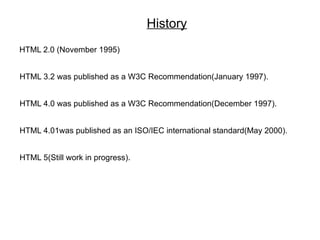
HTML 2.0 (November 1995)


HTML 3.2 was published as a W3C Recommendation(January 1997).


HTML 4.0 was published as a W3C Recommendation(December 1997).


HTML 4.01was published as an ISO/IEC international standard(May 2000).


HTML 5(Still work in progress).
HTML 5

HTML5 is a cooperation between the World Wide Web Consortium
(W3C) and    the Web Hypertext Application Technology Working
Group (WHATWG).
In 2006, they started work on new version of HTML.
HTML5 is still a work in progress.
No browser currently fully support HTML5.
Some of the browsers continue to add new features of HTML in their
new versions.
AIM

Aim behind development of HTML5 was:

Need for support for latest multimedia due continuously evolving Internet.

Compatibility with latest OS and Browsers.
RULES

New features based on HTML, CSS, DOM, JavaScript.

Reduce need for external plug-in(like Flash).

Better Error Handling.

More Mark-Up to replace Scripting.

Device Independent.
NEW FEATURES
New Elements.

New Attributes.

Full CSS3 Support.

Video and Audio.

2D/3D support.

Web Storage.

Local SQL Database.

Web Application.
New Elements:
 Some elements in HTML 4.01 are obsolete, never used, or not used the
 way they were intended to. These elements are removed or re-written in
 HTML5.

 New Semantic/Structural Elements:
 <article>
 <bdi>
 <command>
 <figure>
 <figcaption>
 <footer>
 <header>
 <hgroup>
 <meter>
 <progress>
 <section>
(b) New Media Elements:

   <audio>
   <video>
   <source>
   <embed>
   <track>


(c) New Canvas Element:

   <canvas>
(d) New Form Elements:

   <datalist>
   <keygen>
   <output>
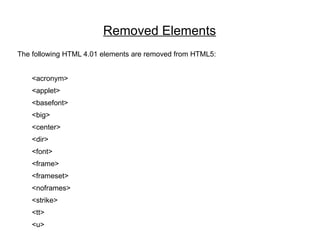
Removed Elements
The following HTML 4.01 elements are removed from HTML5:


    <acronym>
    <applet>
    <basefont>
    <big>
    <center>
    <dir>
    <font>
    <frame>
    <frameset>
    <noframes>
    <strike>
    <tt>
    <u>
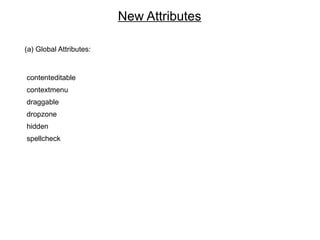
New Attributes

(a) Global Attributes:


contenteditable
contextmenu
draggable
dropzone
hidden
spellcheck
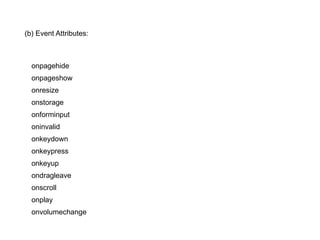
(b) Event Attributes:


  onpagehide
  onpageshow
  onresize
  onstorage
  onforminput
  oninvalid
  onkeydown
  onkeypress
  onkeyup
  ondragleave
  onscroll
  onplay
  onvolumechange
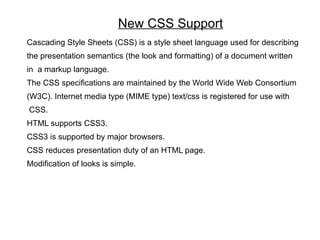
New CSS Support
Cascading Style Sheets (CSS) is a style sheet language used for describing
the presentation semantics (the look and formatting) of a document written
in a markup language.
The CSS specifications are maintained by the World Wide Web Consortium
(W3C). Internet media type (MIME type) text/css is registered for use with
CSS.
HTML supports CSS3.
CSS3 is supported by major browsers.
CSS reduces presentation duty of an HTML page.
Modification of looks is simple.
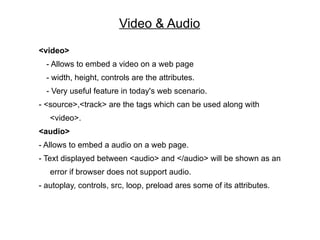
Video & Audio
<video>
  - Allows to embed a video on a web page
  - width, height, controls are the attributes.
  - Very useful feature in today's web scenario.
- <source>,<track> are the tags which can be used along with
   <video>.
<audio>
- Allows to embed a audio on a web page.
- Text displayed between <audio> and </audio> will be shown as an
   error if browser does not support audio.
- autoplay, controls, src, loop, preload ares some of its attributes.
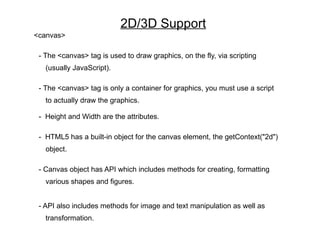
2D/3D Support
<canvas>

 - The <canvas> tag is used to draw graphics, on the fly, via scripting
   (usually JavaScript).

 - The <canvas> tag is only a container for graphics, you must use a script
   to actually draw the graphics.

 - Height and Width are the attributes.

 - HTML5 has a built-in object for the canvas element, the getContext("2d")
   object.

 - Canvas object has API which includes methods for creating, formatting
   various shapes and figures.


 - API also includes methods for image and text manipulation as well as
   transformation.
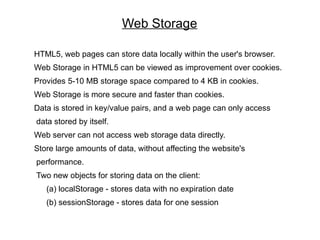
Web Storage

HTML5, web pages can store data locally within the user's browser.
Web Storage in HTML5 can be viewed as improvement over cookies.
Provides 5-10 MB storage space compared to 4 KB in cookies.
Web Storage is more secure and faster than cookies.
Data is stored in key/value pairs, and a web page can only access
data stored by itself.
Web server can not access web storage data directly.
Store large amounts of data, without affecting the website's
performance.
Two new objects for storing data on the client:
   (a) localStorage - stores data with no expiration date
   (b) sessionStorage - stores data for one session
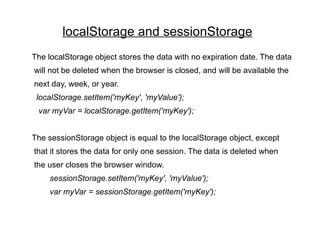
localStorage and sessionStorage
The localStorage object stores the data with no expiration date. The data
will not be deleted when the browser is closed, and will be available the
next day, week, or year.
 localStorage.setItem('myKey', 'myValue');
 var myVar = localStorage.getItem('myKey');


The sessionStorage object is equal to the localStorage object, except
that it stores the data for only one session. The data is deleted when
the user closes the browser window.
     sessionStorage.setItem('myKey', 'myValue');
     var myVar = sessionStorage.getItem('myKey');
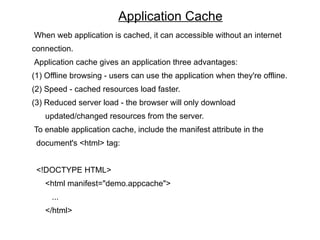
Application Cache
When web application is cached, it can accessible without an internet
connection.
Application cache gives an application three advantages:
(1) Offline browsing - users can use the application when they're offline.
(2) Speed - cached resources load faster.
(3) Reduced server load - the browser will only download
   updated/changed resources from the server.
To enable application cache, include the manifest attribute in the
 document's <html> tag:


 <!DOCTYPE HTML>
   <html manifest="demo.appcache">
     ...
   </html>
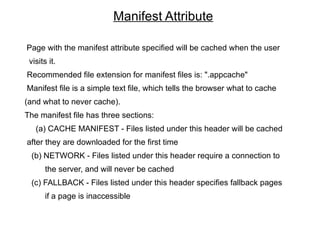
Manifest Attribute

Page with the manifest attribute specified will be cached when the user
 visits it.
Recommended file extension for manifest files is: ".appcache"
Manifest file is a simple text file, which tells the browser what to cache
(and what to never cache).
The manifest file has three sections:
   (a) CACHE MANIFEST - Files listed under this header will be cached
after they are downloaded for the first time
 (b) NETWORK - Files listed under this header require a connection to
       the server, and will never be cached
 (c) FALLBACK - Files listed under this header specifies fallback pages
       if a page is inaccessible
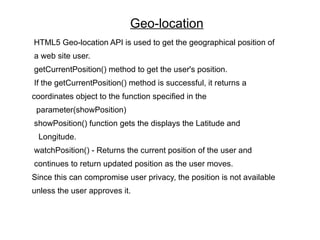
Geo-location
HTML5 Geo-location API is used to get the geographical position of
a web site user.
getCurrentPosition() method to get the user's position.
If the getCurrentPosition() method is successful, it returns a
coordinates object to the function specified in the
 parameter(showPosition)
showPosition() function gets the displays the Latitude and
 Longitude.
watchPosition() - Returns the current position of the user and
continues to return updated position as the user moves.
Since this can compromise user privacy, the position is not available
unless the user approves it.
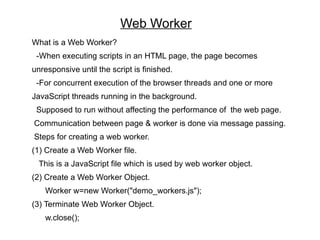
Web Worker
What is a Web Worker?
 -When executing scripts in an HTML page, the page becomes
unresponsive until the script is finished.
 -For concurrent execution of the browser threads and one or more
JavaScript threads running in the background.
 Supposed to run without affecting the performance of the web page.
Communication between page & worker is done via message passing.
Steps for creating a web worker.
(1) Create a Web Worker file.
  This is a JavaScript file which is used by web worker object.
(2) Create a Web Worker Object.
   Worker w=new Worker("demo_workers.js");
(3) Terminate Web Worker Object.
   w.close();
Drag & Drop
Drag and drop is a very common feature.
In HTML5 any element is draggable .
To make an element draggable, set the draggable attribute to true
< img draggable=”true”/>
What to drag?
-ondragstart attribute calls a function, drag(event) which has a method
 dataTransfer.setData() method sets the data type and the value of the
 dragged data.
Where to drag?
-ondragover event tells about where to drop dragged element.
-To prevent default drop handling we use event.preventDefault() method.
Do the drop:
When the dragged data is dropped, a drop event occurs.
drop(event) function we implement things which will occur on release of
drag operation.
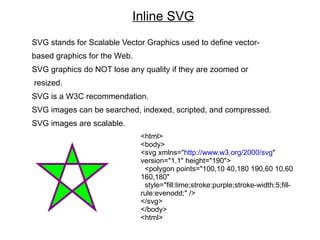
Inline SVG
SVG stands for Scalable Vector Graphics used to define vector-
based graphics for the Web.
SVG graphics do NOT lose any quality if they are zoomed or
resized.
SVG is a W3C recommendation.
SVG images can be searched, indexed, scripted, and compressed.
SVG images are scalable.
                              <html>
                              <body>
                              <svg xmlns="http://www.w3.org/2000/svg"
                              version="1.1" height="190">
                               <polygon points="100,10 40,180 190,60 10,60
                              160,180"
                               style="fill:lime;stroke:purple;stroke-width:5;fill-
                              rule:evenodd;" />
                              </svg>
                              </body>
                              <html>
Browser Compatibility
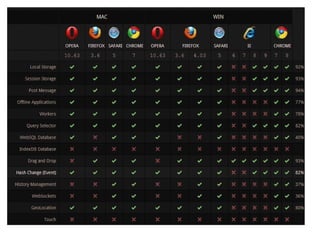
 All major browser support HTML5.
 Though no browser fully supports HTML5, most of the browsers keep
 releasing their new version to support various new features of
 HTML5.
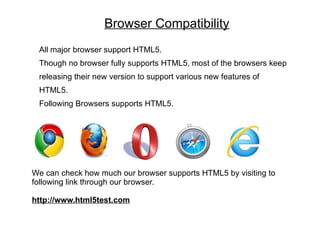
 Following Browsers supports HTML5.


We can check how much our browser supports HTML5 by visiting to
following link through our browser.

http://www.html5test.com
Operating Systems Compatibility
HTML5 is supported by many computer Operating Systems like Windows,Mac
etc.
HTML 5 is also supported by many mobile and tablet OS like iOS, Blackberry
Tablet OS, Windows Mobile etc.
Applications
Most powerful aspect of HTML5 is the HTML5 canvas.
HTML5 Canvas is used extensively for graphical web
applications.
E.g. Sketchpad
Music visualization.
Business friendly applications like to make graph, charts
etc.
Game development.
Mobile Web Application development.
Future
HTML5 and CSS3 are clearly the future of the web
HTML5 as an alternative to Flash.
HTML5 Multimedia is currently the only way to deliver web-based video
content on iOS devices.
HTML5’s dynamic nature will provide broader cross platform
compatibility benefits.
Online Game development.
Future OS using HTML5 already in their native applications.
HTML5 Local Storage allows to store data in your browser and make
that data available when you return.
Conclusion
HTML5 is still a work in progress
Only a handful of major brands, including Mozilla Firefox and Google
Chrome currently support HTML5 elements.
Microsoft’s Internet Explorer is the most widely used browser and
currently has the least amount of support for HTML5.
To redesign or not to redesign web-sites.
HTML5 will replace the majority of native apps over the next 3 to 5
years.
HTML5 allows online software and content to be much more
interactive and richer.
HTML5 provides powerful browser-based applications.
Thank You

Html5

  • 1.
  • 2.
    CONTENTS What is HTML? History HTML5 Aim Rules New Features Browser Compatibility OS Compatibility Application Future Conclusion
  • 3.
    What is HTML? Firstavailable description of HTML was a document called "HTML Tags", first mentioned on the Internet by Berners-Lee in late 1991. HyperText Markup Language (HTML) is the main markup language for web pages. HTML is written in the form of HTML elements consisting of tags enclosed in angle brackets (like <html>) which are basic building blocks for web pages. Browser does not display the HTML tags, but uses the tags to interpret the content of the page. HTML allows images and objects to be embedded and can be used to create interactive forms. Web browsers can also refer to Cascading Style Sheets (CSS) to define the appearance and layout of text and other material.
  • 4.
    What you need? Youdon't need any tools to learn HTML . You don't need an HTML editor. You don't need a web server. You don't need a web site.
  • 5.
    History HTML 2.0 (November1995) HTML 3.2 was published as a W3C Recommendation(January 1997). HTML 4.0 was published as a W3C Recommendation(December 1997). HTML 4.01was published as an ISO/IEC international standard(May 2000). HTML 5(Still work in progress).
  • 6.
    HTML 5 HTML5 isa cooperation between the World Wide Web Consortium (W3C) and the Web Hypertext Application Technology Working Group (WHATWG). In 2006, they started work on new version of HTML. HTML5 is still a work in progress. No browser currently fully support HTML5. Some of the browsers continue to add new features of HTML in their new versions.
  • 7.
    AIM Aim behind developmentof HTML5 was: Need for support for latest multimedia due continuously evolving Internet. Compatibility with latest OS and Browsers.
  • 8.
    RULES New features basedon HTML, CSS, DOM, JavaScript. Reduce need for external plug-in(like Flash). Better Error Handling. More Mark-Up to replace Scripting. Device Independent.
  • 9.
    NEW FEATURES New Elements. NewAttributes. Full CSS3 Support. Video and Audio. 2D/3D support. Web Storage. Local SQL Database. Web Application.
  • 10.
    New Elements: Someelements in HTML 4.01 are obsolete, never used, or not used the way they were intended to. These elements are removed or re-written in HTML5. New Semantic/Structural Elements: <article> <bdi> <command> <figure> <figcaption> <footer> <header> <hgroup> <meter> <progress> <section>
  • 11.
    (b) New MediaElements: <audio> <video> <source> <embed> <track> (c) New Canvas Element: <canvas>
  • 12.
    (d) New FormElements: <datalist> <keygen> <output>
  • 13.
    Removed Elements The followingHTML 4.01 elements are removed from HTML5: <acronym> <applet> <basefont> <big> <center> <dir> <font> <frame> <frameset> <noframes> <strike> <tt> <u>
  • 14.
    New Attributes (a) GlobalAttributes: contenteditable contextmenu draggable dropzone hidden spellcheck
  • 15.
    (b) Event Attributes: onpagehide onpageshow onresize onstorage onforminput oninvalid onkeydown onkeypress onkeyup ondragleave onscroll onplay onvolumechange
  • 16.
    New CSS Support CascadingStyle Sheets (CSS) is a style sheet language used for describing the presentation semantics (the look and formatting) of a document written in a markup language. The CSS specifications are maintained by the World Wide Web Consortium (W3C). Internet media type (MIME type) text/css is registered for use with CSS. HTML supports CSS3. CSS3 is supported by major browsers. CSS reduces presentation duty of an HTML page. Modification of looks is simple.
  • 17.
    Video & Audio <video> - Allows to embed a video on a web page - width, height, controls are the attributes. - Very useful feature in today's web scenario. - <source>,<track> are the tags which can be used along with <video>. <audio> - Allows to embed a audio on a web page. - Text displayed between <audio> and </audio> will be shown as an error if browser does not support audio. - autoplay, controls, src, loop, preload ares some of its attributes.
  • 18.
    2D/3D Support <canvas> -The <canvas> tag is used to draw graphics, on the fly, via scripting (usually JavaScript). - The <canvas> tag is only a container for graphics, you must use a script to actually draw the graphics. - Height and Width are the attributes. - HTML5 has a built-in object for the canvas element, the getContext("2d") object. - Canvas object has API which includes methods for creating, formatting various shapes and figures. - API also includes methods for image and text manipulation as well as transformation.
  • 19.
    Web Storage HTML5, webpages can store data locally within the user's browser. Web Storage in HTML5 can be viewed as improvement over cookies. Provides 5-10 MB storage space compared to 4 KB in cookies. Web Storage is more secure and faster than cookies. Data is stored in key/value pairs, and a web page can only access data stored by itself. Web server can not access web storage data directly. Store large amounts of data, without affecting the website's performance. Two new objects for storing data on the client: (a) localStorage - stores data with no expiration date (b) sessionStorage - stores data for one session
  • 20.
    localStorage and sessionStorage ThelocalStorage object stores the data with no expiration date. The data will not be deleted when the browser is closed, and will be available the next day, week, or year. localStorage.setItem('myKey', 'myValue'); var myVar = localStorage.getItem('myKey'); The sessionStorage object is equal to the localStorage object, except that it stores the data for only one session. The data is deleted when the user closes the browser window. sessionStorage.setItem('myKey', 'myValue'); var myVar = sessionStorage.getItem('myKey');
  • 21.
    Application Cache When webapplication is cached, it can accessible without an internet connection. Application cache gives an application three advantages: (1) Offline browsing - users can use the application when they're offline. (2) Speed - cached resources load faster. (3) Reduced server load - the browser will only download updated/changed resources from the server. To enable application cache, include the manifest attribute in the document's <html> tag: <!DOCTYPE HTML> <html manifest="demo.appcache"> ... </html>
  • 22.
    Manifest Attribute Page withthe manifest attribute specified will be cached when the user visits it. Recommended file extension for manifest files is: ".appcache" Manifest file is a simple text file, which tells the browser what to cache (and what to never cache). The manifest file has three sections: (a) CACHE MANIFEST - Files listed under this header will be cached after they are downloaded for the first time (b) NETWORK - Files listed under this header require a connection to the server, and will never be cached (c) FALLBACK - Files listed under this header specifies fallback pages if a page is inaccessible
  • 23.
    Geo-location HTML5 Geo-location APIis used to get the geographical position of a web site user. getCurrentPosition() method to get the user's position. If the getCurrentPosition() method is successful, it returns a coordinates object to the function specified in the parameter(showPosition) showPosition() function gets the displays the Latitude and Longitude. watchPosition() - Returns the current position of the user and continues to return updated position as the user moves. Since this can compromise user privacy, the position is not available unless the user approves it.
  • 24.
    Web Worker What isa Web Worker? -When executing scripts in an HTML page, the page becomes unresponsive until the script is finished. -For concurrent execution of the browser threads and one or more JavaScript threads running in the background. Supposed to run without affecting the performance of the web page. Communication between page & worker is done via message passing. Steps for creating a web worker. (1) Create a Web Worker file. This is a JavaScript file which is used by web worker object. (2) Create a Web Worker Object. Worker w=new Worker("demo_workers.js"); (3) Terminate Web Worker Object. w.close();
  • 25.
    Drag & Drop Dragand drop is a very common feature. In HTML5 any element is draggable . To make an element draggable, set the draggable attribute to true < img draggable=”true”/> What to drag? -ondragstart attribute calls a function, drag(event) which has a method dataTransfer.setData() method sets the data type and the value of the dragged data. Where to drag? -ondragover event tells about where to drop dragged element. -To prevent default drop handling we use event.preventDefault() method. Do the drop: When the dragged data is dropped, a drop event occurs. drop(event) function we implement things which will occur on release of drag operation.
  • 26.
    Inline SVG SVG standsfor Scalable Vector Graphics used to define vector- based graphics for the Web. SVG graphics do NOT lose any quality if they are zoomed or resized. SVG is a W3C recommendation. SVG images can be searched, indexed, scripted, and compressed. SVG images are scalable. <html> <body> <svg xmlns="http://www.w3.org/2000/svg" version="1.1" height="190"> <polygon points="100,10 40,180 190,60 10,60 160,180" style="fill:lime;stroke:purple;stroke-width:5;fill- rule:evenodd;" /> </svg> </body> <html>
  • 27.
    Browser Compatibility Allmajor browser support HTML5. Though no browser fully supports HTML5, most of the browsers keep releasing their new version to support various new features of HTML5. Following Browsers supports HTML5. We can check how much our browser supports HTML5 by visiting to following link through our browser. http://www.html5test.com
  • 29.
    Operating Systems Compatibility HTML5is supported by many computer Operating Systems like Windows,Mac etc. HTML 5 is also supported by many mobile and tablet OS like iOS, Blackberry Tablet OS, Windows Mobile etc.
  • 30.
    Applications Most powerful aspectof HTML5 is the HTML5 canvas. HTML5 Canvas is used extensively for graphical web applications. E.g. Sketchpad Music visualization. Business friendly applications like to make graph, charts etc. Game development. Mobile Web Application development.
  • 31.
    Future HTML5 and CSS3are clearly the future of the web HTML5 as an alternative to Flash. HTML5 Multimedia is currently the only way to deliver web-based video content on iOS devices. HTML5’s dynamic nature will provide broader cross platform compatibility benefits. Online Game development. Future OS using HTML5 already in their native applications. HTML5 Local Storage allows to store data in your browser and make that data available when you return.
  • 32.
    Conclusion HTML5 is stilla work in progress Only a handful of major brands, including Mozilla Firefox and Google Chrome currently support HTML5 elements. Microsoft’s Internet Explorer is the most widely used browser and currently has the least amount of support for HTML5. To redesign or not to redesign web-sites. HTML5 will replace the majority of native apps over the next 3 to 5 years. HTML5 allows online software and content to be much more interactive and richer. HTML5 provides powerful browser-based applications.
  • 33.