HTML Tables
Lecture Overview
 Learn about the basics of tables
 Create simple 2-dimensional tables
 Format tables
 Create tables with complex structures
Introduction to Tables (1)
 Tables are grids made up of rows and columns
 The intersection of a row and column is called a
cell
 Tables can contain
 Text
 Additional markup
 Other tables
 Images
 And just about anything else
 Tables are block-level elements
Introduction to Tables (2)
 Much has changed about tables from HTML 4
to HTML 5
 Use tables to render truly tabular data
 Use CSS for presentation
 In this regard, CSS has replaced some table
functionality
 I’ll use the new constructs in this lecture to
support good habits
Basic Table Tags
 The <table> tag is the outermost tag and
marks the table
 The deprecated border attribute defines the
width of the border surrounding the table
 The <tr> tag appears inside the <table>
tag and marks a table row
 The <td> tag appears inside the <tr> tag
and marks the table data (cell)
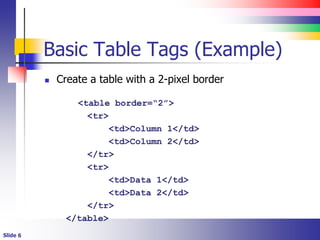
Basic Table Tags (Example)
 Create a table with a 2-pixel border
<table border=“2”>
<tr>
<td>Column 1</td>
<td>Column 2</td>
</tr>
<tr>
<td>Data 1</td>
<td>Data 2</td>
</tr>
</table>
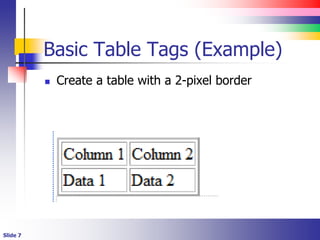
Basic Table Tags (Example)
 Create a table with a 2-pixel border
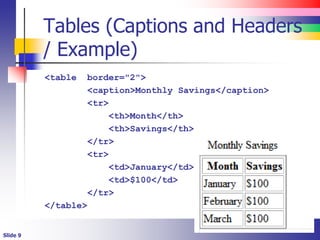
Tables (Captions and Headers)
 The <caption> element appears as a child
of a <table> and contains the table’s title
 The caption appears just above the table itself
 The <th> element is similar to the <tr>
element but contains the table’s header
 The header is typically emphasized
Tables (Captions and Headers
/ Example)
<table border="2">
<caption>Monthly Savings</caption>
<tr>
<th>Month</th>
<th>Savings</th>
</tr>
<tr>
<td>January</td>
<td>$100</td>
</tr>
</table>
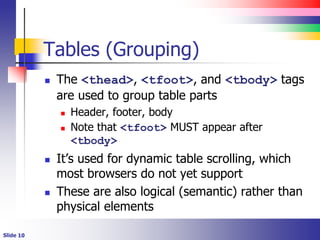
Tables (Grouping)
 The <thead>, <tfoot>, and <tbody> tags
are used to group table parts
 Header, footer, body
 Note that <tfoot> MUST appear after
<tbody>
 It’s used for dynamic table scrolling, which
most browsers do not yet support
 These are also logical (semantic) rather than
physical elements
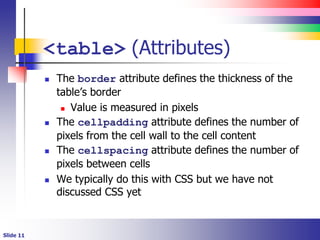
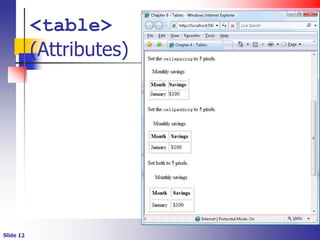
<table> (Attributes)
 The border attribute defines the thickness of the
table’s border
 Value is measured in pixels
 The cellpadding attribute defines the number of
pixels from the cell wall to the cell content
 The cellspacing attribute defines the number of
pixels between cells
 We typically do this with CSS but we have not
discussed CSS yet
<table>
(Attributes)
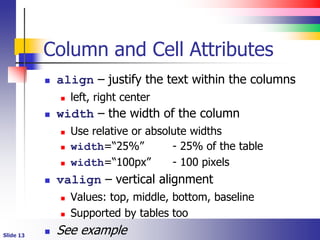
Column and Cell Attributes
 align – justify the text within the columns
 left, right center
 width – the width of the column
 Use relative or absolute widths
 width=“25%” - 25% of the table
 width=“100px” - 100 pixels
 valign – vertical alignment
 Values: top, middle, bottom, baseline
 Supported by tables too
 See example
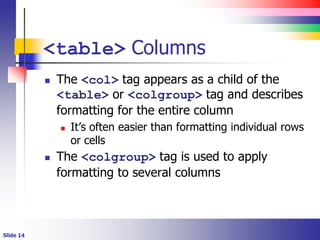
<table> Columns
 The <col> tag appears as a child of the
<table> or <colgroup> tag and describes
formatting for the entire column
 It’s often easier than formatting individual rows
or cells
 The <colgroup> tag is used to apply
formatting to several columns
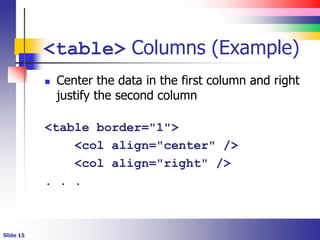
<table> Columns (Example)
 Center the data in the first column and right
justify the second column
<table border="1">
<col align="center" />
<col align="right" />
. . .
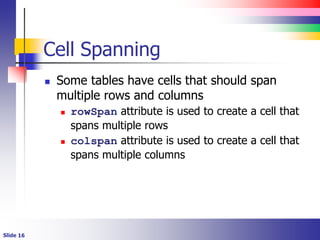
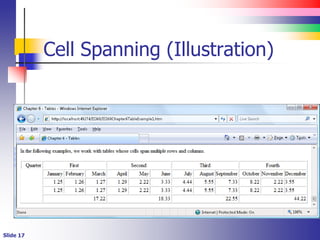
Cell Spanning
 Some tables have cells that should span
multiple rows and columns
 rowSpan attribute is used to create a cell that
spans multiple rows
 colspan attribute is used to create a cell that
spans multiple columns
Cell Spanning (Illustration)
Tables within Tables
 That said, tables can contain tables, which
can contain tables.
 The process can get very complicated
Table Formatting and CSS
 We have not discussed CSS yet but I want to
mention it here
 Everything is a box in the eyes of CSS
 A table is a box
 A table row is a box
 A table cell is a box
 A nested table is just another box
Table Formatting and CSS
 Borderstyle is used to set the border of a cell,
row or the table
 All margin and padding works as you would
expect
Table Formatting (Conflicts)
 Cell formatting overrides row formatting
 Row formatting overrides table formatting
 See the chapter’s example
// 21

HTML Tables.ppt

  • 1.
  • 2.
    Lecture Overview  Learnabout the basics of tables  Create simple 2-dimensional tables  Format tables  Create tables with complex structures
  • 3.
    Introduction to Tables(1)  Tables are grids made up of rows and columns  The intersection of a row and column is called a cell  Tables can contain  Text  Additional markup  Other tables  Images  And just about anything else  Tables are block-level elements
  • 4.
    Introduction to Tables(2)  Much has changed about tables from HTML 4 to HTML 5  Use tables to render truly tabular data  Use CSS for presentation  In this regard, CSS has replaced some table functionality  I’ll use the new constructs in this lecture to support good habits
  • 5.
    Basic Table Tags The <table> tag is the outermost tag and marks the table  The deprecated border attribute defines the width of the border surrounding the table  The <tr> tag appears inside the <table> tag and marks a table row  The <td> tag appears inside the <tr> tag and marks the table data (cell)
  • 6.
    Basic Table Tags(Example)  Create a table with a 2-pixel border <table border=“2”> <tr> <td>Column 1</td> <td>Column 2</td> </tr> <tr> <td>Data 1</td> <td>Data 2</td> </tr> </table>
  • 7.
    Basic Table Tags(Example)  Create a table with a 2-pixel border
  • 8.
    Tables (Captions andHeaders)  The <caption> element appears as a child of a <table> and contains the table’s title  The caption appears just above the table itself  The <th> element is similar to the <tr> element but contains the table’s header  The header is typically emphasized
  • 9.
    Tables (Captions andHeaders / Example) <table border="2"> <caption>Monthly Savings</caption> <tr> <th>Month</th> <th>Savings</th> </tr> <tr> <td>January</td> <td>$100</td> </tr> </table>
  • 10.
    Tables (Grouping)  The<thead>, <tfoot>, and <tbody> tags are used to group table parts  Header, footer, body  Note that <tfoot> MUST appear after <tbody>  It’s used for dynamic table scrolling, which most browsers do not yet support  These are also logical (semantic) rather than physical elements
  • 11.
    <table> (Attributes)  Theborder attribute defines the thickness of the table’s border  Value is measured in pixels  The cellpadding attribute defines the number of pixels from the cell wall to the cell content  The cellspacing attribute defines the number of pixels between cells  We typically do this with CSS but we have not discussed CSS yet
  • 12.
  • 13.
    Column and CellAttributes  align – justify the text within the columns  left, right center  width – the width of the column  Use relative or absolute widths  width=“25%” - 25% of the table  width=“100px” - 100 pixels  valign – vertical alignment  Values: top, middle, bottom, baseline  Supported by tables too  See example
  • 14.
    <table> Columns  The<col> tag appears as a child of the <table> or <colgroup> tag and describes formatting for the entire column  It’s often easier than formatting individual rows or cells  The <colgroup> tag is used to apply formatting to several columns
  • 15.
    <table> Columns (Example) Center the data in the first column and right justify the second column <table border="1"> <col align="center" /> <col align="right" /> . . .
  • 16.
    Cell Spanning  Sometables have cells that should span multiple rows and columns  rowSpan attribute is used to create a cell that spans multiple rows  colspan attribute is used to create a cell that spans multiple columns
  • 17.
  • 18.
    Tables within Tables That said, tables can contain tables, which can contain tables.  The process can get very complicated
  • 19.
    Table Formatting andCSS  We have not discussed CSS yet but I want to mention it here  Everything is a box in the eyes of CSS  A table is a box  A table row is a box  A table cell is a box  A nested table is just another box
  • 20.
    Table Formatting andCSS  Borderstyle is used to set the border of a cell, row or the table  All margin and padding works as you would expect
  • 21.
    Table Formatting (Conflicts) Cell formatting overrides row formatting  Row formatting overrides table formatting  See the chapter’s example
  • 22.