





#atlassian
How to Use HipChat to Collaborate and 
Build Culture 
MATT WEINBERG • PRESIDENT, DEVELOPMENT • VECTOR MEDIA GROUP • @MRW
Who am I?
WHO AM I? 
• Co-founder and President of Development & Technology at 
Vector Media Group 
• Vector is an NYC interactive agency 
• 20 people: 15 on-site, 5 off-site 
• From 3->20 people in 3.5 years 
• Business is split between web/mobile development and 
online marketing (SEO/SEM/PPC) 
• Company-wide, working on 15+ projects at any time
Previously…
PREVIOUSLY… 
• No communication issues as a company of 3 in the same 
room, working on 1-2 projects 
• Basecamp with clients 
• Skype for group chat 
• Google Chat for IM 
• Hard to organize communication at 4+ people, with multiple 
teams and projects
Growing Pains
GROWING PAINS 
• IM about a project, copy/paste it to someone else later 
• Chat history is mixed with emails in Gmail 
• Skype group IMs are not great 
• Single threads about multiple projects 
• Hard to get context after a few hours away 
• File uploads were non-existent or ephemeral
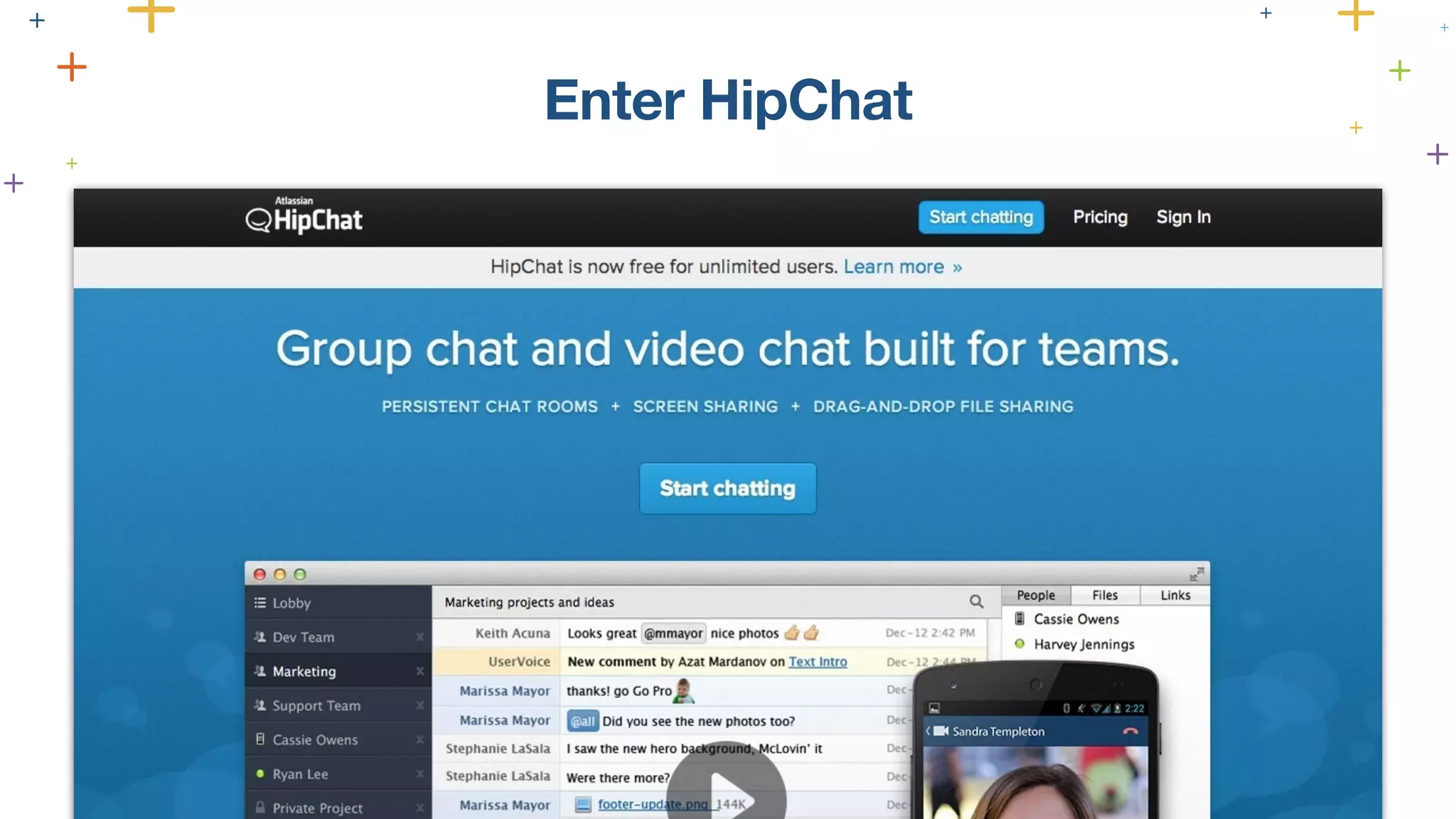
Enter HipChat
Less than 1 hour to 
setup
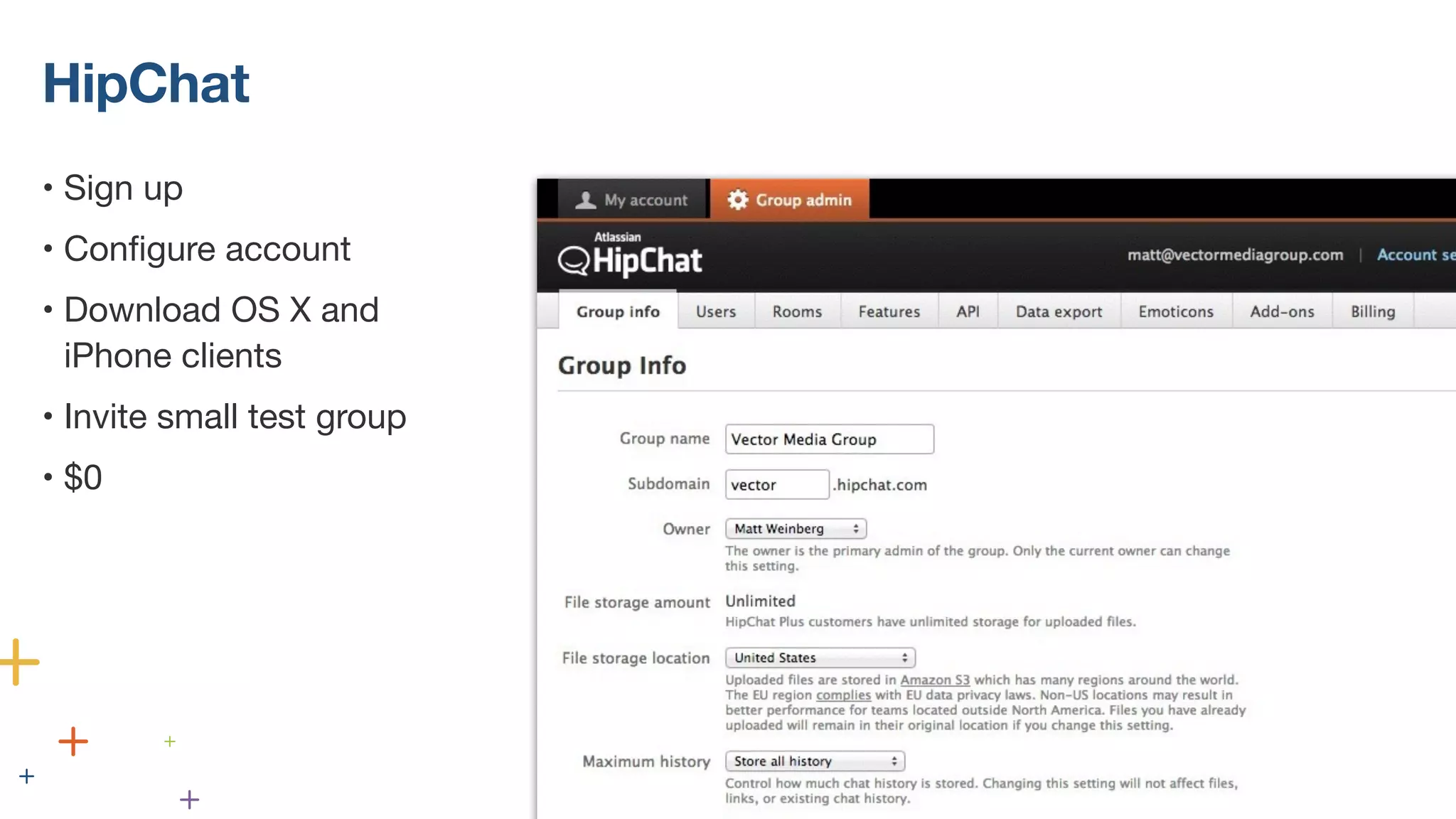
HipChat 
• Sign up 
• Configure account 
• Download OS X and 
iPhone clients 
• Invite small test group 
• $0
This Is SO MUCH BETTER Than Skype 
“ BENJAMIN SMITH, VECTOR’S TECHNICAL LEAD ”
Benefits for our team 
• Support for easy 1-on-1 and group chats 
• Full and searchable chat history 
• File uploads are indexed and stored (and listed in sidebar) 
• Robust API 
• Great native OS X, iPhone, Windows, and Android apps 
• @mention and @here support 
• Per-room unread bar 
• Users added later get room’s full history
Over 300,000 messages sent by humans
Our HipChat Setup 
NON-PROJECT ROOMS 
PROJECT ROOMS 
1-ON-1 MESSAGES
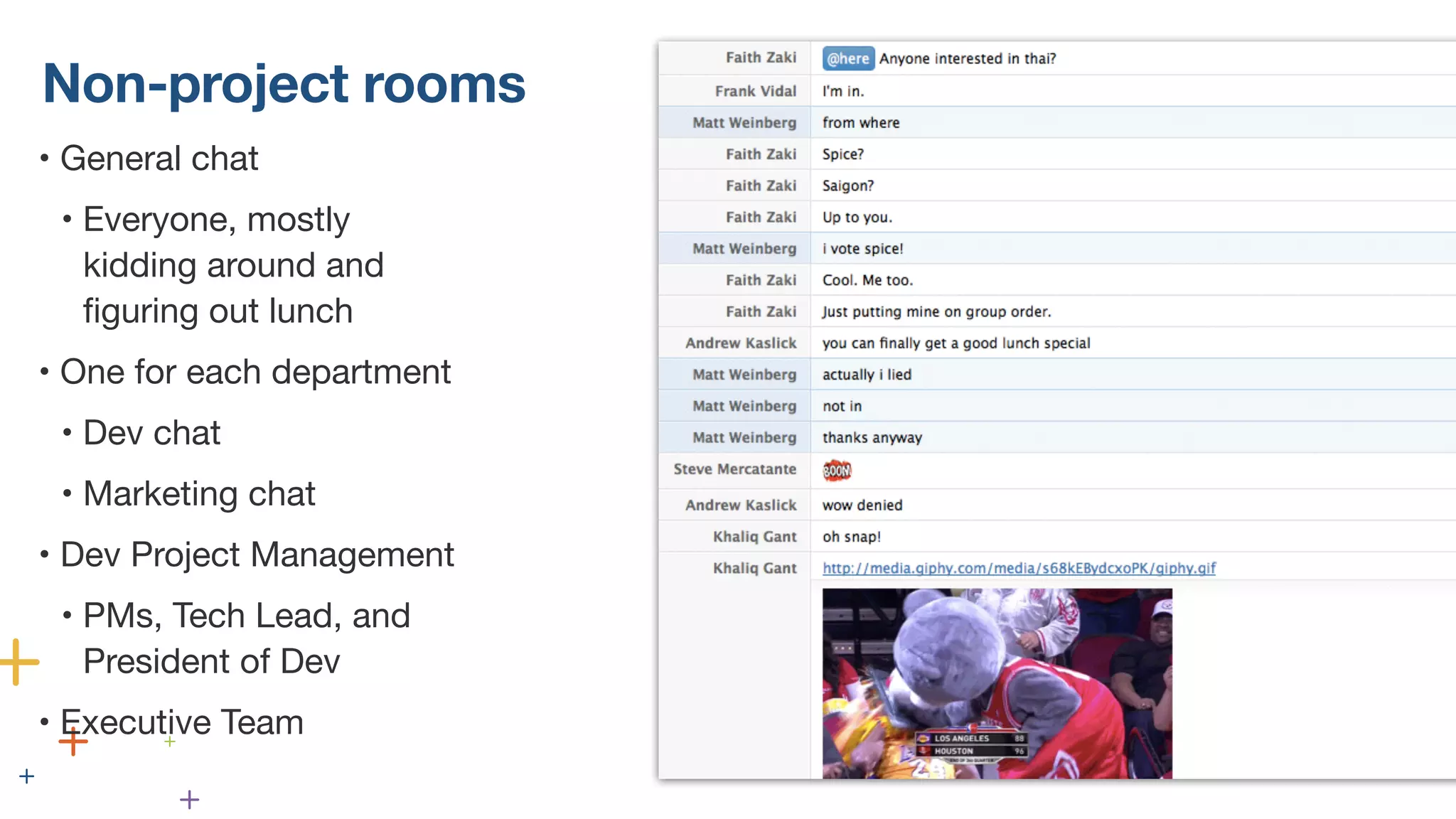
Non-project rooms 
• General chat 
• Everyone, mostly 
kidding around and 
figuring out lunch 
• One for each department 
• Dev chat 
• Marketing chat 
• Dev Project Management 
• PMs, Tech Lead, and 
President of Dev 
• Executive Team
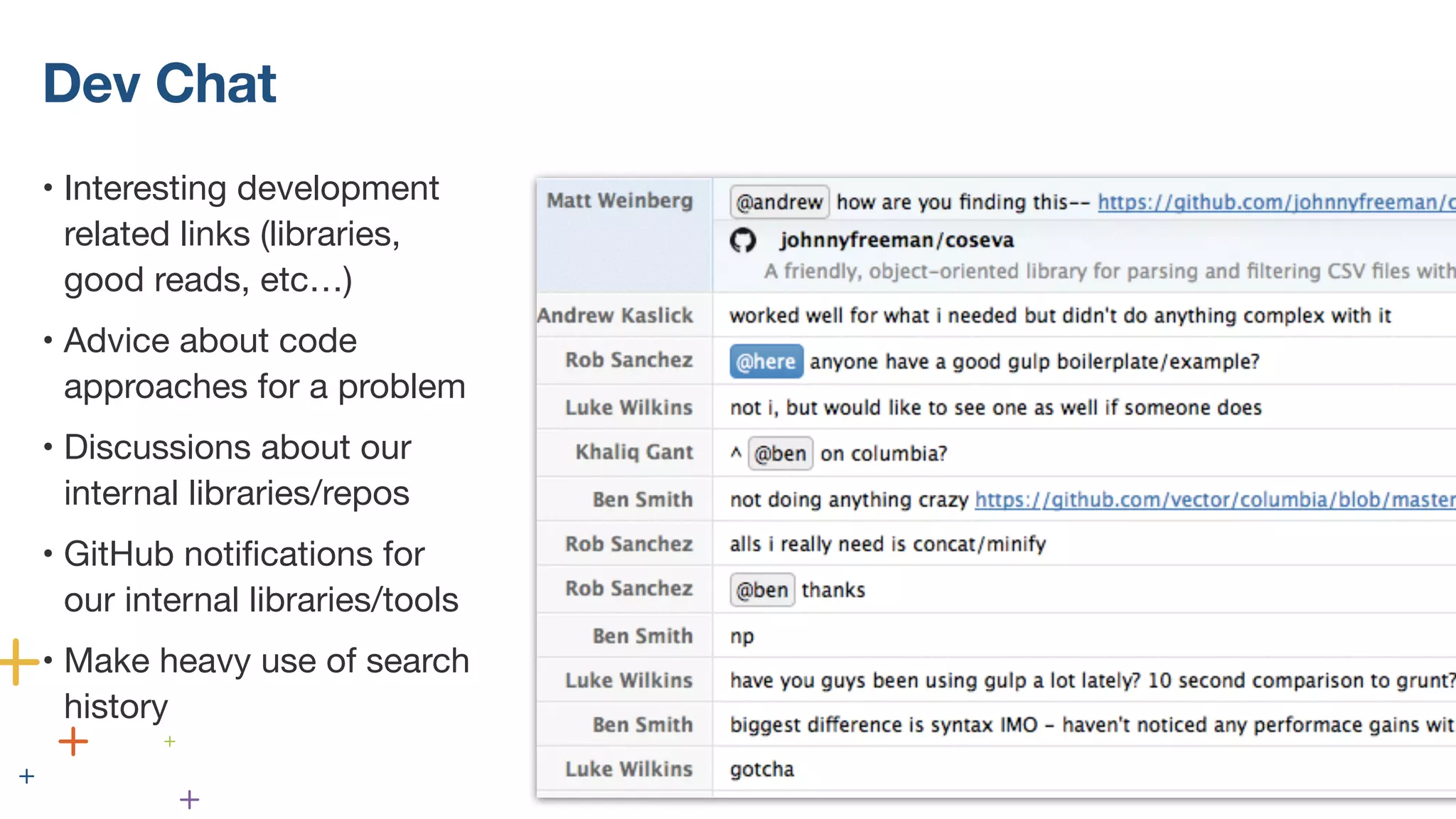
Dev Chat 
• Interesting development 
related links (libraries, 
good reads, etc…) 
• Advice about code 
approaches for a problem 
• Discussions about our 
internal libraries/repos 
• GitHub notifications for 
our internal libraries/tools 
• Make heavy use of search 
history
Project Rooms 
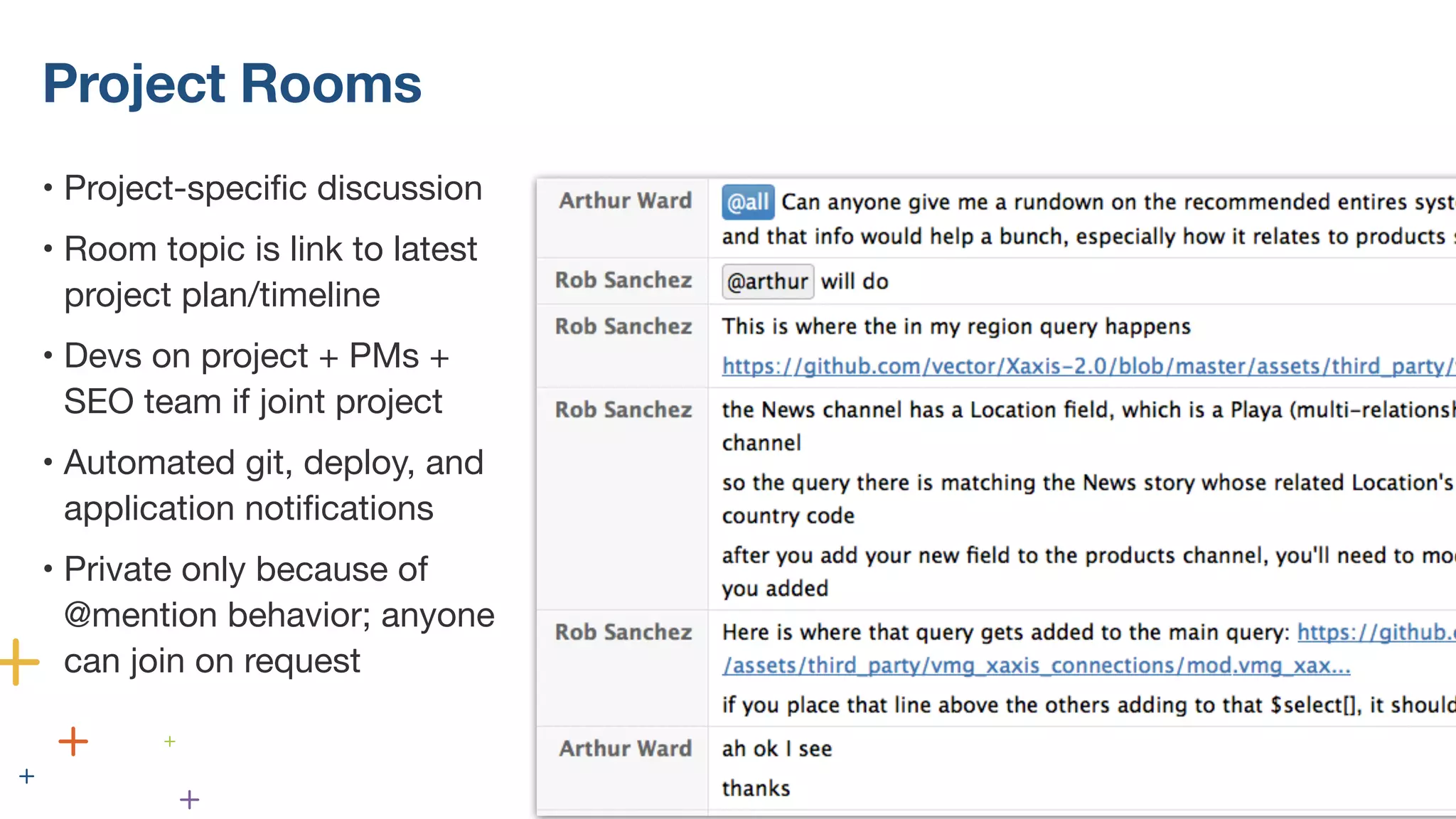
• Project-specific discussion 
• Room topic is link to latest 
project plan/timeline 
• Devs on project + PMs + 
SEO team if joint project 
• Automated git, deploy, and 
application notifications 
• Private only because of 
@mention behavior; anyone 
can join on request
1-on-1 messages 
about projects 
should always move 
to that project’s 
room
Other etiquette we’ve figured out 
• At setup: 
• Turn off icon bounces/sounds 
• Turn off notifications except for @mentions and 1-on-1s 
• Group rooms are asynchronous 
• People will catch up later 
• Need immediate response? @mention or @here 
• Favor @here over @all 
• Use /code when pasting code 
• Remember: don’t let project talk happen in 1-on-1s
Integrations and 
Automation
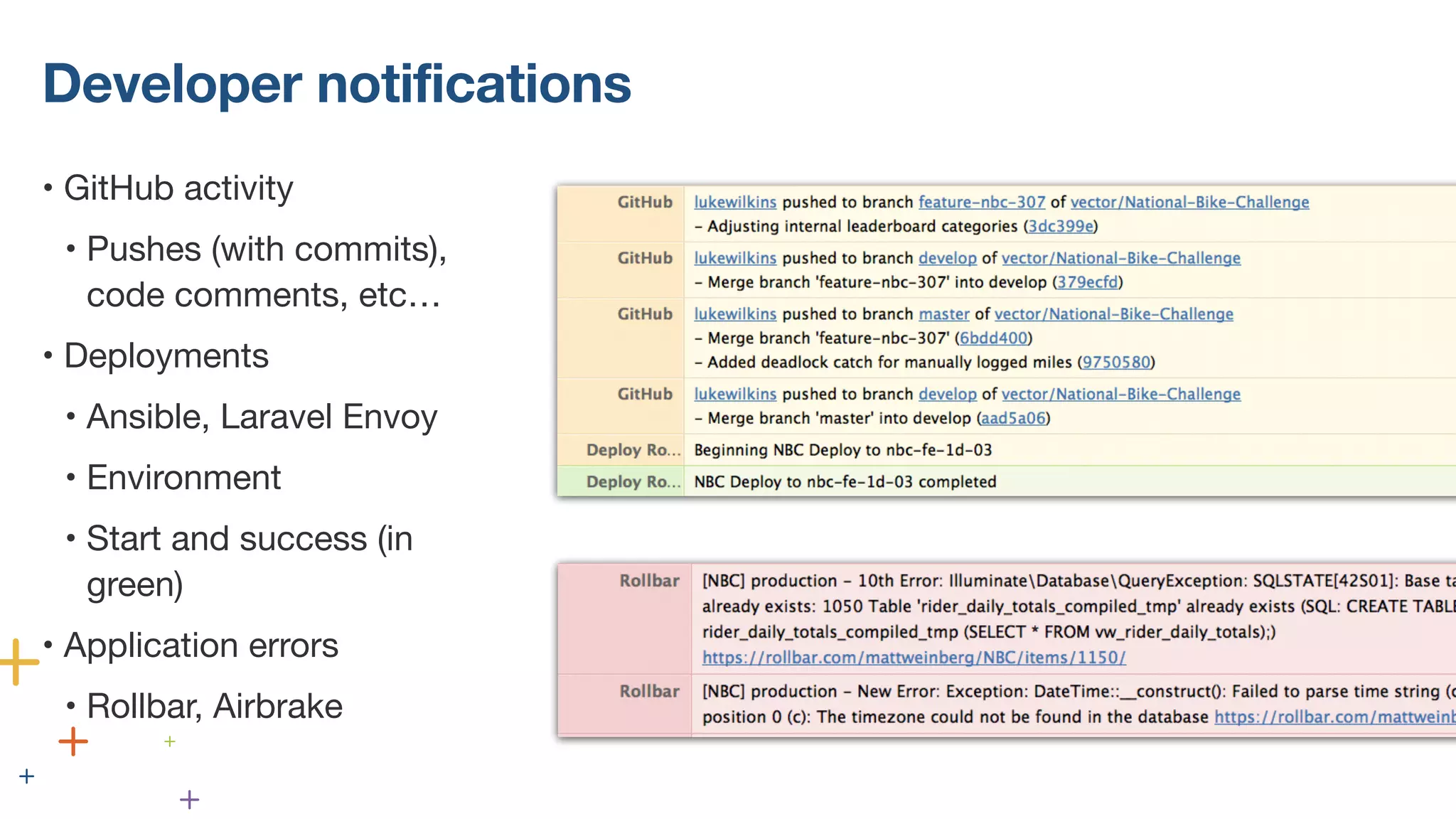
Developer notifications 
• GitHub activity 
• Pushes (with commits), 
code comments, etc… 
• Deployments 
• Ansible, Laravel Envoy 
• Environment 
• Start and success (in 
green) 
• Application errors 
• Rollbar, Airbrake
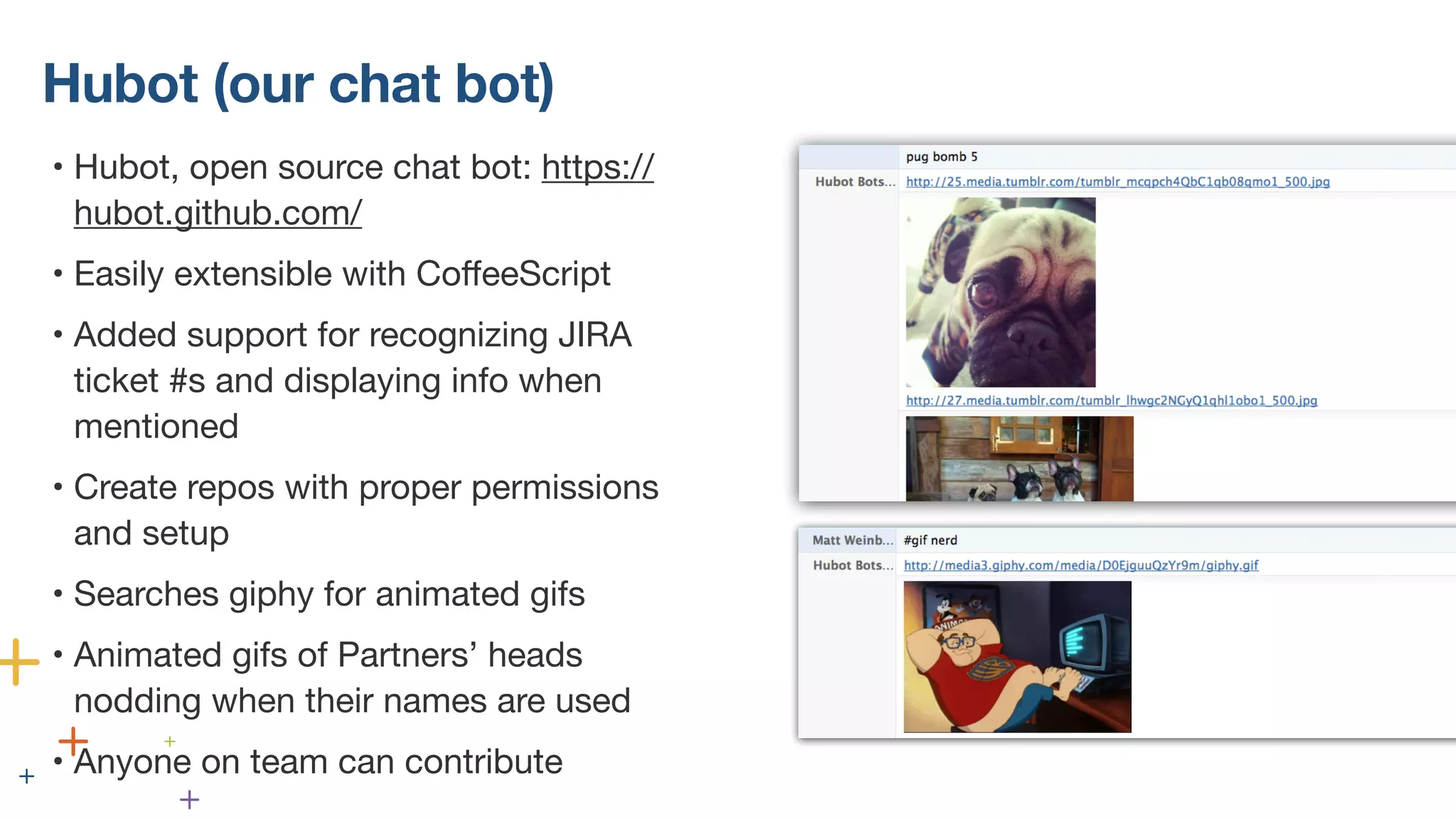
Hubot (our chat bot) 
• Hubot, open source chat bot: https:// 
hubot.github.com/ 
• Easily extensible with CoffeeScript 
• Added support for recognizing JIRA 
ticket #s and displaying info when 
mentioned 
• Create repos with proper permissions 
and setup 
• Searches giphy for animated gifs 
• Animated gifs of Partners’ heads 
nodding when their names are used 
• Anyone on team can contribute
Key takeaways: 
• You don’t realize how much better team communication can 
be than regular IM until you try HipChat 
• HipChat is extremely easy to setup and very cheap/free 
• Standardize behavior that organically develops, and make 
etiquette around usage 
• Integrate with other systems and customize as much as 
possible. HipChat is our command center for a lot of tasks 
#atlassian
Thank you! 
MATTHEW WEINBERG • PRESIDENT OF DEVELOPMENT • VECTOR MEDIA GROUP • @MRW

How to Use HipChat to Collaborate and Build Culture - Matthew Weinberg

  • 1.
  • 2.
    How to UseHipChat to Collaborate and Build Culture MATT WEINBERG • PRESIDENT, DEVELOPMENT • VECTOR MEDIA GROUP • @MRW
  • 3.
  • 4.
    WHO AM I? • Co-founder and President of Development & Technology at Vector Media Group • Vector is an NYC interactive agency • 20 people: 15 on-site, 5 off-site • From 3->20 people in 3.5 years • Business is split between web/mobile development and online marketing (SEO/SEM/PPC) • Company-wide, working on 15+ projects at any time
  • 5.
  • 6.
    PREVIOUSLY… • Nocommunication issues as a company of 3 in the same room, working on 1-2 projects • Basecamp with clients • Skype for group chat • Google Chat for IM • Hard to organize communication at 4+ people, with multiple teams and projects
  • 7.
  • 8.
    GROWING PAINS •IM about a project, copy/paste it to someone else later • Chat history is mixed with emails in Gmail • Skype group IMs are not great • Single threads about multiple projects • Hard to get context after a few hours away • File uploads were non-existent or ephemeral
  • 9.
  • 10.
    Less than 1hour to setup
  • 11.
    HipChat • Signup • Configure account • Download OS X and iPhone clients • Invite small test group • $0
  • 12.
    This Is SOMUCH BETTER Than Skype “ BENJAMIN SMITH, VECTOR’S TECHNICAL LEAD ”
  • 13.
    Benefits for ourteam • Support for easy 1-on-1 and group chats • Full and searchable chat history • File uploads are indexed and stored (and listed in sidebar) • Robust API • Great native OS X, iPhone, Windows, and Android apps • @mention and @here support • Per-room unread bar • Users added later get room’s full history
  • 14.
    Over 300,000 messagessent by humans
  • 15.
    Our HipChat Setup NON-PROJECT ROOMS PROJECT ROOMS 1-ON-1 MESSAGES
  • 16.
    Non-project rooms •General chat • Everyone, mostly kidding around and figuring out lunch • One for each department • Dev chat • Marketing chat • Dev Project Management • PMs, Tech Lead, and President of Dev • Executive Team
  • 17.
    Dev Chat •Interesting development related links (libraries, good reads, etc…) • Advice about code approaches for a problem • Discussions about our internal libraries/repos • GitHub notifications for our internal libraries/tools • Make heavy use of search history
  • 18.
    Project Rooms •Project-specific discussion • Room topic is link to latest project plan/timeline • Devs on project + PMs + SEO team if joint project • Automated git, deploy, and application notifications • Private only because of @mention behavior; anyone can join on request
  • 19.
    1-on-1 messages aboutprojects should always move to that project’s room
  • 20.
    Other etiquette we’vefigured out • At setup: • Turn off icon bounces/sounds • Turn off notifications except for @mentions and 1-on-1s • Group rooms are asynchronous • People will catch up later • Need immediate response? @mention or @here • Favor @here over @all • Use /code when pasting code • Remember: don’t let project talk happen in 1-on-1s
  • 21.
  • 22.
    Developer notifications •GitHub activity • Pushes (with commits), code comments, etc… • Deployments • Ansible, Laravel Envoy • Environment • Start and success (in green) • Application errors • Rollbar, Airbrake
  • 23.
    Hubot (our chatbot) • Hubot, open source chat bot: https:// hubot.github.com/ • Easily extensible with CoffeeScript • Added support for recognizing JIRA ticket #s and displaying info when mentioned • Create repos with proper permissions and setup • Searches giphy for animated gifs • Animated gifs of Partners’ heads nodding when their names are used • Anyone on team can contribute
  • 24.
    Key takeaways: •You don’t realize how much better team communication can be than regular IM until you try HipChat • HipChat is extremely easy to setup and very cheap/free • Standardize behavior that organically develops, and make etiquette around usage • Integrate with other systems and customize as much as possible. HipChat is our command center for a lot of tasks #atlassian
  • 25.
    Thank you! MATTHEWWEINBERG • PRESIDENT OF DEVELOPMENT • VECTOR MEDIA GROUP • @MRW