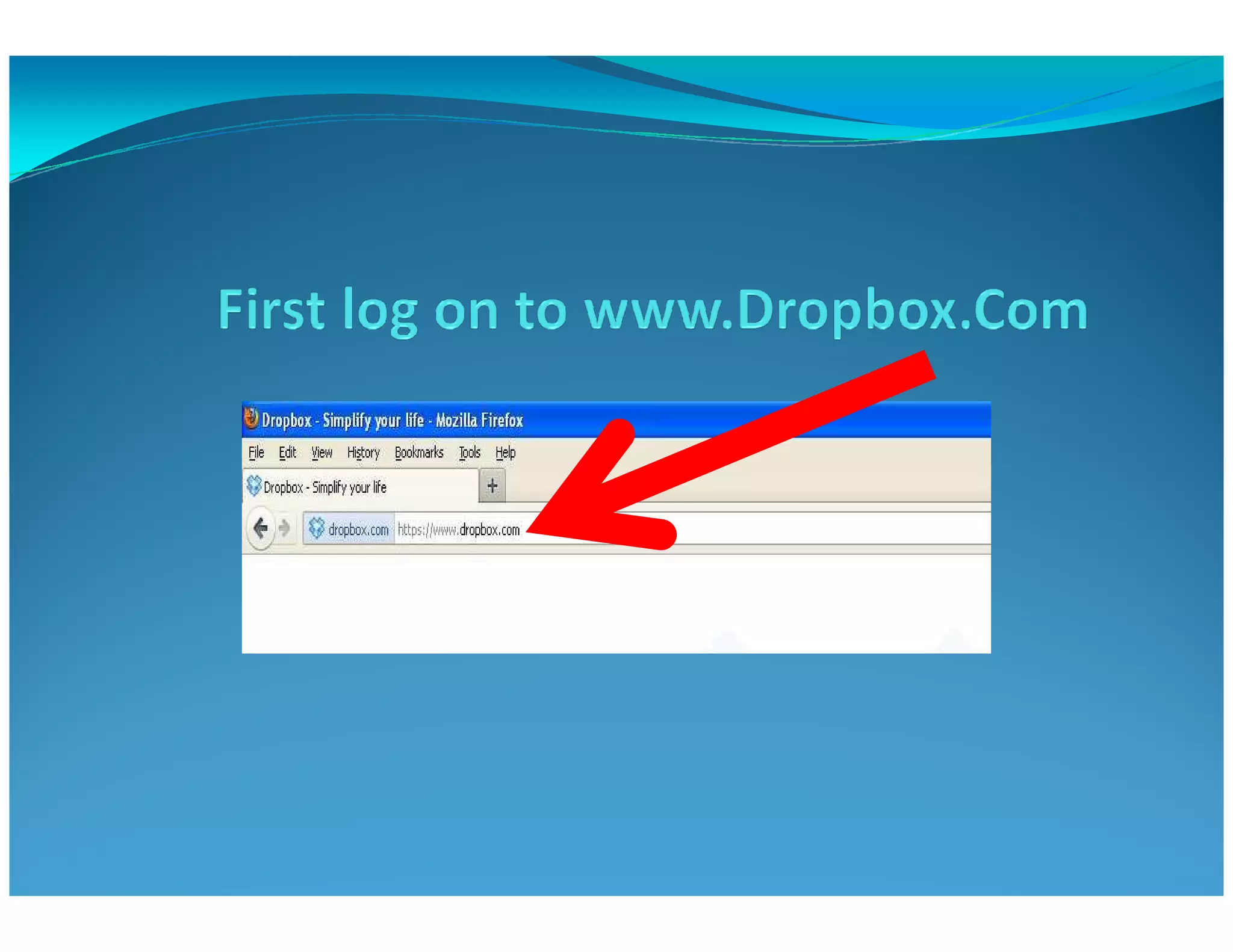
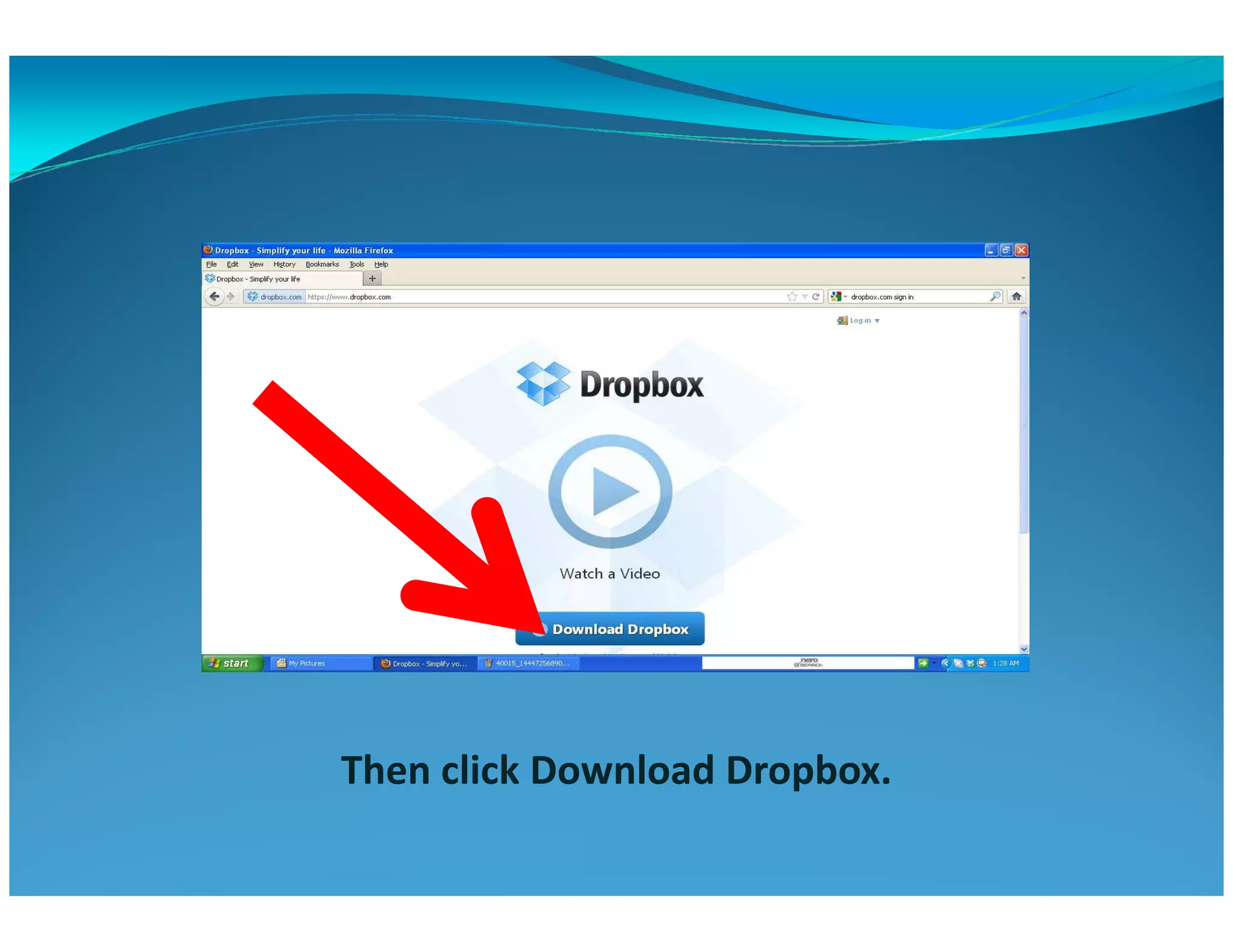
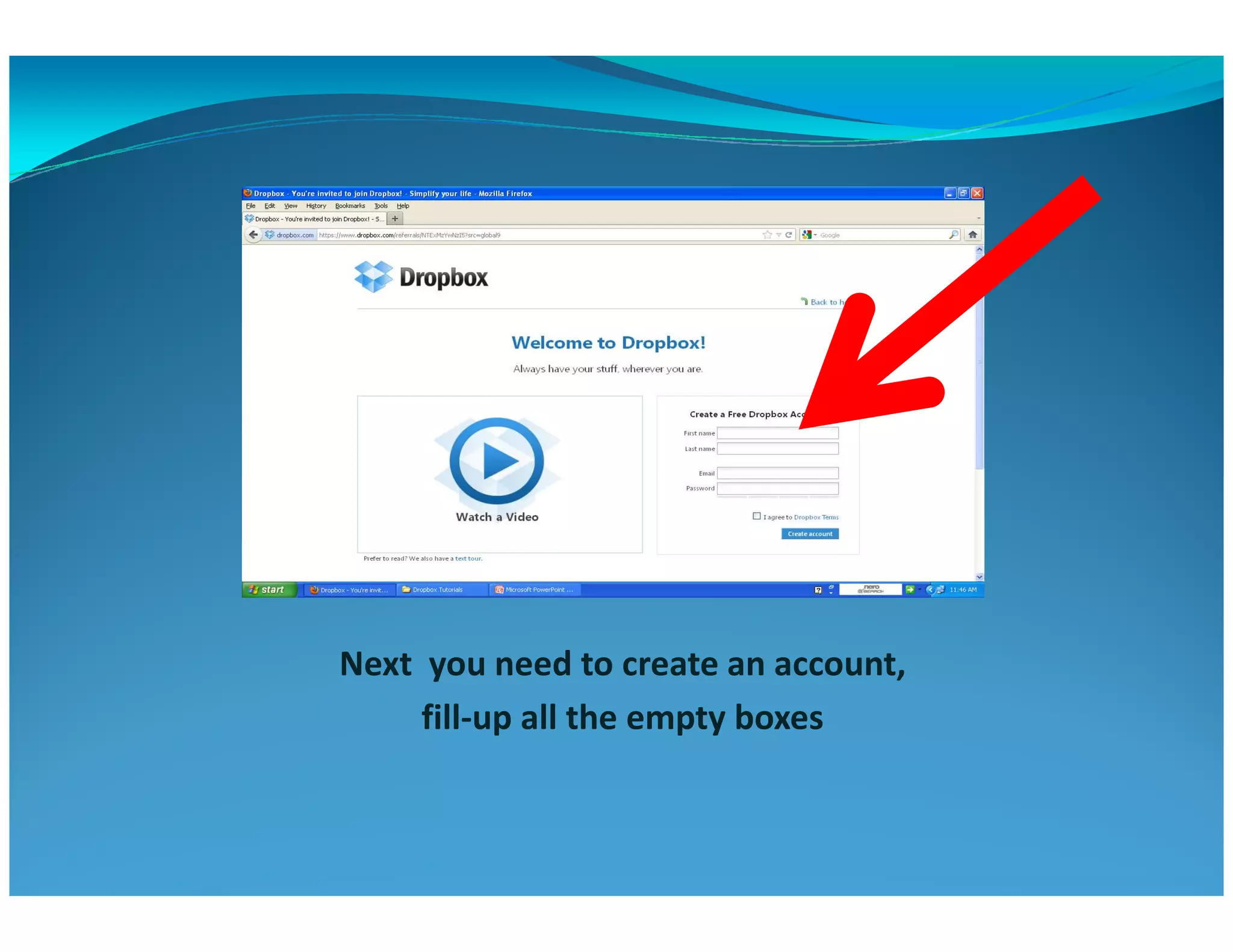
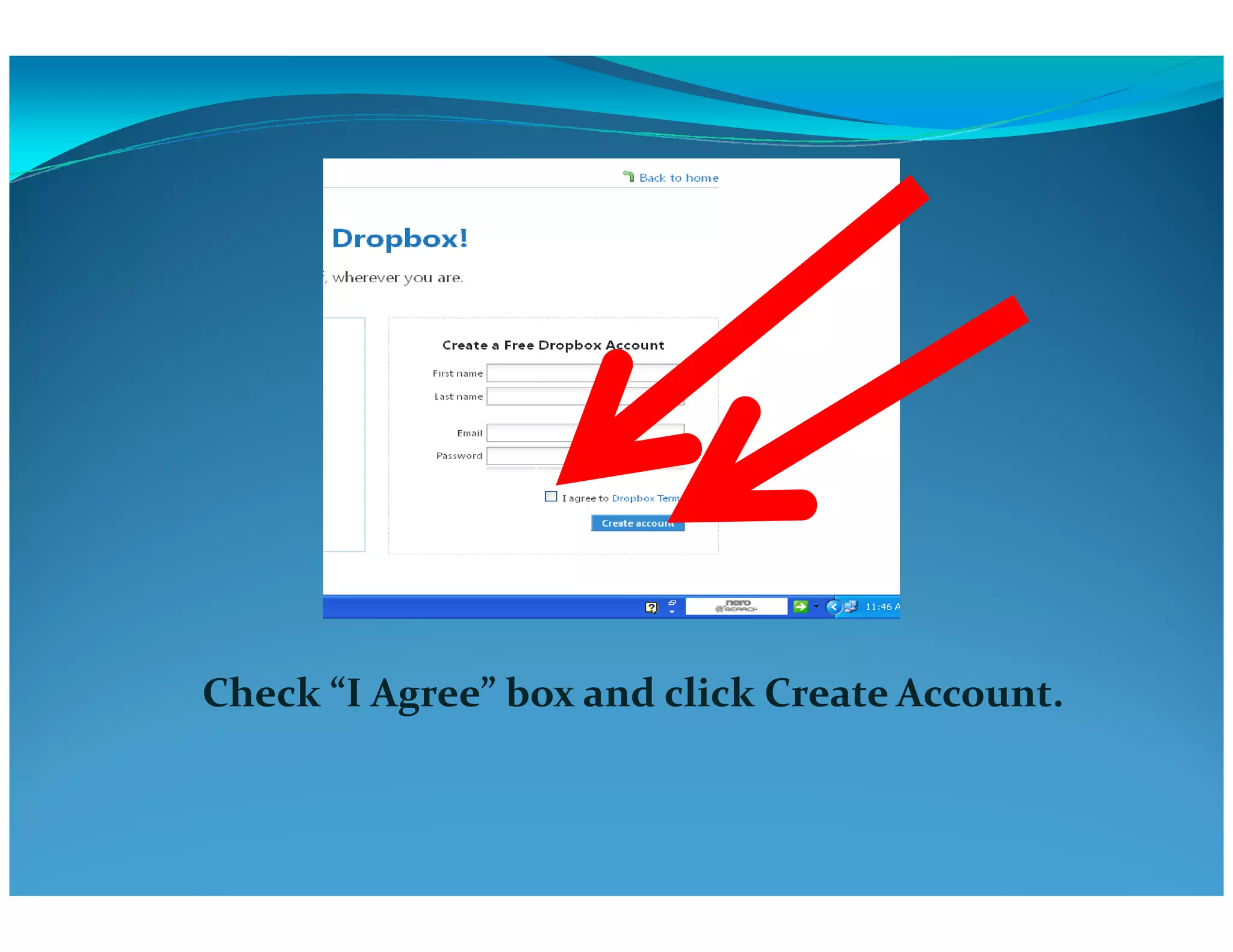
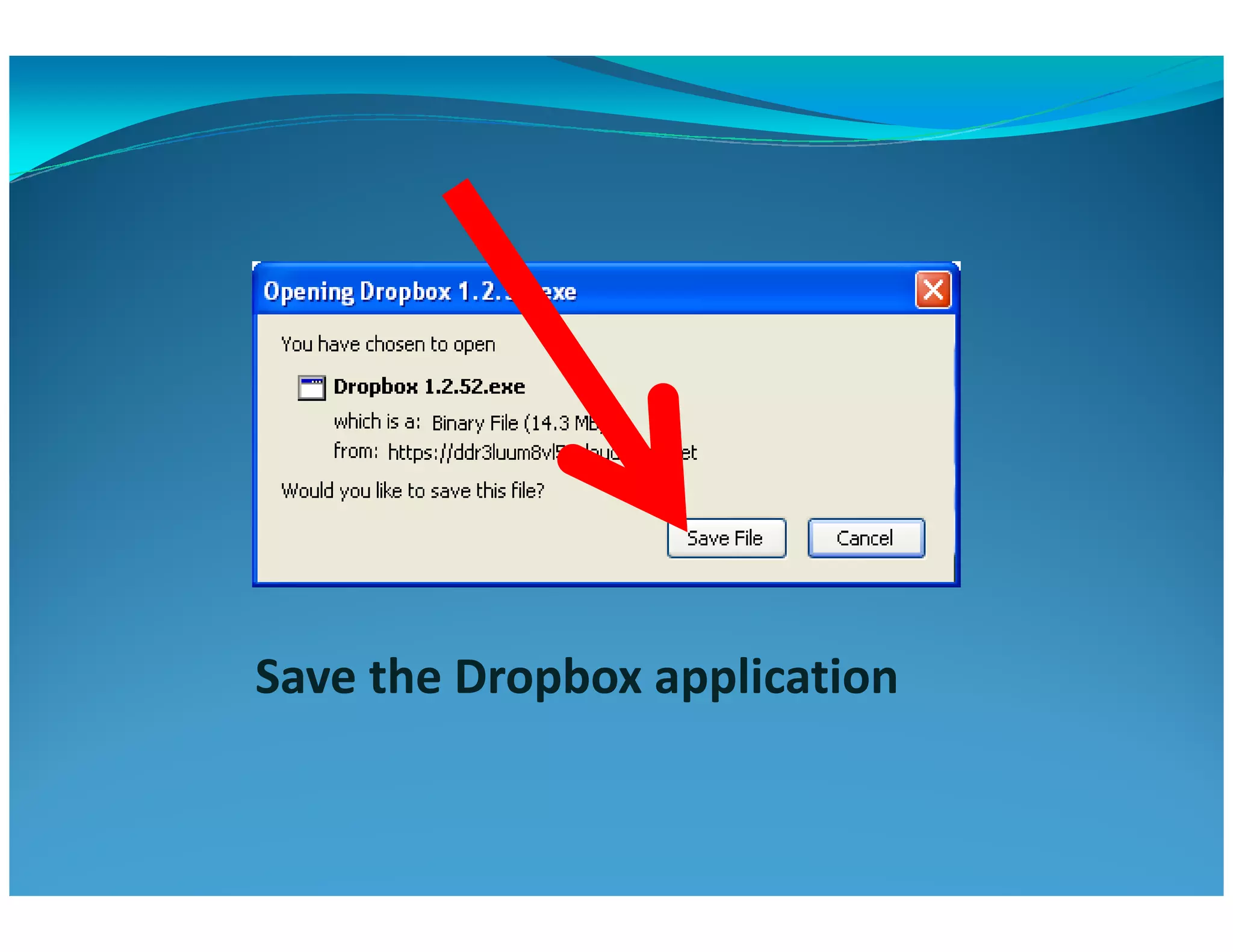
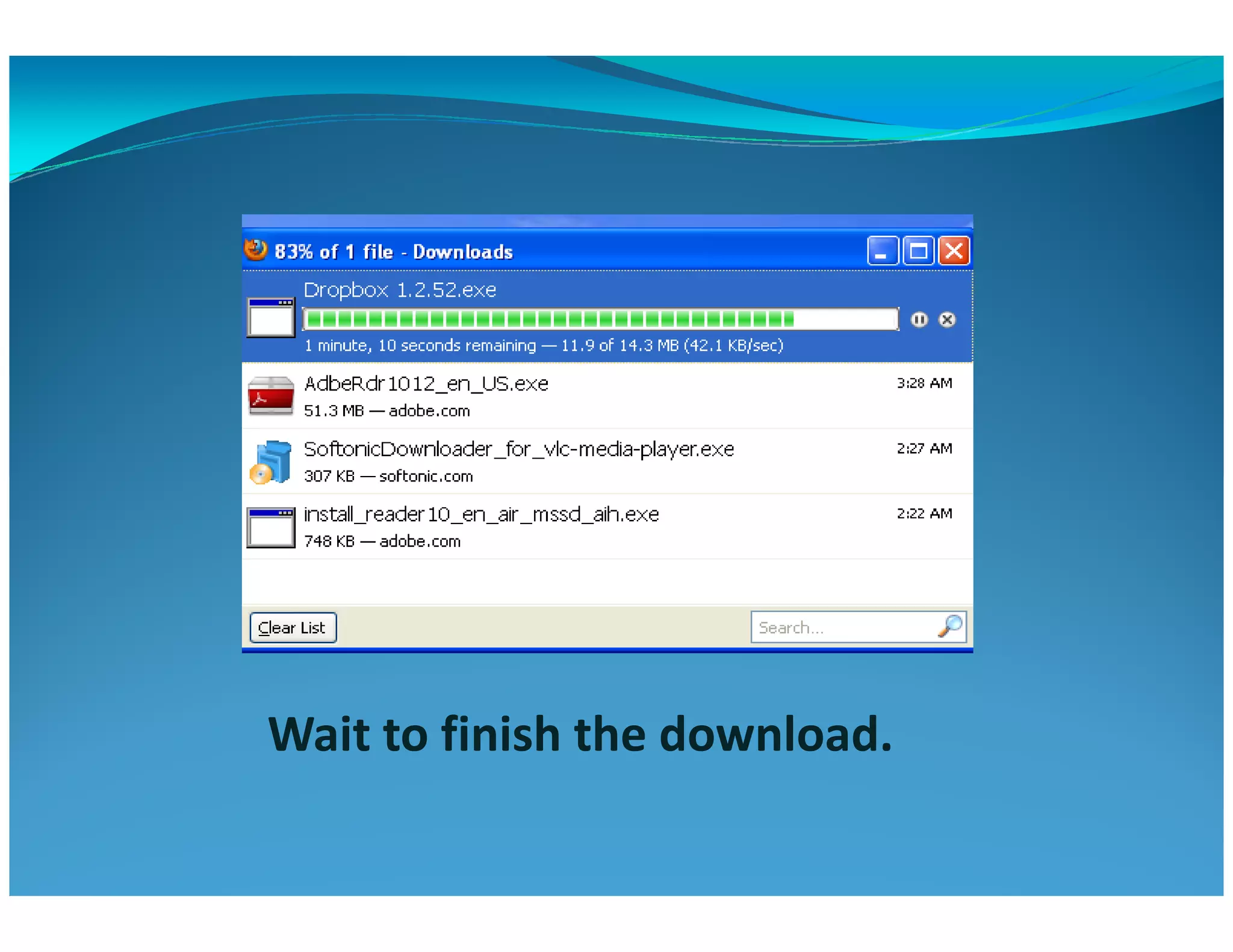
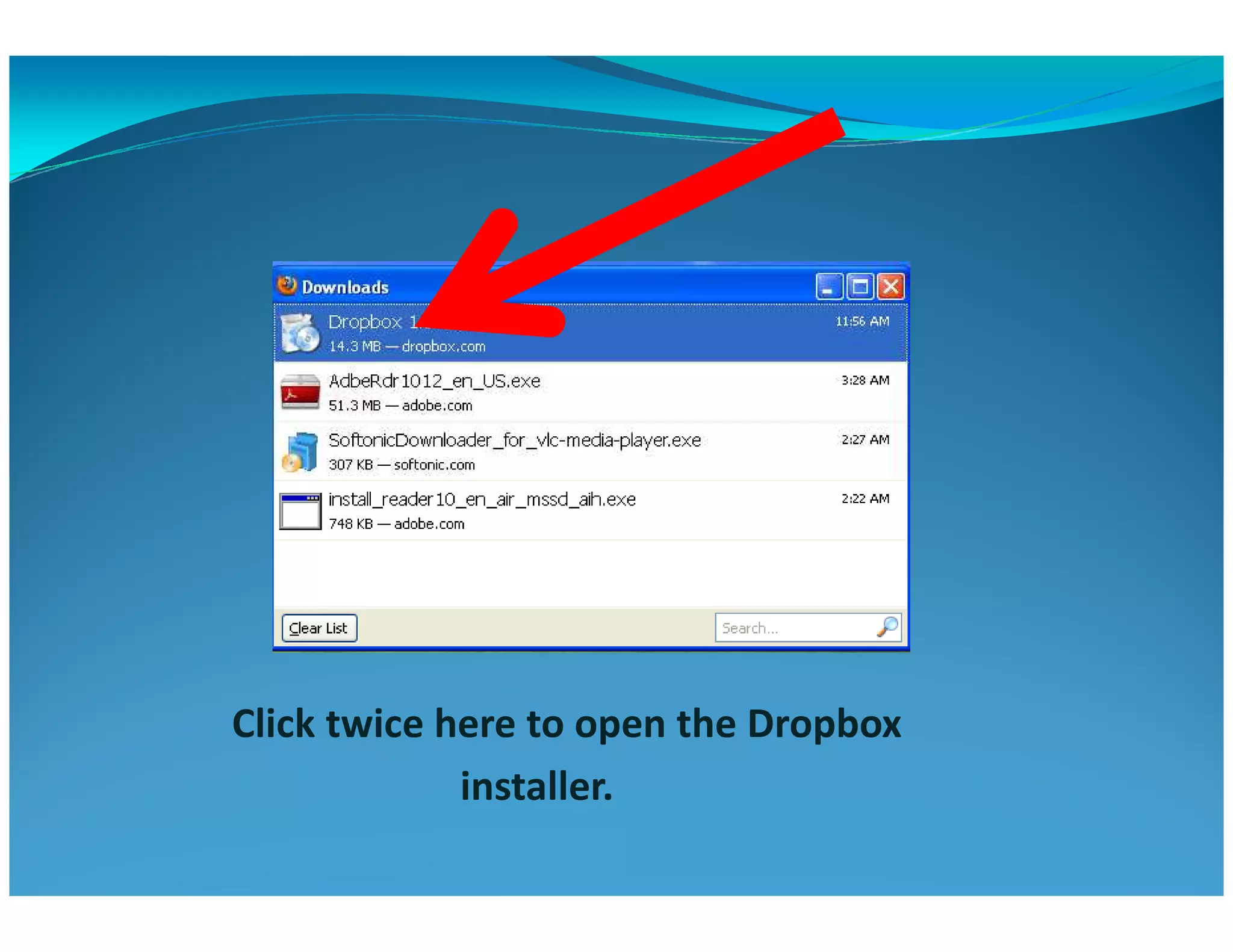
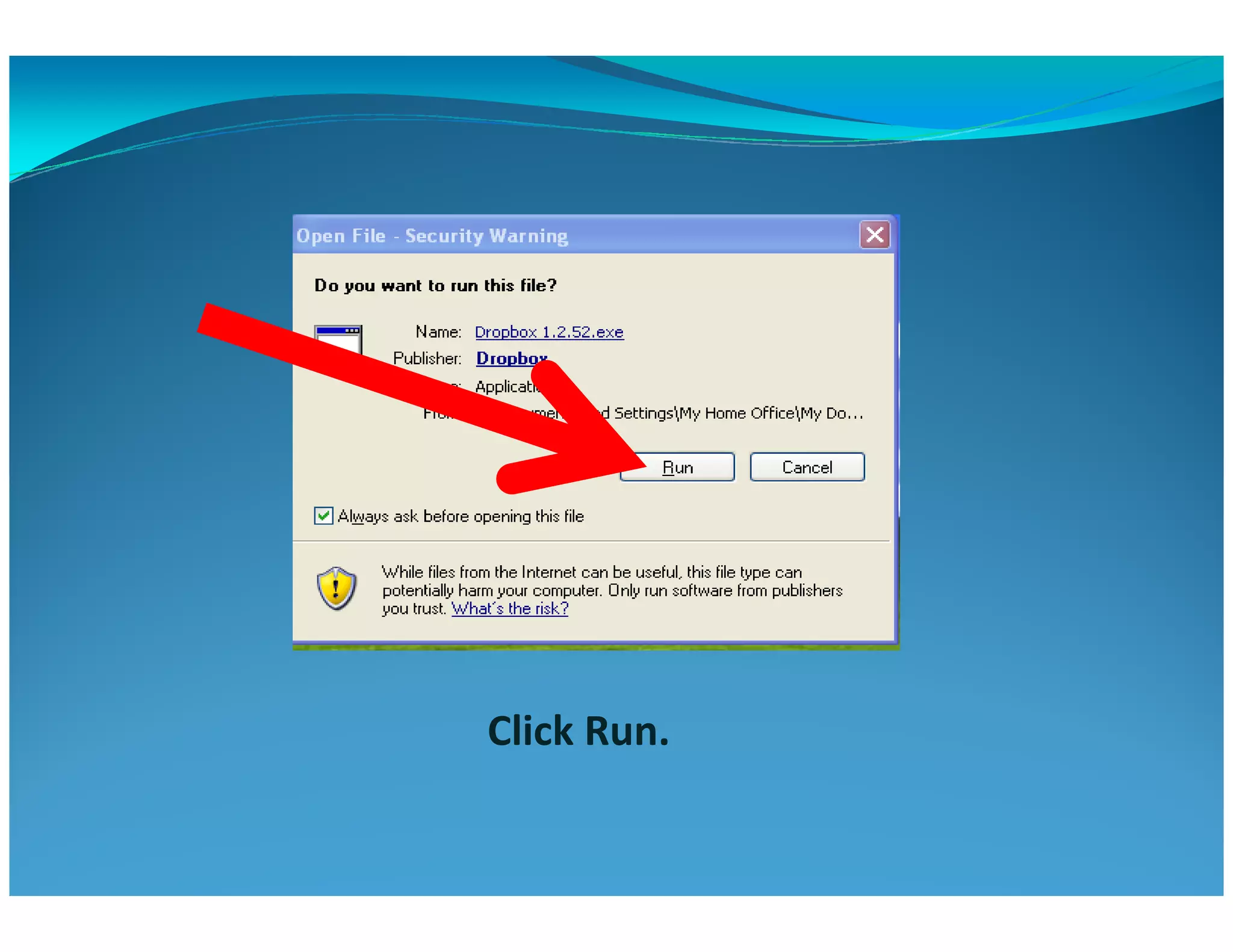
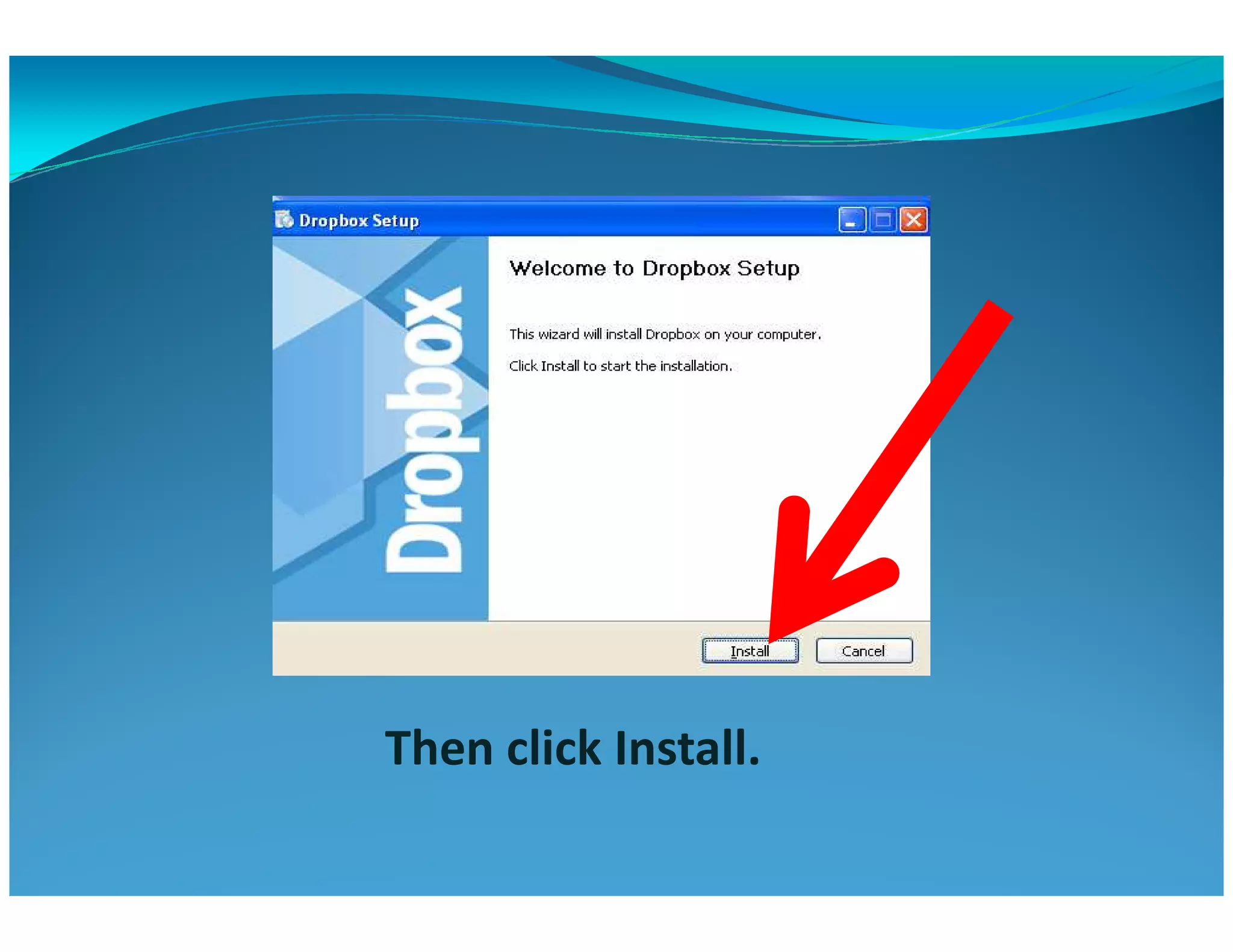
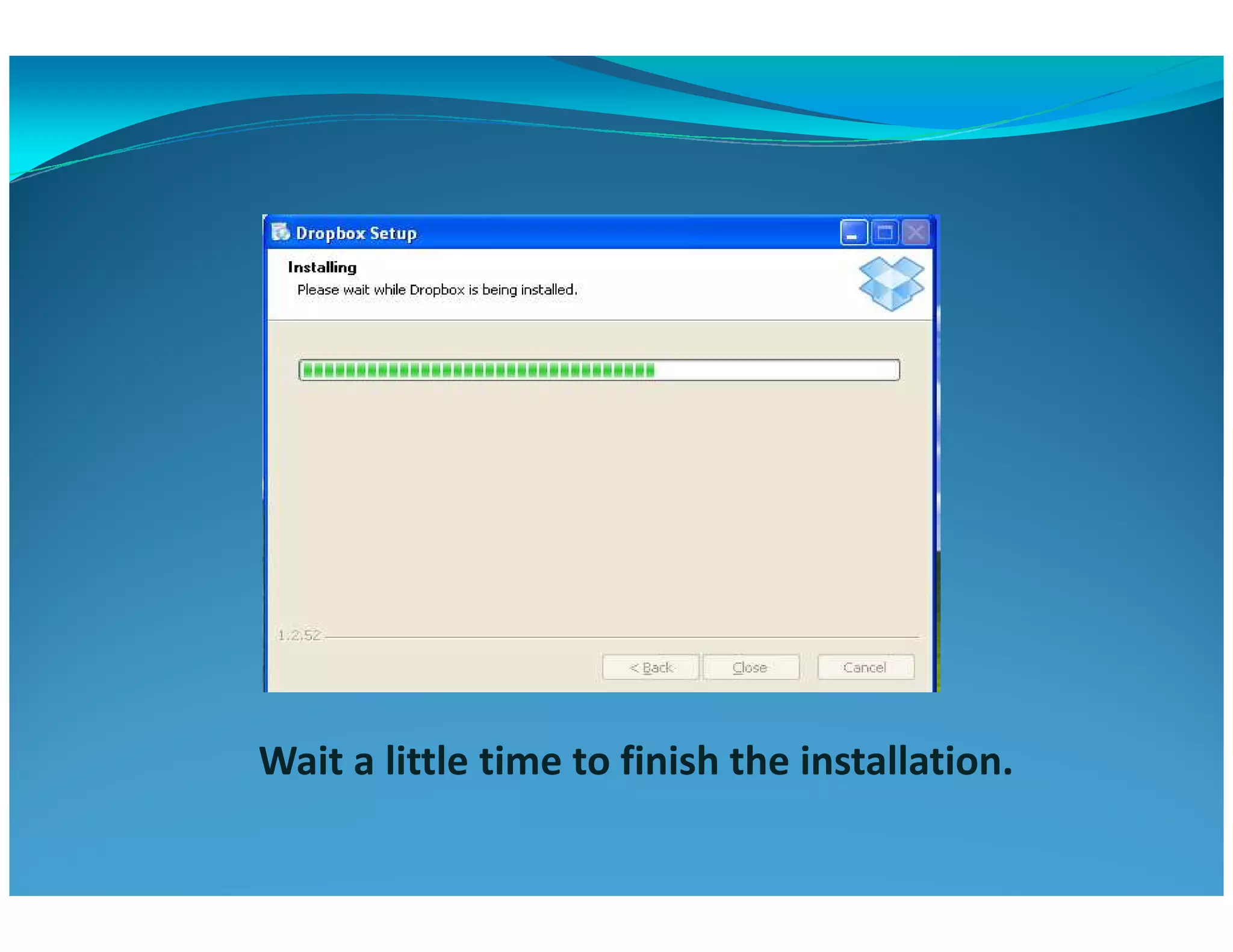
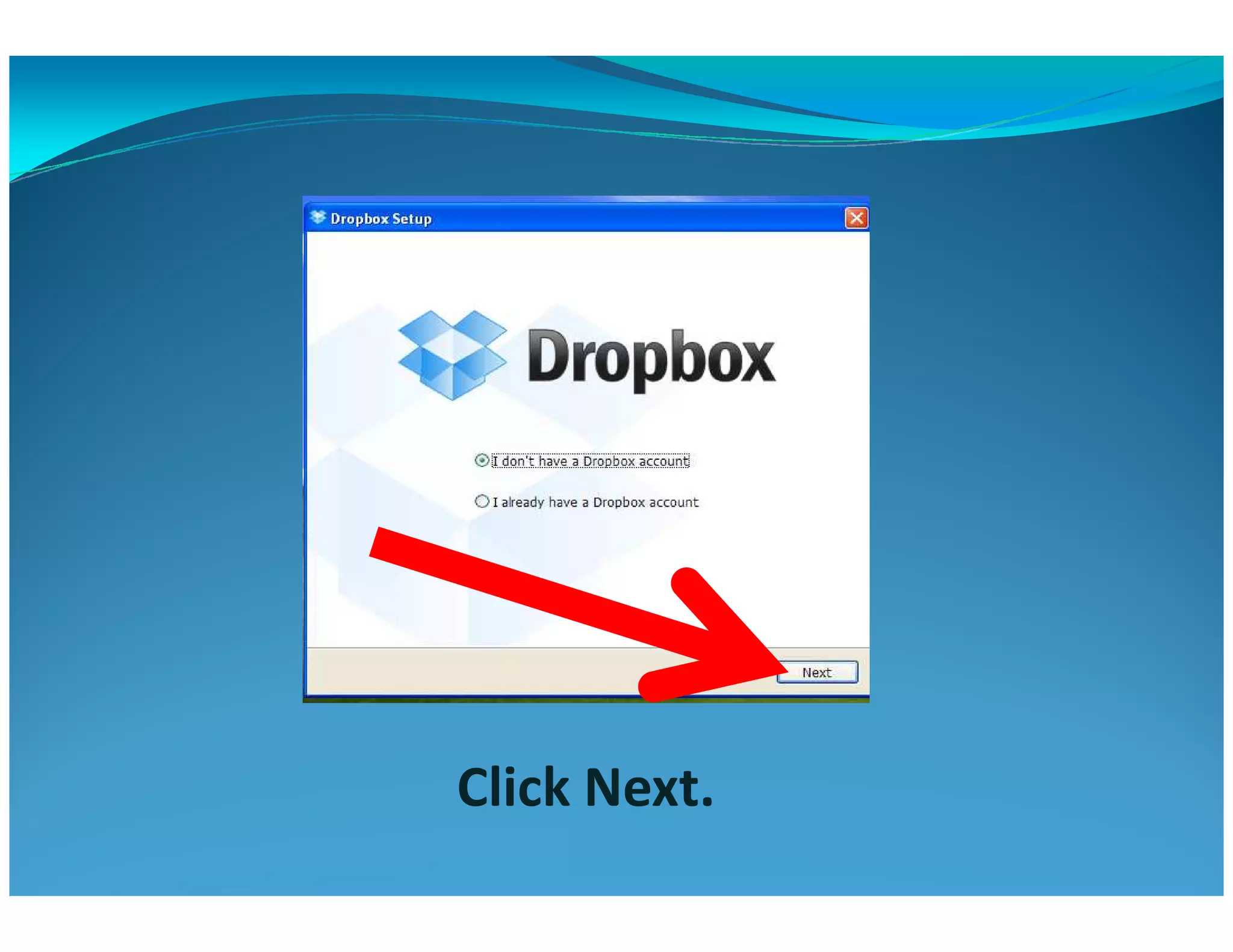
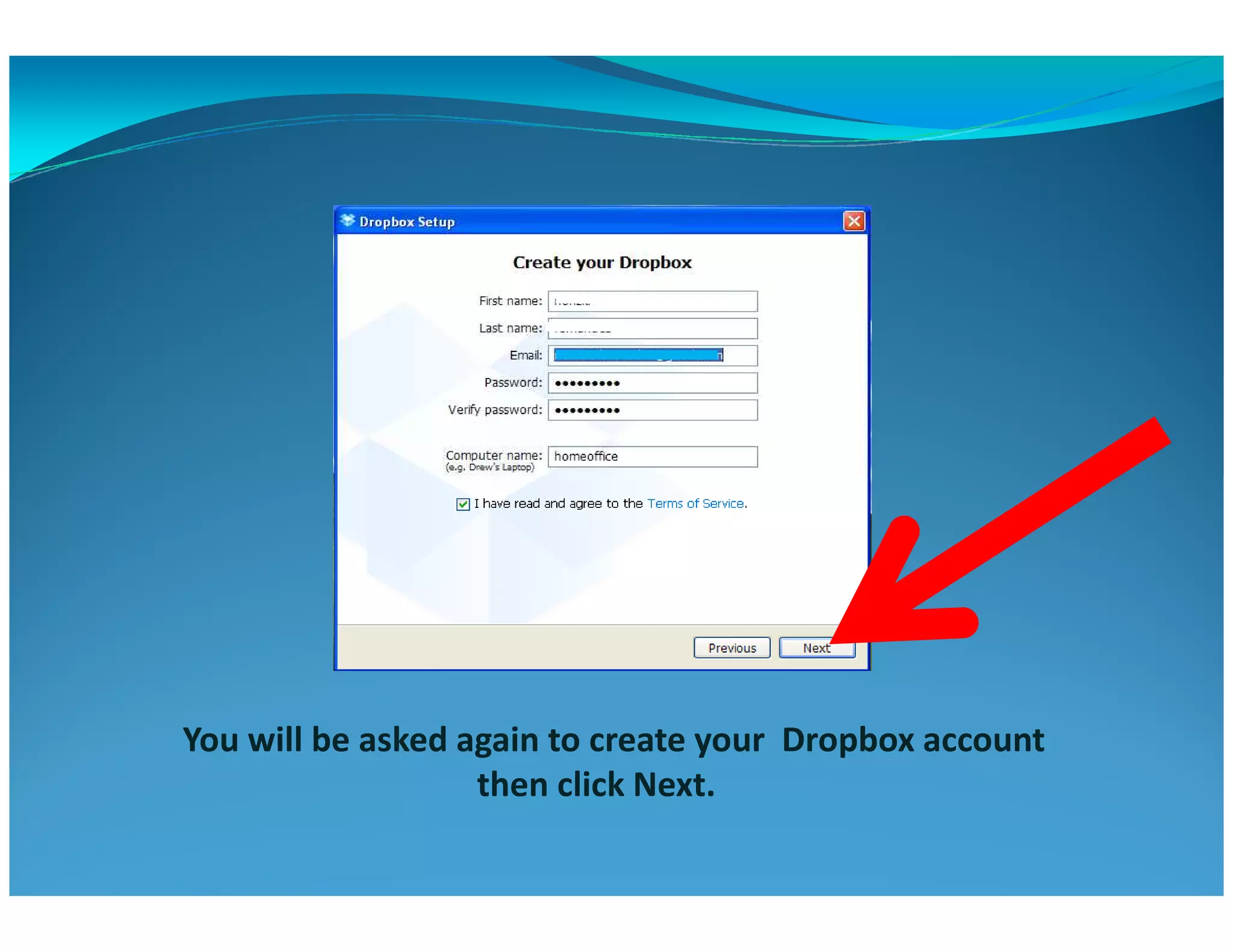
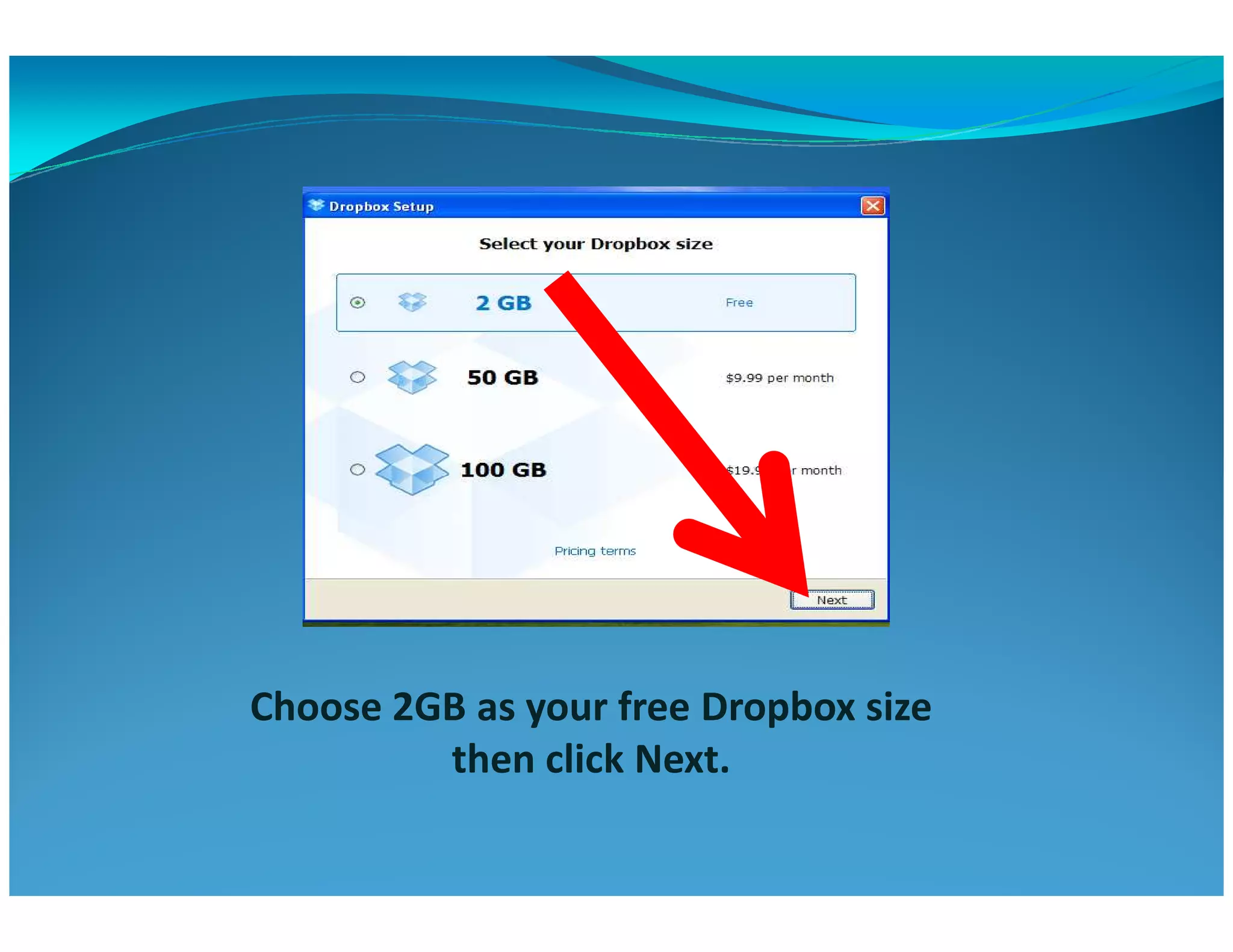
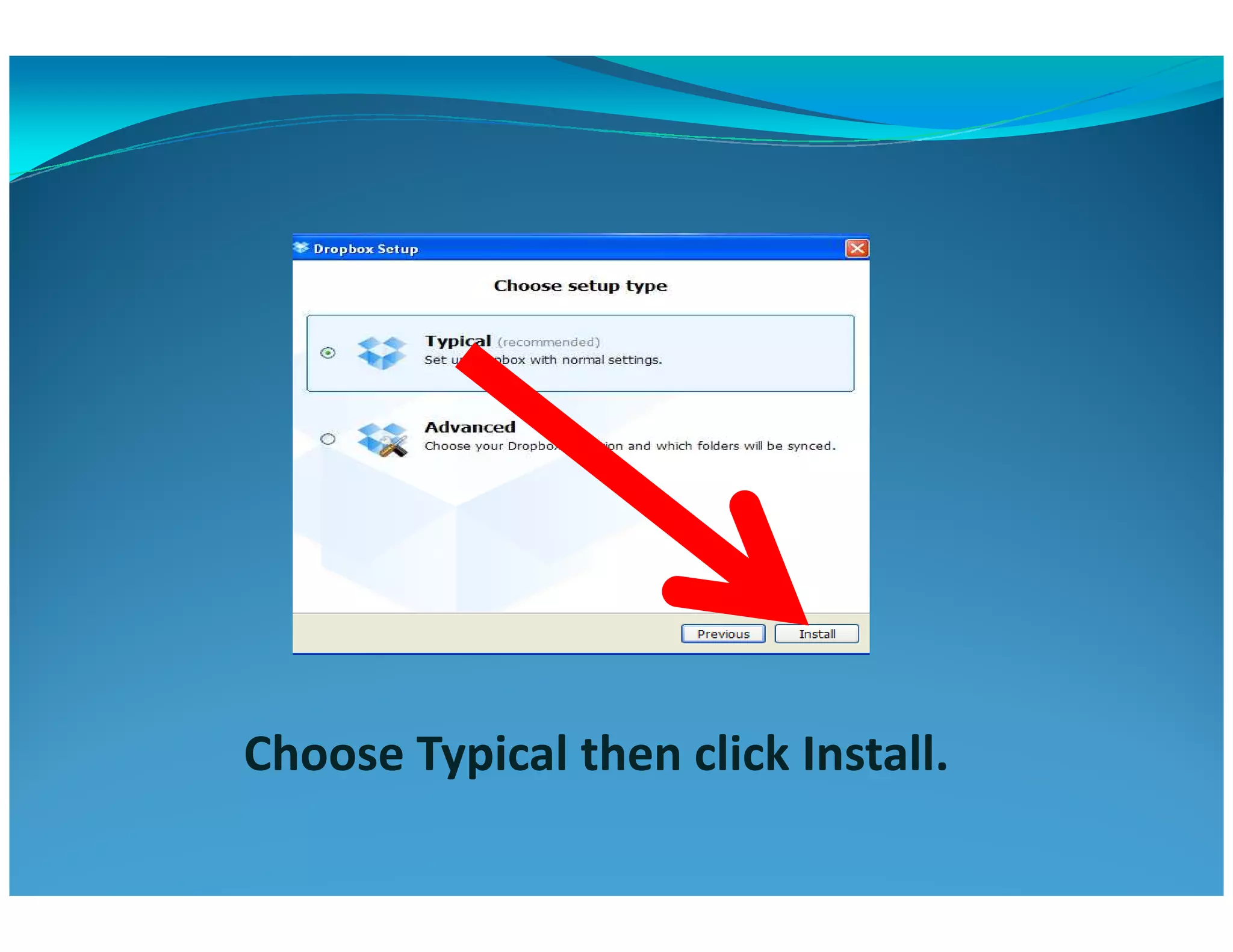
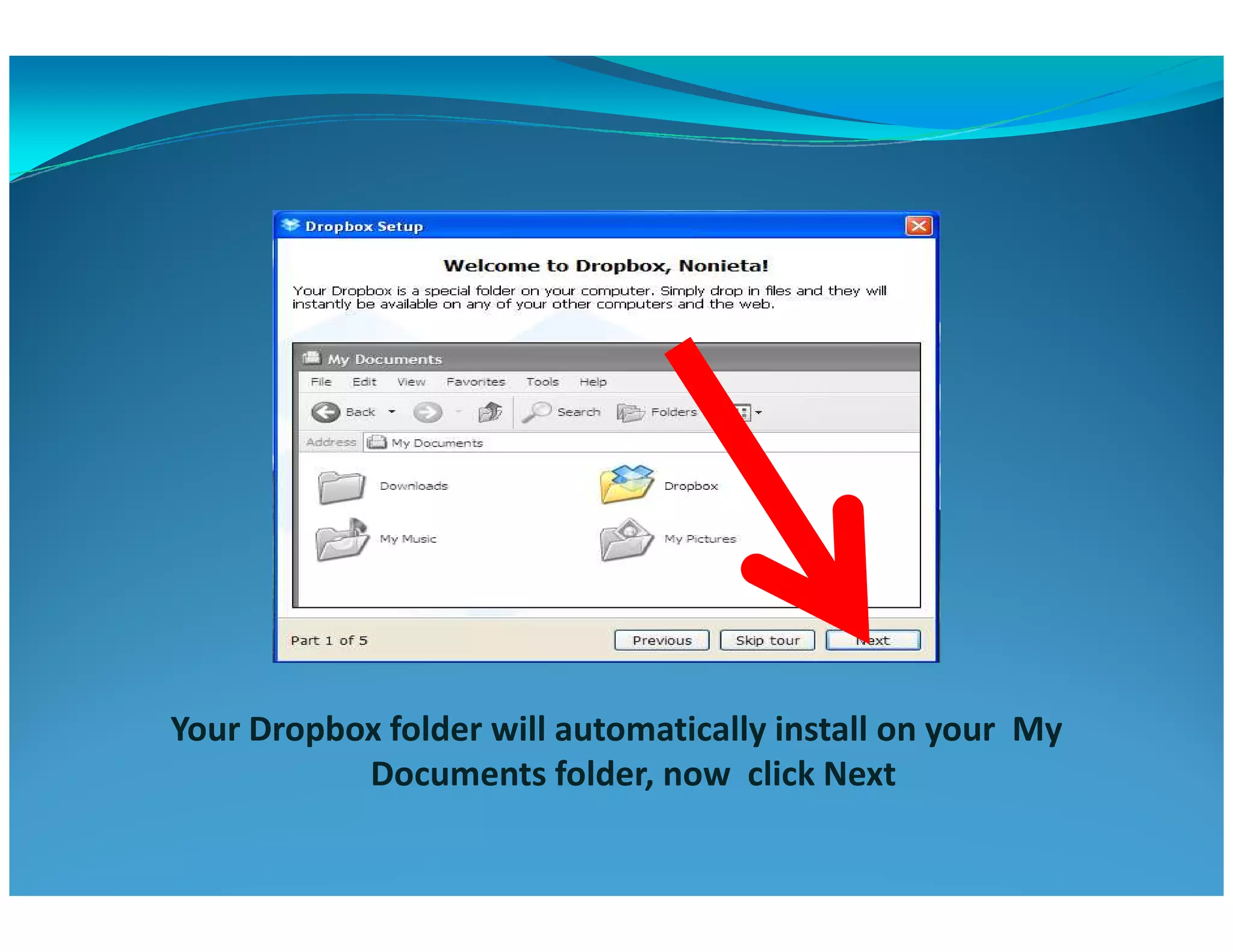
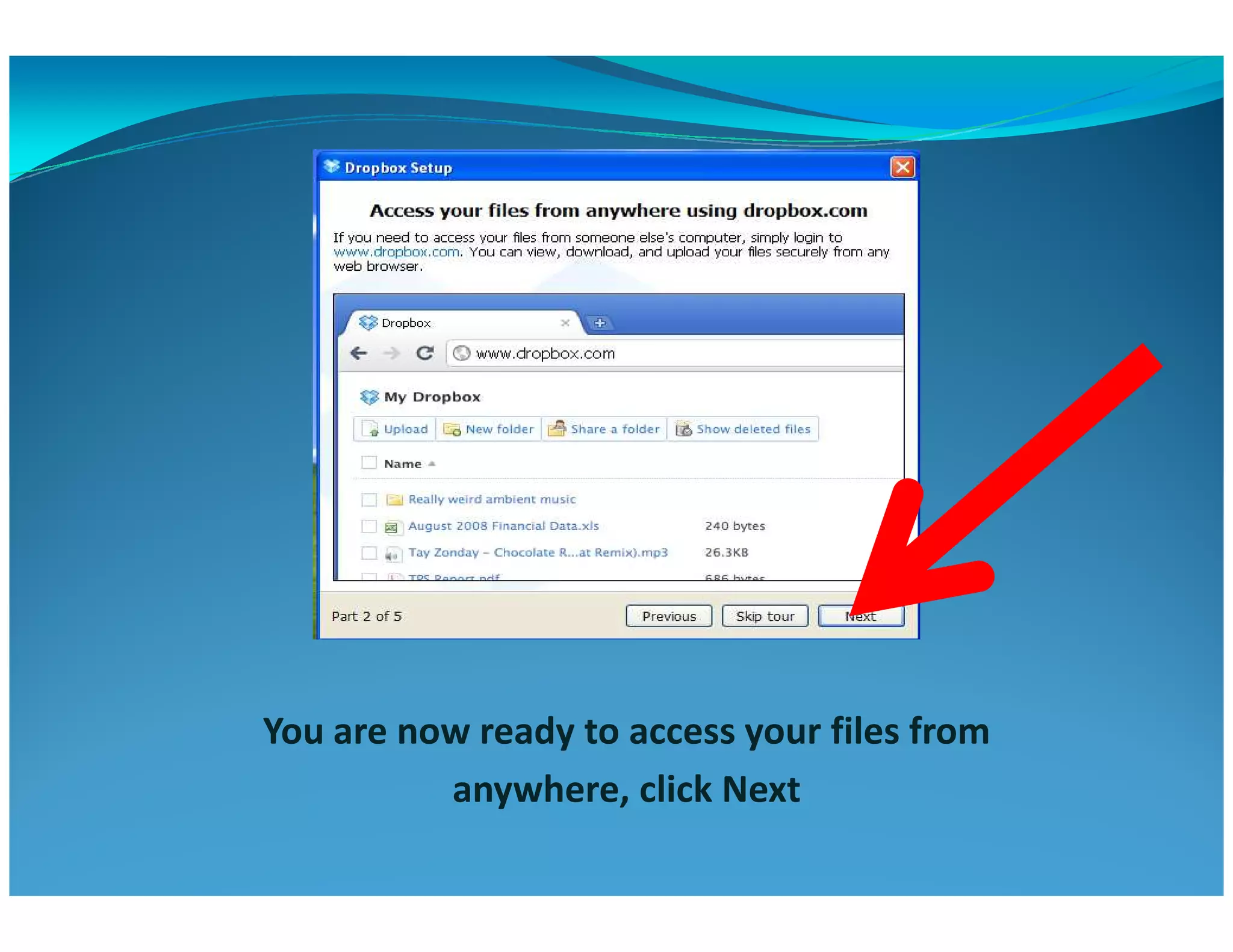
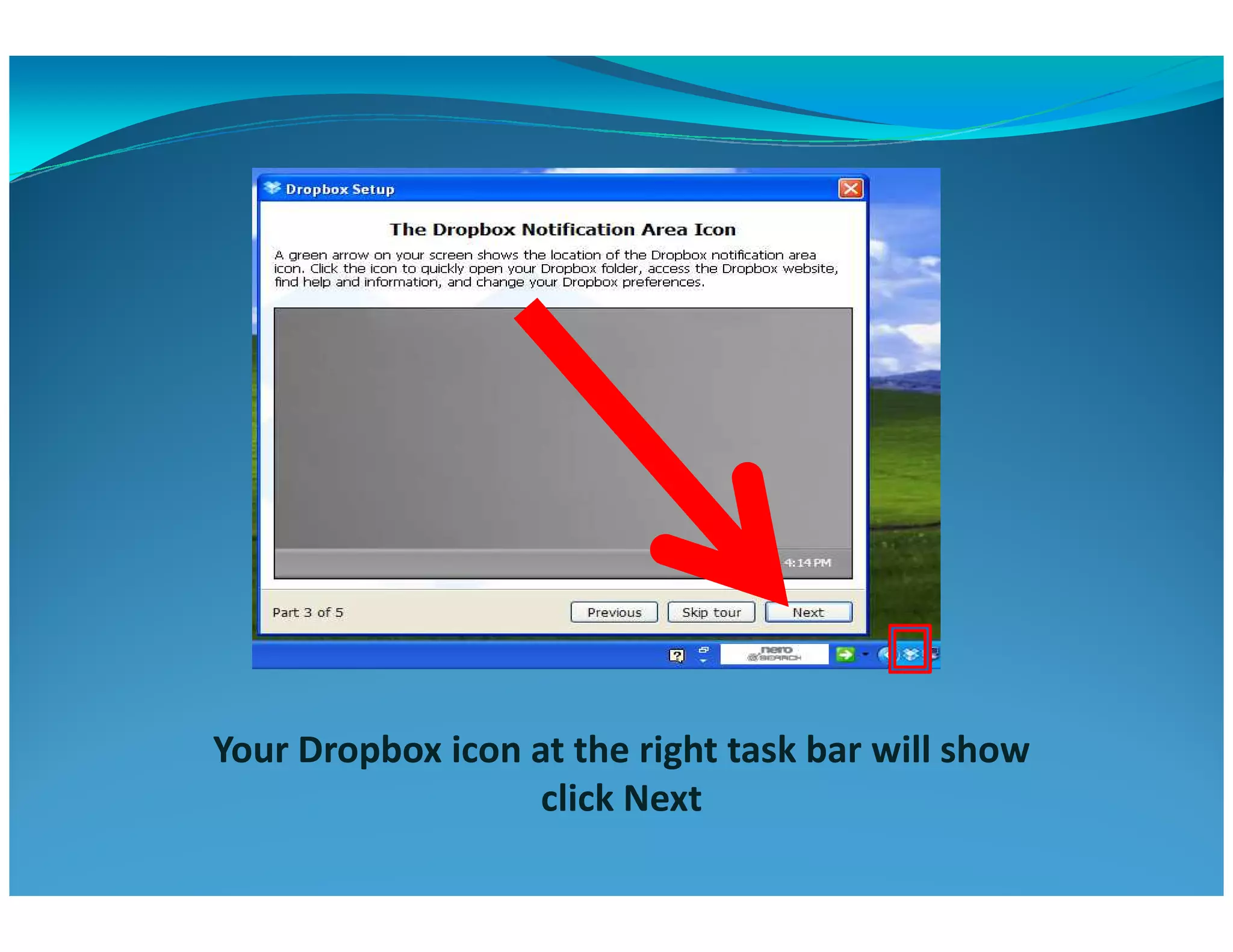
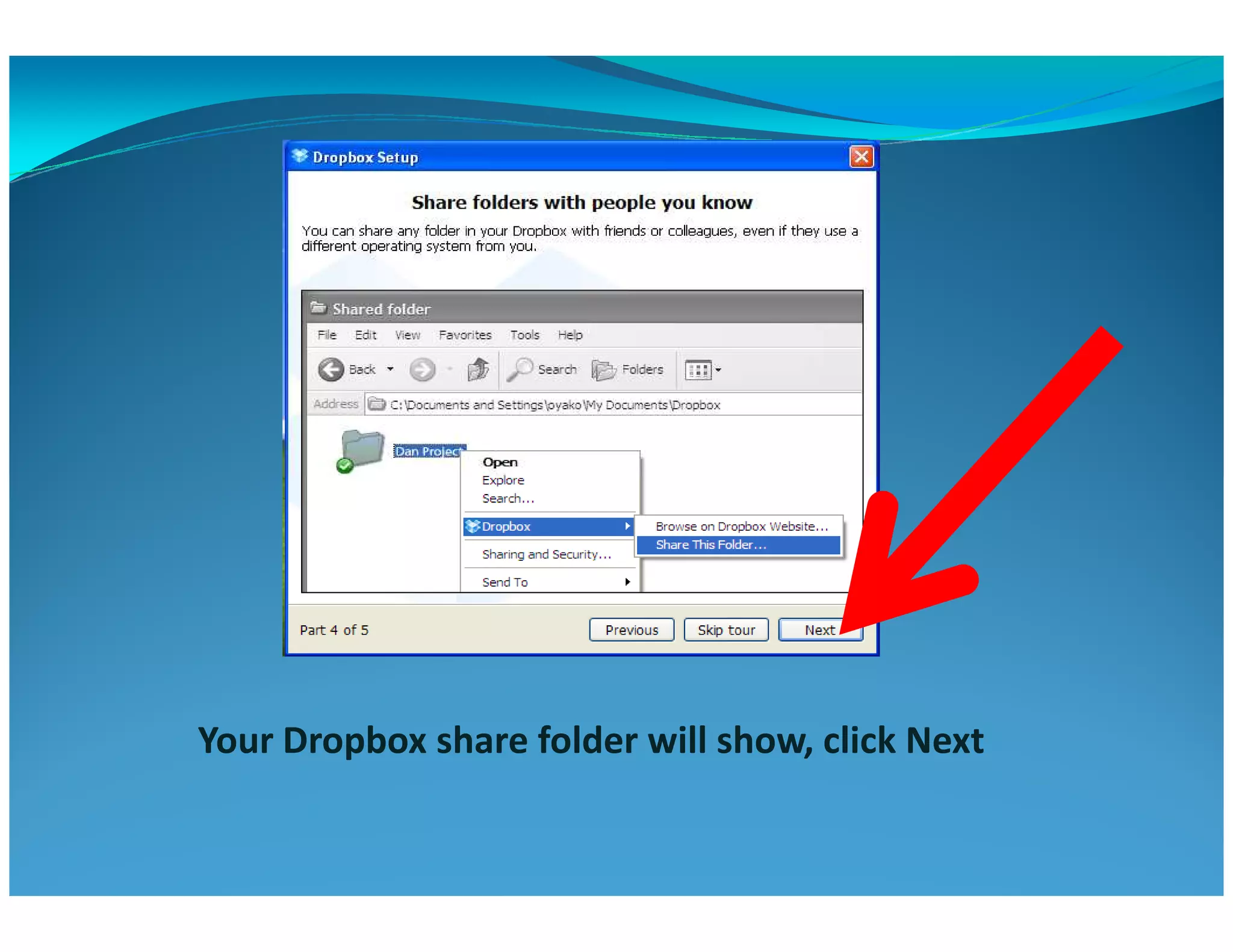
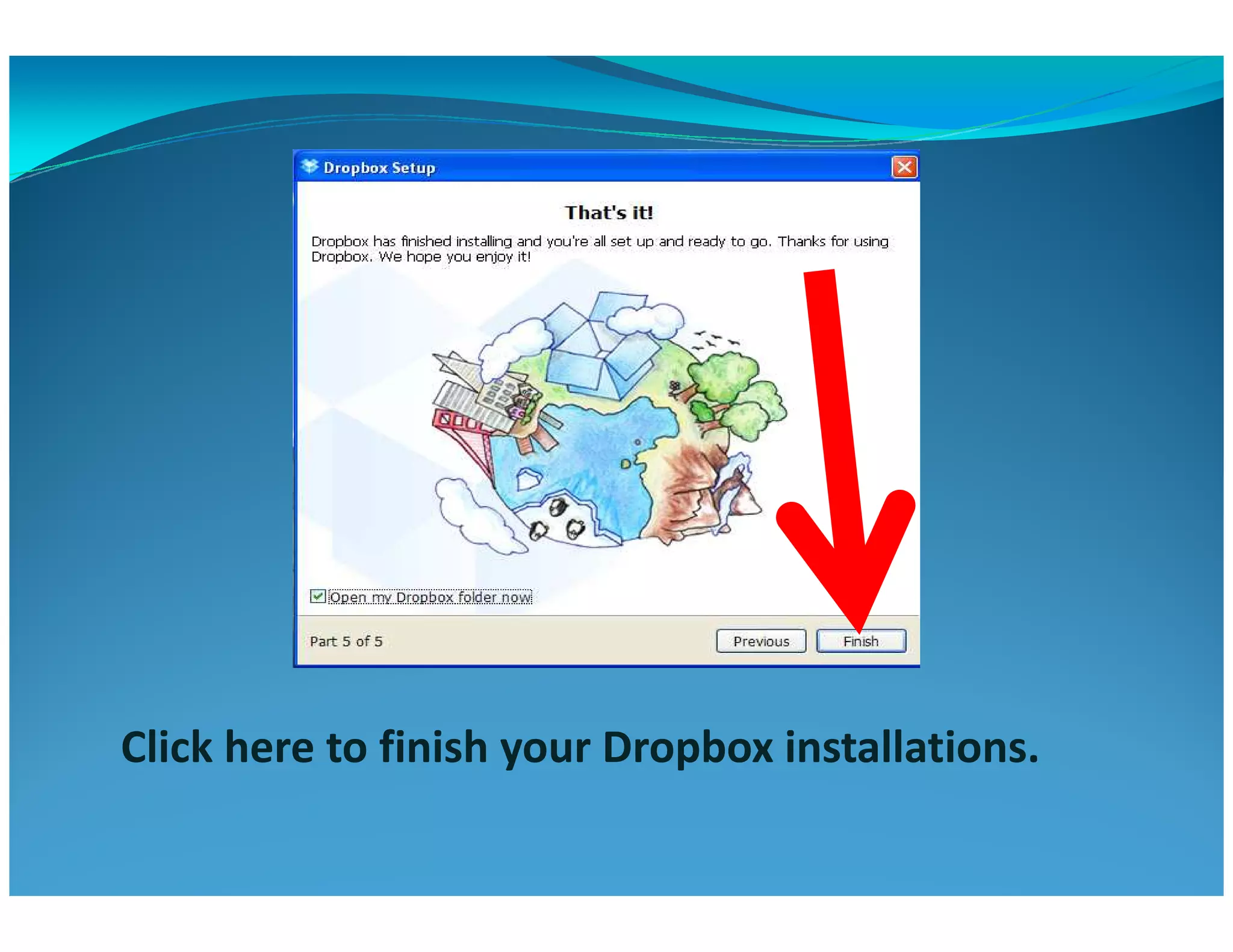
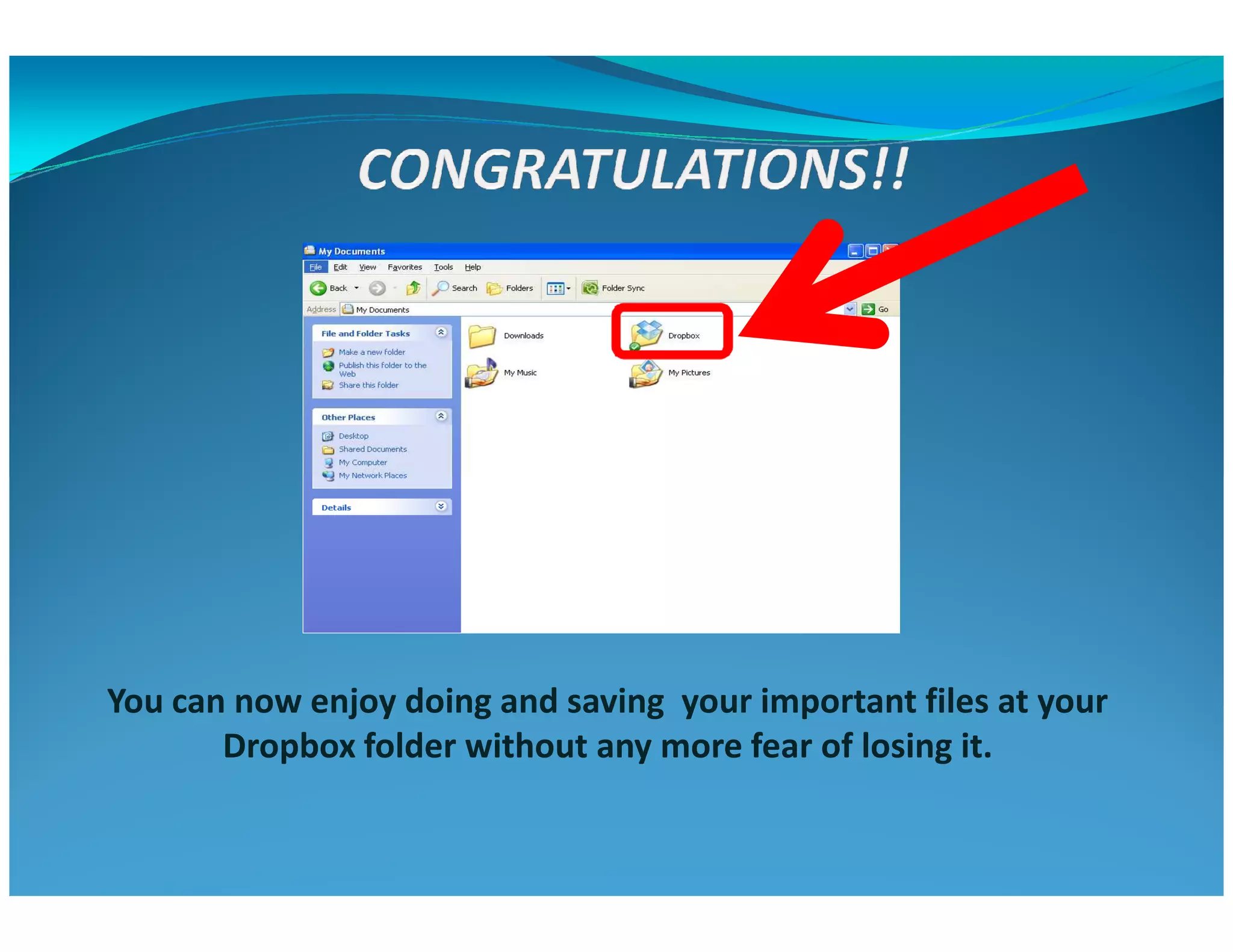

To use Dropbox, download the Dropbox application and create an account by filling out registration information and agreeing to the terms. The Dropbox installer will then guide you through selecting your free storage space and installing Dropbox, which will add a Dropbox folder to your computer for saving and accessing files from any device with cloud access. Once installed, your files will be automatically saved and accessible from the Dropbox cloud.


![[Easy] How to Use Dropbox Tutorial](https://cdn.slidesharecdn.com/ss_thumbnails/autdropbox-160831043429-thumbnail.jpg?width=640&height=640&fit=bounds)


![Vibe Coding vs. Spec-Driven Development [Free Meetup]](https://cdn.slidesharecdn.com/ss_thumbnails/vibecodingvsspecdrivendevelopment-251209105622-43f455e7-thumbnail.jpg?width=640&height=640&fit=bounds)


