

How to submit your coursework
The University is  changing the way coursework is submitted. Over the next academic year we will be phasing out paper and phasing in electronic submissionThe project is called  SaGE which stands for“Submitting and Grading Electronically”
You must submit a paper and an e-copyElectronic copySubmit through SAOSubmit next day at the latestKeep paper receiptSubmission of only paper copy will be treated as incomplete.Must be identical to  electronic copySubmit through NILESubmit by 11.59pm on deadline day.Keep e-receiptSubmission of only e-copy will be treated as incomplete.Must be identical to  paper copyPaper copy
Warning!!!The paper copy and electronic copy must be identical. Your tutor may consider the e-version, but equally they may mark the paper based version.It is your  responsibility to ensure that you submit your assignment according to the regulations.
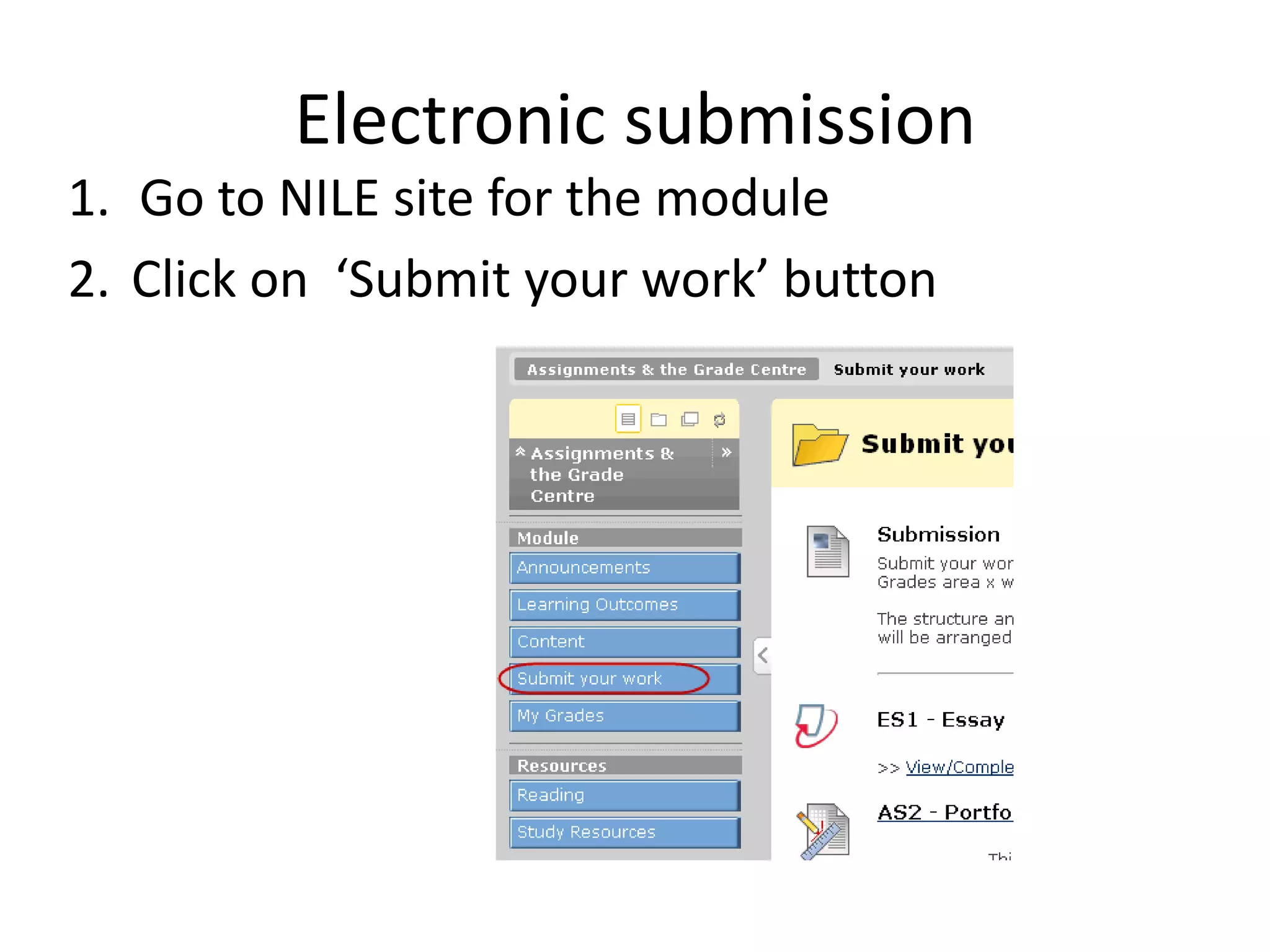
Electronic submissionGo to NILE site for the moduleClick on  ‘Submit your work’ button
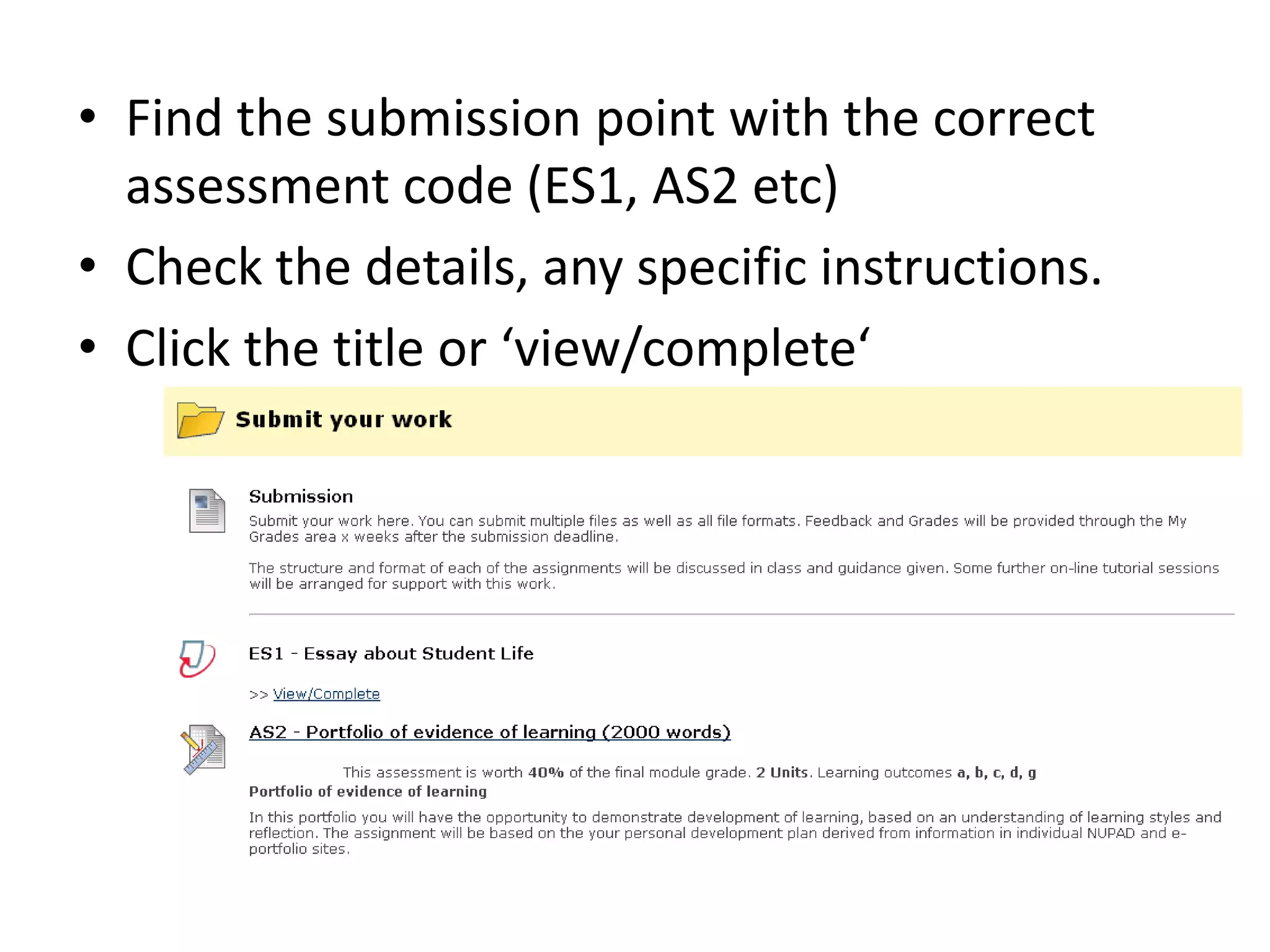
Find the submission point with the correct assessment code (ES1, AS2 etc)Check the details, any specific instructions. Click the title or ‘view/complete‘
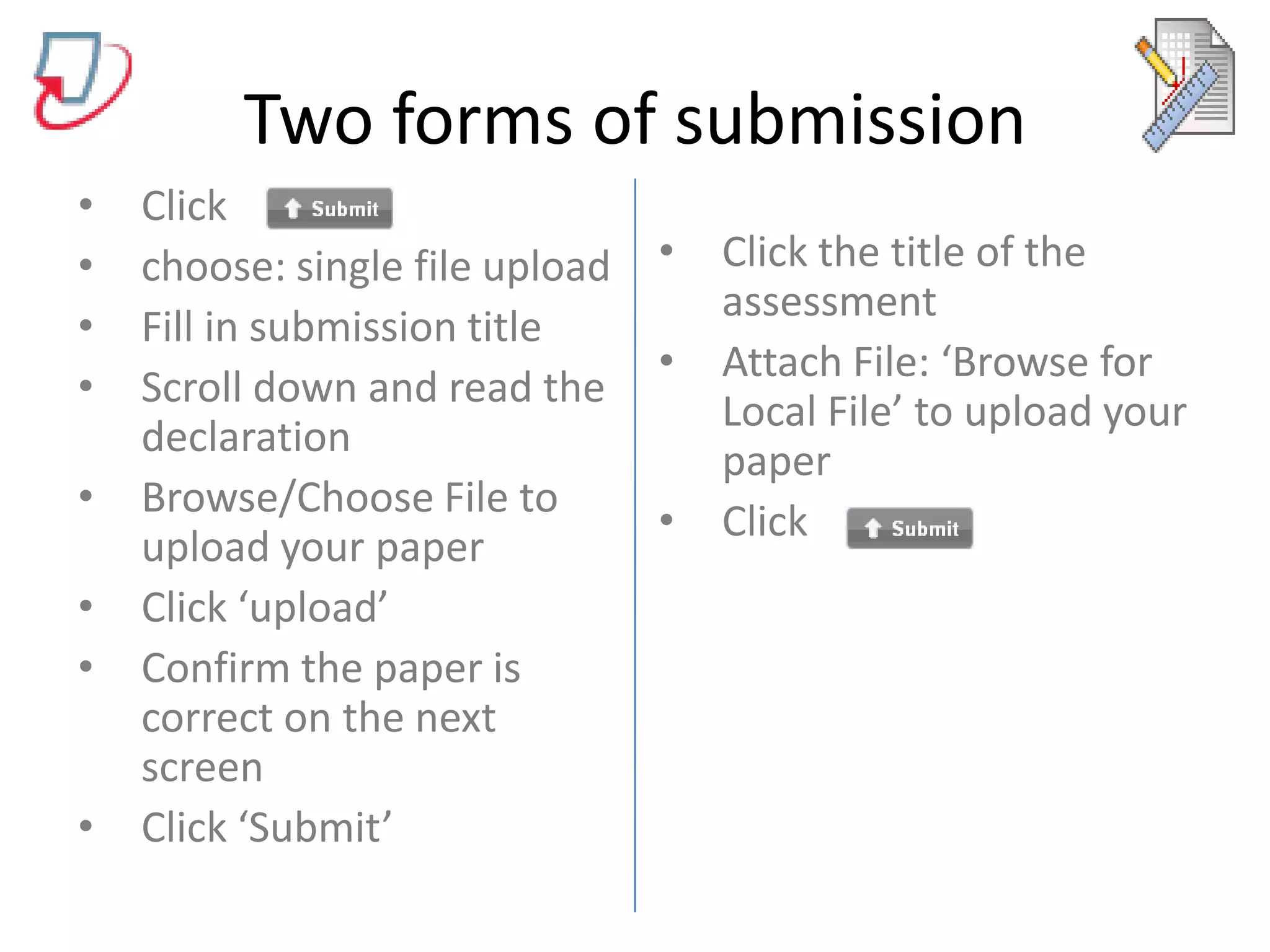
Two forms of submissionClick choose: single file uploadFill in submission titleScroll down and read the declarationBrowse/Choose File to upload your paperClick ‘upload’Confirm the paper is correct on the next screenClick ‘Submit’Click the title of the assessmentAttach File: ‘Browse for Local File’ to upload your paperClick
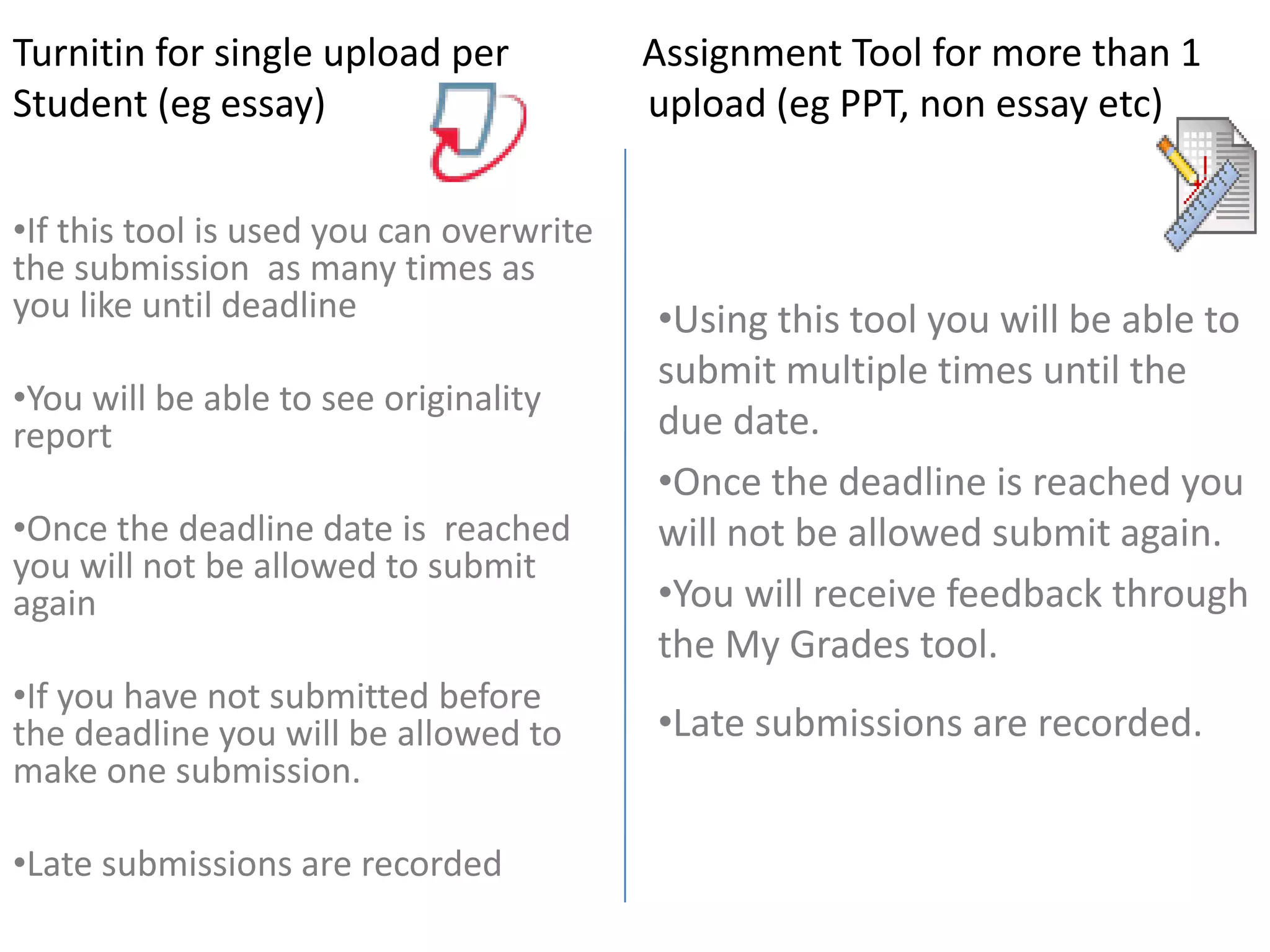
Turnitin for single upload per              Assignment Tool for more than 1Student (eg essay)			upload (eg PPT, non essay etc)                              Using this tool you will be able to submit multiple times until the due date.
Once the deadline is reached you will not be allowed submit again.
You will receive feedback through the My Grades tool.

How to submit your work

  • 1.
    How to submityour coursework
  • 2.
    The University is changing the way coursework is submitted. Over the next academic year we will be phasing out paper and phasing in electronic submissionThe project is called SaGE which stands for“Submitting and Grading Electronically”
  • 3.
    You must submita paper and an e-copyElectronic copySubmit through SAOSubmit next day at the latestKeep paper receiptSubmission of only paper copy will be treated as incomplete.Must be identical to electronic copySubmit through NILESubmit by 11.59pm on deadline day.Keep e-receiptSubmission of only e-copy will be treated as incomplete.Must be identical to paper copyPaper copy
  • 4.
    Warning!!!The paper copyand electronic copy must be identical. Your tutor may consider the e-version, but equally they may mark the paper based version.It is your responsibility to ensure that you submit your assignment according to the regulations.
  • 5.
    Electronic submissionGo toNILE site for the moduleClick on ‘Submit your work’ button
  • 6.
    Find the submissionpoint with the correct assessment code (ES1, AS2 etc)Check the details, any specific instructions. Click the title or ‘view/complete‘
  • 7.
    Two forms ofsubmissionClick choose: single file uploadFill in submission titleScroll down and read the declarationBrowse/Choose File to upload your paperClick ‘upload’Confirm the paper is correct on the next screenClick ‘Submit’Click the title of the assessmentAttach File: ‘Browse for Local File’ to upload your paperClick
  • 8.
    Turnitin for singleupload per Assignment Tool for more than 1Student (eg essay) upload (eg PPT, non essay etc) Using this tool you will be able to submit multiple times until the due date.
  • 9.
    Once the deadlineis reached you will not be allowed submit again.
  • 10.
    You will receivefeedback through the My Grades tool.
  • 11.
  • 12.
    If this toolis used you can overwrite the submission as many times as you like until deadline
  • 13.
    You will beable to see originality report
  • 14.
    Once the deadlinedate is reached you will not be allowed to submit again
  • 15.
    If you havenot submitted before the deadline you will be allowed to make one submission.
  • 16.
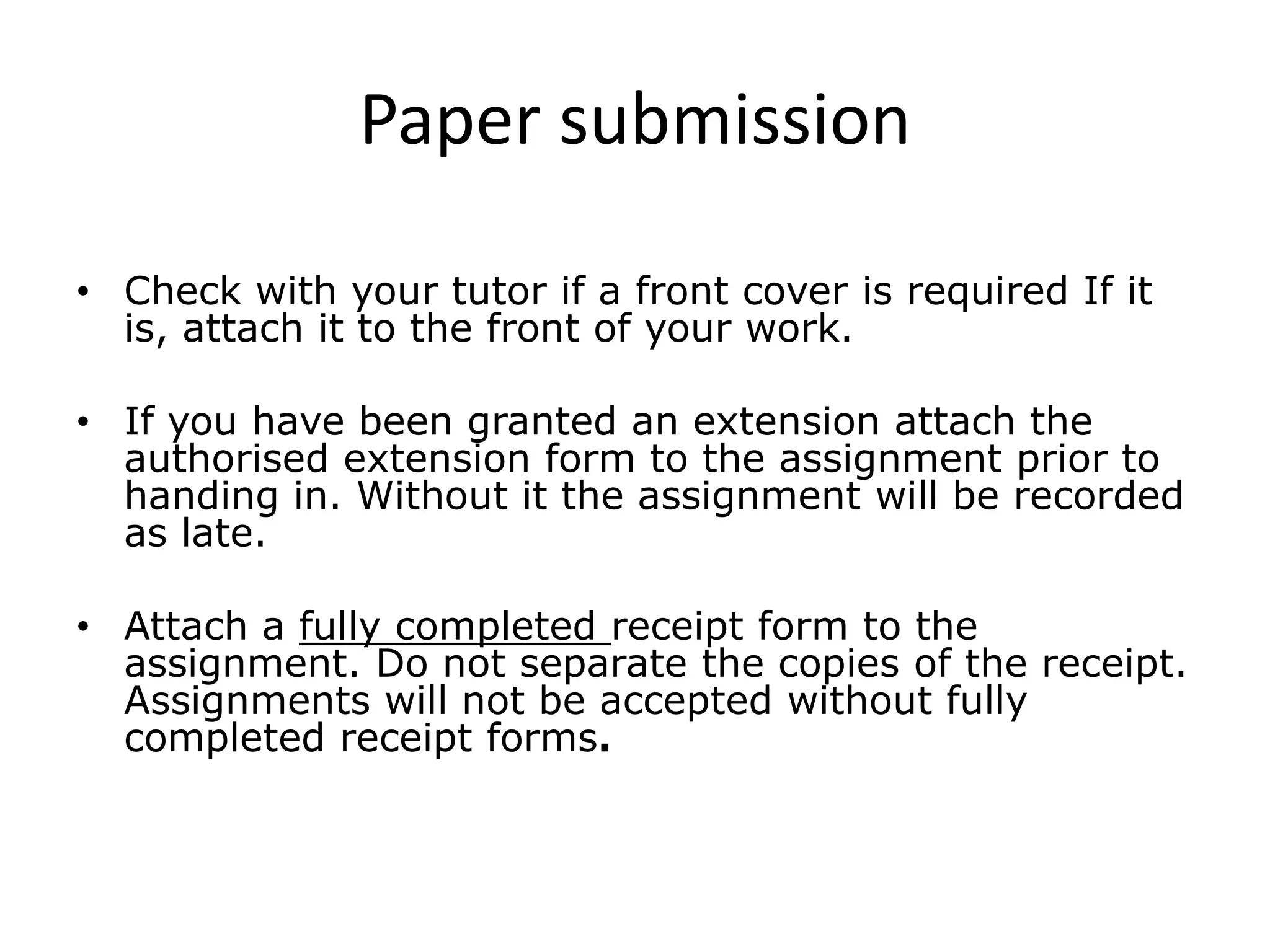
    Late submissions arerecordedPaper submissionCheck with your tutor if a front cover is required If it is, attach it to the front of your work.If you have been granted an extension attach the authorised extension form to the assignment prior to handing in. Without it the assignment will be recorded as late.Attach a fully completed receipt form to the assignment. Do not separate the copies of the receipt. Assignments will not be accepted without fully completed receipt forms.
  • 17.
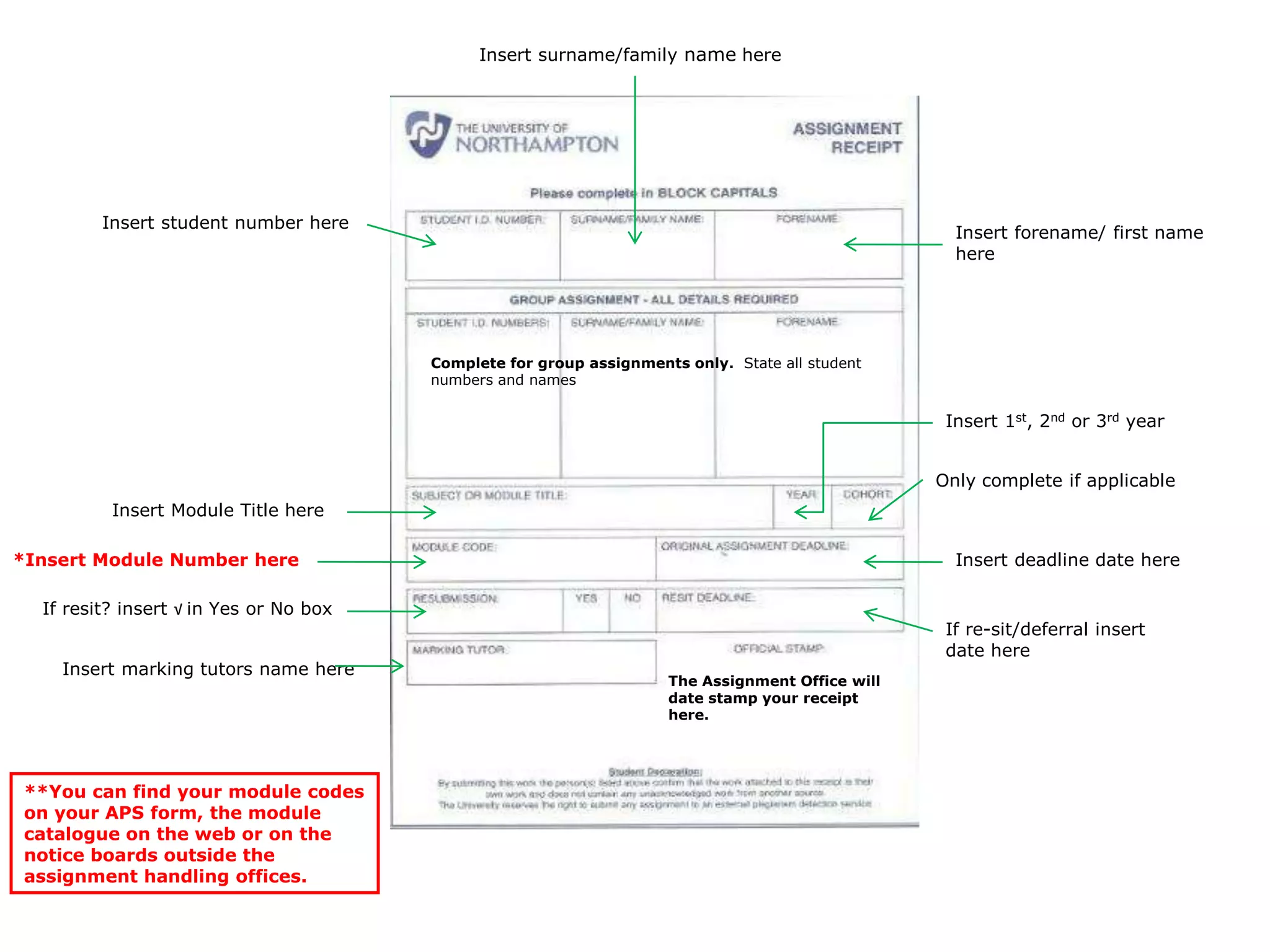
    Insert surname/family namehereInsert forename/ first name hereInsert student number hereComplete for group assignments only. State all student numbers and namesInsert 1st, 2nd or 3rd yearInsert Module Title hereOnly complete if applicable*Insert Module Number hereInsert deadline date hereThe Assignment Office will date stamp your receipt here.If resit? insert √ in Yes or No boxIf re-sit/deferral insert date hereInsert marking tutors name here**You can find your module codes on your APS form, the module catalogue on the web or on the notice boards outside the assignment handling offices.