
















How to make Movie
maker
What is Movie maker?
Windows Movie Maker (formerly known
as Windows Live Movie Maker,
codenamed Sundance) is a freeware video
editing software by Microsoft. It is a part
of Windows Essentials software suite and
offers the ability to create and edit videos as
well as to publish them
on OneDrive, Facebook, YouTube,
and Flickr.
The first release of Windows
Movie Maker was included
with Windows ME in 2000, but it
was not available in Windows
2000, which was released
months before Windows ME.
Version 1.1 was included in
Windows XP a year later, and
included support for creating DV
AVI and WMV 8 files. Version 2.0
was released as a free update in
November 2002, and added a
number of new features.
included in Windows XP Service
Pack 2. The Movie Maker
in Windows XP Media Center
Edition 2005 had
more transitions and support
for DVD burning.
•Windows Vista
The next version of Movie Maker was
released as part of Windows Vista and
– like most Windows components –
reported version number 6.0.6000,
same as Windows Vista itself. It
included new effects and transitions,
and support for the DVR-MS file format
that Windows Media Center records
television in.
The HD version in Premium and Ultimate
editions of Windows Vista also added
support for capturing from HDV camcorders.
The capture wizard also created DVR-
MS type files from HDV tapes. However, the
Windows Vista version of Windows Movie
Maker removed support for importing video
from an analog video source such as an
analog camcorder, VCR or from a webcam
As some older systems might not be able to run
the new version of Windows Movie Maker,
Microsoft also released an updated older version
2.6 for Windows Vista on Microsoft Download
Center. This version included the old effects and
transitions, and is basically the same as Windows
Movie Maker 2.1, but without the ability to capture
video. Installation requires Windows Vista and is
only intended for use on computers where the
hardware accelerated version cannot be run.
A Windows Presentation
Foundation (WPF) version of
Windows Movie Maker was also
included in some builds of
Windows "Longhorn" (now
Windows Vista), but was removed
in the development reset in August
2004.
•Windows Live
A new version of the software,
renamed Windows Live Movie
Maker 2009, was released as a
beta on September 17, 2008, and
officially released as a standalone
product throughWindows Live
Essentials suite on August 19,
2009.
This was effectively completely new
software as it could not read projects
created by earlier versions and did not
support custom XML transitions written
for the previous versions. In addition, a
great many features were removed.
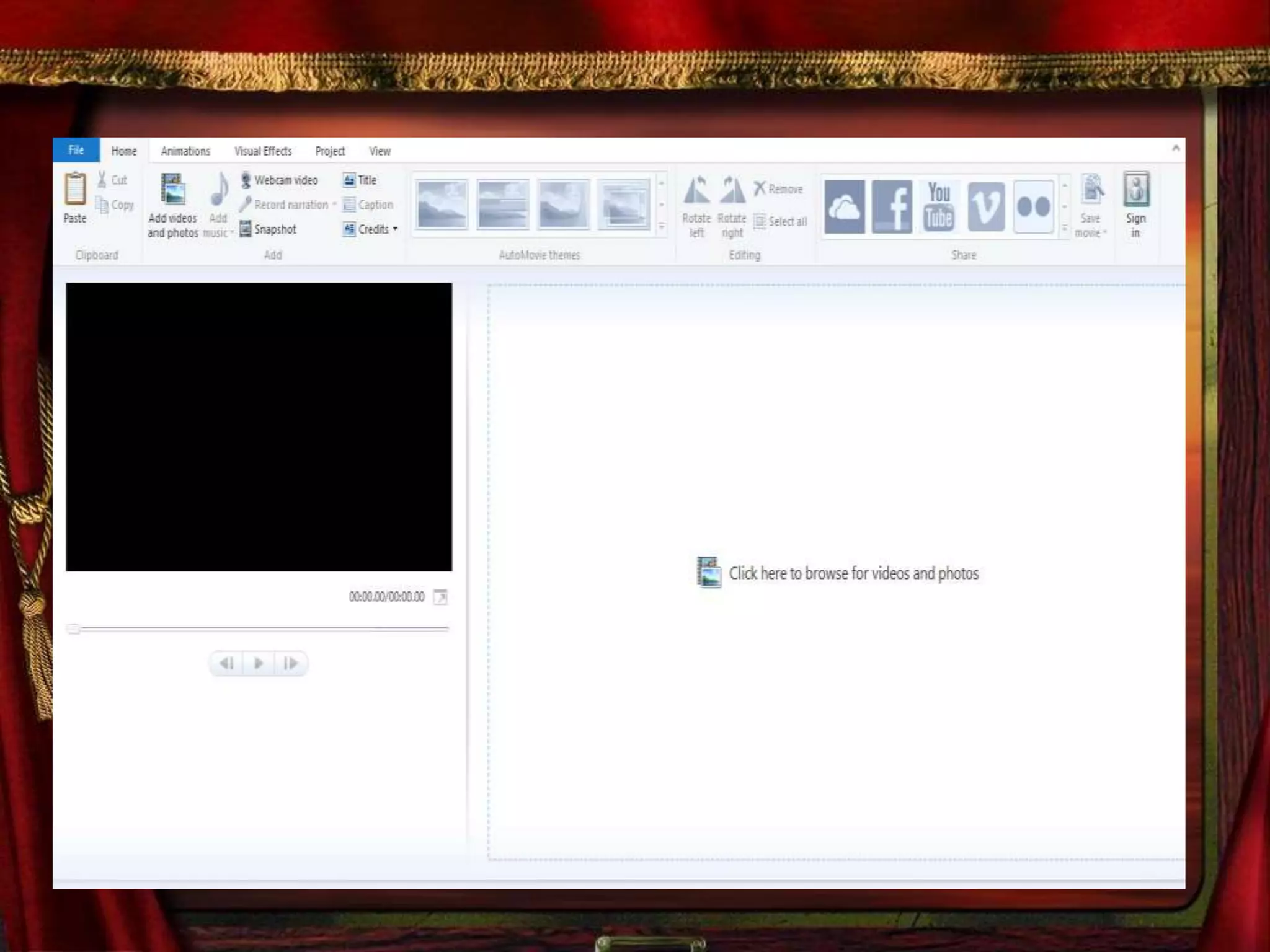
Movie Maker's interface was
redesigned to use a ribbon
toolbar similar to Office 2007,
and also added features such
as "Auto Movie" and the ability
to export videos directly to
DVDs and YouTube.
Certain advanced features were
also removed from the software,
such as image
stabilization, chroma key, and
the ability to record voiceovers.
Movie Maker 2009 supported both
Windows Vista and Windows 7; as
the previous version of Windows
Movie Maker is no longer included
with the operating system, the only
way to obtain Movie Maker on
Windows 7 and later was through
the Windows Live Essentials suite.
An updated version, Windows Live
Movie Maker 2011, was released on
August 17, 2010,
adding webcam capture, support for
high-definition video, the ability to
upload videos directly
to OneDrive and Facebook, and the
ability to add media files stored on
network shares to projects.
•Layout
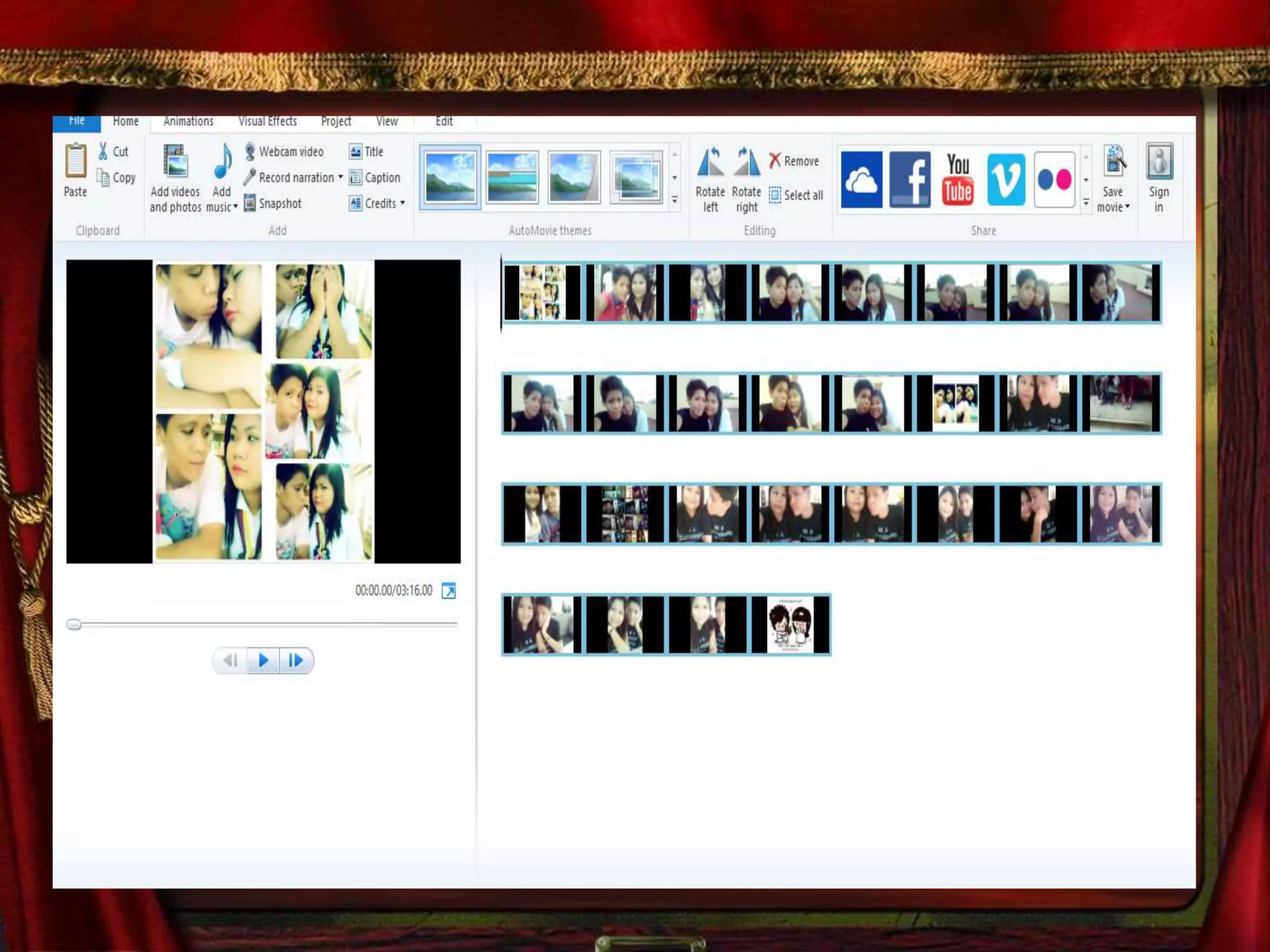
The layout consists of a storyboard view and
a timeline view, collections for organizing
imported video, and a preview pane. When
in Storyboard view, the video project
appears as a film strip showing each scene
in clips.
The storyboard/timeline consists of one
'Video' (with accompanying 'Audio' bar),
one 'Music/Audio' bar, and one
'Titles/Credits' bar. In each bar, clips
can be added for editing (e.g.,
a .WAV music file will belong on the
'Music/Audio' bar).
Still images can also be
imported into the timeline and
"stretched" to any desired
number of frames.
The Video and Music/Audio bars can
be "cut" to any number of short
segments, which will play together
seamlessly, but the individual
segments are isolated editing-wise, so
that for example, the music volume can
be lowered for just a few seconds while
someone is speaking.
Now Let’s Start making
Our Movie maker
Go to Windows Movie Maker
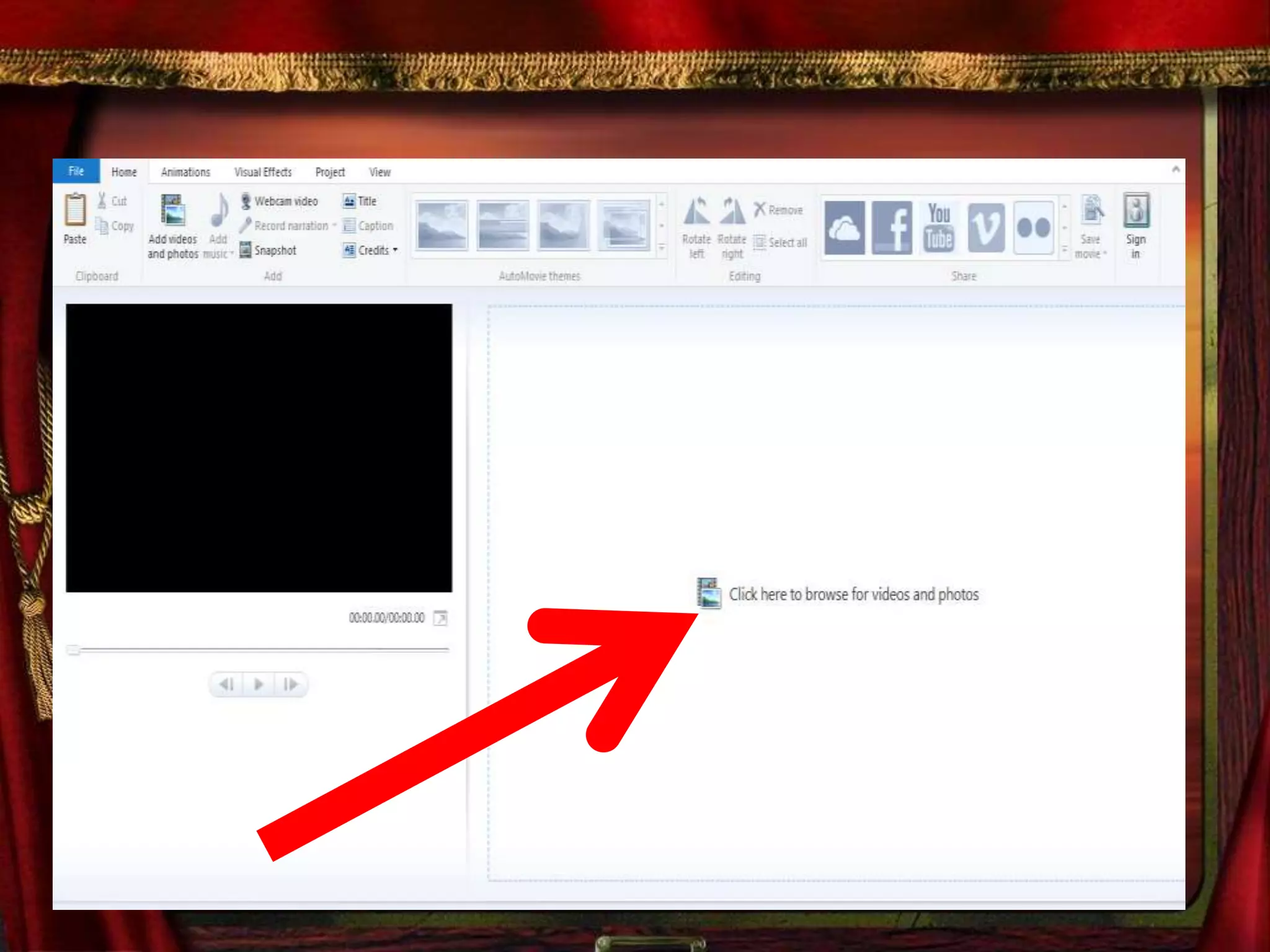
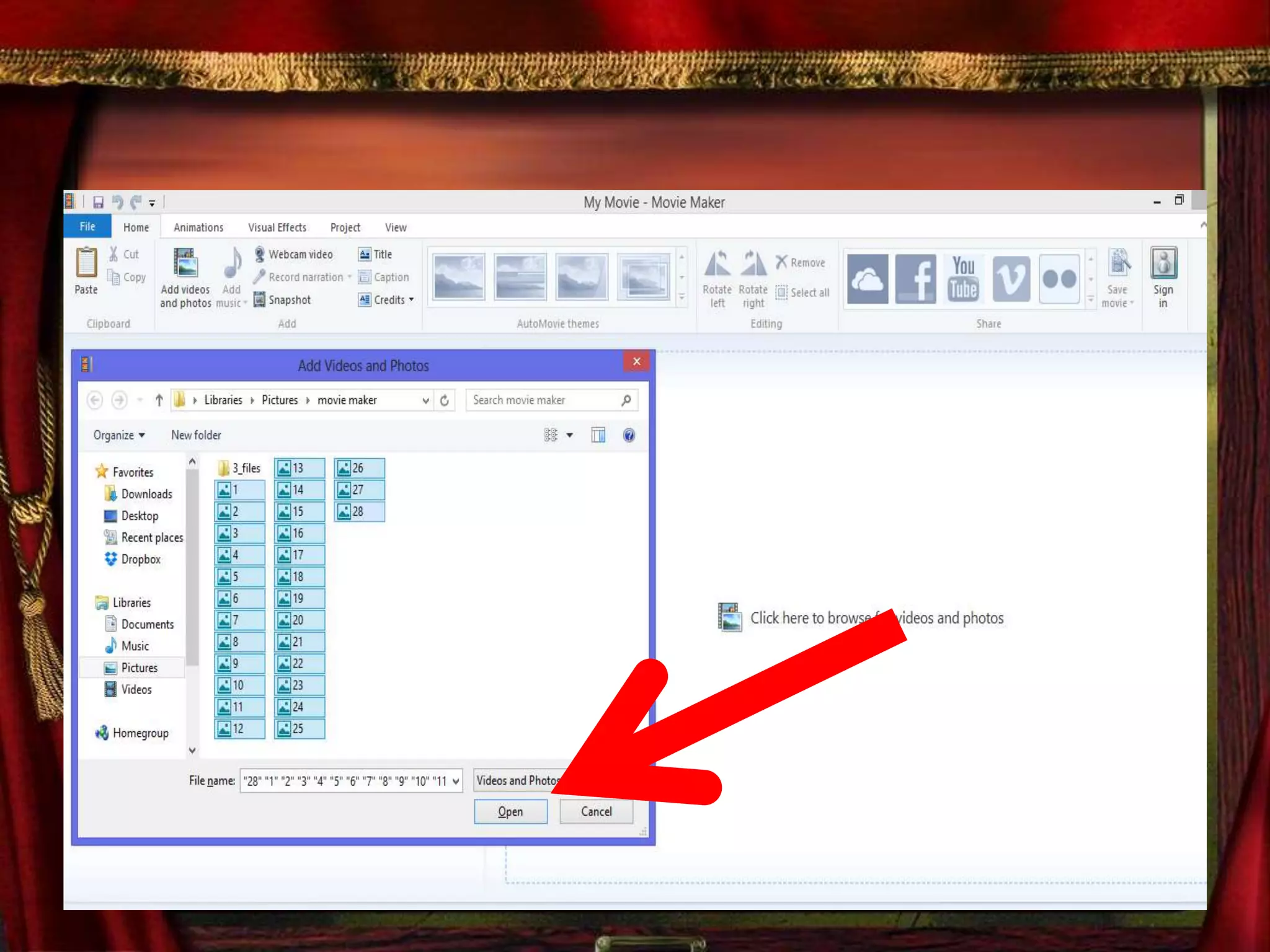
1st is You need to import a video
or a photos
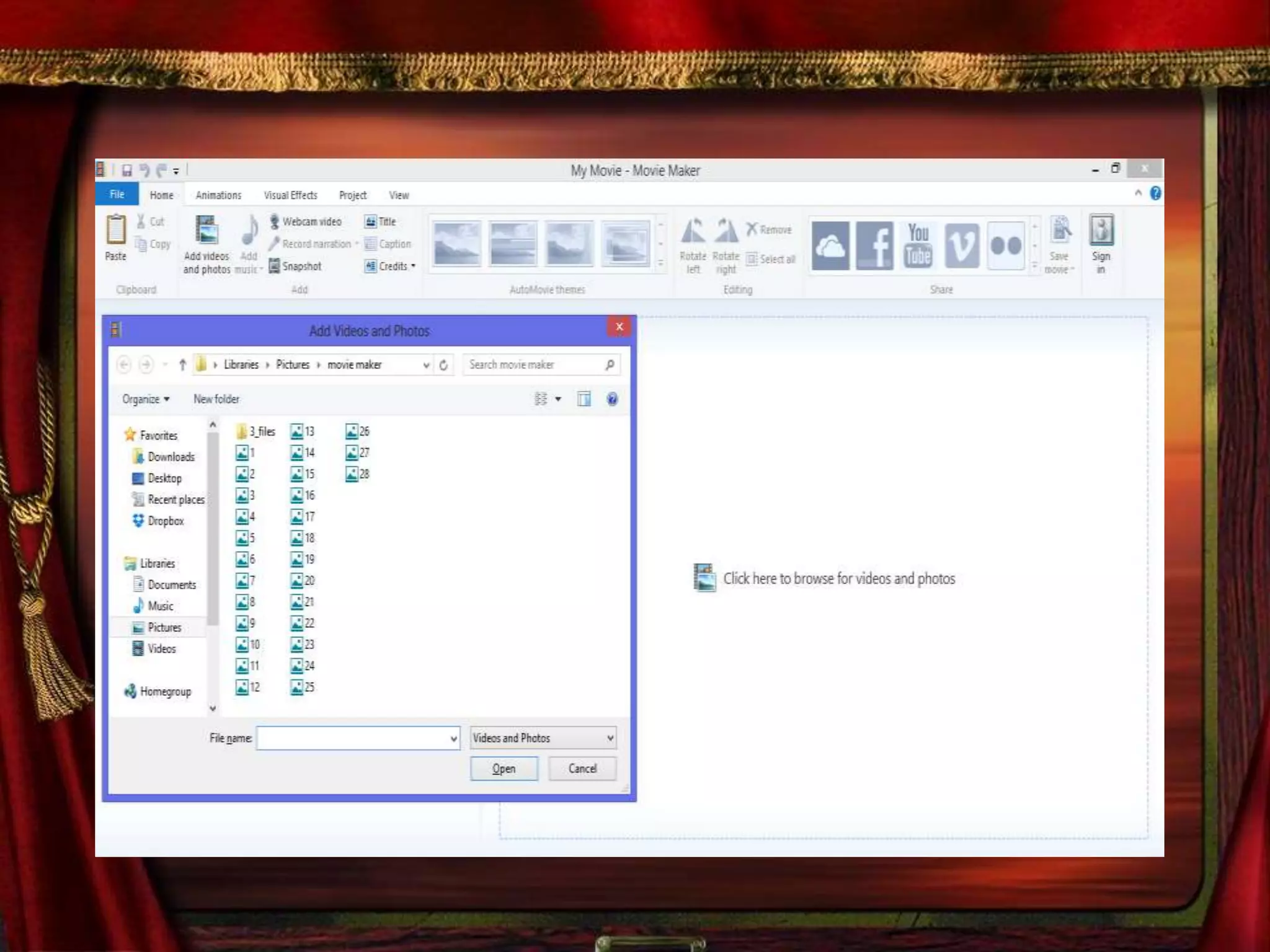
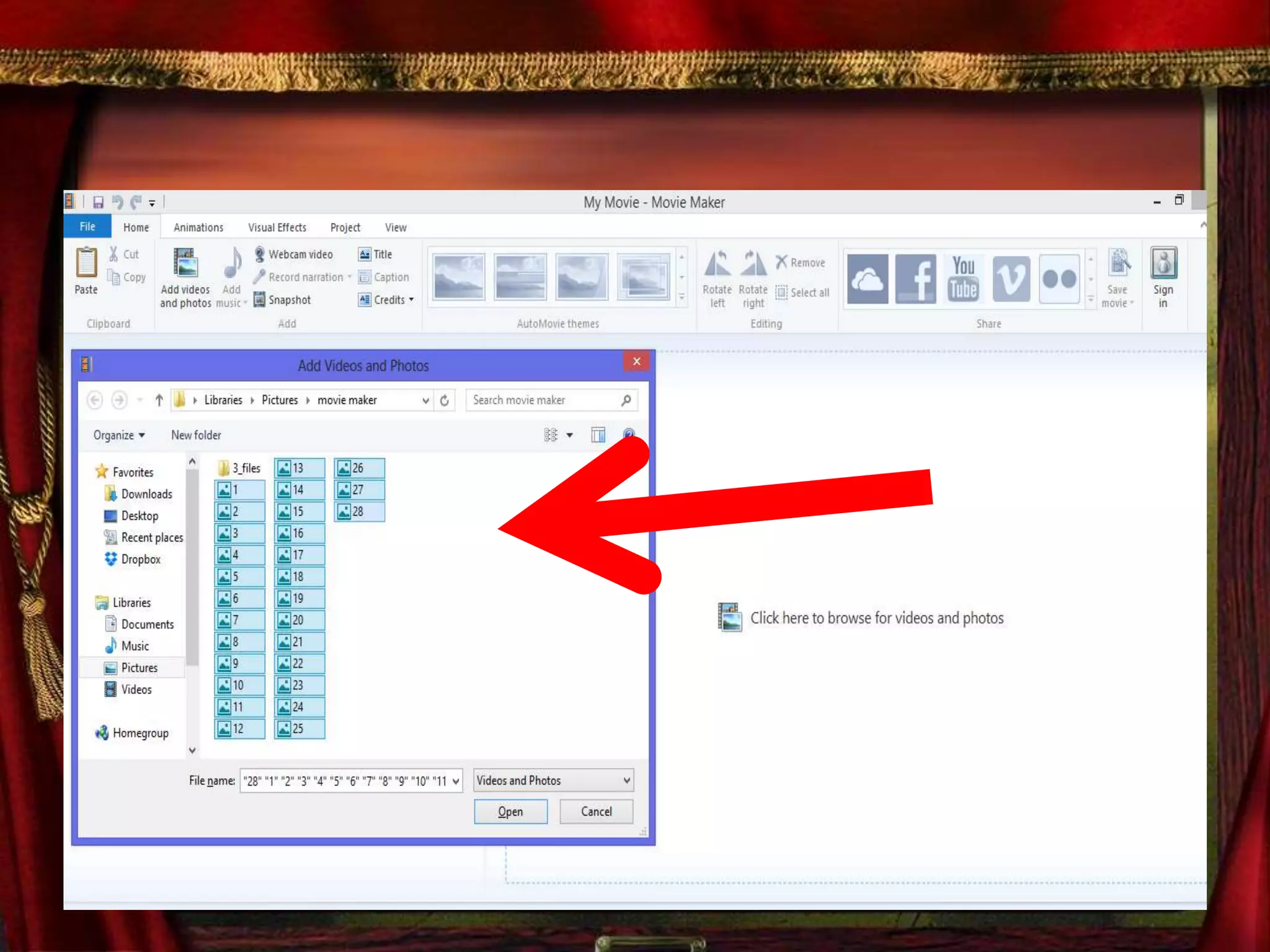
Select you desired photos to be
uploaded
Then Click open
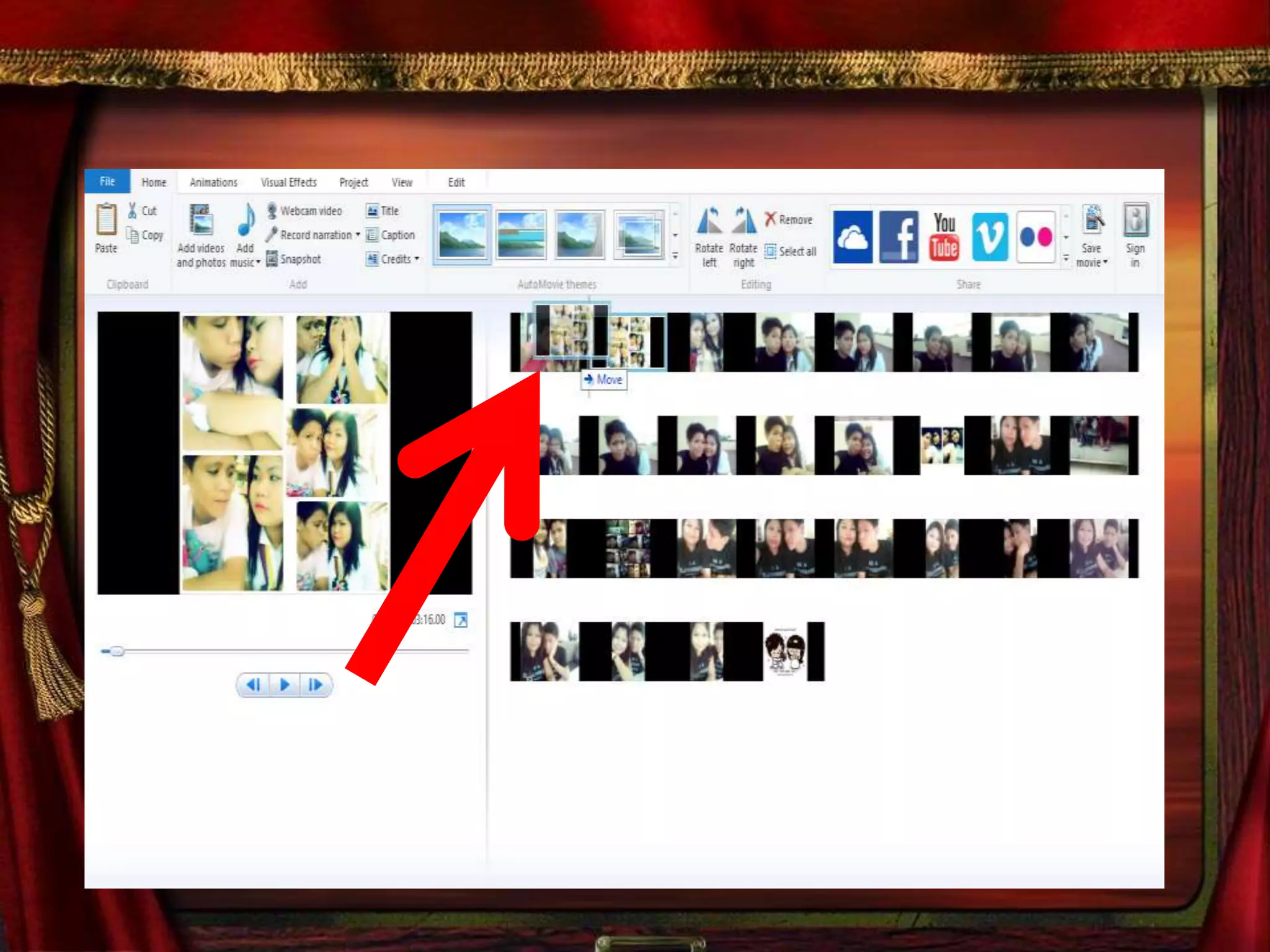
You can arrange the photos for
the arrangement you want
Hover over the mouse and drag
the pictures
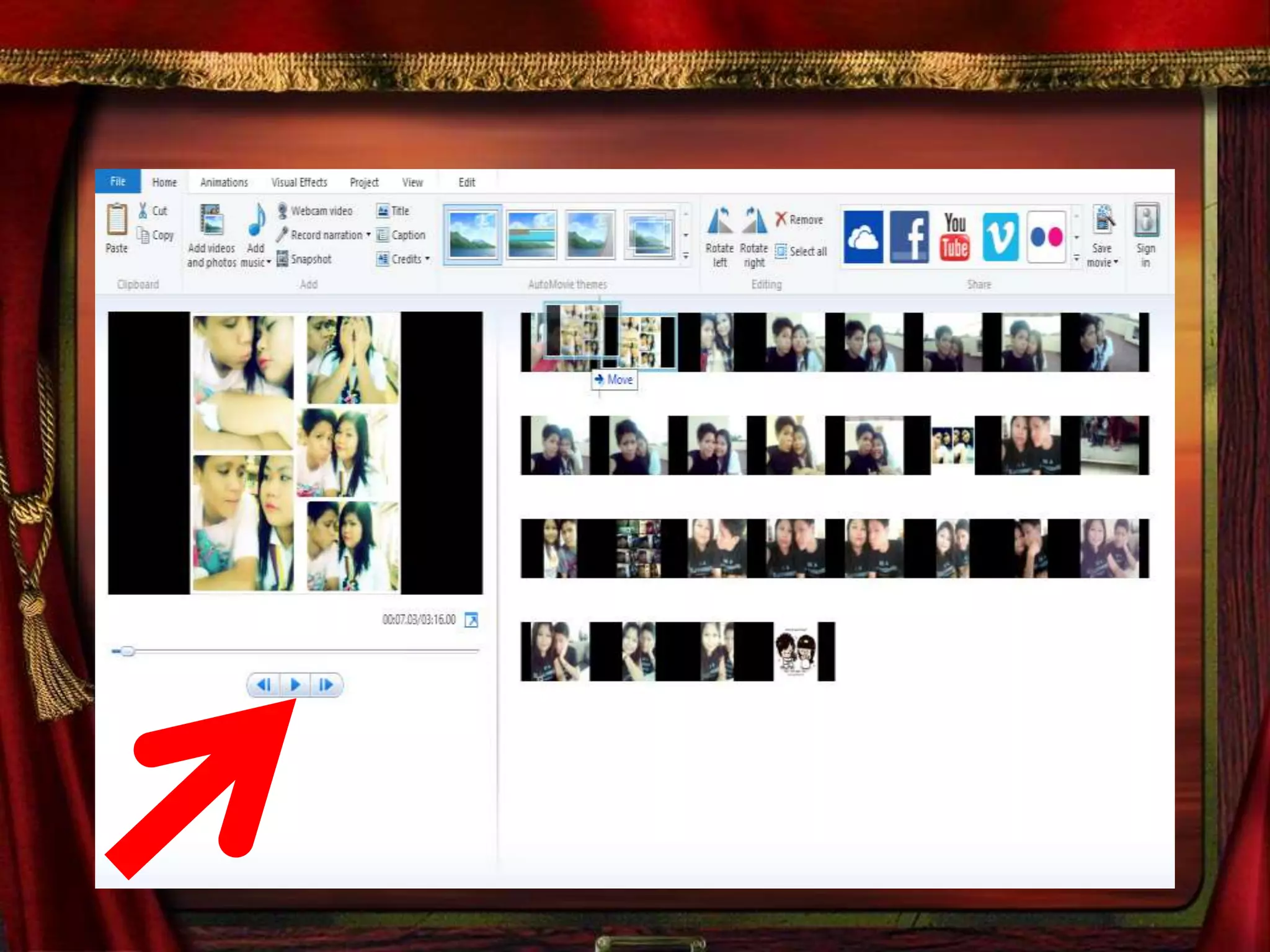
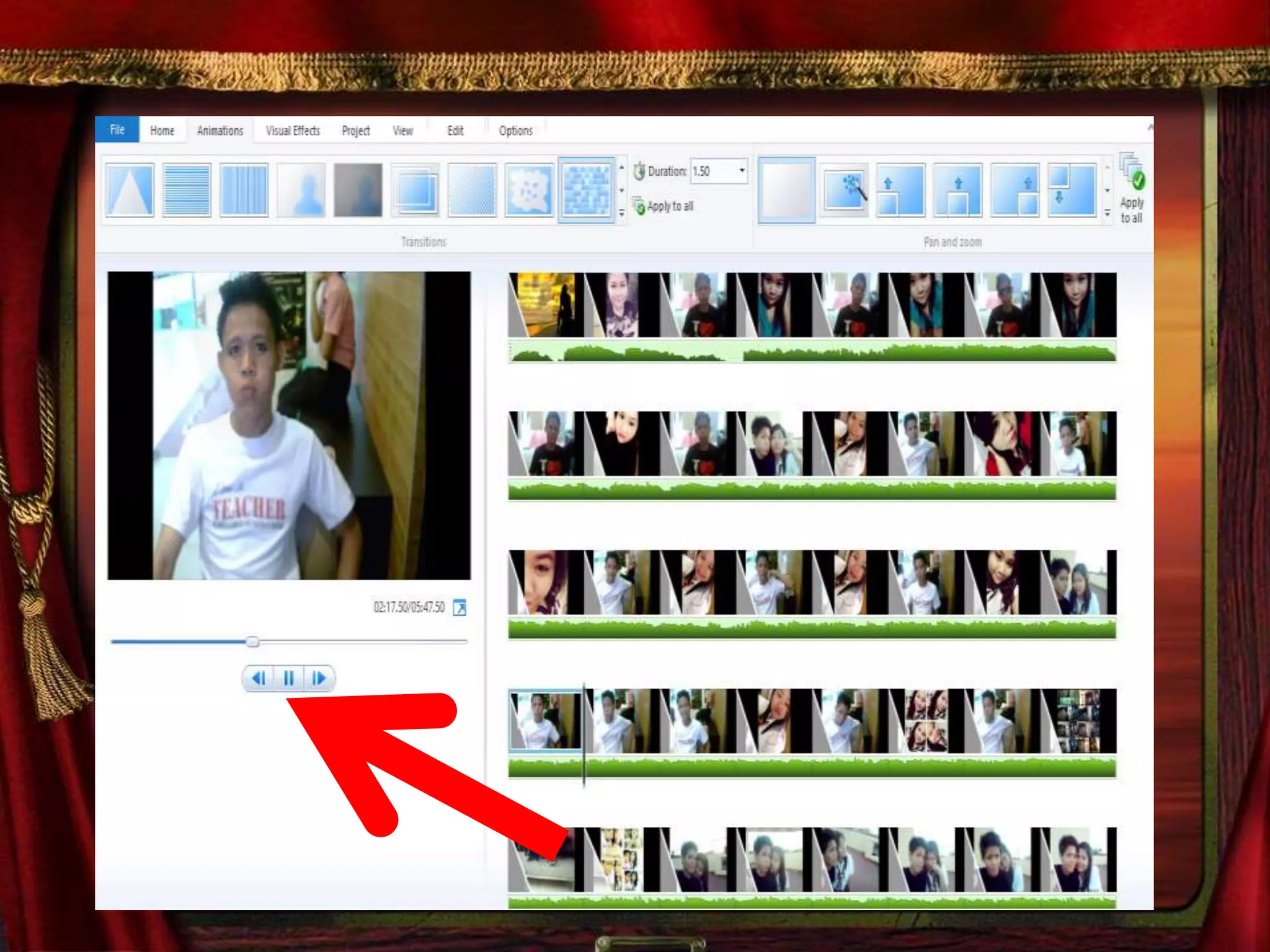
Press the button play to see the
movement of the Photos
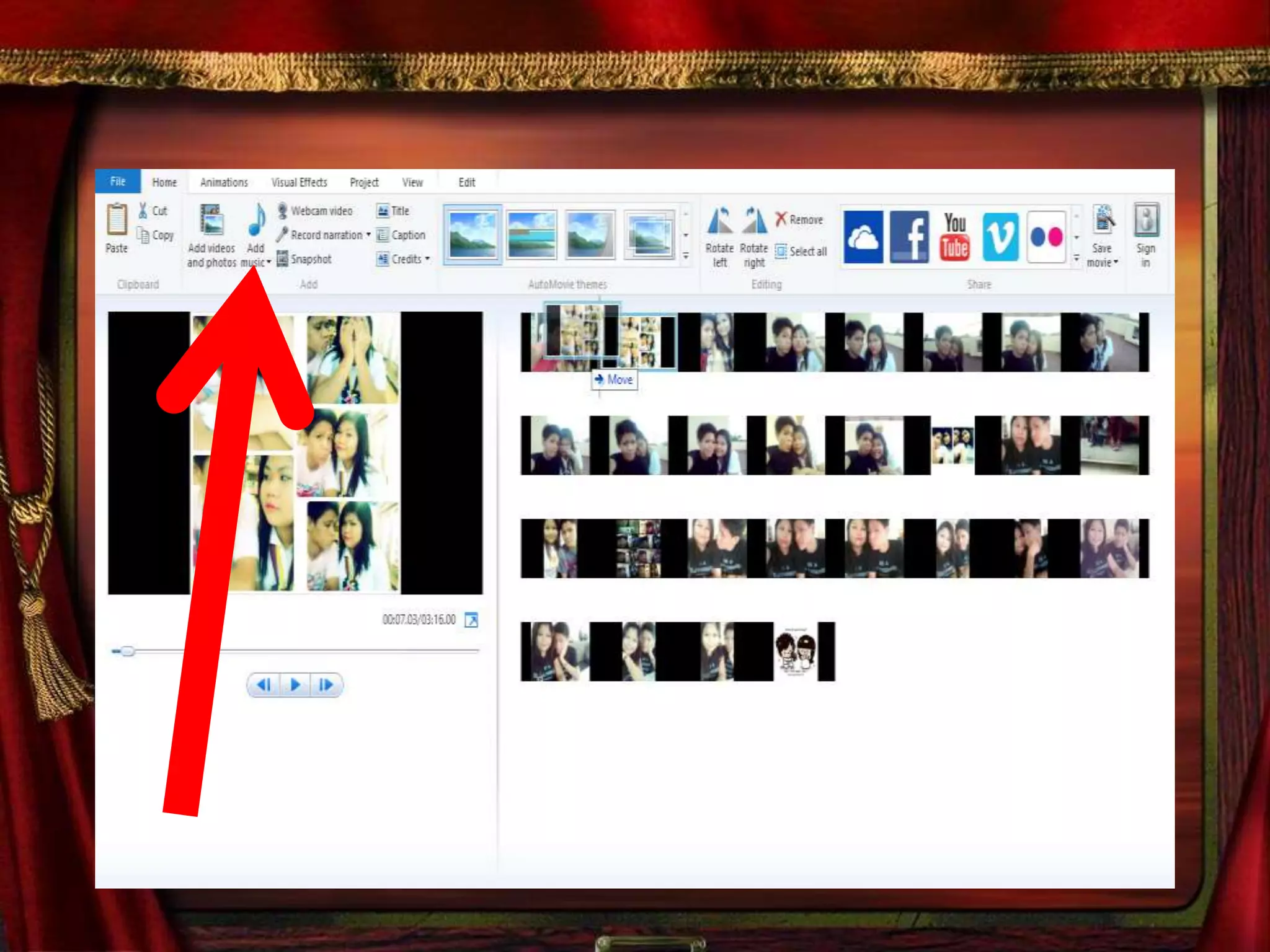
You can also add music
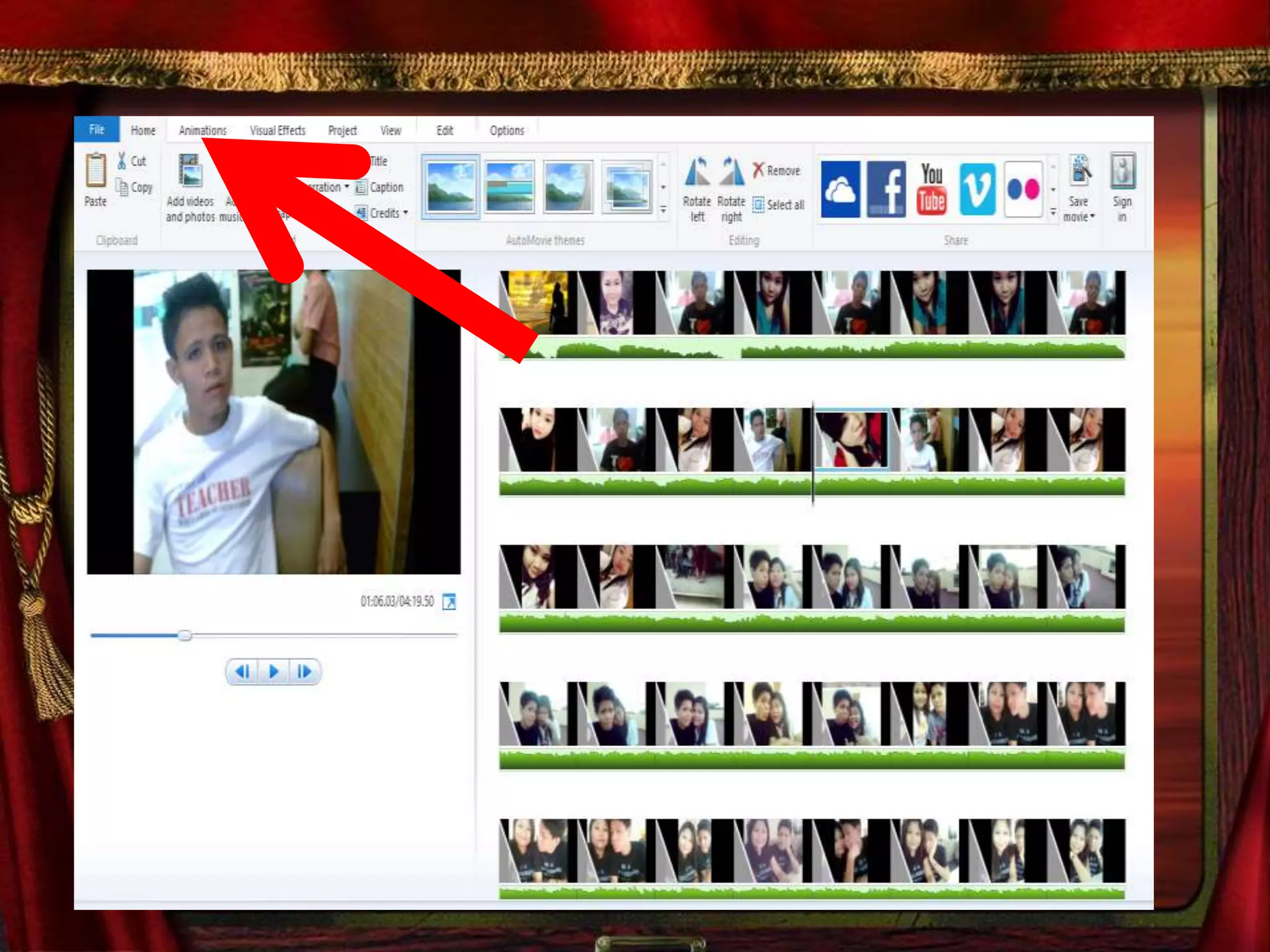
You can put different style of
animation
After you set all the photos ,
Animation and the music
Press the Play button
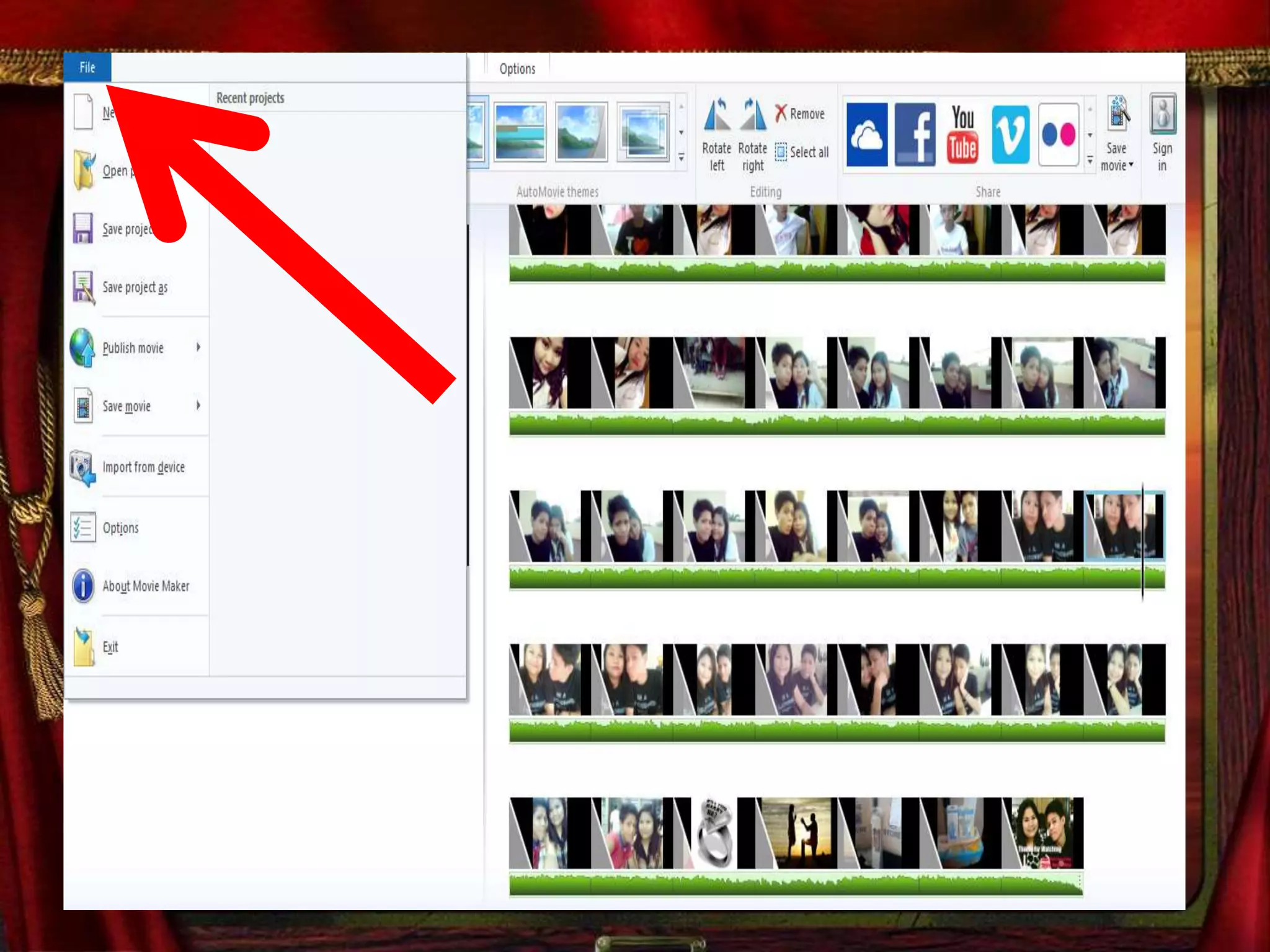
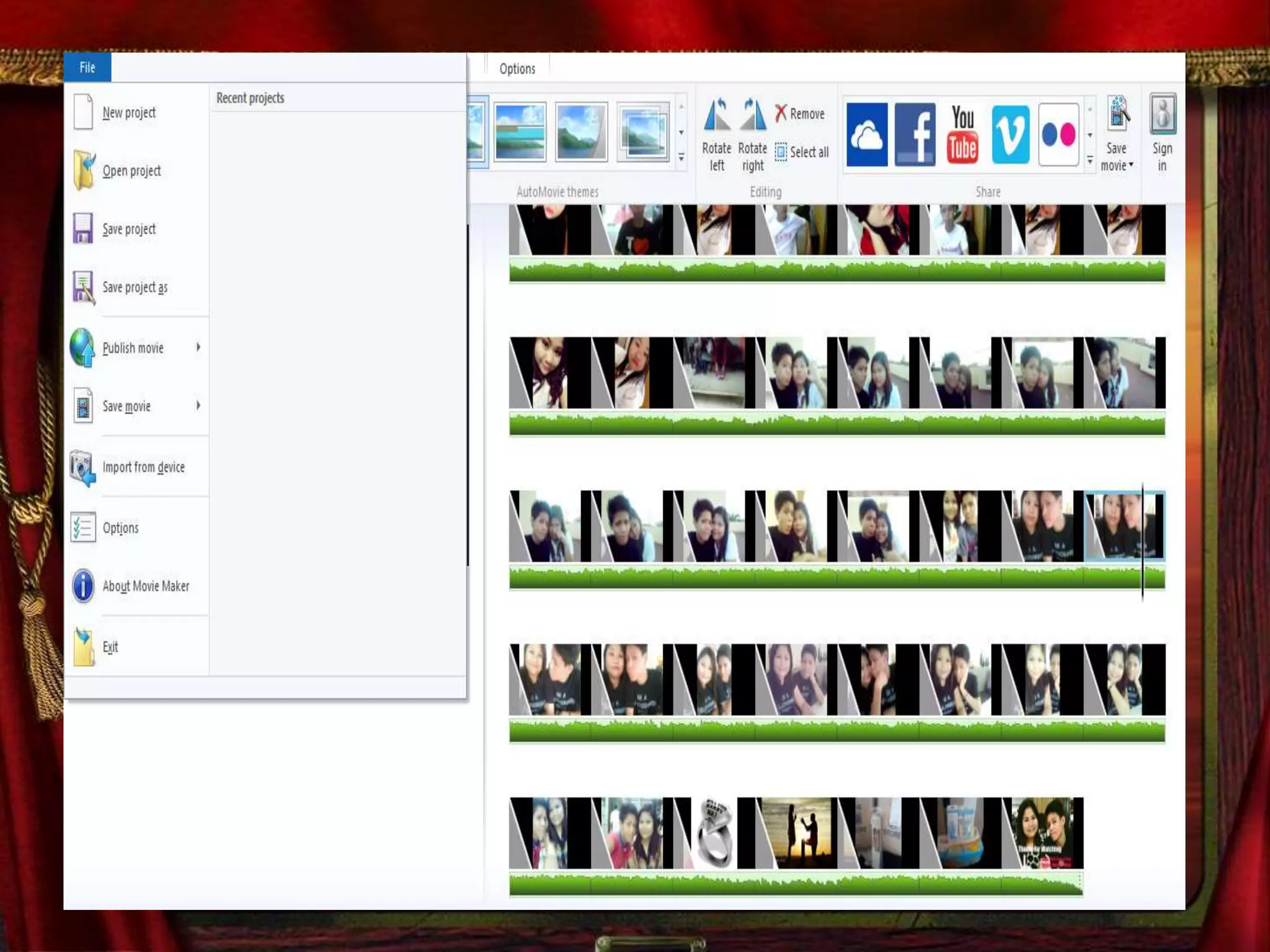
Now saved your work
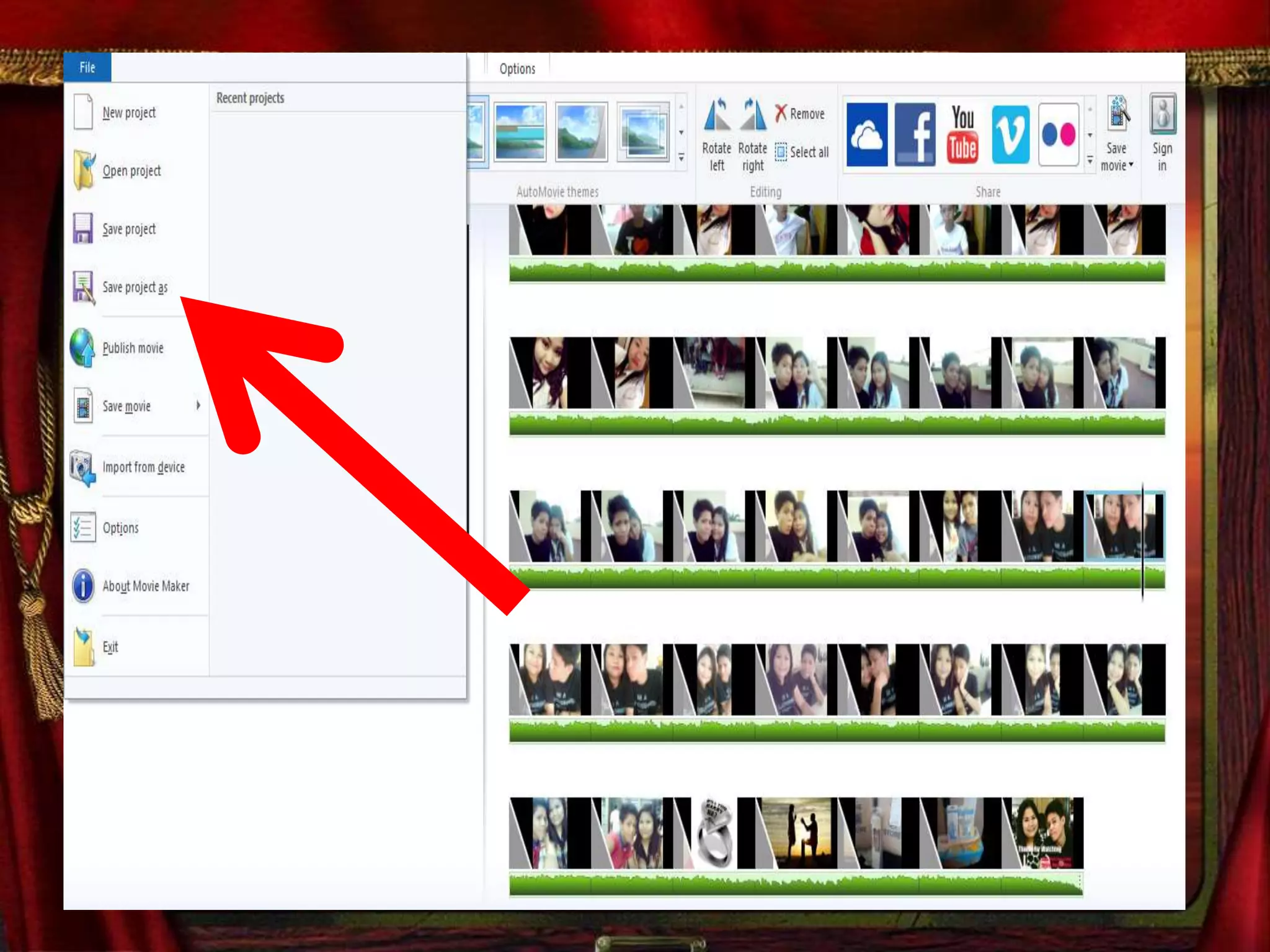
Click File
Click Save
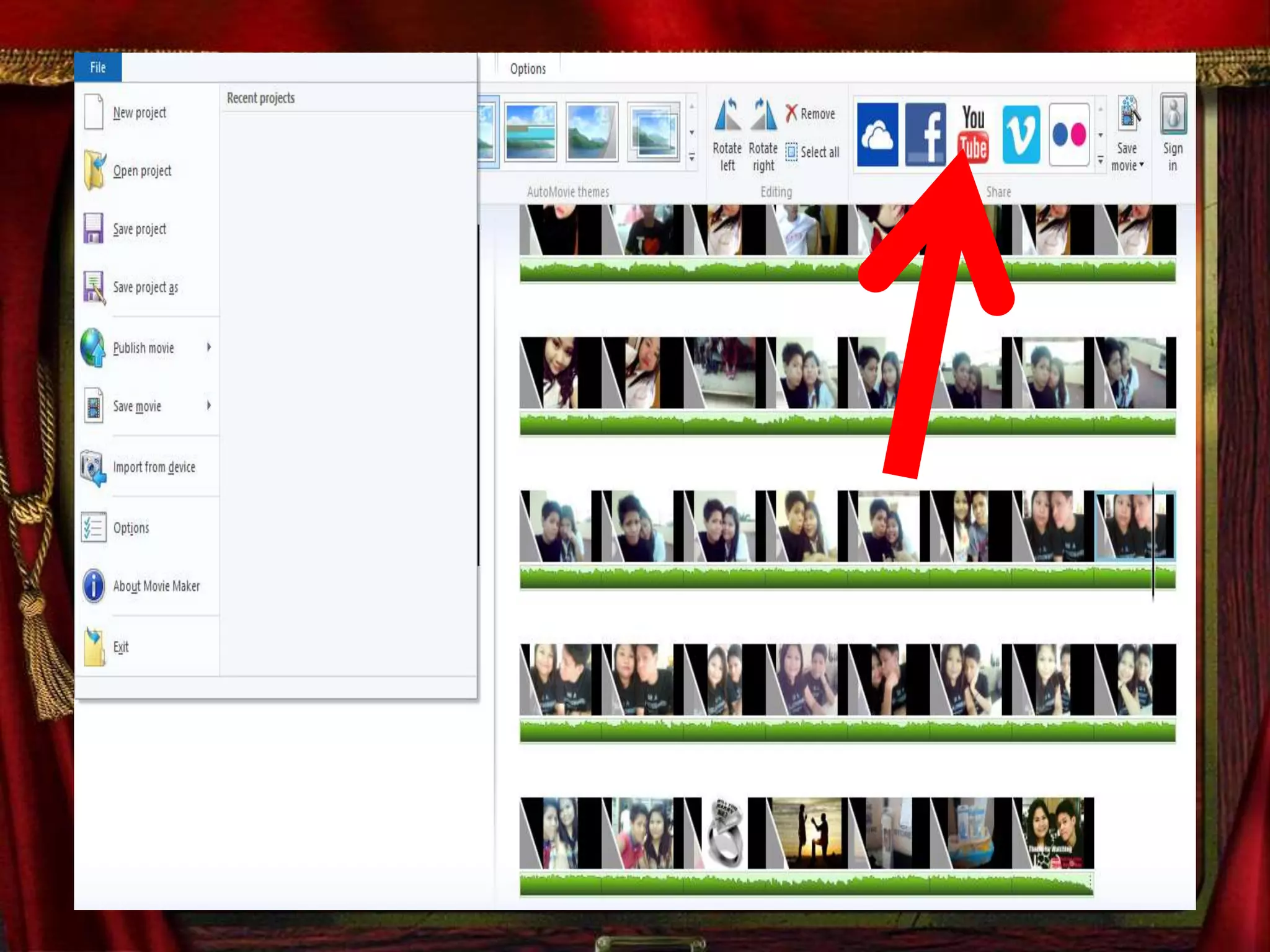
Lets Upload our movie maker in
Youtube
Go to browser and Type
www.youtube.com
Click the Youtube Icon
Login to your youtube Account
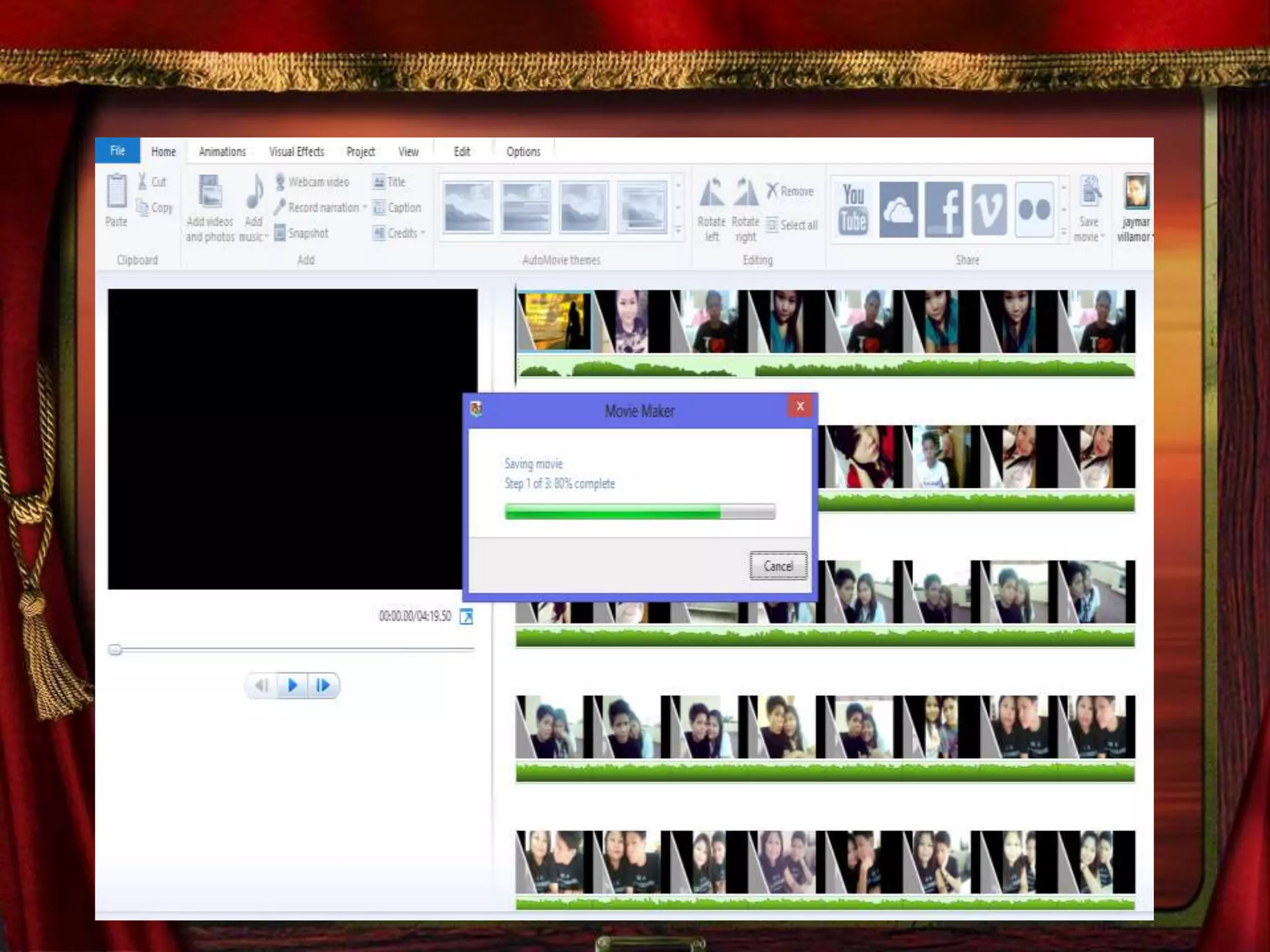
Once you Log in on your
account and you click Upload
It will automatically upload
Now you have a movie maker
Video in
Youtube 
Happy Watching

How to make Movie maker

  • 1.
    How to makeMovie maker
  • 2.
  • 3.
    Windows Movie Maker(formerly known as Windows Live Movie Maker, codenamed Sundance) is a freeware video editing software by Microsoft. It is a part of Windows Essentials software suite and offers the ability to create and edit videos as well as to publish them on OneDrive, Facebook, YouTube, and Flickr.
  • 4.
    The first releaseof Windows Movie Maker was included with Windows ME in 2000, but it was not available in Windows 2000, which was released months before Windows ME.
  • 5.
    Version 1.1 wasincluded in Windows XP a year later, and included support for creating DV AVI and WMV 8 files. Version 2.0 was released as a free update in November 2002, and added a number of new features.
  • 6.
    included in WindowsXP Service Pack 2. The Movie Maker in Windows XP Media Center Edition 2005 had more transitions and support for DVD burning.
  • 7.
  • 8.
    The next versionof Movie Maker was released as part of Windows Vista and – like most Windows components – reported version number 6.0.6000, same as Windows Vista itself. It included new effects and transitions, and support for the DVR-MS file format that Windows Media Center records television in.
  • 9.
    The HD versionin Premium and Ultimate editions of Windows Vista also added support for capturing from HDV camcorders. The capture wizard also created DVR- MS type files from HDV tapes. However, the Windows Vista version of Windows Movie Maker removed support for importing video from an analog video source such as an analog camcorder, VCR or from a webcam
  • 10.
    As some oldersystems might not be able to run the new version of Windows Movie Maker, Microsoft also released an updated older version 2.6 for Windows Vista on Microsoft Download Center. This version included the old effects and transitions, and is basically the same as Windows Movie Maker 2.1, but without the ability to capture video. Installation requires Windows Vista and is only intended for use on computers where the hardware accelerated version cannot be run.
  • 11.
    A Windows Presentation Foundation(WPF) version of Windows Movie Maker was also included in some builds of Windows "Longhorn" (now Windows Vista), but was removed in the development reset in August 2004.
  • 12.
  • 13.
    A new versionof the software, renamed Windows Live Movie Maker 2009, was released as a beta on September 17, 2008, and officially released as a standalone product throughWindows Live Essentials suite on August 19, 2009.
  • 14.
    This was effectivelycompletely new software as it could not read projects created by earlier versions and did not support custom XML transitions written for the previous versions. In addition, a great many features were removed.
  • 15.
    Movie Maker's interfacewas redesigned to use a ribbon toolbar similar to Office 2007, and also added features such as "Auto Movie" and the ability to export videos directly to DVDs and YouTube.
  • 16.
    Certain advanced featureswere also removed from the software, such as image stabilization, chroma key, and the ability to record voiceovers.
  • 17.
    Movie Maker 2009supported both Windows Vista and Windows 7; as the previous version of Windows Movie Maker is no longer included with the operating system, the only way to obtain Movie Maker on Windows 7 and later was through the Windows Live Essentials suite.
  • 18.
    An updated version,Windows Live Movie Maker 2011, was released on August 17, 2010, adding webcam capture, support for high-definition video, the ability to upload videos directly to OneDrive and Facebook, and the ability to add media files stored on network shares to projects.
  • 19.
  • 20.
    The layout consistsof a storyboard view and a timeline view, collections for organizing imported video, and a preview pane. When in Storyboard view, the video project appears as a film strip showing each scene in clips.
  • 21.
    The storyboard/timeline consistsof one 'Video' (with accompanying 'Audio' bar), one 'Music/Audio' bar, and one 'Titles/Credits' bar. In each bar, clips can be added for editing (e.g., a .WAV music file will belong on the 'Music/Audio' bar).
  • 22.
    Still images canalso be imported into the timeline and "stretched" to any desired number of frames.
  • 23.
    The Video andMusic/Audio bars can be "cut" to any number of short segments, which will play together seamlessly, but the individual segments are isolated editing-wise, so that for example, the music volume can be lowered for just a few seconds while someone is speaking.
  • 24.
    Now Let’s Startmaking Our Movie maker
  • 25.
    Go to WindowsMovie Maker
  • 27.
    1st is Youneed to import a video or a photos
  • 30.
    Select you desiredphotos to be uploaded
  • 32.
  • 35.
    You can arrangethe photos for the arrangement you want
  • 36.
    Hover over themouse and drag the pictures
  • 38.
    Press the buttonplay to see the movement of the Photos
  • 40.
    You can alsoadd music
  • 41.
    You can putdifferent style of animation
  • 43.
    After you setall the photos , Animation and the music
  • 44.
  • 46.
  • 47.
  • 49.
  • 51.
    Lets Upload ourmovie maker in Youtube
  • 52.
    Go to browserand Type www.youtube.com
  • 54.
  • 56.
    Login to youryoutube Account
  • 57.
    Once you Login on your account and you click Upload
  • 58.
  • 60.
    Now you havea movie maker Video in Youtube 
  • 61.