Windows Movie
Maker Version
2012
Amy Chadwell
Media and Digital
Resources Librarian
Installation
 If If you do not have Movie Maker already
installed on your PC computer, then you can
download it for free on Microsoft’s website:
 http://windows.microsoft.com/en-
us/windows-live/movie-maker
 Note: As of Sept 2015, Windows 10 is not
supporting Movie Maker. Other similar tools
may be found in the Windows Store.
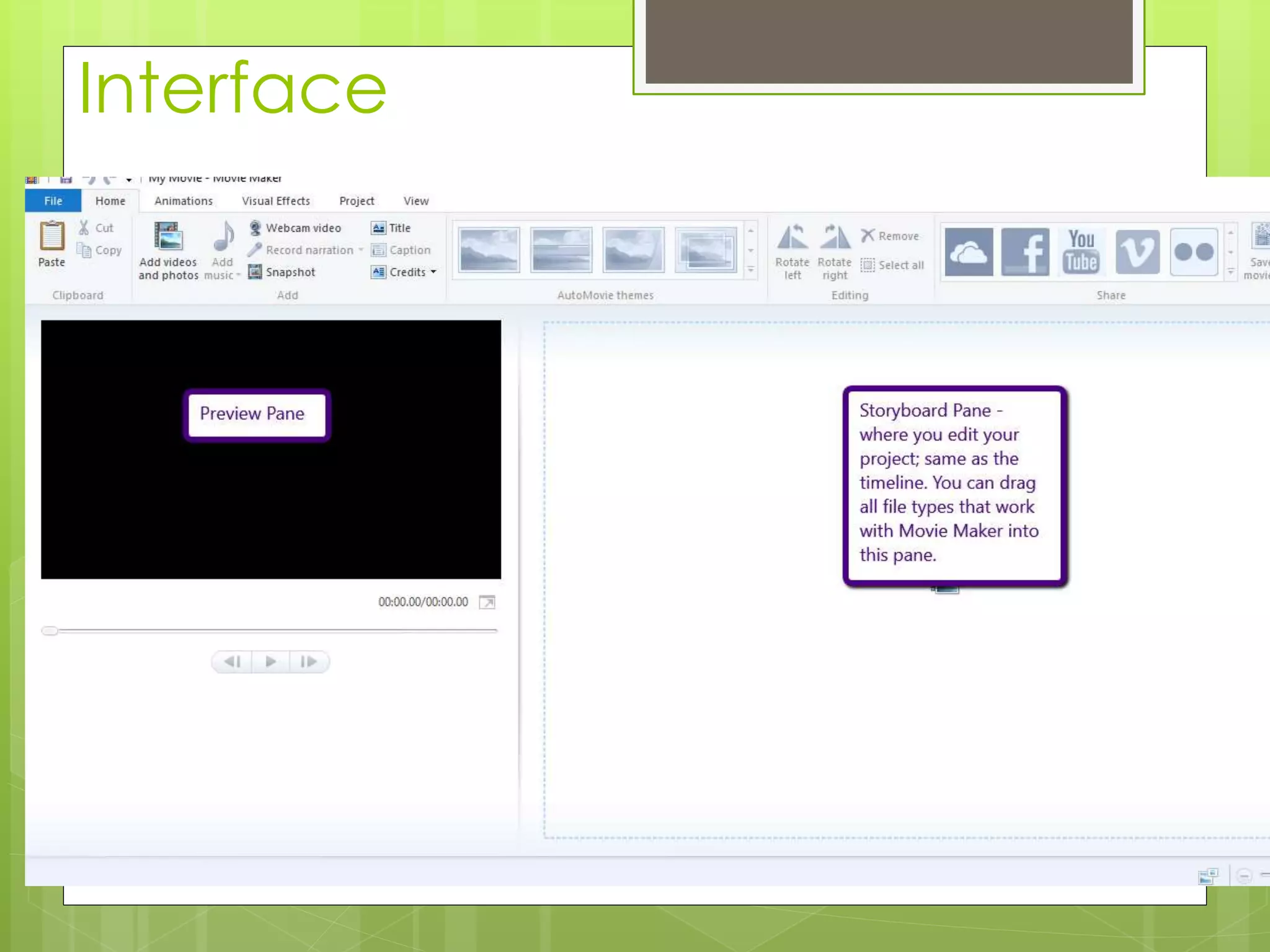
Interface
Here are your options
for New Project,
opening projects,
and Importing.
If you press a push
pin on recent
projects, the project
will always appear in
the list.
Import from Device
recognizes photo
cameras and video
cameras.
File Types:
Interface
Interface
Editing: Home Page Tab
Editing: Text Tools
Editing: Video Tools
Editing: Animations
Editing: Adding Music
Add music; MP3 file; free converters
available online if your music is in a
different format. *Note: MP3 is not
iTunes format.
If you’d like to
mute the
volume on your
video to add
music, go to
Video Tools,
Video Volume,
and drag the
volume down.
Publishing
 Once you are done, you can export or
publish your video in a variety of ways,
including straight to YouTube, digital file,
DVD, and emailing the file.
 Your file will be exported as a WMV
(windows media video) file. This will not
play unless you use a Windows Video
Player. To transfer it to another file type,
you can use a free transcoder like
HandBrake.
Need More Help?
 Visit Microsoft Windows Movie Maker Site
 Search YouTube for walkthroughs of your
problem. Include Windows Movie Maker
and version # in search terms.
 Email media@highpoint.edu and set up a
session with a media
librarian/assistant/tutor.

Windows Movie Maker

  • 1.
    Windows Movie Maker Version 2012 AmyChadwell Media and Digital Resources Librarian
  • 2.
    Installation  If Ifyou do not have Movie Maker already installed on your PC computer, then you can download it for free on Microsoft’s website:  http://windows.microsoft.com/en- us/windows-live/movie-maker  Note: As of Sept 2015, Windows 10 is not supporting Movie Maker. Other similar tools may be found in the Windows Store.
  • 3.
    Interface Here are youroptions for New Project, opening projects, and Importing. If you press a push pin on recent projects, the project will always appear in the list. Import from Device recognizes photo cameras and video cameras.
  • 4.
  • 5.
  • 6.
  • 7.
  • 8.
  • 9.
  • 10.
  • 11.
    Editing: Adding Music Addmusic; MP3 file; free converters available online if your music is in a different format. *Note: MP3 is not iTunes format. If you’d like to mute the volume on your video to add music, go to Video Tools, Video Volume, and drag the volume down.
  • 12.
    Publishing  Once youare done, you can export or publish your video in a variety of ways, including straight to YouTube, digital file, DVD, and emailing the file.  Your file will be exported as a WMV (windows media video) file. This will not play unless you use a Windows Video Player. To transfer it to another file type, you can use a free transcoder like HandBrake.
  • 13.
    Need More Help? Visit Microsoft Windows Movie Maker Site  Search YouTube for walkthroughs of your problem. Include Windows Movie Maker and version # in search terms.  Email media@highpoint.edu and set up a session with a media librarian/assistant/tutor.