How to Create a software instrument,
record MIDI and quantize notes using
      Propellerhead’s reason 5


                              By Mark Hani
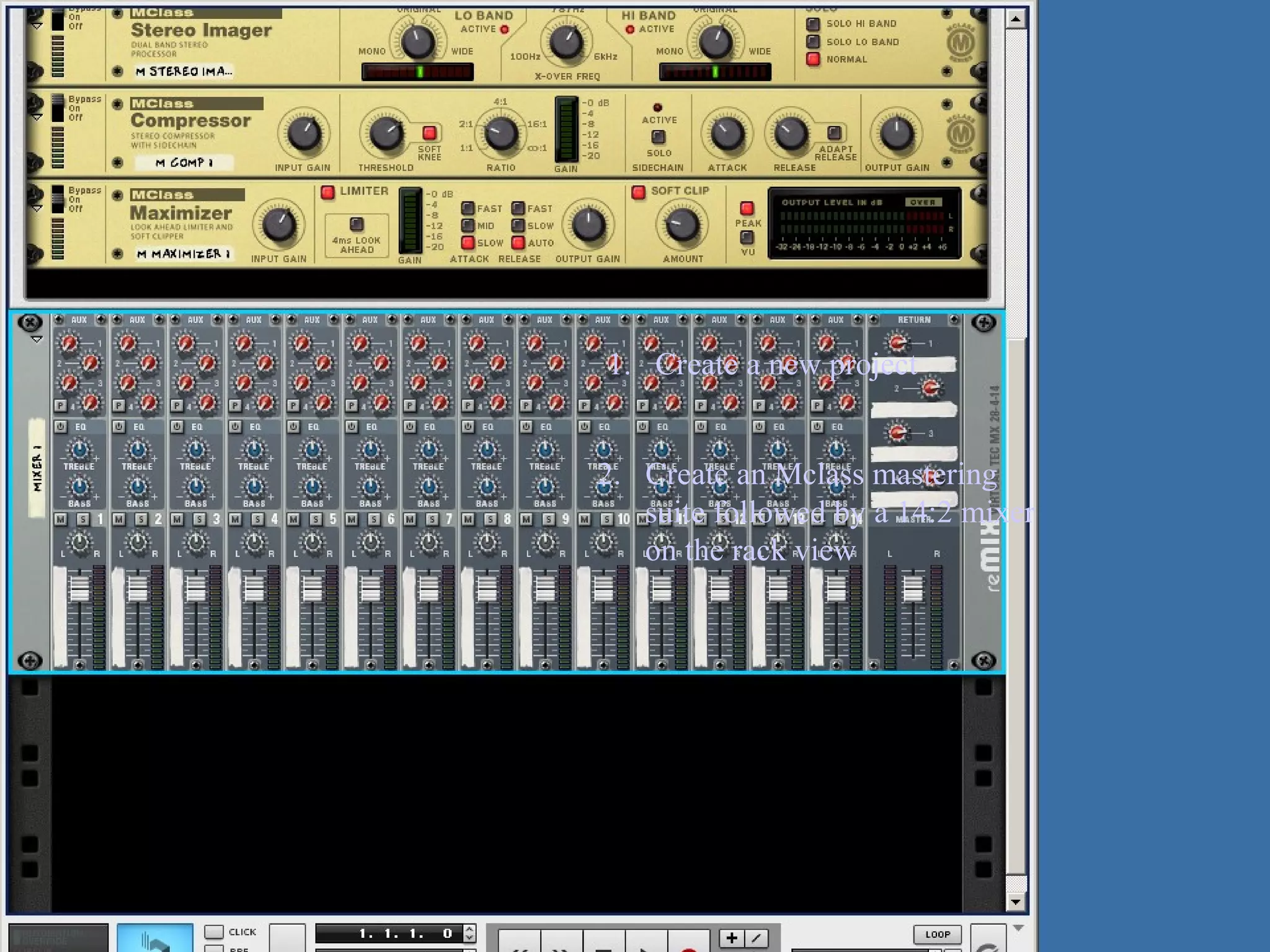
1. Create a new project


2. Create an Mclass mastering
   suite followed by a 14:2 mixer
   on the rack view
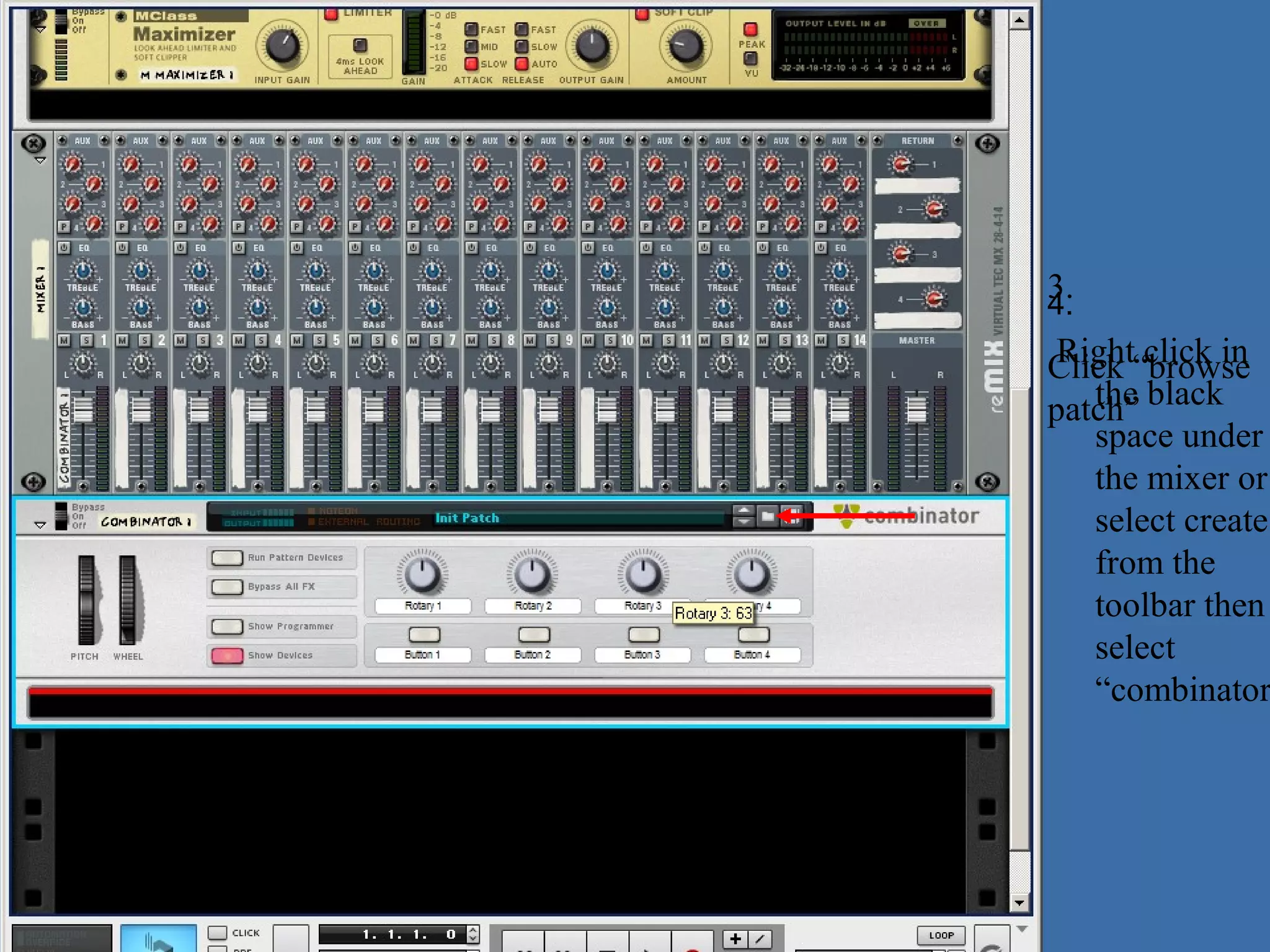
3.
4.
 Right click in
Click “browse
patch” black
   the
   space under
   the mixer or
   select create
   from the
   toolbar then
   select
   “combinator
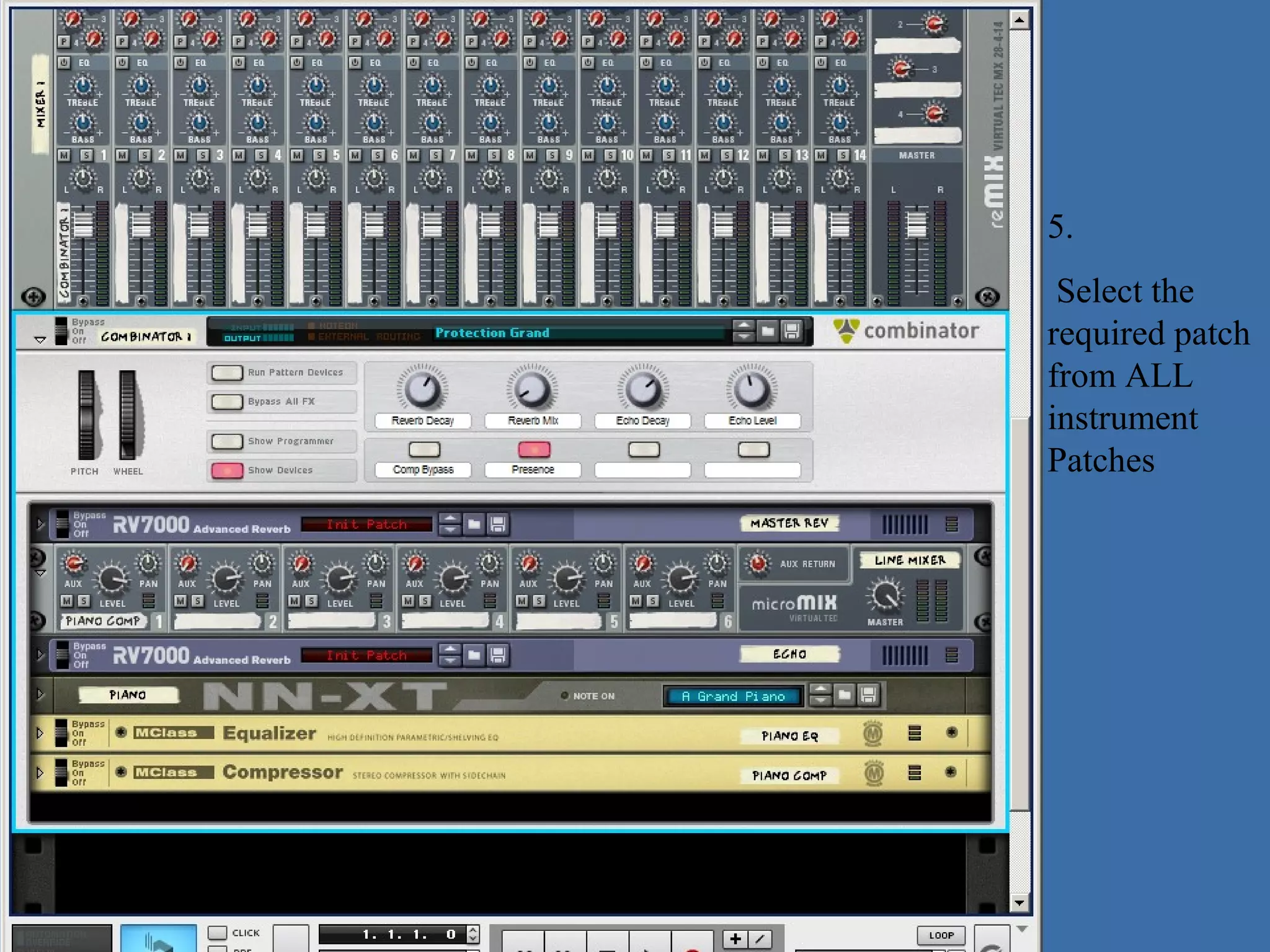
5.
 Select the
required patch
from ALL
instrument
Patches
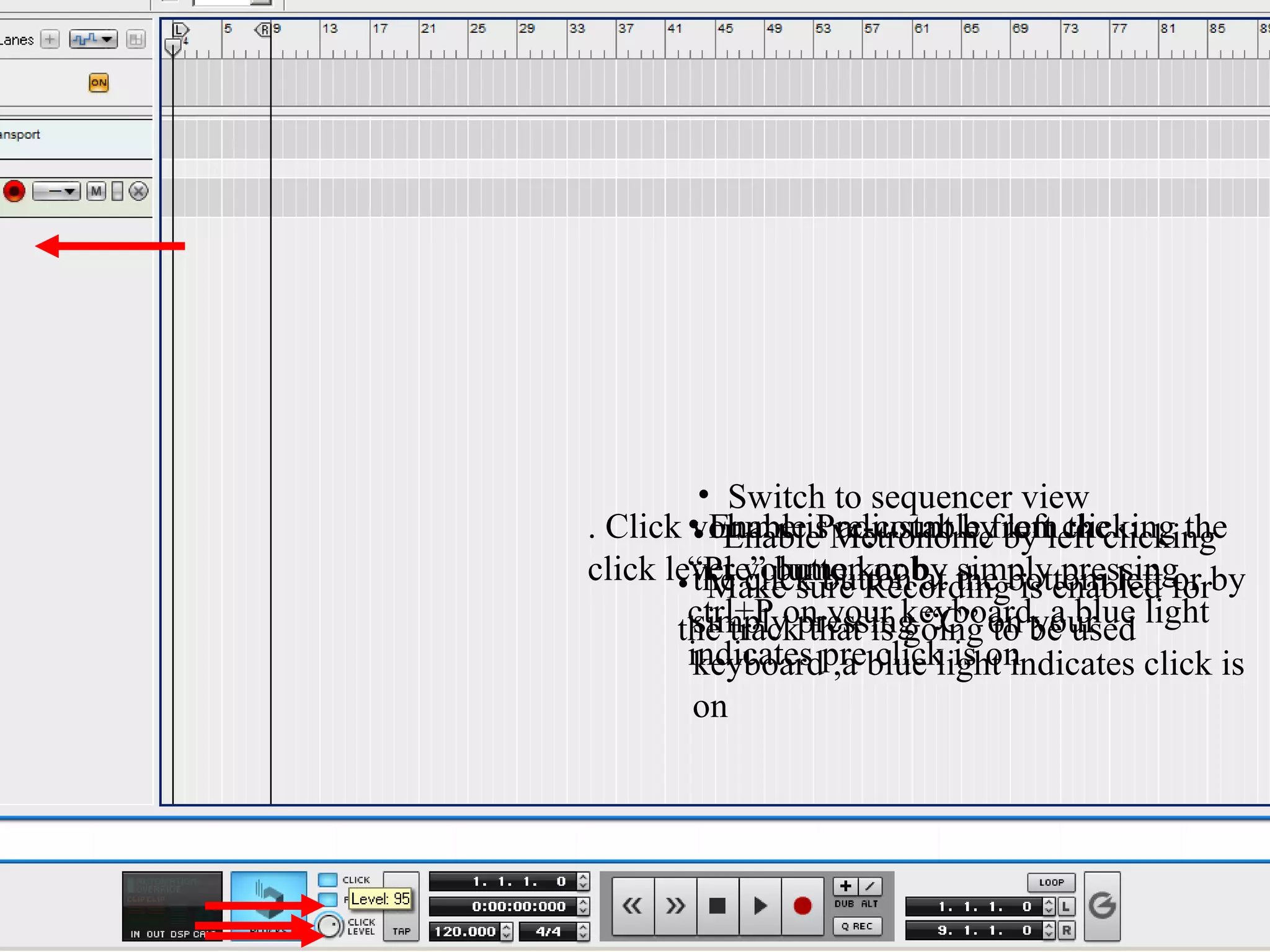
• Switch to sequencer view
. Click • EnableisMetronomefrom clicking the
        volume Pre-count by by left clicking
         • Enable adjustable left the
click level volume knobat the bottom left or by
       •“Pre” buttonRecording is enabled for
         the click buttonby simply pressing
                       or
           Make sure
       the trackpressing “C” on be used light
        ctrl+P on your keyboard, a blue
         simply that is going to your
        indicates preblue light indicates click is
         keyboard ,a click is on
         on
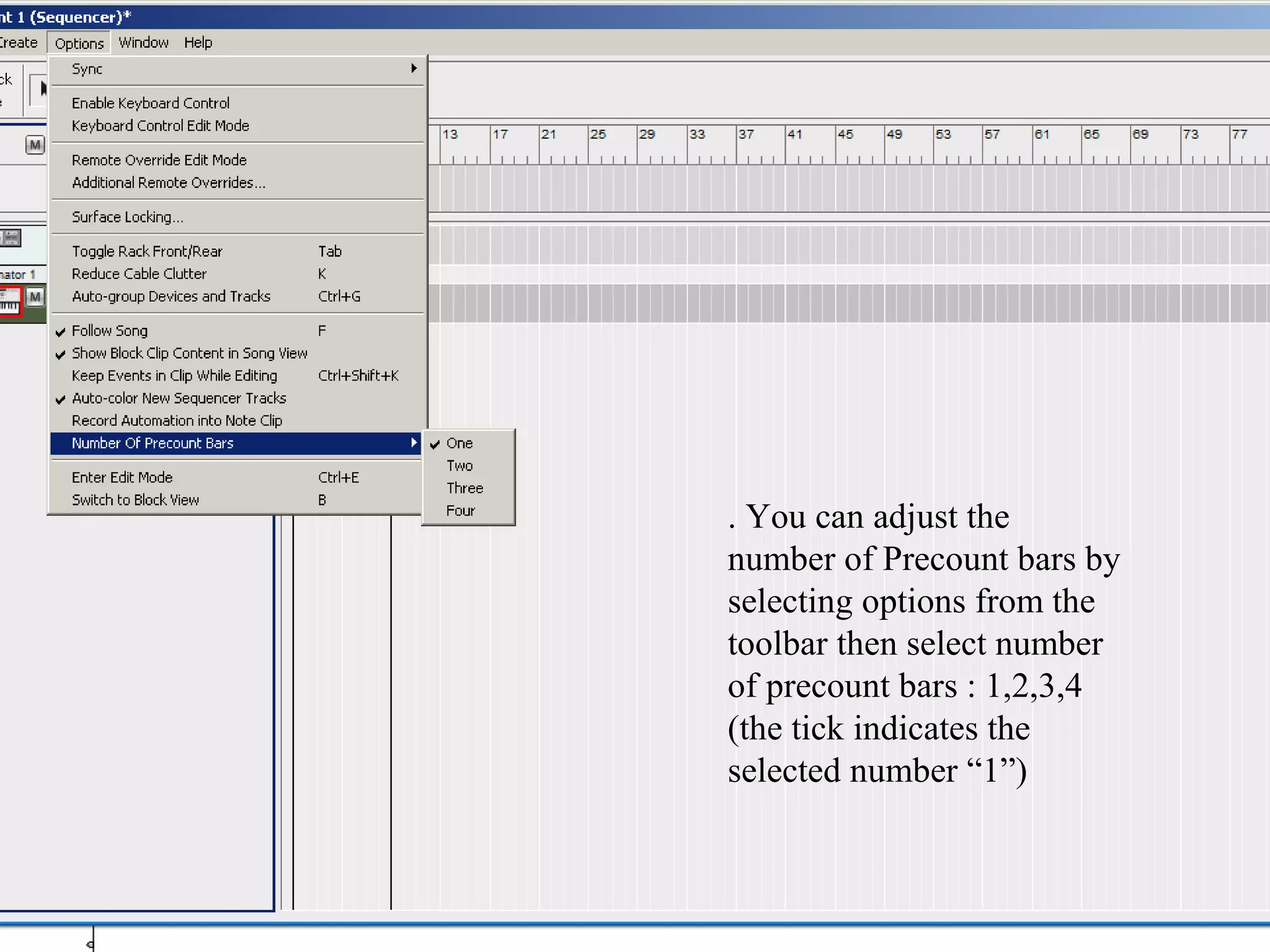
. You can adjust the
number of Precount bars by
selecting options from the
toolbar then select number
of precount bars : 1,2,3,4
(the tick indicates the
selected number “1”)
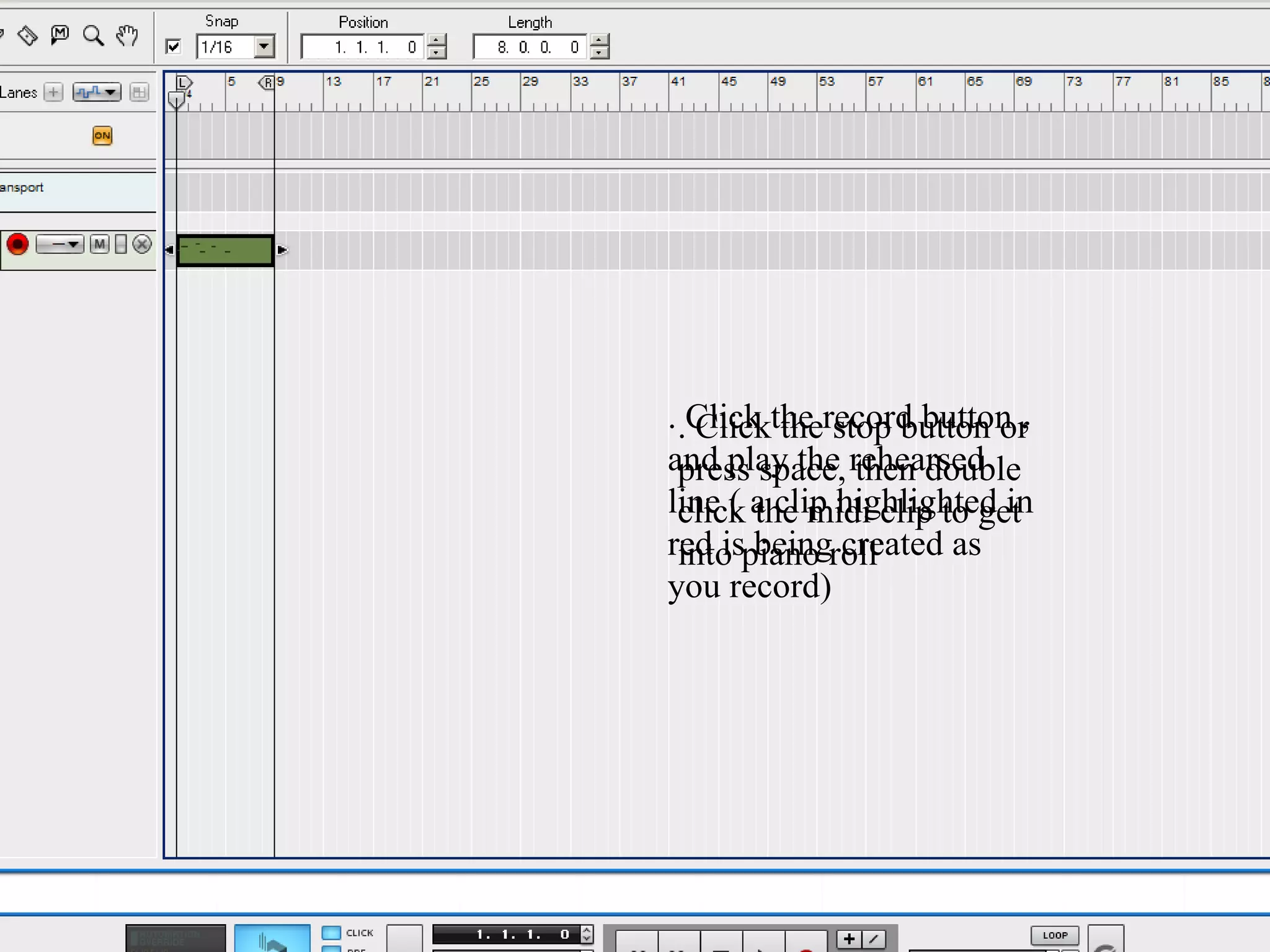
. .Click the record button ,
   Click the stop button or
and play the rehearsed
  press space, then double
line ( a clip highlighted in
  click the midi clip to get
red ispiano roll
  into being created as
you record)
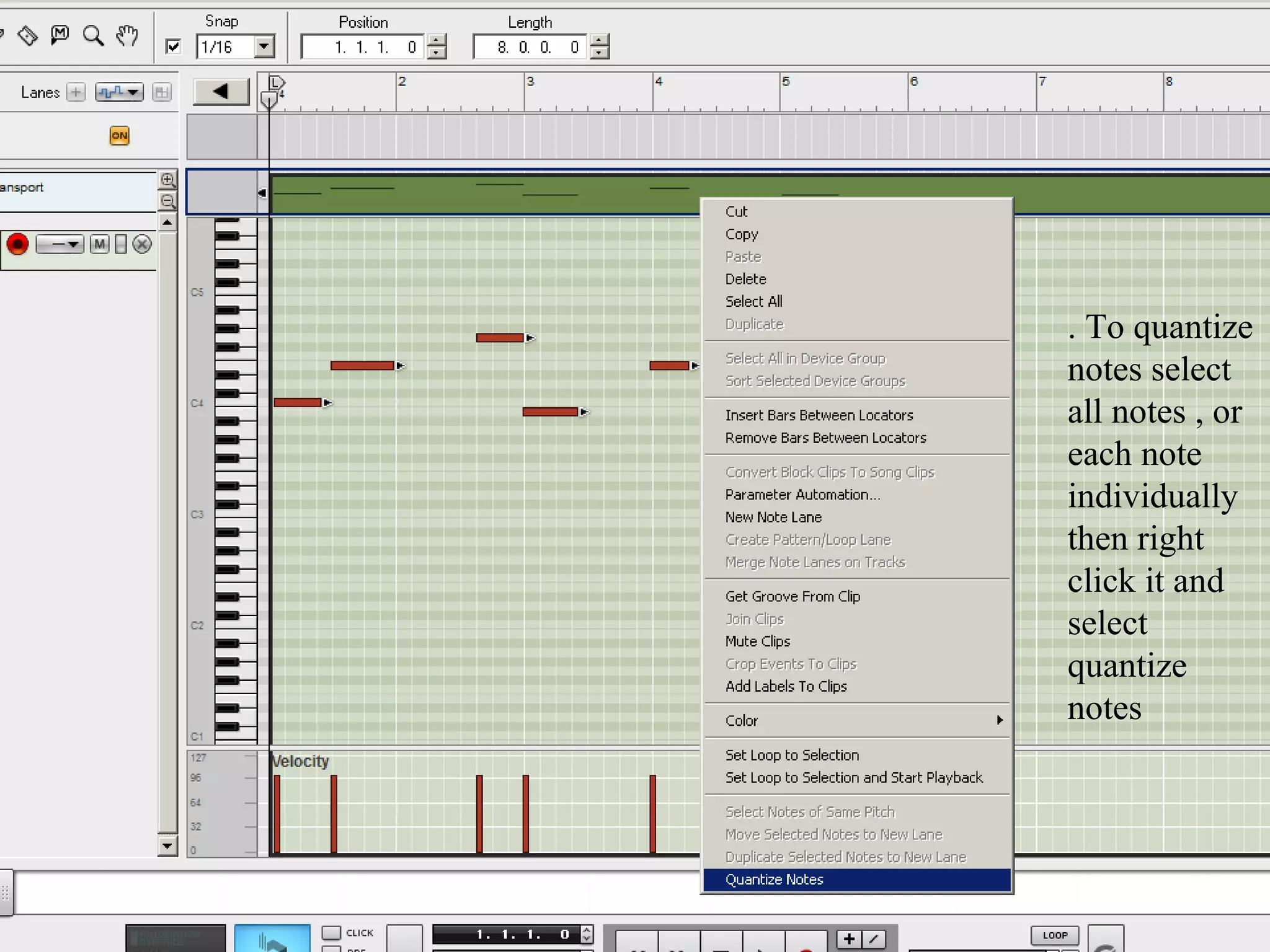
. To quantize
notes select
all notes , or
each note
individually
then right
click it and
select
quantize
notes
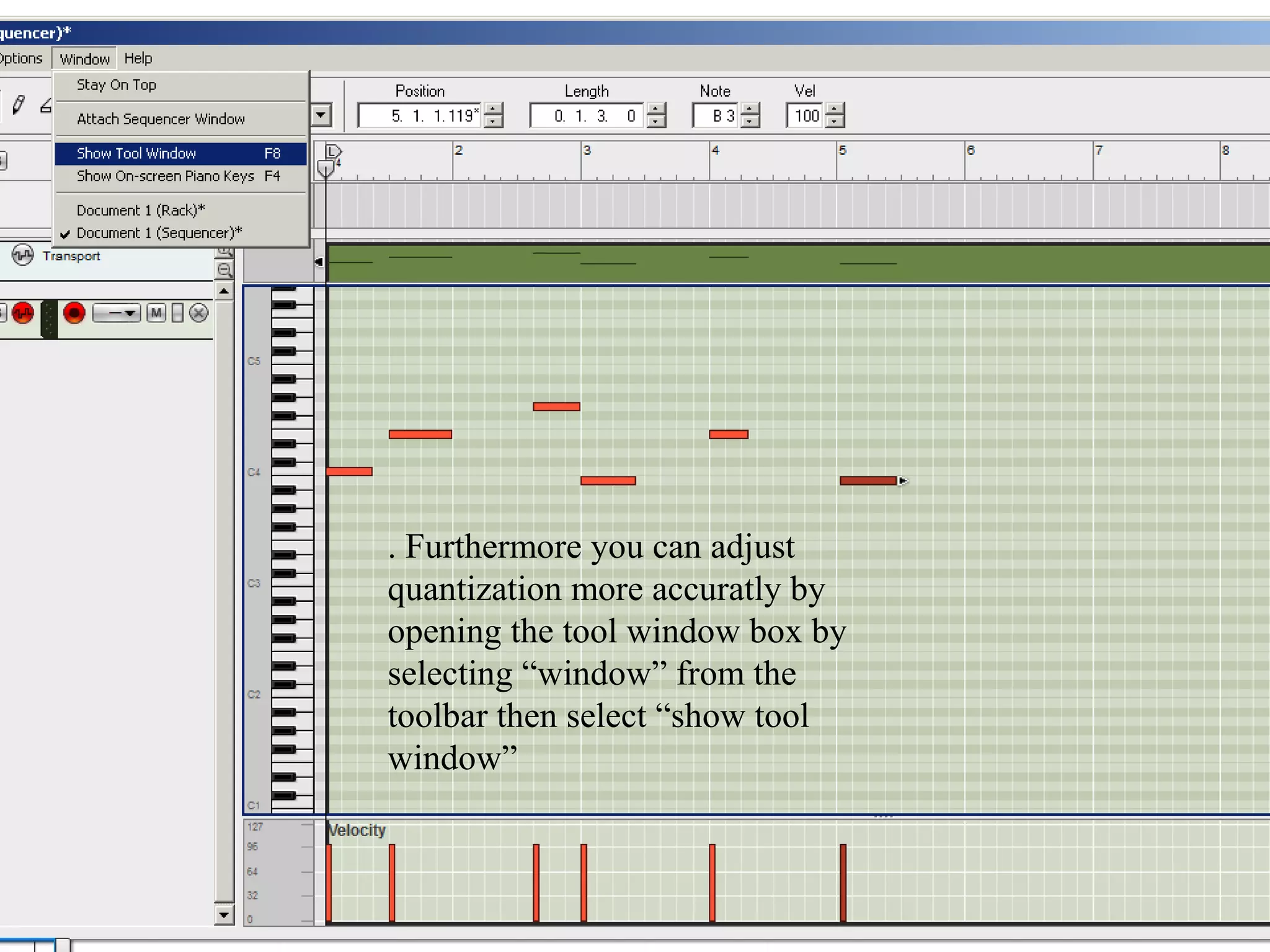
. Furthermore you can adjust
quantization more accuratly by
opening the tool window box by
selecting “window” from the
toolbar then select “show tool
window”
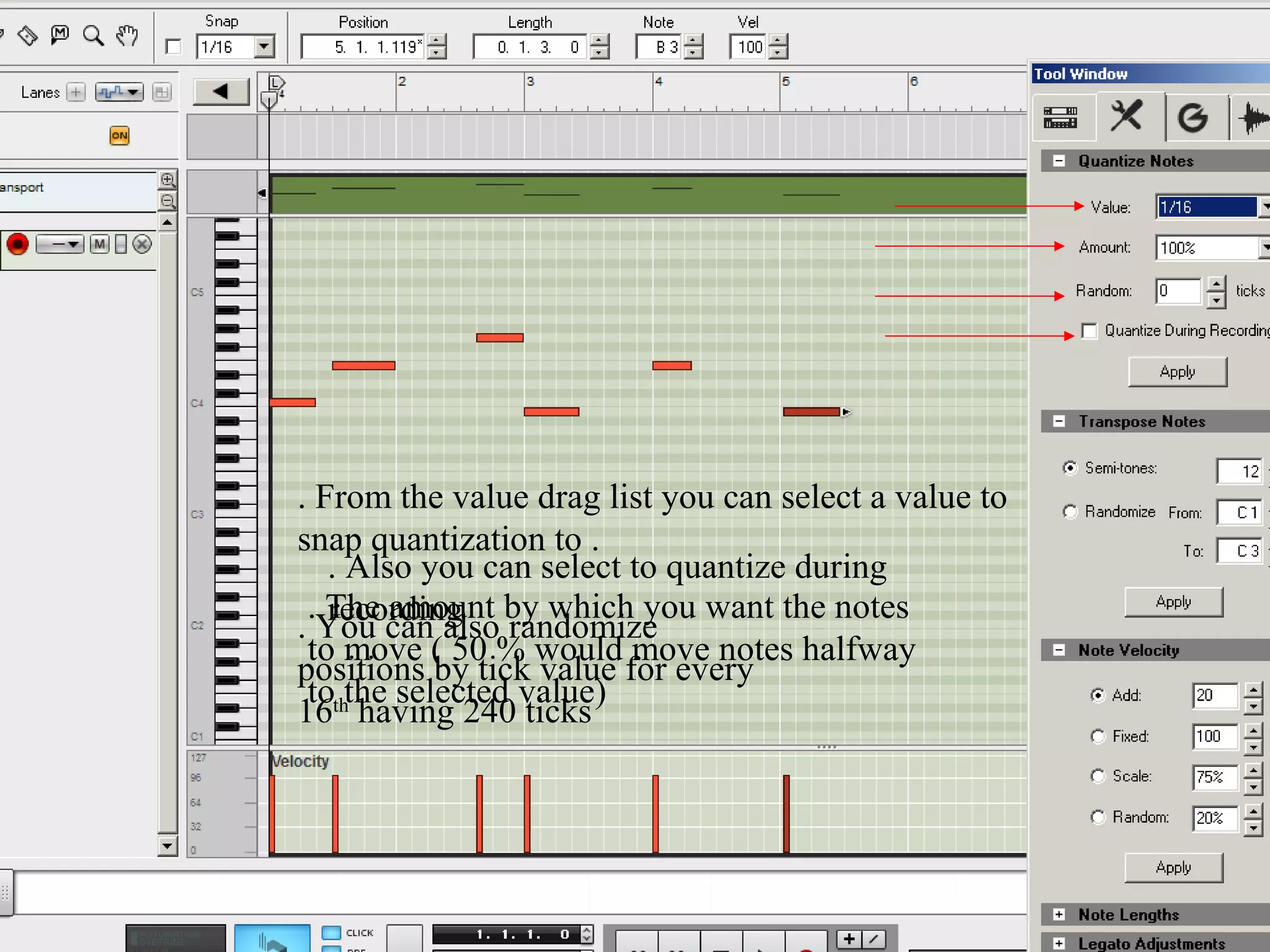
. From the value drag list you can select a value to
snap quantization to .
   . Also you can select to quantize during
 . The amount by which you want the notes
   recording
. You can also randomize
 to move ( 50 % would move notes halfway
positions by tick value for every
 to the selected value)
16th having 240 ticks
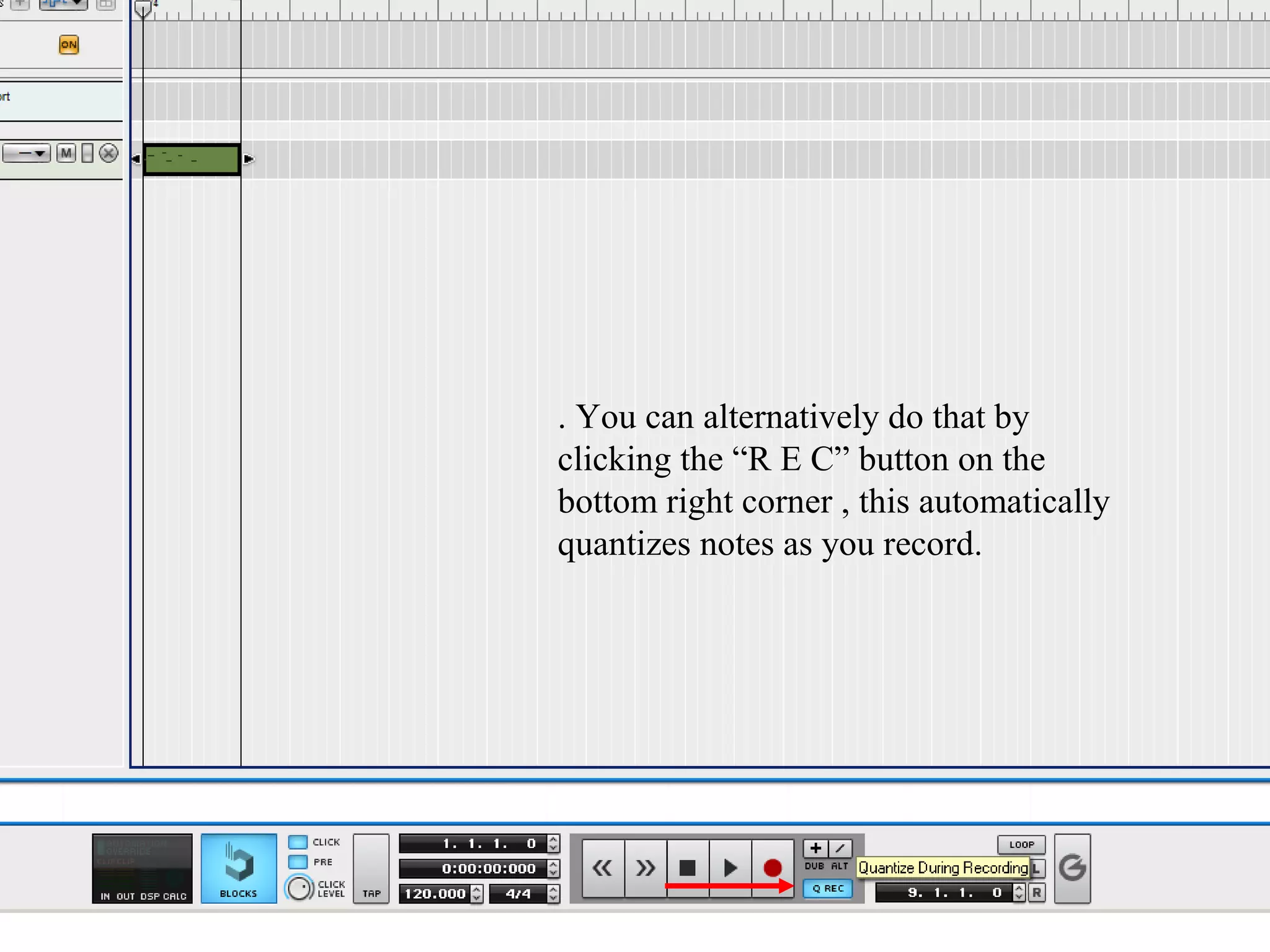
. You can alternatively do that by
clicking the “R E C” button on the
bottom right corner , this automatically
quantizes notes as you record.
I hope this was helpful,


                           Thank you

How to create a software instrument, record

  • 1.
    How to Createa software instrument, record MIDI and quantize notes using Propellerhead’s reason 5 By Mark Hani
  • 2.
    1. Create anew project 2. Create an Mclass mastering suite followed by a 14:2 mixer on the rack view
  • 3.
    3. 4. Right clickin Click “browse patch” black the space under the mixer or select create from the toolbar then select “combinator
  • 4.
    5. Select the requiredpatch from ALL instrument Patches
  • 5.
    • Switch tosequencer view . Click • EnableisMetronomefrom clicking the volume Pre-count by by left clicking • Enable adjustable left the click level volume knobat the bottom left or by •“Pre” buttonRecording is enabled for the click buttonby simply pressing or Make sure the trackpressing “C” on be used light ctrl+P on your keyboard, a blue simply that is going to your indicates preblue light indicates click is keyboard ,a click is on on
  • 6.
    . You canadjust the number of Precount bars by selecting options from the toolbar then select number of precount bars : 1,2,3,4 (the tick indicates the selected number “1”)
  • 7.
    . .Click therecord button , Click the stop button or and play the rehearsed press space, then double line ( a clip highlighted in click the midi clip to get red ispiano roll into being created as you record)
  • 8.
    . To quantize notesselect all notes , or each note individually then right click it and select quantize notes
  • 9.
    . Furthermore youcan adjust quantization more accuratly by opening the tool window box by selecting “window” from the toolbar then select “show tool window”
  • 10.
    . From thevalue drag list you can select a value to snap quantization to . . Also you can select to quantize during . The amount by which you want the notes recording . You can also randomize to move ( 50 % would move notes halfway positions by tick value for every to the selected value) 16th having 240 ticks
  • 11.
    . You canalternatively do that by clicking the “R E C” button on the bottom right corner , this automatically quantizes notes as you record.
  • 12.
    I hope thiswas helpful, Thank you