How to create a SLIDESHARE Account by Ana T. Villarmente As taught by Jomar Hilario
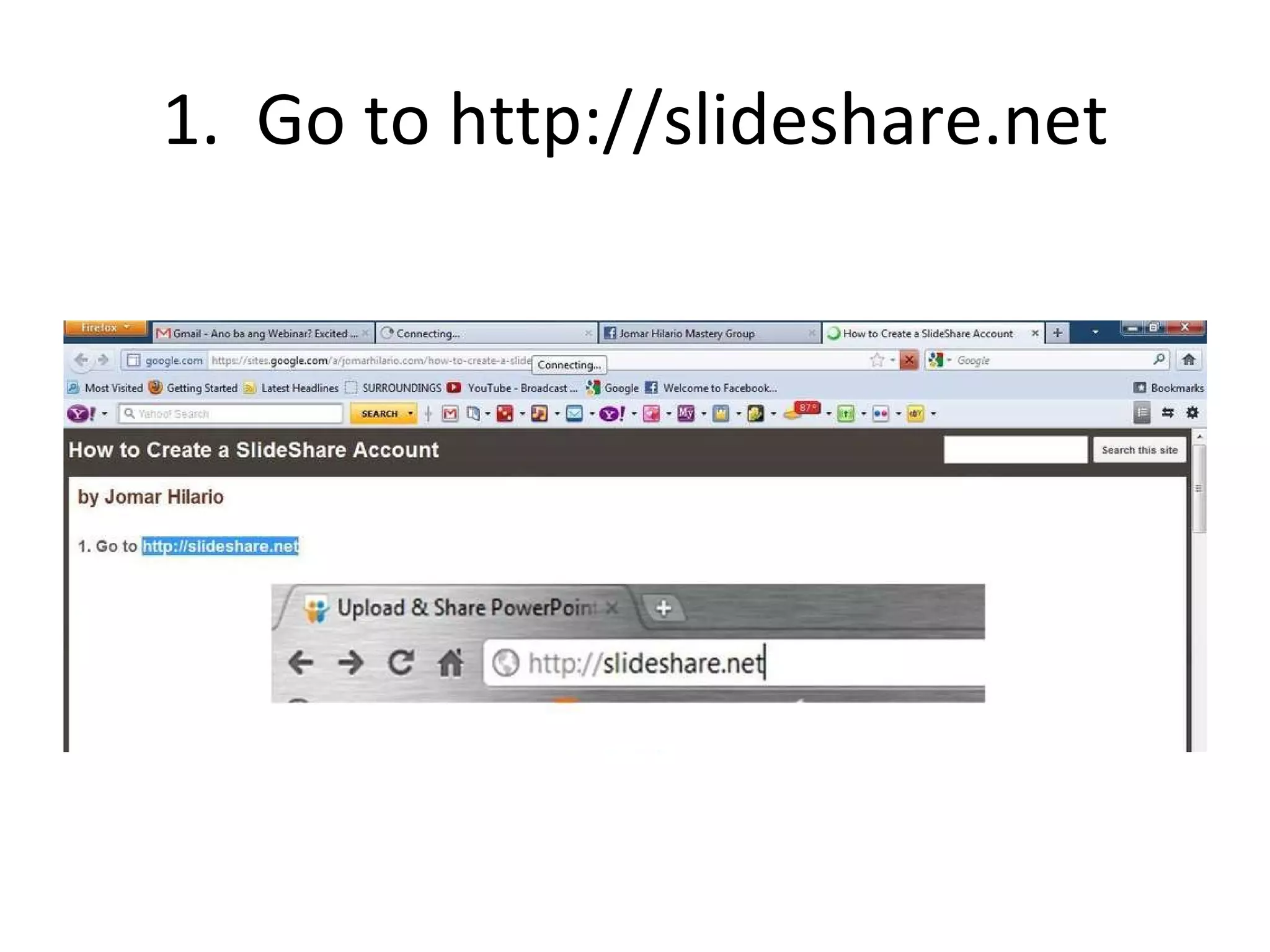
1.  Go to http://slideshare.net
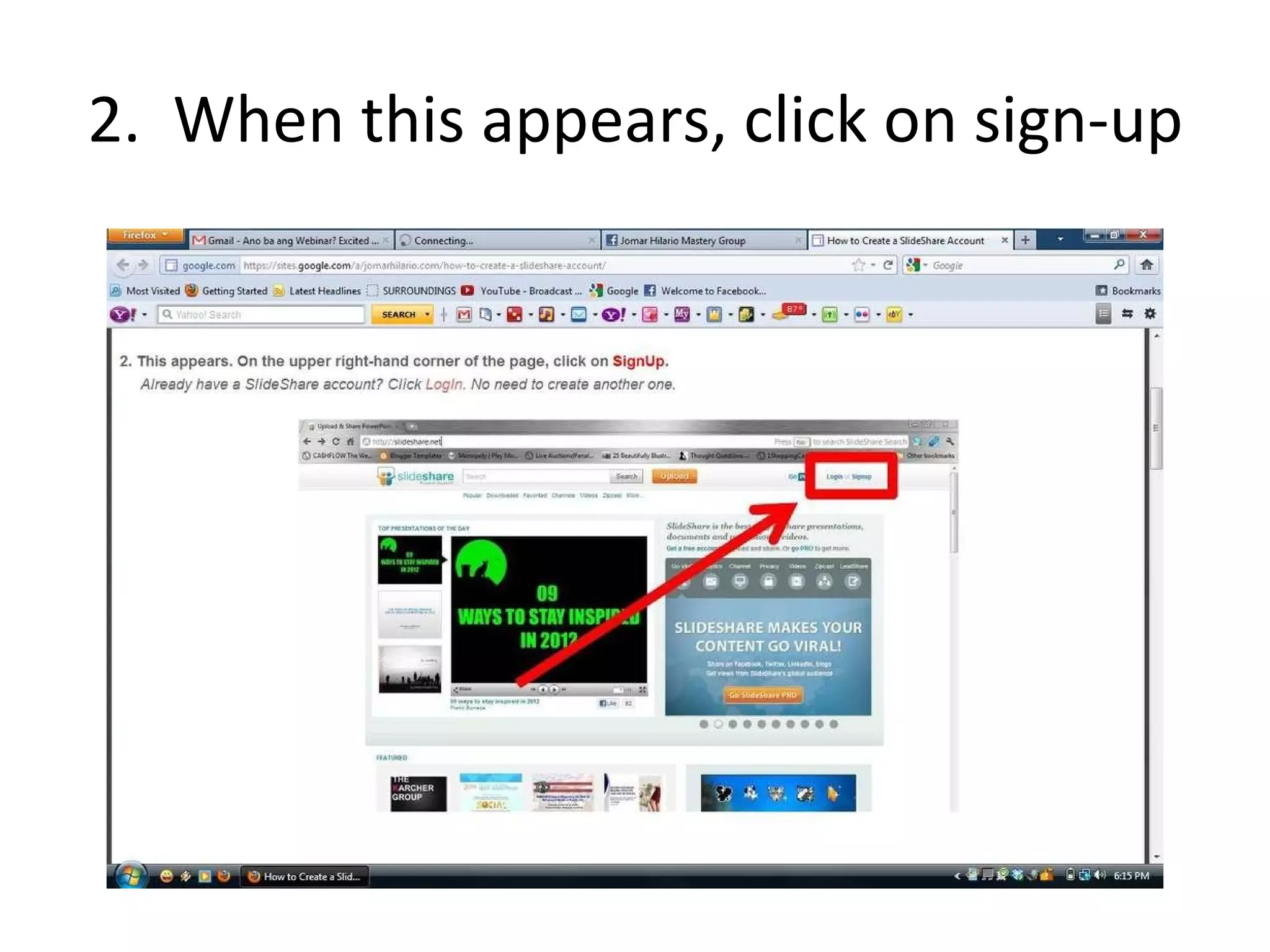
2.  When this appears, click on sign-up
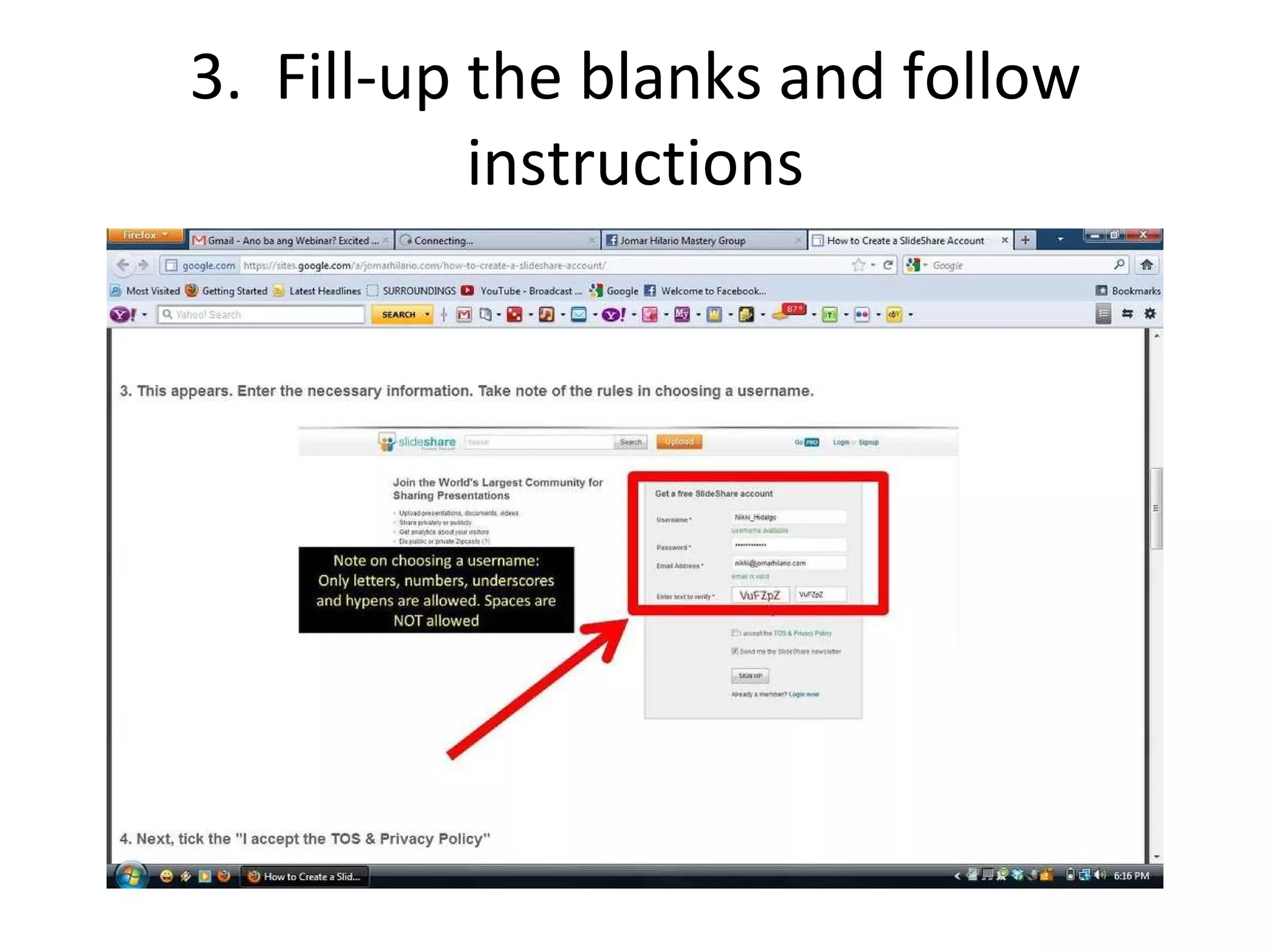
3.  Fill-up the blanks and follow instructions
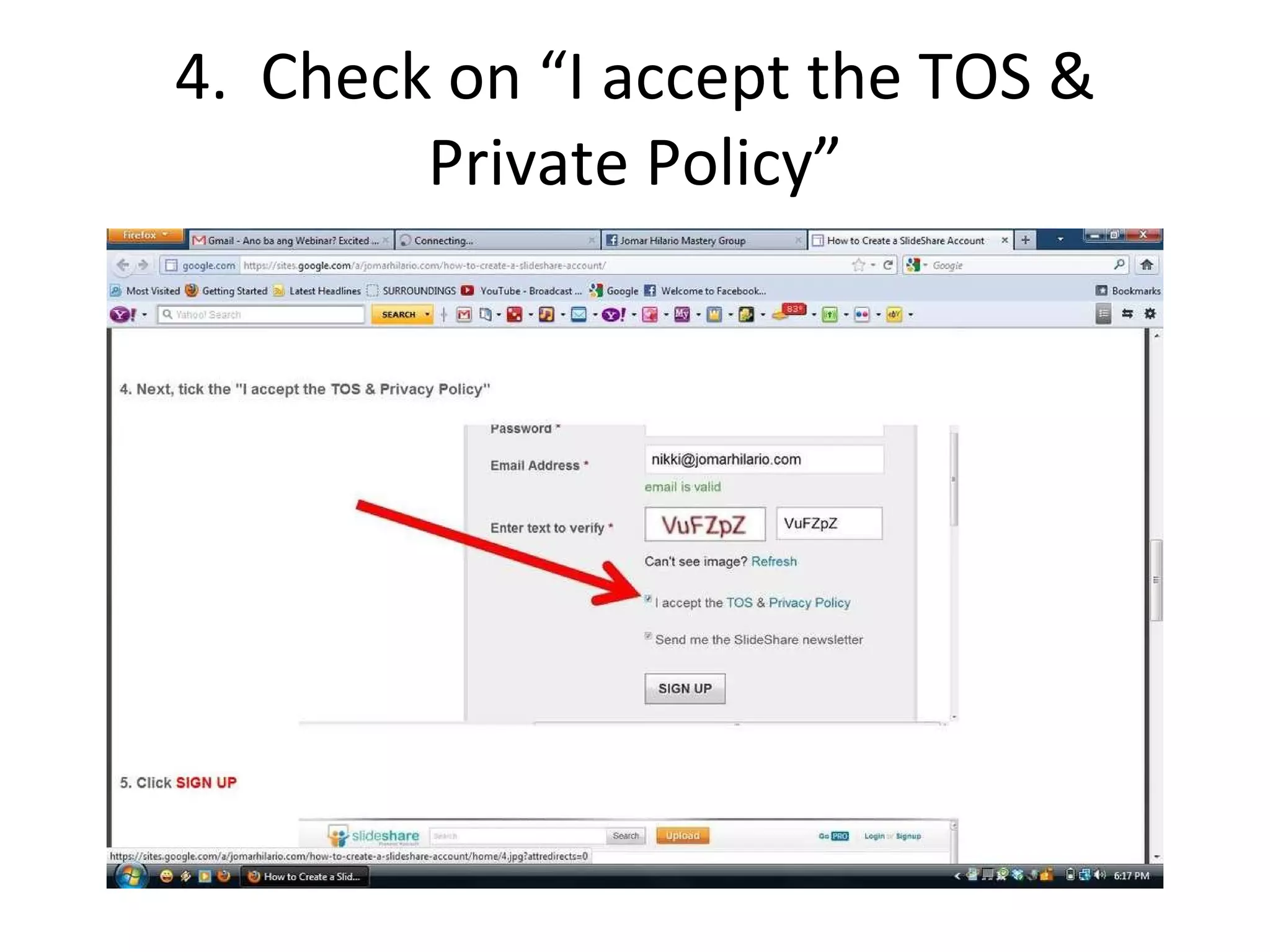
4.  Check on “I accept the TOS & Private Policy”
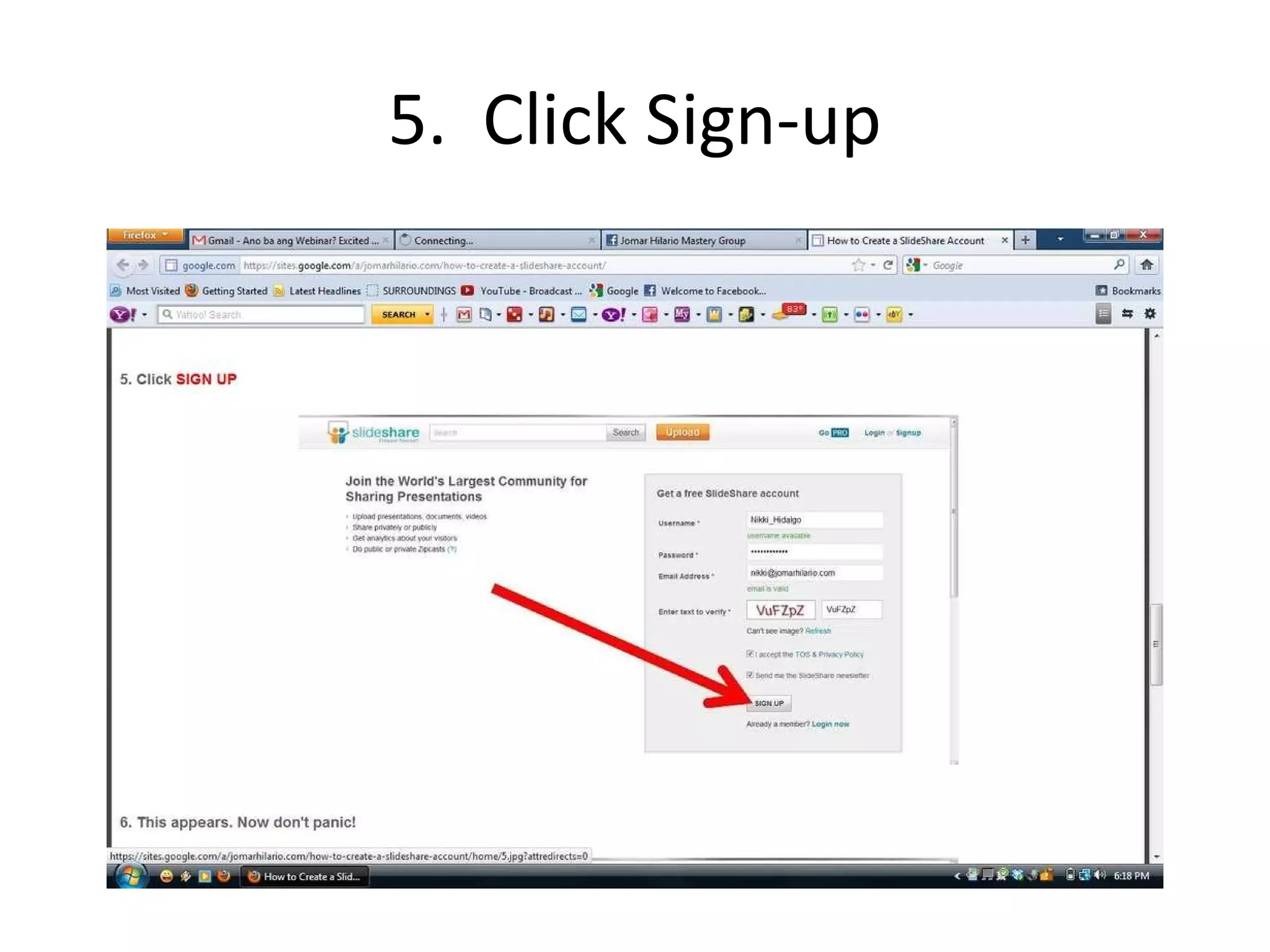
5.  Click Sign-up
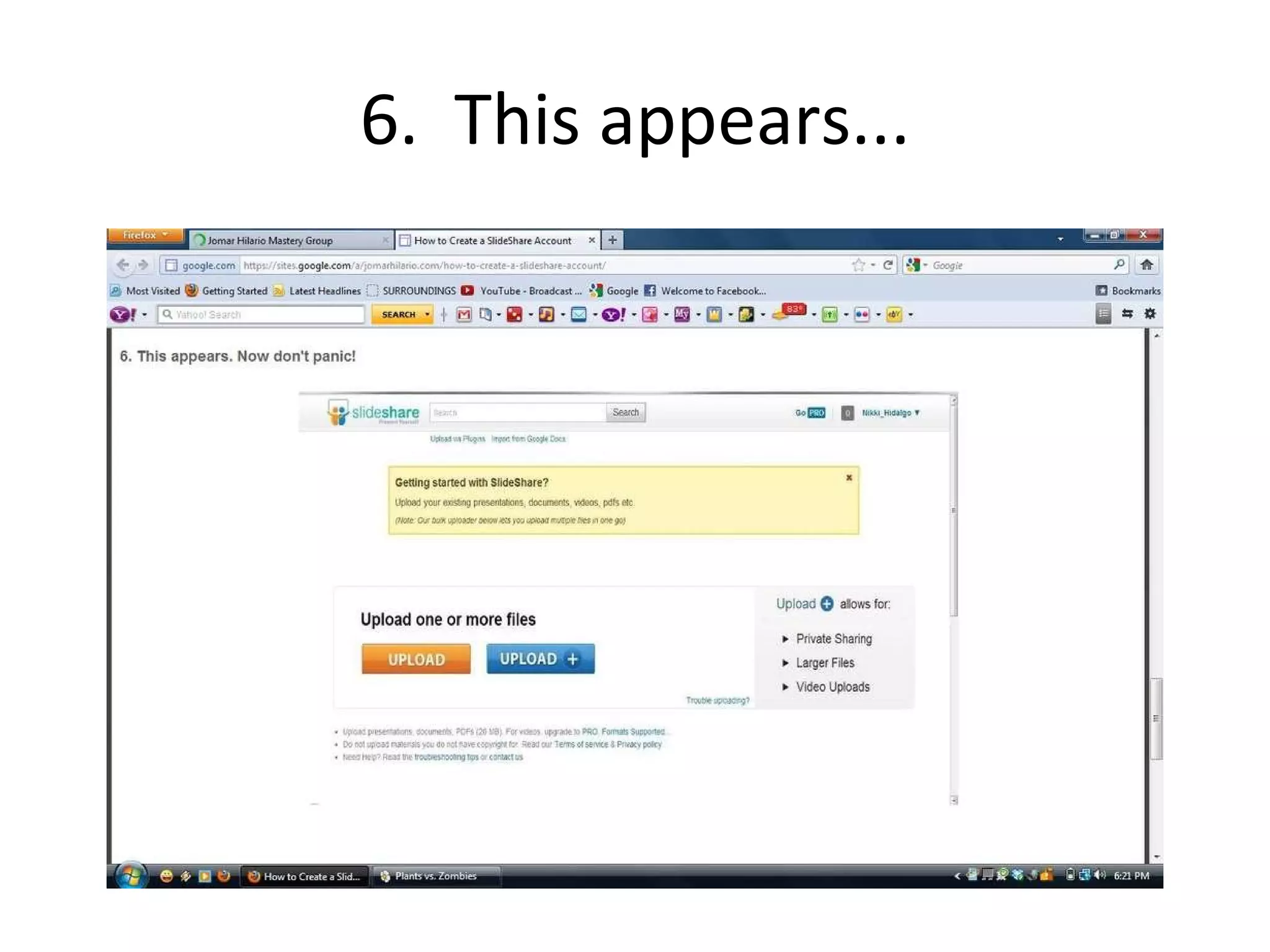
6.  This appears...
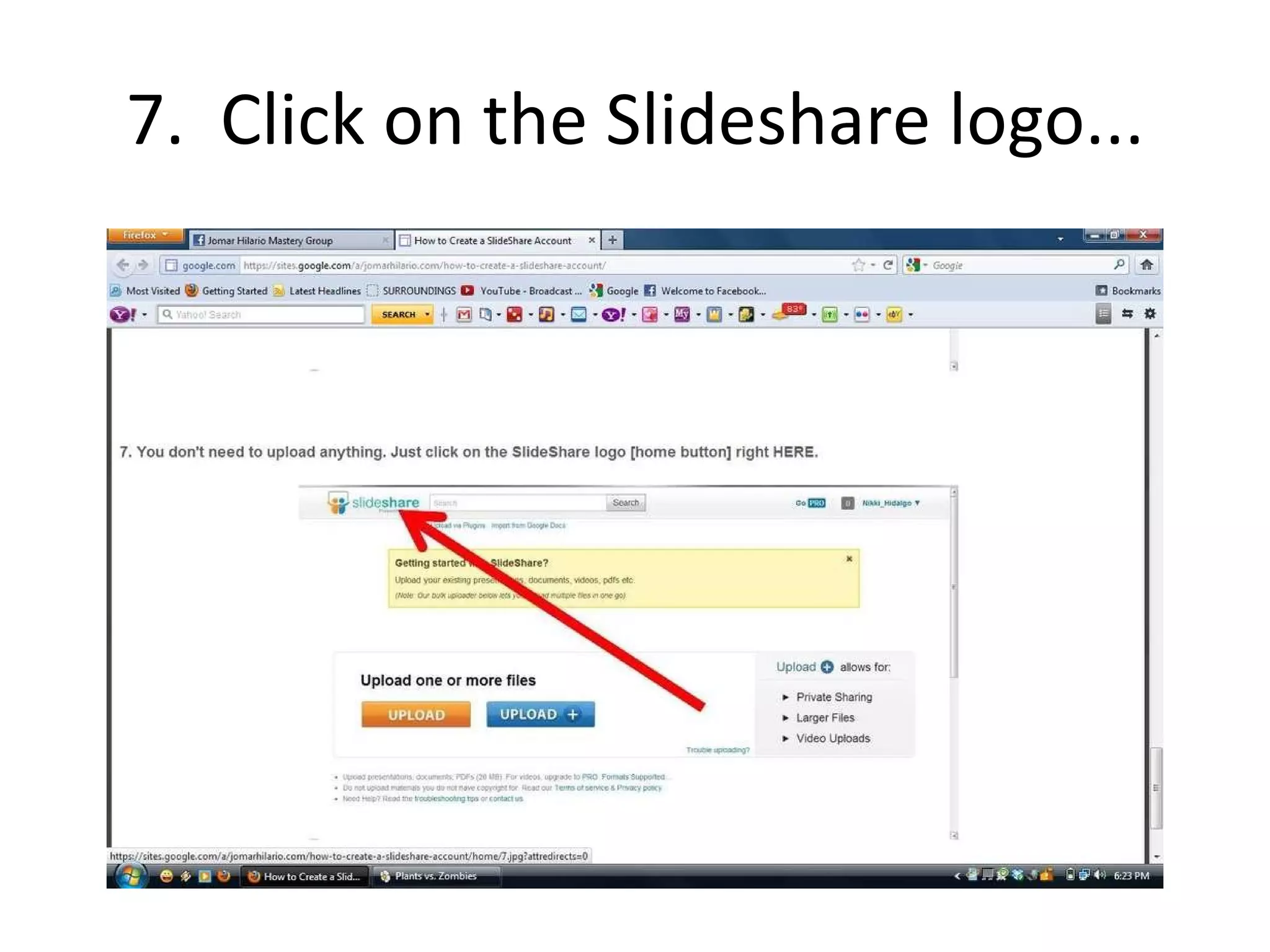
7.  Click on the Slideshare logo...
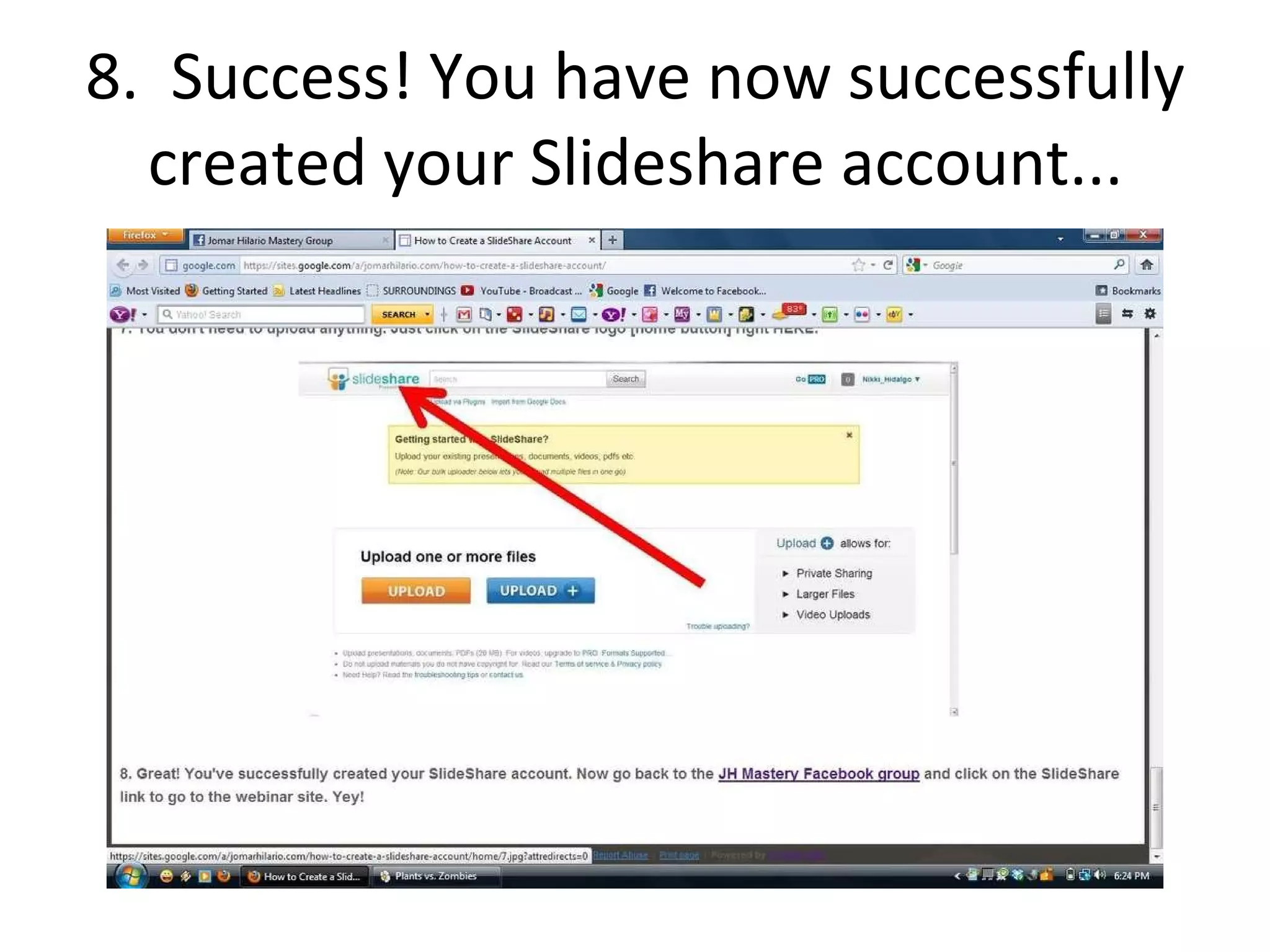
8.  Success! You have now successfully created your Slideshare account...

How to Create a Slideshare Account

  • 1.
    How to createa SLIDESHARE Account by Ana T. Villarmente As taught by Jomar Hilario
  • 2.
    1. Goto http://slideshare.net
  • 3.
    2. Whenthis appears, click on sign-up
  • 4.
    3. Fill-upthe blanks and follow instructions
  • 5.
    4. Checkon “I accept the TOS & Private Policy”
  • 6.
    5. ClickSign-up
  • 7.
    6. Thisappears...
  • 8.
    7. Clickon the Slideshare logo...
  • 9.
    8. Success!You have now successfully created your Slideshare account...