
M365Conf.com
How Organizations
Can Prepare for
Microsoft Viva
Christian Buckley
AvePoint.com
Lehi, Utah
Brand Alliance Director
Christian Buckley
Email: christian.buckley@avepoint.com
Blog: buckleyplanet.com
Twitter: @buckleyplanet
LinkedIn: /christianbuckley
YouTube: /c/CollabTalk
Some of my community activities:
• Weekly interviews with Microsoft MVPs (#MVPbuzzChat)
• Weekly interviews on technology, business productivity, and collaboration
culture (#CollabTalk Podcast)
• Weekly channel-related videos/blogs (#P2Pnow)
• Monthly tweetjams via Twitter (#CollabTalk)
• Bi-monthly deep dives into Microsoft technology with MVPs, RDs and
experts (#O365hours)
• Multiple posts each month with a panel of experts answering community
questions (#M365AMA)
Sydney
Microsoft 365
AdoptionUserGroup
Photo by @anniesprat
Sydney
Microsoft 365
AdoptionUserGroup
Realities of Modern Collaboration
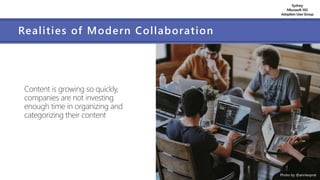
Content is growing so quickly,
companies are not investing
enough time in organizing and
categorizing their content
Photo by @anniesprat
Sydney
Microsoft 365
AdoptionUserGroup
Realities of Modern Collaboration
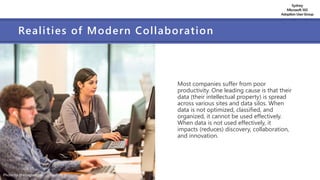
Most companies suffer from poor
productivity. One leading cause is that their
data (their intellectual property) is spread
across various sites and data silos. When
data is not optimized, classified, and
organized, it cannot be used effectively.
When data is not used effectively, it
impacts (reduces) discovery, collaboration,
and innovation.
Photo by @arlington_res
Sydney
Microsoft 365
AdoptionUserGroup
Realities of Modern Collaboration
Increasing security risks are a reality.
You cannot manage what you cannot
properly track and measure. It is
becoming increasingly difficult for
administrators to enforce company
policies and procedures, opening up
the organization to security and
compliance risks.
Sydney
Microsoft 365
AdoptionUserGroup
Realities of Modern Collaboration
Decreased business value
due to collaboration
inefficiencies. Data that
cannot be found in a timely
manner, or found at all,
loses its value over time.
Sydney
Microsoft 365
AdoptionUserGroup
Realities of Modern Collaboration
Burnout is real. While we all like
to think we are capable of multi-
tasking, data shows that more
content and more meetings and
the asynchronous and sometimes
constant communication has a
negative effect on productivity.
Sydney
Microsoft 365
AdoptionUserGroup
An evolving perspective on collaboration
As collaboration and productivity gain wider adoption,
many organizations have begun asking
“Are we surfacing the right information at the
right time and in the right places?”
“Is the way that we work causing employee burnout?”
“Are we getting the most out of our technology?”
Sydney
Microsoft 365
AdoptionUserGroup
Preparing for the Hybrid Workplace
In his May 21st, 2021 LinkedIn article (The hybrid work paradox),
Microsoft CEO Satya Nadella talks about the complexities of
the hybrid workplace, and how every organization’s approach
will need to be different to address the unique and evolving
needs of their people.
He points to Microsoft research showing that “the vast
majority of employees say they want more flexible remote work
options, but at the same time also say they want more
in-person collaboration, post-pandemic.”
He states, “This is the hybrid work paradox.”
Sydney
Microsoft 365
AdoptionUserGroup
Preparing for the Hybrid Workplace
Satya goes on to talk about how Microsoft is preparing for the hybrid
workplace by prioritizing three things:
 Social capital: how we communicate, connect and collaborate
 Knowledge capital: how we learn from each other, within and across organizations
 Human capital: how we approach wellness and work/life balance
Sydney
Microsoft 365
AdoptionUserGroup
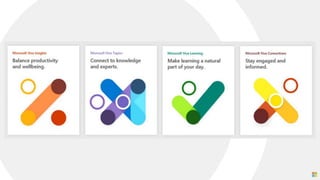
What is Microsoft Viva?
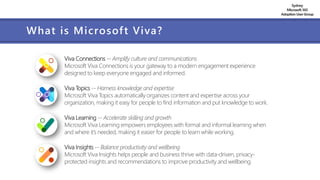
Viva Connections -- Amplify culture and communications
Microsoft Viva Connections is your gateway to a modern engagement experience
designed to keep everyone engaged and informed.
Viva Topics -- Harness knowledge and expertise
Microsoft Viva Topics automatically organizes content and expertise across your
organization, making it easy for people to find information and put knowledge to work.
Viva Learning -- Accelerate skilling and growth
Microsoft Viva Learning empowers employees with formal and informal learning when
and where it’s needed, making it easier for people to learn while working.
Viva Insights -- Balance productivity and wellbeing
Microsoft Viva Insights helps people and business thrive with data-driven, privacy-
protected insights and recommendations to improve productivity and wellbeing.
Sydney
Microsoft 365
AdoptionUserGroup
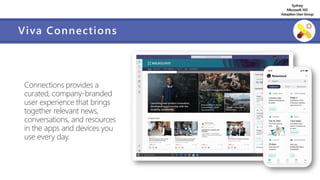
Viva Connections
Connections provides a
curated, company-branded
user experience that brings
together relevant news,
conversations, and resources
in the apps and devices you
use every day.
Sydney
Microsoft 365
AdoptionUserGroup
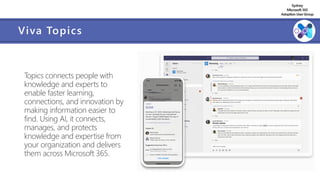
Viva Topics
Topics connects people with
knowledge and experts to
enable faster learning,
connections, and innovation by
making information easier to
find. Using AI, it connects,
manages, and protects
knowledge and expertise from
your organization and delivers
them across Microsoft 365.
Sydney
Microsoft 365
AdoptionUserGroup
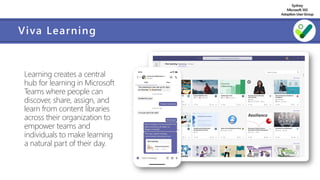
Viva Learning
Learning creates a central
hub for learning in Microsoft
Teams where people can
discover, share, assign, and
learn from content libraries
across their organization to
empower teams and
individuals to make learning
a natural part of their day.
Sydney
Microsoft 365
AdoptionUserGroup
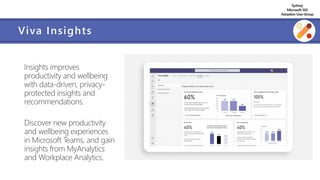
Viva Insights
Insights improves
productivity and wellbeing
with data-driven, privacy-
protected insights and
recommendations.
Discover new productivity
and wellbeing experiences
in Microsoft Teams, and gain
insights from MyAnalytics
and Workplace Analytics.
Sydney
Microsoft 365
AdoptionUserGroup
Ally.io
[Announcement] Microsoft
acquires Ally.io to improve
employee experience by
aligning people’s work with
team goals and company
mission.
Ally.io will power a new
Microsoft Viva module. No
timeline for integration has
been announced as of yet.
Sydney
Microsoft 365
AdoptionUserGroup
How to Prepare for Microsoft Viva
Sydney
Microsoft 365
AdoptionUserGroup
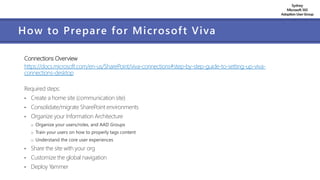
How to Prepare for Microsoft Viva
Connections Overview
https://docs.microsoft.com/en-us/SharePoint/viva-connections#step-by-step-guide-to-setting-up-viva-
connections-desktop
Required steps:
• Create a home site (communication site)
• Consolidate/migrate SharePoint environments
• Organize your Information Architecture
o Organize your users/roles, and AAD Groups
o Train your users on how to properly tags content
o Understand the core user experiences
• Share the site with your org
• Customize the global navigation
• Deploy Yammer
Sydney
Microsoft 365
AdoptionUserGroup
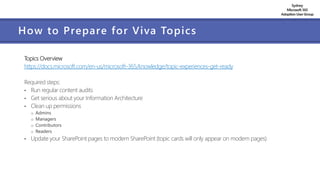
How to Prepare for Viva Topics
Topics Overview
https://docs.microsoft.com/en-us/microsoft-365/knowledge/topic-experiences-get-ready
Required steps:
• Run regular content audits
• Get serious about your Information Architecture
• Clean up permissions
o Admins
o Managers
o Contributors
o Readers
• Update your SharePoint pages to modern SharePoint (topic cards will only appear on modern pages)
Sydney
Microsoft 365
AdoptionUserGroup
How to Prepare for Viva Topics
Microsoft’s Topics setup checklist:
When you set up topic experiences, you'll need the following items as you go through the setup wizard:
• List of sites to include or exclude if not including all sites for topic discovery
• Security group for topic viewers if not allowing all users to view topics
• Security group for topic contributors if not allowing all users to create and edit topics
• Security group for topic knowledge managers if not allowing all users to manage topics
• List of sensitive topics to exclude from topic discovery
• A name for your topic center site
Sydney
Microsoft 365
AdoptionUserGroup
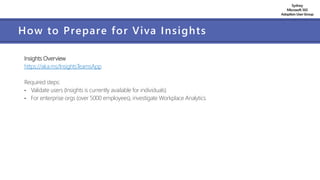
How to Prepare for Viva Insights
Insights Overview
https://aka.ms/InsightsTeamsApp
Required steps:
• Validate users (Insights is currently available for individuals)
• For enterprise orgs (over 5000 employees), investigate Workplace Analytics
Sydney
Microsoft 365
AdoptionUserGroup
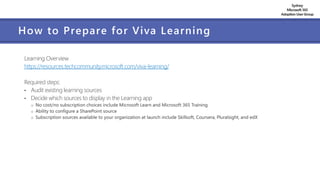
How to Prepare for Viva Learning
Learning Overview
https://resources.techcommunity.microsoft.com/viva-learning/
Required steps:
• Audit existing learning sources
• Decide which sources to display in the Learning app
o No cost/no subscription choices include Microsoft Learn and Microsoft 365 Training
o Ability to configure a SharePoint source
o Subscription sources available to your organization at launch include Skillsoft, Coursera, Pluralsight, and edX
Sydney
Microsoft 365
AdoptionUserGroup
More tips to prepare for Microsoft Viva
 For each application, run a discovery workshop to understand key personas and business scenarios
 Identify pilot users and projects, and measurements for success
 Plan a flat SharePoint site architecture
 Design and test global navigation for the browser and Teams
 Create AAD Groups to take advantage of personalizing content for employees
 Use SPFx for customizations
o Note: Custom SharePoint webparts can show up in a Team’s tab independent of the page
 Create pages assuming that they will be viewed outside of SharePoint context
Sydney
Microsoft 365
AdoptionUserGroup
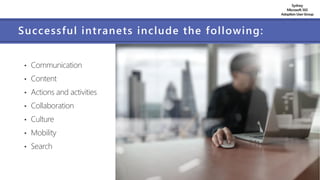
Successful intranets include the following:
• Communication
• Content
• Actions and activities
• Collaboration
• Culture
• Mobility
• Search
Sydney
Microsoft 365
AdoptionUserGroup
Planning Best Practices
Running a regular content audit is business-critical.
• Helps you understand what you have in terms of:
 What file types you have in your environment
 What permissions are associated with your files
 What sensitivity labels have been applied (or are missing)
 What metadata are part of your files and the value of that metadata
 Identifying duplication
 Identifying potential files that are good candidates to be archived
• Regularly analyzing your content and ‘cleaning up’ allows you to:
 Save on storage, licensing, and data management costs
 Reduce potential exposure to risk and data breaches
 Reduce the time to backup/restore your data
 Reduce the time to complete your migration project by excluding duplicate items
Words of
Wisdom from
Microsoft
Having a solid information architecture is an important
prerequisite for realizing a well-maintained and well-
performing portal. Designing the optimal structure
requires detailed planning. If not done properly, you can
adversely affect user adoption or have significant
performance issues; the likelihood of both is very possible.
Consider the following factors:
• Business objectives and the organizational structure.
• The kind of content you are dealing with. Is the content
collaborative or published content?
• Content classification and confidentiality.
• Life-cycle of the content, and possible
retention/disposition strategies. This also applies to sites
as well.
• Users of the content, their behaviors, common tasks, and
expectations.
https://docs.microsoft.com/en-us/sharepoint/dev/solution-guidance/portal-information-architecture
Words of
Wisdom from
Microsoft
Information architecture is not a one-time process,
rather, it a continuous process.
While an optimal information architecture may not
always be obvious to end-users, a poorly designed
and managed information architecture will certainly
be remembered if the experience is a bad one.
Keep measuring, keep evolving, and keep it relevant
and fresh.
https://docs.microsoft.com/en-us/sharepoint/dev/solution-guidance/portal-information-architecture
Sydney
Microsoft 365
AdoptionUserGroup
Other Planning Best Practices
• Conduct a detailed self-assessment
• Expand your information architecture
• Approach security and compliance more holistically
• Conduct scheduled inventory audits on a regular basis
• Create a training plan
• Develop necessary governance and change management programs and committees
Sydney
Microsoft 365
AdoptionUserGroup
Parting thoughts…
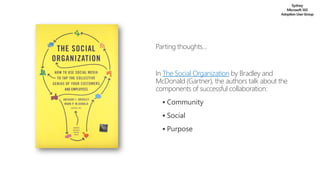
In The Social Organization by Bradley and
McDonald (Gartner), the authors talk about the
components of successful collaboration:
▪ Community
▪ Social
▪ Purpose
www.AvePoint.com
Sales@AvePoint.com
Gracias
Merci
धन्यवाद

How Organizations Can Prepare for Microsoft Viva

  • 1.
    M365Conf.com How Organizations Can Preparefor Microsoft Viva Christian Buckley
  • 2.
    AvePoint.com Lehi, Utah Brand AllianceDirector Christian Buckley Email: christian.buckley@avepoint.com Blog: buckleyplanet.com Twitter: @buckleyplanet LinkedIn: /christianbuckley YouTube: /c/CollabTalk Some of my community activities: • Weekly interviews with Microsoft MVPs (#MVPbuzzChat) • Weekly interviews on technology, business productivity, and collaboration culture (#CollabTalk Podcast) • Weekly channel-related videos/blogs (#P2Pnow) • Monthly tweetjams via Twitter (#CollabTalk) • Bi-monthly deep dives into Microsoft technology with MVPs, RDs and experts (#O365hours) • Multiple posts each month with a panel of experts answering community questions (#M365AMA)
  • 3.
  • 4.
    Sydney Microsoft 365 AdoptionUserGroup Realities ofModern Collaboration Content is growing so quickly, companies are not investing enough time in organizing and categorizing their content Photo by @anniesprat
  • 5.
    Sydney Microsoft 365 AdoptionUserGroup Realities ofModern Collaboration Most companies suffer from poor productivity. One leading cause is that their data (their intellectual property) is spread across various sites and data silos. When data is not optimized, classified, and organized, it cannot be used effectively. When data is not used effectively, it impacts (reduces) discovery, collaboration, and innovation. Photo by @arlington_res
  • 6.
    Sydney Microsoft 365 AdoptionUserGroup Realities ofModern Collaboration Increasing security risks are a reality. You cannot manage what you cannot properly track and measure. It is becoming increasingly difficult for administrators to enforce company policies and procedures, opening up the organization to security and compliance risks.
  • 7.
    Sydney Microsoft 365 AdoptionUserGroup Realities ofModern Collaboration Decreased business value due to collaboration inefficiencies. Data that cannot be found in a timely manner, or found at all, loses its value over time.
  • 8.
    Sydney Microsoft 365 AdoptionUserGroup Realities ofModern Collaboration Burnout is real. While we all like to think we are capable of multi- tasking, data shows that more content and more meetings and the asynchronous and sometimes constant communication has a negative effect on productivity.
  • 9.
    Sydney Microsoft 365 AdoptionUserGroup An evolvingperspective on collaboration As collaboration and productivity gain wider adoption, many organizations have begun asking “Are we surfacing the right information at the right time and in the right places?” “Is the way that we work causing employee burnout?” “Are we getting the most out of our technology?”
  • 10.
    Sydney Microsoft 365 AdoptionUserGroup Preparing forthe Hybrid Workplace In his May 21st, 2021 LinkedIn article (The hybrid work paradox), Microsoft CEO Satya Nadella talks about the complexities of the hybrid workplace, and how every organization’s approach will need to be different to address the unique and evolving needs of their people. He points to Microsoft research showing that “the vast majority of employees say they want more flexible remote work options, but at the same time also say they want more in-person collaboration, post-pandemic.” He states, “This is the hybrid work paradox.”
  • 11.
    Sydney Microsoft 365 AdoptionUserGroup Preparing forthe Hybrid Workplace Satya goes on to talk about how Microsoft is preparing for the hybrid workplace by prioritizing three things:  Social capital: how we communicate, connect and collaborate  Knowledge capital: how we learn from each other, within and across organizations  Human capital: how we approach wellness and work/life balance
  • 13.
    Sydney Microsoft 365 AdoptionUserGroup What isMicrosoft Viva? Viva Connections -- Amplify culture and communications Microsoft Viva Connections is your gateway to a modern engagement experience designed to keep everyone engaged and informed. Viva Topics -- Harness knowledge and expertise Microsoft Viva Topics automatically organizes content and expertise across your organization, making it easy for people to find information and put knowledge to work. Viva Learning -- Accelerate skilling and growth Microsoft Viva Learning empowers employees with formal and informal learning when and where it’s needed, making it easier for people to learn while working. Viva Insights -- Balance productivity and wellbeing Microsoft Viva Insights helps people and business thrive with data-driven, privacy- protected insights and recommendations to improve productivity and wellbeing.
  • 14.
    Sydney Microsoft 365 AdoptionUserGroup Viva Connections Connectionsprovides a curated, company-branded user experience that brings together relevant news, conversations, and resources in the apps and devices you use every day.
  • 15.
    Sydney Microsoft 365 AdoptionUserGroup Viva Topics Topicsconnects people with knowledge and experts to enable faster learning, connections, and innovation by making information easier to find. Using AI, it connects, manages, and protects knowledge and expertise from your organization and delivers them across Microsoft 365.
  • 16.
    Sydney Microsoft 365 AdoptionUserGroup Viva Learning Learningcreates a central hub for learning in Microsoft Teams where people can discover, share, assign, and learn from content libraries across their organization to empower teams and individuals to make learning a natural part of their day.
  • 17.
    Sydney Microsoft 365 AdoptionUserGroup Viva Insights Insightsimproves productivity and wellbeing with data-driven, privacy- protected insights and recommendations. Discover new productivity and wellbeing experiences in Microsoft Teams, and gain insights from MyAnalytics and Workplace Analytics.
  • 18.
    Sydney Microsoft 365 AdoptionUserGroup Ally.io [Announcement] Microsoft acquiresAlly.io to improve employee experience by aligning people’s work with team goals and company mission. Ally.io will power a new Microsoft Viva module. No timeline for integration has been announced as of yet.
  • 19.
  • 20.
    Sydney Microsoft 365 AdoptionUserGroup How toPrepare for Microsoft Viva Connections Overview https://docs.microsoft.com/en-us/SharePoint/viva-connections#step-by-step-guide-to-setting-up-viva- connections-desktop Required steps: • Create a home site (communication site) • Consolidate/migrate SharePoint environments • Organize your Information Architecture o Organize your users/roles, and AAD Groups o Train your users on how to properly tags content o Understand the core user experiences • Share the site with your org • Customize the global navigation • Deploy Yammer
  • 21.
    Sydney Microsoft 365 AdoptionUserGroup How toPrepare for Viva Topics Topics Overview https://docs.microsoft.com/en-us/microsoft-365/knowledge/topic-experiences-get-ready Required steps: • Run regular content audits • Get serious about your Information Architecture • Clean up permissions o Admins o Managers o Contributors o Readers • Update your SharePoint pages to modern SharePoint (topic cards will only appear on modern pages)
  • 22.
    Sydney Microsoft 365 AdoptionUserGroup How toPrepare for Viva Topics Microsoft’s Topics setup checklist: When you set up topic experiences, you'll need the following items as you go through the setup wizard: • List of sites to include or exclude if not including all sites for topic discovery • Security group for topic viewers if not allowing all users to view topics • Security group for topic contributors if not allowing all users to create and edit topics • Security group for topic knowledge managers if not allowing all users to manage topics • List of sensitive topics to exclude from topic discovery • A name for your topic center site
  • 23.
    Sydney Microsoft 365 AdoptionUserGroup How toPrepare for Viva Insights Insights Overview https://aka.ms/InsightsTeamsApp Required steps: • Validate users (Insights is currently available for individuals) • For enterprise orgs (over 5000 employees), investigate Workplace Analytics
  • 24.
    Sydney Microsoft 365 AdoptionUserGroup How toPrepare for Viva Learning Learning Overview https://resources.techcommunity.microsoft.com/viva-learning/ Required steps: • Audit existing learning sources • Decide which sources to display in the Learning app o No cost/no subscription choices include Microsoft Learn and Microsoft 365 Training o Ability to configure a SharePoint source o Subscription sources available to your organization at launch include Skillsoft, Coursera, Pluralsight, and edX
  • 25.
    Sydney Microsoft 365 AdoptionUserGroup More tipsto prepare for Microsoft Viva  For each application, run a discovery workshop to understand key personas and business scenarios  Identify pilot users and projects, and measurements for success  Plan a flat SharePoint site architecture  Design and test global navigation for the browser and Teams  Create AAD Groups to take advantage of personalizing content for employees  Use SPFx for customizations o Note: Custom SharePoint webparts can show up in a Team’s tab independent of the page  Create pages assuming that they will be viewed outside of SharePoint context
  • 26.
    Sydney Microsoft 365 AdoptionUserGroup Successful intranetsinclude the following: • Communication • Content • Actions and activities • Collaboration • Culture • Mobility • Search
  • 27.
    Sydney Microsoft 365 AdoptionUserGroup Planning BestPractices Running a regular content audit is business-critical. • Helps you understand what you have in terms of:  What file types you have in your environment  What permissions are associated with your files  What sensitivity labels have been applied (or are missing)  What metadata are part of your files and the value of that metadata  Identifying duplication  Identifying potential files that are good candidates to be archived • Regularly analyzing your content and ‘cleaning up’ allows you to:  Save on storage, licensing, and data management costs  Reduce potential exposure to risk and data breaches  Reduce the time to backup/restore your data  Reduce the time to complete your migration project by excluding duplicate items
  • 28.
    Words of Wisdom from Microsoft Havinga solid information architecture is an important prerequisite for realizing a well-maintained and well- performing portal. Designing the optimal structure requires detailed planning. If not done properly, you can adversely affect user adoption or have significant performance issues; the likelihood of both is very possible. Consider the following factors: • Business objectives and the organizational structure. • The kind of content you are dealing with. Is the content collaborative or published content? • Content classification and confidentiality. • Life-cycle of the content, and possible retention/disposition strategies. This also applies to sites as well. • Users of the content, their behaviors, common tasks, and expectations. https://docs.microsoft.com/en-us/sharepoint/dev/solution-guidance/portal-information-architecture
  • 29.
    Words of Wisdom from Microsoft Informationarchitecture is not a one-time process, rather, it a continuous process. While an optimal information architecture may not always be obvious to end-users, a poorly designed and managed information architecture will certainly be remembered if the experience is a bad one. Keep measuring, keep evolving, and keep it relevant and fresh. https://docs.microsoft.com/en-us/sharepoint/dev/solution-guidance/portal-information-architecture
  • 30.
    Sydney Microsoft 365 AdoptionUserGroup Other PlanningBest Practices • Conduct a detailed self-assessment • Expand your information architecture • Approach security and compliance more holistically • Conduct scheduled inventory audits on a regular basis • Create a training plan • Develop necessary governance and change management programs and committees
  • 31.
    Sydney Microsoft 365 AdoptionUserGroup Parting thoughts… InThe Social Organization by Bradley and McDonald (Gartner), the authors talk about the components of successful collaboration: ▪ Community ▪ Social ▪ Purpose
  • 32.