Antonio Scalzo
How I meet
MongoDb
My first approach and use
case with a NoSQL database
Why MongoDb?
❖ Due to some days of illness and lot of free time :)
❖ Basically, i was founding a clear / nice way to speed up
my own website localities typehead.
Where MongoDB?
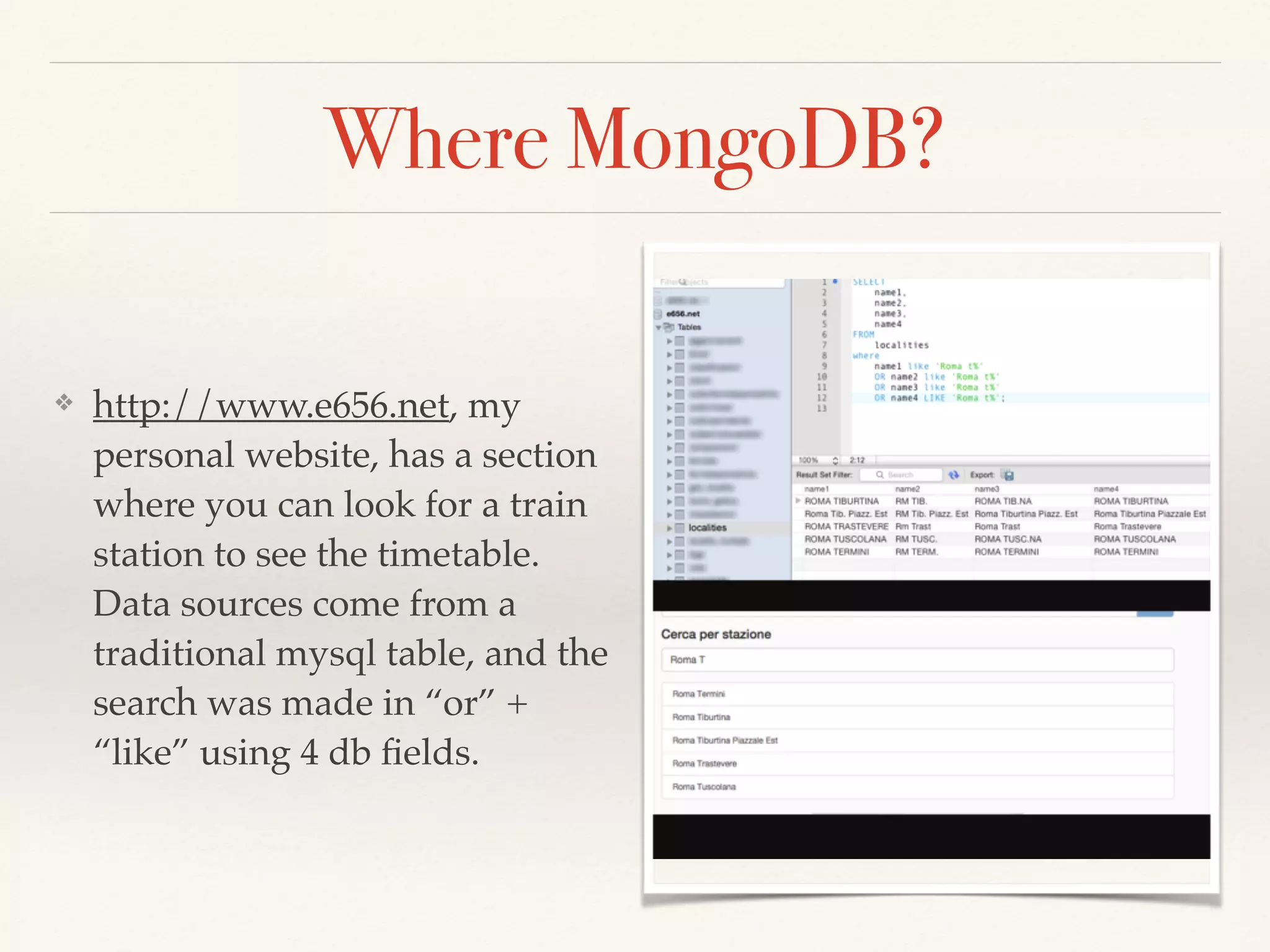
❖ http://www.e656.net, my
personal website, has a section
where you can look for a train
station to see the timetable.
Data sources come from a
traditional mysql table, and the
search was made in “or” +
“like” using 4 db fields.
Where MongoDB (2)?
❖ Localities are ~ 17.000 records, not too much
❖ Search results condition are more complex than the
example (join with other 4 tables)
❖ So, traditional MySQL search system was really slow,
especially with heavy load traffic situations (in some
cases, 1500 - 2000 ms)
My First (bad) Solution
❖ An hash table stored in cache (Memcached), where
localities are partitioned using the first two letter of the
name, and the search was made using php strpos()
function.
❖ Quicker than MySQL alone, (100 ms with data in cache,
1000 ms without), but really dirty and with a nice
memory usage. Just a Patch!
Non Relational Database
❖ According to Wikipedia:
❖ A NoSQL (originally referring to "non SQL" or "non relational") database
provides a mechanism for storage and retrieval of data that is modeled in means
other than the tabular relations used in relational databases […] The data
structures used by NoSQL databases (e.g. key-value, graph, or document) differ
slightly from those used by default in relational databases, making some operations
faster in NoSQL and others faster in relational databases. The particular suitability
of a given NoSQL database depends on the problem it must solve. Sometimes the
data structures used by noSQL databases are also viewed as "more flexible" than
relational database tables.
❖ My idea was: build a documents structure only with mandatory data, and
try MongoDB ‘regex’ search.
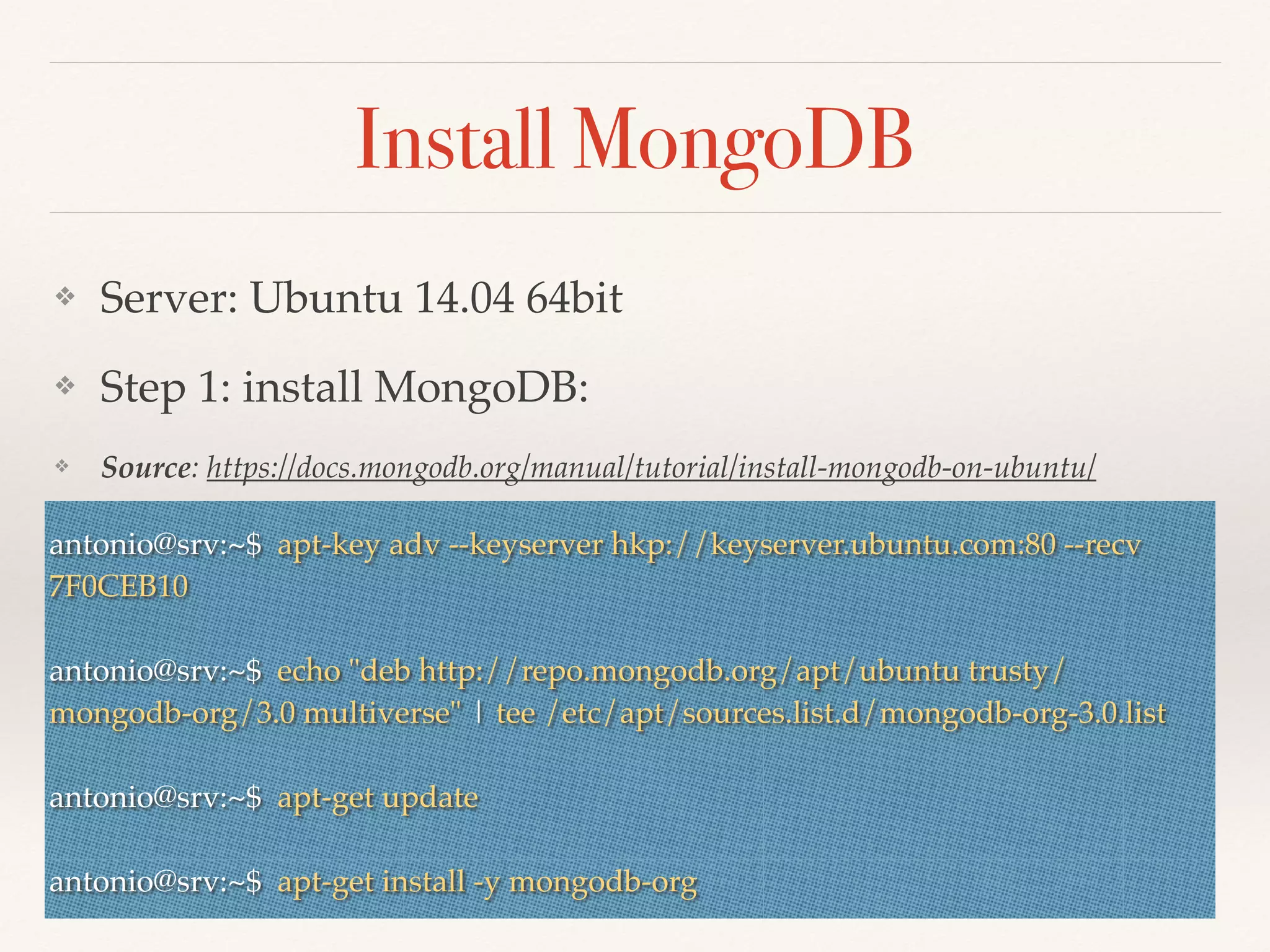
Install MongoDB
❖ Server: Ubuntu 14.04 64bit
❖ Step 1: install MongoDB:
❖ Source: https://docs.mongodb.org/manual/tutorial/install-mongodb-on-ubuntu/
❖antonio@srv:~$ apt-key adv --keyserver hkp://keyserver.ubuntu.com:80 --recv
7F0CEB10
antonio@srv:~$ echo "deb http://repo.mongodb.org/apt/ubuntu trusty/
mongodb-org/3.0 multiverse" | tee /etc/apt/sources.list.d/mongodb-org-3.0.list
antonio@srv:~$ apt-get update
antonio@srv:~$ apt-get install -y mongodb-org
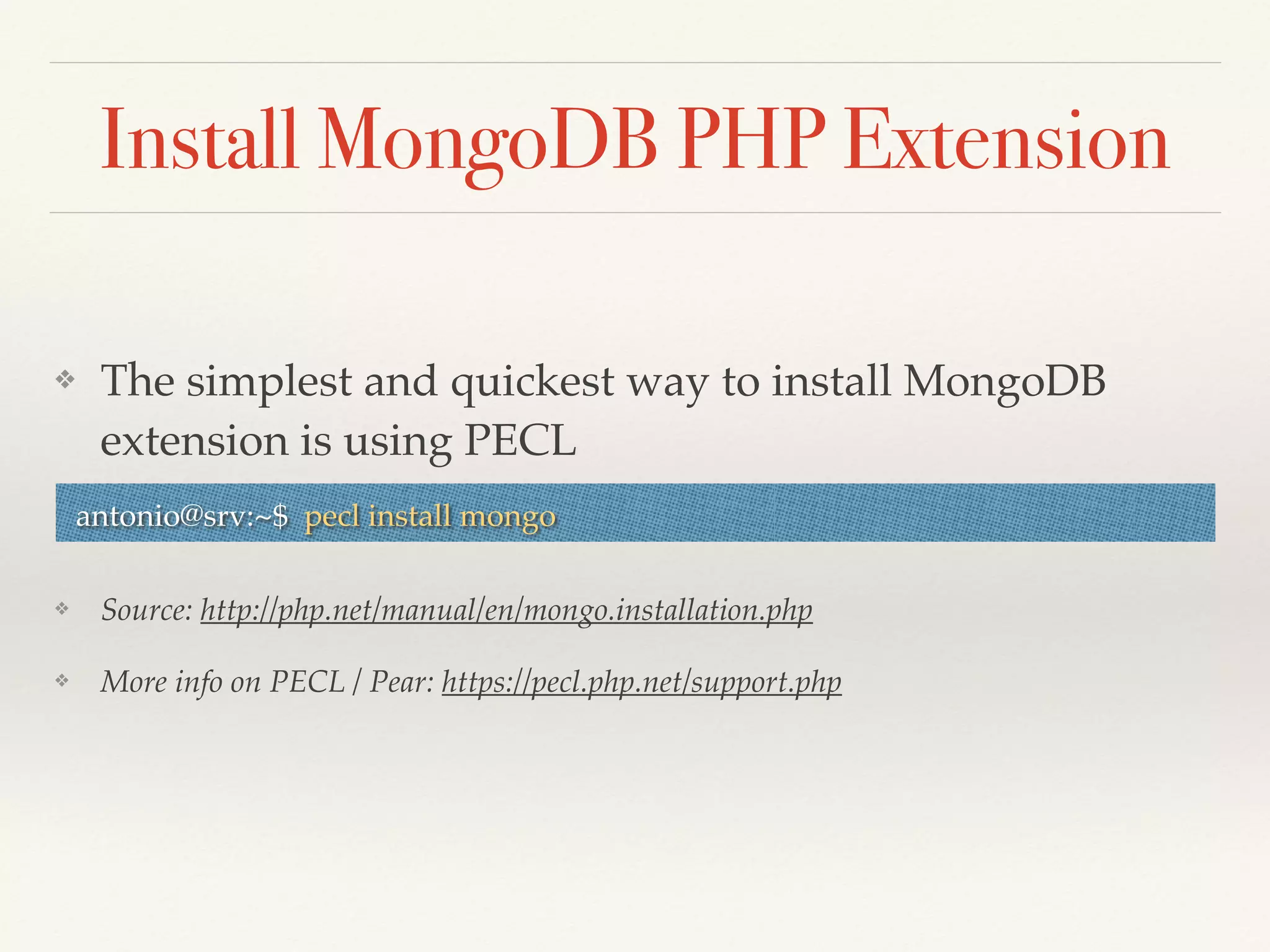
Install MongoDB PHP Extension
❖ The simplest and quickest way to install MongoDB
extension is using PECL
❖ Source: http://php.net/manual/en/mongo.installation.php
❖ More info on PECL / Pear: https://pecl.php.net/support.php
antonio@srv:~$ pecl install mongo
Configure MongoDB
❖ MongoDB main configuration uses /etc/mongod/mongod.conf file.
❖ Base install comes without users and authentication / security
❖ Step 1: connect to Mongo Shell and create admin user:
antonio@srv:~$ mongo
MongoDB shell version: 3.0.6
connecting to: test
Welcome to the MongoDB shell.
> use admin;
switched to db admin
> db.createUser({ user: "root", pwd: "yourPwd", roles: [ "root" ] })
Successfully added user: { "user" : "root", "roles" : [ "root" ] }
Configure MongoDB
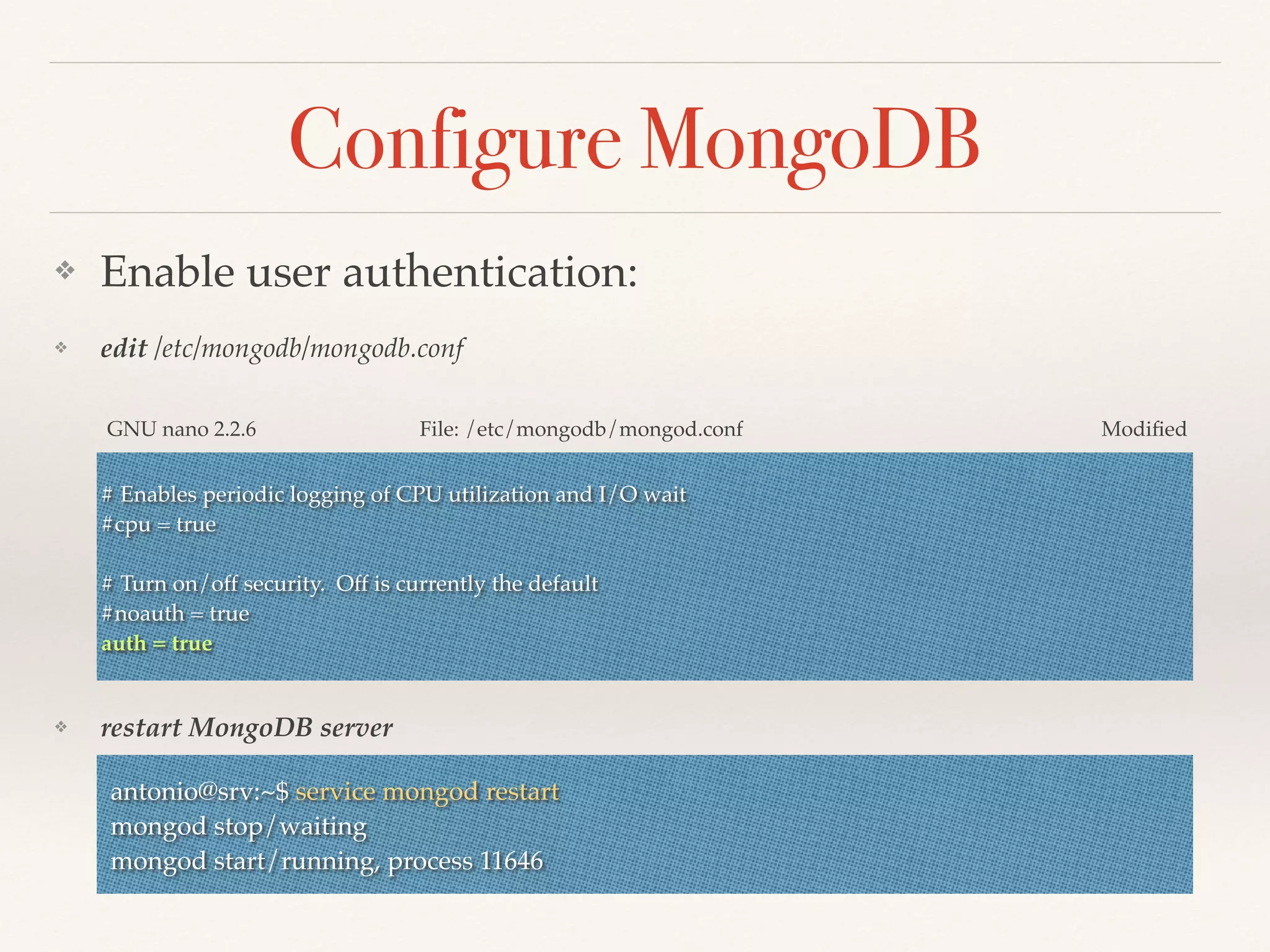
❖ Enable user authentication:
❖ edit /etc/mongodb/mongodb.conf
❖ restart MongoDB server
# Enables periodic logging of CPU utilization and I/O wait
#cpu = true
# Turn on/off security. Off is currently the default
#noauth = true
auth = true
GNU nano 2.2.6 File: /etc/mongodb/mongod.conf Modified
antonio@srv:~$ service mongod restart
mongod stop/waiting
mongod start/running, process 11646
Create Database and User
❖ MongoDB creates database on first time that it is used,
so we connect to admin database using root credentials.
❖ Done! Now we are ready to use that.
❖ For more info about MongoDB Users and role:
http://docs.mongodb.org/master/administration/security-user-role-
management/
antonio@srv:~$ mongo admin -uroot -p
MongoDB shell version: 3.0.6
Enter password:
connecting to: admin
> use E656Net;
switched to db E656Net
> db.createUser({ user: "yourUser", pwd: "password", roles: [ "readWrite", “dbAmin" ] })
Successfully added user: { "user" : "yourUser", "roles" : [ "readWrite", "dbAdmin" ] }
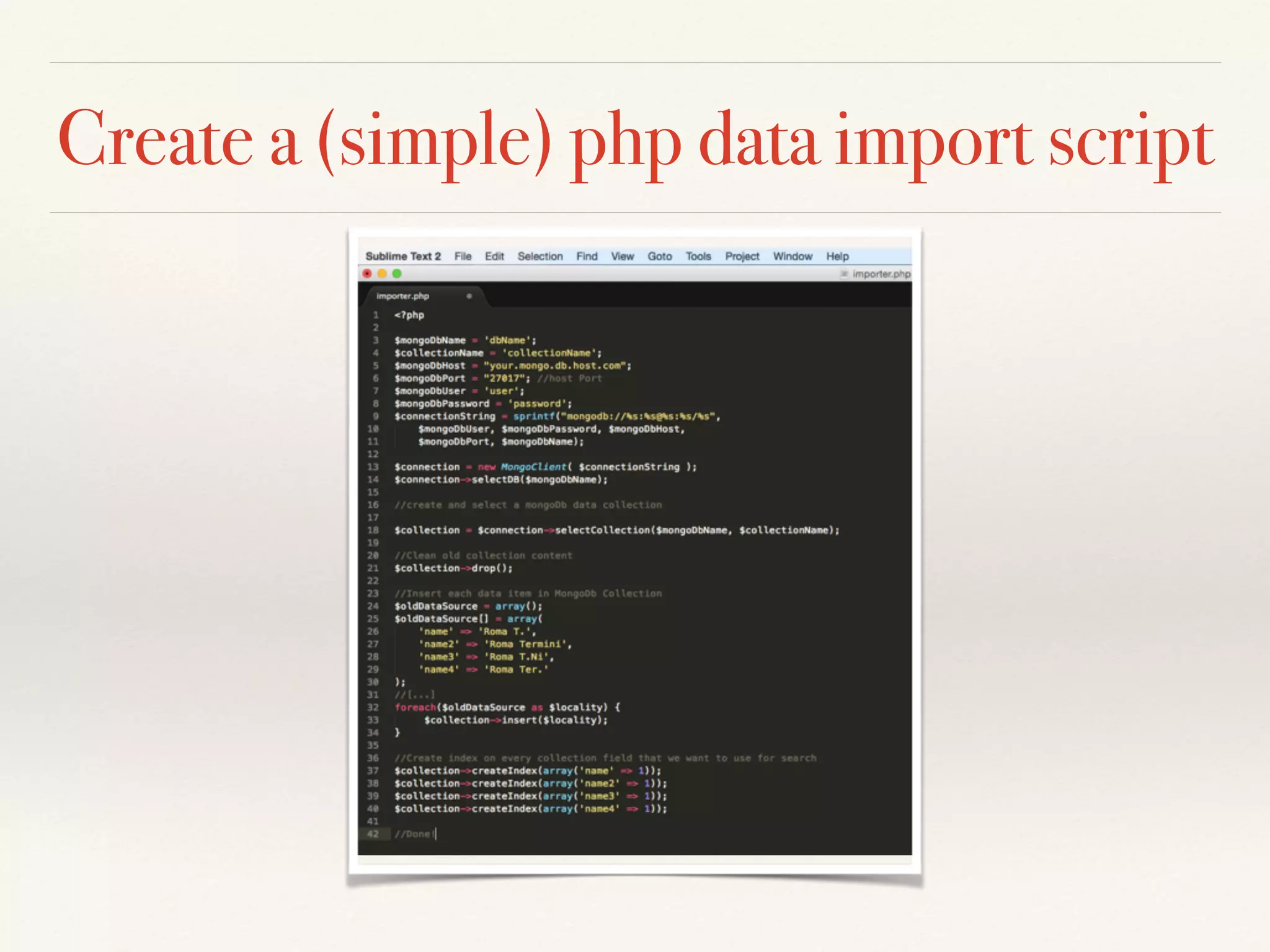
Create a (simple) php data import script
Use MongoDB with Symfony2
❖ E656.net is written using Symfony2 and uses Doctrine
as DB ORM
❖ Symfony2 has a very simple way to integrate MongoDB
ODM (Object Document Mapper) in our project:
DoctrineMongoDBBundle
❖ Follow installation instruction here, using Symfony2
official documentation:
http://symfony.com/doc/current/bundles/
DoctrineMongoDBBundle/index.html
Use MongoDB with Symfony2
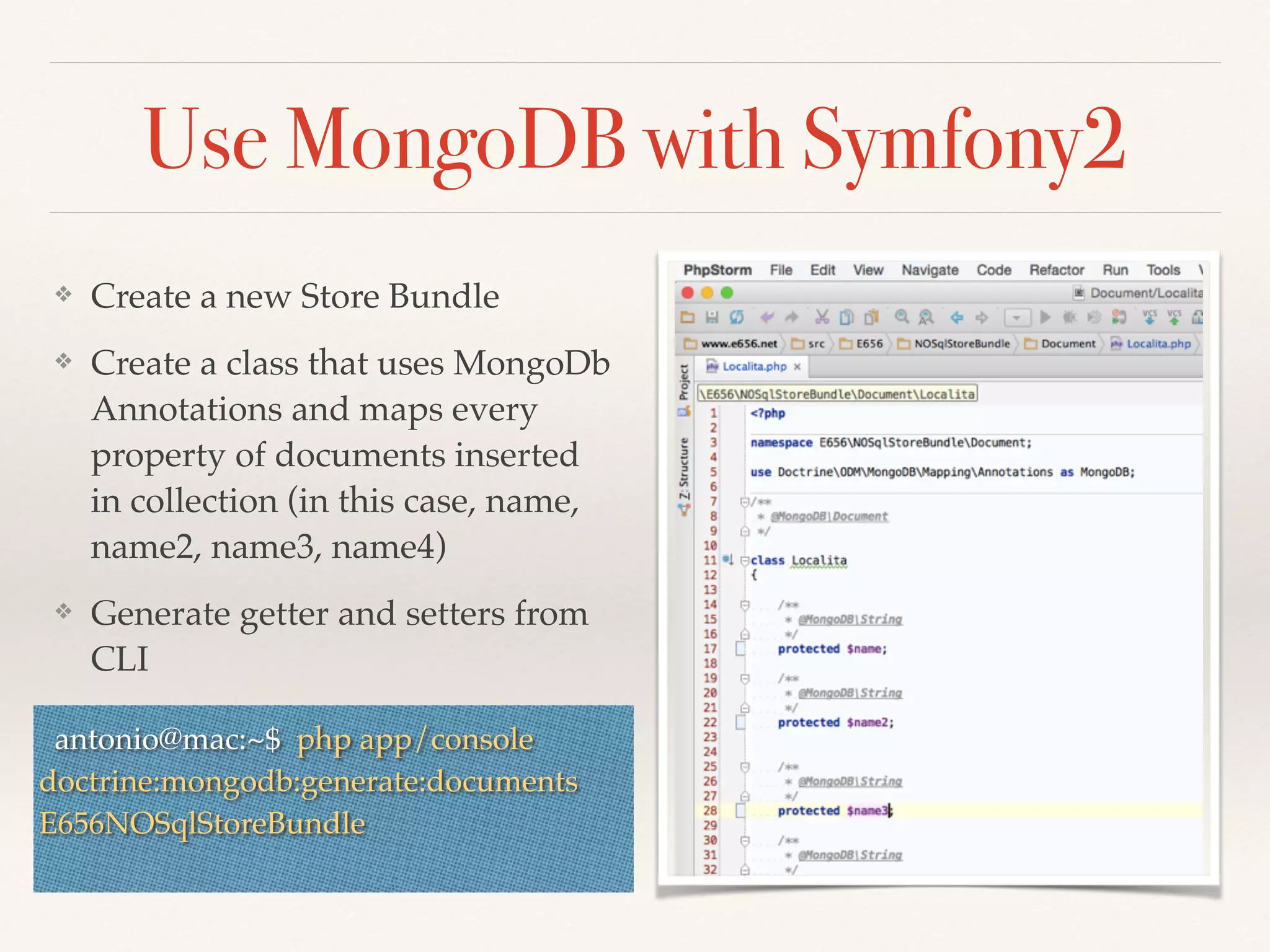
❖ Create a new Store Bundle
❖ Create a class that uses MongoDb
Annotations and maps every
property of documents inserted
in collection (in this case, name,
name2, name3, name4)
❖ Generate getter and setters from
CLI
antonio@mac:~$ php app/console
doctrine:mongodb:generate:documents
E656NOSqlStoreBundle
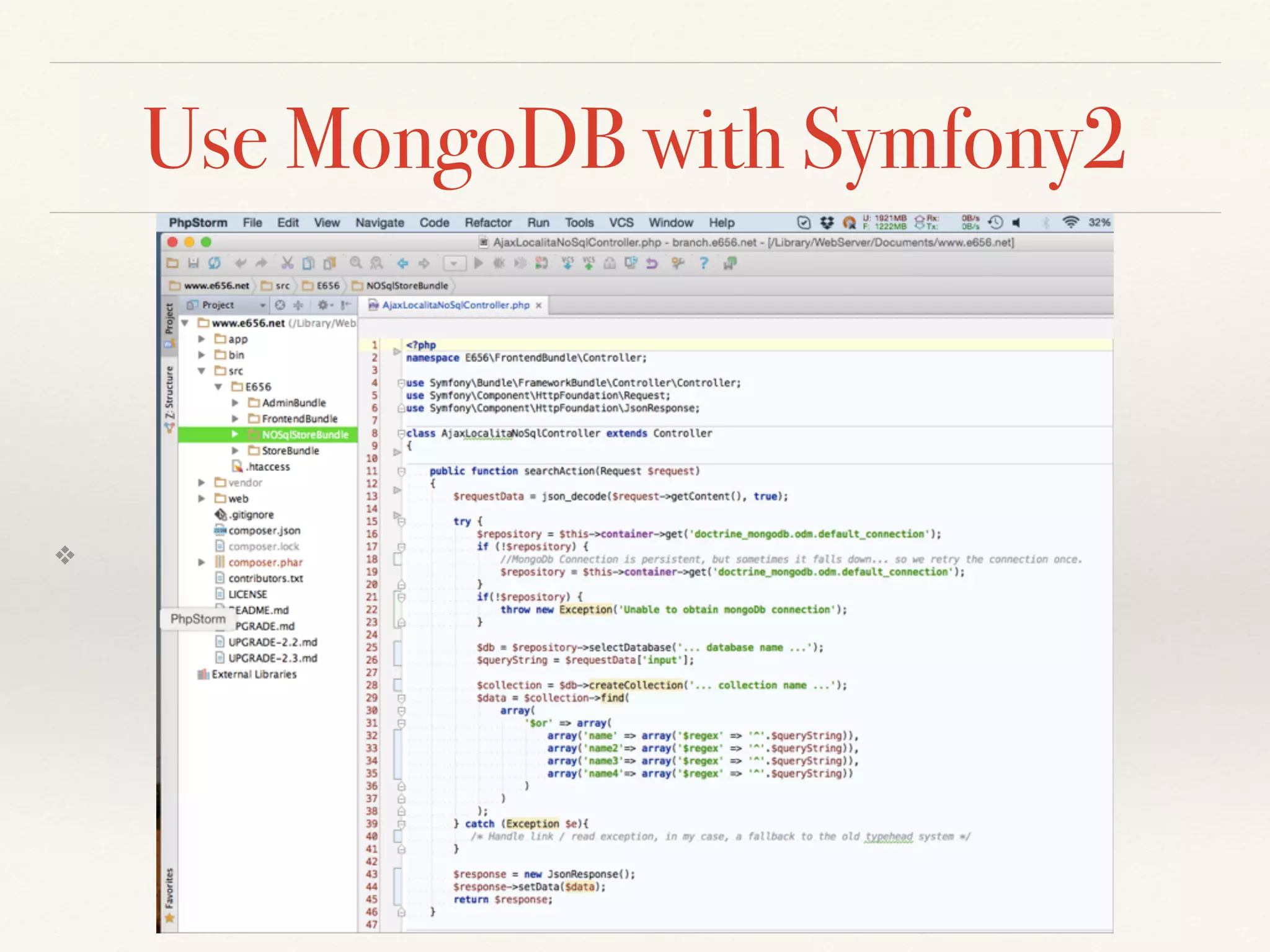
Use MongoDB with Symfony2
❖
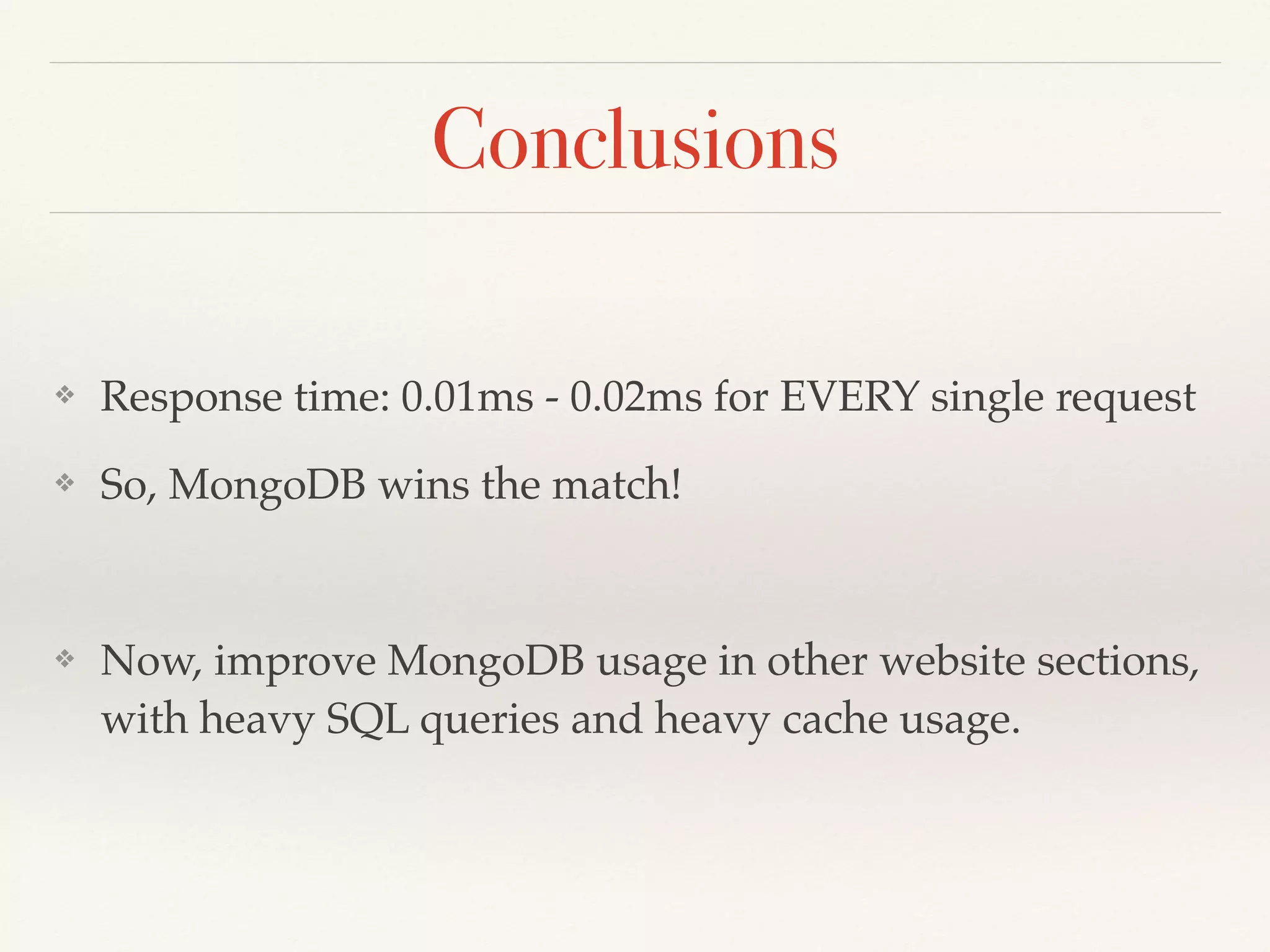
Conclusions
❖ Response time: 0.01ms - 0.02ms for EVERY single request
❖ So, MongoDB wins the match!
❖ Now, improve MongoDB usage in other website sections,
with heavy SQL queries and heavy cache usage.
Thanks for Reading!
❖ Antonino Scalzo, Roma (Italy)
❖ http://www.e656.net
❖ https://twitter.com/AntonioScalzo84
❖ https://it.linkedin.com/pub/antonio-scalzo/2/404/71b
❖ mail: antonio.scalzo84@gmail.com

How do i Meet MongoDB

  • 1.
    Antonio Scalzo How Imeet MongoDb My first approach and use case with a NoSQL database
  • 2.
    Why MongoDb? ❖ Dueto some days of illness and lot of free time :) ❖ Basically, i was founding a clear / nice way to speed up my own website localities typehead.
  • 3.
    Where MongoDB? ❖ http://www.e656.net,my personal website, has a section where you can look for a train station to see the timetable. Data sources come from a traditional mysql table, and the search was made in “or” + “like” using 4 db fields.
  • 4.
    Where MongoDB (2)? ❖Localities are ~ 17.000 records, not too much ❖ Search results condition are more complex than the example (join with other 4 tables) ❖ So, traditional MySQL search system was really slow, especially with heavy load traffic situations (in some cases, 1500 - 2000 ms)
  • 5.
    My First (bad)Solution ❖ An hash table stored in cache (Memcached), where localities are partitioned using the first two letter of the name, and the search was made using php strpos() function. ❖ Quicker than MySQL alone, (100 ms with data in cache, 1000 ms without), but really dirty and with a nice memory usage. Just a Patch!
  • 6.
    Non Relational Database ❖According to Wikipedia: ❖ A NoSQL (originally referring to "non SQL" or "non relational") database provides a mechanism for storage and retrieval of data that is modeled in means other than the tabular relations used in relational databases […] The data structures used by NoSQL databases (e.g. key-value, graph, or document) differ slightly from those used by default in relational databases, making some operations faster in NoSQL and others faster in relational databases. The particular suitability of a given NoSQL database depends on the problem it must solve. Sometimes the data structures used by noSQL databases are also viewed as "more flexible" than relational database tables. ❖ My idea was: build a documents structure only with mandatory data, and try MongoDB ‘regex’ search.
  • 7.
    Install MongoDB ❖ Server:Ubuntu 14.04 64bit ❖ Step 1: install MongoDB: ❖ Source: https://docs.mongodb.org/manual/tutorial/install-mongodb-on-ubuntu/ ❖antonio@srv:~$ apt-key adv --keyserver hkp://keyserver.ubuntu.com:80 --recv 7F0CEB10 antonio@srv:~$ echo "deb http://repo.mongodb.org/apt/ubuntu trusty/ mongodb-org/3.0 multiverse" | tee /etc/apt/sources.list.d/mongodb-org-3.0.list antonio@srv:~$ apt-get update antonio@srv:~$ apt-get install -y mongodb-org
  • 8.
    Install MongoDB PHPExtension ❖ The simplest and quickest way to install MongoDB extension is using PECL ❖ Source: http://php.net/manual/en/mongo.installation.php ❖ More info on PECL / Pear: https://pecl.php.net/support.php antonio@srv:~$ pecl install mongo
  • 9.
    Configure MongoDB ❖ MongoDBmain configuration uses /etc/mongod/mongod.conf file. ❖ Base install comes without users and authentication / security ❖ Step 1: connect to Mongo Shell and create admin user: antonio@srv:~$ mongo MongoDB shell version: 3.0.6 connecting to: test Welcome to the MongoDB shell. > use admin; switched to db admin > db.createUser({ user: "root", pwd: "yourPwd", roles: [ "root" ] }) Successfully added user: { "user" : "root", "roles" : [ "root" ] }
  • 10.
    Configure MongoDB ❖ Enableuser authentication: ❖ edit /etc/mongodb/mongodb.conf ❖ restart MongoDB server # Enables periodic logging of CPU utilization and I/O wait #cpu = true # Turn on/off security. Off is currently the default #noauth = true auth = true GNU nano 2.2.6 File: /etc/mongodb/mongod.conf Modified antonio@srv:~$ service mongod restart mongod stop/waiting mongod start/running, process 11646
  • 11.
    Create Database andUser ❖ MongoDB creates database on first time that it is used, so we connect to admin database using root credentials. ❖ Done! Now we are ready to use that. ❖ For more info about MongoDB Users and role: http://docs.mongodb.org/master/administration/security-user-role- management/ antonio@srv:~$ mongo admin -uroot -p MongoDB shell version: 3.0.6 Enter password: connecting to: admin > use E656Net; switched to db E656Net > db.createUser({ user: "yourUser", pwd: "password", roles: [ "readWrite", “dbAmin" ] }) Successfully added user: { "user" : "yourUser", "roles" : [ "readWrite", "dbAdmin" ] }
  • 12.
    Create a (simple)php data import script
  • 13.
    Use MongoDB withSymfony2 ❖ E656.net is written using Symfony2 and uses Doctrine as DB ORM ❖ Symfony2 has a very simple way to integrate MongoDB ODM (Object Document Mapper) in our project: DoctrineMongoDBBundle ❖ Follow installation instruction here, using Symfony2 official documentation: http://symfony.com/doc/current/bundles/ DoctrineMongoDBBundle/index.html
  • 14.
    Use MongoDB withSymfony2 ❖ Create a new Store Bundle ❖ Create a class that uses MongoDb Annotations and maps every property of documents inserted in collection (in this case, name, name2, name3, name4) ❖ Generate getter and setters from CLI antonio@mac:~$ php app/console doctrine:mongodb:generate:documents E656NOSqlStoreBundle
  • 15.
    Use MongoDB withSymfony2 ❖
  • 16.
    Conclusions ❖ Response time:0.01ms - 0.02ms for EVERY single request ❖ So, MongoDB wins the match! ❖ Now, improve MongoDB usage in other website sections, with heavy SQL queries and heavy cache usage.
  • 17.
    Thanks for Reading! ❖Antonino Scalzo, Roma (Italy) ❖ http://www.e656.net ❖ https://twitter.com/AntonioScalzo84 ❖ https://it.linkedin.com/pub/antonio-scalzo/2/404/71b ❖ mail: antonio.scalzo84@gmail.com