Has Video
Really Killed the
Audio Star?
Ali Elahi
Collaboration, Consulting Systems Engineer
Jacob Karaoghlanian
Acano, Consulting Systems Engineer
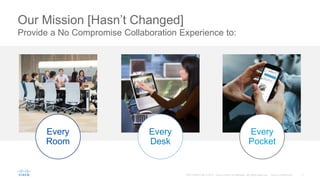
Mission: Put “No-Compromise” Collaboration into:
Every PocketEvery Room Every Desk
Cisco Video Collaboration Endpoints
Choose How You Wish to Collaborate
Quick Set SX10
and SX20
MX300 and
MX200 G2
IX5000 Series
Collaboration Desk Endpoints
DX Series

TelePresence®
Integration Solutions
Soft Clients
Jabber® WebEx® Spark®
MX800 and MX700
Codec SX80
For custom and industry applications
Collaboration Rooms
8800 Series
High-end integrated speaker
system optimized for voice
Internal mic +
two external table mics
55 inch display
High quality LED Screen
8 x zoom
72 HFOV
Integrated Cable Management
MX200 G2
High-end integrated speaker
system optimized for voice
Internal mic +
two external table mics
42 inch display
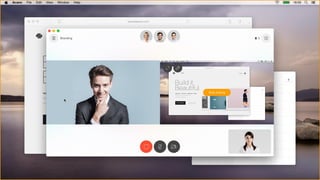
High quality LED Screen
5 x zoom
83 HFOV
Integrated Cable Management
Both the MX200 G2 / MX300 G2 ship
with Cisco Touch 10 as the default User
Interaction
MX300 G2
MX200/MX300 G2
Floor stand
The default mounting option for the
MX200/300 G2. It allows for a quick an
trouble free installation.
It comes with an integrated cable
management system that enables an easy and
clutter free setup.
Table stand*
For a compact and flexible setup.
Place on a sideboard in lounge
areas or on a table in small rooms.
Wall mount
For a compact setup that does not take
up any floor space. Ideal if a higher
system is required.
Wheel base
Allows for a more flexible setup. Ideal
for project and team spaces where the
areas are frequently rearranged. 8 cm
taller then floor stand.
*Table stand only for MX200 G2
Mounting Options MX200/MX300 G2
Dual 55” Multipurpose Collaboration
System with
Single or Dual camera configurations
MX700
MX800
Single 70” Multipurpose Collaboration
System with
Single or Dual camera configurations
MX700 & MX800
MX800D
Dual 70” Multipurpose Collaboration
System with
Dual camera configuration
Flexible Mounting Options
Floor stand – free stand Floor stand – wall secured Wall mount
reddot design award
best of the best 2015
for top design quality and
ground-breakingdesign
• Pervasive rollout of
intelligent video
collaboration
• with plug-and-play for any
small and medium sized
meeting space
• Quick install/reinstall
• Connect HDMI into any
display + Ethernet (PoE+)
• Innovation
• Compact purpose-built unit
with codec, camera, built-in
microphone at comparable
price to a computer
SX10 Quick Set
Video enable small rooms
SX10
Compact purpose-built unit with built-in camera & mic
Internal mic +
optional external table mic
New remote included
83 field of view for small
spaces and up to 5x zoom
(2.5x Optical x 2 Digital)
WXGAp5 content sharing
via HDMI/VGA input, and
Intelligent Proximity
1080p30
Full HD video
Optional mounting bracket
PoE+ and low power
consumption (<12W)
Cisco Intelligent Proximity
Embracing Mobile Devices for Richer Collaboration Experiences
Auto-synchronize contacts and
call log from your mobile phone
to your desk phone
View and share content
wirelessly in the meeting room
Experience high-quality
audio for mobile devices
at the desktop
Intelligent Proximity for Content Sharing
See, Control, and Capture Content from a Meeting Room, Directly on Your Own Device
Enjoy easy, temporary pairing
through ultrasound
See shared content on a mobile
device and zoom in on details
View previous content on mobile
devices
Take snapshots of content on
mobile devices
Control calls simply on mobile
devices
Send content to the endpoint from
PC or Mac
Intelligent Proximity for Mobile Voice
High-Fidelity Audio and Personal Contacts from Your Mobile Device
§ Supported on all DX series and
select 8800 models (including
8845/51/61/65)
§ Bluetooth play out from mobile
device to endpointfor superior audio
experience
§ Answer and control calls to mobile
from endpointuser interface
§ Call from mobile:contacts, favorites
and recent calls with endpointover
IP network
§ Temporarily sync mobile contacts
when in proximity or permanently
store mobile contacts on endpoint
No app is necessary –
Proximity works with most
smartphones and tablets
LONDON
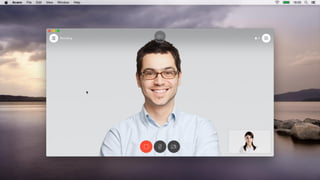
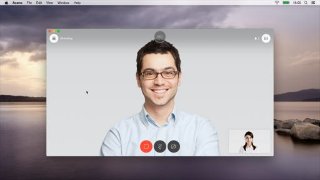
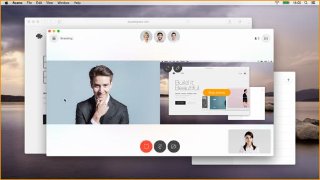
Joining a meeting
The Cisco TelePresence® SpeakerTrack 60 Camera is an unparalleled dual-camera system
that lets participants in a video meeting see the active speaker on the other end of a
conference—in full view.
Up-close and personal
SpeakerTrack 60
Cisco PresenterTrack
§ PresenterTrack offers automatic
detection of a presenter and
automatic tracking of that person
as they move about the front of
the room.
§ The presenter will be kept in view
and a high zoom level until they
leave the presentation area.
PresenterTrack Configuration Overview
§ A Cisco TelePresence® Precision
60 camera at the rear of the room
is configured to capture the whole
presenter area.
§ A trigger zone is configured so that
when a presenter steps into this
area a crop of the presenter is
created; the crop follows the
presenter wherever they walk
within the presenter area.
New In-Room Control
§ Reduces the need for many control
devices in one room
§ Add controls for your room devices
through a customizable interface
§ Easily control peripherals such as lights,
room dividers, etc. directly from the
TelePresence® Touch 10
§ Keeps the Cisco® TelePresence
experience intact
Project Workplace
http://projectworkplace.cisco.com
Complexity at the Desktop
Cisco DX80 Front View
1080p30 with
63-degree
field-of-view
23-inch,
1920x1080
LCD capacitive
touchscreen
On mute
indicator
Power/lock
button
“Source”
button
Speaker
Dual-array
microphones
Features
§ 802.11 a/b/g/n wireless and Gigabit
Ethernet connectivity
§ Bluetooth and USB
§ Peripheral support offers many options
for personalization
§ HDMI input for PC or Mac display and
content sharing
§ Tiltable document camera
§ VESA (75 and 100) mount support
Delivers a lifelike HD video experience to the desktop, and its ease of use
allows you to focus on communicating
Cisco DX80 Rear View
Magnetic lid and main I/O
(2x USB-A, USB-B, HDMI-
in,
2x Ethernet power inlet)
Screen angle adjustment:
38–85 degrees
Mute button
Volume rocker
USB input
Kensington lock
Cisco DX70
1080p30 with 63º
field-of-view
14-inch, 1920x1080
IPS LCD capacitive
touchscreen
Soft buttons for audio
volume and mute
Power/lock button
Speaker
Microphone positioned
for optimal pickup
Features
§ 802.11 a/b/g/n wireless and Gigabit Ethernet
connectivity
§ Bluetooth and USB peripheral support
(including a high-current side port for
charging tablets and smartphones) offers
many options for personalization
§ Optional handset, as well as 3 headset
options (BT, USB, analog 3.5 mm)
§ HDMI input for PC or Mac display and
content sharing
§ Tiltable document camera
§ VESA (100 and 75) mount support
Integrated collaboration at the desktop; compact size for limited spaces
Source button
Cisco DX70 and DX80 Handset Options
Recommended handset - Jabra 450 designed for
Cisco
§ Plug and play with a USB connected base
§ Wireless handset, with a range up to 20 meters
§ Crystal clear wideband audio and noise-canceling
microphone
§ Highly secure DECT wireless technology
§ Integrated call controls and light indicator
§ Orderable from Cisco
The Cisco® DX70 and DX80 support standard USB and Bluetooth headsets
and handsets.
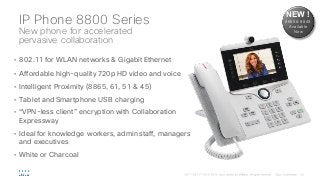
IP Phone 8800 Series
New phone for accelerated
pervasive collaboration
• 802.11 for WLAN networks & Gigabit Ethernet
• Affordable high-quality 720p HD video and voice
• Intelligent Proximity (8865, 61, 51 & 45)
• Tablet and Smartphone USB charging
• “VPN-less client” encryption with Collaboration
Expressway
• Ideal for knowledge workers, admin staff, managers
and executives
• White or Charcoal
NEW !
8865 & 8845
Available
Now
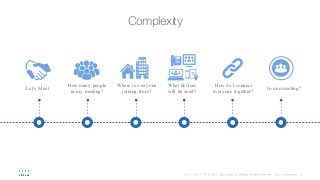
Complexity
How do I connect
everyone together?
In one meeting?Let’s Meet
What devices
will be used?
How many people
in my meeting?
Where is everyone
joining from?
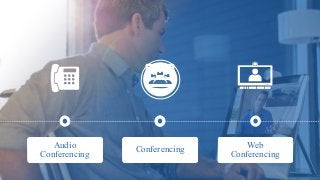
Web
Conferencing
Video
Conferencing
Audio
Conferencing Conferencing
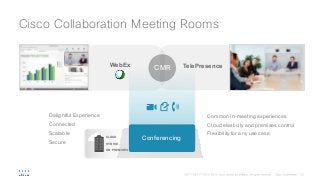
Cisco Collaboration Meeting Rooms
CLOUD
ON PREMISES
HYBRID
Conferencing
TelePresenceWebEx
CMR
Delightful Experience
Connected
Scalable
Secure
Common in-meeting experiences
Cloud elasticity and premises control
Flexibility for any use case
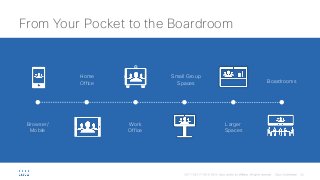
From Your Pocket to the Boardroom
Browser/
Mobile
Home
Office
Work
Office
Small Group
Spaces
Larger
Spaces
Boardrooms
Jacob Karaoghlanian
Consulting Systems Engineer
May 2016
Cisco On Premises Conferencing
with Acano
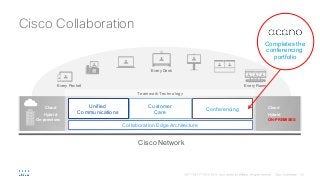
Cloud
On-premises
Hybrid
Cloud
ON-PREMISES
Hybrid
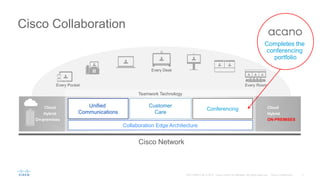
Every Pocket Every Room
Every Desk
Teamwork Technology
Collaboration Edge Architecture
Unified
Communications
Conferencing
Customer
Care
Cisco Network
Completes the
conferencing
portfolio
Cisco Collaboration
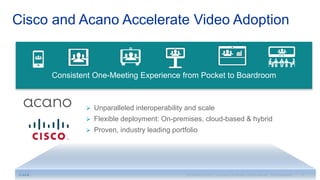
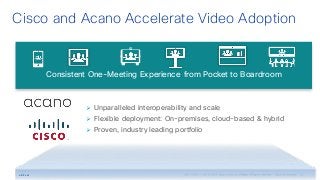
Cisco and Acano Accelerate Video Adoption
#1 #2
Experience
Ø Unparalleled interoperability and scale
Ø Flexible deployment: On-premises, cloud-based & hybrid
Ø Proven, industry leading portfolio
Consistent One-Meeting Experience from Pocket to Boardroom
Acano Key Features
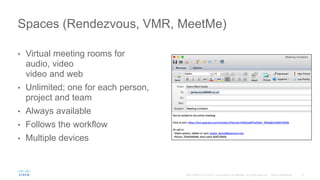
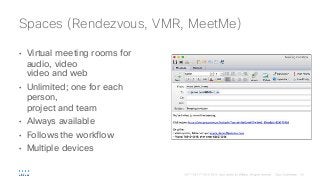
• Virtual meeting rooms for
audio, video
video and web
• Unlimited; one for each
person,
project and team
• Always available
• Follows the workflow
• Multiple devices
Spaces (Rendezvous, VMR, MeetMe)
• Anyone can join
• Chrome, Firefox, Opera –
native WebRTC
• Safari, Internet Explorer –
application cross launch
• Bidirectional content
• Guest access or User login
Browser Access
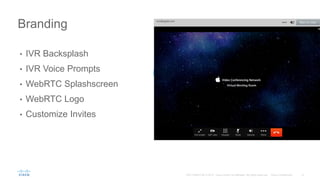
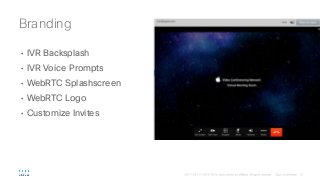
• IVR Backsplash
• IVR Voice Prompts
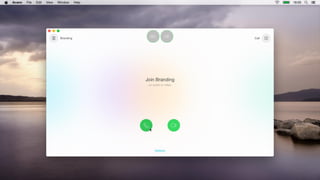
• WebRTC Splashscreen
• WebRTC Logo
• Customize Invites
Branding
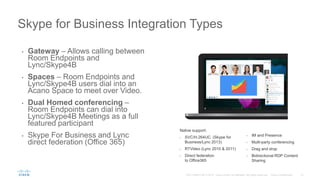
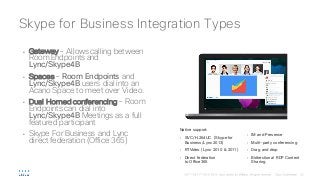
• Gateway – Allows calling between
Room Endpoints and
Lync/Skype4B
• Spaces – Room Endpoints and
Lync/Skype4B users dial into an
Acano Space to meet over Video.
• Dual Homed conferencing – Room
Endpoints can dial into
Lync/Skype4B Meetings as a full
featured participant
• Skype For Business and Lync
direct federation (Office 365)
Skype for Business Integration Types
Native support:
• SVC/H.264UC (Skype for
Business/Lync 2013)
• RTVideo (Lync 2010 & 2011)
• Direct federation
to Office365
• IM and Presence
• Multi-party conferencing
• Drag and drop
• Bidirectional RDP Content
Sharing
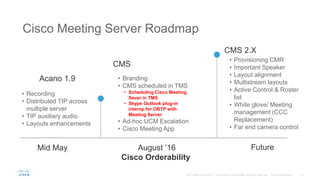
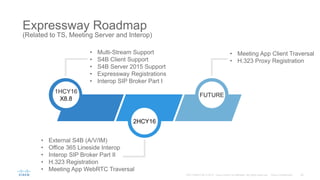
Acano Roadmap
Cisco Meeting Server
+
Cisco Meeting App
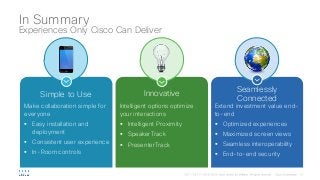
Simple to Use
Make collaboration simple for
everyone
§ Easy installation and
deployment
§ Consistent user experience
§ In-Room controls
Innovative
Intelligent options optimize
your interactions
§ Intelligent Proximity
§ SpeakerTrack
§ PresenterTrack
Seamlessly
Connected
Extend investment value end-
to-end
§ Optimized experiences
§ Maximized screen views
§ Seamless interoperability
§ End-to-end security
In Summary
Experiences Only Cisco Can Deliver
Has video really killed the audio star?

Has video really killed the audio star?

  • 1.
    Has Video Really Killedthe Audio Star? Ali Elahi Collaboration, Consulting Systems Engineer Jacob Karaoghlanian Acano, Consulting Systems Engineer
  • 3.
    Mission: Put “No-Compromise”Collaboration into: Every PocketEvery Room Every Desk
  • 4.
    Cisco Video CollaborationEndpoints Choose How You Wish to Collaborate Quick Set SX10 and SX20 MX300 and MX200 G2 IX5000 Series Collaboration Desk Endpoints DX Series TelePresence® Integration Solutions Soft Clients Jabber® WebEx® Spark® MX800 and MX700 Codec SX80 For custom and industry applications Collaboration Rooms 8800 Series
  • 5.
    High-end integrated speaker systemoptimized for voice Internal mic + two external table mics 55 inch display High quality LED Screen 8 x zoom 72 HFOV Integrated Cable Management MX200 G2 High-end integrated speaker system optimized for voice Internal mic + two external table mics 42 inch display High quality LED Screen 5 x zoom 83 HFOV Integrated Cable Management Both the MX200 G2 / MX300 G2 ship with Cisco Touch 10 as the default User Interaction MX300 G2 MX200/MX300 G2
  • 6.
    Floor stand The defaultmounting option for the MX200/300 G2. It allows for a quick an trouble free installation. It comes with an integrated cable management system that enables an easy and clutter free setup. Table stand* For a compact and flexible setup. Place on a sideboard in lounge areas or on a table in small rooms. Wall mount For a compact setup that does not take up any floor space. Ideal if a higher system is required. Wheel base Allows for a more flexible setup. Ideal for project and team spaces where the areas are frequently rearranged. 8 cm taller then floor stand. *Table stand only for MX200 G2 Mounting Options MX200/MX300 G2
  • 7.
    Dual 55” MultipurposeCollaboration System with Single or Dual camera configurations MX700 MX800 Single 70” Multipurpose Collaboration System with Single or Dual camera configurations MX700 & MX800 MX800D Dual 70” Multipurpose Collaboration System with Dual camera configuration
  • 8.
    Flexible Mounting Options Floorstand – free stand Floor stand – wall secured Wall mount
  • 9.
    reddot design award bestof the best 2015 for top design quality and ground-breakingdesign
  • 10.
    • Pervasive rolloutof intelligent video collaboration • with plug-and-play for any small and medium sized meeting space • Quick install/reinstall • Connect HDMI into any display + Ethernet (PoE+) • Innovation • Compact purpose-built unit with codec, camera, built-in microphone at comparable price to a computer SX10 Quick Set Video enable small rooms
  • 11.
    SX10 Compact purpose-built unitwith built-in camera & mic Internal mic + optional external table mic New remote included 83 field of view for small spaces and up to 5x zoom (2.5x Optical x 2 Digital) WXGAp5 content sharing via HDMI/VGA input, and Intelligent Proximity 1080p30 Full HD video Optional mounting bracket PoE+ and low power consumption (<12W)
  • 12.
    Cisco Intelligent Proximity EmbracingMobile Devices for Richer Collaboration Experiences Auto-synchronize contacts and call log from your mobile phone to your desk phone View and share content wirelessly in the meeting room Experience high-quality audio for mobile devices at the desktop
  • 13.
    Intelligent Proximity forContent Sharing See, Control, and Capture Content from a Meeting Room, Directly on Your Own Device Enjoy easy, temporary pairing through ultrasound See shared content on a mobile device and zoom in on details View previous content on mobile devices Take snapshots of content on mobile devices Control calls simply on mobile devices Send content to the endpoint from PC or Mac
  • 15.
    Intelligent Proximity forMobile Voice High-Fidelity Audio and Personal Contacts from Your Mobile Device § Supported on all DX series and select 8800 models (including 8845/51/61/65) § Bluetooth play out from mobile device to endpointfor superior audio experience § Answer and control calls to mobile from endpointuser interface § Call from mobile:contacts, favorites and recent calls with endpointover IP network § Temporarily sync mobile contacts when in proximity or permanently store mobile contacts on endpoint No app is necessary – Proximity works with most smartphones and tablets
  • 16.
    LONDON Joining a meeting TheCisco TelePresence® SpeakerTrack 60 Camera is an unparalleled dual-camera system that lets participants in a video meeting see the active speaker on the other end of a conference—in full view. Up-close and personal SpeakerTrack 60
  • 18.
    Cisco PresenterTrack § PresenterTrackoffers automatic detection of a presenter and automatic tracking of that person as they move about the front of the room. § The presenter will be kept in view and a high zoom level until they leave the presentation area.
  • 19.
    PresenterTrack Configuration Overview §A Cisco TelePresence® Precision 60 camera at the rear of the room is configured to capture the whole presenter area. § A trigger zone is configured so that when a presenter steps into this area a crop of the presenter is created; the crop follows the presenter wherever they walk within the presenter area.
  • 20.
    New In-Room Control §Reduces the need for many control devices in one room § Add controls for your room devices through a customizable interface § Easily control peripherals such as lights, room dividers, etc. directly from the TelePresence® Touch 10 § Keeps the Cisco® TelePresence experience intact
  • 24.
  • 25.
  • 26.
    Cisco DX80 FrontView 1080p30 with 63-degree field-of-view 23-inch, 1920x1080 LCD capacitive touchscreen On mute indicator Power/lock button “Source” button Speaker Dual-array microphones Features § 802.11 a/b/g/n wireless and Gigabit Ethernet connectivity § Bluetooth and USB § Peripheral support offers many options for personalization § HDMI input for PC or Mac display and content sharing § Tiltable document camera § VESA (75 and 100) mount support Delivers a lifelike HD video experience to the desktop, and its ease of use allows you to focus on communicating
  • 27.
    Cisco DX80 RearView Magnetic lid and main I/O (2x USB-A, USB-B, HDMI- in, 2x Ethernet power inlet) Screen angle adjustment: 38–85 degrees Mute button Volume rocker USB input Kensington lock
  • 28.
    Cisco DX70 1080p30 with63º field-of-view 14-inch, 1920x1080 IPS LCD capacitive touchscreen Soft buttons for audio volume and mute Power/lock button Speaker Microphone positioned for optimal pickup Features § 802.11 a/b/g/n wireless and Gigabit Ethernet connectivity § Bluetooth and USB peripheral support (including a high-current side port for charging tablets and smartphones) offers many options for personalization § Optional handset, as well as 3 headset options (BT, USB, analog 3.5 mm) § HDMI input for PC or Mac display and content sharing § Tiltable document camera § VESA (100 and 75) mount support Integrated collaboration at the desktop; compact size for limited spaces Source button
  • 29.
    Cisco DX70 andDX80 Handset Options Recommended handset - Jabra 450 designed for Cisco § Plug and play with a USB connected base § Wireless handset, with a range up to 20 meters § Crystal clear wideband audio and noise-canceling microphone § Highly secure DECT wireless technology § Integrated call controls and light indicator § Orderable from Cisco The Cisco® DX70 and DX80 support standard USB and Bluetooth headsets and handsets.
  • 30.
    IP Phone 8800Series New phone for accelerated pervasive collaboration • 802.11 for WLAN networks & Gigabit Ethernet • Affordable high-quality 720p HD video and voice • Intelligent Proximity (8865, 61, 51 & 45) • Tablet and Smartphone USB charging • “VPN-less client” encryption with Collaboration Expressway • Ideal for knowledge workers, admin staff, managers and executives • White or Charcoal NEW ! 8865 & 8845 Available Now
  • 31.
    Complexity How do Iconnect everyone together? In one meeting?Let’s Meet What devices will be used? How many people in my meeting? Where is everyone joining from?
  • 32.
  • 33.
    Cisco Collaboration MeetingRooms CLOUD ON PREMISES HYBRID Conferencing TelePresenceWebEx CMR Delightful Experience Connected Scalable Secure Common in-meeting experiences Cloud elasticity and premises control Flexibility for any use case
  • 34.
    From Your Pocketto the Boardroom Browser/ Mobile Home Office Work Office Small Group Spaces Larger Spaces Boardrooms
  • 35.
    Jacob Karaoghlanian Consulting SystemsEngineer May 2016 Cisco On Premises Conferencing with Acano
  • 36.
    Cloud On-premises Hybrid Cloud ON-PREMISES Hybrid Every Pocket EveryRoom Every Desk Teamwork Technology Collaboration Edge Architecture Unified Communications Conferencing Customer Care Cisco Network Completes the conferencing portfolio Cisco Collaboration
  • 37.
    Cisco and AcanoAccelerate Video Adoption #1 #2 Experience Ø Unparalleled interoperability and scale Ø Flexible deployment: On-premises, cloud-based & hybrid Ø Proven, industry leading portfolio Consistent One-Meeting Experience from Pocket to Boardroom
  • 38.
  • 39.
    • Virtual meetingrooms for audio, video video and web • Unlimited; one for each person, project and team • Always available • Follows the workflow • Multiple devices Spaces (Rendezvous, VMR, MeetMe)
  • 40.
    • Anyone canjoin • Chrome, Firefox, Opera – native WebRTC • Safari, Internet Explorer – application cross launch • Bidirectional content • Guest access or User login Browser Access
  • 41.
    • IVR Backsplash •IVR Voice Prompts • WebRTC Splashscreen • WebRTC Logo • Customize Invites Branding
  • 42.
    • Gateway –Allows calling between Room Endpoints and Lync/Skype4B • Spaces – Room Endpoints and Lync/Skype4B users dial into an Acano Space to meet over Video. • Dual Homed conferencing – Room Endpoints can dial into Lync/Skype4B Meetings as a full featured participant • Skype For Business and Lync direct federation (Office 365) Skype for Business Integration Types Native support: • SVC/H.264UC (Skype for Business/Lync 2013) • RTVideo (Lync 2010 & 2011) • Direct federation to Office365 • IM and Presence • Multi-party conferencing • Drag and drop • Bidirectional RDP Content Sharing
  • 43.
  • 44.
  • 47.
    Simple to Use Makecollaboration simple for everyone § Easy installation and deployment § Consistent user experience § In-Room controls Innovative Intelligent options optimize your interactions § Intelligent Proximity § SpeakerTrack § PresenterTrack Seamlessly Connected Extend investment value end- to-end § Optimized experiences § Maximized screen views § Seamless interoperability § End-to-end security In Summary Experiences Only Cisco Can Deliver