www.le.ac.uk
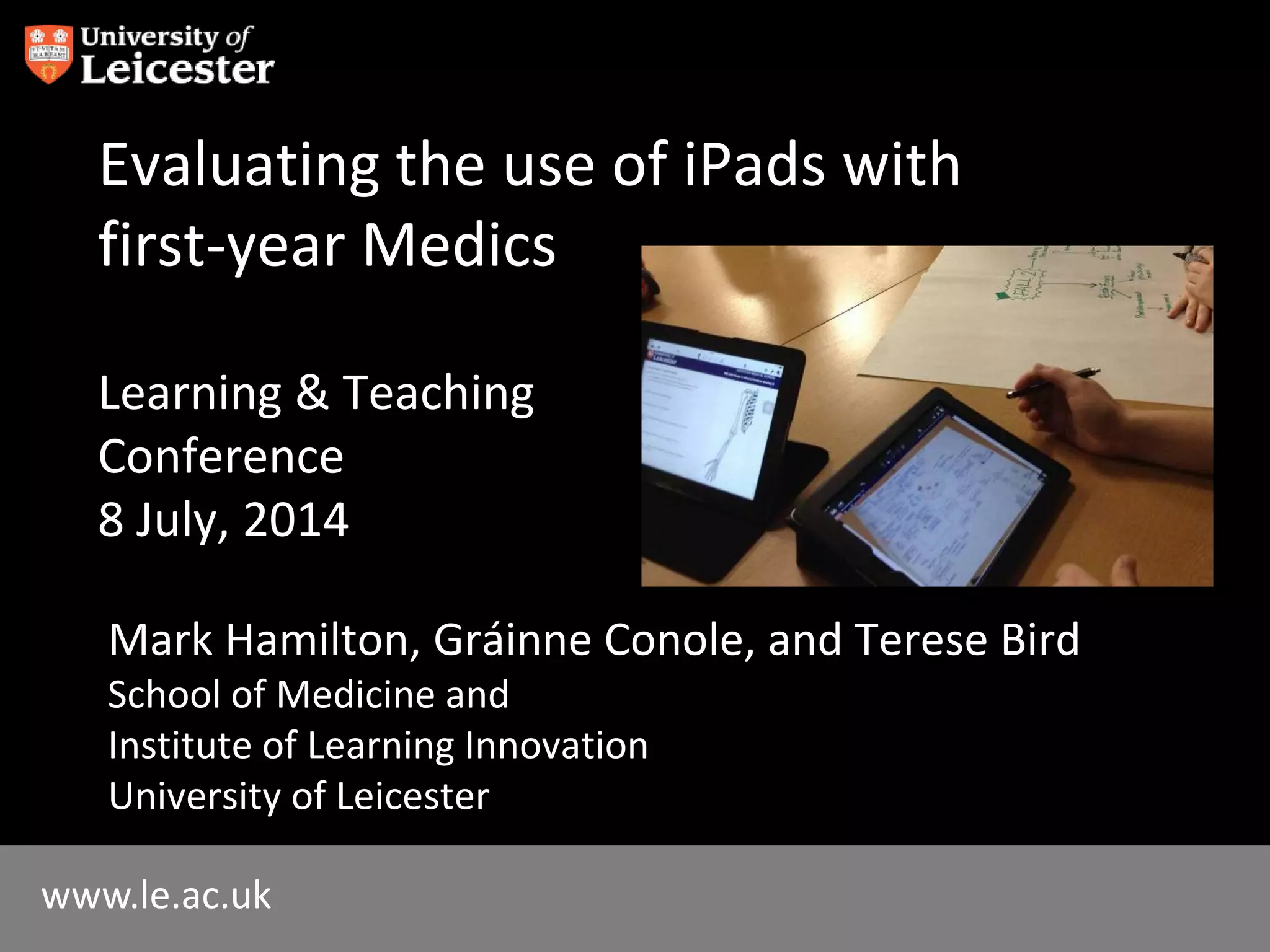
Evaluating the use of iPads with
first-year Medics
Learning & Teaching
Conference
8 July, 2014
Mark Hamilton, Gráinne Conole, and Terese Bird
School of Medicine and
Institute of Learning Innovation
University of Leicester
What will we talk about?
• Student-led
• What has happened
• Why we are pleased it has happened
• What’s next
• You can do it too!
Why?
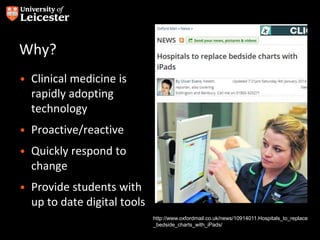
• Clinical medicine is
rapidly adopting
technology
• Proactive/reactive
• Quickly respond to
change
• Provide students with
up to date digital tools
http://www.oxfordmail.co.uk/news/10914011.Hospitals_to_replace
_bedside_charts_with_iPads/
Vision
• For changes to be ground
up/student led
• Practical/sustainable
• Open up teaching and learning
opportunities
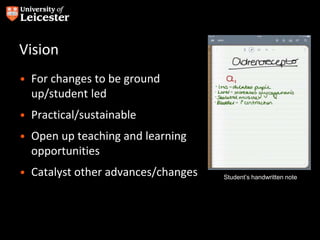
• Catalyst other advances/changes Student’s handwritten note
What we did
• Began autumn 2013
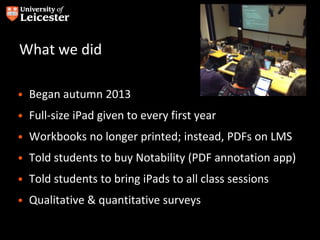
• Full-size iPad given to every first year
• Workbooks no longer printed; instead, PDFs on LMS
• Told students to buy Notability (PDF annotation app)
• Told students to bring iPads to all class sessions
• Qualitative & quantitative surveys
Survey beginning of term
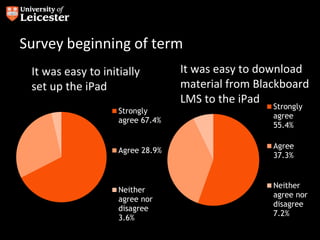
It was easy to initially
set up the iPad
Strongly
agree 67.4%
Agree 28.9%
Neither
agree nor
disagree
3.6%
Column1
Strongly
agree
55.4%
Agree
37.3%
Neither
agree nor
disagree
7.2%
It was easy to download
material from Blackboard
LMS to the iPad
Survey beginning of term
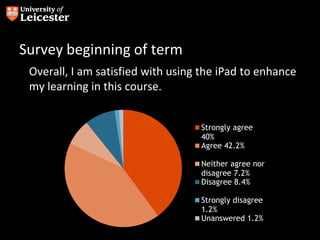
Overall, I am satisfied with using the iPad to enhance
my learning in this course.
Column1
Strongly agree
40%
Agree 42.2%
Neither agree nor
disagree 7.2%
Disagree 8.4%
Strongly disagree
1.2%
Unanswered 1.2%
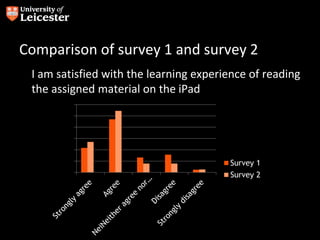
Comparison of survey 1 and survey 2
I am satisfied with the learning experience of reading
the assigned material on the iPad
0
10
20
30
40
50
60
Survey 1
Survey 2
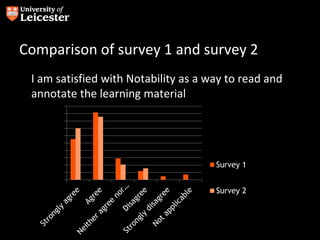
Comparison of survey 1 and survey 2
I am satisfied with Notability as a way to read and
annotate the learning material
0
5
10
15
20
25
30
35
40
45
50
Survey 1
Survey 2
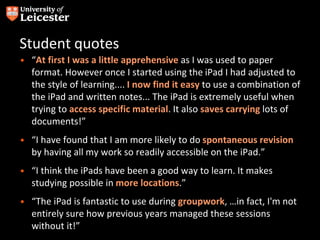
Student quotes
• “At first I was a little apprehensive as I was used to paper
format. However once I started using the iPad I had adjusted to
the style of learning.... I now find it easy to use a combination of
the iPad and written notes... The iPad is extremely useful when
trying to access specific material. It also saves carrying lots of
documents!”
• “I have found that I am more likely to do spontaneous revision
by having all my work so readily accessible on the iPad.”
• “I think the iPads have been a good way to learn. It makes
studying possible in more locations.”
• “The iPad is fantastic to use during groupwork, …in fact, I'm not
entirely sure how previous years managed these sessions
without it!”
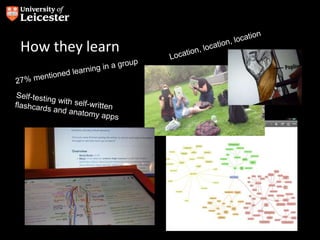
How they learn
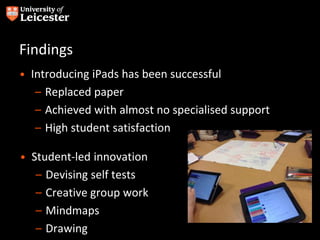
Findings
• Introducing iPads has been successful
– Replaced paper
– Achieved with almost no specialised support
– High student satisfaction
• Student-led innovation
– Devising self tests
– Creative group work
– Mindmaps
– Drawing
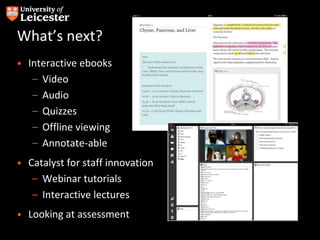
What’s next?
• Interactive ebooks
– Video
– Audio
– Quizzes
– Offline viewing
– Annotate-able
• Catalyst for staff innovation
– Webinar tutorials
– Interactive lectures
• Looking at assessment
Evaluating use of iPads among 1st year medical undergraduates

Evaluating use of iPads among 1st year medical undergraduates

  • 1.
    www.le.ac.uk Evaluating the useof iPads with first-year Medics Learning & Teaching Conference 8 July, 2014 Mark Hamilton, Gráinne Conole, and Terese Bird School of Medicine and Institute of Learning Innovation University of Leicester
  • 2.
    What will wetalk about? • Student-led • What has happened • Why we are pleased it has happened • What’s next • You can do it too!
  • 3.
    Why? • Clinical medicineis rapidly adopting technology • Proactive/reactive • Quickly respond to change • Provide students with up to date digital tools http://www.oxfordmail.co.uk/news/10914011.Hospitals_to_replace _bedside_charts_with_iPads/
  • 4.
    Vision • For changesto be ground up/student led • Practical/sustainable • Open up teaching and learning opportunities • Catalyst other advances/changes Student’s handwritten note
  • 5.
    What we did •Began autumn 2013 • Full-size iPad given to every first year • Workbooks no longer printed; instead, PDFs on LMS • Told students to buy Notability (PDF annotation app) • Told students to bring iPads to all class sessions • Qualitative & quantitative surveys
  • 6.
    Survey beginning ofterm It was easy to initially set up the iPad Strongly agree 67.4% Agree 28.9% Neither agree nor disagree 3.6% Column1 Strongly agree 55.4% Agree 37.3% Neither agree nor disagree 7.2% It was easy to download material from Blackboard LMS to the iPad
  • 7.
    Survey beginning ofterm Overall, I am satisfied with using the iPad to enhance my learning in this course. Column1 Strongly agree 40% Agree 42.2% Neither agree nor disagree 7.2% Disagree 8.4% Strongly disagree 1.2% Unanswered 1.2%
  • 8.
    Comparison of survey1 and survey 2 I am satisfied with the learning experience of reading the assigned material on the iPad 0 10 20 30 40 50 60 Survey 1 Survey 2
  • 9.
    Comparison of survey1 and survey 2 I am satisfied with Notability as a way to read and annotate the learning material 0 5 10 15 20 25 30 35 40 45 50 Survey 1 Survey 2
  • 10.
    Student quotes • “Atfirst I was a little apprehensive as I was used to paper format. However once I started using the iPad I had adjusted to the style of learning.... I now find it easy to use a combination of the iPad and written notes... The iPad is extremely useful when trying to access specific material. It also saves carrying lots of documents!” • “I have found that I am more likely to do spontaneous revision by having all my work so readily accessible on the iPad.” • “I think the iPads have been a good way to learn. It makes studying possible in more locations.” • “The iPad is fantastic to use during groupwork, …in fact, I'm not entirely sure how previous years managed these sessions without it!”
  • 11.
  • 12.
    Findings • Introducing iPadshas been successful – Replaced paper – Achieved with almost no specialised support – High student satisfaction • Student-led innovation – Devising self tests – Creative group work – Mindmaps – Drawing
  • 13.
    What’s next? • Interactiveebooks – Video – Audio – Quizzes – Offline viewing – Annotate-able • Catalyst for staff innovation – Webinar tutorials – Interactive lectures • Looking at assessment