+ +Presented by
Presented by
Organized By
In Collaboration With
Abdullah Chaudry
DSC LEAD @ ITU
Ahmed Naeem
DSC LEAD @ UCP
Fatima Yousif
DSC LEAD @ MUET Jamshoro
Rao Ubaidullah
DSC LEAD @ SAU
Ali Hassan
DSC LEAD @ QUET
Adil Raza
DSC LEAD @ MUET Khairpur
+ +Presented by
Hacktoberfest 2020
• M Abdullah Ch
• Microsoft Learn Student Ambassador
• DSC-ITU Lead
• MERN Stack
What is GitHub ?
● Open Source Repository Hosting Service
● Supports collaboration
● Best place to store your code
● Show case your projects
● One of the best community support
Tracking
Git keeps track of your Code , even when you modify it
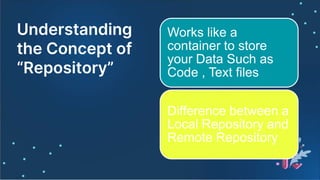
Understanding
the Concept of
“Repository”
Works like a
container to store
your Data Such as
Code , Text files
Difference between a
Local Repository and
Remote Repository
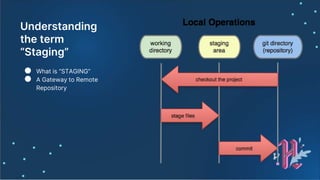
Understanding
the term
“Staging”
● What is “STAGING”
● A Gateway to Remote
Repository
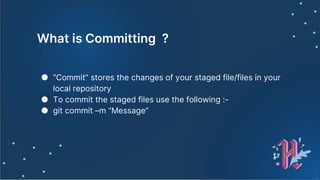
What is Committing ?
● “Commit” stores the changes of your staged file/files in your
local repository
● To commit the staged files use the following :-
● git commit –m “Message”
Download git and setup
your account
https://git-
scm.com/downloads
M Abdullah Ch
M Abdullah Ch
Setting up Your User Name and Email
● git config --global user.name “Your Name”
● git config --global user.email
“Youremail@anything.com”
Basic Git Commands
● ls
● cd
● git init
● git remote add origin [gitLink] (remote repo)
● git remote -v (remote repo)
● git add . (Staging)
● git commit -m "First commit“
● git push origin master
● git log --pretty=oneline
Git Checkout
● Takes you back to your desired commit
● git checkout hash/branch
Undoing the staged files
● git reset HEAD filename
● Where HEAD can be your branch name i.e “master”
● This “reset” commad resets the staging area to be
whatever in the head (the previous committed file)
● But this commad do not change the working
directory, meaning that the staged file is removed
from the staging area , not from the actual file
● So, use “git checkout filename” to make our actual
file synchronous with our staging area
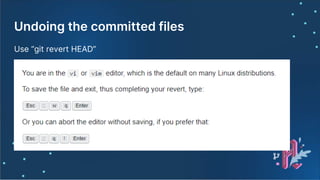
Undoing the committed files
Use “git revert HEAD”
Deleting most recent commits
● git reset --hard hash/branch (to the hash, you want
to delete)
● IT CAN ONLY BE USED FOR RECENT COMMITS
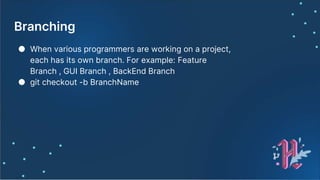
Branching
● When various programmers are working on a project,
each has its own branch. For example: Feature
Branch , GUI Branch , BackEnd Branch
● git checkout -b BranchName
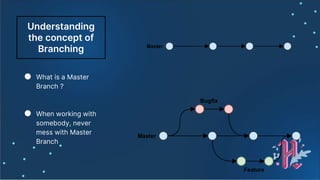
Understanding
the concept of
Branching
● What is a Master
Branch ?
● When working with
somebody, never
mess with Master
Branch
Graph
● git log --pretty=format:'%h %ad | %s%d [%an]' --
graph --date=short --all
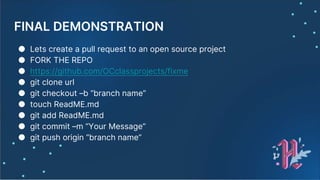
FINAL DEMONSTRATION
● Lets create a pull request to an open source project
● FORK THE REPO
● https://github.com/OCclassprojects/fixme
● git clone url
● git checkout –b “branch name”
● touch ReadME.md
● git add ReadME.md
● git commit –m “Your Message”
● git push origin “branch name”
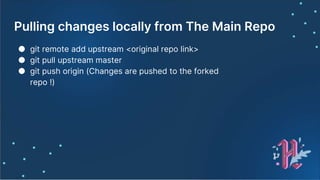
Pulling changes locally from The Main Repo
● git remote add upstream <original repo link>
● git pull upstream master
● git push origin (Changes are pushed to the forked
repo !)
Perks
● Hacktober-fest
● Github Student Pack

Hacktoberfest slides