Clinical 
and 
Transla,onal 
Science 
Ins,tute 
/ 
CTSI 
at 
the 
University 
of 
California, 
San 
Francisco 
Growth 
Hacking 
101 
for 
Research 
Networking 
for 
the 
VIVO 
Implementa0on 
and 
Development 
Call 
·∙ 
Oct 
16, 
2014 
Anirvan 
Cha7erjee, 
CTSI 
at 
UC 
San 
Francisco
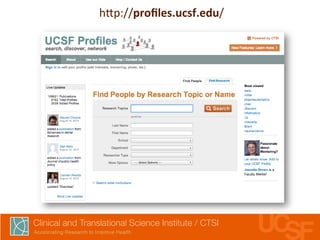
h7p://profiles.ucsf.edu/
UCSF 
Profiles 
• Beta 
launched 
Dec 
2009 
– ~300 
visits 
a 
month, 
or 
~10 
visits 
a 
day 
• First 
month 
post-­‐launch 
Oct 
2010 
– ~5,000 
visits 
a 
month, 
or 
~160 
visits 
a 
day 
• Most 
recent 
month 
September 
2014 
– ~100,000 
visits 
a 
month, 
or 
~3,300 
visits 
a 
day
Visits 
per 
month 
to 
UCSF 
Profiles 
- 
10,000 
20,000 
30,000 
40,000 
50,000 
60,000 
70,000 
80,000 
90,000 
100,000 
Dec-09 
Feb-10 
Apr-10 
Jun-10 
Aug-10 
Oct-10 
Dec-10 
Feb-11 
Apr-11 
Jun-11 
Aug-11 
Oct-11 
Dec-11 
Feb-12 
Apr-12 
Jun-12 
Aug-12 
Oct-12 
Dec-12 
Feb-13 
Apr-13 
Jun-13 
Aug-13 
Oct-13 
Dec-13 
Feb-14 
Apr-14 
Jun-14 
Aug-14
UCSF 
Profiles 
traffic, 
by 
geographic 
locaLon 
UCSF 
campus 
13% 
California 
International 
20% 
USA 37% 
30%
UCSF 
Profiles 
traffic, 
by 
medium 
Search 
engines 
83% 
UCSF 
Referrals 
7% 
External 
Referrals 
2% 
Direct/ 
Unknown 
8%
Growth 
Hacking 
101 
for 
Research 
Networking 
1. Use 
web 
analy,cs 
to 
measure 
baselines 
2. Put 
researcher 
profile 
pages 
front 
and 
center 
3. Get 
indexed 
by 
search 
engines 
4. Tweak 
URLs, 
metadata 
to 
a7ract 
searchers 
5. Build 
inbound 
links 
to 
establish 
reputa,on
STEP 
1. 
WEB 
ANALYTICS 
TO 
MEASURE 
BASELINES 
Photo: 
Tim 
Ellis, 
h7p://flic.kr/p/849hSN, 
used 
under 
CC 
BY-­‐NC
✓ACTION 
ITEM 
1A: 
Install 
Google 
AnalyLcs, 
set 
up 
on 
every 
page
✓ACTION 
ITEM 
1B: 
Learn 
how 
to 
use 
it 
• Online 
help 
at 
google.com/analy,cs/learn 
• Read 
“Web 
Analy,cs 
2.0” 
by 
Kaushik
Segment 
on-­‐campus 
vs. 
off-­‐campus 
traffic 
Visits 
by 
Type, 
Sep 
2014 
Returning 
Visitors 
15% 
New 
Visitors 
85%
Segment 
on-­‐campus 
vs. 
off-­‐campus 
traffic 
Visits 
by 
Type, 
within 
UCSF 
Campus 
New 
Visitor 
28% 
Returning 
Visitors 
72% 
Visits 
by 
Type, 
outside 
UCSF 
Campus 
New 
Visitor 
80% 
Returning 
Visitors 
20%
✓ACTION 
ITEM 
1C: 
Create 
“on-­‐campus” 
& 
“off-­‐campus” 
segments 
1. Figure 
out 
the 
relevant 
network 
names 
by 
going 
to 
Audience 
> 
Technology 
> 
Network 
2. Create 
an 
advanced 
segment 
that 
includes 
that 
service 
provider, 
and 
one 
that 
excludes 
it 
3. Use 
segments 
to 
understand 
traffic 
pa7erns
✓ACTION 
ITEM 
1D: 
Register 
with 
Google 
Webmaster 
Tools 
1. Go 
to 
google.com/webmasters/tools 
2. Follow 
the 
direc,ons 
to 
register 
your 
site 
3. See 
how 
your 
site’s 
indexed 
on 
Google
STEP 
2. 
IF 
YOU 
CARE 
ABOUT 
TRAFFIC, 
IGNORE 
YOUR 
HOME 
PAGE
What 
% 
of 
UCSF 
Profiles 
visits 
begin 
on 
the 
home 
page? 
2.1% 
(as 
of 
September 
2014)
What 
% 
of 
2+ 
minute 
on-­‐campus 
UCSF 
Profiles 
visits 
begin 
on 
the 
home 
page? 
21.6% 
(as 
of 
September 
2014)
Where 
do 
visits 
start? 
(Red 
= 
Visits 
star0ng 
on 
home 
page) 
2,500 
2,000 
1,500 
1,000 
500 
- 
Visits that start in on home page
Where 
do 
visits 
start? 
(Green 
= 
visits 
NOT 
star0ng 
on 
home 
page) 
70,000 
60,000 
50,000 
40,000 
30,000 
20,000 
10,000 
- 
Visits that start in on home page Visits that DON'T start on home page
So 
where 
ARE 
visitors 
going, 
if 
not 
to 
the 
home 
page?
So 
where 
ARE 
visitors 
going, 
if 
not 
to 
the 
home 
page?
So 
where 
ARE 
visitors 
going, 
if 
not 
to 
the 
home 
page?
So 
where 
ARE 
visitors 
going, 
if 
not 
to 
the 
home 
page?
Focus 
on 
what 
people 
actually 
see 
Photo: 
Toms 
Bauģis, 
h7p://flic.kr/p/ai1nc, 
used 
under 
CC 
BY
✓ACTION 
ITEM 
2: 
Ignore 
your 
home 
page 
(focus 
on 
profile 
pages)
STEP 
3. 
GET 
INDEXED 
BY 
SEARCH 
ENGINES 
Photo: 
Catherine 
Roy, 
h7p://flic.kr/p/aW72h4, 
used 
under 
CC 
BY-­‐NC-­‐ND
First, 
can 
search 
engines 
see 
your 
pages? 
Photo: 
Michael 
Keith, 
h7p://flic.kr/p/ccqVcf, 
used 
under 
CC 
BY-­‐NC-­‐SA
✓ACTION 
ITEM 
3: 
Make 
sure 
search 
engines 
can 
see 
your 
pages 
1. Tweak 
your 
robots.txt 
so 
search 
engines 
can 
see 
all 
your 
pages 
(www.robotstxt.org) 
2. Create 
a 
dynamically-­‐generated 
sitemap 
of 
all 
your 
profile 
pages 
(www.sitemaps.org) 
3. Men,on 
your 
sitemap 
in 
your 
robots.txt, 
and 
add 
it 
to 
Google 
Webmaster 
Tools 
4. Wait 
a 
day, 
validate 
that 
this 
all 
works 
via 
Google 
Webmaster 
Tools
STEP 
4. 
TWEAK 
URLS, 
METADATA 
TO 
ATTRACT 
SEARCHERS
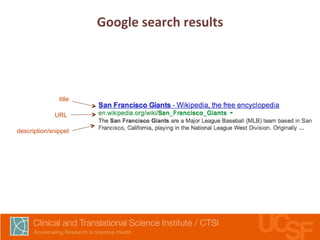
Google 
search 
results 
title 
URL 
description/snippet
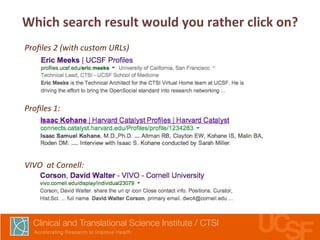
Which 
search 
result 
would 
you 
rather 
click 
on? 
Profiles 
2 
(with 
custom 
URLs) 
Profiles 
1: 
VIVO 
at 
Cornell:
✓ACTION 
ITEM 
4A: 
Improve 
the 
copy 
on 
your 
page 
Ltles 
& 
descripLons 
1. Make 
the 
page 
<,tle> 
on 
profile 
pages 
short 
and 
globally 
unique 
2. Make 
<meta 
name="descrip,on”> 
on 
profile 
pages 
readable 
and 
descrip,ve 
(e.g. 
“Jane 
Doe’s 
profile, 
publica,ons, 
research 
topics, 
and 
co-­‐authors”)
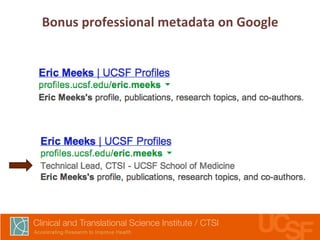
Bonus 
professional 
metadata 
on 
Google
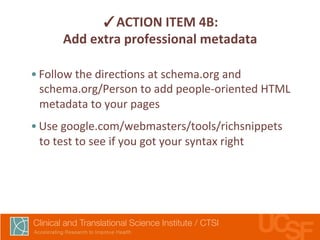
✓ACTION 
ITEM 
4B: 
Add 
extra 
professional 
metadata 
• Follow 
the 
direc,ons 
at 
schema.org 
and 
schema.org/Person 
to 
add 
people-­‐oriented 
HTML 
metadata 
to 
your 
pages 
• Use 
google.com/webmasters/tools/richsnippets 
to 
test 
to 
see 
if 
you 
got 
your 
syntax 
right
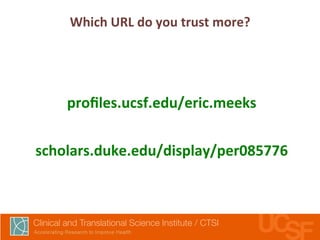
Which 
URL 
do 
you 
trust 
more? 
profiles.ucsf.edu/eric.meeks 
scholars.duke.edu/display/per085776
✓ACTION 
ITEM 
4C: 
Use 
beker 
URLs. 
Include 
people’s 
names. 
• Pre7y 
URL 
should 
be 
the 
“real” 
URL, 
not 
just 
a 
redirect 
• All 
old 
or 
alterna,ve 
profile 
URLs 
should 
do 
a 
301 
redirect 
to 
the 
pre7y 
URL
MulLple 
versions 
of 
the 
same 
URL? 
• yoursite.edu/display/n1234 
• yoursite.edu/display/n1234?blah-­‐blah-­‐blah 
• yoursite.edu/en,ty?ne,d=ac12 
• yoursite.edu/print/n1234
✓ACTION 
ITEM 
4D: 
Prevent 
indexing 
of 
mulLple 
versions 
of 
your 
page 
• If 
you 
have 
mul,ple 
versions 
of 
your 
page 
getng 
indexed, 
tell 
search 
engines 
which 
version 
is 
the 
main 
one 
by 
using 
the 
rel=canonical 
canonical 
link 
element
STEP 
5. 
GET 
INBOUND 
LINKS 
Photo: 
Blake 
Pa7erson, 
h7p://flic.kr/p/5w4pn9, 
used 
under 
CC 
BY
Campus 
news 
stories
Campus 
directory
Campus 
resource 
lists 
and 
guides
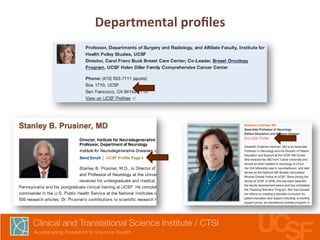
Departmental 
profiles
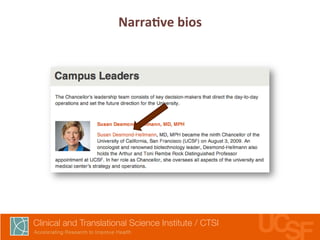
NarraLve 
bios
APIs 
enable 
data 
reuse, 
encourage 
adopLon 
• Built-­‐in 
APIs 
let 
users 
reuse 
your 
data 
• How 
to 
publicize/support 
APIs 
– Document 
API 
on 
a 
developer-­‐centric 
website 
– Online 
discussion 
group 
– Outreach 
to 
campus 
groups 
• Reusing 
data 
= 
more 
incen,ve 
to 
have 
clean 
data 
• Ask 
for 
a 
link 
back 
from 
API-­‐enhanced 
pages
Profiles 
data 
is 
syndicated 
by 
websites 
and 
apps 
across 
campus 
• UCSF 
Mobile 
App 
for 
iOS 
and 
Android 
• UCSF 
Mobile 
Website 
• Advance 
• UCSF 
Cardiology 
• UCSF 
Center 
for 
AIDS 
Research 
• UCSF 
Division 
of 
Gastroenterology 
• UCSF 
Division 
of 
Geriatrics 
• UCSF 
Helen 
Diller 
Comprehensive 
Cancer 
Center 
• UCSF 
Division 
of 
HIV/AIDS 
• UCSF 
Division 
of 
Hospital 
Medicine, 
SFGH 
• UCSF 
Division 
of 
Nephrology 
• UCSF 
Occupa,onal 
& 
Environmental 
Medicine 
• UCSF 
Dept. 
of 
Otolaryngology 
• UCSF 
Division 
of 
Rheumatology 
• UCSF 
Benioff 
Children's 
Hospital 
• UCSF 
Directory 
• UCSF 
Dept. 
of 
Emergency 
Medicine 
• UCSF 
Dept. 
of 
Epidemiology 
& 
Biosta,s,cs 
• UCSF 
Medical 
Center 
• UCSF 
Dept. 
of 
Medicine
✓ACTION 
ITEM 
4: 
Get 
websites 
at 
your 
insLtuLon 
to 
link 
to 
you 
• Get 
campus 
sites 
to 
link 
to 
your 
homepage 
as 
a 
trusted 
campus 
resource 
• Get 
campus 
sites 
to 
link 
to 
individual 
profiles 
from 
departmental 
profiles, 
news 
stories, 
directory, 
etc. 
• Encourage 
reuse 
of 
your 
data 
via 
APIs, 
and 
ask 
for 
a 
link 
back 
as 
a7ribu,on 
(they 
save 
@me 
and 
money, 
you 
get 
links) 
• These 
links 
may 
not 
send 
traffic, 
but 
will 
help 
SEO
Virtuous 
Circle: 
SEO 
—> 
Media 
menLons 
—> 
SEO
Growth 
Hacking 
101 
for 
Research 
Networking 
1. Use 
web 
analy,cs 
to 
measure 
baselines 
2. Put 
researcher 
profile 
pages 
front 
and 
center 
3. Get 
indexed 
by 
search 
engines 
4. Tweak 
URLs, 
metadata 
to 
a7ract 
searchers 
5. Build 
inbound 
links 
to 
establish 
reputa,on 
Anirvan 
Chakerjee, 
CTSI 
at 
UCSF 
anirvan.cha7erjee@ucsf.edu 
@anirvan

Growth Hacking 101 for Research Networking (for VIVO Implementation & Dev call)

  • 1.
    Clinical and Transla,onal Science Ins,tute / CTSI at the University of California, San Francisco Growth Hacking 101 for Research Networking for the VIVO Implementa0on and Development Call ·∙ Oct 16, 2014 Anirvan Cha7erjee, CTSI at UC San Francisco
  • 5.
  • 6.
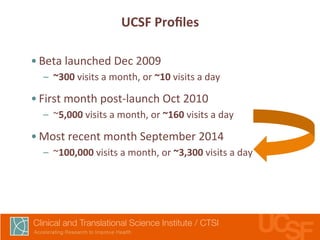
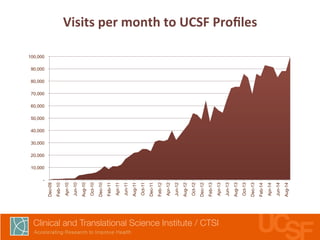
    UCSF Profiles •Beta launched Dec 2009 – ~300 visits a month, or ~10 visits a day • First month post-­‐launch Oct 2010 – ~5,000 visits a month, or ~160 visits a day • Most recent month September 2014 – ~100,000 visits a month, or ~3,300 visits a day
  • 7.
    Visits per month to UCSF Profiles - 10,000 20,000 30,000 40,000 50,000 60,000 70,000 80,000 90,000 100,000 Dec-09 Feb-10 Apr-10 Jun-10 Aug-10 Oct-10 Dec-10 Feb-11 Apr-11 Jun-11 Aug-11 Oct-11 Dec-11 Feb-12 Apr-12 Jun-12 Aug-12 Oct-12 Dec-12 Feb-13 Apr-13 Jun-13 Aug-13 Oct-13 Dec-13 Feb-14 Apr-14 Jun-14 Aug-14
  • 8.
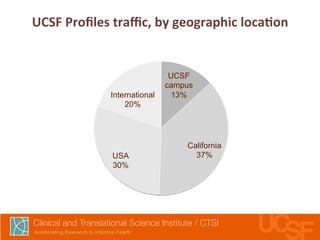
    UCSF Profiles traffic, by geographic locaLon UCSF campus 13% California International 20% USA 37% 30%
  • 9.
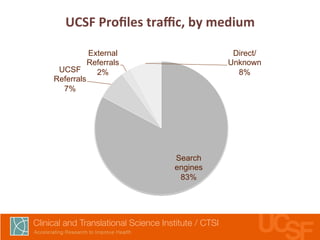
    UCSF Profiles traffic, by medium Search engines 83% UCSF Referrals 7% External Referrals 2% Direct/ Unknown 8%
  • 10.
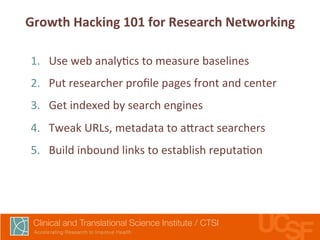
    Growth Hacking 101 for Research Networking 1. Use web analy,cs to measure baselines 2. Put researcher profile pages front and center 3. Get indexed by search engines 4. Tweak URLs, metadata to a7ract searchers 5. Build inbound links to establish reputa,on
  • 11.
    STEP 1. WEB ANALYTICS TO MEASURE BASELINES Photo: Tim Ellis, h7p://flic.kr/p/849hSN, used under CC BY-­‐NC
  • 12.
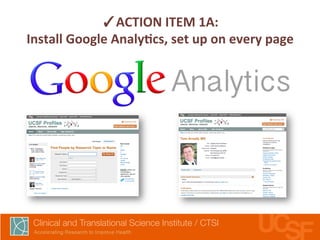
    ✓ACTION ITEM 1A: Install Google AnalyLcs, set up on every page
  • 13.
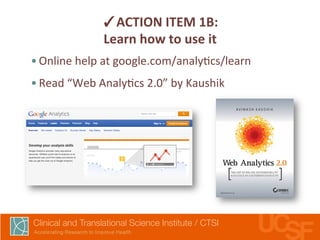
    ✓ACTION ITEM 1B: Learn how to use it • Online help at google.com/analy,cs/learn • Read “Web Analy,cs 2.0” by Kaushik
  • 14.
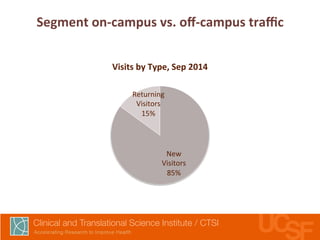
    Segment on-­‐campus vs. off-­‐campus traffic Visits by Type, Sep 2014 Returning Visitors 15% New Visitors 85%
  • 15.
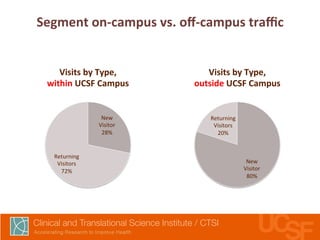
    Segment on-­‐campus vs. off-­‐campus traffic Visits by Type, within UCSF Campus New Visitor 28% Returning Visitors 72% Visits by Type, outside UCSF Campus New Visitor 80% Returning Visitors 20%
  • 16.
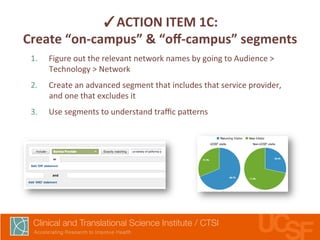
    ✓ACTION ITEM 1C: Create “on-­‐campus” & “off-­‐campus” segments 1. Figure out the relevant network names by going to Audience > Technology > Network 2. Create an advanced segment that includes that service provider, and one that excludes it 3. Use segments to understand traffic pa7erns
  • 17.
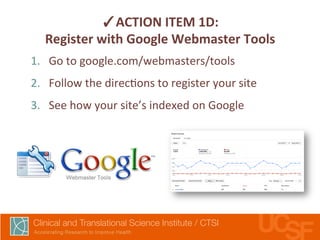
    ✓ACTION ITEM 1D: Register with Google Webmaster Tools 1. Go to google.com/webmasters/tools 2. Follow the direc,ons to register your site 3. See how your site’s indexed on Google
  • 18.
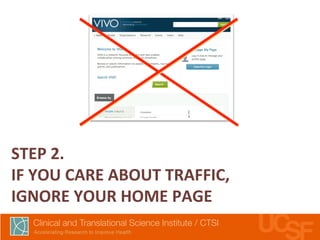
    STEP 2. IF YOU CARE ABOUT TRAFFIC, IGNORE YOUR HOME PAGE
  • 21.
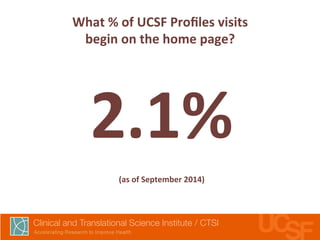
    What % of UCSF Profiles visits begin on the home page? 2.1% (as of September 2014)
  • 22.
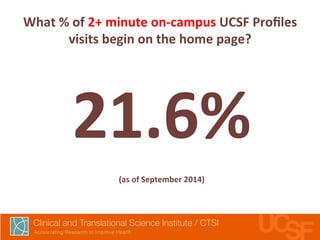
    What % of 2+ minute on-­‐campus UCSF Profiles visits begin on the home page? 21.6% (as of September 2014)
  • 23.
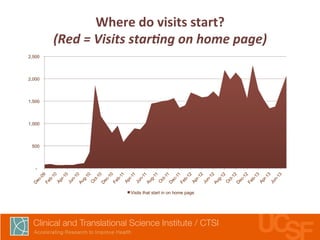
    Where do visits start? (Red = Visits star0ng on home page) 2,500 2,000 1,500 1,000 500 - Visits that start in on home page
  • 24.
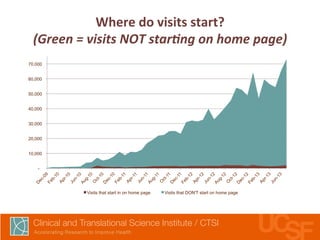
    Where do visits start? (Green = visits NOT star0ng on home page) 70,000 60,000 50,000 40,000 30,000 20,000 10,000 - Visits that start in on home page Visits that DON'T start on home page
  • 25.
    So where ARE visitors going, if not to the home page?
  • 26.
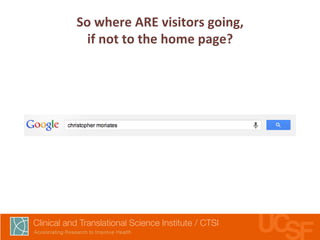
    So where ARE visitors going, if not to the home page?
  • 27.
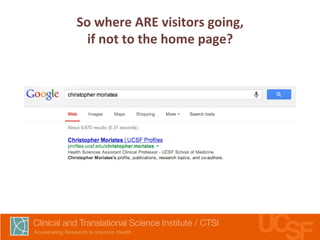
    So where ARE visitors going, if not to the home page?
  • 28.
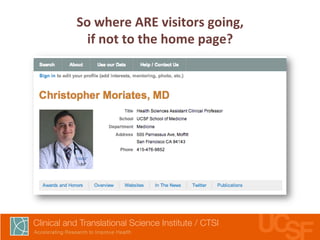
    So where ARE visitors going, if not to the home page?
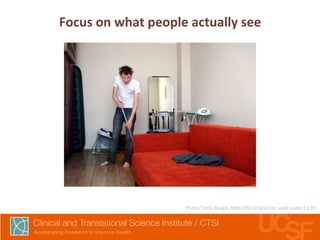
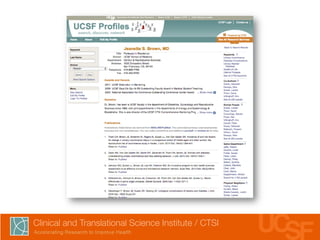
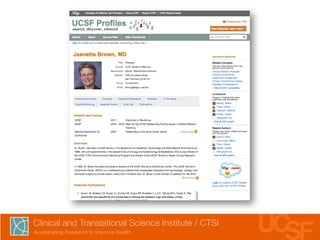
  • 29.
    Focus on what people actually see Photo: Toms Bauģis, h7p://flic.kr/p/ai1nc, used under CC BY
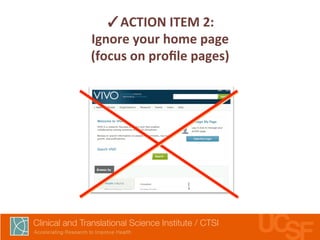
  • 32.
    ✓ACTION ITEM 2: Ignore your home page (focus on profile pages)
  • 33.
    STEP 3. GET INDEXED BY SEARCH ENGINES Photo: Catherine Roy, h7p://flic.kr/p/aW72h4, used under CC BY-­‐NC-­‐ND
  • 34.
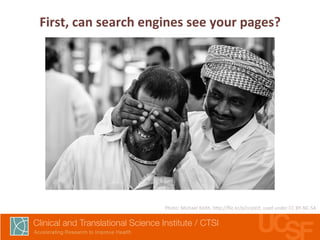
    First, can search engines see your pages? Photo: Michael Keith, h7p://flic.kr/p/ccqVcf, used under CC BY-­‐NC-­‐SA
  • 35.
    ✓ACTION ITEM 3: Make sure search engines can see your pages 1. Tweak your robots.txt so search engines can see all your pages (www.robotstxt.org) 2. Create a dynamically-­‐generated sitemap of all your profile pages (www.sitemaps.org) 3. Men,on your sitemap in your robots.txt, and add it to Google Webmaster Tools 4. Wait a day, validate that this all works via Google Webmaster Tools
  • 36.
    STEP 4. TWEAK URLS, METADATA TO ATTRACT SEARCHERS
  • 37.
    Google search results title URL description/snippet
  • 38.
    Which search result would you rather click on? Profiles 2 (with custom URLs) Profiles 1: VIVO at Cornell:
  • 39.
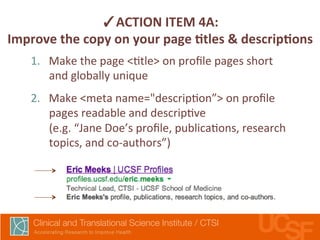
    ✓ACTION ITEM 4A: Improve the copy on your page Ltles & descripLons 1. Make the page <,tle> on profile pages short and globally unique 2. Make <meta name="descrip,on”> on profile pages readable and descrip,ve (e.g. “Jane Doe’s profile, publica,ons, research topics, and co-­‐authors”)
  • 40.
  • 41.
    ✓ACTION ITEM 4B: Add extra professional metadata • Follow the direc,ons at schema.org and schema.org/Person to add people-­‐oriented HTML metadata to your pages • Use google.com/webmasters/tools/richsnippets to test to see if you got your syntax right
  • 42.
    Which URL do you trust more? profiles.ucsf.edu/eric.meeks scholars.duke.edu/display/per085776
  • 43.
    ✓ACTION ITEM 4C: Use beker URLs. Include people’s names. • Pre7y URL should be the “real” URL, not just a redirect • All old or alterna,ve profile URLs should do a 301 redirect to the pre7y URL
  • 44.
    MulLple versions of the same URL? • yoursite.edu/display/n1234 • yoursite.edu/display/n1234?blah-­‐blah-­‐blah • yoursite.edu/en,ty?ne,d=ac12 • yoursite.edu/print/n1234
  • 45.
    ✓ACTION ITEM 4D: Prevent indexing of mulLple versions of your page • If you have mul,ple versions of your page getng indexed, tell search engines which version is the main one by using the rel=canonical canonical link element
  • 46.
    STEP 5. GET INBOUND LINKS Photo: Blake Pa7erson, h7p://flic.kr/p/5w4pn9, used under CC BY
  • 47.
  • 48.
  • 49.
  • 50.
  • 51.
  • 53.
    APIs enable data reuse, encourage adopLon • Built-­‐in APIs let users reuse your data • How to publicize/support APIs – Document API on a developer-­‐centric website – Online discussion group – Outreach to campus groups • Reusing data = more incen,ve to have clean data • Ask for a link back from API-­‐enhanced pages
  • 56.
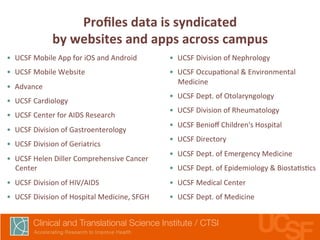
    Profiles data is syndicated by websites and apps across campus • UCSF Mobile App for iOS and Android • UCSF Mobile Website • Advance • UCSF Cardiology • UCSF Center for AIDS Research • UCSF Division of Gastroenterology • UCSF Division of Geriatrics • UCSF Helen Diller Comprehensive Cancer Center • UCSF Division of HIV/AIDS • UCSF Division of Hospital Medicine, SFGH • UCSF Division of Nephrology • UCSF Occupa,onal & Environmental Medicine • UCSF Dept. of Otolaryngology • UCSF Division of Rheumatology • UCSF Benioff Children's Hospital • UCSF Directory • UCSF Dept. of Emergency Medicine • UCSF Dept. of Epidemiology & Biosta,s,cs • UCSF Medical Center • UCSF Dept. of Medicine
  • 57.
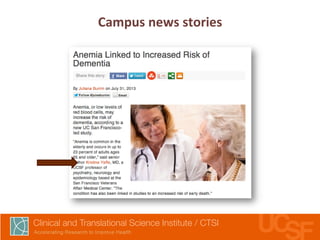
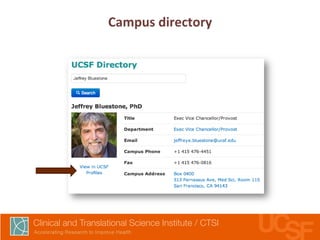
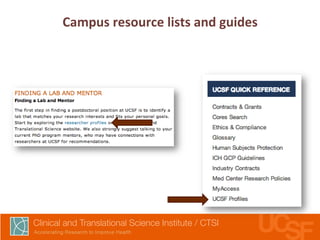
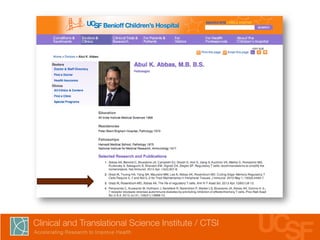
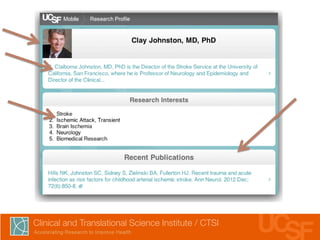
    ✓ACTION ITEM 4: Get websites at your insLtuLon to link to you • Get campus sites to link to your homepage as a trusted campus resource • Get campus sites to link to individual profiles from departmental profiles, news stories, directory, etc. • Encourage reuse of your data via APIs, and ask for a link back as a7ribu,on (they save @me and money, you get links) • These links may not send traffic, but will help SEO
  • 58.
    Virtuous Circle: SEO —> Media menLons —> SEO
  • 59.
    Growth Hacking 101 for Research Networking 1. Use web analy,cs to measure baselines 2. Put researcher profile pages front and center 3. Get indexed by search engines 4. Tweak URLs, metadata to a7ract searchers 5. Build inbound links to establish reputa,on Anirvan Chakerjee, CTSI at UCSF anirvan.cha7erjee@ucsf.edu @anirvan